


Start Creating Professional Documents That Actually Win Deals
Written with AI assistance under our editorial guidelines
Professional documents are often rejected within seconds based on visual presentation alone, before readers engage with content. First impressions driven by layout, fonts, spacing, and design quality signal either competence or incompetence. Studies show poor document design wastes decision-makers' time and erodes trust, making aesthetic professionalism essential for credibility and winning deals.
Step into a meeting room, digital or physical, and count the seconds it takes for someone to size up your work. Three. Maybe five. That’s all it takes for your document—report, proposal, policy—to either open doors or silently sabotage your credibility. In a world obsessed with speed and surface, the difference between “good enough” and “unignorable” is rarely found in the body text. It’s in the first impression, in the visual punch, in the way you signal, “I know what matters—and I know how to show it.” This is the brutal truth behind professional documents: style and structure aren’t polish, they’re power. If you want to start creating professional documents that impress on contact, you need to master more than just templates and spellcheck. You need to understand the psychology, the economics, and the silent rules that separate professionals from everyone else.
This is your deep-dive. We’ll rip apart the lies of “one-size-fits-all,” expose the risks of clinging to outdated formats, and show you how AI and human insight can collide for instant credibility. Prepare to rethink every assumption you’ve had about business document creation. Welcome to your edge.
Why most documents fail before you even hit send
The psychology of first impressions in documentation
First impressions in the business world are ruthless. According to behavioral psychology, readers size up the professionalism of a document within seconds—often before they’ve read a single word. The layout, fonts, spacing, and even the color palette all send signals of competence or chaos. As the adage goes, “People trust what looks trustworthy. It's that simple.” — Alex, a veteran brand strategist. Your document’s aesthetic is the handshake before the handshake. A messy, misaligned, or visually jarring file triggers unconscious biases: if you don’t respect the reader’s time or visual comfort, why should they trust your analysis or recommendations?

Think of two proposals staring up from a conference table. One is crisp, aligned, clear; the other is a Frankenstein of fonts, awkward spacing, and buried headers. Instinctively, most decision-makers will reach for the first, absorbing its authority before they’re even aware of the content. According to a 2023 Adobe Acrobat survey, 48% of professionals struggle to find critical information in documents, but even more—over 70%—acknowledge that poorly designed files waste their time and erode trust. These snap judgments aren’t trivial. They determine whose work gets a second look, and whose heads straight to the recycle bin.
"People trust what looks trustworthy. It's that simple." — Alex, Brand Strategist
The hidden costs of amateur mistakes
It’s tempting to think of unprofessional documents as a minor annoyance—something you’ll fix “next time.” But the financial and reputational fallout is real and quantifiable.
| Type of Mistake | Estimated Time Lost per Month | Potential Deal Loss | Reputation Impact |
|---|---|---|---|
| Outdated information | 8 hours | $20,000+ | High |
| Formatting errors | 5 hours | $10,000 | Medium |
| Confusing structure | 6 hours | $5,000 | High |
| Security breaches (data leaks) | 3 hours | $4.45M (avg. breach) | Catastrophic |
Table 1: The real-world costs of unprofessional documentation. Source: IBM 2023, Cognidox 2023, Adobe Acrobat 2023
A real-world example? In 2023, a tech startup lost a major investment after sending a proposal riddled with inconsistent fonts and outdated statistics. The deal-breaker wasn’t the business model but a sense of carelessness broadcast by sloppy documentation. According to Cognidox’s 2023 report, 44% of employees find searching for documents challenging, and 95% struggle to locate the latest version. That’s not just lost time—it’s lost revenue, opportunity, and trust.
Reputation is a silent casualty. In regulated industries like law or healthcare, one misfiled or poorly formatted document can trigger audits or legal headaches. Even in less formal sectors, word travels fast about teams that “can’t get their paperwork right.” The cost isn’t just immediate; it echoes through lost referrals and missed second chances.
Why templates won't save you from mediocrity
The corporate world loves templates. On the surface, they promise consistency and speed. But here’s the truth: templates are a starting line, not a finish. Using them as a crutch can drag your brand into the quicksand of mediocrity.
- Templates rarely fit the unique nuances of your business or audience.
- Overused designs become invisible—decision-makers have seen them all.
- Rigid templates can force awkward compromises, leading to bloated or sterile documents.
- Templates from generic sources may not comply with your industry’s current standards.
- They’re easy to spot and signal “low effort” if used without customization.
As one senior consultant put it: “Templates are training wheels. If you never take them off, you never pick up speed.” True professionalism means knowing when to break the mold. Customizing structure, adapting visual hierarchy for your audience, and injecting your brand’s personality into every page—these are the moves that get noticed.
Defining 'professional' in a world of shifting standards
What does 'professional document' actually mean in 2025?
The definition of “professional” is not static. It’s shaped by shifting workplace cultures, new tools, and rising expectations for user experience. In 2025, a professional document isn’t just one that avoids typos or uses Times New Roman. It’s one that is clear, accessible, and authentic—reflecting both industry standards and the needs of a diverse, savvy audience.
- Responsive design for screens and print
- Clear hierarchies and readable fonts
- Accessibility for all users (color contrast, alt text)
- Integration of up-to-date data
- Personalization and brand consistency
- Formal tone and rigid structure
- Dense blocks of text
- Minimal visual elements
- Siloed, paper-first formats
Context matters. In creative industries, a professional document might embrace bold visuals and storytelling. In finance, precision and accuracy are non-negotiable. The thread that links them? Respect for the reader’s time, intelligence, and experience.
Common misconceptions that sabotage your credibility
Let’s strip away the myths:
- More pages mean more credibility. In reality, concise and targeted documents win—decision-makers ignore fluff.
- Complex language impresses. Jargon overload alienates. Clarity is king.
- Templates guarantee professionalism. As shown above, templates can telegraph laziness if not tailored.
- Proofreading is optional. Typos and inconsistencies are instant credibility killers.
- Visuals are for designers only. In fact, well-chosen visuals clarify and add authority.
User testimonial: “I once submitted a 40-page report because I thought length equaled value. The feedback? ‘Next time, send me five pages I’ll actually read.’ It stung, but it changed how I work.”
Hidden benefits of modern document creation:
- Faster decision cycles—concise, actionable content moves projects forward.
- Lower risk of misunderstanding—clear layout and language reduce costly errors.
- Improved brand perception—professional documents set you apart in crowded markets.
How industry and context change the rules
A legal brief, a technical manual, and a creative pitch deck aren’t even in the same country—let alone the same zip code—when it comes to documentation standards.
| Industry | Must-Have Document Features | Typical Format |
|---|---|---|
| Law | Compliance, citation accuracy, pagination | DOCX/PDF, strict |
| Tech | Version control, accessible code samples | Markdown, HTML, PDF |
| Creative | Visual storytelling, flexible structure | PPTX, PDF, multimedia |
Table 2: Document requirements by industry (Source: Original analysis based on industry standards and Adobe, Cognidox 2023)
Adaptability is itself a professional skill. Pros know how to read the room—and the industry. They adjust not only what they present, but also how they present it. If you’re working across sectors, don’t be afraid to break from one standard to serve another. What matters most is delivering value, clarity, and compliance in a package your audience actually wants to read.
The anatomy of a killer professional document
Structure, flow, and the art of visual hierarchy
A killer professional document is never a happy accident. It’s engineered, not just written. The secret sauce? Visual hierarchy—the art of guiding the reader’s eye (and attention) from the first glance to the final call-to-action.
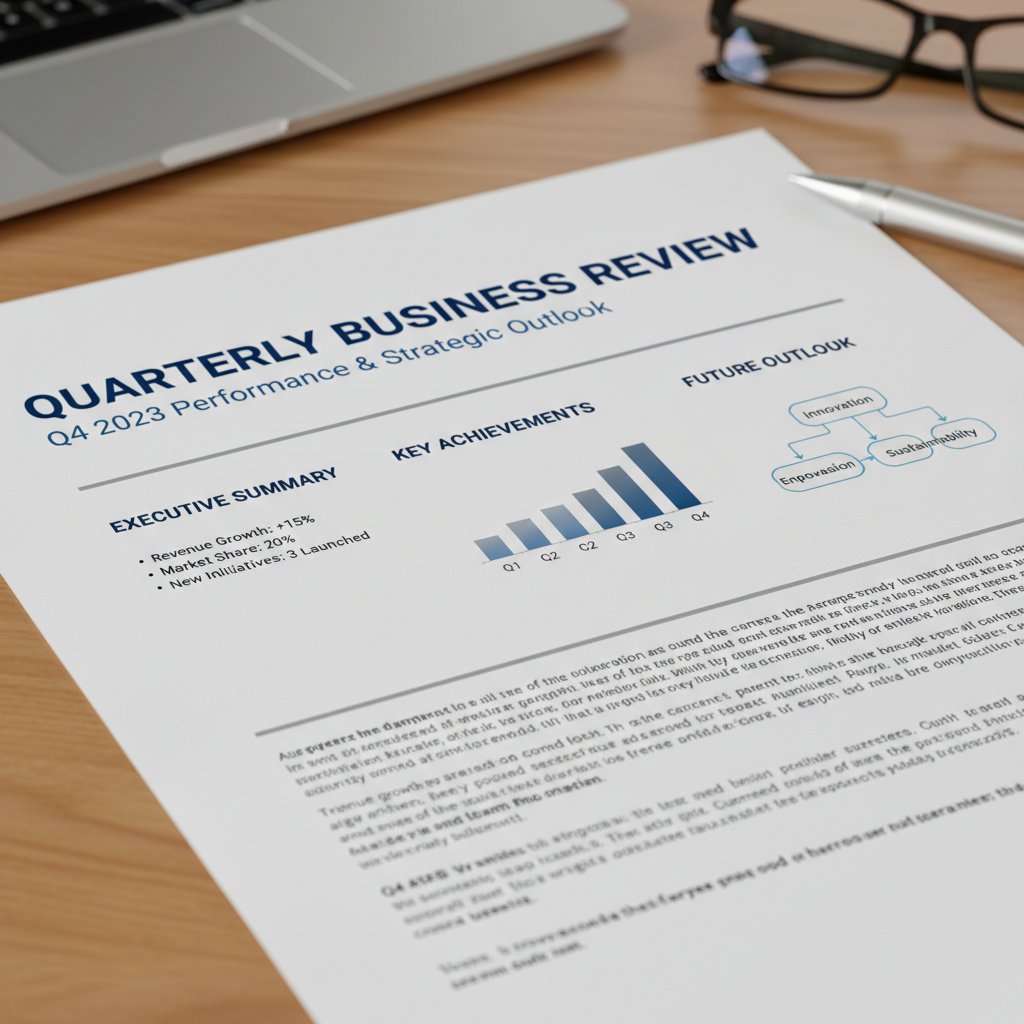
Here’s how to build a strong structure step by step:
- Start with a clear purpose statement. Before you write, know what the document must achieve.
- Use logical headings and subheadings. Break down information for fast scanning.
- Leverage bullet points and tables. Deliver facts efficiently.
- Maintain consistent formatting. Use the same fonts, sizes, and alignment throughout.
- Balance white space and content. Don’t fear margins—they make information digestible.
- Design for both screen and print. Responsive design isn’t just for websites.
Each layer—the title, the headers, the visual anchors like charts or callouts—should work together. If your reader can’t find what they need in seconds, they won’t find it at all.
Tone, language, and emotional resonance
Tone is the silent handshake of your document. It either invites the reader in or pushes them away. The most effective professional documents strike a balance: authoritative but approachable. The trick? Avoid robotic formality but don’t slip into informality.
Example of shifting tone:
- Dry: “Attached is the financial report for Q2.”
- Engaging: “Here’s the Q2 report—highlighting the growth that’s moving us forward.”
"Tone is the silent handshake of your document." — Jamie, Communications Coach
Language should serve the message, not obscure it. Use industry terms when necessary, but always prioritize clarity over cleverness. Readers remember how you made them feel—confident, informed, respected.
Accessibility and inclusivity: the new professional baseline
Accessibility isn’t a legal checkbox; it’s a professional baseline. Documents should be readable and usable by everyone, regardless of ability or device.
Key Terms in Accessibility
- Alt text: Descriptive text for images, aiding visually impaired users.
- White space: Empty space that separates content, improving readability.
- Screen reader compatibility: Ensuring text is structured for assistive technologies.
- Color contrast: Using high-contrast colors for text and background.
Common pitfalls? Using color alone to convey meaning, forgetting alt text, or using illegible fonts. Each of these errors not only excludes potential readers but can also be a compliance risk. The best documents are designed for inclusion from the start, not patched in at the end.
The AI revolution: tools and traps in document creation
AI-powered generators vs. manual creation vs. templates
| Feature | AI Generators (filecreator.ai) | Manual Creation | Templates |
|---|---|---|---|
| Speed | Instant | Slow | Medium |
| Consistency | High | Variable | Consistent |
| Customization | High | High | Low |
| Error risk | Low (if checked) | High | Medium |
| Compliance | Automated | Manual | Not guaranteed |
| Cost | Low to moderate | High | Low |
Table 3: Document creation methods—strengths and risks. Source: Original analysis based on user and industry data.
Manual creation offers maximum control, but it’s a time sink and prone to error. Templates speed things up, but as discussed, often lock you into generic mediocrity. AI-powered generators, like filecreator.ai, blend speed, accuracy, and customization. But they’re not silver bullets—you still need a sharp eye and a critical mind.
Risks, myths, and the ethics of automated documentation
Let’s get real. Using AI comes with real risks:
- Plagiarism and originality: Relying solely on AI can introduce unintentional plagiarism if you don’t review outputs.
- Data security: Storing or generating sensitive docs with cloud tools can risk breaches.
- Assumed perfection: AI is only as good as the data and prompts you provide; errors and bias can slip through.
The myth: “If it’s AI-generated, it’s flawless.” The reality: every document needs human oversight.
Priority Checklist for Responsible AI Use:
- Proofread every document—AI makes mistakes too.
- Use trusted, secure platforms for sensitive content.
- Double-check for attribution and originality.
- Tailor every template to your unique audience.
- Keep up with evolving compliance standards.
When to trust the machine—and when not to
Case studies tell the story best. In a 2024 marketing campaign, an agency used an AI report generator to prepare pitches within hours, landing two new clients by beating deadlines. Conversely, a law firm faced embarrassment after their AI-generated contract included outdated clauses—a manual check would have caught the error.

The takeaway? Trust AI for speed and error reduction, but never abdicate final review. The human edge—contextual thinking, ethical judgment, empathy—remains irreplaceable.
From blank page to masterpiece: your action plan
Step-by-step guide to starting professional documents
- Clarify your objective and audience. Know what you need your document to achieve.
- Choose the right template or tool. Start with a flexible foundation—don’t get boxed in.
- Gather up-to-date data and references. Use only current, credible sources.
- Draft your structure and key sections. Map out major points before filling in details.
- Write with clarity and purpose. Each paragraph should earn its place.
- Review for consistency and tone. Adjust headings, fonts, and voice to align with your brand.
- Proofread and fact-check. Use tools and human eyes—don’t let small errors slip.
- Check accessibility and formatting. Ensure everyone can read and engage with your work.
- Secure and store wisely. Use digital safeguards; the average data breach costs $4.45M according to IBM, 2023.
- Iterate and improve. Ask for feedback—document mastery is a process.
Blank page syndrome? Start with a brain dump or outline—don’t aim for perfection in the first draft. The best documents are rewritten, not just written. Iterative review reveals hidden gaps, logic leaps, and formatting flaws that first drafts always miss.
Checklist: have you nailed the essentials?
- Clear, concise title and purpose statement
- Organized structure with meaningful headings
- Professional font and consistent formatting
- Up-to-date, credible data
- Appropriate visuals with SEO-friendly alt text
- Proofreading for grammar and accuracy
- Accessibility features (alt text, high contrast)
- Digital security (password protection, access controls)
- Customization for your audience and industry
Each checklist item is a non-negotiable. Miss one, and your “professional” document risks turning amateur. Platforms like filecreator.ai streamline many of these steps through AI reasoning and best-practice templates, but always validate and personalize.
Avoiding the pitfalls that trip up even the pros
Even seasoned professionals stumble. Subtle formatting glitches, hidden metadata, or inconsistent citations can slip through. As career coach Morgan notes: “The devil is in the details—even the pros miss them.” Fixes? Always use document previews, verify file compatibility across platforms, and have a second set of eyes review your work. Set reminders to double-check before you hit send. One missed error in a contract or financial report can cost more than an hour—it can cost your reputation.
Case studies: documents that changed everything
The botched proposal that cost millions
In 2023, a consulting firm lost a $2 million contract due to a proposal that looked, in the client’s words, “like it was thrown together the night before.” Typos, inconsistent branding, and outdated figures sparked doubt about the firm’s attention to detail. The work was solid; the presentation killed the deal.

Analysis: Professionalism isn’t a garnish—it’s the meal. Clients and stakeholders judge you on every line, even before they engage with substance. Lesson learned: presentation is inseparable from value.
How a single page won an entire contract
Contrast that with a single-page summary submitted by a small tech startup. Crisp, visually organized, and laser-focused on client outcomes, it grabbed the CEO’s attention and won the contract over more detailed rivals.
| Feature | Present in Winning Document |
|---|---|
| Concise purpose statement | Yes |
| Custom branding | Yes |
| Up-to-date data | Yes |
| Actionable recommendations | Yes |
| Visual clarity | Yes |
Table 4: Anatomy of a winning professional document. Source: Original analysis based on real-world case studies.
What made it work? Ruthless clarity, focus on action, and a respect for the reader’s time.
The quiet revolution: unsung heroes of documentation
Project managers, executive assistants, and operations staff are the unsung heroes of documentation. Their behind-the-scenes work—the tracking, versioning, and cross-checking—prevents disasters and keeps organizations running. As Taylor, a senior project manager, says: “Behind every great project is an even better document.” The cultural shift? Documentation is no longer a chore; it’s an asset, a competitive differentiator that elevates teams and builds trust.
"Behind every great project is an even better document." — Taylor, Senior Project Manager
The future of professional documents: what's next?
Emerging trends and technologies
AI isn’t just automating writing—it’s transforming how documents look, feel, and function. Smart formatting tools, integrated real-time collaboration, and seamless multi-format exports are all the new normal. Workspace design is evolving too: think glass-walled rooms with AR overlays and team members collaborating remotely, editing live.

Old-school PDFs are losing ground to flexible, interactive formats that adapt to any device. The expectation is instant customization, universal accessibility, and effortless sharing.
Cross-industry innovations to watch
Some of the most radical document innovations are coming from unexpected quarters:
- Healthcare: Patient records with real-time updating and smart data validation.
- Law: Automated compliance checks and e-signature integration.
- Creative industries: Immersive, interactive pitch decks with multimedia embeds.
Timeline of Professional Document Evolution:
- Paper-based, typewritten documents (pre-1990s)
- Desktop word processors and standard templates (1990s–2000s)
- Cloud-based collaboration (2010s)
- AI-powered generators and real-time editing (2020s–present)
Experts predict that within a decade, static documents will be increasingly rare—interactive, dynamic files will be the expectation. But don’t chase trends blindly; focus on tools and skills that adapt with you.
How to future-proof your document workflow
Adaptation is survival. Here’s how to ensure you’re not left behind:
- Develop critical digital literacy (AI, formatting, security)
- Master accessibility best practices
- Build habits of regular review and iteration
- Stay curious—evaluate new tools, join expert communities
Skills and Habits for Staying Ahead:
- Always review and update your templates and workflows
- Cross-train team members in multiple document tools
- Document processes as well as outputs
- Integrate new AI-powered platforms like filecreator.ai for efficiency while never abandoning critical oversight
Glossary: cutting through the jargon
The strategic layering of text and visuals to guide the reader’s eye. In professional documents, this means using headlines, bolding, and spacing to signal importance—like a neon sign saying, “Start here.”
The deliberate use of empty areas to separate and organize content. Not wasted space; it’s a secret weapon for readability and focus.
Ensuring that all users, regardless of ability, can navigate and understand your documents. This includes screen reader compatibility, alt text, and high-contrast colors.
The process by which documents are created, reviewed, stored, and retrieved. A strong workflow prevents chaos and saves time.
Each term isn’t just jargon—it’s a lever for real-world impact. Master these concepts, and every document you produce will signal competence.
Tips: Use visual hierarchy to highlight must-read sections, don’t be afraid of white space, and always check accessibility before sending. Build a workflow that fits your team—don’t just inherit one.
Resources, references, and next steps
Quick reference: top tools and guides
- The Ultimate Guide to Crafting Professional Documents – texta.ai
- IBM Cost of Data Breach Report (2023)
- Canva Design School
- LinkedIn: Best Tips for Professional Documents
- filecreator.ai
To evaluate new tools, consider:
- Security and data privacy
- Adaptability and customization
- Integration with your current workflow
- User support and community reputation
Consulting an expert makes sense for high-stakes or compliance-heavy documents, but for most day-to-day needs, DIY with a robust platform is both efficient and empowering.
Further reading and expert communities
Online communities and learning hubs are essential for staying sharp:
- Reddit r/business
- Stack Overflow Documentation
- Society for Technical Communication
- Coursera: Document Design & Technical Writing
Build your system: create a living repository of templates, checklists, and reference materials. Make it accessible and update as you learn. It’s not about perfection—it’s about relentless, incremental improvement.

Conclusion
Professional credibility doesn’t start with a signature—it starts on the page, in the first lines your reader sees. As the data shows, the gap between amateur and pro is measured in seconds, not paragraphs. To start creating professional documents that truly impress, you need more than a template. You need a deep, up-to-date toolkit: clarity, structure, accessibility, and the willingness to challenge bad habits. Platforms like filecreator.ai are raising the bar, but the real edge comes from how you use them—combining automation with relentless human attention to detail. Every document is a chance to show, not tell, what kind of professional you are. Now you have the secrets. The rest is up to you.
Sources
References cited in this article
- The Ultimate Guide to Crafting Professional Documents – texta.ai(texta.ai)
- IBM Cost of Data Breach Report (2023)(iubenda.com)
- Canva Design School(canva.com)
- LinkedIn: Best Tips for Professional Documents(linkedin.com)
- Why Document Management Systems Succeed or Fail – Formtek(formtek.com)
- Rethinking Your Document Management – Business.com(business.com)
- Documentation Statistics – Whale.io(usewhale.io)
- The True Cost of Poor Document Management – Ripcord(blog.ripcord.com)
- IBM 2024 Cost of Data Breach Report – BigID(bigid.com)
- The Cult of the Template – Medium(medium.com)
- Content Marketing Institute Report(surferseo.com)
- Professional Standards Authority (UK) Business Plan 2023-24(gov.uk)
- KDI Inc. on Document Management Trends(kdi-inc.com)
- The “Big 8” Trends in Document Management in 2025(adlibsoftware.com)
- Invensis: Document Management Trends 2025(invensis.net)
- Veriff: Document Fraud 2024(veriff.com)
- Jaffe: Spelling Errors and Credibility(jaffepr.com)
- Wordvice: Resume Structure Guide(blog.wordvice.com)
- Cash and Kerry: Anatomy of a Killer Resume(cashandkerry.com)
- Writing Commons: Tone(writingcommons.org)
- Instructional Solutions: Professional Tone(instructionalsolutions.com)
- Frontiers in Psychology: Emotional Resonance(frontiersin.org)
- Equidox: Digital Accessibility Law Updates 2024(equidox.co)
- Level Access: Digital Accessibility Report(levelaccess.com)
- Atlas: AI Writing Tools 2024(atlas.org)
- Semrush: AI Trends 2024(semrush.com)
- Forbes: AI-Powered Document Processing(forbes.com)
- World Economic Forum: Trust in AI(weforum.org)
- KPMG: Trust in Artificial Intelligence 2023(kpmg.com)
- Creately: Action Plan Guide(creately.com)
- GoDocs: 2023 Checklist for Automated Document Systems(godocs.com)
- Document Management Software: Mistakes to Avoid(documentmanagementsoftware.com)
- Pharmuni: Documentation Mistakes(pharmuni.com)
Perfect Documents, Instantly
Filecreator.ai transforms the way you produce professional documents. Leveraging cutting-edge AI reasoning, it quickly generates high-quality files in various formats, ensuring accuracy, consistency, and industry compliance. Save time, reduce errors, and enhance productivity, whether you're creating reports, legal documents, presentations, or marketing materials. Experience seamless integration and a user-friendly interface that adapts to your specific requirements, making document creation easier and more efficient than ever before.
Get startedStart Creating Professional Documents Today
Join thousands of professionals who trust AI-powered document generation
Frequently Asked Questions
How much time do decision-makers typically spend forming an impression of a professional document?
According to the article, decision-makers size up the professionalism of a document within just three to five seconds, often before reading a single word. This initial impression is based on visual elements like layout, fonts, spacing, and color palette rather than content.
What percentage of professionals struggle to find critical information in documents?
According to a 2023 Adobe Acrobat survey cited in the article, 48% of professionals struggle to find critical information in documents, and over 70% acknowledge that poorly designed files waste their time and erode trust.
Why does document design matter more than just having good content?
The article states that a document's aesthetic serves as a handshake before the actual handshake. A messy or poorly designed document triggers unconscious biases in readers, signaling disrespect for their time and visual comfort, which undermines trust in your analysis and recommendations regardless of content quality.
What does the article say about the difference between 'good enough' and 'unignorable' documents?
According to the article, the difference between 'good enough' and 'unignorable' documents is rarely found in the body text—it's in the first impression, visual impact, and the signals you send about your professionalism and understanding of what matters.
Continue Reading
Explore more from Professional Document Generator

How Professional Documents Determine Business Outcomes
Professional documents shape first impressions and business outcomes. This article explains what separates mediocre documents from those that win decisions.

Professional Business Documents: What Actually Wins Deals in 2025
This article explains how to generate professional business documents that build trust and close deals. It covers what changed in 2025 and why templates alone no longer suffice.

Professional Customized Documents: Control in the Modern Era
Creating professional customized documents requires balancing speed with accuracy and control. This article examines the shift from manual processes to modern workflows and the critical considerations for organizations.

How Intelligent Document Generation Protects Competitive Advantage
Generating customized business documents efficiently reduces errors and saves time. This article explains how intelligent document generation improves competitive advantage.

How Automated Tools Generate Professional Marketing Documents
Generate professional marketing documents efficiently using automated tools. This article examines how document generators improve consistency and speed while addressing real-world risks.

Document Formatting Tools: How They Shape Your Professional Image
Document formatting tools shape how your work is perceived. This article explains why formatting affects credibility, the hidden costs, and strategies for professional-level control.