


Replace Outdated Document Software Before It Quietly Kills Growth
Written with AI assistance under our editorial guidelines
Outdated document software causes up to 20% productivity loss through slow file retrievals, version control problems, and frequent crashes. Modern cloud-first solutions offer advanced security, mobile accessibility, and seamless integration, making the upgrade essential for competitive advantage and data protection in 2025.
Modern business runs on documents, but if you’re still clutching those clunky, legacy tools like a digital security blanket, you’re literally paying the price. The numbers don’t lie—outdated document software is quietly sabotaging your workflow, bleeding productivity, and leaving your data exposed. In a world where agility, security, and seamless collaboration are the bare minimum, settling for obsolete solutions isn’t just a tech debt—it’s a competitive disaster. This isn’t about chasing every shiny new app. It’s about making a deliberate, researched leap from the digital past into a future where AI, cloud-first ecosystems, and bulletproof compliance aren’t luxuries, but necessities. This deep-dive doesn’t peddle clichés. Instead, we’ll dissect why clinging to what’s familiar is costing you more than you think, unmask the real risks behind legacy software, and arm you with street-smart strategies for bold disruption in 2025 and beyond. Welcome to your document software intervention. Ready to find out if your tools are holding you back—or if you’re ready to pull the plug and leap ahead? Let’s get surgical.
Why outdated document software is still haunting your workflow
Recognizing the hidden costs of legacy tools
Most organizations underestimate just how much outdated document software is draining their resources. On the surface, it may seem like “if it ain’t broke, don’t fix it.” But under the hood, the reality is brutal: up to 20% productivity loss can be traced to clunky, legacy document systems, according to the Association for Intelligent Information Management, 2024. This isn’t a rounding error—it’s a revenue-killer. Wasted hours accumulate as staff struggle with slow file retrievals, convoluted version control, and frequent crashes that force teams to redo hours of work. The hidden price tag also includes IT firefighting for compatibility issues, data silos, and the looming threat of unpatched vulnerabilities.

Consider this stark contrast:
| Feature/Aspect | Legacy Document Software | Modern Document Software (2025) |
|---|---|---|
| Accessibility | On-premises, limited remote use | Cloud-first, mobile-ready |
| Security | Basic, patch-dependent | Advanced encryption, role-based |
| Integration | Standalone, siloed | Seamless with other platforms |
| Collaboration | Email attachments, version chaos | Real-time, multi-user, tracked |
| Automation/AI | None or minimal | Mainstream, intelligent workflows |
| Compliance | Manual, error-prone | Automated, auditable, up-to-date |
Table 1: Feature comparison—legacy vs. modern document software. Source: Original analysis based on AIIM, 2024, Gartner, 2025.
"Most people don’t realize how much time they’re losing until it’s too late." — Alex, IT transformation consultant (illustrative)
The psychology behind sticking with what we know
Why do companies keep old document tools alive, even when the evidence screams for change? The answer is as much about human psychology as it is about IT budgets. Cognitive inertia—our tendency to stick with familiar routines—can keep entire organizations in tech limbo. Familiar interfaces, however outdated, feel less risky than the unknowns of migration. Managers worry about training staff, potential data loss, and short-term productivity slumps, often ignoring the long-term bleed.
There’s also an undeniable cultural layer. In organizations with entrenched hierarchies or generational divides, upgrading software becomes a political minefield. Senior leaders may fear losing control, while digital-native employees quietly seethe at the daily inefficiencies.
- Unseen boosts to security: Modern tools close doors to exploits that hackers love in legacy systems.
- Mobile freedom: Employees can actually work from anywhere, not just claim to.
- Data-driven insights: AI-powered search and analytics pull hidden value from archives.
- Regulatory peace of mind: Automated compliance checks mean fewer 3 a.m. “urgent action required” emails.
- Real collaboration: No more “final_final_v3.docx” nightmares clogging inboxes.
Disaster stories: when old document software bites back
Real-life breaches and business breakdowns
It only takes one slip for outdated document software to go from “annoying” to “catastrophic.” In 2023, a regional law firm lost nearly 1.2 million confidential files after a ransomware attack exploited an unpatched vulnerability in their 12-year-old document management platform (AIIM, 2024). The fallout? Loss of trust, regulatory fines, and months of manual document reconstruction. Stories like this aren’t rare; the numbers point to a growing epidemic of breaches tied to legacy tools.

| Breach Incident Type | % Attributed to Legacy Tools | Example Losses |
|---|---|---|
| Ransomware/Phishing | 32% | Data lockouts, legal breaches |
| Unintentional Data Exposure | 27% | Unsecured file shares, leaks |
| Unpatched Vulnerabilities | 41% | Confidential file theft |
Table 2: Statistical summary—recent breaches tied to outdated tools. Source: Original analysis based on AIIM, 2024 and Ponemon Institute, 2024.
The domino effect: how one outdated app took down an entire team
Let’s get personal. Morgan, a creative director at a mid-sized agency, learned the hard way that one legacy document tool can bring down an entire campaign. The team was on a tight deadline, juggling dozens of versions of a major client proposal on an outdated system. The software crashed—corrupting the master file and wiping out a week’s worth of edits. Recovery attempts failed. The project derailed, the client walked, and the team spent months picking up the pieces.
"We thought we could get by, until one file corrupted the whole project." — Morgan, Creative Director (case)
- Deadline crunch: Final edits on client proposal made by multiple team members in parallel.
- Version chaos: Files saved locally, emailed back and forth, no reliable backup.
- Crash and corruption: Outdated software freezes—main doc unrecoverable.
- Frantic recovery: IT spends hours with no results.
- Consequences: Client pulls contract, team morale tanks, agency reputation suffers.
The myths and realities of replacing outdated document software
Debunking common fears about migration
The fear of switching is real—and often overblown. Many organizations dread data loss, business downtime, and compatibility headaches. But current best practices and migration tools have made these nightmares largely a thing of the past, especially compared to the daily risks of sticking with the old guard. According to a Gartner, 2025 survey, 85% of cloud-based migrations succeed with minimal disruption when properly planned.
"Migration isn’t a monster—if you do it right." — Jordan, Migration Specialist (illustrative)
- Promises of “zero downtime” without detailed plans
- “One-click” migration claims with no data mapping transparency
- Hidden fees for custom integrations or support
- Vague security and compliance assurances
- No clear rollback or contingency strategies
What most vendors won’t tell you
While vendors tout seamless migrations and low costs, hidden expenses and service gaps lurk beneath the marketing gloss. Subscription creep, custom integration charges, and surprise support fees are common. The total cost of switching must include retraining staff, updating workflows, and ensuring robust support. But compared to the annual drains of productivity loss and breach risk, most companies find the switch pays off—fast.
| Cost/Benefit | Staying with Legacy Tools | Switching to Modern Document Tools |
|---|---|---|
| Direct Annual Cost | Low license, high IT support | Subscription or SaaS fee |
| Hidden Costs | Downtime, recovery, security | Training, setup, integration |
| Productivity Impact | Up to 20% loss | 10-30% gain |
| Security Risk | High (unpatched, vulnerable) | Low (active updates, monitoring) |
| Compliance Costs | Fines, audits | Automated, included in platform |
Table 3: Cost-benefit analysis—staying vs. switching document tools. Source: Original analysis based on AIIM, 2024, Gartner, 2025.
The hidden opportunity: why now is the best time to make the switch
The rise of AI-powered document generators
AI isn’t just a buzzword—it’s a tectonic shift in how professional documents are conceived, drafted, and managed. Platforms like filecreator.ai and other professional document generators now leverage intelligent automation to create, format, and validate documents at breakneck speed, ensuring regulatory compliance and eliminating human error. According to recent Invensis, 2025, 79% of businesses cite intelligent information management as a strategic priority, with document automation front and center.

The result? Not only are teams saving hours previously wasted on manual formatting, but they’re also producing documents that are more accurate and more consistent than ever before. Filecreator.ai is leading a new wave in instant, high-quality professional document generation—an essential tool for any business ready to ditch the legacy drag.
Security and compliance: the silent revolution
Regulatory frameworks haven’t stood still—and neither have hackers. The risks associated with outdated document software are growing, as compliance requirements become more stringent and penalties for breaches more severe. Modern solutions offer bulletproof security features that legacy tools can’t match, such as advanced encryption, role-based access, audit trails, and automated compliance updates.
- End-to-end encryption: Data is secure at rest and in motion.
- Role-based access controls: Only the right people see the right files.
- Real-time audit logs: Every action tracked and traced.
- Automated compliance checks: Stay ahead of GDPR, HIPAA, and other regulations.
- Continuous updates: Security patches are automatic, not manual chores.
How to tell if your document software is past its prime
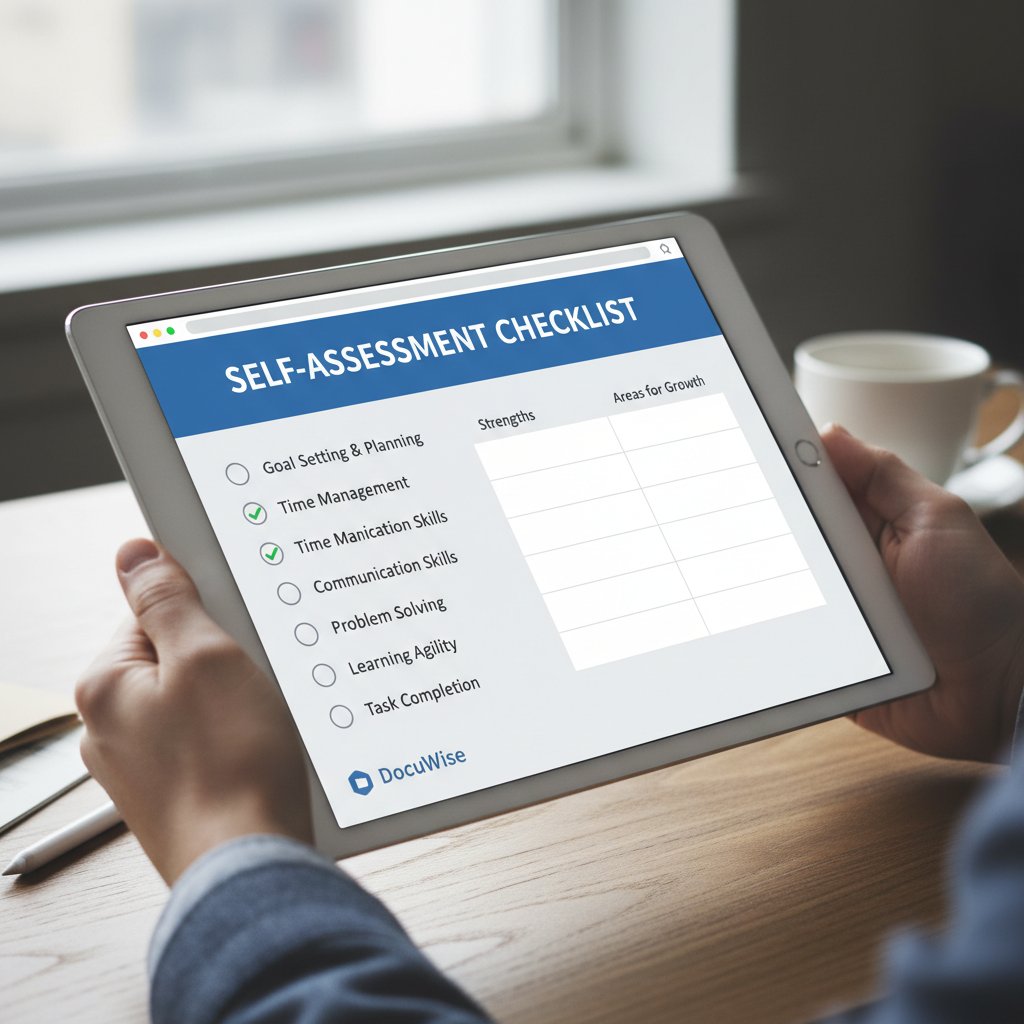
Red flags and self-assessment checklist
It’s easy to rationalize sticking with old tools (“it’s paid for,” “everyone knows how to use it”). But the costs of inertia add up. The signs of obsolescence aren’t always obvious, but they’re insidious.
- Frequent crashes and slowdowns during peak hours
- Manual workarounds for routine document tasks
- Difficulty integrating with new business tools
- Security patches delayed or not available
- Mobile access non-existent or unreliable
- Collaboration stuck in the email attachment era
- Check update history: When was your document tool last patched?
- Evaluate downtime: Track how often staff waste time with technical issues.
- Review integration needs: Are you constantly exporting/importing to other platforms?
- Assess collaboration: Are teams still duplicating work or losing versions?
- Test mobile access: Can your team access documents securely on the go?
- Audit compliance: Are manual steps needed to meet regulatory demands?
The cost of doing nothing—really
Doing nothing isn’t neutral—it’s costly. The opportunity cost includes lost productivity, increased breach risk, and the expense of sudden disaster recovery. Companies that hesitate to upgrade often find themselves patching over growing cracks, paying more for fixes than for a strategic overhaul.
| Investment Area | Status Quo (Legacy) | Modern Upgrade | ROI Factor |
|---|---|---|---|
| IT Support | High | Low | Cost savings |
| Staff Productivity | Low | High | Revenue uplift |
| Security/Compliance | High risk | Low risk | Risk mitigation |
| Upgrade Cost | $0 upfront | Varies (often SaaS) | Returns in <12 months |
Table 4: ROI comparison—status quo vs. modern upgrade. Source: Original analysis based on AIIM, 2024, Invensis, 2025.
Step-by-step: mastering your document software migration
Planning your migration: what IT won’t tell you
The smartest migrations are never rushed. Begin with a detailed plan that includes technical, operational, and cultural considerations. Engage key stakeholders—IT, compliance, end users—early. Audit your document environment: know what you have, what’s critical, and what can be retired. Map dependencies, prioritize data for transfer, and choose your moment.
- Inventory all document repositories and dependencies.
- Identify sensitive or regulated data—tag and protect it.
- Define migration timeline with business-critical milestones.
- Set up parallel testing: Run new and old systems side by side.
- Train staff on new processes and interfaces.
- Monitor closely post-migration for issues and feedback.
Pitfalls and how to avoid them
Common mistakes include underestimating the volume of unstructured data, neglecting user training, or suspending security controls during transfer. Always run test migrations on non-critical data, document every step, and maintain backups until the new system is fully operational.

Document software in 2025: what’s next?
Emerging trends and future-proofing your workflow
The document management landscape is changing under your feet. Real-time collaboration is standard, not an upgrade. AI-augmented search and data extraction pull insights from mountains of files in seconds. Cloud-first architectures enable seamless, secure access from anywhere—essential as 70% of the workforce now works remotely at least five days a month (FileCenter, 2025).
Filecreator.ai and similar modern platforms are at the forefront of these shifts, anticipating needs for integrated, user-friendly, and secure solutions. Here’s what savvy organizations are already doing:
- Automating contracts and HR policies using AI-driven templates
- Streamlining compliance with instant audit trails
- Empowering remote teams with mobile-first, always-on access
- Reducing environmental impact by eliminating paper-based processes
- Mining business intelligence from unstructured documents
When not to replace: the contrarian’s guide
Despite the hype, there are scenarios where sticking with legacy tools is justified. Highly specialized systems supporting unique workflows, air-gapped environments for classified data, or legacy formats with no modern equivalent can make upgrade less attractive.
"Sometimes, the devil you know really is safer." — Taylor, Enterprise IT Architect (illustrative)
- Mission-critical legacy workflows with no modern replacement
- Air-gapped or offline-only security requirements
- Stable, unchanging regulatory environments
- Short-term projects where migration outweighs benefits
- Custom integrations that would be expensive to reproduce
Choosing the right replacement: a critical buyer’s guide
Comparing the top contenders
Not all “modern” solutions are created equal. Evaluate platforms on true business needs, not just marketing noise. Consider scalability, integration, user experience, security, and support—not just the sticker price.
| Feature/Criteria | Solution A | Solution B | Solution C |
|---|---|---|---|
| Cloud-first, mobile access | Yes | Yes | Partial |
| AI-powered automation | Yes | Limited | Yes |
| Security/compliance | Advanced | Standard | Advanced |
| Integration (APIs) | Full | Limited | Full |
| Real-time collaboration | Yes | No | Yes |
| Price transparency | Clear | Opaque | Clear |
Table 5: Feature matrix—top document software alternatives. Source: Original analysis based on Axero Solutions, 2024, Adlib, 2025.
What to demand in 2025 (and what to ignore)
Don’t be distracted by flashy dashboards or granular analytics you’ll never use. Focus on features that matter:
- Secure, compliant document storage and sharing
- AI-assisted formatting and validation
- Mobile and offline document access
- Customizable templates for your field
- Automated version control and audit logs
- Seamless integration with your workflow tools
Glossary: making sense of the jargon
Essential terms every decision-maker should know
A strategy where all new software and services are designed for cloud deployment and access, maximizing scalability and remote availability.
The use of artificial intelligence to automate the creation, formatting, and validation of business documents, reducing errors and accelerating workflows.
Security approach that restricts document access to users based on their roles within the organization, supporting data privacy.
A chronological record of all actions taken on a document, critical for compliance and forensic analysis.
A software distribution model where applications are hosted by a vendor and accessed online, often via subscription.
The seamless flow of information through integrated digital systems, enhancing traceability and collaboration.
AI systems capable of performing complex tasks independently, supporting rapid document processing and decision-making.
Why these terms matter for your next upgrade
Understanding the vocabulary isn’t about impressing the IT team—it’s about making decisions that protect your bottom line. Cloud-first design guarantees accessibility, while RBAC and audit trails shield you from regulatory nightmares. AI-powered document generation means fewer headaches and more time for meaningful work. In short, knowing these terms is your first line of defense against hype and hidden risk.

The final word: is it time to pull the plug?
Reflecting on your digital legacy
Change is uncomfortable—but standing still is dangerous. The risks of outdated document software aren’t just technical; they’re existential. Every day spent with legacy tools is a day lost to inefficiency, exposure, and missed opportunity. The real question: can you afford not to act?
"Sometimes, the biggest risk is standing still." — Casey, Digital Transformation Lead (illustrative)
Taking action: what your next step should be
If you recognize these warning signs, now’s the time to act. Start with self-assessment, research modern solutions (like filecreator.ai for professional document generation), and plan your migration with boldness—not fear.
- Audit your current document environment for pain points and risks.
- Research and shortlist modern, secure document software alternatives.
- Engage stakeholders and build a migration plan with clear milestones.
- Test, train, and validate—then execute the migration.
- Monitor outcomes, optimize workflows, and never look back.
Ready to escape the grip of outdated document software? The smartest teams don’t wait for disaster—they disrupt themselves first. Start your upgrade journey today, and let the legacy of wasted hours and sleepless nights finally end.
Sources
References cited in this article
- Invensis: Document Management Trends 2025(invensis.net)
- FileCenter: 100 Document Management Statistics for 2025(filecenter.com)
- Adlib: The "Big 8" Trends in Document Management(adlibsoftware.com)
- Axero Solutions: 8 Biggest Trends 2024-2025(axerosolutions.com)
- LLCBuddy: Document Generation Software Statistics 2025(llcbuddy.com)
- OPEX: Top 5 Trends 2025(opex.com)
- UseWhale: Documentation Statistics(usewhale.io)
- ResearchGate: Hidden Dangers of Outdated Software(researchgate.net)
- Springbrook: Declining Citizen Satisfaction(springbrooksoftware.com)
- Ripcord: True Cost of Poor Document Management(blog.ripcord.com)
- CheckHub: Document Management Challenges(checkhub.io)
- LinkedIn: Risks of Poor Document Management(linkedin.com)
- Astera: AI Document Processing Myths(astera.com)
- Forbes Tech Council: Data Analytics Myths(forbes.com)
- SP1 IT Solutions: DocVolution(sp1itsolutions.com)
- Business.com: Document Management Strategy(business.com)
- Why Meridian: Future of Document Management(whymeridian.com)
- LedgerDocs: 5 Signs It's Time for a New DMS(ledgerdocs.com)
- Hyland: Tackling Software Obsolescence(hyland.com)
- DocumentManagementSoftware.com: Migration Guide(documentmanagementsoftware.com)
- Nintriva: Software Data Migration Guide(nintriva.com)
- Ongraph: Software Migration Plan(ongraph.com)
- Smartsheet: Software Migration Planning(smartsheet.com)
- Accutech: Data Center Migration Plan(accutechcom.com)
- DocTech: DMS Landscape for 2025(doctech.co.uk)
- DocuWare: 2024/25 Review(start.docuware.com)
- TEC: Case Studies(www3.technologyevaluation.com)
- Advisor Perspectives: Contrarian Benefits(advisorperspectives.com)
- Business.com: DMS Reviews(business.com)
- M-Files: DMS Buyer’s Guide(m-files.com)
- Kraft Business: Best DMS 2024(kraftbusiness.com)
- TechTarget: Top 10 DMS 2025(techtarget.com)
- Capterra: DMS Reviews(capterra.com)
- BusinessNewsDaily: Best DMS 2025(businessnewsdaily.com)
Perfect Documents, Instantly
Filecreator.ai transforms the way you produce professional documents. Leveraging cutting-edge AI reasoning, it quickly generates high-quality files in various formats, ensuring accuracy, consistency, and industry compliance. Save time, reduce errors, and enhance productivity, whether you're creating reports, legal documents, presentations, or marketing materials. Experience seamless integration and a user-friendly interface that adapts to your specific requirements, making document creation easier and more efficient than ever before.
Get startedStart Creating Professional Documents Today
Join thousands of professionals who trust AI-powered document generation
Frequently Asked Questions
How much productivity is lost due to outdated document software?
According to the Association for Intelligent Information Management (2024), up to 20% productivity loss can be traced to clunky, legacy document systems. This loss stems from slow file retrievals, convoluted version control, and frequent crashes that force teams to redo work.
What are the main hidden costs of using legacy document software?
Hidden costs include wasted hours from staff struggling with slow systems, IT resources spent firefighting compatibility issues, data silos, and the threat of unpatched vulnerabilities that expose data. These costs accumulate significantly even if the software appears to be functioning.
What key differences exist between legacy and modern document software?
The article indicates that modern document software (2025) features cloud-first, mobile-ready accessibility compared to legacy on-premises systems with limited remote use, and offers advanced encryption with role-based security instead of basic, patch-dependent security models.
Is this article about adopting every new software application available?
No, the article explicitly states this is not about chasing every shiny new app, but rather making a deliberate, researched shift from legacy tools to solutions that offer AI, cloud-first ecosystems, and bulletproof compliance as necessities for competitive advantage.
Continue Reading
Explore more from Professional Document Generator

Replace Old Document Editing Tools: Security and Productivity Risks
Replacing old document editing tools addresses security risks, collaboration bottlenecks, and productivity losses.

Upgrade From Legacy Document Tools Before They Quietly Sink You
Discover insights about upgrade from legacy document tools

Outdated Document Editors: Hidden Productivity Costs Revealed
Outdated document editors cost employees hours weekly in lost productivity. This article examines hidden costs, collaboration risks, and how modern alternatives improve workflow efficiency.

How Modern Tools Outperform Legacy Document Systems
Legacy document systems remain widespread despite their age. This article examines what makes modern alternatives better than legacy systems and measurable.

Problems with Legacy Document Tools: Hidden Costs and Risks
Problems with legacy document tools drain productivity, create security risks, and impose hidden costs on organizations.

Replace Inefficient Document Systems Before They Quietly Sink You
Discover insights about replace inefficient document systems