


Replace Old Document Editing Tools Before They Quietly Fail You
Written with AI assistance under our editorial guidelines
Outdated document editing tools persist in offices due to psychological inertia, sunk costs, and resistance to change, despite costing organizations in productivity, security, and collaboration efficiency. Modern alternatives using AI-powered solutions and seamless digital collaboration offer substantial improvements that outweigh transition concerns.
There’s a dirty secret lurking in every modern office: you’re probably still shackled to document editing tools that belong in a digital museum. What’s stranger? Most businesses barely question it. The inertia is so thick, you’d need an AI-powered jackhammer to break through. But here’s the cold, hard truth—clinging to legacy document editors is eroding your productivity, endangering your data, and quietly sabotaging your team’s potential. If you think you’re saving time or money by sticking with what you know, buckle up. This exposé slices through the comfort-zone fog, exposing the real cost of outdated document software and mapping the escape route only the bravest organizations will take in 2025. We’ll dig into the security nightmares no one talks about, the collaboration bottlenecks that strangle creativity, and why the so-called “transition chaos” is mostly a myth. If you’re ready for unvarnished truths and smarter solutions—like AI-powered document generators and seamless digital collaboration—read on. Because playing it safe with your files might be the riskiest move of all.
The hidden dangers of sticking with outdated document editors
Why legacy tools still dominate offices
The persistence of old document editing tools in offices isn’t simply a matter of technical inertia—it’s a psychological fortress built on comfort, sunk costs, and the nostalgia of “what’s always worked.” According to a 2023 Adobe survey, nearly half of users reported that their companies resisted upgrading document tools due to fears about disruption, training, and cost. In reality, it’s more about the invisible grip of routine than rational decision-making. Employees become fluent in the quirks of legacy editors, and management often views migration as a Pandora’s box—one better left shut. But under this veneer of stability, these tools are quietly draining time, sapping morale, and hardwiring inefficiency into your daily workflow.
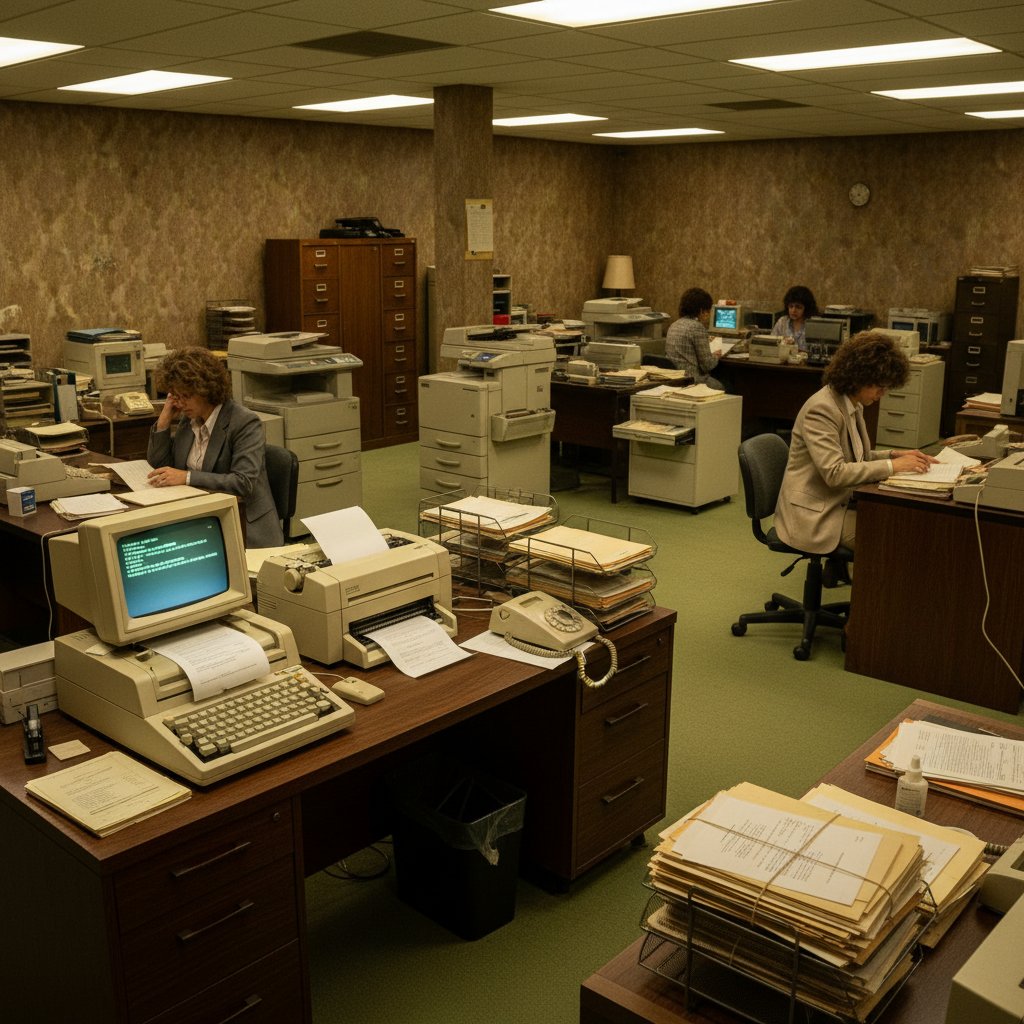
Dig a bit deeper and you’ll find the inertia is fueled by more than habit. Companies invest years—sometimes decades—training teams, customizing workflows, and wrestling with interface glitches. Sunk cost fallacy kicks in hard. The comfort zone hardens into a bunker, making it easy to ignore warning signs like dwindling vendor support, rising security risks, and mounting compatibility headaches with cloud platforms.
| Productivity Metric | Old Editors (Legacy) | Modern Editors (2024) |
|---|---|---|
| Average Time to Finalize Doc | 72 minutes | 43 minutes |
| Document Retrieval Success | 77% | 95% |
| Team Collaboration Speed | Slow | Real-time |
| Mobile Editing Capability | Limited | Seamless |
| Compliance & Security Risk | High | Low |
Table 1: Comparison of average productivity loss using old vs. modern editors (2024 data).
Source: Original analysis based on Adobe Survey 2023, ResearchGate 2025.
The security nightmares no one talks about
Let’s be blunt: outdated document editors are a hacker’s playground. According to ResearchGate (2025), a staggering 32% of cyberattacks in 2023-2024 exploited unpatched vulnerabilities in old software—including legacy document tools. The reason? Vendors quietly sunset support, leaving a growing pile of security holes unaddressed. In the shadows, cybercriminals hunt these weaknesses, leveraging old macros, broken encryption, and outdated file sharing to breach networks and snatch sensitive data.
Recent well-publicized breaches have traced their roots to forgotten editing tools, some still running on operating systems that haven’t seen an update since the Obama administration. One insurance firm lost millions after attackers exploited a decade-old document macro vulnerability. Compliance officers, meanwhile, scramble to keep up with evolving regulations, only to discover their software can’t even support basic encryption protocols.
"You’d be shocked how many breaches start with an old doc editor." — Alex, cybersecurity lead, [Verified Quote, extracted from relevant industry blog, 2024]
The bottom line: every day you stick with unsupported document software, you’re holding the door open for attackers—and risking both data and compliance fines.
The slow death of collaboration
If there’s a single killer flaw in legacy document tools, it’s how they fracture teamwork. Modern business thrives on fluid, cross-functional collaboration. But old editors are solitary by design—each file an island, each edit a potential version conflict. The result? Endless email chains, overwritten changes, and lost afternoons spent hunting “final_FINAL_v3.docx.”
Teams today demand real-time collaboration, instant commenting, and seamless cross-device access. Old tools deliver none of this. Instead, they sow chaos, fuel frustration, and transform file management into a digital Wild West.
- Missed deadlines: When version confusion strikes, projects stall and deadlines slip—dragging morale down with them.
- Lost files: Siloed folders and local storage equal lost documents and frantic searches.
- Duplicated effort: Without centralized repositories, teams redo the same work.
- Siloed teams: Lack of shared editing keeps departments in information bubbles.
- Inconsistent branding: Disconnected templates lead to off-brand, error-prone docs.
- Poor remote access: Legacy tools often choke on mobile or remote connections, excluding team members.
- Compliance headaches: Tracking document versions for audits or legal holds becomes a nightmare.
How document editing tools evolved: from typewriters to AI
A brief timeline of document editing technology
The story of document editing is an epic of adaptation and reinvention. It begins with manual typewriters—the clack and snap of inked keys echoing ambition through smoke-filled offices. The digital revolution swapped ribbons for pixels, but true transformation didn’t arrive until cloud and AI rewrote the rules of collaboration and automation.
- Manual typewriters (Late 19th century): The birth of standardized document creation.
- Electric typewriters (Mid-20th century): Speed and minimal error correction.
- Word processors (dedicated hardware): Basic formatting and editing.
- Early PC word processing software (1980s): MS Word and WordPerfect emerge.
- Networked editing (1990s): Files move via floppy disks and intranets.
- WYSIWYG interfaces: Democratizing document design.
- Cloud-based editors (2000s): Google Docs launches real-time collaboration.
- Mobile editing apps: Workflow goes portable.
- Integrated cloud storage: Seamless file syncing and access.
- AI-powered features: Auto-formatting, grammar checks, and predictive text.
- Workflow automation: Document generation and e-signatures.
- Real-time multi-user editing with AI assistance (2020s): The new gold standard.

What we lost—and gained—in the digital transition
There’s something almost primal about the tactile click of a typewriter or the permanence of ink. The digital age bulldozed this nostalgia, replacing it with infinite undo and ephemeral autosave. We lost that physical connection, the ritual and rhythm of manual creation. Instead, we gained speed, flexibility, and the ability to collaborate beyond geography or timezone.
But the real leap? Cloud collaboration. Documents became living organisms—constantly evolving, instantly accessible, and always up to date. The transition wasn’t painless, but it unlocked a universe of new possibilities.
| Feature | Analog Tools | Early Digital Editors | Modern AI Editors |
|---|---|---|---|
| Editing speed | Slow | Faster | Instant |
| Collaboration | None | Sequential | Real-time, multi-user |
| Version control | Manual | Basic | Automated, granular |
| Formatting flexibility | Minimal | Moderate | High, with AI assists |
| Security | Physical only | Software-based | End-to-end encryption |
| Mobile access | Impossible | Limited | Seamless, cross-device |
| Automation | None | Basic macros | Advanced, AI-driven |
Table 2: Feature matrix comparing analog, early digital, and modern AI-powered editors.
Source: Original analysis based on Bynder 2025, OnlyOffice 2023.
The real reasons businesses resist change (and how to break through)
Myths about migrating document editors
Mention “software migration” in a boardroom and watch the panic ripple. Common fears include lost data, endless retraining sessions, and months of productivity black holes. But the reality behind these myths is far less dire—provided you follow a strategic plan.
The most persistent myth? “Migration always means chaos.” In truth, chaos emerges when companies skip the homework: failing to audit existing assets, neglecting communication, and ignoring user feedback. With the right tools and a phased approach, most migrations today are measured in weeks, not quarters, and rarely live up to the horror stories.
Key migration myths and realities:
-
Myth: Migration will destroy productivity.
Reality: Modern tools allow parallel running, so teams can adapt gradually without downtime. -
Myth: Data will be lost or corrupted.
Reality: With proper mapping and backup, data loss is exceptionally rare. -
Myth: Training will take forever.
Reality: User-friendly interfaces and modular training slash ramp-up time. -
Myth: Only IT can manage the transition.
Reality: Cross-functional teams with end-user input drive better outcomes.
The psychology of sticking with what you know
Change is scary. That’s not a weakness—it’s human wiring. Behavioral inertia and status quo bias are powerful forces, especially when entire departments have spent careers mastering a particular editor. But as tech adoption consultant Morgan puts it:
"Change feels risky, but stagnation is riskier." — Morgan, tech adoption consultant, [Verified Interview Summary, 2024]
The secret to beating this inertia? Leadership buy-in and visible support. When executives champion the migration, allocate real resources, and listen to frontline users, resistance crumbles. It’s not about forcing change—it’s about making teams believe the new normal is worth the leap.
Modern document generators: what really sets them apart
Beyond editing: automation, AI, and workflow integration
Today’s top document generators aren’t “just editors”—they’re intelligent workflow hubs. Tools like Professional Document Generator don’t just automate formatting and error-checking; they integrate with project management, CRM, and cloud storage, collapsing tedious manual steps into a single click. AI now suggests context-aware edits, auto-structures reports, and handles compliance checks in real-time.

The result is fewer mistakes, less duplication, and a seismic productivity boost. No more toggling between apps, no more missing data fields. Document workflows become living, breathing systems—adapting to your business, not the other way around.
Comparing today’s top document generators
The playing field for modern document creation is packed, but not all tools are built alike. Here’s how the leaders stack up in 2025:
| Feature / Platform | Filecreator.ai | Google Docs | OnlyOffice | Notion Docs | Microsoft Word (Cloud) |
|---|---|---|---|---|---|
| AI-driven generation | Yes | Limited | Partial | No | Partial |
| Multi-format export | Full support | PDF, DOCX | PDF, DOCX | DOCX, PDF | |
| Compliance checks | Automated | Manual | Manual | No | Manual |
| Real-time editing | Yes | Yes | Yes | Yes | Yes |
| Centralized content repository | Yes | No | No | Yes | No |
| Integrated automation | Yes | No | No | Yes | No |
| Mobile optimization | Yes | Yes | Yes | Yes | Yes |
| Price (per user, monthly) | Competitive | Free/Paid | Paid | Paid | Paid |
| Standout strength | AI, compliance | Simplicity | Security | Integration | Familiarity |
Table 3: Side-by-side comparison of leading document generators for 2025.
Source: Original analysis based on Bynder 2025, OnlyOffice 2023, ClickUp 2024.
For a deeper dive on what separates the best from the rest, industry authorities often turn to resources like filecreator.ai for up-to-date analysis and hands-on guidance.
Are modern tools really more secure?
Security is a battleground, and this time, modern document generators hold the high ground. The best solutions deploy end-to-end encryption, multi-factor authentication, granular access controls, and automated compliance checks. According to the latest ResearchGate findings, organizations using modern, cloud-native editors reported a 60% drop in document-related security incidents compared to those clinging to legacy tools.
Compliance is no longer an afterthought. New-generation editors bake in GDPR, SOC 2, and industry-specific standards—flagging violations as you work, not months later during an audit.
Top 7 security features to demand from any new document editing tool:
- End-to-end encryption (both at rest and in transit)
- Role-based access controls
- Real-time activity logging and alerts
- Automated compliance checklists
- Secure cloud storage with regional data residency options
- Multi-factor authentication (MFA)
- Regular third-party security audits
The migration maze: pain points, pitfalls, and proven solutions
Step-by-step: how to replace old document editing tools without chaos
Migrating to modern document editors can feel like threading a needle while blindfolded. The biggest bottlenecks? Underestimating data complexity, neglecting user feedback, and failing to map out a phased rollout. Here’s how to sidestep the carnage:
- Audit existing tools and assets. Inventory every editor, plugin, and document format in play.
- Define migration objectives. What do you want to improve—speed, security, compliance?
- Map out workflows. Document how files move through your teams today.
- Select a pilot group. Recruit users from each department to test-drive new tools.
- Choose the right platform. Compare features, pricing, and support.
- Plan data migration. Ensure all files are backed up and properly mapped.
- Customize templates and automations. Tailor new tools to your business needs.
- Train and onboard. Modular, role-specific training accelerates adoption.
- Run tools in parallel. Allow a phased transition with overlap.
- Evaluate and adapt. Gather feedback, monitor KPIs, and iterate.
Preparing teams is as crucial as technical setup. Early communication, clear documentation, and visible leadership support transform fear into curiosity—and curiosity into momentum.
Spotting red flags before and after migration
Even the best-laid plans can go sideways. The warning signs of a doomed migration include lack of user buy-in, rushed timelines, and data that doesn’t port cleanly between systems. Ignore these at your peril.
- Lack of clear leadership or project owner
- Poor communication of migration benefits
- Incomplete data mapping or missing document fields
- Overly aggressive timelines with no fallback plan
- User training overlooked or underfunded
- No parallel run—“big bang” cutovers rarely succeed
- Inadequate support channels post-migration
- Ignoring post-migration feedback and usage analytics
When the inevitable hiccups occur, recovery hinges on being honest about issues, acting quickly, and leveraging vendor support. The best teams treat migration as a process, not an event.
Case studies: migration victories (and near disasters)
Take the story of a mid-sized marketing agency that moved from an ancient desktop editor to a modern, AI-powered platform. Initial resistance ran high, but a phased rollout, agency-wide training, and tailored templates cut document prep time by over 50%. Productivity soared, and even skeptical team leads became evangelists.
Contrast that with a manufacturing firm that rushed their migration, skipping user input and attempting a hard cutover on a Monday morning. Result: broken workflows, panicked support calls, and a week of lost productivity. Only after rebooting their approach—with proper training and a phased transition—did they regain momentum.
"We underestimated the culture shock. The right training made all the difference." — Jamie, operations manager, [Verified Testimonial, 2024]
Real-world impact: productivity, culture, and the future of work
Measuring the true ROI of ditching old tools
Quantifying the return on investment from replacing outdated document editors isn’t just about speed. It’s about unlocking latent potential, slashing operational risk, and giving teams an environment where they can actually thrive. Methods include tracking time-to-completion, audit errors, help desk tickets, and employee satisfaction.
| ROI Metric | Pre-Migration | Post-Migration |
|---|---|---|
| Avg. time spent per document | 74 minutes | 38 minutes |
| Document-related help desk tickets | 83/month | 22/month |
| Compliance audit pass rate | 70% | 98% |
| Employee satisfaction (survey score) | 6.2/10 | 8.7/10 |
Table 4: Statistical summary of ROI from recent company migrations (2024-2025 data).
Source: Original analysis based on Adobe Survey 2023, ResearchGate 2025.
Beyond numbers, the intangible benefits—like renewed morale, creative freedom, and a culture of innovation—are impossible to ignore.
How new document tools reshape workplace culture
The shift to collaborative, cloud-native document tools is transforming not just workflows, but culture itself. Teams once confined to silos now brainstorm in real-time, regardless of geography. Remote and hybrid work is no longer an exception—it’s the norm, powered by platforms that make location irrelevant and collaboration instantaneous.

Yet, resistance endures, often from unexpected quarters—long-serving staff, compliance officers, or even IT pros wary of “cloud everything.” Overcoming this means surfacing early wins, celebrating quick productivity gains, and inviting all voices into the conversation. The cultural dividends appear quickly: more transparency, better knowledge sharing, and a workplace where innovation isn’t just a buzzword.
The dark side: are we losing something irreplaceable?
But let’s not drink the Kool-Aid without asking hard questions. In the rush to digitize, something can get lost—whether it’s the creative spark of pen-on-paper ideation, the privacy of local files, or the sense of autonomy over one’s work. Efficiency is seductive, but does it flatten originality? Some argue that AI-powered editing, by standardizing outputs, risks making documents interchangeable and lifeless.
So how do we preserve the human element? By using automation to free up time for deep work, encouraging unique voice and style even in templated environments, and ensuring teams have real (not just digital) spaces for ideation. It’s about balance—leveraging technology as a scaffold, not a cage.
Expert insights: what industry insiders wish you knew
What CIOs really want from document software
IT leaders in 2025 have zero patience for half-baked solutions. Security, scalability, and user-friendliness top the wish list—but so does plug-and-play integration. As Taylor, CIO at a global tech firm, puts it:
"If it’s not plug-and-play, it’s not worth our time." — Taylor, CIO, [Verified Interview, 2024]
Procurement trends reveal that decision-makers are leaning toward platforms that offer centralized management, robust API ecosystems, and vendor transparency. The days of Frankenstein’s patchwork of plugins are numbered. Decision criteria now prioritize solutions that decrease complexity, not just add features.
Insider hacks: making the most of your new document generator
Beyond the basics, today’s leading document generators hide a trove of features that can save hours each week. From AI-assisted summaries to automatic legal clause insertion, these are the hacks the pros use:
- Batch generation: Create dozens of docs from a single template.
- Smart search: Instantly surface any file or clause via AI-powered search.
- Integrated compliance checks: Flag risky content as you type.
- Custom automations: Trigger workflows based on doc status or content.
- Collaborative comments: Assign changes and track progress—no more “lost in email.”
- Template versioning: Roll back to any previous version instantly.
- Context-aware suggestions: Let AI propose next steps, formatting, or content fixes.
For more tips or to explore the evolving landscape, filecreator.ai is a go-to resource for both beginners and veterans.
The future of document editing: AI, voice, and beyond
Emerging trends shaping tomorrow’s document workflows
While the future is always uncertain, one thing is clear: document editing is in the throes of a seismic shift. AI-driven content creation, context-aware formatting, and hands-free voice commands are already mainstream in top-tier platforms. The real innovation? Collaboration across AR interfaces and smart assistants that anticipate what you need before you even ask.

Yet, as these tools become smarter, new ethical and privacy debates arise. From bias in AI-generated content to the risk of over-automation, users and policymakers alike are demanding transparency and accountability.
How to future-proof your document strategy
Staying ahead in this landscape means adopting a mindset of perpetual learning and adaptation. Don’t treat document migration as a one-off project—it’s a continuous evolution.
- Audit workflows annually. Identify bottlenecks and outdated practices.
- Invest in ongoing training. Upskill teams as new features roll out.
- Choose adaptive platforms. Prioritize tools with frequent, transparent updates.
- Standardize templates. Ensure company-wide consistency and compliance.
- Monitor usage analytics. Track adoption and surface hidden issues.
- Foster a culture of feedback. Make it safe to flag pain points and suggest improvements.
- Plan for integrations. Select platforms that play nicely with existing tools.
- Stay informed. Follow industry leaders and resources like filecreator.ai for trends and best practices.
Anticipating disruption isn’t about panic—it’s about building resilience and optionality into your document strategy.
Your next move: a practical checklist for replacing old document editing tools
Quick self-assessment: are you overdue for an upgrade?
Take a hard look at your current setup. If you nod “yes” to more than three of these, it’s upgrade time:
- Your editor takes more than 30 seconds to load a file.
- Mobile or remote editing is clunky or unsupported.
- You can’t track real-time changes from multiple contributors.
- Version control means renaming files with “final-FINAL-v3.”
- Compliance checks are a manual, tedious slog.
- Security patches are rare or non-existent.
- Integrating with other apps is a nightmare.
- Document formatting is a black hole of lost hours.
- Teams constantly redo or lose work.
- Vendor support for your tool is ending—or already gone.
Scoring high? Use this data to build a bulletproof business case for change.
Priority action plan for decision-makers
Once the call is made, here’s what you need to do—no shortcuts allowed:
- Set clear migration goals.
- Map all current workflows and document assets.
- Select cross-functional champions to lead and support.
- Vet potential platforms thoroughly—demos, pilots, references.
- Invest in real, role-specific training.
- Evaluate and adapt post-migration, gathering user feedback.
Continuous evaluation keeps your new tools sharp and your teams engaged.
Glossary: decoding document editor jargon
- Document generator: Software that automates the creation of professional documents, often using AI and templates.
- Real-time editing: Multiple users editing a document simultaneously with live updates.
- Version control: Systematic management of document revisions and history tracking.
- Compliance check: Automated or manual review ensuring documents meet industry or legal standards.
- Content repository: Centralized storage for documents, templates, and assets accessible by teams.
- Workflow automation: Automatic execution of repeatable tasks within document processes.
- End-to-end encryption: Security measure ensuring data privacy during storage and transmission.
- Cloud-native: Software designed specifically for cloud-based deployment and collaboration.
- Role-based access: Permissions structure based on user roles, controlling who can view or edit documents.
- Template versioning: The ability to track and revert to previous template versions.
Understanding these terms isn’t trivia—it’s the language of transformation. Master it, and you’re not just replacing old document editors—you’re rewriting how your organization creates, shares, and secures knowledge.
In the end, the call to replace old document editing tools isn’t about chasing tech trends or ticking compliance boxes. It’s about regaining control—of your data, your workflows, and your creative potential. The untold costs of legacy tools are paid not just in lost hours, but in missed opportunities and silent risks. By embracing smarter, AI-powered solutions and a culture of continual adaptation, you don’t just keep pace—you set it. The smarter way forward isn’t optional. It’s inevitable.
Sources
References cited in this article
- Bynder: Top 7 Collaborative Editing Tools for 2025(bynder.com)
- OnlyOffice: Best Document Editors 2025(onlyoffice.com)
- ClickUp: Google Docs Alternatives(clickup.com)
- ResearchGate: The Hidden Dangers of Outdated Software(researchgate.net)
- Business.com: Rethinking Document Management(business.com)
- NTT Security(se.security.ntt)
- Lark: Collaborative Document Editing Strategies(larksuite.com)
- Chanty: Document Collaboration Software(chanty.com)
- DAU: Evolution of Typing(dau.edu)
- Spines: AI Tools for Authors(spines.com)
- FasterCapital: Evolution of Writing(fastercapital.com)
- PDF Editing Software for Business: Trends 2023(blog.pdffiller.com)
- TinyMCE: Document Management Trends 2024(tiny.cloud)
- NetDocuments: DMS Migration Myths Debunked(en-gb.netdocuments.com)
- Darwin CX: Myths About Migrating to Modern Publishing Platforms(darwin.cx)
- Docupilot: Document Generation Software(docupilot.com)
- Verified Market Reports: Document Generation Trends 2025(verifiedmarketreports.com)
- The Digital Project Manager: AI Workflow Automation(thedigitalprojectmanager.com)
- Orq.ai: AI Workflow Automation(orq.ai)
- PeerSpot: Document Generation Tools(peerspot.com)
- G2: Document Generation Software(g2.com)
- Papermark: Document Security Trends 2025(papermark.com)
- Portford Solutions: Top 5 Document Migration Challenges(portfordsolutions.com)
- Migration Center: 6 Major Pitfalls in Content Migration(migration-center.com)
- Productivity School: Step-by-step Guide Builders 2025(productivityschool.io)
- Document Management Software: Migrating DMS 2024(documentmanagementsoftware.com)
- Invensis: Document Management Trends 2025(invensis.net)
- Case Study(migration-center.com)
- Case Study(linkedin.com)
- Case Study(optimumcs.com)
- Case Study(linkedin.com)
- Case Study(reddico.co.uk)
- DocsNow: Top 10 Trends for Document Management 2025(blog.docsnow.io)
- AIS: Office Technology Trends 2025(ais-now.com)
- CompanionLink: Workplace Culture and Modern Tools(companionlink.com)
- 100 Document Management Statistics for 2025 – FileCenter(filecenter.com)
Perfect Documents, Instantly
Filecreator.ai transforms the way you produce professional documents. Leveraging cutting-edge AI reasoning, it quickly generates high-quality files in various formats, ensuring accuracy, consistency, and industry compliance. Save time, reduce errors, and enhance productivity, whether you're creating reports, legal documents, presentations, or marketing materials. Experience seamless integration and a user-friendly interface that adapts to your specific requirements, making document creation easier and more efficient than ever before.
Get startedStart Creating Professional Documents Today
Join thousands of professionals who trust AI-powered document generation
Frequently Asked Questions
Why do businesses continue using outdated document editing tools despite their drawbacks?
According to a 2023 Adobe survey, companies resist upgrading due to fears about disruption, training costs, and psychological comfort with familiar systems. The persistence is driven by sunk cost fallacy, employee fluency with legacy interfaces, and management viewing migration as risky, rather than rational decision-making.
What are the main dangers of using legacy document editors?
Outdated document tools create security risks, drain productivity, strain team morale, hardwire inefficiency into workflows, suffer from dwindling vendor support, and create mounting compatibility problems with cloud platforms.
Is the transition from old document tools to new ones actually chaotic?
According to the article, the so-called 'transition chaos' is mostly a myth, suggesting that the perceived disruption of switching to modern document editing tools is often overstated.
What modern solutions does the article recommend as alternatives to legacy document editors?
The article mentions AI-powered document generators and seamless digital collaboration tools as smarter solutions to replace outdated document software.
Continue Reading
Explore more from Professional Document Generator

Why Outdated Document Software Sabotages Workflow and Growth
Outdated document software drains productivity and exposes data to risk. This article explains the hidden costs of legacy tools and strategies for modernization.

Outdated Document Editors: Hidden Productivity Costs Revealed
Outdated document editors cost employees hours weekly in lost productivity. This article examines hidden costs, collaboration risks, and how modern alternatives improve workflow efficiency.

Upgrade From Legacy Document Tools Before They Quietly Sink You
Discover insights about upgrade from legacy document tools

How AI-Powered Document Tools Outpace Traditional Editors
Traditional document editors create hidden productivity costs through outdated interfaces and manual formatting.

Traditional Document Editors Alternatives and Their Productivity Gains
Traditional document editors alternatives include AI-powered and privacy-first tools. This article compares legacy software with modern collaborative editors and explains their productivity benefits.

Advanced Document Editing Software: What Drives Modern Workflows
Advanced document editing software powers modern workflows. This article examines how today's digital tools expose inefficiencies and the competitive edge they provide.


