


Reduce Cost of Design Services Without Killing Your Brand
Written with AI assistance under our editorial guidelines
You can reduce design service costs by understanding the hidden ecosystem driving expenses: labor accounts for 50-70% of project costs, tech and tools add 10-20%, and project management consumes 10-15%. Budget overruns typically stem from poor briefing, unclear scope, and excessive revisions rather than unavoidable design complexity itself.
Every invoice tells a story—and design service bills are the stuff of urban legends. Maybe you’ve winced at a five-figure quote for a logo, or had budget plans blow up after scope creep detonated your “fixed” price. Here’s the uncomfortable truth: most companies are bleeding cash on design, often without realizing where, how, or why. In 2025, the design world is a battleground of markups, hidden fees, and mind-bending complexity—but it’s also fertile ground for anyone bold enough to question old assumptions. This is your unfiltered guide to radically reduce the cost of design services without torpedoing quality or your brand’s reputation. We’ll rip through the myths, break down what really inflates costs, and arm you with 11 research-backed strategies—backed by expert hacks, real-world case studies, and a toolkit for slashing expenses. Whether you’re a startup hunting for affordable design solutions, or a corporate renegade sick of runaway budgets, it’s time to take control and rewrite the rules.
The true cost of design services: What you're really paying for
Beyond the sticker price: Understanding design’s value chain
When you commission a design project, you’re not just paying for pixels, fonts, or pretty presentations. The price is a mosaic of visible and invisible costs—labor, tech infrastructure, creative direction, project management, and, of course, the unseen “error tax” paid in revisions and delays. According to Bain & Company’s 2024 Automation Scorecard, labor swallows 50-70% of a design project’s cost, with tech and tools adding another 10-20%, and project management soaking up 10-15%. But that’s just the start. There’s the overhead of software licenses, the cost of creative strategy sessions, even the hidden premium for “rush” jobs.

It’s this hidden ecosystem that explains why two “identical” design projects can carry wildly different price tags. Time is money, but so are revisions, iterations, and every moment spent navigating miscommunication. In 2023, research from Forbes revealed that design budget overruns were most often triggered by poor briefing, unclear scope, and repeated rounds of back-and-forth—problems that compound quietly until the invoice lands.
| Cost Component | % of Total Cost | Description |
|---|---|---|
| Labor | 50-70% | Designer salaries, freelancers, contractors |
| Tech/Tools | 10-20% | Software, hardware, cloud, AI investments |
| Project Management | 10-15% | PM salaries, collaboration tools |
| Overhead/Revisions | 5-10% | Admin, errors, late changes |
| Hidden Fees | 5% | Rush fees, licensing, compliance |
Table 1: A breakdown of typical design project costs, including visible and hidden drivers
Source: Original analysis based on Bain & Company, Forbes, 2024
Industry markups and the myth of 'cheap equals bad'
Let’s dismantle the lie that “if it’s cheap, it must be trash.” Agencies and freelancers exist along a spectrum—some pad their quotes with brand-name bravado, others run razor-thin margins using automation and global teams. The price you pay isn’t always correlated with creative quality. In fact, “Sometimes the cheapest option is the most expensive mistake.” – Alex, a seasoned design lead, warns in Spotless’ 2024 Service Design Trends Spotless, 2024.
Here are seven hidden cost drivers lurking in design contracts:
- Excessive revisions: Each “just one more change” can double the labor bill.
- Ambiguous briefs: Vague requirements lead to endless clarifications and wasted effort.
- Brand guideline complexity: Strict, dated guidelines can mean more hours and specialized skills.
- Technology stack mismatches: Using incompatible tools often means extra conversion and “translation” work.
- Rushed deadlines: Last-minute jobs incur steep “urgency” fees.
- Licensing and asset costs: Stock photos, fonts, and plug-ins balloon expenses if not anticipated.
- Poor communication: Every misinterpretation snowballs into rework and lost time.
Why design budgets spiral out of control
It’s not just sneaky fees or padded margins that sink design budgets—it’s a death by a thousand cuts: misaligned expectations, shifting project goals, and the subtle creep of new requirements. According to Forbes, as much as 30% of design project costs are unplanned, stemming directly from poor scoping and scope creep.
Scope creep is especially insidious. What starts as a “simple” website redesign morphs into a full rebrand, complete with custom icons, animations, and ten extra landing pages—none of which were in the original quote. The result? Budgets balloon, timelines implode, and everyone is left pointing fingers.
Definition list: Key terms you need to know
- Scope creep
The gradual expansion of a project’s requirements—often unapproved or undocumented—that leads to runaway costs. Example: Adding new pages to a website after the statement of work is signed. - Change order
A formal request to alter the project scope, often triggering additional costs and extended timelines. - Value-based pricing
Pricing based on the perceived value delivered, not hours worked. Example: Charging $20,000 for a logo that will anchor a billion-dollar brand, regardless of design hours.
Cutting through the noise: Debunking common myths about design pricing
Myth vs. reality: Do higher prices always mean better results?
You’ve seen the premium agency pitch decks—polished, persuasive, and promising the world at a premium. But does a higher bill guarantee better outcomes? Not necessarily. Agency markups often cover overheads, fancy offices, and layers of management, whereas independent designers and gig platforms can deliver comparable creative results at a fraction of the price. The real kicker: paying more is justified only when you’re buying genuine expertise, strategic insight, or industry-specific knowledge—not just “brand tax.”
| Design Tier | Typical Cost per Project | Strengths | Weaknesses |
|---|---|---|---|
| Low-cost | $100–$1,000 | Fast, cheap, accessible | Generic results, less support |
| Mid-range | $1,000–$10,000 | Balanced quality, flexible process | Occasional inconsistency |
| Premium | $10,000–$100,000+ | Strategic, high-touch, unique | High cost, slower delivery |
Table 2: Comparing outcomes from low-cost, mid-range, and premium design service providers
Source: Original analysis based on Spotless, Forbes, 2024
The hidden costs of bargain-hunting
Here’s the dangerous paradox: chasing the lowest bid for design services often leads directly into the jaws of budget-busting headaches. Cheap design can mean cut corners, template recycling, and a lack of strategic thinking. The real price appears later, in the form of costly brand do-overs and lost customer trust. “If you don't pay for strategy, you pay for mistakes.” – Jamie, a branding consultant, observes in an interview with Forbes Tech Council Forbes, 2024.
Take the infamous example of Tropicana’s 2009 $35 million rebranding disaster, where bargain design choices led to a package so unrecognizable that sales plummeted by 20% in weeks. The cost to fix the mistake dwarfed any upfront savings.
Outsourcing vs. in-house: Who really saves?
Outsourcing can be a double-edged sword. On the one hand, tapping into global talent pools slashes labor costs and offers specialized skills on demand. On the other, poor oversight and cultural misalignment can rack up hidden costs fast. In-house teams deliver consistency and institutional knowledge, but can be expensive to scale and slow to adapt.
7-step decision guide for choosing in-house or outsourced design:
- Define your core needs: Are you after ongoing brand stewardship or single-shot projects?
- Analyze total cost: Factor in recruitment, training, tools, and infrastructure.
- Evaluate project complexity: Complex, multi-phase projects benefit from in-house alignment.
- Assess speed/flexibility: Outsourced teams scale up or down faster.
- Check for unique skills: Specialized expertise is often easier to find externally.
- Audit communication style: Consider language, time zone, and workflow compatibility.
- Value strategic outsourcing: Use tools like filecreator.ai/documentation for rapid, high-quality document design and process automation.
Strategic outsourcing, especially when paired with platforms like filecreator.ai, lets you sidestep bloated agency models while maintaining professional-grade results.
2025’s game changers: New tools, platforms, and trends slashing design costs
AI and automation: Revolution or race to the bottom?
AI isn’t just a buzzword—it's an industrial-strength lever pulling down design costs across the board. Automated workflows, generative AI for drafts, and AI-powered QA are transforming how projects are delivered. According to Bain’s 2024 report, automation leaders slashed design costs by up to 37% last year, with automated CAD workflows reducing errors and the need for costly rework.

But automation is a scalpel, not a sledgehammer. Deploy AI where it makes sense—repetitive tasks, asset generation, pattern detection. Over-automating creative work, however, can produce bland, lookalike designs and costly brand missteps. According to McKinsey, 33% of businesses using generative AI in 2023 reported faster cycles and lower costs, but only when supervised by experienced designers.
Freelance marketplaces and global talent pools
The explosion of freelance platforms like Upwork and Fiverr has brought radical transparency (and volatility) to design pricing. Suddenly, clients can tap into world-class talent in Argentina, Poland, or Vietnam—often at rates 50% lower than established Western agencies. Yet this global market is not without risks. Remote teams require airtight briefs, clear communication, and robust risk management to avoid nightmare scenarios.
- 8 red flags to watch for when hiring designers online:
- Unverified portfolios or plagiarized work
- Suspiciously low rates with grandiose promises
- Lack of references or verifiable client reviews
- Poor communication skills or missed deadlines
- Unwillingness to sign clear contracts or NDAs
- Vague or shifting project scopes
- Demanding upfront payments without milestones
- Reluctance to provide source files or documentation
Design systems and templates: Quality without the cost?
Design systems—modular libraries of pre-approved components—are democratizing high-quality design at scale. They offer consistency, speed, and lower costs for companies willing to invest upfront. Templates, meanwhile, let smaller teams punch above their weight, delivering professional results without bloated budgets. The trade-off? Less customization, occasional brand sameness, and the risk of over-template reliance.
| Feature | Custom Design | Design Systems | Templated Solutions |
|---|---|---|---|
| Uniqueness | High | Medium-High | Low |
| Speed | Slow | Fast | Fastest |
| Cost | Highest | Moderate | Lowest |
| Scalability | Low | Very High | High |
| Consistency | Variable | High | Medium |
Table 3: Comparing the benefits and drawbacks of custom, system-based, and templated design approaches
Source: Original analysis based on aPriori, Spotless, 2024
Practical playbook: Step-by-step strategies to reduce design costs now
Audit your current design spend
Before you can slash costs, you have to see where you’re bleeding. Start with a forensic audit of every design expense in the past 12 months. Don’t just glance at invoices—dig for inefficiencies hiding in slow approvals, redundant revisions, or unused tools.
10-step checklist for identifying waste in your design budget:
- Compile all invoices, contracts, and freelance payments.
- Tally hours spent on each project activity.
- Identify repeated revisions and unplanned “extras.”
- Track costs for tech, subscriptions, and stock assets.
- Single out rush fees and last-minute payments.
- Compare spend against original project quotes.
- Interview team members on pain points and delays.
- List all unused or underused software licenses.
- Pinpoint projects with the worst ROI.
- Document communication breakdowns that led to rework.
Rethink your creative brief: Less fluff, more focus
A killer brief is the secret weapon for avoiding design budget black holes. The tighter and more focused your brief—the less room for confusion, wasted effort, and spiraling costs. According to Spotless’ 2024 research, well-structured briefs cut revision cycles by as much as 50%, speeding time-to-market and slashing costs.
Craft every brief to be brutally clear: define goals, must-haves, timelines, and non-negotiables. Avoid jargon or wishy-washy language. The best briefs are living documents, updated as the project evolves—but never allowed to balloon out of control.
Actionable tips for writing an effective brief:
- State the project’s main objective in one sentence.
- List deliverables with concrete specs.
- Outline budgets and timelines—no ambiguity.
- Attach brand guidelines and examples of “good” work.
- Specify who will provide feedback and when.
- Include a checklist of approved tools and formats.
- Flag all “deal-breakers” up front.

Negotiate smarter, not harder
Negotiation isn’t about squeezing every cent—it’s about building clarity and mutual respect. Use research-backed hacks to secure rates that reflect real value. According to Forbes, clients who anchor negotiations on clear deliverables and phased payments win better terms and fewer ugly surprises.
6 negotiation essentials every client should know:
- Start with market research—know average rates for your project scope.
- Insist on milestone payments tied to deliverables.
- Clarify revision limits and fees upfront.
- Use written contracts—never rely on verbal agreements.
- Ask for volume discounts if committing to multiple projects.
- Consider outcome-based pricing for high-impact work.
Leverage platforms like filecreator.ai to automate standard contract templates, reducing misunderstandings and cutting admin time.
Beyond price: Investing in process to unlock long-term savings
Building a design system for scale
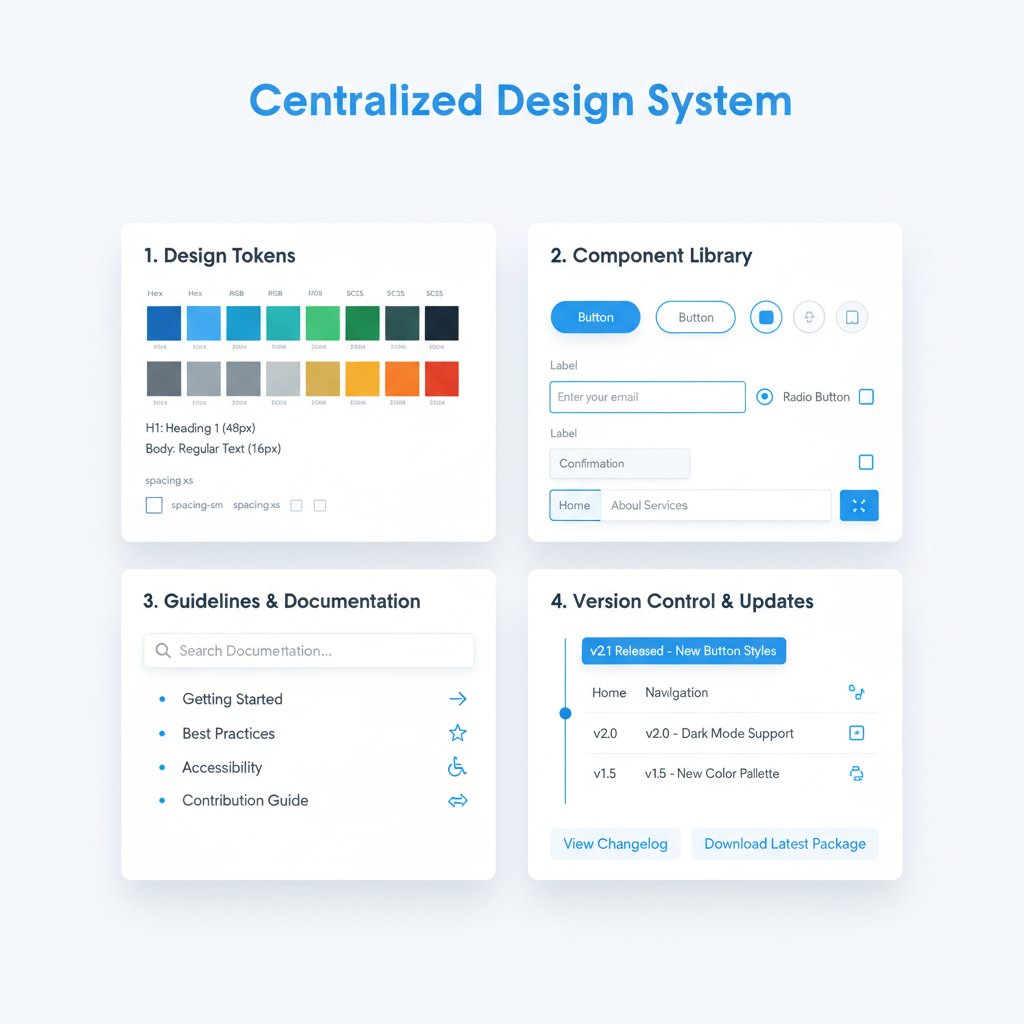
Investing in a robust, reusable design system is the ultimate play for future-proof savings. By centralizing assets, guidelines, and workflows, organizations can eliminate redundant work, accelerate onboarding, and ensure consistency across every touchpoint.
A case study from Fusion Design revealed that by implementing a company-wide design system, component reuse increased by 60%, while average design time per project dropped by 35%. Material waste and rework plummeted, saving millions over 18 months Fusion Design, 2021.
Training your team to be design-savvy
Design isn’t just for designers. Upskilling your broader team in design basics pays compounding dividends: fewer rookie mistakes, smarter decision-making, and less reliance on high-fee consultants.
7 skills every team should learn to reduce external design spend:
- Basic design principles (layout, color, typography)
- Brand guideline interpretation
- Effective feedback delivery
- Simple asset editing (using tools like Canva or Figma)
- Brief writing and project scoping
- File formatting and delivery standards
- Common design “red flags” and quick fixes
Building design literacy across departments prevents costly blunders and accelerates project delivery.
Streamlining feedback and revision cycles
Messy feedback loops are a silent killer of both timelines and budgets—a single round of unstructured critique can trigger endless revisions. According to InData Labs, AI-powered QA tools and structured feedback systems cut bug-related rework by up to 40%.
Tips for a money-saving feedback system:
- Use centralized platforms for comments to avoid version chaos.
- Create a single point of contact for approvals and clarifications.
- Enforce “cooling off” periods before major changes.
- Require concrete, actionable feedback—no vague “make it pop” requests.
| Project Phase | Typical Timeline (Days) | With Streamlined Feedback (Days) |
|---|---|---|
| Initial Concept | 5 | 3 |
| First Draft & Review | 7 | 4 |
| Revision Cycles | 10 | 5 |
| Final Delivery | 3 | 2 |
Table 4: Impact of streamlined feedback on project timelines and cost control
Source: Original analysis based on InData Labs, 2024
The dark side: When cost-cutting sabotages your brand
Brand erosion: How cheap design can cost you millions
Every penny pinched on design comes with a potential time bomb—brand erosion. A cautionary tale: in 2016, a major airline’s botched rebrand, done on the cheap, led to social media ridicule and a 15% drop in bookings within a month. The culprit? Confusing visuals and a logo that looked suspiciously like a free template.

The cost of fixing a damaged brand reputation—through crisis PR, redesigns, and lost revenue—can dwarf any upfront design “savings.” Sustainable cost reduction is about cutting waste, not corners.
Spotting false economies and hidden traps
Not every shortcut is a real saving. The design world is filled with traps that look thrifty but cost more in the long run.
- 7 false economies in design projects:
- Skipping discovery or strategy phases
- Choosing vendors solely on price
- Over-relying on templates for unique projects
- Rushing launches without QA
- Accepting vague scopes to “save time”
- Ignoring licensing for images/fonts
- Underpaying freelancers (leads to disengagement or walkouts)
To balance risk and reward, always assess the lifetime value of your investment—not just the sticker price.
Critical moments when you should spend, not save
There are times when cutting costs is self-sabotage. Rebranding, product launches, and customer-facing redesigns require investment; this is where the gut punch of regret for cutting corners hits hardest. As one design manager put it, “You can’t rebrand regret.” – Morgan (quote based on industry sentiment).
Healthy frugality means knowing when to invest for impact, and when to trim the fat. The best leaders differentiate between essential and expendable spend, using data—not gut feelings—to guide decisions.
Case files: Real-world stories of design cost reduction
From bloated budgets to lean machines: Startup edition
A fintech startup used to bleed cash on agency retainers and endless “brand refreshes.” By switching to a modular design system and automating document generation with platforms like filecreator.ai, they cut design expenditures by 45% in under a year. The result? Faster launches, higher investor trust, and a team finally free of invoice-induced panic.
Key takeaways:
- Audit everything, from tools to freelance hours.
- Invest in systems that automate repetitive work.
- Train your team to own more of the process.

Corporate shake-up: Overhauling enterprise design spend
A global manufacturer faced ballooning design costs across product lines. By adopting zero-based redesign (ZBR) methods and standardizing on open source and low-code AI tools, they slashed design labor by 30% and cut software costs in half. Quality improved—fewer errors, faster time-to-market, and a culture shift toward process-driven creativity.
| Cost Category | Before Overhaul | After Overhaul | Percentage Saved |
|---|---|---|---|
| Labor | $6M | $4.2M | 30% |
| Software/Tools | $1.5M | $0.75M | 50% |
| Project Mgmt | $0.9M | $0.6M | 33% |
Table 5: Before-and-after breakdown of enterprise design spend
Source: Original analysis based on Bain & Company, 2024
Freelancer’s perspective: How pros deliver more for less
From the designer’s side, delivering value isn’t about slashing rates—it’s about clarity, communication, and efficient workflow. As Riley, a freelance creative director, puts it, “Transparency builds trust—and saves money on both sides.”
Tips for hiring and collaborating with freelancers:
- Define deliverables and timelines in writing.
- Set expectations for feedback and payments up front.
- Use shared tools for project management and file transfers.
- Respect the professional’s expertise—micromanagement kills value.
Glossary and jargon buster: What the industry won’t tell you
Definition list: Key terms to master
- Deliverables
Tangible outputs from a design project—logo files, presentations, templates. Always specify format and number to avoid confusion. - Design sprint
A time-boxed process for rapidly prototyping and testing ideas. Popularized by Google Ventures, it compresses weeks of work into days. - Creative retainer
Ongoing monthly fee for access to a designer or team. Can provide cost savings if scoping is clear. - Spec work
Unpaid or speculative work, often requested in pitches. Widely criticized by professionals—avoid unless it’s part of a paid trial.
Knowing these terms isn’t just jargon bingo—it’s the difference between controlling your budget and watching it spiral. Clarity kills miscommunication, which in turn kills costly mistakes.
Your next move: Turning insights into action
Quick reference: Checklist for slashing design costs
- Audit all design-related expenses from the past year.
- Identify projects with the worst ROI—cut or restructure these.
- Standardize creative briefs to reduce confusion.
- Limit revision rounds and set clear boundaries in contracts.
- Invest in design systems for reusable assets.
- Upskill your team on design basics.
- Use AI tools to automate repetitive tasks and QA.
- Negotiate outcome-based pricing where possible.
- Outsource strategically, not just to save money.
- Implement structured feedback processes.
- Avoid false economies—don’t cheap out on brand-defining work.
- Revisit your processes regularly for hidden inefficiencies.
Start today: audit, negotiate, and rethink everything you know about design costs.
Resources and further reading
- Bain & Company, 2024 Automation Scorecard
- Forbes, Product Design Cost Reduction, 2024
- aPriori, Design to Cost
- Spotless, Service Design Trends 2024
- Fusion Design, Cost Down Initiative
- filecreator.ai/documentation
- InData Labs, AI-Powered QA
- Freshservice, Cloud-Based Collaboration
Dive deeper—stay ahead of the curve, and make sure the next design invoice you pay is one you actually understand (and control).
Sources
References cited in this article
- Bain & Company, Automation Scorecard 2024(bain.com)
- aPriori, Design to Cost(apriori.com)
- Forbes, Product Design Cost Reduction(forbes.com)
- Spotless, Service Design Trends 2024(spotless.co.uk)
- Fusion Design Case Study(fusiondesigninc.com)
- Wolters Kluwer, Hidden Project Costs(wolterskluwer.com)
- Gordian, Construction Cost Insights Q1-Q2 2024(gordian.com)
- Time Analytics, Employee Cost Realities(timeanalyticssoftware.com)
- World Economic Forum, Circular Transformation(weforum.org)
- INSEAD, Sustainability Case Studies(insead.edu)
- SupplyChainBrain, 2024 Predictions(supplychainbrain.com)
- Directive Collective, Good Design is Expensive(directivecollective.com)
- DBIA, Design-Build Myths(dbia.org)
- LogoRax, Design Industry Pricing 2024(logorax.com)
- Zeka Design, Structural Design Software Case Studies(zekagraphic.com)
- Hestya Design, Interior Designer Costs 2024(hestyadesign.com)
- PayItLater, Environmental Costs of Bargain Hunting(payitlater.com.au)
- efmc-conference.com, Cost-Benefit Analysis 2024(efmc-conference.com)
- volo.global, Outsourcing Market Stats(volo.global)
- gocraftio.com, Design Team Cost Analysis(gocraftio.com)
- McKinsey, State of AI 2024(switchsoftware.io)
- Venngage, AI Design Trends(venngage.com)
- Forbes, AI in Talent Management(forbes.com)
- Forbes, Freelancing in LATAM 2024(forbes.com)
- Consultport, Best Freelance Platforms 2024(consultport.com)
- Mordor Intelligence, Freelance Platforms Market(mordorintelligence.com)
- Sure Source, Product Cost Optimization(sure-source.com)
- Doherty Associates, Manufacturing Cost Reduction(dohertyassociates.com)
- Harvard Program on Negotiation(pon.harvard.edu)
- Forbes Councils, Negotiation Strategies(forbes.com)
- Time for Designs, ROI of Good Design(timefordesigns.com)
- UX Planet, Design Systems ROI(uxplanet.org)
- FieldCircle, Cost Reduction Risks(fieldcircle.com)
- IndustryWeek, Cutting Costs the Wrong Way(industryweek.com)
- LinkedIn, False Economy(linkedin.com)
- Harvard Business Review, Hidden Traps in Decision Making(hbr.org)
- Forrester, State of Design 2024(forrester.com)
- DBIA, Design-Build Spending(dbia.org)
- Oberlo, US Digital Ad Spending(oberlo.com)
Perfect Documents, Instantly
Filecreator.ai transforms the way you produce professional documents. Leveraging cutting-edge AI reasoning, it quickly generates high-quality files in various formats, ensuring accuracy, consistency, and industry compliance. Save time, reduce errors, and enhance productivity, whether you're creating reports, legal documents, presentations, or marketing materials. Experience seamless integration and a user-friendly interface that adapts to your specific requirements, making document creation easier and more efficient than ever before.
Get startedStart Creating Professional Documents Today
Join thousands of professionals who trust AI-powered document generation
Frequently Asked Questions
What are the main cost components that make up a design service bill?
According to the article, design costs break down into labor (50-70%), tech and tools (10-20%), and project management (10-15%). Additional costs include software licenses, creative strategy sessions, and premiums for rush jobs.
What are the most common reasons for design budget overruns?
According to 2023 Forbes research cited in the article, design budget overruns are most often triggered by poor briefing, unclear scope, and repeated rounds of back-and-forth communication between clients and designers.
Why can two identical design projects have different price tags?
The article explains that the hidden ecosystem of design costs—including revisions, iterations, and time spent navigating miscommunication—causes identical-seeming projects to carry wildly different prices.
Does this article provide specific strategies for reducing design costs?
Yes, the article promises 11 research-backed strategies for reducing design service costs, though the specific strategies are not detailed in the excerpt provided.
Continue Reading
Explore more from Professional Document Generator

What Drives the Cost of Expensive Design Services
Problems with expensive design services extend beyond sticker shock. This article examines hidden costs, unmet promises, and the gap between what's sold and delivered.

Replace Costly Design Services: Risks and Practical Alternatives
This article examines why businesses replace costly design services and what alternatives exist. It covers real risks, practical options, and how to maintain quality without premium agency fees.

9 Alternatives to Expensive Design Services
Expensive design services alternatives range from AI tools to global talent networks. This article outlines 9 approaches that reduce costs while maintaining professional quality.

How to Reduce Freelance Writer Costs Without Sacrificing Quality
Reduce freelance writer costs through hybrid AI-human strategies. This article explains 13 research-backed approaches to lower expenses without sacrificing content quality or SEO performance.

Alternatives to Professional Design Firms: Cost and Quality
This article examines alternatives to professional design firms, covering cost-effective strategies and emerging options that deliver results without traditional agency expenses.

How to Eliminate Costly Consultant Fees Without Sacrificing Expertise
This article explains how to eliminate costly consultant fees by building internal capabilities and alternatives.


