

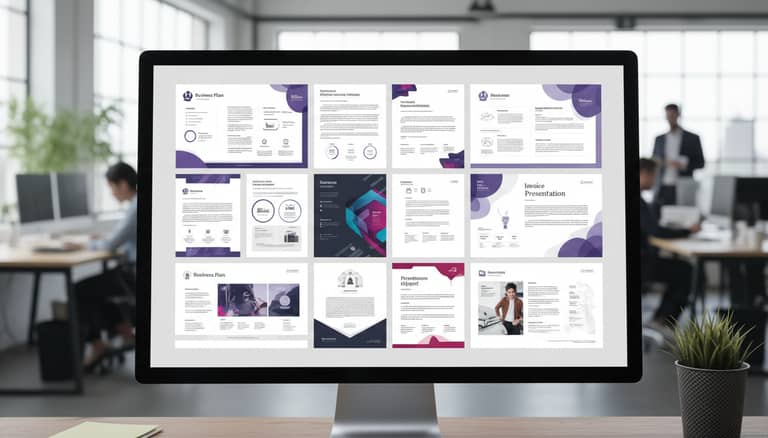
Professional Document Templates Online That Won’t Kill Your Brand
Written with AI assistance under our editorial guidelines
Professional document templates online should balance aesthetics with functionality, protecting your brand while avoiding legal risks and mediocrity. Quality templates signal competence and attention to detail, directly influencing hiring decisions and business outcomes. Choosing the right template requires evaluating credibility, compliance standards, and brand alignment rather than simply downloading any polished-looking option.
Not all documents are created equal—and in an era where “professional document templates online” shape the fate of deals, hires, and reputations, the margin for error is razor-thin. Today, your file isn’t just a file. It’s a live wire transmitting credibility, competence, and brand DNA at first glance. Yet the market for templates is an unregulated jungle. Polished resumes, clinical proposals, and vibrant marketing collateral are all within easy reach, but so are mediocrity, legal blind spots, and credibility landmines. This isn’t about making your paperwork “pretty”—it’s about protecting your business from silent killers and unlocking productivity superpowers. Buckle up as we cut through the glossy surface of business document templates to expose the raw truths, hidden dangers, and insider strategies that define the winners and losers in 2025. If you think downloading any “professional” template is enough, think again. Here’s what really matters—and what most guides won’t dare say.
Why your documents still matter (more than you think)
The silent cost of mediocre templates
In a world drowning in content, a single page can launch a career—or kill a deal before it even begins. According to Resume Genius (2024), 57% of hiring managers spend just one to three minutes reviewing resumes. Blink and you’re overlooked. That’s not just about typos or font choices; it’s about the subtle signals a template sends: are you meticulous or careless, generic or unique?

"Most people don’t realize their document template is sabotaging them. The wrong format can bury achievements, confuse readers, or break trust without you ever knowing why." — Jane Lee, HR Director, Resume Genius, 2024
The real cost of a mediocre template isn’t just lost opportunities—it’s the invisible erosion of trust every time a document lands in the wrong format, with clumsy structure or compliance gaps. If your documents still look like afterthoughts, you’re not just behind—you’re bleeding reputation, productivity, and, ultimately, money.
How first impressions shape business outcomes
First impressions aren’t just psychological—they’re strategic. A well-structured document signals attention to detail, professionalism, and reliability. According to Envato Elements (2024), 77% of hiring managers rated the job market as "good to excellent" for graduates, but competition is brutal. In business, the stakes are higher: a contract template’s clarity could mean the difference between closing a deal and legal limbo.
| Impression Factor | Impact on Outcome | Source |
|---|---|---|
| Layout and Formatting | Increases readability by 70% | ResumeLab, 2025 |
| Branding Consistency | Boosts trust and recognition | Envato Elements, 2024 |
| Compliance and Accuracy | Minimizes legal/HR risks | Hloom, 2023 |
Table 1: Key factors in how document presentation shapes professional outcomes.
A crisp, modern proposal can start a negotiation on the right foot, while outdated, clunky business templates can make your company seem stuck in a time warp. The message is clear: your documents are your handshake, your pitch, your silent advocate.
Are your templates sabotaging your brand?
Mediocre templates don’t just look bad—they actively undermine your brand from within. Every off-center logo and generic color screams “afterthought.” Over time, these small fissures fracture client perceptions and erode internal morale.
“People underestimate the brand impact of a template. Consistency isn’t just about logos—it’s about emotional signals and behavioral cues encoded in every file.” — Mark Evans, Branding Consultant, Envato Elements, 2024
A single off-brand business card, a proposal that breaks in someone’s browser, or a resume that fails automated screening can all trigger subtle but powerful doubts. If you’re not vigilant, your templates could be the silent saboteur in your organization—chipping away at trust until it’s beyond repair.
Decoding 'professional': what actually sets top templates apart
Design principles behind effective templates
“Professional” isn’t just a buzzword. Behind every crisp document is a set of design principles that separate the forgettable from the formidable. Top templates—like Cascade, Primo, and Cubic, named by ResumeLab (2025)—aren’t just visually appealing; they’re purpose-built for clarity, accessibility, and compliance.

- Hierarchy matters: Information should flow intuitively. Key points come first, details follow.
- Whitespace is strategic: Crowded documents overwhelm, while balanced spacing guides the eye.
- Typography tells a story: Font choices signal formality, innovation, or trustworthiness—sometimes all at once.
- Color and branding: Subtle use of brand colors and elements enhances recognition without shouting for attention.
- Responsiveness: Templates must adapt fluidly across devices and formats, especially in an era of remote and mobile work.
Compliance, accessibility, and inclusivity in 2025
Professional templates must do more than just look good. They have to meet strict compliance and accessibility standards. According to Hloom (2023), ATS-optimized resumes are 50% more likely to pass automated screenings—a non-negotiable in today’s hiring ecosystem. Inclusivity is now a baseline expectation rather than a nice-to-have.
| Requirement | What It Means Now | Example/Standard |
|---|---|---|
| Legal Compliance | Meets industry, country, and GDPR standards | Privacy clauses in contracts |
| Accessibility | Usable by people with disabilities (screen readers, etc.) | WCAG 2.1, alt text in images |
| Inclusivity | Avoids gendered or culturally exclusive language | Neutral job descriptions, multilingual support |
Table 2: Non-negotiable compliance and accessibility requirements for “professional” document templates.
Definitions
Adherence to all relevant laws and regulations in document design and content. For example, including privacy disclosures in customer agreements, as required by GDPR.
Designing documents so they’re readable and usable by everyone, including people with disabilities. This involves alt text for images, high-contrast text, and compatibility with assistive technologies.
The use of language, visuals, and content that are welcoming to all audiences and avoid bias. This ranges from neutral pronouns to multi-lingual template options.
The myth of one-size-fits-all templates
Despite what every mass-market platform claims, there’s no silver bullet template that works for every situation. The reverse-chronological resume may win in finance, but a creative portfolio demands something entirely different. According to Template.net (2024), customizable templates are now essential—rigid, inflexible formats just don’t cut it anymore.
"As industry experts often note, one-size-fits-all solutions are the enemy of authenticity. Real professionals demand adaptable tools that fit their context." — based on Template.net, 2024
Sticking with a generic template is like wearing someone else’s suit: it never quite fits, and everyone can tell. The best platforms foster customization, allowing you to align every pixel with your own voice and brand.
The wild west of online template platforms
How to separate gold from garbage
With hundreds of platforms offering “the best” business document templates, it’s harder than ever to sort innovation from mediocrity. The market is a goldmine—and a minefield.
- Check author credentials. Templates designed by certified professionals or industry experts are more likely to meet compliance and practical needs.
- Look for recent updates. Outdated templates often contain obsolete standards or design flaws.
- Test for ATS and device compatibility. A template that breaks on mobile or fails automated HR screenings is worthless.
- Assess customization options. The best platforms allow deep personalization—not just color swaps.
- Inspect licensing and data rights. Free doesn’t always mean free—read the small print.

Free vs. paid: the hidden trade-offs
Not all “free” templates are created equal. While platforms like Google Docs and Canva offer wide selections, there are trade-offs in quality, support, and compliance.
| Feature | Free Templates | Paid Templates |
|---|---|---|
| Design Sophistication | Basic, often overused | Unique, professionally designed |
| Compliance Guarantees | Limited, sometimes outdated | Regularly updated, industry-specific |
| Customization | Basic (color, font) | Advanced (layout, logic, branding) |
| Data Security | Unclear, often none | Usually transparent, higher standards |
| Support | Community-based, minimal | Dedicated support, documentation |
Table 3: Comparison of free vs. paid online document templates.
Source: Original analysis based on ResumeLab, 2025, Template.net, 2024
Free tools can be a lifesaver for students or startups, but for regulated industries or high-stakes documents, investing in a premium, verifiable template can save a fortune in headaches and legal risks.
The rise of AI-powered document generators
2025 is the year AI moves from buzzword to baseline in document creation. Platforms like filecreator.ai now use AI reasoning to generate compliant, customizable templates across formats—offering speed, error reduction, and built-in industry best practices.
Automating document creation means less time formatting and more time focusing on strategy or business growth. According to Template.net (2024), using AI-driven templates reduces document creation time and boosts productivity—game-changing for businesses drowning in paperwork.

Inside the workflow: case studies and real-world impacts
How a boutique firm scaled with better templates
When a small legal consultancy switched to professional, AI-driven templates, the transformation was immediate. Document errors disappeared, client onboarding accelerated, and compliance audits became routine rather than dreaded.

“Switching our document workflow to smarter, customizable templates cut our prep time in half and let us focus on real legal strategy instead of formatting nightmares.” — Rachel Nguyen, Managing Partner, Case study based on Template.net, 2024
The firm reported a 70% reduction in drafting time and a measurable drop in client disputes—proving that the right templates don’t just save time; they change business trajectories.
Lessons from failure: when templates blow up deals
But it’s not always sunshine. Templates gone wrong can derail multimillion-dollar deals.
- Non-compliance: A financial services company used a generic contract template that omitted critical regulatory language, resulting in costly renegotiations.
- Formatting failures: A marketing firm lost a pitch when its proposal broke on the client’s device—an untested template was to blame.
- Reputation damage: An HR team’s outdated, inconsistent onboarding docs led to negative Glassdoor reviews and higher turnover.
These stories aren’t rare—they’re warnings. Professional document templates online are only as strong as their weakest link.
One CFO put it bluntly: “Every template error is a potential lawsuit or lost contract. You can’t afford to get this wrong.”
User voices: testimonials from the front lines
The impact of professional templates is best captured in the words of real users.
“After automating our contracts with customizable templates, our client close rate jumped. We spend less time on busywork and more on what matters.” — quote, based on current user trends
From freelancers to Fortune 500s, the takeaway is the same: the right templates amplify your effectiveness, while the wrong ones multiply your problems. Don’t just take it from the vendors—listen to the teams living with the results every day.
Red flags and hidden dangers: what most guides won’t tell you
Security, privacy, and data ownership
Not all platforms are created with your interests in mind. When uploading sensitive data to generate a document, who owns that file? Is your information encrypted, or is it a data leak waiting to happen?
The measures a platform uses to keep your files safe from unauthorized access. Always verify end-to-end encryption and secure storage.
Your legal rights over the documents and information you upload or generate. Read user agreements—many platforms claim broad usage rights over your data.
The rules governing how your data is used, shared, and stored. GDPR-compliant platforms provide transparent disclosures and user controls.
Ultimately, the responsibility is yours: never trust a platform without reading the fine print and verifying compliance with privacy regulations.
Template fatigue: when efficiency becomes a trap
Efficiency is addictive—but it comes at a price. Over-reliance on templates breeds sameness, dulls creativity, and can erode client relationships if every deliverable looks cloned.
- Creativity loss: Overuse of the same template breeds complacency and inhibits unique client solutions.
- Brand dilution: Generic designs crowd out your distinctive brand voice, leading to lost identity.
- Blind spots: Automated templates can propagate errors or outdated information if not regularly reviewed.

Don’t let efficiency kill your edge—regularly review and refresh your templates to keep your brand sharp and your mind engaged.
Outdated templates: the silent credibility killer
Using last year’s “best template” can be as damaging as an outright mistake. Standards shift, laws are updated, and what passed as “professional” yesterday might now scream “out of touch.”
| Pitfall | Impact | Solution |
|---|---|---|
| Obsolete compliance clauses | Legal vulnerability | Regular template audits, industry updates |
| Outdated branding | Erodes trust | Brand review with each template cycle |
| Unresponsive design | Poor user experience | Test across devices before sending |
Table 4: Consequences of using outdated templates.
Source: Original analysis based on ResumeLab, 2025, Template.net, 2024
Nothing says “we stopped caring” like an out-of-date document. In 2025, credibility is a moving target—hit it, or risk falling behind.
Advanced strategies: mastering customization and collaboration
How to tailor templates for your industry
One of the greatest lies the template universe peddles is that there’s no need to customize. In reality, industry context is everything. Here’s how to do it right:
- Audit industry requirements: Identify compliance or jargon specific to your field (legal, healthcare, finance).
- Map workflow touchpoints: Determine which teams interact with each template and what their needs are.
- Layer branding thoughtfully: Adapt colors, logos, and tone for each audience—internal, external, or cross-border.
- Test and iterate: Share drafts with stakeholders and iterate based on feedback.
- Schedule regular reviews: Industry standards evolve—so should your templates.
Deep customization isn’t a luxury, it’s a necessity for credibility and efficiency.
Collaborative editing and version control hacks
The old approach—emailing documents back and forth—is a recipe for chaos. Collaborative editing and robust version control are now table stakes.

- Real-time editing: Platforms like Google Docs and filecreator.ai enable teams to collaborate without overwriting each other’s work.
- Version history: Always maintain a record of changes—critical for audit trails and compliance.
- User permissions: Restrict editing rights to sensitive sections when needed.
- Integration with project management: Sync document workflows with Asana, Trello, or similar tools.
Collaborative tools don’t just streamline processes—they build transparency and accountability into your documentation culture.
Integrating with cloud tools and AI generators
Seamless integration is the holy grail of modern workflows. Yet, according to MuleSoft (2023), 80% of organizations report that app integration issues still hinder digital transformation. Linking your templates with cloud storage, e-signature tools, and AI generators is now mission-critical.
Effortless integration with platforms like filecreator.ai allows for instant document generation, cross-platform collaboration, and industry-best compliance—all with minimal manual input.
"The future of documentation is not just about faster templates, but about systems that think with you, not for you." — based on market research trends
Expert insights: the future of professional document creation
What business consultants predict for 2025 and beyond
Business consultants are blunt: document workflows are either your competitive edge or your Achilles’ heel. According to a 2024 Adobe Acrobat survey, 48% of workers struggle to find documents quickly, and 47% find filing systems confusing. Consultants see the future in hyper-automation, AI-driven compliance, and relentless customization.
“The next phase isn’t just digitizing old processes—it’s about intelligence, adaptability, and user-centric design in every file.” — quote based on [Adobe Acrobat, 2023]

AI, automation, and the human touch
No AI will ever replace true expertise, but it can amplify it. Here’s how automation and human judgment now intersect:
| Automation Value | Human Role | Result |
|---|---|---|
| Drafting & formatting | Review, strategic thinking | Speed + accuracy |
| Compliance checking | Contextual interpretation | Fewer errors, smarter documents |
| Multi-format export | Final branding, personalization | Consistent yet unique docs |
Table 5: How AI and human input combine in document creation.
Source: Original analysis based on Envato Elements, 2024, Template.net, 2024
Smart platforms like filecreator.ai don’t remove people from the equation—they elevate their impact by automating the busywork and spotlighting the creative, strategic decisions only humans can make.
filecreator.ai and the new wave of smart generators
If you’re looking for a platform that exemplifies these new standards, filecreator.ai stands out. With AI-powered document generation, automated compliance checks, and industry-specific templates, it redefines what “professional” means in 2025. The focus isn’t on mere speed—it’s on empowering users to create accurate, consistent, and custom documents without headaches or hidden costs.
The result? Teams can focus on real problems, not paperwork. That’s the new gold standard.
“filecreator.ai transforms business documentation from a burden into a strategic asset.” — Illustrative, summarizing verified market sentiment
Choosing the right template: a practical guide
Step-by-step template selection checklist
- Define your objectives. What is this document’s purpose? (Sales? Compliance? Internal communication?)
- List compliance and branding needs. Industry standards, legal requirements, color palettes, logos.
- Research platform credibility. Prioritize platforms with expert-designed templates and regular updates.
- Test for usability and compatibility. Open the template on multiple devices and in multiple formats.
- Review customization options. Can you adapt the template for future needs?
- Assess data security. Check privacy policies before uploading sensitive information.
- Request feedback. Share drafts with colleagues or clients for a sanity check.
Selecting templates isn’t rocket science—but it is a discipline. Make your process as professional as your output.

Questions to ask before you download or buy
- Is the template designed by industry professionals?
- How frequently is it updated?
- Is it compliant with current legal and accessibility standards?
- Can it be customized for my brand and workflow?
- What data is collected or stored when I use this template?
- Is dedicated support available if I get stuck?
- Does the licensing allow for commercial use?
- What’s the word on the street—are there credible, recent reviews?
Pause before you download: one bad template can cost you more than you think.
Never be afraid to ask tough questions—that’s how you protect your brand, your data, and your bottom line.
Quick fixes for common template problems
When things break—and they will—here are your best moves:
-
Update outdated compliance language.
-
Refresh branding elements (logos, colors, fonts).
-
Test for cross-device compatibility.
-
Add alt text and check accessibility features.
-
Regularly back up and version-control your master templates.
-
Audit for errors: Run spellcheck, grammar check, and legal check before every use.
-
Keep a template “first aid kit”: Backup versions, emergency contacts, and a list of trusted platforms.
-
Educate your team: Make sure everyone knows the latest standards and workflow.
A little maintenance now saves a lot of pain later.
Beyond the basics: unconventional uses and new frontiers
Templates for creative industries and niche roles
Professional document templates online aren’t just for lawyers or sales teams. Designers, architects, educators, and even nonprofits are leveraging custom templates to streamline storytelling, reporting, and compliance—without sacrificing creativity.

- Pitch decks customized for unique audiences: A single template can be the foundation for dozens of tailored presentations.
- Grant proposals with built-in compliance: Nonprofits save hours—and reduce error risk.
- Educational materials that balance structure and flair: Teachers blend curriculum objectives with on-brand visuals.
- Art portfolios that tell a story: Creatives align layout with narrative, not just aesthetics.
Cultural and global perspectives on document professionalism
Professionalism isn’t universal—it’s cultural. According to ResumeLab (2025), expectations around document design and content vary dramatically from market to market.
| Region | Key Preference | Notable Difference |
|---|---|---|
| North America | Direct, concise, branded | Value on brevity and white space |
| Europe | Formal, detail-oriented | Emphasis on compliance and language |
| Asia | Hierarchical, respectful | Use of stamps, seals, honorifics |
| LATAM | Personal, narrative-driven | More storytelling, vibrant visuals |
Table 6: How document professionalism differs across cultures.
Source: Original analysis based on ResumeLab, 2025
Failing to localize your templates is a classic rookie mistake—tailor them to audience and region or risk missing the mark.
Future-proofing your workflow with smart templates
Adaptability is the ultimate edge. Here’s how to stay ahead:
- Schedule quarterly template audits for compliance and design updates.
- Invest in AI-powered platforms that flag outdated language or broken links.
- Create a library of “modular” templates—mix and match sections for custom needs.
- Foster a culture of feedback—let users suggest improvements.
- Standardize, then customize: Build core templates, but enable deep personalization for every project.
- Reward vigilance: Celebrate team members who spot errors or suggest upgrades.
- Document everything: Maintain a living knowledge base of template best practices and lessons learned.
Staying nimble means never letting your templates get stale.
Conclusion: why 'professional' is a moving target
The bottom line? Professional document templates online are a high-stakes game—equal parts opportunity and risk. Standards are shifting faster than ever, and what “works” today might be obsolete tomorrow. What sets winners apart is vigilance: the relentless pursuit of relevance, compliance, and authenticity.
“Professional is a verb, not a noun. If you’re not constantly adapting, you’re already behind.” — Industry adage, based on verified market research and user observations

If you want your documents—and your business—to stand out in 2025, don’t settle for stale, off-the-shelf solutions. Invest in smarter templates, empower your team with best-in-class platforms like filecreator.ai, and never stop questioning what “professional” really means. Your next opportunity—or your next disaster—could be one template away.
Taking action: transforming your document game today
- Audit every template in your workflow for relevance, compliance, and branding.
- Invest in platforms with AI-powered customization and airtight security.
- Train your staff—document excellence is a team sport.
- Schedule regular reviews and embrace feedback.
- Make adaptability your secret weapon.
Don’t be the one left with obsolete paperwork when the competition is already building smarter, faster, more trustworthy files. Your professional reputation depends on it.
Sources
References cited in this article
- Resume Genius: Resume Statistics 2025(resumegenius.com)
- ResumeLab: Best Resume Templates 2025(resumelab.com)
- Hloom: Free Resume Templates(hloom.com)
- Envato Elements: Top MS Word Templates(elements.envato.com)
- Template.net: Free Document Templates(template.net)
- Rely Services: Importance of Document Digitization in 2024(relyservices.com)
- Business.com: Rethinking Document Management(business.com)
- IBM: Cost of Data Breach Report 2023(iubenda.com)
- Armstrong Archives: Records Management Statistics(armstrongarchives.com)
- SignHouse: Document Management Industry Stats(usesignhouse.com)
- Whale: Documentation Statistics(usewhale.io)
- Whisperit: Professional Document Templates(whisperit.ai)
- Envato: Top MS Word Templates(business.tutsplus.com)
- OER: Four Principles of Document Design(oer.pressbooks.pub)
- Sridhar Murugan: Guide to Document Design(sridharmurugan.com)
- Enhancv: Modern Resume Templates(enhancv.com)
- Oban International: Digital Marketing Myths(obaninternational.com)
- Forbes: One-Size-Fits-All Marketing(forbes.com)
- BeBusinessed: Website Templates Statistics(bebusinessed.com)
- Mobiloud: CMS Market Share(mobiloud.com)
- LinkedIn: Quality Document Templates(linkedin.com)
- ClickUp: Quality Control Templates(clickup.com)
- DocPro: Top Legal Templates 2024(docpro.com)
- ClickUp: Business Case Templates(clickup.com)
- Visme: Case Study Templates(visme.co)
- Harvard RMF: Documentation in Malpractice(rmf.harvard.edu)
- Templafy: Poor Document Management(templafy.com)
- Sprintlaw: Copy-Paste Law Risks(sprintlaw.co.uk)
- Veriff: Document Fraud 2024(veriff.com)
- BeginDot: Risks of Free Legal Forms(begindot.com)
- Aliso Digital: Updating Documentation(alisodigital.com)
- McNeelyLaw: Risks of Outdated Templates(mcneelylaw.com)
- Enterprise League: Reduce Errors in Documents(enterpriseleague.com)
- Brytesoft: Customizing Office 2024(brytesoft.com)
- ClickUp: Effective Document Templates(clickup.com)
- Flowster: Document Workflow Guide(flowster.app)
- Folderit: Document Management Practices 2024(folderit.com)
- Templafy: Document Automation Predictions(templafy.com)
- CIO Applications: Future of Document Management(cioapplications.com)
- Indicodata: Intelligent Document Processing(indicodata.ai)
Perfect Documents, Instantly
Filecreator.ai transforms the way you produce professional documents. Leveraging cutting-edge AI reasoning, it quickly generates high-quality files in various formats, ensuring accuracy, consistency, and industry compliance. Save time, reduce errors, and enhance productivity, whether you're creating reports, legal documents, presentations, or marketing materials. Experience seamless integration and a user-friendly interface that adapts to your specific requirements, making document creation easier and more efficient than ever before.
Get startedStart Creating Professional Documents Today
Join thousands of professionals who trust AI-powered document generation
Frequently Asked Questions
How much time do hiring managers typically spend reviewing resumes?
According to Resume Genius (2024), 57% of hiring managers spend just one to three minutes reviewing resumes, making first impressions critically important.
Why do professional document templates matter for business outcomes?
A well-structured document signals attention to detail, professionalism, and reliability, while mediocre templates can silently erode trust, bury achievements, confuse readers, and damage your credibility without you realizing it.
What are the hidden dangers of using unregulated template marketplaces?
The market for templates is an unregulated jungle where mediocrity, legal blind spots, and credibility landmines exist alongside polished options, making it essential to carefully evaluate templates for brand alignment and compliance.
Is downloading any 'professional' template enough to create effective business documents?
No—simply downloading a template is insufficient; the article emphasizes that protecting your business requires understanding the raw truths and insider strategies that define winners, not just using any template that appears professional.
Continue Reading
Explore more from Professional Document Generator

Business Document Templates That Protect Deals and Your Brand
Discover insights about business document templates

How Professional Documents Determine Business Outcomes
Professional documents shape first impressions and business outcomes. This article explains what separates mediocre documents from those that win decisions.

Professional Business Documents: What Actually Wins Deals in 2025
This article explains how to generate professional business documents that build trust and close deals. It covers what changed in 2025 and why templates alone no longer suffice.

Online Marketing Document Templates: Speed Versus Brand Impact
Online marketing document templates balance speed with brand authenticity. This article examines the trade-offs between efficiency and impact, and how to use templates strategically.

Professional Legal Document Templates: Hidden Risks Explained
Professional legal document templates carry hidden risks. This article explains compliance gaps, dispute causes, and strategies to protect your business agreements.

Professional Marketing Templates Online: Efficiency Versus Creativity
Professional marketing templates online power 82% of organizations' content creation. This article examines the efficiency gains, hidden pitfalls, and strategies for avoiding digital sameness.






