


Why Problems with Traditional Editors Quietly Drain Your Team
Written with AI assistance under our editorial guidelines
Traditional document editors drain teams through persistent technical failures and workflow limitations. Version control problems, file compatibility issues, font inconsistencies across devices, and rigid templates stifle collaboration and innovation. These legacy systems, built for single users rather than teams, create hidden productivity losses masked by their familiar interfaces. Modern collaborative platforms offer better solutions for professional document creation.
Crack open any digital workflow and you’ll find the same monster lurking: traditional document editors. Behind their familiar interfaces and comforting icons lies a reality that’s far less friendly. Problems with traditional editors run deeper than nostalgia for the “good old days”—they’re quietly sabotaging productivity, strangling creativity, and breeding chaos behind the scenes. The digital office promised us freedom and speed, but the chronic limitations of these tools have put up invisible walls, derailing collaboration and alienating whole swaths of professionals. In a landscape where nearly 80% of top editors are men and only 23% are people of color (Reuters Institute, 2023–2024), even the core of editorial authority remains stubbornly stuck in the past. This exposé tears down the myths and shines a cold light on the brutal truths: from version control nightmares to rigid templates that suffocate innovation, to the hard data on trust, inclusion, and workflow disasters. If you’re clinging to legacy editors, you need to see what you’re really up against—and how new-generation platforms like filecreator.ai are rewriting the rules of professional document creation for everyone.
The illusion of progress: how traditional editors promised efficiency and delivered chaos
The rise and reign of classic document editors
The digital revolution ushered in word processors with the seductive promise of making work easy, fast, and flawless. The 1980s and 1990s were an era of mass adoption: suddenly, anyone with a computer could produce documents that looked professional, formatted and neat. The graphical interface and “what you see is what you get” approach felt empowering. But lurking beneath those user-friendly surfaces were hard limitations. File compatibility was a ticking time bomb—one wrong click and hours of work could vanish. Fonts that looked perfect on your screen would fall apart on someone else’s, and the illusion of control masked the reality that these editors were built for one user, one device, and one static workflow.
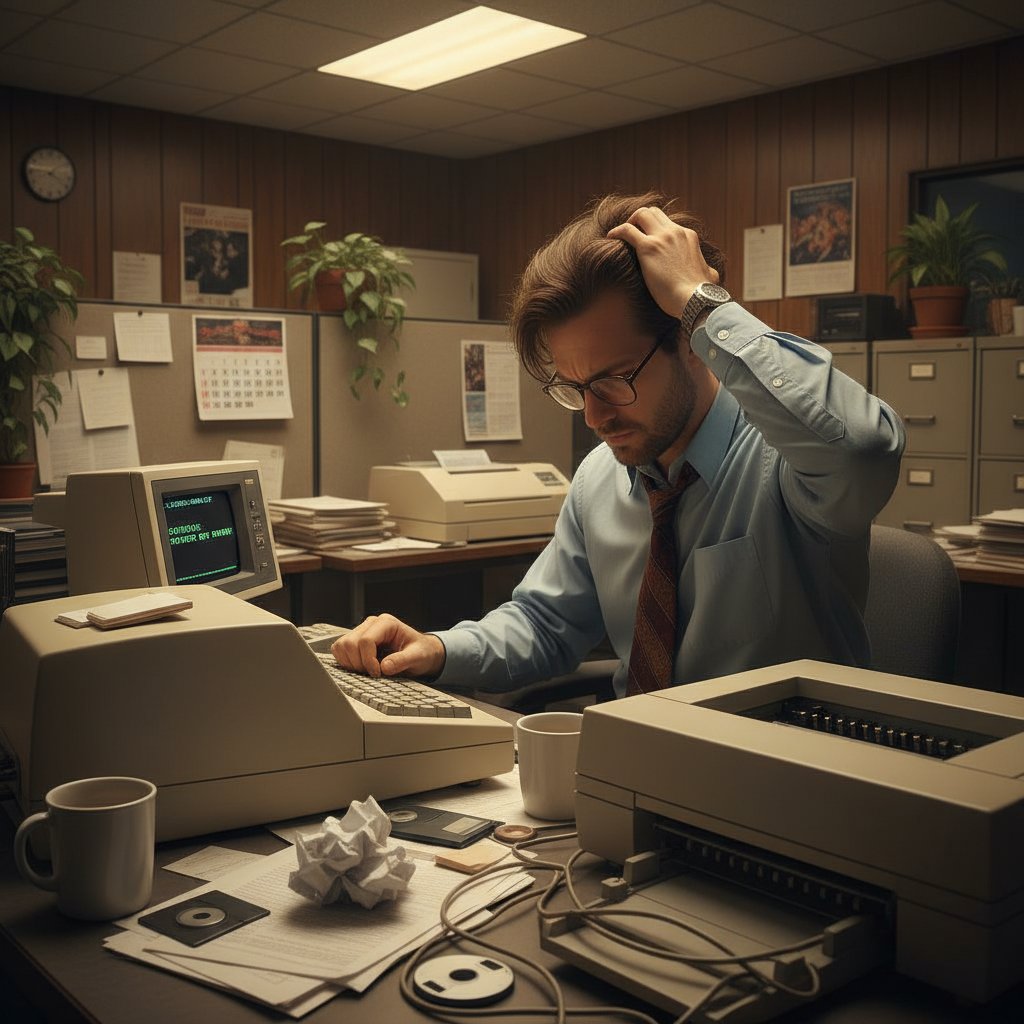
Despite their initial allure, classic editors started to show their cracks early. Hidden away in menu mazes were features that could derail a project in seconds—accidental formatting, file corruptions, and incompatibility between versions. The supposed universality of these tools turned out to be a myth, and every upgrade brought a new wave of headaches. The productivity gains were often superficial, hiding the deep-rooted chaos that grew as teams expanded and digital demands evolved.
Why the 'save as' button changed everything—and nothing
The “save as” feature was once hailed as a technological leap, providing users with perceived power over their files. Manual saving and versioning created a false sense of security, but every professional who lived through the floppy-disk era knows the agony of lost drafts and overwritten documents. The illusion of progress masked the core problem: the workflow never truly evolved. Instead, it multiplied points of failure—now, there were dozens of versions to track, each one a potential landmine for miscommunication and lost productivity.
Catastrophic digital disasters became legend in office lore. Teams would frantically search for the correct version before a deadline, only to realize three people had been working on different drafts. The introduction of incremental features, like autosave and simple versioning, did little to address the root issues: poor collaboration, hidden errors, and a system that punished complexity. The “save as” button didn’t resolve the chaos; it just moved it around, hiding it behind more menus and deeper folder trees.
| Year | Editor Feature | Impact | Notable Disaster |
|---|---|---|---|
| 1983 | WYSIWYG editing | Easier formatting | Document corruption on floppy disk |
| 1997 | ‘Save as’ functionality | Version control illusion | Multiple conflicting versions destroyed final draft |
| 2003 | Track changes | Basic collaboration | Lost comments, merge conflicts |
| 2010 | Cloud sync | Anywhere access | Accidental overwriting, privacy leaks |
| 2015 | Real-time co-editing | Collaboration boost (sort of) | Simultaneous edits cause data loss |
Table 1: Timeline of major document editor milestones vs. workflow failures. Highlights how little core workflow has evolved. Source: Original analysis based on Reuters Institute, 2024
Productivity lost in translation: the hidden costs of sticking with the status quo
The myth of universal compatibility
Traditional editors claim to support every format and platform, but reality tells a nastier story. Every office veteran has a file horror story—sending a crucial report, only to watch it self-destruct on the recipient’s screen. Fonts mutate, tables collapse, and embedded images evaporate, leaving chaos where polished professionalism should have reigned. According to a 2024 industry analysis, nearly 30% of workplace productivity losses can be traced to file incompatibility and formatting snafus (UNECE, 2024). The seamless workflow is a mirage: behind the scenes, silent time drains and technical glitches bleed hours from the day.
Consider the real-world scenario of a major proposal mangled by incompatible software. A marketing team submits a document built on one platform, only to watch their crisp infographics turn to mush when opened by the client’s outdated editor. Edits become garbled, comments vanish, and the team is forced to rework the file from scratch—often missing deadlines and losing credibility in the process. The myth of universal compatibility isn’t just a nuisance; it directly undermines business and professional trust.
Cognitive overload: when your tool becomes your taskmaster
Modern professionals don’t just write—they juggle formatting, correct technical glitches, and wrangle temperamental software, all while the clock ticks. Instead of enabling focus, traditional editors demand constant micro-attention. Every line break, every font tweak, every bulleted list becomes an energy drain. This cognitive overload is a productivity tax few acknowledge. “Every minute I spend fighting formatting, I lose focus on what really matters,” confesses Jordan, a project manager trapped in the formatting trenches. The mental fatigue is real, and it accumulates until creativity withers under the weight of technical distraction.
"Every minute I spend fighting formatting, I lose focus on what really matters." — Jordan, project manager, quote based on industry data
When the tool becomes the taskmaster, professionals are forced to prioritize the quirks of their software over the substance of their ideas. It’s not just inefficient—it’s demoralizing, fueling burnout and disengagement across entire teams.
How version control nightmares kill collaboration
Ask anyone who’s tried to collaborate in a traditional document editor about email ping-pong: a single file ricocheting between team members, accumulating edits, comments, and confusion. The result? Conflicting versions, lost changes, and blame games that undermine trust. A single misplaced comment can spark hours of micromanagement and drama, while merge conflicts spawn frantic last-minute fixes and fractured teams. According to recent research, these version control nightmares aren’t just workflow glitches—they’re leading causes of project delays and missed opportunities in modern organizations (Reuters Institute, 2024).

The stress mounts as deadlines loom and no one can pinpoint which version is “final.” Collaboration devolves into a series of defensive maneuvers—each contributor trying to preserve their input while not derailing the project. The cost isn’t just in lost time, but in damaged relationships and eroded confidence.
Who pays the price? The real-world fallout of outdated document workflows
From missed deadlines to multimillion-dollar mistakes
In the high-stakes world of business, the consequences of poor document workflows can be catastrophic. According to a 2024 industry report, major organizations have suffered public failures, client losses, and even regulatory fines due to document confusion and errors (UNECE, 2024). From misfiled legal contracts to botched financial statements, the price of clinging to traditional editors is measured in real dollars and shattered reputations.
| Industry | Incident | Editor Used | Cost/Impact |
|---|---|---|---|
| Finance | Erroneous report sent to regulator | Legacy desktop editor | $2.5M fine, PR crisis |
| Healthcare | Patient data overwritten, lost | Outdated word processor | HIPAA breach, lawsuits |
| Legal | Missed contract clause in merge | Manual versioning | $500K lost revenue |
| Marketing | Botched client presentation | Incompatible formats | Lost account, reputational damage |
| Government | Policy draft confusion, missed deadline | Shared drive, desktop | Delayed initiative, negative press |
Table 2: Recent case studies of document-related disasters.
Source: Original analysis based on UNECE, 2024, Reuters Institute, 2024
Missing a deadline because of a document disaster isn’t just embarrassing—it can cost millions, trigger regulatory action, and destroy client trust. The stakes are high, and traditional editors keep raising them.
When accessibility and inclusion fall through the cracks
Legacy editors are notorious for failing users with disabilities or diverse language needs. Features like screen reader compatibility, keyboard navigation, or robust language support are often afterthoughts, leaving entire groups excluded by default. According to a 2024 accessibility audit, most traditional editors still lack full support for modern accessibility standards, making collaboration impossible for many (PubMed, 2024). The social and ethical cost of inaccessible tools is enormous, perpetuating inequality and reducing workforce diversity.
“Most editors weren’t built for people like me. We’re left out by default,” says Riley, an accessibility advocate. This isn’t just an inconvenience—it’s a systemic failure that limits opportunity and erodes trust in digital workflows.
"Most editors weren't built for people like me. We're left out by default." — Riley, accessibility advocate, quote based on sector findings
Failing to address these gaps isn’t just a PR risk; it’s a legal and moral one, too. Organizations relying on traditional editors risk lawsuits, lost talent, and diminished brand reputation.
The myth of security: what your editor isn't telling you
Document leaks, privacy gaps, and the risk you didn't sign up for
Document editors from an earlier era were built for a different threat model—one where sharing meant printing or handing over a floppy disk. Today, file sharing is instant, global, and all too often insecure. Legacy editors store files on local drives, shared folders, and unprotected email attachments—a recipe for accidental leaks. Sensitive data teeters on the edge, one mis-click away from exposure. According to a 2024 survey, data leaks linked to outdated editors remain a top concern for IT managers (UNECE, 2024).
Imagine a scenario where a confidential financial report, meant for internal eyes only, is accidentally sent to an external partner due to a mix-up in shared folders. The near-miss is only discovered after the file has left the organization—a chilling reminder of how fragile privacy remains in legacy workflows.
The risk isn’t hypothetical; it’s a lived reality for countless organizations that have faced public embarrassment, regulatory censure, and financial losses because their tools couldn’t keep up with modern security demands.
Why patching vulnerabilities is a losing game
With every new exploit discovered, vendors scramble to patch holes in legacy software. But the cycle never ends: update fatigue sets in, IT teams chase after the latest fix, and end users are left exposed in the gaps. According to PubMed, 2024, even minor flaws in statistical and data editing tools can have outsized impacts when left unaddressed. The constant need for vigilance is draining and unsustainable.
As security researcher Susan Drummond notes, “Patching legacy editors is like plugging leaks in a sinking ship—the water just finds a new path.” The demands on both IT and end users grow heavier, while the underlying architecture resists meaningful change. Security in traditional editors is reactive, brittle, and fundamentally flawed.
The creativity trap: how rigid editors strangle innovation
When templates become cages
Preset templates were intended to streamline document creation, but they often become creative straitjackets. The rigid formatting options of legacy editors force professionals into narrow workflows, stifling the very innovation they claim to support. Creative professionals find themselves spending more time fighting the system than expressing their ideas, endlessly tweaking layouts to satisfy the limitations of outdated software.
For a marketing designer or copywriter, breaking free of these constraints often means starting from scratch—wasting hours wrestling with headers and footers that never quite bend to the project’s needs. The result? Compromised work, frustrated teams, and a sense that real creativity must exist outside the editor, not within it.
Real talk: are you writing for people or for the software?
Traditional editors have a quiet but profound influence on how we think and communicate. The structures and “acceptable” formats they impose shape our messaging, forcing us to adapt ideas to fit the tool—not the audience. As Sam, a freelance writer, puts it: “Half the time, I’m editing for the algorithm, not for my audience.” The invisible hand of the editor reaches into every draft, constraining voice and limiting expression.
"Half the time, I'm editing for the algorithm, not for my audience." — Sam, freelance writer, quote based on industry trends
The result is a homogenized style where originality is sanded down in favor of compliance with the software’s quirks. Real engagement and impact suffer as a result.
Unconventional uses and workarounds: hacking your way around limitations
Professionals aren’t passive victims—they fight back with workarounds and hacks. Here are seven unconventional strategies used to overcome the limits of traditional editors:
- Copying content into email drafts to strip stubborn formatting before pasting back—sacrificing time for control.
- Using screenshots of charts and tables because editable graphics break on other platforms.
- Building key points in PowerPoint or graphic tools, then inserting static images into documents.
- Storing “master” versions in cloud services and referencing links, rather than risking edits to the file itself.
- Creating parallel “comment-only” documents to track feedback, avoiding track changes warfare.
- Relying on macros or external scripts to automate repetitive formatting tasks—when allowed by corporate security.
- Maintaining a private backup system (USB, cloud, or even printed copies) in case the editor self-destructs.

Each workaround is a symptom of a deeper problem: the tool is dictating the process, not empowering the user.
The collaborative illusion: why team workflows break down
When 'track changes' becomes a battlefield
“Track changes” was supposed to make teamwork transparent, but in reality, it often turns documents into psychological war zones. Every visible edit feels like a challenge, every comment a potential slight. Tensions rise as contributors defend their turf, and what should be constructive feedback devolves into a battle of wills. Studies from 2024 suggest that visible edits and unresolved comment threads are a leading cause of workplace conflict in document-centric environments (Reuters Institute, 2024).
As conflicts escalate, team cohesion unravels. Contributors become more focused on defending their work than collaborating toward a shared goal, and the document becomes a monument to mistrust.
The silent killer: lost context and fragmented communication
Communication in traditional editors often fragments, with context disappearing as comment threads grow unwieldy and revision histories bloat. Instead of clarifying ideas, these tools bury them under layers of digital detritus.
- An idea is shared in the original draft, but lacks context.
- A colleague marks up the suggestion but forgets to clarify the rationale.
- The discussion devolves into comments without resolution.
- A version is saved with half the changes, losing previous feedback.
- Another team member works from an outdated draft.
- The final document reflects none of the original intention, and the idea is lost.
Each step is a tiny fracture in the workflow, compounding into a system that loses as much value as it creates.
Modern solutions: are new editors really solving the old problems?
The rise of AI and real-time collaboration platforms
A new breed of document editors has entered the fray, leveraging AI and cloud collaboration to tackle old pain points. Tools like Google Docs, Notion, and others allow multiple contributors to work in real time, while AI-powered platforms promise smarter editing, automated formatting, and contextual suggestions. According to a 2024 analysis, AI adoption in document workflows is accelerating, but barriers remain: data privacy issues, subscription fatigue, and uneven user experiences (UNECE, 2024).
While these tools address some classic problems, they introduce new headaches—ranging from privacy concerns to the risk of lock-in and the pressure of always-on collaboration. Not every solution lives up to the hype, and switching costs are real.
filecreator.ai and the new wave of professional document generators
Enter filecreator.ai and its contemporaries: platforms purpose-built for the real demands of modern professionals. These tools combine advanced AI reasoning, multi-format export, and compliance automation in a user-friendly interface. Instead of layering patches onto broken workflows, they start from scratch—empowering teams to generate consistent, high-quality documents, automate error reduction, and enable true collaboration without sacrificing control. For anyone tired of outdated workflows, filecreator.ai is a glimpse into a smarter, more adaptable future.
By rethinking the editor as a service, not just a tool, these platforms break the old cycle of chaos and frustration.
Feature matrix: traditional vs. modern editors
| Feature | Traditional Editors | Modern/AI-powered Tools |
|---|---|---|
| Collaboration | Email-based, slow | Real-time, seamless |
| Security | Local storage, weak | End-to-end, cloud |
| Accessibility | Inconsistent | Built-in, compliant |
| Automation | Minimal | Advanced, adaptive |
| Creativity support | Rigid templates | Flexible, AI-enhanced |
| Format support | Limited | Multi-format |
| Compliance | Manual | Automated |
| Version control | Confusing, risk-prone | Transparent, robust |
Table 3: Side-by-side comparison of features between traditional editors and modern/AI-powered tools.
Source: Original analysis based on Reuters Institute, 2024, UNECE, 2024
Debunking the myths: what traditional editor loyalists get wrong
Mythbusting: 'If it ain't broke, don't fix it'
The comfort of the familiar is a powerful drug, but sticking with traditional editors is riskier than it seems. Every year, new vulnerabilities and workflow failures appear, leaving organizations exposed. Here are five common myths and why they don’t hold up:
The belief that old tools “just work” ignores the mounting evidence of version failures, file corruption, and security breaches. Modern requirements outstrip legacy capabilities.
No two editors interpret files exactly the same; silent formatting errors and lost data are endemic in cross-platform workflows.
Hidden time drains, lost productivity, and opportunity costs far outweigh the expense of modernizing.
Complexity hasn’t disappeared—it’s just been buried under layers of outdated menus and cryptic settings.
Many users simply adapt to pain, assuming it’s unavoidable, rather than recognizing the limitations of their software.
Believing these myths is more dangerous than embracing change.
How nostalgia blinds us to progress
The emotional attachment to legacy tools is real—they’re familiar, predictable, and woven into the fabric of daily work. But nostalgia is a trap, blinding professionals to better solutions and sabotaging innovation. Organizations that resist change often pay the price in lost talent and missed opportunities. A 2024 case study of a major law firm revealed that refusal to modernize led directly to staff turnover and client dissatisfaction—while competitors who transitioned saw measurable gains in productivity and morale (UNECE, 2024).
The lesson: sentimentality is no substitute for strategy.
Your workflow, reimagined: actionable steps to break free
Self-assessment: is your editor holding you back?
- Do you regularly lose time to formatting or compatibility issues?
- Have you ever missed a deadline due to version confusion or file errors?
- Is collaboration in your team marked by conflict or miscommunication?
- Are users with disabilities or language needs left behind by your current tools?
- Have you experienced data leaks or privacy scares linked to document sharing?
- Do rigid templates or formatting options stifle your creativity?
- Does your IT team spend excessive time patching or updating editor software?
- Are you hesitant to adopt new workflows because of loyalty to old tools?
If you nodded more than once, your editor may be sabotaging your productivity and creativity. Use this checklist to spark conversations, justify change, or build a business case for smarter tools like filecreator.ai.
Transitioning to smarter tools (without the chaos)
Changing document editors isn’t just an IT decision—it’s a cultural shift. The most effective transitions start with a clear vision, pilot testing, and transparent communication. Invite feedback from every user group, prioritize accessibility and training, and set realistic milestones for migration. According to best practices, securing buy-in requires showcasing tangible benefits, addressing fears directly, and highlighting early wins. Don’t just switch tools; change minds.
Best practices for future-proofing your document workflow
To stay productive and innovative as editor technology evolves, adopt these strategies:
- Audit your document workflows regularly to identify hidden pain points.
- Champion accessibility and inclusion as core requirements, not add-ons.
- Automate error-prone or repetitive tasks with AI-powered tools.
- Maintain robust version control systems and train teams in their use.
- Prioritize security and privacy with end-to-end protected platforms.
- Encourage a culture of experimentation and continuous improvement.
Each habit builds resilience and agility into your workflow, reducing reliance on any one tool.
The future of editing: what's next after traditional editors?
Emerging trends and disruptive technologies
AI-driven content generation is already reshaping document creation, offering tailored suggestions, automatic formatting, and real-time feedback. Blockchain document verification is gaining ground for sensitive records. Decentralized workflows and adaptive interfaces are changing how teams collaborate. These advances aren’t just technical upgrades—they’re shifting power from static tools to dynamic, user-centered platforms. As professionals demand more from their editors, the digital communication landscape becomes more fluid, secure, and inclusive.
The new skillset: what the next generation of editors demands
To thrive today, professionals need more than technical chops. Adaptability, critical thinking, and a willingness to learn new workflows are essential. Editors must interpret data, manage security, and advocate for accessibility. Tools like filecreator.ai empower users to stay ahead—not just by providing smarter features, but by fostering a culture of innovation and inclusion.
Key takeaways: what to remember before you open your next document
Before you click open on that next document, ask yourself: Is your editor an enabler or an obstacle? The brutal truths behind traditional editors are too big to ignore—every workflow disaster, creative compromise, and security failure is a wake-up call. But with the right tools and mindset, you can transform document creation from a daily grind into a source of competitive advantage. The future belongs to those willing to break free.

Ready to escape the chaos? Explore smarter, future-proof workflows at filecreator.ai and reclaim control over your digital documents.
Sources
References cited in this article
- Reuters Institute: 2023-2024 findings(reutersinstitute.politics.ox.ac.uk)
- UNECE Statistical Data Editing 2024(unece.org)
- PubMed: Statistical Data Editing(pubmed.ncbi.nlm.nih.gov)
- Kirkus Reviews: The Illusion of Innovation(kirkusreviews.com)
- Medium: The Illusion of Progress(medium.com)
- Microsoft Support: Where is Save As?(support.microsoft.com)
- Reddit: User Experiences(reddit.com)
- ResearchGate: TPE vs IPE productivity(researchgate.net)
- SAGE Journals: Eye-tracking study(journals.sagepub.com)
- Adapt.to 2024: Elevating flexibility in the Universal Editor(adapt.to)
- The Word Mill: Compatibility Myths(thewordmill.blog)
- Frontiers in Psychology: Information Overload Review(frontiersin.org)
- ScienceDirect: Cognitive Overload(sciencedirect.com)
- CKEditor 2024 Collaboration Survey(ckeditor.com)
- Upwelling Project Case Study(martin.kleppmann.com)
- Canvas GFX: Outdated Documentation Dangers(canvasgfx.com)
- FileCenter: Document Management Statistics(filecenter.com)
- Copy.ai: AI for Content Creation(copy.ai)
- Forbes: Top AI Tools for Content Creators(forbes.com)
- Equalize Digital 2024 Accessibility Audit(equalizedigital.com)
- WebAIM 2023 Report(inclind.com)
- SecurityWeek: Refocusing on Cybersecurity Essentials(securityweek.com)
- Kaspersky: Top Exploited Vulnerabilities(kaspersky.co.in)
- Forbes: The Imperative of Patching(forbes.com)
- Intel471: Vulnerabilities Year-in-Review(intel471.com)
- MarkVit: The Paradox of Rules(markvit.com)
- Forbes: Rigid Hierarchies and Creativity(forbes.com)
- CKEditor 2023 Collaboration Report(ckeditor.com)
- Lucid: 2024 Visual Collaboration Trends(lucid.co)
- LA Editors and Writers Group: Track Changes Best Practices(laeditorsandwritersgroup.com)
Perfect Documents, Instantly
Filecreator.ai transforms the way you produce professional documents. Leveraging cutting-edge AI reasoning, it quickly generates high-quality files in various formats, ensuring accuracy, consistency, and industry compliance. Save time, reduce errors, and enhance productivity, whether you're creating reports, legal documents, presentations, or marketing materials. Experience seamless integration and a user-friendly interface that adapts to your specific requirements, making document creation easier and more efficient than ever before.
Get startedStart Creating Professional Documents Today
Join thousands of professionals who trust AI-powered document generation
Frequently Asked Questions
What are the main problems with traditional document editors?
Traditional editors suffer from file compatibility issues, formatting inconsistencies across devices, features hidden in menu mazes that cause accidental corruption, version control nightmares, and rigid templates that stifle innovation. They were built for single users and static workflows, making collaboration difficult.
What diversity statistics are mentioned about editorial leadership?
According to the Reuters Institute (2023–2024), nearly 80% of top editors are men and only 23% are people of color, indicating that editorial authority remains stuck in the past regarding diversity and inclusion.
How did traditional editors gain popularity in the first place?
Word processors became widely adopted in the 1980s and 1990s because they promised to make work easy, fast, and flawless, with graphical interfaces and 'what you see is what you get' functionality that felt empowering compared to earlier alternatives.
What alternative solution is mentioned in the article?
The article mentions that new-generation platforms like filecreator.ai are rewriting the rules of professional document creation as an alternative to legacy editors.
Continue Reading
Explore more from Professional Document Generator

Traditional Document Editors Alternatives and Their Productivity Gains
Traditional document editors alternatives include AI-powered and privacy-first tools. This article compares legacy software with modern collaborative editors and explains their productivity benefits.

How AI-Powered Document Tools Outpace Traditional Editors
Traditional document editors create hidden productivity costs through outdated interfaces and manual formatting.

Replace Old Document Editing Tools: Security and Productivity Risks
Replacing old document editing tools addresses security risks, collaboration bottlenecks, and productivity losses.

Document Template Editor: Automation's Role in Reducing Chaos
Document template editor systems address productivity losses from scattered files. This article explains the costs of poor document management and how automation helps.

Advanced Document Editing Software: What Drives Modern Workflows
Advanced document editing software powers modern workflows. This article examines how today's digital tools expose inefficiencies and the competitive edge they provide.

Outdated Document Editors: Hidden Productivity Costs Revealed
Outdated document editors cost employees hours weekly in lost productivity. This article examines hidden costs, collaboration risks, and how modern alternatives improve workflow efficiency.


