


Professional Presentation Maker Tools and Techniques for Creating Impact
Written with AI assistance under our editorial guidelines
Professional presentation skills have become essential for career advancement, with 70% of professionals citing them as critical in 2025. A single well-executed presentation can build trust and influence outcomes, while poor presentation design damages credibility quickly. In today's digital landscape, professional presentation tools and strong slide design directly impact career trajectory and business success.
Let’s toss out the polite fiction right now: the professional presentation maker isn’t just another line in your digital toolbox. It’s the difference between getting noticed and getting ignored, between a career-making moment and fading into the yammer of mediocrity. If you think masterful slides are just about pretty templates and stock images, 2025 has some harsh lessons coming your way. The era of dull decks is over. Today, every slide is a test, every font choice a gamble, and every AI-powered shortcut a double-edged sword. In this world, where the stakes for attention, credibility, and influence are higher than ever, your deck is no longer a formality—it’s your battleground. This is where the myths of “professionalism” collide headfirst with the cold truths of the boardroom, and where AI-driven innovation isn’t just a trend—it’s the new gatekeeper for anyone who wants to rule the narrative. If you’re ready to shatter old assumptions, harness the best tools, and finally understand what makes a slide truly unforgettable, strap in. Here are the seven bold truths for anyone serious about dominating the art (and dark science) of professional presentation making in 2025.
Why professional presentations matter more than ever
The career-defining stakes of a single deck
The boardroom is a crucible, and your presentation is the flame. One misstep—a clunky transition, a tired template, a sea of bullets—can evaporate months of hard-won credibility in minutes. In 2025, 70% of professionals say that presentation skills are critical to career advancement, according to data from INK PPT, 2024. That’s not some HR platitude; it’s the reality that determines who gets the corner office and who gets sidelined.

But here’s the kicker: the stakes aren’t just about promotions or pitches—they’re about trust. A single, sharp presentation can win millions, while a lackluster one can bleed away years of reputation. As noted by Effective Presentations, 2024, “the impact of a presentation lingers far longer than the applause.” In the digital age, your slides are often the first and last word people remember.
“Presentation skills have become a core leadership competency. They’re the most direct way to shape perception and drive action.”
— Vanessa Van Edwards, Behavioral Investigator, Science of People, 2024
The psychology of first impressions in the boardroom
First impressions are forged in milliseconds and, in the world of professional presentations, they’re nearly impossible to recover from. When you step up to present, audiences don’t just judge your data—they judge your confidence, your clarity, and the story you’re spinning. According to research published by Princeton University, it takes just one-tenth of a second for audiences to form opinions based on visual cues and design choices (Science of People, 2024). Every element—from your color palette to your headline font—either amplifies your authority or chips away at it.
| Factor Influencing First Impressions | Percentage Impact | Key Takeaway |
|---|---|---|
| Visual design quality | 45% | Clean, bold design signals credibility |
| Slide clarity (minimal clutter) | 35% | Less text = more trust |
| Presenter confidence/body language | 15% | Non-verbal cues seal the deal |
| Data integrity/evidence | 5% | Numbers only matter if they’re believed |
Table 1: The anatomy of first impressions in professional presentations
Source: Original analysis based on Science of People, 2024, INK PPT, 2024
How expectations have skyrocketed in 2025
Today’s boardrooms are ruthless. Audiences are tech-savvy, time-starved, and utterly intolerant of mediocrity. Here’s how expectations have climbed the ladder in 2025:
- Zero tolerance for death-by-bullet-point: Slides packed with text are instant credibility killers.
- Demand for instant clarity: If your key message isn’t obvious in five seconds, you’ve lost your shot.
- Visual storytelling is non-negotiable: According to Zamora Design, 2025, image-centric slides are now the standard.
- Authenticity over polish: Audiences crave real stories, not corporate jargon.
- AI-powered efficiency: Fast, beautiful results are expected—manual grinding is seen as a waste of resources.
In this environment, relying on outdated presentation tools or templates is professional self-sabotage. The bar isn’t just higher—it moves every time someone with sharper slides walks into the room.
Debunking the myths: what a ‘professional’ deck really means
The template trap: why sameness kills impact
The myth: All you need for professional slides is a fancy template. The truth: Templates are a trap, lulling you into sameness and robbing your message of its punch. Most “professional presentation makers” come preloaded with slide decks that look sleek but generic—impressive for about three seconds, then instantly forgettable. As pointed out by Microsoft, 2025, bold design today means breaking out of the “blue gradient box.”

A truly professional presentation isn’t about blending in. It’s about building a deck that amplifies your unique brand and voice, using custom templates and strong contrasts that pop—not fade.
Is design overrated? The content vs. aesthetics debate
It’s an old debate, but the answer now is clearer than ever: design and content are co-conspirators, not rivals. Slick visuals with empty content are exposed within seconds; likewise, brilliant ideas buried in ugly slides get ignored. As highlighted in a quote from Beautiful.ai, 2024:
“Design is the invitation, content is the conversation. If you don’t have both, your presentation isn’t professional—it’s just noise.”
— Kasey Fleisher Hickey, Content Lead, Beautiful.ai
Busting the 'anyone can do it' illusion
Here’s the hard truth: not everyone can make a professional presentation, no matter how “easy” the software claims to be. The illusion that anyone with a laptop can whip up a killer deck ignores the skills, research, and strategic thinking involved:
- Critical thinking: Distilling complex ideas into simple visuals takes more than drag-and-drop.
- Storytelling: Crafting a narrative that hooks audiences is a learned art.
- Visual literacy: Understanding design principles—contrast, whitespace, hierarchy—goes beyond picking a template.
- Technical mastery: Knowing when to break the rules and why.
Professional presentation makers democratize access to tools, but only those willing to learn the craft stand out. The rest? They just add to the noise.
The evolution: from PowerPoint hell to AI-powered artistry
A brief history of presentation making
Rewind to the early days: presentations meant clunky overheads and dense lecture slides. PowerPoint ruled for decades, but it also gave birth to “PowerPoint hell”—endless bullet points and soul-sapping clip art. The rise of cloud tools like Google Slides added some collaboration, but barely moved the creative needle.
| Era | Key Tools | Hallmarks | Limitations |
|---|---|---|---|
| 1990s-2000s | PowerPoint, Keynote | Bullet lists, static images | Clunky design, little innovation |
| 2010s | Google Slides, Prezi | Cloud, motion effects | Gimmicky transitions, low substance |
| 2020s-2025 | AI-powered makers | Automation, visual storytelling | True customization, smart design |
Table 2: The evolution of presentation making tools and their impact
Source: Original analysis based on Beautiful.ai, 2024, Microsoft, 2025
How AI is rewriting the rules
The game has changed. AI-powered tools like Plus AI, Gamma, and filecreator.ai don’t just speed up slide creation—they elevate it. According to ONLYOFFICE, 2023, AI now does the heavy lifting on layout, design, and even content suggestions, freeing you to focus on strategy and story. The result? Higher engagement, less busywork, and a dramatic drop in amateur mistakes.
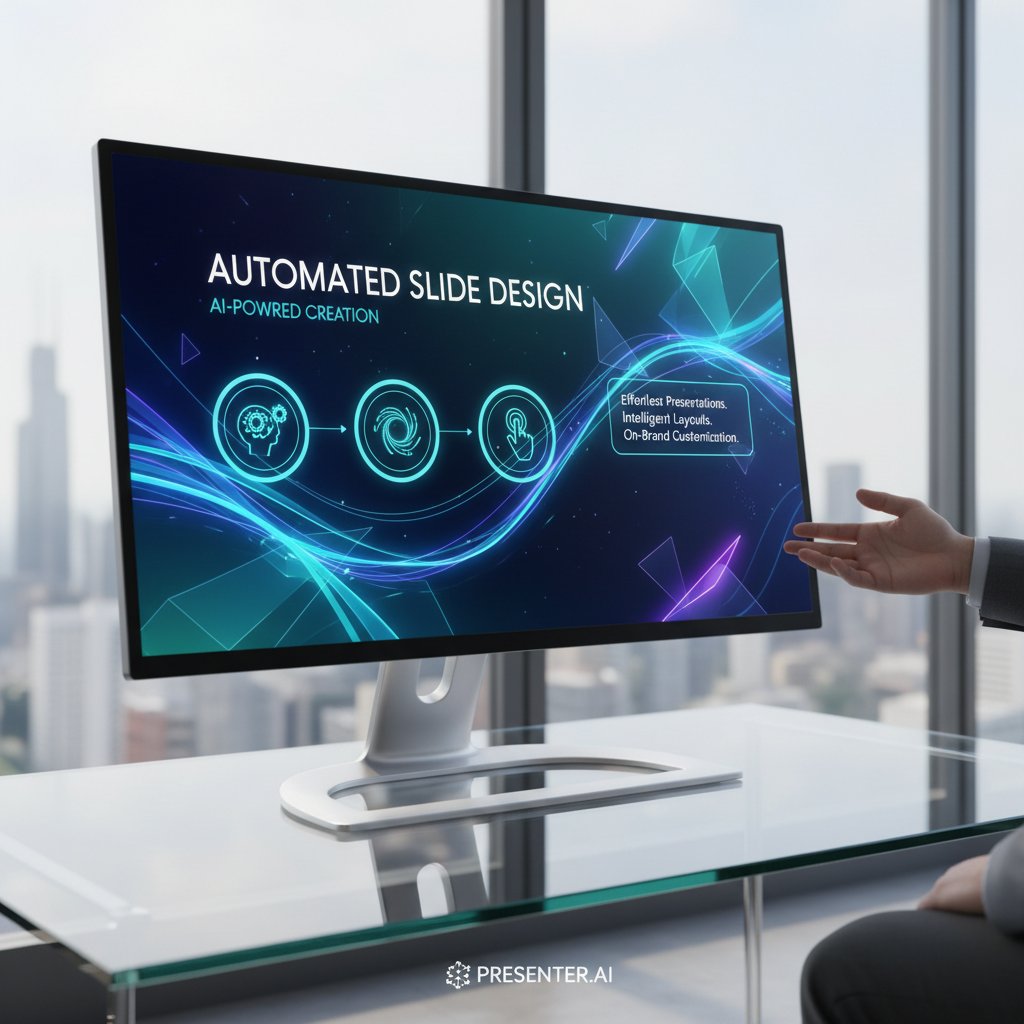
These tools analyze your input, recommend layouts, ensure on-brand visuals, and even highlight narrative gaps. But they don’t replace your insight—they amplify it.
filecreator.ai and the new breed of document generators
Filecreator.ai stands at the forefront of this new movement, symbolizing a shift from manual grind to intelligent creation. The platform’s AI reasoning ensures accuracy, consistency, and a fierce attention to industry compliance, making it an invaluable partner for anyone serious about professional presentations. As noted by industry experts:
“AI-driven document generators aren’t just about speed—they’re about elevating the standard of what ‘professional’ means in a digital world.”
— Industry Analyst, 24Slides, 2024
What actually makes a presentation ‘professional’?
Storytelling: the secret weapon behind the slides
Professional isn’t synonymous with boring. It’s about storytelling—taking raw data and sculpting it into a narrative that sticks. Research from Effective Presentations, 2024 shows audiences remember stories 22 times more than facts alone. The best decks—regardless of industry—are those that weave numbers, visuals, and personal anecdotes into something unforgettable.

Whether you’re pitching to VCs, teaching a workshop, or leading a team meeting, story-driven slides cut through the noise and build authentic connections.
Data, evidence, and the art of persuasion
Numbers have never mattered more. But data isn’t persuasive unless it’s presented with clarity and context. The art of a professional presentation is weaving evidence into your story while making it instantly digestible. The “10-20-30 rule” (no more than 10 slides, 20 minutes, 30-point font) still dominates because it forces you to prioritize clarity (Guy Kawasaki, cited by Microsoft, 2025).
| Persuasion Element | Impact on Audience | Pro Tip |
|---|---|---|
| Relevant data points | 45% | Use only what supports your narrative |
| Visual evidence | 35% | Charts, photos > raw tables |
| Story integration | 15% | Contextualize numbers with anecdotes |
| Source transparency | 5% | Always cite, never fudge |
Table 3: Building persuasive presentations with evidence
Source: Original analysis based on SketchBubble, 2024, Microsoft, 2025
Delivery: why even perfect slides can flop
Slides can only do so much—the real magic happens in delivery. The most professional deck will flop if the presenter mumbles, rushes, or fails to engage. According to current research from Science of People, 2024:
- Vocal variety is essential: Monotone delivery kills even the best content.
- Confidence trumps polish: Audiences forgive small slip-ups if you own the room.
- Interaction matters: Polls and questions boost retention and energy.
- Practice is non-negotiable: Even the best slides can’t save an unprepared presenter.
Professionalism isn’t a slide aesthetic—it’s a holistic discipline that fuses story, evidence, and performance.
The dangers nobody talks about: pitfalls of ‘professional’ tools
Over-design and the loss of authenticity
There’s a point where “professional” slides become over-produced—so flawless they feel inhuman. Over-design can sterilize your message, erasing the quirks and imperfections audiences crave. According to 24Slides, 2024, decks saturated with animations, gradients, and excessive branding cues might look impressive, but they risk turning your story into a soulless ad.

Authenticity is a casualty when design becomes the only priority. The best presenters know when to pull back and let their voice come through.
Information overload: when more is less
Modern presentation makers tempt users with infinite features—charts, gifs, data widgets, and more. But the danger is real: more tools often mean more noise. Research confirms that audiences disengage if overwhelmed with complex visuals or too many facts at once (SketchBubble, 2024).
- Excessive animations distract: Use sparingly, if at all.
- Dense data slides confuse: Prioritize one insight per slide.
- Too many fonts/colors dilute message: Stick to a disciplined palette.
- Feature overload slows you down: Focus on essentials, not gadgets.
The best professional presentation makers streamline—not complicate—your workflow.
The illusion of expertise: polished slides, weak ideas
Here’s a dirty secret: some of the slickest decks out there are smoke and mirrors. Polished design can mask weak arguments or shallow expertise. As noted by Effective Presentations, 2024:
“A beautiful deck can’t rescue a bad idea. True professionals use design to illuminate, not obscure.”
— Mike Fruciano, Founder, Effective Presentations
Professional presentation makers must be wielded with substance, or risk becoming tools of empty persuasion.
The new playbook: step-by-step guide to mastering your presentation
Prepping like a pro: before you open the app
Every winning deck starts long before you touch a template. Here’s how pros prepare:
- Clarify your core message: What’s the one thing you want people to remember?
- Research your audience: Tailor tone, visuals, and data to their expectations.
- Outline your story arc: Map intro, conflict, climax, and resolution.
- Gather evidence: Find stats, quotes, and examples to anchor your argument.
- Decide your call to action: Every professional presentation ends with a clear ask.
- Sketch key visuals: Jot down ideas for images or graphics that will carry your point.
Only after this groundwork do you open your professional presentation maker. The result? Slides with substance and style.
Building slides that actually engage
The slides themselves are where most presentations die or shine. The 2025 standard: visually bold, text-light, and tailored to your audience’s attention span.

To build engagement:
- Use high-contrast color schemes and modern sans-serif fonts for clarity.
- Integrate multimedia—videos, gifs, music—only if they enhance the story.
- Break up text with impactful images and whitespace; never overcrowd.
- Use polls or interactive elements for live sessions, leveraging features in the best AI presentation software.
Self-assessment: is your deck ready to win?
Before you hit “present,” run this checklist:
- Does each slide serve a clear purpose or story beat?
- Are visuals driving, not distracting from, your message?
- Have you cut every word, chart, or graphic that isn’t essential?
- Is your data cited from credible, up-to-date sources?
- Would you remember this presentation a week from now?
If you can’t answer “yes” to all, go back and refine.
Edge cases: when breaking the rules wins big
Real-world stories of decks that defied convention
Some of the most iconic presentations in recent memory broke all the “rules”—and won. From Steve Jobs’ minimalist launches to viral TED Talks with hand-drawn slides, these decks traded polish for punch.

“Our company pitch was just five slides, handwritten and scanned. It felt risky—until the investors actually remembered us.”
— Startup founder, as quoted in Zamora Design, 2025
Minimalism, chaos, and other unexpected styles
Sometimes, breaking free from the “professional” mold is the smartest play:
- Radical minimalism: One image, one idea per slide.
- Controlled chaos: Bold fonts, jarring colors—used strategically.
- Hand-drawn elements: Authenticity over perfection in a digital sea.
- Live annotation: Modifying slides in real-time for interactivity.
- Ditching slides: Going analog when it suits your story.
What matters is intentionality—knowing the rules well enough to break them for maximum impact.
When to ignore ‘best practices’
Embrace when your message is bold enough to stand alone, without visual clutter.
When a linear arc kills your creative spark, break chronology for narrative suspense.
Ignore if a dramatic image or block of text needs to break symmetry for visual punch.
Toss out the rulebook when brand identity demands something different—but always test for readability.
Remember, the best professional presentation makers give you the flexibility to rebel intelligently.
Choosing your weapon: comparing top professional presentation makers
Feature matrix: AI vs. traditional tools
Not all presentation makers are created equal. Here’s how the new breed measures up:
| Feature | AI-Powered (e.g., filecreator.ai) | Traditional Software |
|---|---|---|
| Automated design suggestions | Yes | No |
| Real-time collaboration | Yes | Sometimes |
| Customizable brand templates | Yes | Limited |
| Multimedia integration | Advanced | Basic |
| Compliance checking | Automated | Manual |
| Learning curve | Low | Medium |
| Unique visual storytelling aids | Yes | Rare |
Table 4: Comparing features of AI and traditional professional presentation makers
Source: Original analysis based on Beautiful.ai, 2024, ONLYOFFICE, 2023.
What to look for (and red flags to avoid)
When selecting your presentation weapon, keep these in mind:
-
Look for:
- Seamless AI enhancements that don’t overwrite your creative control.
- Robust template libraries matched to your industry.
- Multi-format export (PDF, PPTX, etc.) for maximum flexibility.
- Reliable compliance and accessibility checks.
- Responsive customer support and regular updates.
-
Avoid:
- Locked-in branding that makes every deck look identical.
- Feature overload that distracts from your message.
- Hidden costs or paywalls for basic exports.
- Poor integration with other productivity tools.
- Outdated interfaces or lack of mobile optimization.
Choosing wisely means your tool is an ally, not a hindrance. For a deeper dive into best practices for presentations, check out Top Tips for Creating Professional PowerPoint Slides in 2025.
Why filecreator.ai is changing the game (objectively)
Filecreator.ai has emerged as a disruptor, offering AI-powered document generation that’s both fast and fiercely accurate. Its value is in offering templates that adapt to your needs, not the other way around. The platform’s integration of automated compliance, real-time editing, and industry-specific best practices ensures your decks aren’t just professional—they’re ahead of the curve.

In a world where “professional” is constantly redefined, filecreator.ai delivers authority, speed, and customizability—cementing its place as a go-to resource for anyone serious about presentations.
The future of professional presentations: bold predictions for 2025 and beyond
Emerging trends: interactive, immersive, and beyond
Professional presentations aren’t static slideshows anymore. They’re becoming interactive experiences—polls, live feedback, even embedded video and music. Research from Science of People, 2024 shows that real-time audience participation increases retention by up to 30%.

The most effective professional presentation makers (like filecreator.ai and Gamma) are evolving to support these trends, ensuring your message isn’t just seen—it’s lived.
Societal impacts: how presentations shape culture and business
Presentations aren’t just communication tools. They’re drivers of culture and business transformation:
- They democratize influence: Anyone with a story and the right tool can move a room.
- They accelerate decision-making: Clear decks cut through noise, enabling faster choices.
- They foster transparency: Well-cited, data-driven slides build trust in organizations.
- They reinforce brand culture: Consistent design and messaging unify teams and clients.
- They drive innovation: The best decks spark new ideas—and the courage to pursue them.
In an age of information overload, the ability to craft and deliver a professional presentation is a critical differentiator.
Your next move: staying ahead of the curve
- Invest in learning: Master both the technical and storytelling sides of presentations.
- Adopt AI tools early: Stay ahead by leveraging platforms that automate the grunt work.
- Experiment fearlessly: Try new formats, media, and delivery styles.
- Solicit feedback: Use real-time polls and audience input to refine your message.
- Never stop refining: Each deck is a draft for the next—iterate, adapt, and outshine.
Conclusion
The professional presentation maker isn’t a magic wand—it’s a set of loaded dice. In 2025, the difference between forgettable and career-defining comes down to how well you navigate the brutal truths behind flawless slides. The best decks blend authenticity, evidence, and design in ways that AI alone can’t replicate, but also can’t be achieved by hand alone. The myth of the “perfect template” has been obliterated by the need for real narrative authority and visual punch. Those willing to invest in their craft—by mastering new tools like filecreator.ai, embracing storytelling, and ruthlessly cutting the noise—will not just survive but dominate the boardroom. The average presentation is dead. The era of intelligent, unforgettable, and deeply human slides is now. Whether you rise or fall depends on whether you’re ready to face these truths—and act on them.
Sources
References cited in this article
- Top Tips for Creating Professional PowerPoint Slides in 2025(toxigon.com)
- 10 Innovative Presentation Design Trends to Watch in 2025(zamora.design)
- Best AI Presentation Makers of 2025(plusai.com)
- Science of People: Presentation Tips(scienceofpeople.com)
- Microsoft: Four Presentation Trends for 2025(microsoft.com)
- INK PPT(inkppt.com)
- ONLYOFFICE(onlyoffice.com)
- SketchBubble(sketchbubble.com)
- Effective Presentations(effectivepresentations.com)
- SecondNatureUK(secondnatureuk.co.uk)
- BaseTemplates(basetemplates.com)
- Infobrandz(infobrandz.com)
- VisualHackers(visualhackers.com)
- Best Pitch Decks(bestpitchdeck.com)
- IoD Ireland(iodireland.ie)
- ScienceDirect(sciencedirect.com)
- BPS(bps.org.uk)
- Cambridge Core(cambridge.org)
- INK PPT(inkppt.com)
- Slidebean(slidebean.com)
- SlideGem(slidegem.com)
- Forbes: Best AI Presentation Tools 2024(forbes.com)
- Kripesh Adwani: Best AI Presentation Makers(kripeshadwani.com)
- Silver Fox Productions(silverfoxprod.com)
- Hult Blog(hult.edu)
- Boston Institute of Analytics(bostoninstituteofanalytics.org)
- SlideUpLift(slideuplift.com)
- Deck Sherpa: 2024 Trends(decksherpa.com)
- INK PPT: PowerPoint Tips 2024(inkppt.com)
- Qcept Presentations(qceptpresentations.com)
- Forbes(forbes.com)
- iim-study.blogspot.com(iim-study.blogspot.com)
- Prezent.ai(prezent.ai)
- Forbes(forbes.com)
- HBR(hbr.org)
- Metapress(metapress.com)
- Bold x Collective(boldxcollective.com)
- Brownstone Institute(brownstone.org)
- Andrew Griffiths Blog(andrewgriffithsblog.com)
- Complete PowerPoint 2024 Guide(softwarekeep.com)
- How to Create a PowerPoint Presentation Step by Step: 2024 Guide(solveyourtech.com)
- Coursera(coursera.org)
Perfect Documents, Instantly
Filecreator.ai transforms the way you produce professional documents. Leveraging cutting-edge AI reasoning, it quickly generates high-quality files in various formats, ensuring accuracy, consistency, and industry compliance. Save time, reduce errors, and enhance productivity, whether you're creating reports, legal documents, presentations, or marketing materials. Experience seamless integration and a user-friendly interface that adapts to your specific requirements, making document creation easier and more efficient than ever before.
Get startedStart Creating Professional Documents Today
Join thousands of professionals who trust AI-powered document generation
Frequently Asked Questions
What percentage of professionals consider presentation skills critical to career advancement?
According to data from INK PPT (2024), 70% of professionals say that presentation skills are critical to career advancement.
Why are presentation stakes higher in 2025 than before?
The article states that a single misstep in a presentation—such as clunky transitions, tired templates, or excessive bullets—can quickly damage credibility, and the impact of a presentation lingers far longer than the applause, making slides the first and last word people remember in the digital age.
What does the article suggest is the difference between professional presentation makers and average decks?
The article frames professional presentation makers as the difference between getting noticed and being ignored, and between a career-making moment and fading into mediocrity, emphasizing that every slide, font choice, and AI-powered shortcut carries significant weight in capturing attention and credibility.
Continue Reading
Explore more from Professional Document Generator

Professional Slide Creator Online Vs. Real Expertise in 2026
Discover insights about professional slide creator online

Presentation Builder Software: Separating Hype From Results
Presentation builder software is now critical for professionals. This article examines why choice matters, debunks common myths, and explains what separates effective tools from overhyped alternatives.

Presentation Generator Tool Vs Humans: Who Should Design Your Slides?
Discover insights about presentation generator tool

Visual Presentation Creator Vs. Boring Slides: What Actually Works
Discover insights about visual presentation creator

Generate Professional Presentations Easily Without Looking Generic
Discover insights about generate professional presentations easily

How Presentation Creation Tools Combat the Death by Powerpoint
Most presentations fail to engage audiences. This article explains how modern presentation creation tools use AI and data-driven design to transform slides into compelling communications.