


Replace Costly Design Services Without Losing Control or Quality
Written with AI assistance under our editorial guidelines
Businesses spend billions on design services that often fail to deliver value, with hidden fees and communication problems driving up costs while quality remains unpredictable. AI-powered DIY design platforms now offer a practical alternative, allowing companies to maintain creative control and reduce expenses without sacrificing quality results.
Every year, businesses hemorrhage billions chasing the mirage of “professional” design. The US web design market alone ballooned to $42.2 billion in 2023, growing at 4% annually, even as graphic design job opportunities crawl at a meager 2% growth rate according to IBISWorld and Exploding Topics, 2024. Yet, behind the slick portfolios and agency sales pitches, a brutal truth gnaws at the heart of the industry: high price rarely guarantees high quality. What you really pay for are hidden fees, communication misfires, and, sometimes, outright creative gridlock. The landscape is shifting. Economic slowdowns, massive tech layoffs (over 240,000 in 2023 alone—TechCrunch, 2023), and a new breed of AI-driven, do-it-yourself platforms are rewriting the rules—and the power balance. The question isn’t whether you can replace costly design services, but whether you can afford not to.
This guide tears through the haze, exposing the real risks and the raw opportunities behind cutting ties with overpriced design agencies. You’ll find hard data, unfiltered stories, and the kind of practical, sometimes uncomfortable, advice that can only come from those who’ve weathered design disasters and found smarter alternatives. If you’re ready to reclaim your time, your budget, and—most importantly—your creative autonomy, this is your roadmap.
The true cost of professional design: more than just money
Unmasking the hidden fees and frustrations
Let’s start with the ugly underbelly of the design industry: the unseen costs. On the surface, hiring a design agency sounds like a ticket to branding success. But dig deeper and you’ll unearth a labyrinth of nickel-and-dime charges—rush fees, revision surcharges, licensing ambiguities, and the dreaded “out-of-scope” invoice. According to a GoodFirms/Sonary survey, 62% of companies cite cost as the biggest factor impacting their website features, often finding their initial quotes balloon just as deadlines hit.

Here’s what the typical breakdown really looks like:
| Cost Element | Average Price (USD) | Description |
|---|---|---|
| Initial Consultation | $300–$500 | “Discovery phase” meetings and planning |
| Design Fee | $2,000–$8,000+ | Depending on agency size and reputation |
| Stock Assets | $150–$500 | Images, fonts, icons—often not included in quote |
| Revision Fees | $150–$600 per round | Most agencies include only 1-2 revisions, then charge extra |
| Communication Overhead | $300–$1,000 | Time spent in meetings, emails, and project management |
| Delays & Rush Charges | $500–$2,000 | Penalties for late feedback or urgent turnarounds; tight deadlines cost more |
| Maintenance/Updates | $500–$2,000/year | Ongoing support, sometimes mandatory |
Table 1: Typical cost structure for traditional design agencies (2025 analysis). Source: Original analysis based on GoodFirms/Sonary, 2023, IBISWorld, 2023.
What’s rarely advertised is the emotional and financial fatigue these add-ons inflict. You don’t just pay with money—you pay in lost time, frayed nerves, and missed opportunities.
Opportunity costs: what you lose when you outsource creativity
Every time you ship your brand’s creative vision out to an external team, you’re trading speed and flexibility for a promise of expertise. Alex, a tech entrepreneur burned by sluggish agency timelines, summed it up best:
"Hiring out design work felt like putting my business on pause." — Alex D., Startup Founder
Missed deadlines are just the tip of the iceberg. Below the surface, opportunity costs silently erode your competitive edge:
- Slower time-to-market: Agencies often juggle multiple clients; your project waits in line.
- Loss of internal agility: Last-minute pivots or quick campaigns become logistical nightmares when you rely on outsiders.
- Diluted brand voice: The more hands touch your message, the less authentic it becomes.
- Revision fatigue: Endless cycles of feedback kill momentum and morale.
- Hidden markups: Agencies often sub-contract work, layering fees on top of fees.
- Security concerns: Exposing sensitive business data to third parties is a perennial risk.
- Dependency trap: Over-reliance on external talent stunts internal innovation.
When you invest in traditional design, you’re not just spending money—you’re often ceding control, speed, and creativity.
The emotional toll: when design becomes a power struggle
The glossy veneer of agency-client relationships hides a minefield of misunderstandings. Deadlines slip, emails get lost in translation, and creative visions clash in meetings that feel more like battlegrounds than brainstorming sessions. According to recent client surveys, the leading cause of dissatisfaction is not missed deadlines or high prices, but communication breakdowns and mismatched expectations.

These emotional costs are harder to quantify, but their impact is real: stress, frustration, and sometimes a soured perception of your own brand. It’s a silent price that too many business owners pay, thinking it’s just “part of the process.”
How design services got so expensive: a brief, brutal history
The rise of the design agency industrial complex
Design agencies once operated like small, nimble workshops—creatives huddled around drafting tables, obsessed with craft. Fast-forward two decades, and agency culture has mutated into a corporate behemoth. As design’s cultural capital rose, so did the markup. Today, even entry-level agency work commands premium rates buoyed by overhead, awards, and bloated account teams.
| Year | Avg. Design Agency Cost (USD) | Notable Industry Trend |
|---|---|---|
| 2000 | $1,200 | Freelance and boutique shops |
| 2005 | $2,500 | Rise of mid-size agencies |
| 2010 | $4,000 | Digital specialization |
| 2015 | $7,000 | UX/UI boom, SaaS expansion |
| 2020 | $9,500 | Remote work, global outsourcing |
| 2023 | $11,000+ | AI hype, subscription models |
| 2025 | $12,500+ | Economic volatility, layoffs |
Table 2: Timeline of design service cost escalation (2000–2025), inflation-adjusted. Source: Original analysis based on IBISWorld, 2023, industry reports.
The result? A design agency “industrial complex” that feeds on its own hype, passing every new cost—from swanky offices to trendy software—directly to the client.
Where your money really goes
Most agency invoices read like hieroglyphs: line items, cryptic fees, and “miscellaneous expenses.” But here’s the hard breakdown of where your dollars actually disappear:
- Initial consultation: Sales teams and account managers bill hours before a single pixel moves.
- Strategy phase: Long meetings, expensive “discovery” workshops, lots of PowerPoints.
- Creative/Design: Actual design work—often a fraction of total cost.
- Revisions: This is where time (and fees) multiply.
- Production/Delivery: Asset handoffs, documentation, and last-minute changes.
- Ongoing maintenance: Retainer agreements and “emergency” updates.
Each stage is padded by overhead: office leases, management bonuses, and a rotating cast of junior staff. According to Sonary, 2023, only about 40% of your fee typically covers actual design labor—the rest feeds the machine.
The myth of ‘professional quality’: what really matters in 2025
Debunking the expertise premium
“Professional quality” is the agency world’s most overused promise. The implication: only big-budget agencies can produce work that stands out. But the evidence suggests otherwise. Many successful brands—think indie startups and viral campaigns—are powered by smart templates, AI generators, and a keen eye for authenticity over flash.
"Great design is about results, not résumés." — Jordan M., Brand Strategist
What actually matters in 2025 is not the pedigree of your designer, but the impact of your design on real business outcomes. Let’s clarify the no-bull meaning behind the jargon:
- Brand consistency: Maintaining a unified look and voice across all touchpoints, building trust and recognition.
- Vector graphics: Scalable digital artwork that stays sharp at any size—essential for logos and icons.
- Responsive design: Layouts that adapt seamlessly to different devices (especially mobile), vital for user experience.
- Color theory: Understanding how color choices influence perception and emotion.
- Typography hierarchy: Clear visual structure using fonts and sizes, guiding viewer attention effectively.
Recognizing these principles is more important than paying for a premium signature on your invoice.
When pro designers are irreplaceable (and when they're not)
There are times when expertise is mission-critical: complex branding overhauls, high-stakes ad campaigns, or when your market absolutely demands something bespoke. But these cases are the exception, not the rule.
For everything else, smarter alternatives can outperform expensive providers:
- Simple company reports—AI templates deliver instant polish.
- One-off event flyers—DIY tools offer drag-and-drop ease.
- Social media graphics—Automated platforms beat waiting for an agency slot.
- Pitch decks—AI-powered generators rival boutique designers.
- Email headers—No need to contract a creative team.
- Internal manuals—Ready-made templates maximize speed and clarity.
- HR docs—AI ensures compliance and formatting without the hassle.
- Product catalogs—Dynamic tools update inventory instantly, not weeks later.
When the goal is speed, consistency, and value, agencies are often overkill. Use design pros for the once-in-a-decade projects; otherwise, embrace the new order.
Meet your new design team: AI, DIY, and hybrid power plays
The AI revolution: what today’s tools can actually do
No longer the stuff of sci-fi, AI design tools have seized the mainstream. Platforms like filecreator.ai and other professional document generators now create polished reports, presentations, legal templates, and marketing collateral in minutes—not weeks. They apply proven design rules, industry standards, and even compliance checks automatically. This isn’t about replacing creativity; it’s about removing bottlenecks.

Here’s how the top contenders stack up:
| Platform | Core Strength | Human Input Level | Cost/Month (USD) | Unique Feature |
|---|---|---|---|---|
| filecreator.ai | Docs, reports, legal | Minimal | $19–$49 | Industry-specific AI |
| MidJourney | Visual assets, art | Moderate | $10–$60 | Generative image AI |
| Canva | DIY graphics | Moderate | Free–$12 | Massive template library |
| UIzard | UI/UX design | Minimal | $18–$39 | AI-to-code generation |
| Decorilla, Havenly | Interior, branding | Moderate | $79–$499/project | Virtual consultations |
| Upwork, Fiverr | Freelance talent | High | Varies | Vetted design pros |
Table 3: Feature matrix for AI/DIY design solutions (2025). Source: Original analysis based on service documentation and user reviews.
AI isn’t magic—it’s a tool. But in the hands of those who know what they want, it can slash costs and remove the friction that agencies exploit.
DIY design: not just for amateurs anymore
The democratization of design has arrived. User-friendly platforms have bulldozed the walls that once kept non-designers out. With drag-and-drop interfaces, intelligent templates, and real-time previews, you don’t need a design degree—just a willingness to learn.
Here’s how to create a standout document without a designer:
- Define your purpose: Know what you need (report, flyer, pitch deck).
- Choose the right platform: Match your goal to a tool (see Table 3).
- Pick a template: Start with a professional, customizable template.
- Input your content: Use clear, concise copy—avoid jargon.
- Adjust branding: Add logos, colors, and fonts to match your identity.
- Refine layout: Use built-in alignment and spacing guides.
- Check visuals: Select high-quality, relevant images.
- Preview on all devices: Ensure readability on mobile and desktop.
- Solicit quick feedback: Share drafts internally for input.
- Export and distribute: Download in needed formats, ready to go.
Mastering these basics puts professional results within reach, even for solo founders and lean teams.
Hybrid hacks: blending human and machine for next-level results
The smartest operators aren’t choosing between agencies and AI—they’re combining both. Let AI handle the grunt work: structure, formatting, compliance. Then, layer in human touches where nuance, humor, or originality matter.

This hybrid workflow accelerates output, reduces error, and frees creative brains for real strategy—not endless formatting tweaks. The result? Unique, high-impact work that doesn’t break the bank or the spirit.
Real stories, real results: who’s actually replacing design pros?
Case study: small business wins big with AI-powered docs
Taylor launched a SaaS startup with a shoestring budget and a looming investor pitch. Instead of shelling out for a boutique agency, they turned to filecreator.ai for the pitch deck, reports, and onboarding docs. The results stunned their team and the competition.
"I never imagined our pitch deck could look this good for so little." — Taylor R., SaaS Founder
The brand’s visual consistency rivaled much bigger players, and they slashed document creation time by 80%, redirecting saved cash to product development.

When it goes wrong: DIY disasters and how to avoid them
Of course, not every story has a happy ending. One mid-size retailer tried to DIY a brand relaunch using free tools, only to end up with mismatched fonts, blurry logos, and a confused customer base.
How to spot a disaster in the making:
- Overly complex templates: Too many moving parts, hard to update.
- Ignoring brand guidelines: Inconsistent visuals erode trust.
- Low-quality images: Blurry, pixelated graphics scream “amateur.”
- Font overload: Mixing more than three fonts is a recipe for chaos.
- Misaligned layouts: Crooked or crowded elements kill professionalism.
- Color clashes: Poor palettes can render content unreadable.
- No feedback loop: Skipping review leads to embarrassing errors.
Avoid these traps by setting clear standards, reviewing work on multiple devices, and—when in doubt—seeking a second opinion.
Lessons from the trenches: voices from both sides
Talk to agency veterans and clients who’ve made the switch, and a pattern emerges: the most successful are those who treat new tools as partners, not replacements.
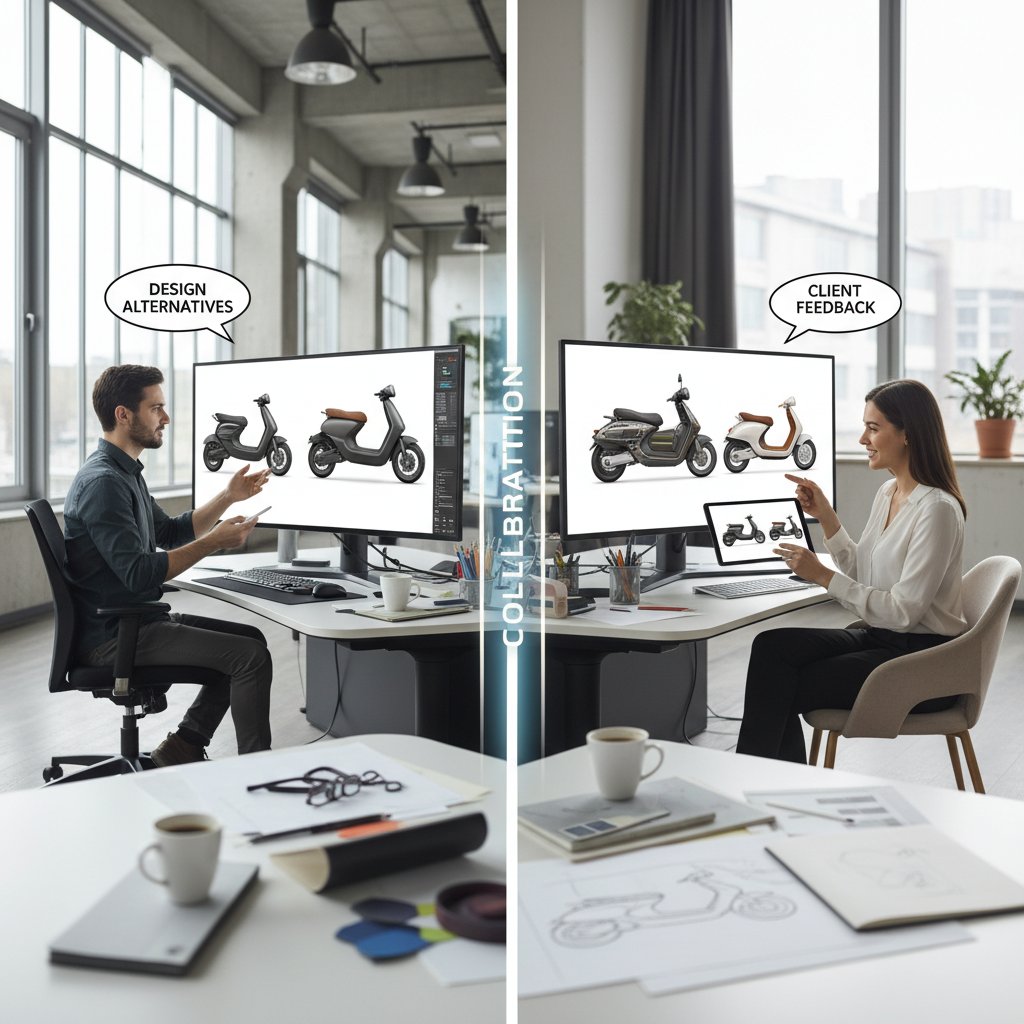
Former agency designers admit that automation frees them for the creative work they love, while clients cite regained autonomy and cost savings. The catch? Both sides emphasize the need for clear standards, open feedback, and a willingness to adapt.
The new math: cost-benefit analysis and ROI in 2025
Show me the money: how much can you really save?
Let’s break down the numbers. When you compare traditional agencies, AI solutions, and hybrid workflows, the savings are stark.
| Approach | Avg. Cost (USD) | Typical Turnaround | Pros | Cons |
|---|---|---|---|---|
| Agency (mid-size project) | $10,000 | 4–6 weeks | High polish, strategic input | Expensive, slow, inflexible |
| AI platform (annual plan) | $500–$1,200 | Minutes–hours | Fast, affordable, scalable | Limited customization |
| Hybrid (AI + freelance) | $2,000–$5,000 | 1–2 weeks | Best of both—affordable, personal touches | Coordination needed |
Table 4: Side-by-side cost comparison (2025). Source: Original analysis based on IBISWorld, 2023, user case studies.
But beware hidden costs: learning new tools, subscription creep, and the occasional failed experiment. Over time, however, the ROI tilts dramatically toward agile, tech-driven approaches—especially for routine or high-volume work.
Beyond dollars: time, reputation, and creative control
Money is just the start. The real benefits of ditching costly design services run deeper:
- Faster launch times: Get to market before your competitors.
- Brand agility: Update collateral on the fly, without waiting weeks.
- Creative autonomy: Control your message and vision, no middlemen.
- Consistency at scale: Templates enforce standards across teams.
- Lower risk: Less dependence on single points of failure.
- Staff upskilling: Build internal muscle instead of outsourcing brains.
- Data security: Keep sensitive info in-house.
- Feedback loops: Tighten iteration with instant previews.
Tracking these non-financial metrics reveals the true ROI of smarter design alternatives.
Risks, red flags, and how to not get burned
Common pitfalls and how to dodge them
Switching from agencies to DIY or AI isn’t always smooth sailing. The most frequent missteps include:
- Underestimating the learning curve: New platforms require onboarding.
- Neglecting brand guidelines: Inconsistency breeds distrust.
- Ignoring accessibility: Designs must work for all users.
- No backup plan: Overreliance on a single tool can be risky.
- Over-customization: Too many tweaks defeat the purpose of templates.
- Skipping user feedback: Blind spots lead to mistakes.
- Choosing the wrong tool: Not every platform fits every need.
- Subscription overload: Multiple tools can add up fast.
- Falling for AI hype: Automation is a tool, not a miracle worker.
Awareness is half the battle; process and discipline do the rest.
Protecting your brand while cutting costs
Staying on-brand isn’t a luxury—it’s a necessity. Here’s how to keep your identity intact while going lean:
- Document your brand: Logos, colors, fonts, tone.
- Train your team: Share best practices for using new tools.
- Centralize templates: Use master files as a single source of truth.
- Review all outputs: Assign someone to check consistency.
- Limit customizations: Use approved elements and layouts.
- Test accessibility: Ensure designs work for everyone.
- Archive versions: Keep backups for every major update.
Follow this checklist to safeguard your image without breaking the bank.
The future of design: what comes after agencies?
Where AI and automation are headed next
The writing’s on the wall: automation and AI are no longer fringe—they are the backbone of modern content creation. The next wave brings deeper integration, real-time collaboration, and smarter compliance features. Picture a workspace where AI anticipates your needs, suggests improvements, and merges human creativity with machine precision.

The winners will be those who use these tools not as crutches, but as force multipliers.
Will creativity survive the automation wave?
Some fear AI will flatten originality, turning brands into bland clones. But as every major creative leap in history proves, new technology doesn’t kill imagination—it raises the bar.
"Tools change, but vision is forever." — Morgan L., Creative Director
It’s not about replacing the spark; it’s about channeling it more efficiently.
What you need to know before you decide
Before you leap, clarify the following:
- Generative design: Systems that create assets based on rules or prompts—great for speed, but needs oversight.
- Brand voice: Your unique attitude, style, and language—guard it fiercely.
- Template fatigue: Overuse of the same layouts can dull your impact; strive for balance.
- Creative direction: The guiding vision behind your projects—own it, whether you outsource or not.
Understand these terms, and you’ll navigate the new terrain with eyes wide open.
Your action plan: replacing costly design services without regrets
Step-by-step guide to making the switch
Ready to break free? Here’s your roadmap:
- Audit your design needs: Where are you overspending?
- Research alternatives: Check out AI, DIY, and hybrid options.
- Prioritize projects: Start with low-risk, high-volume assets.
- Test platforms: Pilot top contenders with real projects.
- Gather team input: Involve those who’ll use the tools.
- Document brand standards: Create clear, accessible guidelines.
- Train staff: Offer quick tutorials and reference guides.
- Centralize assets: Use cloud storage for logos, templates, etc.
- Set review cycles: Schedule regular audits for consistency.
- Measure results: Track cost, time, and brand impact.
- Iterate and improve: Tweak your process with data-driven insights.
- Scale up strategically: Expand to more complex projects as confidence grows.
Follow these steps and you’ll swap costly design services for smarter, more agile alternatives—without sacrificing quality.
Quick reference: checklist for choosing the right solution
Not all design platforms are created equal. Use this cheat sheet:
- Do I need full customization, or will templates suffice?
- Does the platform integrate with my workflow?
- Is there adequate support and training available?
- Are brand guidelines easy to enforce?
- How steep is the learning curve for my team?
- Can I measure and track results?
- Does it keep my data secure?
- Will it scale as my needs grow?
Keep this list close; it separates the winners from the wannabes.
Final take: is it time to break up with your designer?
The age of costly design services is drawing to a close—not with a bang, but with a quiet, relentless wave of innovation. You don’t have to choose between mediocrity and bankruptcy. The tools, the talent, and the knowledge are now within your reach. Challenge the myths. Question the invoices. And above all, reclaim your creative destiny.

Still clinging to the agency safety net? Maybe it’s time to let go and discover just how sharp your business can look—and how far your budget can stretch—when you step into the future.
Sources
References cited in this article
- Forbes: Best Online Interior Design Services 2024(forbes.com)
- StatCan: Specialized Design Services 2023(www150.statcan.gc.ca)
- BloggingWizard: Web Design Statistics 2025(bloggingwizard.com)
- Exploding Topics: Graphic Design Stats 2025(explodingtopics.com)
- CreateApe: State of UX 2024(createape.com)
- Logorax: Logo Design Cost 2024(logorax.com)
- Superside: True Cost of Design Talent(superside.com)
- LetsBMedia: Cost of Poor UX(letsbmedia.com)
- Workplace Peace Institute: State of Conflict 2024(workplacepeaceinstitute.com)
- LinkedIn: Resolving Designer Team Dynamics(linkedin.com)
- InteriorDesignCommunity: Managing Designer-Client Relationships(interiordesigncommunity.com)
- Flintfox: Pricing Trends 2024(flintfox.com)
- OpenView: SaaS Pricing Transformations 2023(openviewpartners.com)
- ACEC: Economic Assessment 2024(acec.org)
- NEJM Catalyst: Rethinking Quality(catalyst.nejm.org)
- CQI: Reframing Quality Profession(quality.org)
- Tic Creative: SEO Myths 2025(ticcreative.co.uk)
- PairProg: The End of Designers?(blog.pairprog.io)
- ResearchGate: AI and Designers' Jobs(researchgate.net)
- McKinsey: State of AI 2024(mckinsey.com)
- Superside: AI Design Trends 2024(superside.com)
- TechXplore: Human-AI Hybrid Teams(techxplore.com)
- Starter Story: DIY Blog Success(starterstory.com)
- Architectural Digest: DIY Trends 2024(architecturaldigest.com)
- BHG: 2024 DIY Trend Report(bhg.com)
- Smart Office Solutions: Hybrid Work Stats 2024(smartofficesolutions.com)
- ResearchGate: Human-AI Hybrids(researchgate.net)
- ResearchGate: AI in Architecture/Design Case Studies(researchgate.net)
- UX Design Institute: Will AI Replace UX Designers?(uxdesigninstitute.com)
- US Chamber: Impact of Technology on Small Business 2024(uschamber.com)
- Axrail: AI for Small Business(axrail.com)
- SimplifyDIY: Common DIY Disasters(simplifydiy.com)
- Living On The Cheap: Tips to Avoid DIY Disasters(livingonthecheap.com)
- Number Analytics: Boost ROI with IT Cost Benefit Analysis(numberanalytics.com)
- FasterCapital: Cost-Benefit Design(fastercapital.com)
- GoCraftio: In-House vs. Outsourced Design Teams(gocraftio.com)
- ManyPixels: Website Design Cost(manypixels.co)
- Thumbtack: Graphic Design Pricing(thumbtack.com)
- Risk & Insurance: Critical Risks Facing Design Professionals(riskandinsurance.com)
- Great American Insurance: Navigating Risks as Successor Design Professional(greatamericaninsurancegroup.com)
- AXA XL: AI Risks for Design Pros(axaxl.com)
Perfect Documents, Instantly
Filecreator.ai transforms the way you produce professional documents. Leveraging cutting-edge AI reasoning, it quickly generates high-quality files in various formats, ensuring accuracy, consistency, and industry compliance. Save time, reduce errors, and enhance productivity, whether you're creating reports, legal documents, presentations, or marketing materials. Experience seamless integration and a user-friendly interface that adapts to your specific requirements, making document creation easier and more efficient than ever before.
Get startedStart Creating Professional Documents Today
Join thousands of professionals who trust AI-powered document generation
Frequently Asked Questions
Why do businesses continue paying for expensive design services if they're so costly?
The US web design market reached $42.2 billion in 2023 and continues growing at 4% annually, driven by the perception that professional agencies guarantee quality. However, high price rarely guarantees high quality, and businesses often pay for hidden fees, communication issues, and creative gridlock rather than actual superior results.
What are the hidden costs associated with hiring design agencies?
According to a GoodFirms/Sonary survey, hidden costs include rush fees, revision surcharges, licensing ambiguities, and out-of-scope invoices. The survey found that 62% of companies cite cost as the biggest factor impacting their website features, with initial quotes often ballooning as deadlines approach.
What factors are making businesses reconsider expensive design services?
Economic slowdowns, massive tech layoffs (over 240,000 in 2023), and new AI-driven, do-it-yourself platforms are shifting the landscape and changing the power balance in the design industry, making alternatives to costly design agencies more viable.
What does this guide claim to offer compared to typical design industry advice?
The guide promises hard data, unfiltered stories, and practical advice that comes from those who've experienced design disasters and found smarter alternatives, helping businesses reclaim their time, budget, and creative autonomy.
Continue Reading
Explore more from Professional Document Generator

What Drives the Cost of Expensive Design Services
Problems with expensive design services extend beyond sticker shock. This article examines hidden costs, unmet promises, and the gap between what's sold and delivered.

How to Reduce Cost of Design Services Without Sacrificing Quality
This article explains how to reduce cost of design services through 11 research-backed strategies, addressing scope creep, hidden fees, and quality trade-offs.

9 Alternatives to Expensive Design Services
Expensive design services alternatives range from AI tools to global talent networks. This article outlines 9 approaches that reduce costs while maintaining professional quality.

Alternatives to Professional Design Firms: Cost and Quality
This article examines alternatives to professional design firms, covering cost-effective strategies and emerging options that deliver results without traditional agency expenses.

Nine Alternatives to Hiring Consultants for Business Problem-Solving
This article examines nine alternatives to hiring consultants, explaining how companies are solving business problems faster and more cost-effectively without external experts.

Document Design Without Outsourcing That Rivals Agencies in Weeks
Discover insights about document design without outsourcing


