


Replace Outdated Document Editors Before They Quietly Kill Growth
Written with AI assistance under our editorial guidelines
Outdated document editors cost organizations significantly through hidden productivity losses. A 2023 Adobe survey found 64% of employees duplicate documents because they can't locate originals, and workers waste over four hours weekly searching for files. Legacy tools lack seamless search, smart tagging, and collaborative features modern teams need, creating organizational chaos and friction that ultimately stunts business growth.
Let’s not sugarcoat it: if you’re still clinging to outdated document editors, you’re sabotaging your workflow—and you might not even realize it. The hidden costs are racking up, the risks are multiplying, and the very way you collaborate is quietly falling apart. According to a 2023 Adobe Acrobat survey, 64% of employees duplicate documents simply because they can’t find the originals, and workers are losing over four hours each week just searching for files. It’s a productivity bloodletting that’s almost become invisible, normalized by comfort and inertia. But here’s the twist—those “good enough” tools you trust are actively holding you back, costing far more than just a few lost minutes. It’s time to rip off the Band-Aid and face some brutal truths about document management in the age of cloud, AI, and relentless digital evolution. This isn’t just about switching software—it’s about reclaiming control, boosting team performance, and sidestepping disasters that could sink your business. Ready to see what you’re really missing—and what the pros already know? Let’s break it down.
Why outdated document editors are quietly sabotaging your workflow
The myth of ‘good enough’: why comfort breeds chaos
There’s a dangerous comfort in sticking with what you know—especially when it’s a legacy tool that’s been around since dial-up was cutting-edge. Many organizations tell themselves that if “it works, why fix it?” But this myth of “good enough” is exactly what breeds organizational chaos. According to Enterprise League’s 2023 roundup, nearly half of employees (48%) struggle to find documents quickly, while 95% express outright frustration with document search processes. These aren’t just minor annoyances; they are systemic blockers. Stale document editors lack seamless search, smart tagging, and collaborative features that today’s fast-moving teams demand. Every time someone spends minutes (or hours) looking for a contract, reference, or template, you’re bleeding productivity—and it’s not just about lost time. The real cost? Friction between teams, duplicated work, and a slow but steady drift toward “shadow IT,” as departments start using unsanctioned tools to fill the gaps. Comfort, it turns out, is the most expensive luxury of all.

"Organizations that cling to legacy document editors find themselves falling behind—not just in speed, but in securing and tracking their most critical assets." — Document Management Insights, Enterprise League, 2023
Productivity black holes you never see coming
On the surface, that old editor might seem like a trusty workhorse—but the cracks are everywhere. Consider the numbers: workers are spending an average of 4+ hours every week searching for files, according to Adobe. Layer in the 64% who report duplicating documents because originals are MIA, and you have a recipe for wasted time and deep frustration. These black holes are subtle—they don’t announce themselves with flashing alerts or crashed systems. Instead, they gnaw away at efficiency, morale, and accuracy. Mistakes creep in as people work from the wrong version, and deadlines slip as teams bounce files over email like it’s still 2008. All this, while management wonders why digital transformation feels like wading through molasses.
| Productivity Drain | Legacy Editors | Modern Editors | Cost Impact |
|---|---|---|---|
| Hours lost searching/week | 4+ | <1 | High |
| Document duplication (%) | 64% | <10% | High |
| Real-time collaboration | Rare | Standard | Critical |
| Version control errors | Frequent | Minimal | Significant |
| Cloud/app integration | Poor | Seamless | Game-changing |
Table 1: The hidden productivity costs of outdated document editors. Source: Adobe Acrobat, 2023; Original analysis based on Business.com
Shadow IT: how frustrated teams go rogue
When official tools don’t cut it, teams get creative—often in ways that IT departments dread. “Shadow IT” isn’t some villain lurking in the server room; it’s your marketing squad using Google Docs, your sales rep setting up a Dropbox account, or your legal team collaborating over WhatsApp. They’re not trying to break rules—they’re just trying to get work done. But these workarounds open up Pandora’s box: security holes, compliance risks, and data scattered across unsanctioned platforms. According to MuleSoft’s 2023 report, 80% of organizations cite app integration issues as a major barrier to digital transformation. Shadow IT is what happens when the official workflow becomes a straightjacket. The more outdated your editor, the more likely your best people are quietly building a parallel universe just to get things done.
- Unsanctioned cloud storage increases risk of data breaches and leaks.
- Multiple “rogue” platforms create version confusion and compliance headaches.
- IT loses visibility and control over critical business documents.
- Integration gaps force manual workarounds, crushing productivity.
- Shadow IT fosters a culture of workaround, not innovation.
A brief history of document editing—and why evolution matters now
From typewriters to AI: the relentless march forward
Document creation isn’t just about text on a page; it’s a mirror of our technological ambitions. From the clack of typewriters to the sleek blank canvas of AI-powered editors, each leap forward has changed the way we work, communicate, and share knowledge. Early word processors brought spellcheck and formatting to the masses. The cloud then shattered the walls of cubicles, letting teams on opposite sides of the world collaborate in real time. Now, AI can draft, review, and even summarize documents—freeing human brains for higher-order thinking. Hanging onto the past isn’t just nostalgic; it’s a refusal to accept that the rules of the game have changed. Staying up to date isn’t about chasing shiny tools—it’s about staying relevant, competitive, and sane in an environment that rewards speed and precision.

What we lost—and gained—along the way
Every technological leap means leaving something behind. The tactile satisfaction of typewriter keys? Gone. The false security of a single, local copy? Thankfully obsolete. But with each step, we’ve gained something deeper: transparency, real-time collaboration, and the ability to search, analyze, and secure documents at scale. Yet, nostalgia lingers—sometimes clouding judgment when it’s time to let go of the past.
| Era | Main Tool | What We Lost | What We Gained |
|---|---|---|---|
| Typewriter | Manual typewriter | Physicality, focus | Speed, digital storage |
| Early Digital | Basic word processor | Simplicity | Formatting, spellcheck |
| Networked | Shared folders | Privacy (sometimes) | Collaboration, remote access |
| Cloud/AI | Modern editors | Single-user control | Real-time, AI assistance, search |
Table 2: The evolution of document editing—trade-offs and triumphs. Source: Original analysis based on MetaSource, 2024
The overlooked lessons from past transitions
History repeats itself, especially for those who ignore it. Here’s what every major shift in document editing has taught us:
- Complacency is the enemy: Those who adapt early gain a competitive edge.
- Every transition hurts before it helps: Short-term pain, long-term gains.
- Integration is everything: The most effective tools are the ones that play well with others.
- Security can’t be an afterthought: Every new platform brings new risks.
- The real winners future-proof their workflows: It’s not about today—it’s about staying nimble for whatever comes next.
The real dangers: security nightmares and silent data loss
Legacy software: the forgotten security risk
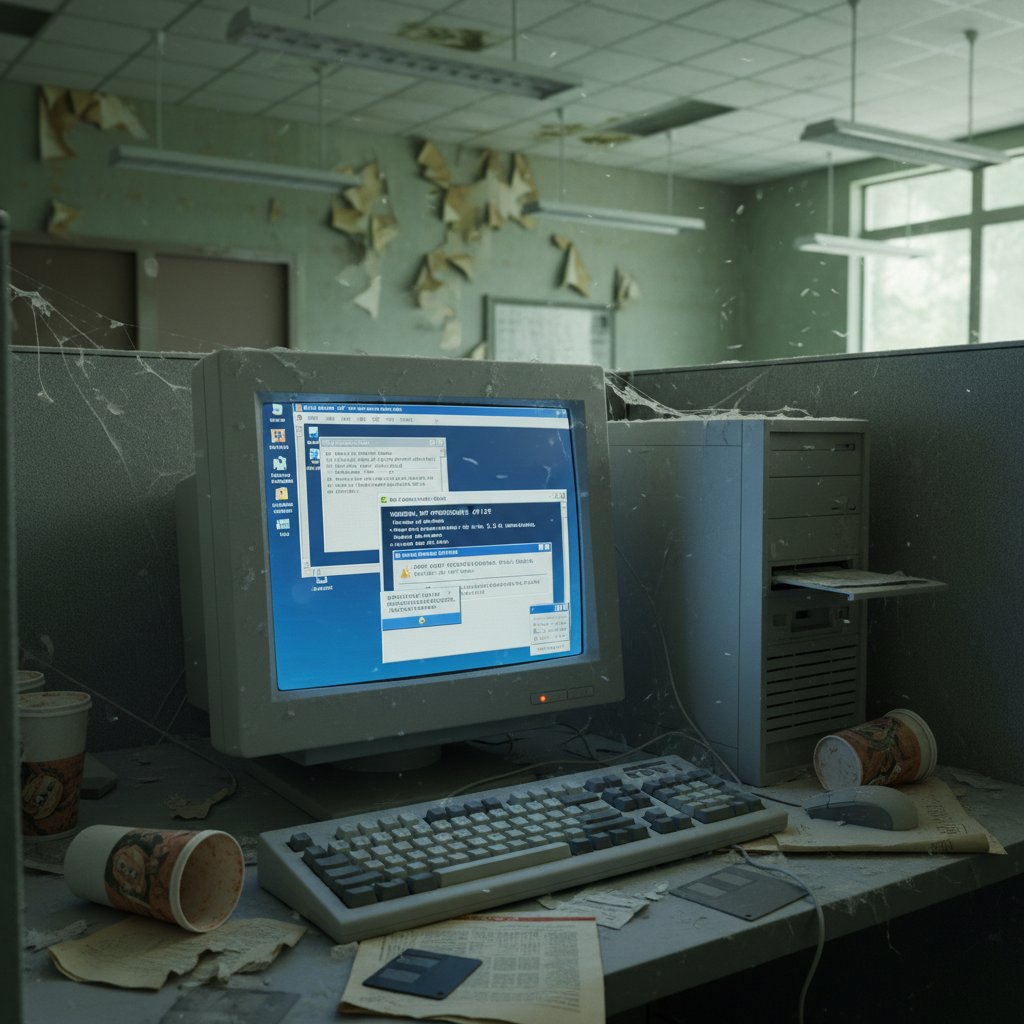
Old software isn’t just slow; it’s a gaping security liability. Legacy document editors, often patched together over years, become easy targets for cybercriminals. Unsupported versions mean unpatched vulnerabilities—some that hackers have known about (and exploited) for years. According to MetaSource, 94% of organizations now rely on cloud computing, largely because on-premise legacy tools can’t keep up with modern security demands. The quiet danger is that most breaches aren’t dramatic—data just leaks away quietly, sometimes for months before anyone notices. By the time you realize, it’s often too late to contain the damage.
Data loss horror stories (and how to avoid them)
Let’s talk about the real horror stories—the ones that never make flashy headlines but devastate teams. A financial report overwritten by accident. A legal contract lost in a maze of email attachments. Years of collective knowledge, gone in a hard drive crash. These stories aren’t urban legends; they’re everyday occurrences for organizations relying on outdated editors without the safety net of cloud backups or automated versioning.
"Data loss is rarely the result of a catastrophic failure. Most often, it’s the slow drip of small mistakes, compounded by outdated tools." — MetaSource Analysis Team, MetaSource, 2024
How modern editors flip the script on safety
Modern document editors aren’t just shinier—they’re built for resilience and control. Here’s what sets them apart:
- Automatic cloud backups: No more “oops, I deleted it”—every version is saved.
- Granular access controls: Lock down sensitive info, limit who can edit, and see audit trails.
- Active threat monitoring: AI flags suspicious behavior fast.
- Seamless compliance features: Integrated with industry standards, making audits less painful.
- Real-time versioning: No more accidental overwrites—rollback is instant.
Collaboration in 2025: why your old editor just can’t keep up
Remote work and global teams: the new normal
The genie’s out of the bottle—hybrid and remote teams are here to stay. According to Statista, 60% of corporate data now lives in the cloud, a figure that doubled in just a year. Teams sprawled across time zones need more than email attachments—they need real-time, collaborative editing, chat, and robust version control. Outdated editors just can’t keep up. Once, collaboration meant huddling around a single PC. Now, the expectation is instant, transparent, and global access. If your editor can’t support this, you’re not just behind—you’re invisible.

Version control nightmares vs. real-time editing
Ever lost track of which “final version” is actually final? You’re not alone. Traditional editors force teams into a maze of redundant files—“budget-2024-final-FINAL-v2.docx” is now a punchline, not a process. Modern editors solve this with real-time editing and clear audit trails.
| Scenario | Legacy Editor | Modern Editor | Outcome |
|---|---|---|---|
| Multiple users editing | Error-prone, conflicts | Seamless, tracked | Reliable collaboration |
| Version control | Manual, confusing | Automatic, intuitive | Fewer mistakes |
| Remote access | Limited, risky | Secure, global | Flexible work |
| Audit trail | Nonexistent/patchwork | Comprehensive | Compliance-ready |
Table 3: Comparison of collaboration and version control features. Source: Original analysis based on Adobe Acrobat, 2023
What true collaboration looks like now
- Real-time co-authoring: Multiple people edit the same doc—no “lockouts,” no chaos.
- Integrated chat and comments: Feedback happens in context, not buried in endless email threads.
- Permission-based access: Grant, restrict, or revoke rights without waiting for IT.
- Mobile-friendly editing: Work happens anywhere, not just at a desk.
- Instant link sharing: Need input? Share a secure link—no attachments, no headaches.
Debunked: the biggest myths about upgrading document editors
‘Too disruptive to switch’: the fear and the fact
If you think upgrading your document editor will cause chaos, you’re not alone. But here’s the thing: the disruption is almost always less than the pain of staying stuck. Let’s break down the reality.
The initial adjustment period is real, but cloud platforms provide migration tools, robust onboarding, and sometimes even live support.
Today’s editors mimic familiar interfaces and offer in-app tutorials, flattening the learning curve.
Market leaders now integrate with Slack, CRM, project management, and more—often out of the box.
‘Cloud isn’t secure’: real risks vs. outdated fears
The myth that “the cloud isn’t secure” refuses to die, even as 94% of organizations now depend on cloud solutions for their most sensitive data. According to MetaSource, it’s not the technology but poor practices—weak passwords, lack of multifactor authentication—that most often lead to breaches.
"The cloud is only as secure as the policies and configurations you implement. Modern platforms are built with compliance and security at the core." — Security Review, MetaSource, 2024
‘Old tools are just as good’: a reality check
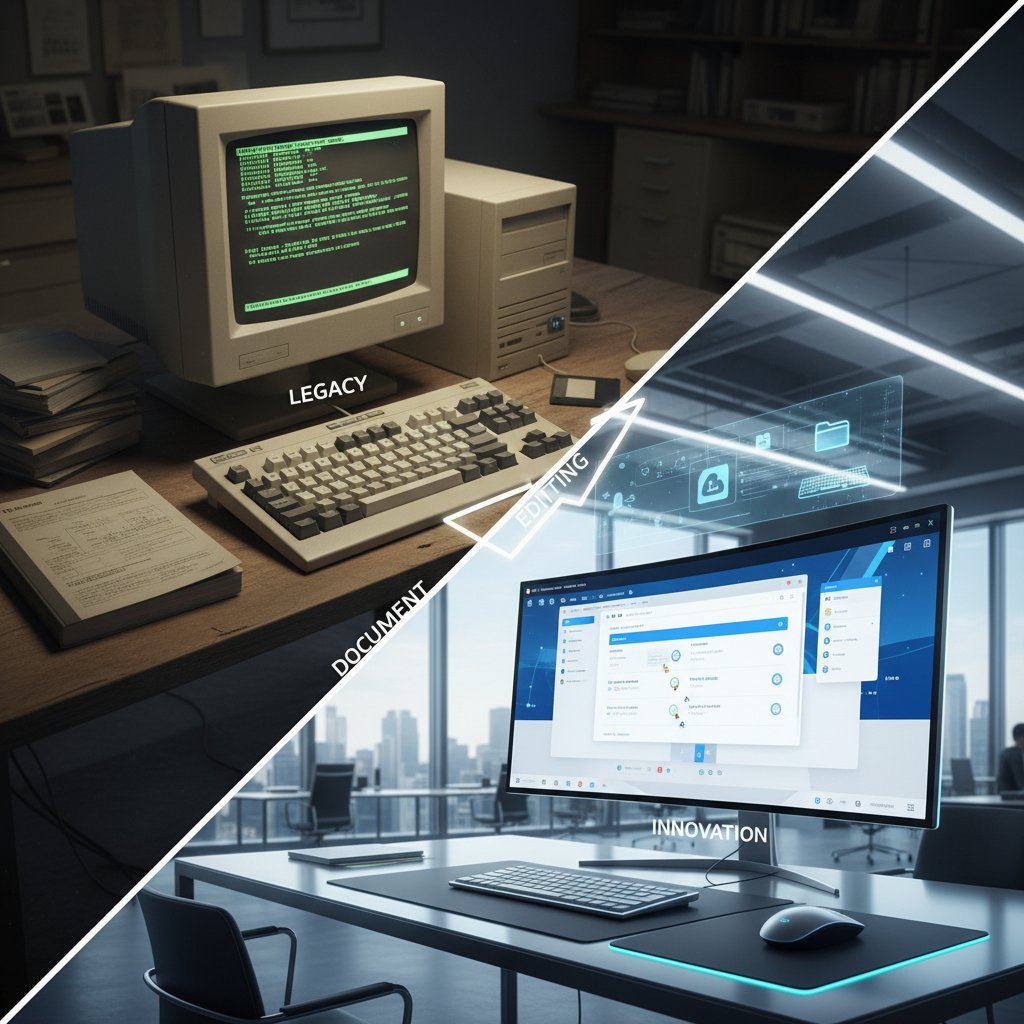
It’s tempting to think your old editor is “just as good” as the new kids on the block. After all, it still “opens documents,” right? But that’s where the comparison ends. Today’s competitors offer integrated AI, cloud backups, compliance features, and seamless multi-format export. Legacy tools leave you stuck in the past—and vulnerable to everything from inefficiency to cyber threats.
How to know when it’s time to replace your document editor
Red flags: the warning signs you can’t ignore
If you’re seeing these signals, your editor is overdue for retirement:
- Regular complaints about lost or duplicate files, costing hours each week.
- Teams “going rogue” with shadow IT just to finish basic tasks.
- Version confusion causing delays, errors, or compliance headaches.
- Struggles integrating with cloud storage, CRM, or project management tools.
- More time spent troubleshooting than actually working on documents.
Self-audit: is your workflow falling behind?
- Count the hours: Track how much time your team spends searching for or recreating documents each week.
- Review version history: Are errors creeping in due to outdated drafts or poor tracking?
- Survey your team: Are end users quietly begging for better tools (or already using them)?
- Check integrations: Can your editor talk to the apps you actually use?
- Audit compliance: Are you confident in your audit trails and data security?
What your competitors are quietly doing differently
The harsh reality? The organizations outpacing you aren’t working harder—they’re working smarter. They’ve ditched legacy editors for cloud-native platforms, shrunk document turnaround times, and slashed compliance risk. They’re not waiting for disaster to strike—they’re proactively leveling up, using best-in-class tools to build resilience and speed.

Step-by-step: how to upgrade without the drama
Assess your real needs (not your fears)
Here’s how to actually get started—no panic required:
- Map your workflow: Identify every stage where documents are created, edited, reviewed, and stored.
- List must-have features: Real-time collaboration? Cloud backup? Automated compliance?
- Gather team input: What frustrates them most about the current editor?
- Evaluate integrations: Choose tools that play well with your CRM, email, and storage.
- Pilot before rollout: Test with a small team, gather feedback, then scale up.
Building your migration roadmap
| Migration Step | Legacy Editor Issue | Modern Solution | Key Outcome |
|---|---|---|---|
| Audit current workflows | Disorganized, manual | Automated mapping | Transparency |
| Data migration | Risk of data loss | Secure cloud transfer | Continuity |
| Staff training | Steep learning curves | In-app tutorials, support | Fast adoption |
| Integration with core apps | Workarounds, manual updates | Seamless APIs | Productivity boost |
| Ongoing compliance monitoring | Manual checks | Automated audit trails | Risk reduction |
Table 4: Roadmap to a smooth document editor upgrade. Source: Original analysis based on MetaSource, 2024
Tools and services that make it painless
AI-powered platforms like filecreator.ai instantly create, format, and store documents, streamlining workflows and reducing manual errors.
Solutions that handle secure, compliant transfer of massive folders and databases with minimal downtime.
Built-in onboarding and contextual help, reducing resistance and accelerating learning.
Hundreds of ready-to-go, compliant templates for every industry.
Case studies: breakthrough wins (and epic fails)
When upgrading saved the day: real-world stories
Organizations that leap into modern document management often see results fast. Take a mid-size financial firm that moved from a legacy editor to a cloud-based platform: within weeks, report preparation time dropped 70%, errors fell to nearly zero, and external audits became less painful.
"We were skeptical about the switch, but after the first tax season with cloud document editing, we’ll never go back. Our team’s stress levels plummeted, and clients noticed the difference." — CFO, Financial Services Firm, 2023

The hidden costs of doing nothing
Here’s what happens when you double down on inertia instead of progress:
| Pain Point | Short-Term Impact | Long-Term Impact | Cost Example |
|---|---|---|---|
| Lost time searching for files | Missed deadlines | Wage waste, lost business | $3,000+/month/team |
| Compliance failures | Fines, warnings | Legal exposure | $10,000+ per incident |
| Data loss/overwrites | Rework, frustration | Reputation damage | Priceless |
| Shadow IT risks | Lack of visibility | Security breaches | Potentially millions |
Table 5: The real, ongoing cost of outdated document editors. Source: Original analysis based on Adobe Acrobat, 2023
Why some migrations implode—and how to avoid it
- Rushed rollouts without proper training leave teams floundering and resentful.
- Ignoring integration needs leads to fractured, confusing workflows.
- Underestimating data migration complexity causes loss and chaos.
- Skimping on compliance checks opens legal and regulatory vulnerabilities.
- Failing to involve frontline users means missed feedback and poor adoption.
The future of document creation: AI, automation, and beyond
How AI is redefining what’s possible
Artificial intelligence isn’t just hype in document management—it’s revolutionizing how we create, review, and secure documents. AI-driven editors now handle everything from grammar checks to summarizing dense reports, freeing your people to focus on strategy and analysis. According to MetaSource, AI-powered document processing is already a standard for organizations serious about efficiency and compliance.

What to look for in a ‘future-proof’ editor
- Cloud-native design: Secure, always accessible, with built-in backup.
- Integrated AI features: For drafting, summarizing, and compliance checking.
- Seamless app integration: Plays well with CRM, email, and project tools.
- Multi-format export: PDF, DOCX, PPTX, and more, all from one place.
- Pro-level templates: Tailored to your industry’s needs and compliance demands.
filecreator.ai and the new wave of professional document generators
The new class of document editors, led by platforms like filecreator.ai, aren’t just catching up—they’re setting the pace. By leveraging advanced AI, these tools automate everything from formatting to compliance checks, drastically reducing manual errors and saving countless hours. As industry experts often note, platforms that combine speed, accuracy, and flexibility are redefining what’s possible in professional document management. The bottom line? The smartest teams use platforms that adapt as fast as they do.
"AI-powered document generators are no longer a luxury—they’re table stakes for organizations playing to win." — Industry Analysis, 2024
Your action plan: how to lead the change (not just survive it)
Checklist: make your upgrade stick
- Involve frontline users: Gather input before, during, and after the switch.
- Emphasize training: Use built-in modules and real-world scenarios.
- Prioritize integration: Ensure your editor connects with key business apps.
- Monitor and adapt: Use feedback and usage analytics to refine workflows.
- Celebrate wins: Acknowledge time saved and mistakes avoided to build momentum.
Key takeaways: what the pros wish they knew sooner
- The pain of upgrading is minimal compared to the cost of staying stuck.
- Shadow IT is a symptom, not the problem—it’s your workflow that’s broken.
- Real-time collaboration and AI-powered workflows aren’t “nice to have”—they’re critical for modern teams.
- Ignoring security and compliance is like playing with fire—especially with legacy software.
- Leading the change is about courage and vision, not just tech savvy.
The bottom line: don’t let inertia decide your future
Hanging onto an outdated document editor is more than a technical oversight—it’s a silent drag on your entire organization. The hidden costs, security risks, and lost opportunities stack up faster than most realize. But the radical way forward isn’t just about adopting shiny new technology—it’s about reclaiming control, empowering your team, and building a workflow that’s resilient, fast, and future-ready. In a world where the only constant is change, don’t let comfort—or inertia—decide your future. Lead it.

Sources
References cited in this article
- Adobe Acrobat survey/Enterprise League(enterpriseleague.com)
- Business.com(business.com)
- MetaSource(metasource.com)
- DataCalculus(datacalculus.com)
- CheckHub(checkhub.io)
- Document Genetics(document-genetics.co.uk)
- Wikipedia(en.wikipedia.org)
- ONLYOFFICE(onlyoffice.com)
- Forbes(forbes.com)
- LPartnersInc(lpartnersinc.com)
- Easy2Patch(easy2patch.com)
- FullProxy(fullproxy.com)
- LLCBuddy(llcbuddy.com)
- Papermark(papermark.com)
- NTE.ai(nte.ai)
- Papermark(papermark.com)
- Jobera(jobera.com)
- ProofHub(proofhub.com)
- Blue Leaf Editing(blueleafediting.com)
- Cloudflare Report(cloudflare.com)
- Trend Micro(trendmicro.com)
- PaperTrue(papertrue.com)
- FileCenter(filecenter.com)
- Global Growth Insights(globalgrowthinsights.com)
Perfect Documents, Instantly
Filecreator.ai transforms the way you produce professional documents. Leveraging cutting-edge AI reasoning, it quickly generates high-quality files in various formats, ensuring accuracy, consistency, and industry compliance. Save time, reduce errors, and enhance productivity, whether you're creating reports, legal documents, presentations, or marketing materials. Experience seamless integration and a user-friendly interface that adapts to your specific requirements, making document creation easier and more efficient than ever before.
Get startedStart Creating Professional Documents Today
Join thousands of professionals who trust AI-powered document generation
Frequently Asked Questions
What are the hidden productivity costs of using outdated document editors?
According to a 2023 Adobe Acrobat survey, 64% of employees duplicate documents because they can't find originals, and workers lose over four hours each week searching for files. Additionally, Enterprise League's 2023 data shows 48% of employees struggle to find documents quickly and 95% express frustration with document search processes.
Why do organizations continue using outdated document editors despite the costs?
Organizations fall into a dangerous comfort zone with legacy tools, telling themselves 'if it works, why fix it?' This myth of 'good enough' normalizes the productivity losses and inertia, even though the outdated editors lack seamless search, smart tagging, and collaborative features that modern teams need.
What broader problems result from sticking with outdated document editors?
Beyond lost time, outdated editors create friction between teams, duplicated work, and encourage employees to use unsanctioned tools (shadow IT) to fill the gaps left by inadequate document management systems. This also makes it harder to secure and track critical business assets.
Continue Reading
Explore more from Professional Document Generator

Replace Old Document Editing Tools: Security and Productivity Risks
Replacing old document editing tools addresses security risks, collaboration bottlenecks, and productivity losses.

Why Outdated Document Software Sabotages Workflow and Growth
Outdated document software drains productivity and exposes data to risk. This article explains the hidden costs of legacy tools and strategies for modernization.

Replace Inefficient Document Systems Before They Quietly Sink You
Discover insights about replace inefficient document systems

Advanced Document Editing Software: What Drives Modern Workflows
Advanced document editing software powers modern workflows. This article examines how today's digital tools expose inefficiencies and the competitive edge they provide.

Traditional Document Editors Alternatives and Their Productivity Gains
Traditional document editors alternatives include AI-powered and privacy-first tools. This article compares legacy software with modern collaborative editors and explains their productivity benefits.

Eliminating Manual Document Creation: Costs and Automation Methods
Manual document creation consumes hours daily across legal, financial, and marketing sectors. This article explains the hidden costs, common myths, and research-backed methods to eliminate manual processes.


