


Report Automation Software in 2026: Wins, Failures and Hard Truths
Written with AI assistance under our editorial guidelines
Report automation software has become essential in 2026 as organizations discover significant productivity gains. Manual reporting costs teams an average of 2.2 hours weekly on data cleansing alone, totaling over 100 hours annually per analyst. Automation reduces weekly reporting time from six hours to three, cuts error rates from fifteen percent to under three percent, and improves employee satisfaction while lowering staffing costs—though implementation requires careful management to avoid hidden pitfalls.
Cut through the corporate jargon, and you’ll discover a quiet revolution happening in business intelligence: the brutal, beautiful, and sometimes ugly reality of report automation software. Once the exclusive plaything of sprawling enterprises, automated reporting tools now infiltrate every corner of the digital workplace—from scrappy startups to legacy-laden giants. If you think it’s all sunshine, unicorns, and effortless dashboards, think again. The truth? Report automation software is a double-edged sword, carving out inefficiencies but sometimes leaving scars in its wake. This article strips away the hype, exposes the risks, and dives deep into the hard-won victories and hidden pitfalls of automation for 2025. Whether you’re a business manager, an IT skeptic, or just tired of midnight data wrangling, read on before you let a robot near your next report.
Why report automation software matters now more than ever
The real cost of manual reporting in 2025
Every business leader claims to value time—but few realize just how much of it is bled out by manual reporting. Recent research from Whatagraph (2025) reveals that, even in organizations boasting advanced digital tools, teams still lose an average of 2.2 hours per week just cleansing data, not to mention the additional hours spent on formatting, checking, and re-checking figures. That’s over 100 hours a year per analyst—time that could move the business forward, not just shuffle numbers around.
It’s not just about lost productivity. The psychological toll of repetitive, high-stakes reporting is well documented. Burnout creeps in, errors multiply, and creativity suffocates under the weight of monotonous tasks. As Alex—a business analyst at a mid-sized logistics company—put it after implementing automation:
"You don’t realize how much manual reporting drains the team until you automate."

Let’s break down the hard numbers:
| Reporting Process | Manual Reporting | Automated Reporting |
|---|---|---|
| Average weekly hours | 6 | 3 |
| Annual staff cost | $10,000+ | $5,000 |
| Error rate | ~15% | <3% |
| Employee satisfaction | Low | High |
Table 1: The real-world impact of manual vs automated reporting on time, cost, and morale (Source: Original analysis based on Whatagraph, 2025; Kissflow, 2025).
How the automation arms race is reshaping business
The pressure to automate is relentless—and for good reason. According to Kissflow (2025), 73% of IT leaders report saving 10-50% of manual effort through workflow automation for reports. This isn’t just about shaving minutes off your weekly routine. Companies not investing in business intelligence automation risk being outpaced by competitors who can react faster and spot trends in real time.
The cultural shift is just as seismic. Decision-making is increasingly data-driven, with cross-team collaboration happening directly inside real-time dashboards. The era of waiting days (or even weeks) for reports is over; now, teams demand instant answers, with data as the lingua franca of strategy.
Hidden benefits of report automation software experts won't tell you:
- Unexpected transparency: Automated audit trails make it impossible to fudge numbers or quietly “massage” results.
- Less gatekeeping: Centralized platforms reduce bottlenecks, letting non-technical teams self-serve the data they need.
- Faster feedback loops: Real-time reporting means problems are spotted—and fixed—before they snowball.
- Cultural transformation: Automation often catalyzes a shift from blame-focused troubleshooting to solution-oriented teamwork.

Debunking the top myths about report automation software
Despite the explosion of interest in reporting automation, myths and misconceptions run rampant. Many organizations—especially smaller ones—assume automation is either out of reach or riskier than it is.
7 myths about automated reporting and why they’re misleading:
- Myth 1: Automation is only for large enterprises.
- Myth 2: All automated reporting tools are “plug and play.”
- Myth 3: Automation eliminates the need for human oversight.
- Myth 4: Automated reports are always correct.
- Myth 5: It’s too expensive for mid-sized businesses.
- Myth 6: Security is a solved problem.
- Myth 7: Automation kills creativity and flexibility.
In reality, as Jamie (IT director) notes:
"If you think automation is just for the big guys, you’re missing the revolution."
The democratization of workflow automation for reports means even small teams can access robust tools—provided they choose wisely and avoid the feature traps. Human oversight remains critical, especially for data quality and strategic interpretation, and investment scales with actual needs, not just vendor packages.
A brief and brutal history of reporting: from spreadsheets to AI
The spreadsheet era: why we’re still haunted by legacy tools
Spreadsheets once symbolized liberation from paper—until they became their own form of digital quicksand. In the 1990s and 2000s, Excel and its clones ruled reporting, offering flexibility but little control. Soon, teams were drowning in version hell, with files littered across desktops and shared drives, and “last updated” dates that meant nothing.
Legacy thinking lingers: many businesses still trust homegrown spreadsheet solutions, despite the glaring risks. Data siloes persist, errors go unnoticed, and integrating new data sources is a nightmare. The comfort of the familiar too often outweighs the promise of progress.

Key milestones in report automation evolution
| Year | Milestone | Impact |
|---|---|---|
| 1985 | Excel launched | Spreadsheets mainstream in business |
| 2000 | First BI suites emerge | Centralized, automated reporting starts |
| 2010 | Cloud-based reporting tools gain traction | Multi-source integration possible |
| 2017 | AI and ML integrations begin | Predictive analytics enter reporting |
| 2023 | Low-code automation platforms rise | Broader accessibility, customization |
| 2025 | Real-time, AI-driven analytics become standard | Data-driven culture, reduced manual entry |
Table 2: Timeline of report automation software milestones (Source: Original analysis based on industry reports and verified vendors).
The rise (and pitfalls) of automated reporting tools
The first waves of automated reporting promised a panacea: set up your data pipelines and let the software handle the rest. Reality, as always, had other plans. Early tools struggled with integration, demanded heavy IT involvement, and often locked users into rigid templates. Vendors overpromised and underdelivered, leaving many organizations with half-baked implementations and frustrated analysts.
Timeline of report automation software evolution:
- First-generation BI tools (early 2000s): Expensive, complex, and IT-dependent.
- Cloud-based dashboards (2010s): Easier access, but still siloed and insecure.
- Low-code automation (late 2010s): Wider adoption, but plagued by “template fatigue.”
- AI-powered reporting (2020s): Improved pattern recognition, but still not magic.
Lessons learned? Automation is only as good as the data (and people) behind it. Rushed deployments and “set it and forget it” mindsets almost always backfire.
How AI and machine learning are rewriting the rules
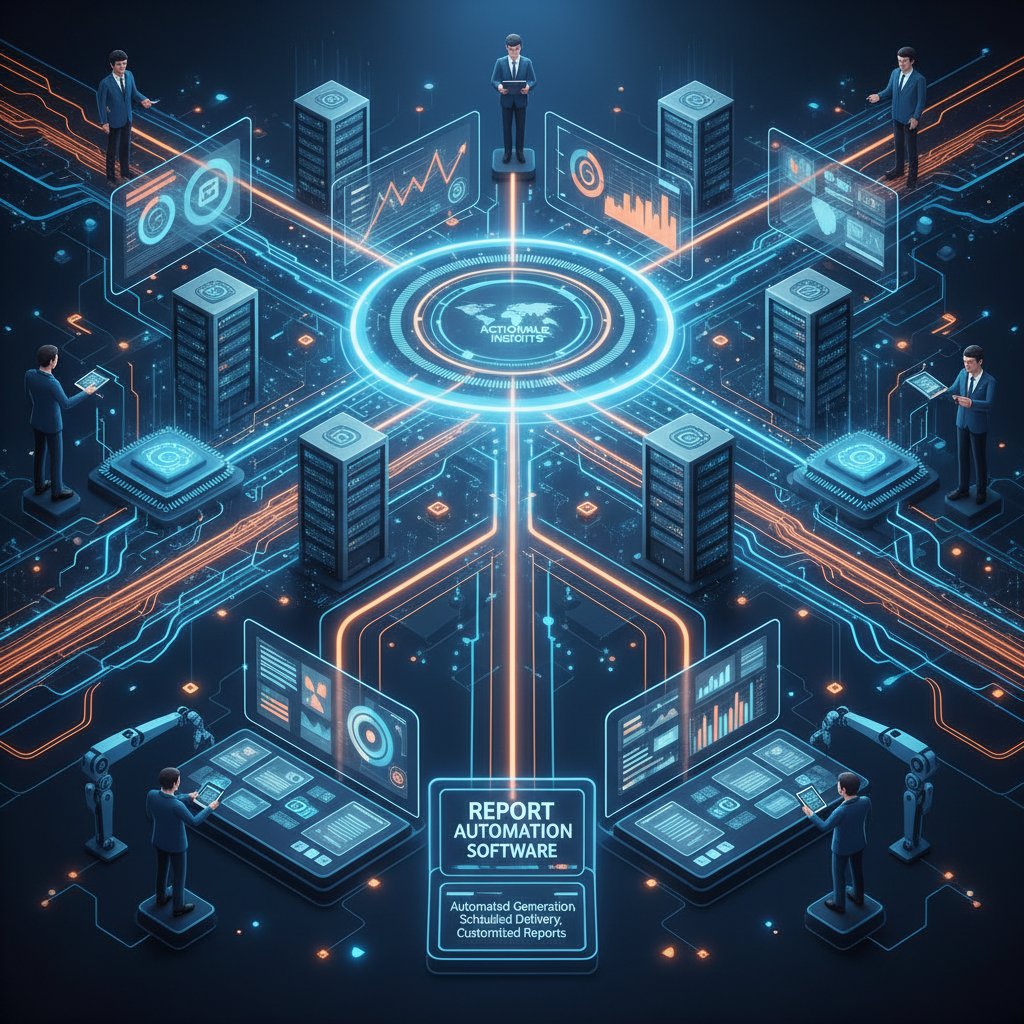
Today’s AI-powered reporting tools break from the past in three crucial ways: they can parse data from messy, disparate sources; learn from patterns to automate not just reporting but also recommendations; and, crucially, adapt to shifting business needs with minimal manual intervention.
But let’s not get intoxicated by the hype. Relying on machine learning for business intelligence introduces new risks—like algorithmic bias, opaque decision-making, and over-reliance on “black box” outputs. The rewards are real: faster insights, reduced errors, and the ability to spot trends invisible to the naked eye. The risks are equally high—and demand vigilant oversight.
What today’s report automation software can (and can’t) do
Core capabilities: beyond the buzzwords
It’s easy to get lost in marketing speak. But when you strip back the buzzwords, the features that really matter in report automation software are straightforward: multi-source data integration, flexible scheduling, customizable templates, robust compliance controls, and real-time collaboration. The best tools leverage AI for advanced analytics—not just pretty graphs.
Feature matrix: top report automation software capabilities
| Software | Data Integration | AI Analytics | Real-time Collaboration | Compliance Checks | Customization |
|---|---|---|---|---|---|
| Filecreator.ai | Yes | Advanced | Yes | Automated | High |
| Whatagraph | Yes | Moderate | Yes | Manual | Moderate |
| Competitor X | Limited | Basic | No | Manual | Low |
Table 3: Features that differentiate leading report automation software (Source: Original analysis based on verified vendor documentation and Whatagraph, 2025).
Beware of common traps: “AI-powered” can mean anything from simple formula automation to true machine learning. “Real-time” often means “refreshed every hour.” And customization sometimes ends at changing a logo. Always dig deeper than the sales deck.
Integration nightmares: why ‘plug and play’ is a myth
The dream: install your new report automation software, connect a few APIs, and watch the insights roll in. The reality? Legacy databases, proprietary files, and inconsistent data formats turn integration into a weeks-long slog. Even the slickest cloud tools rarely connect seamlessly; custom connectors and IT troubleshooting are the norm.
Red flags to watch out for with integration:
- Underestimated complexity: Promises of “out-of-the-box” connectors rarely match your real data landscape.
- Poor documentation: Vague instructions, missing API guides, and unclear error messages derail progress.
- Lack of support for legacy systems: Many tools ignore anything not built in the last five years.
- Hidden costs: Integration help often comes at a premium—sometimes more than the license fee itself.
As Morgan, CTO at a digital agency, shares:
"Integration looks easy—until you hit your first data wall."
Security and compliance: the hard questions no vendor answers
Security is the Achilles heel of automated reporting. Moving sensitive data between platforms, especially when automation is involved, exposes organizations to new threats. According to research from Automaize (2025), vulnerabilities most often arise during data transfer or when permissions are poorly managed.
Compliance risks—ranging from GDPR to HIPAA—are amplified by automation’s speed and reach. Vetting a vendor means looking past certifications and asking tough questions about audit trails, data residency, and breach response.
Key compliance and security terms, explained:
Where your data physically lives. Critical for meeting legal requirements in regulated industries.
A log of who accessed or altered data and when. Essential for accountability.
Protects your data both when stored and when moving between systems.
Limits data access by user role, minimizing risk if credentials are compromised.
The process a vendor uses to alert you to data leaks—a must-ask question.

Who’s winning (and losing) the automation game: real-world case studies
Success stories: when automation delivers true transformation
Consider this: A mid-sized healthcare provider, drowning in manual compliance reports, invested in automation. Within three months, reporting time dropped by 60%. But the real win? Staff shifted focus from data entry to patient care. As the director noted, success stemmed less from technology and more from a culture that embraced change—training, transparency, and buy-in at every level.

Unconventional uses for report automation software:
- Creative studios: Auto-generating client project status reports overnight.
- Factories: Integrating IoT sensors for real-time production metrics.
- Nonprofits: Grant compliance reporting with zero manual intervention.
- HR teams: Automated diversity and inclusion tracking across multi-national divisions.
Epic fails: what goes wrong when automation is rushed
Picture a global retailer that rushed deployment to “beat the competition.” Data sources weren’t validated, security protocols were skipped, and user training was an afterthought. The result? Automated chaos: conflicting reports, breached accounts, and crisis meetings every week.
Priority checklist for report automation software implementation:
- Audit your data landscape: Know what you have, where it lives, and who touches it.
- Map reporting needs to features: Don’t let shiny features distract from actual business problems.
- Vet vendor credentials: Insist on verified references and transparent roadmaps.
- Start small, scale fast: Pilot in a single department, then expand.
- Invest in training: Adoption hinges on user confidence, not just tool choice.
- Enforce security best practices: Set up least-privilege access and monitor usage.
- Measure, iterate, adapt: Use feedback to refine processes—automation is never “set and forget.”
As Taylor, operations manager, put it:
"We automated chaos. The results were ugly."
Cross-industry surprises: uses you never expected
Automation isn’t just for finance and marketing. One standout example: a hospital leveraging report automation software to track patient recovery metrics and optimize treatment protocols—slashing administrative time while improving patient outcomes.
Elsewhere, a manufacturing giant reimagined its supply chain, using real-time dashboards to spot bottlenecks before they cripple production. Even creative studios, once considered immune to “hard” analytics, are now using automation to surface project trends and client insights.

Choosing the right report automation software for your business
Key criteria that matter (and what to ignore)
Choosing report automation software isn’t just about ticking feature boxes. Scalability, integration support, vendor reliability, and—perhaps most crucially—fit with your organizational culture can make or break the project.
7 overlooked factors impacting report automation success:
- Change management support: How well does the vendor help you drive adoption?
- Customization limits: Can you truly tailor reports to unique needs?
- Data sovereignty: Where does your data live, and who controls it?
- Support quality: Is help available when you actually need it?
- Update frequency: Does the vendor respond to evolving threats and requirements?
- Exit strategies: How easy is it to migrate if things go sideways?
- User community: Are power users sharing tips, or is support a ghost town?
Current market snapshot: top solutions, strengths, weaknesses
| Software | Strengths | Weaknesses |
|---|---|---|
| Filecreator.ai | AI-driven, multi-format export, compliance | May require some initial training |
| Whatagraph | User-friendly, template-based | Limited deep customization |
| Competitor Y | Strong legacy integration | Slower updates, clunky UI |
Table 4: Market snapshot of report automation software (Source: Original analysis based on Whatagraph, 2025).
Step-by-step guide to a painless selection process
The best outcomes start with a strategy, not a shopping list. Here’s how to select the right tool for your context:
- Identify business drivers: What problem are you actually solving? Define success up front.
- Engage stakeholders: Get buy-in from every team that will rely on automated reporting.
- Map integration needs: List all systems and data sources—no matter how “small.”
- Research options: Compare vendors on verified features, support, and reputation.
- Request demos and trials: Test with real data, not sample templates.
- Evaluate security and compliance: Get concrete answers, not just “certified” promises.
- Plan for change management: Communicate, train, and support users before, during, and after rollout.
For teams seeking a starting point, platforms like filecreator.ai/report-automation serve as a hub for exploring document automation solutions across industries.

Ask these questions before you sign anything
Don’t let glossy sales pitches seduce you into a bad deal. Before committing to any report automation software, grill your vendor with these questions:
- What happens to my data if I cancel my subscription?
- How quickly do you respond to security incidents?
- What’s your process for handling system outages?
- Can you provide references from similar organizations?
- How will you support integration with our legacy systems?
- Is your pricing model transparent, or are there hidden fees?
- How do you ensure compliance with regulations relevant to my industry?
- What’s your roadmap for product updates and support?
Skipping due diligence is the fastest route to buyer’s remorse—or worse, a security breach that undoes every efficiency you hoped to gain.
Implementation: from chaos to clarity
Typical roadblocks and how to smash through them
Even the best software can crash into walls of resistance during implementation. Common obstacles include legacy system incompatibility, user skepticism, unclear project leadership, and the ever-present fear of job displacement.
Psychological and organizational barriers to adoption:
- Loss aversion: Fear of change trumps logic, even when the status quo is broken.
- Data ownership battles: Who “owns” the new dashboards—IT, business, or both?
- Overwhelm: Too many options (and jargon) paralyze decision-makers.
- Turf wars: Automation can expose underperforming teams or processes, stoking internal politics.

Change management isn’t an afterthought—it’s the foundation of success. Upfront communication, clear milestones, and visible executive sponsorship make the difference between transformative adoption and expensive shelfware.
The hidden costs (and unexpected savings)
The sticker price is just the beginning. Beyond license fees, consider integration, training, data cleanup, and ongoing support. But don’t overlook where companies actually save: reduced error rates, faster audits, and—most overlooked—lower turnover as burnout drops.
Cost-benefit analysis of report automation software
| Cost/Benefit | Manual Process | Automated Solution |
|---|---|---|
| License fees | $0 | $5,000/year |
| Integration/setup | $2,000 | $4,000 |
| Training | $1,500 | $1,500 |
| Ongoing support | $1,000 | $1,000 |
| Error/correction | $3,000 | $300 |
| Total (Year 1) | $7,500 | $11,800 |
| Total (Year 2+) | $5,500 | $6,300 |
Table 5: Cost-benefit analysis of report automation software (Source: Original analysis based on verified industry data from Kissflow, 2025 and Whatagraph, 2025).
Rarely discussed savings include: recovering hours for innovation (not just reporting), faster compliance audits, and improved morale. Losses? Rushed rollouts, poor fit, and neglected change management.
How to measure success: beyond ROI
Success in report automation isn’t just about dollars saved. Sophisticated organizations track nuanced KPIs—report accuracy, data freshness, staff morale, and agility in decision-making.
Key success metrics in report automation, explained:
How fast can a report go from raw data to delivered insight? Shorter cycles mean faster decisions.
Proportion of reports delivered without errors.
Percentage of staff actively using automated reports—reflects real-world value.
How up-to-date are the reports when delivered?
Indirect but crucial—are analysts less burned out and more innovative?
To build a measurement framework, start with baseline metrics from your legacy process, then revisit quarterly. For continuous improvement, resources like filecreator.ai/document-process-optimization offer ongoing guidance.
The future of report automation software: hype vs reality
What’s coming next: trends that will matter (and those that won’t)
Current R&D points to continued evolution—not revolution—in report automation. Trends worth watching include the rise of explainable AI in reporting, deeper cloud integration, and automation of compliance checks. Overhyped features? Voice-activated dashboards and “no-click” analytics still lag real-world needs.
Overhyped vs real innovations in report automation software:
- Overhyped: Natural language query for everything, VR dashboards, “fully automated” business decision-making.
- Real impact: Explainable AI, seamless cross-platform integration, automated compliance, mobile-first reporting.
Controversies and debates: who wins, who loses?
The biggest debates aren’t technical—they’re existential. Will automation displace jobs or free people for higher-value work? Can we trust AI not to entrench bias? And who gets to decide what’s “important” in a world of algorithm-driven insight?
As Jordan, an industry analyst, notes:
"Automation will force us to rethink what matters in reporting."
The critical perspective? Automation amplifies both the strengths and weaknesses of a company. It can magnify siloes or dissolve them, depending on leadership and culture.
What nobody’s talking about: the ethics of automated reporting
Who decides what gets measured—and what doesn’t? In too many organizations, automation codifies old biases, obscures dissent, and leaves key stakeholders out of the loop. Algorithmic opacity breeds mistrust, and the absence of transparency can turn powerful tools into instruments of exclusion.

Checklist: is your reporting process ready for automation?
Self-assessment: Are you set up for success?
Before you leap into automation, take a brutally honest look at your current processes.
- Do you have clean, accessible data sources?
- Have you mapped out all manual reporting steps?
- Is there stakeholder buy-in across departments?
- Are current reporting pain points clearly identified?
- Do you have IT and business partnership for rollout?
- Are compliance and security standards documented?
- Is there a plan for user training and support?
If you answered “no” to more than two, address those gaps before choosing a tool. Rushing in only multiplies pain.
Quick reference: Avoiding the biggest mistakes
Automation success is as much about mindset as technology. Avoid these common missteps:
- Skipping process mapping: You can’t automate chaos—define the process first.
- Underestimating training: Users fear what they don’t understand.
- Ignoring data quality: Bad data in equals bad insights out.
- Neglecting security/compliance: No shortcuts—one breach can undo all gains.
- Overcustomizing early: Start simple, iterate based on feedback.
Don’t let ego or urgency blind you. Step back, review your approach, and commit to a process that values clarity over speed.
Conclusion: automation is inevitable—so make it count
Report automation software is no longer just a “nice to have”—it’s the baseline for staying competitive, accurate, and sane in a data-saturated world. But true transformation only happens when technology, people, and process align. The real payoff lies in freed-up creativity, sharper decision-making, and a culture that prizes transparency over busywork.

It’s time to rethink what business insight really means. Don’t settle for generic dashboards and empty automation promises. Demand more from your tools, your teams, and your vendors. The future of reporting isn’t just automated—it’s accountable, adaptive, and deeply human. If you’re ready to escape the reporting grind, build a smarter process, and reclaim your time, the revolution has already begun. Just be sure you’re on the winning side.
Sources
References cited in this article
- Whatagraph: 7 Best Automated Reporting Tools 2025(whatagraph.com)
- The CTO Club: Best Automation Reporting Tool 2025(thectoclub.com)
- Automaize: Reporting Automation 2025 Tool Ranking(automaize.pl)
- Kissflow: 50+ Workflow Automation Stats 2025(kissflow.com)
- Industrial Automation Co.: Automation Trends 2025(industrialautomationco.com)
- UpSlide: Guide to Reporting Automation 2024(upslide.net)
- Automation Anywhere: Five RPA Myths Debunked(automationanywhere.com)
- MoldStud: 10 Common RPA Misconceptions(moldstud.com)
- Vuram: Debunking RPA Myths 2024(vuram.com)
- IABAC: Evolution of Analytics(iabac.org)
- ZDNet: AI Will Replace Spreadsheets(zdnet.com)
- Etani.ai: Evolution of Reporting Tools(etani.ai)
- Provalido: Pitfalls of Legacy Reporting Tools(provalido.com)
- Origami Risk: Hidden Costs of Legacy Systems(origamirisk.com)
- UKHospitality: Time to Trash the Ol' Spreadsheet?(ukhospitality.org.uk)
- Rollstack: Automated Reporting Tools 2025(rollstack.com)
- Improvado: AI Report Generation(improvado.io)
- Sembly AI: Top AI Reporting Tools(sembly.ai)
- Valuates Reports: AI & Automation Market 2024(prnewswire.com)
- AIMultiple: IT Automation Trends 2025(research.aimultiple.com)
- UiPath: Automation Trends 2025(uipath.com)
- ResearchAndMarkets: Software-defined Automation(globenewswire.com)
- Katalon: Test Reporting Tools 2025(katalon.com)
- Stonebranch: IT Automation Report 2025(stonebranch.com)
- ScienceSoft: Automated Reporting Overview 2025(scnsoft.com)
- Ramp: AP Automation Challenges 2025(ramp.com)
- MuleSoft: 2025 Connectivity Benchmark(blogs.mulesoft.com)
- Precisely: SAP Automation Trends 2025(precisely.com)
- UiPath: State of the Automation Professional 2024(uipath.com)
- ZDNet: Tech Winners and Losers 2024(zdnet.com)
- Excitechrobot: Future of Automation in 2025(excitechrobot.com)
- SolveXia: Best Automated Reporting Tools 2025(solvexia.com)
- ExpertBeacon: Report Automation Selection 2025(expertbeacon.com)
- UpSlide: Reporting Automation Guide 2025(upslide.net)
- EDN: 10 Questions Before Buying Data-Analysis Software(edn.com)
- ITQlick: 100 Questions Before Selecting a Software Tool(itqlick.com)
- Katalon: State of Software Quality Report 2025(katalon.com)
Perfect Documents, Instantly
Filecreator.ai transforms the way you produce professional documents. Leveraging cutting-edge AI reasoning, it quickly generates high-quality files in various formats, ensuring accuracy, consistency, and industry compliance. Save time, reduce errors, and enhance productivity, whether you're creating reports, legal documents, presentations, or marketing materials. Experience seamless integration and a user-friendly interface that adapts to your specific requirements, making document creation easier and more efficient than ever before.
Get startedStart Creating Professional Documents Today
Join thousands of professionals who trust AI-powered document generation
Frequently Asked Questions
How much time do teams waste on manual reporting according to recent research?
According to Whatagraph's 2025 research, teams lose an average of 2.2 hours per week just cleansing data, plus additional hours spent on formatting and verification—totaling over 100 hours per year per analyst.
What are the main differences between manual and automated reporting in terms of time and accuracy?
Manual reporting requires 6 hours per week with a ~15% error rate, while automated reporting requires 3 hours per week with less than 3% error rate, also reducing annual staff costs from $10,000+ to $5,000.
Does report automation software only benefit large enterprises?
No—the article states that automated reporting tools, once exclusive to sprawling enterprises, now infiltrate every corner of the digital workplace, from scrappy startups to legacy-laden giants.
What psychological impacts does manual reporting have on teams?
Manual reporting causes burnout, increases errors, and stifles creativity under the weight of monotonous tasks, as documented in the article.
Is report automation software presented as a completely positive solution?
No—the article describes report automation as a double-edged sword that carves out inefficiencies but can sometimes leave scars in its wake, presenting both wins and failures.
Continue Reading
Explore more from Professional Document Generator

Automating Report Writing: Control, Accuracy, and Efficiency
How to automate report writing while maintaining control and accuracy. This article explains the hidden costs of manual reporting and guides automation strategies.

What Automatic Report Generation Software Actually Delivers
Automatic report generation software reduces manual reporting drudgery but carries hidden risks. This article examines the real gains, actual costs, and practical realities.

Automated Report Formatting Software: Benefits and Real-World Risks
Automated report formatting software addresses manual reporting's inefficiency and hidden costs. This article examines the real benefits, documented risks, and practical outcomes for organizations.

Automated Report Generator in 2026: Power, Pitfalls, and Payoff
Discover insights about automated report generator

Automatic Report Maker: Benefits, Risks, and Best Practices
Automatic report makers promise efficiency but carry hidden risks. This article examines the real benefits, the pitfalls companies overlook, and how to use them effectively.

Automatic Report Templates: Efficiency Gains and Real Risks
Automatic report templates reshape how teams report. This article examines why companies switch to automation, the hidden costs, and how customizable templates balance efficiency with independence.