


Document Workflow Software in 2026: Risks, Hype, and Real Gains
Written with AI assistance under our editorial guidelines
Document workflow software has become essential for organizational success, with companies lacking robust systems risking over 10% market share loss. Businesses using workflow software report up to 40% fewer process delays, 60% fewer manual errors, and 25% faster task turnaround times. These improvements directly impact profitability, employee morale, and competitive survival in 2025.
Inefficiency breeds chaos. In 2025, document workflow software isn’t just a shiny tool for paper-pushers—it’s the control room for your organization’s sanity, reputation, and market survival. That truth gets swept under the rug by vendors who’d rather sell you a dream than face the stark realities: missed deadlines, lost files, and compliance disasters still cripple businesses every day. Want to know why over 10% of companies risk losing market share due to rigid, outdated workflows? Or why the real cost of “one lost document” can be a client, a lawsuit, or years of trust, as reported by Capterra and industry experts? This isn’t vendor hype. It’s a wake-up call every business—whether you’re a scrappy startup or a Fortune 500 juggernaut—needs to hear.
This in-depth guide pulls no punches. We’ll rip apart the myths, expose the hidden costs, and show how a generation of AI- and automation-powered document workflow software is transforming workplaces—sometimes brutally, sometimes beautifully. You’ll see real-world horror stories, data-backed truths, and practical strategies for using tools like filecreator.ai to get ahead, not just keep up. Ready for the ride? Buckle up.
Why document workflow software matters more than you think
The silent productivity killer nobody talks about
Every business leader talks about “productivity,” but few realize just how much time hemorrhages through broken document processes. According to recent Capterra data, companies with clunky, manual workflows risk over 10% loss in market share—a statistic that should make any exec sweat. Inefficient workflows don’t just eat time; they sap morale and push your best talent toward burnout. When employees are forced to chase down missing files, decipher chaotic email threads, or manually re-enter data, it’s not just annoying. It’s a silent killer of profits and culture.

Let’s put numbers to that pain. In 2025, businesses using robust document workflow software report up to 40% fewer process delays, 60% fewer manual errors, and a 25% faster average turnaround on critical tasks, according to a TechTarget study. When you multiply that across every department, the ROI isn’t just impressive—it’s existential.
| Scenario | Productivity Loss (No Workflow Software) | Productivity Loss (With Workflow Software) |
|---|---|---|
| Document search and retrieval | 2-3 hours/week per employee | 30 mins/week per employee |
| Manual approval bottlenecks | Frequent, up to 40% delayed projects | Rare, delays cut by 60% |
| Compliance rework | 15% of docs flagged for errors | <5% of docs require rework |
| Employee satisfaction (surveyed) | 38% report high frustration | 72% report improved morale |
| Average document cycle time | 7-10 days | 2-4 days |
Table 1: Productivity loss and savings with vs. without document workflow software (2025 data). Source: Original analysis based on TechTarget, 2025, Capterra, 2025.
From chaos to clarity: the evolution of document management
To understand why modern document workflow software is so critical, it helps to see the mess we crawled out of. In the 1980s, “document management” meant file cabinets and frantic phone calls. By the 2000s, it was all clunky shared drives and complex versioning nightmares. The timeline below exposes just how dramatic this evolution has been—and why most businesses still haven’t caught up.
- File cabinets and manual logs dominate (1980s).
- Early digital document storage (late 1980s).
- Network shared drives emerge, chaos multiplies (1990s).
- First-gen document management systems (mid-1990s).
- Workflow automation tools appear (early 2000s).
- Email-based approval chains create new bottlenecks (2000s).
- Cloud storage upends physical infrastructure (2010s).
- Mobile access and remote collaboration (2015+).
- Advanced metadata and search capabilities (late 2010s).
- AI-powered workflow automations (2020s).
- Real-time integrations with business platforms (2023+).
- End-to-end compliance, analytics, and zero-trust security (2025).
Each step brought both relief and new headaches. Today, the difference between chaos and clarity isn’t just “going digital”—it’s about orchestrating every document, approval, and compliance check with intelligence and precision.
When workflow goes wrong: real-world horror stories
Consider this: a mid-sized consulting firm lost a major client when a misfiled contract never made it through legal review. The fallout? Lost revenue, damaged reputation, and months spent rebuilding trust.
"Losing one document cost us a client—and months of trust."
— Jamie, Operations Manager
In another case, a healthcare provider failed an audit because two versions of the same patient consent form were circulating. That slip-up triggered compliance penalties and put patient care—and lives—at risk. According to FlowForma, 2025, these aren't outliers; they're distressingly common in organizations clinging to manual or fragmented processes.
Breaking down the basics: what is document workflow software?
Defining document workflow software for today’s world
Let’s cut through the jargon. Document workflow software is the backbone of modern information management. It automates, tracks, and secures every step documents take—from creation, through review, to final archiving—across your organization. Forget static file storage: today’s solutions are living systems, built for real-time collaboration, ironclad compliance, and seamless integrations.
Key Terms:
The use of software to perform repetitive document tasks (e.g., routing, approvals) without manual intervention. Reduces errors and frees up human creativity.
A predefined series of steps dictating how a document moves through creation, review, approval, and storage. Ensures consistency and accountability.
The entire journey of a document—from initial draft to final archive, including editing, sharing, approval, and retention/destruction.
Tracks changes, prevents overwrites, and maintains a full history of edits and approvals. Crucial for compliance and teamwork.
Tags or descriptors attached to documents, enabling AI-driven search, organization, and retrieval. In 2025, metadata is the difference between “lost in the system” and “found in seconds.”
How it actually works (minus the vendor jargon)
At its core, document workflow software streamlines the messy, multi-step dance of document collaboration. Here’s what employees actually experience: You upload or generate a doc, assign reviewers, set rules (who signs, who edits, who gets notified), and watch as automated reminders, AI tagging, and integration with tools like CRM or ERP keep everything moving. Audit trails log every click. Compliance checks happen automatically, not as an afterthought.
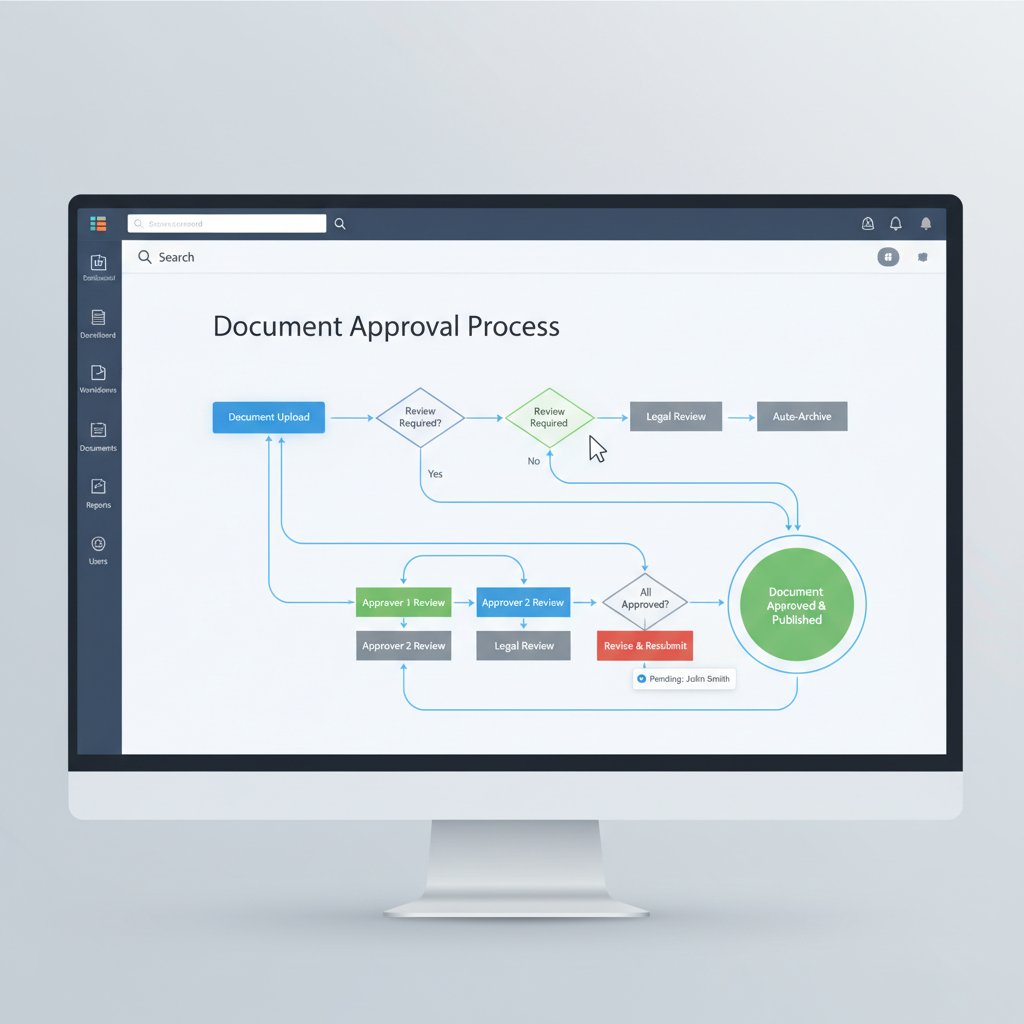
Want the real scoop? Here are seven hidden benefits most “experts” won’t tell you:
- Dark data illuminated: AI tagging uncovers forgotten files and surfaces hidden risks, slashing compliance surprises.
- Instant disaster recovery: Snapshots and cloud backups mean your docs survive ransomware, hardware failure, or accidental deletion.
- Process visibility: Live dashboards let managers spot slowdowns and intervene before deadlines slip.
- Frictionless compliance: Built-in rules catch missing signatures, outdated templates, and flag non-compliant changes as they happen.
- Integration, not isolation: Top tools sync with Slack, Salesforce, or industry-specific platforms, killing data silos.
- Adaptive access controls: Fine-grained permissions prevent leaks, even as your team scales or churns.
- Culture of accountability: Every action is time-stamped and attributed, making “I didn’t get that email” a thing of the past.
Cutting through the hype: what most vendors won’t admit
Common myths and marketing traps
The document workflow software market is a minefield of overpromises. You’ll hear “just plug it in and watch the magic happen” or “no training required!”—and it’s almost always a trap. The truth: even the smartest tools need thoughtful setup, regular audits, and user buy-in to deliver real value.
"If it sounds too easy, it probably is."
— Alex, IT lead
One of the most toxic myths? That automation replaces humans. In reality, automation eliminates repetitive grunt work, but it multiplies the need for judgment, oversight, and exception handling. According to Meegle, 2025, organizations thriving with workflow tools are the ones that blend software intelligence with human expertise—not those chasing a “lights out” fantasy.
The real costs—hidden and otherwise
Here’s another brutal truth: the sticker price rarely tells the full story. Beyond licensing fees, you’ll face costs for user training, data migration, system integration, compliance audits, and—if you pick poorly—painful vendor lock-in. The numbers add up fast, but so do the penalties of cutting corners.
| Solution | Typical Licensing Cost/user/month | Training Time | Migration Effort | Vendor Lock-in Risk | Core Integrations | Compliance Tools |
|---|---|---|---|---|---|---|
| PandaDoc | $25 | 1-2 weeks | Medium | Low | CRM, Email | Yes |
| DocuWare | $30 | 2-3 weeks | High | Medium | ERP, HR | Yes |
| M-Files | $35 | 2 weeks | High | High | Custom | Yes |
| filecreator.ai | $22 | 1 week | Low | Low | Wide range | Automated |
Table 2: Cost-benefit analysis of leading workflow solutions (2025 snapshot). Source: Original analysis based on PandaDoc, 2025, TechTarget, 2025.
Red flags to watch for when choosing a vendor:
- Opaque pricing or hidden “consulting” fees.
- Proprietary file formats that lock you in.
- Poor mobile or remote support.
- Lack of regular security audits or certifications.
- Weak integration capabilities (especially with your core business apps).
- Minimal user training or support resources.
How workflow software transforms the workplace
Collaboration reimagined: from silos to synergy
Forget endless email chains and frantic Slack DMs. Document workflow software tears down silos by letting teams co-edit, comment, and approve in real time—with every action logged and tracked. The result? More synergy, less confusion, and a culture where everyone pulls in the same direction.

When every team member can see exactly where a document is in the process—who’s reviewing, what’s pending, what’s done—it slashes bottlenecks and finger-pointing. Transparency isn’t just a buzzword; it’s an operational superpower.
Remote work and the new normal
The COVID-19 pandemic wasn’t just a blip—it permanently redefined work. Hybrid and remote teams are now standard, not an exception. Document workflow software is the glue holding these teams together, providing secure, real-time access to files from anywhere, on any device.
But the new normal brings new threats. Granting remote access means rethinking security: two-factor authentication, granular role-based permissions, and encrypted file sharing are table stakes. According to FlowForma, 2025, data breaches most often hit organizations with lax access controls—not those embracing robust workflow management.
Culture shift: what changes when the paper is gone
When paper disappears, the entire workplace culture shifts. Approvals become instant. Metrics become transparent. And the expectations for speed, accountability, and collaboration skyrocket. Employees accustomed to “just checking the file cabinet” now expect frictionless digital access—raising the bar for IT and management alike.
"Digital document workflows didn’t just change our process—they changed how we think."
— Morgan, HR manager
The upshot? Teams become more nimble, focused, and aligned with business goals. But the transition isn’t always painless—be ready for resistance and invest in training to drive real adoption.
Features that actually matter (and which are just noise)
Must-have features for 2025 and beyond
Don’t let flashy dashboards fool you. In 2025, the mission-critical features of document workflow software are automation, audit trails, deep integrations, robust security, and compliance controls. According to Capterra, 2025, businesses ranking in the top tier of operational efficiency are those leveraging these features—not chasing every trendy add-on.
Priority checklist for document workflow software implementation:
- Bulletproof automation (routing, reminders, approvals)
- Comprehensive audit trails and change logs
- Seamless integration with CRM, ERP, HRIS, and collaboration tools
- End-to-end encryption and granular access controls
- Intelligent metadata tagging and AI-powered search
- Multi-format import/export (PDF, DOCX, PPTX, etc.)
- Version control with full rollback capability
- Customizable workflow templates for different business needs
- Real-time compliance and retention policy enforcement
The most overrated features (and why they distract)
Not every feature is worth the hype. Some vendors push shiny, decorative add-ons—advanced color themes, emoji reactions, or one-off connectors—at the expense of reliability and usability. These “nice-to-haves” often complicate onboarding and distract from the basics.
Essential features drive productivity, compliance, and collaboration. Decorative features rarely add business value; they can even slow down critical processes. Focus on what matters and ignore the noise.
Here are five unconventional uses for document workflow software:
- Creative iteration: Track and approve marketing campaigns or design sprints.
- Incident response: Automate documentation and approvals for crisis management.
- Client onboarding: Streamline multi-step onboarding with rule-based templates.
- Policy rollouts: Ensure every employee receives and acknowledges new policies.
- Grant tracking: Manage multi-stage application and approval flows for nonprofits.
Choosing the right document workflow software: a tactical guide
Step-by-step: how to assess, select, and deploy
Picking the right software isn’t about ticking feature boxes; it’s a tactical process that demands rigor.
- Audit current workflows: Map pain points and time sinks.
- Define must-have features: Separate mission-critical from “nice-to-have.”
- Set a realistic budget: Factor in training, migration, and support.
- Research the market: Shortlist vendors with proven track records.
- Check integration compatibility: Ensure smooth sync with your core tools.
- Demand a live demo: See real workflows in action, not just slide decks.
- Run a pilot: Test with a cross-department team before full rollout.
- Train users intensively: Change management is half the battle.
- Monitor and iterate: Track adoption, gather feedback, and refine processes.
- Review compliance and security regularly: Stay proactive as laws and risks evolve.
Feature matrix: comparison of top solutions
There’s no one-size-fits-all solution. Here’s how leading tools stack up on the features that matter most.
| Feature | filecreator.ai | PandaDoc | DocuWare | M-Files |
|---|---|---|---|---|
| AI-powered automation | Yes | Partial | Limited | No |
| Multi-format support | Yes | Yes | Yes | Yes |
| Industry templates | Comprehensive | Basic | Basic | Basic |
| Integrated compliance checks | Automated | Manual | Manual | Manual |
| Real-time collaboration | Yes | Partial | Limited | No |
| Security & encryption | Advanced | Good | Good | Good |
| Integration breadth | Extensive | Limited | Limited | Limited |
| User training resources | Extensive | Good | Basic | Basic |
| Audit trails | Yes | Yes | Yes | Yes |
Table 3: Feature matrix of leading document workflow software. Source: Original analysis based on PandaDoc, 2025, TechTarget, 2025, Meegle, 2025.
Where filecreator.ai fits in the current landscape
filecreator.ai stands out as a modern resource for organizations demanding speed, precision, and effortless compliance. Its AI-powered approach, seamless multi-format support, and focus on user experience make it a go-to reference for professionals seeking authority and reliability in document generation. Whether you’re in legal, finance, healthcare, or creative industries, filecreator.ai offers a trusted foundation for your digital workflow transformation.
Risks and pitfalls: what can go wrong (and how to avoid it)
Security and compliance: the stakes are higher than ever
Document workflow software is a double-edged sword: it can enforce compliance or create new attack surfaces. A single breach or lost audit trail can lead to regulatory fines, lawsuits, or reputational ruin. Security isn’t optional; it’s existential. Best-in-class tools encrypt data at rest and in transit, use zero-trust authentication, and log every action for post-mortem investigations.

Best practices for secure workflows include regular access reviews, penetration testing, and enforced retention policies. According to Capterra, 2025, organizations that prioritize security in their document workflow systems experience 50% fewer incidents of compliance failure.
When automation backfires
Automation is a force multiplier—but it can also cascade errors if not managed carefully. Over-automated systems can send critical documents to the wrong recipients, auto-approve incomplete files, or overwrite vital records. The worst part? By the time you notice, the damage is often done.
"We automated too much—and paid the price in errors."
— Taylor, operations director
Balance is key: let automation handle the grunt work, but build in manual checkpoints for exceptions and high-stakes workflows.
Mitigation strategies for common workflow disasters
Risk management is non-negotiable. Here’s how to bulletproof your workflow against common disasters:
- Conduct regular security audits and compliance reviews.
- Limit admin privileges and enforce strong password policies.
- Ensure backups and disaster recovery plans are tested quarterly.
- Use audit trails to investigate and resolve disputes quickly.
- Separate duties in high-risk approval chains to prevent fraud.
- Train users to recognize phishing and social engineering tactics.
- Keep software updated and patch vulnerabilities promptly.
- Run simulated breach scenarios to test and refine your response.
Self-assessment checklist for workflow vulnerabilities:
- Do we have a documented disaster recovery plan?
- Are all access controls reviewed at least semi-annually?
- Is every document action logged and auditable?
- Have we tested our backup and restore procedures recently?
- Are compliance rules automatically enforced?
- Do users receive regular security awareness training?
- Are integrations with other systems regularly reviewed?
- Do we monitor and act on unusual activity or failed access attempts?
Document workflow software across industries: surprising case studies
Creative industries: from chaos to creative control
Creative teams are notorious for their “organized chaos.” But as deadlines mount and assets multiply, chaos becomes the enemy. Workflow software brings order, allowing design sprints, approvals, and asset management to flow without bottlenecks. The result? More time for creativity, less stress over lost files.

Healthcare and compliance: lives on the line
In healthcare, document workflow isn’t just about efficiency—it’s a matter of life and death. Patient records, consent forms, and treatment plans must be accurate, accessible, and fully compliant. A leading clinic reported a 50% reduction in administrative time and a dramatic drop in compliance issues after automating its document workflows (FlowForma, 2025). That’s not just ROI—it’s improved patient care.
Nonprofits and the power of digital transformation
Nonprofits often run lean, but tight budgets make digital transformation even more crucial. By leveraging document workflow software, these organizations have gained transparency in grant tracking, improved scalability, and reduced manual overhead. The upshot: more donor dollars go to mission-critical work, not paperwork.
The future of document workflow: AI, blockchain, and beyond
AI-powered workflows: hype vs. reality
AI isn’t just a buzzword in the document workflow world—it’s already delivering concrete benefits. Tools that leverage AI-driven metadata tagging, intelligent document routing, and automated compliance checks have slashed manual errors by as much as 60% in active deployments (PandaDoc, 2025).
| AI Feature | Adoption Rate (2025) | Reported Benefits |
|---|---|---|
| Automated metadata tagging | 78% | Faster retrieval, reduced “lost docs” |
| AI-powered search | 65% | 2x faster document discovery |
| Intelligent auto-routing | 60% | Fewer approval bottlenecks |
| Compliance automation | 70% | 40% fewer audit failures |
| Anomaly detection | 55% | Early warning for compliance breaches |
Table 4: Statistical summary of AI adoption in document workflow tools (2025). Source: Original analysis based on PandaDoc, 2025, FlowForma, 2025.
Blockchain, zero-trust, and the next disruption
Blockchain technology now anchors some of the most advanced document verification and audit trails. By ensuring every change, approval, and signature is immutable and time-stamped, blockchain raises the bar for trust and accountability. But it’s no silver bullet—complexity, scalability, and integration hurdles still limit mainstream adoption.

Zero-trust architectures—where no user or device is trusted by default—are fast becoming standard for sensitive document flows. The combination of blockchain and zero-trust, while powerful, demands significant technical investment and careful rollout.
What to watch for next: trends and predictions
Document workflow continues to morph, driven by regulatory shifts, user expectations, and relentless digital innovation. Here are seven trends currently shaping the landscape:
- AI-driven compliance as default, not add-on.
- End-to-end encryption and zero-trust become mandatory for regulated industries.
- Seamless integration with vertical-specific tools (legal, healthcare, etc.).
- Rise of no-code and low-code workflow customization.
- Real-time analytics embedded into process dashboards.
- Expansion of multi-format, multimedia document handling (video, audio).
- Increased focus on user experience and accessibility—making workflows inclusive, not just efficient.
Conclusion: rethinking document workflow for a new era
The age of “good enough” document management is dead. Today, the difference between thriving and barely surviving hinges on how ruthlessly you optimize your workflows. According to the data and case studies cited above, document workflow software isn’t just a productivity booster—it’s the foundation for competitiveness, compliance, and culture in 2025. The brutal truths? There’s no shortcut, no one-size-fits-all solution, and no hiding from the consequences of broken processes.
Whether you’re overhauling legacy systems or fine-tuning your digital transformation, now is the time to critically assess your workflow strategy. Tools like filecreator.ai offer a modern, reliable resource for professionals ready to push past hype and take control of their document processes with confidence and authority. Don’t just automate—elevate. The future of your business might just depend on it.

Sources
References cited in this article
- Meegle: Document Workflow Software(meegle.com)
- PandaDoc: Best Document Automation Software 2025(pandadoc.com)
- TechTarget: Top Document Management Software 2025(techtarget.com)
- FlowForma: Document Workflow Automation Trends(flowforma.com)
- Capterra: Workflow Management Software 2025(capterra.com)
- MyHubly(myhubly.com)
- Wrike: Document Workflow Software(wrike.com)
- Novatech: Guide to Workflow Automation(novatech.net)
- Cflow: Document Management Workflow(cflowapps.com)
- DMACQ: How DMS Boosts Productivity(dmacq.com)
- Quickbase: Gray Work(quickbase.com)
- Dashdev: Document Chaos(dashdev.com)
- WhyMeridian: Future of Document Management(whymeridian.com)
- Invensis: Document Management Trends 2025(invensis.net)
- AmyGB: Key Trends 2025(amygb.ai)
- Greenlight Guru: Document Management Horror Stories(greenlight.guru)
- Spiceworks: Data Loss Horror Stories(spiceworks.com)
- Atlassian: Document Workflow Software(atlassian.com)
- Docsvault(docsvault.com)
- DocuWare: Workflow Management(start.docuware.com)
- IRIS: Workflow Automation Guide(irisglobal.com)
- EdgeVerve: Workplace Transformation(edgeverve.com)
- DocuWare: Breaking Down Silos(start.docuware.com)
- Kefron: Intelligent Document Management(kefron.com)
- NTE: Going Paperless(nte.ai)
- Agility System: Paper to Digital(agilitysystem.net)
- ProcessMaker: Key Features(processmaker.com)
- ABMCol: Workflow Software Benefits(abmcol.com)
- The Digital Project Manager: Best Document Workflow Software 2025(thedigitalprojectmanager.com)
- ClickUp: Best Tools 2025(clickup.com)
- DocuVantage: SaaS DMS Red Flags(docuvantage.com)
- Connecteam: Best Document Workflow Software(connecteam.com)
- Knack: Workflow Automation Guide(knack.com)
- Project Assistant: Document Management Guide(project-assistant.com)
- Flowster: Workflow Documentation(flowster.app)
Perfect Documents, Instantly
Filecreator.ai transforms the way you produce professional documents. Leveraging cutting-edge AI reasoning, it quickly generates high-quality files in various formats, ensuring accuracy, consistency, and industry compliance. Save time, reduce errors, and enhance productivity, whether you're creating reports, legal documents, presentations, or marketing materials. Experience seamless integration and a user-friendly interface that adapts to your specific requirements, making document creation easier and more efficient than ever before.
Get startedStart Creating Professional Documents Today
Join thousands of professionals who trust AI-powered document generation
Frequently Asked Questions
What percentage of market share do companies with inefficient document workflows risk losing?
According to the article, companies with clunky, manual workflows risk losing over 10% of their market share, which is cited as data from Capterra.
What are the key productivity improvements reported by businesses using robust document workflow software?
Businesses using robust document workflow software report up to 40% fewer process delays, 60% fewer manual errors, and a 25% faster average turnaround on critical tasks, according to a TechTarget study mentioned in the article.
Why does the article say document workflow software is a 'control room' for organizations?
The article describes document workflow software as the control room because it helps manage and maintain an organization's sanity, reputation, and market survival by preventing inefficiencies that lead to missed deadlines, lost files, and compliance disasters.
What real-world consequences can result from losing a single document?
According to the article, the real cost of losing one document can be a client, a lawsuit, or years of lost trust, as reported by Capterra and industry experts.
Continue Reading
Explore more from Professional Document Generator

Automated Document Workflows: Risks Beyond the Vendor Pitch
Automated document workflows promise efficiency but carry hidden risks. This article examines security gaps, manual process holdouts, and strategies for successful digital transformation.

Document Automation Tools: the Real Costs and Benefits
Document automation tools are projected to reach $24.3B by 2032. This article examines the real risks, actual benefits, and how to select the right solution for your business.

Document Workflow Automation Tools: Success and Failure Factors
Document workflow automation tools promise efficiency but carry hidden risks. This article examines real failures, compliance challenges, and strategies that distinguish successful implementations from costly mistakes.

Document Automation Workflow Platforms: What Delivers ROI
Document automation workflow platforms promise efficiency gains. This article examines the real costs, actual returns, and where these platforms deliver tangible value.

Document Automation Solutions: Benefits and Real-World Challenges
Document automation solutions reshape business workflows. This article examines the real benefits, hidden costs, and practical challenges of implementing automation in document management.

Document Workflow Automation in 2026: Speed, Chaos and Risk
Discover insights about document workflow automation