

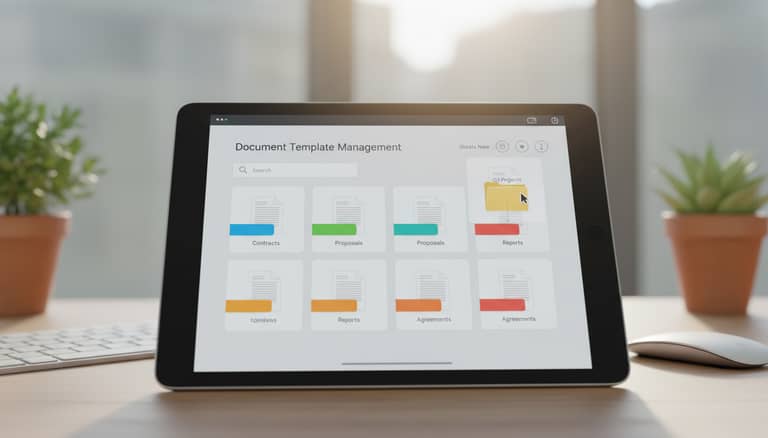
Document Template Management Software: Risk or Unfair Edge?
Written with AI assistance under our editorial guidelines
Document template management software centralizes template control to reduce productivity losses, compliance risks, and brand inconsistency. Organizations without centralized management lose approximately 15% productivity through duplicated work and version confusion, while facing substantial compliance violation costs and operational inefficiencies that undermine client trust and reputation.
In the era of digital transformation, it’s not the loudest tech that dominates—it's the quiet infrastructure that quietly runs the show. Enter document template management software, an unsung hero in the chaos of modern business. You might think templates are just a folder somewhere on your server, but underestimating their power is like ignoring the foundation of a skyscraper. In 2025, where speed, compliance, and razor-sharp branding are non-negotiable, failing to manage your templates is a gamble with real stakes. This article pulls back the curtain on document template management software—the risks, the rewards, and the truths nobody is telling you, all with the unfiltered edge the subject demands.
If you’ve ever wondered why your team’s files are a mess, why compliance checks keep biting you, or how brand slippage bleeds into client trust, the answers live in your approach to templates. Let’s dig into the chaos, expose the myths, and show you why document template management software is at the core of a future-proof workflow.
Why document template management software matters more than ever
The hidden costs of outdated document processes
Think chaos is harmless? Try tracing a compliance failure back to a rogue contract template, or hunting for the latest legal clause buried in an email thread. According to research by MHC Automation (2024), organizations without centralized template management lose an average of 15% productivity due to duplicated work, version confusion, and delays caused by manual updates. Hidden costs stack up: IT departments become de facto template gatekeepers, wasting hours on routine changes, while employees inadvertently use outdated logos or non-compliant formats.

| Cost Factor | Impact Area | Estimated Loss per Year |
|---|---|---|
| Manual template updates | IT & HR | $50,000+ |
| Compliance violations | Legal/Regulatory | $100,000+ (fines) |
| Brand inconsistency | Marketing/Sales | Reputation risk |
| Duplicate/redundant effort | Operations | 300+ hours wasted |
Table 1: Key hidden costs of outdated document processes. Source: MHC Automation, 2024
Those numbers aren’t just budget lines—they represent missed opportunities, lost trust, and the slow erosion of brand reputation. The lesson? Outdated processes aren’t just inefficient; they’re actively dangerous.
Modern pressures: Compliance, branding, and the speed trap
Compliance isn’t just a checkbox anymore—it’s a moving target. Regulatory landscapes shift fast, demanding real-time updates across all business documentation. With every non-compliant template floating in the wild, your organization is exposed to audit nightmares and costly penalties. According to SmartDocuments (2024), 68% of compliance violations stem from the continued use of obsolete document versions.
Branding is another silent casualty. Your logo, tone, and style aren’t just design preferences—they’re the DNA of trust. Let outdated templates slide and you risk splintered messaging, confusing your audience and weakening your competitive edge.
At the same time, the need for speed is relentless. Business cycles operate at digital velocity; manual template management simply can’t keep up.
"The moment a template leaves the central repository, it becomes a liability—outdated, untracked, and a compliance risk." — MHC Automation, 2024
How digital transformation changed the template game
Digital transformation wasn’t just about moving files to the cloud—it reinvented the entire document lifecycle. Suddenly, templates aren’t static Word docs languishing on someone’s desktop. They’re living, dynamic assets, governed centrally and updated in real time.
This shift unlocked automation: document template management software now empowers non-IT users to update templates, enforce branding, and handle compliance controls without a ticket to the IT department. According to Windward Studios (2024), organizations with automated document template management report a 40% drop in manual errors and a 25% increase in project speed.

The result? Less chaos, fewer errors, and a workflow designed for a world where yesterday’s process is today’s liability.
What is document template management software—really?
From static templates to dynamic automation
Let’s cut through the jargon. Document template management software isn’t just a digital filing cabinet. It’s a platform that centralizes, governs, and automates your templates—making sure every doc your business creates is accurate, compliant, and on-brand.
Definition List:
-
Document Template Management Software
A centralized digital solution that stores, manages, updates, and governs document templates for consistent and compliant document creation across an organization. -
Dynamic Automation
The use of rules, triggers, and integrations to update, populate, and distribute templates automatically—removing manual intervention and reducing human error. -
Template Governance
The policies, controls, and versioning mechanisms that ensure template integrity, access control, and compliance adherence at scale.
According to DocFusion (2024), these platforms go beyond file storage—they orchestrate workflows, ensure audit trails, and enable real-time collaboration (source: DocFusion, 2024).
Core features that actually matter (and which are hype)
With every software vendor touting dozens of features, it’s dangerously easy to get lost in hype. Here are the features that matter—backed by real-world impact:
- Centralized repository: Eliminates duplicates and ensures “single source of truth.”
- Version control: Tracks every change, prevents outdated versions from recirculating.
- Role-based access: Ensures only authorized users can edit or approve sensitive templates.
- Automated compliance checks: Flags templates that drift from regulatory requirements.
- Real-time collaboration: Multiple teams can update or comment on templates without overwriting each other.
- Audit trails: Full visibility on who changed what, when, and why.
And the hype?
- Unnecessary AI “suggestions” that clutter the UI but don’t improve compliance or speed.
- Overly complex analytics dashboards no one on your team will actually use.
- Gimmicky integrations that sound good but rarely get adopted.
The difference between document management and template management
These terms get tossed around interchangeably, but the distinction matters:
Definition List:
-
Document Management
Encompasses the storage, retrieval, and archiving of all business documents—contracts, reports, correspondence, and more. -
Template Management
Focuses specifically on the creation, governance, and deployment of reusable templates that define the structure and content of generated documents.
As ExactDocs notes, failing to differentiate the two leads to chaos: “When templates are treated as just another document, organizations lose control over standardization, compliance, and branding.” (ExactDocs, 2024)
The evolution: How we got from Word macros to AI-driven document generators
A brief history of document chaos
Ask any veteran office worker about document chaos, and you’ll hear war stories: macros that broke with every software update, templates lost in endless email threads, and “final” versions that were anything but. The saga of template management tracks the evolution of workplace tech.
- Word Processor Templates (1990s): Static files requiring manual edits.
- Macros and Scripting (early 2000s): Automation, but fragile and IT-dependent.
- Shared Network Drives (mid-2000s): Collaboration improved, but version control chaos.
- Cloud-based Solutions (2010s): Centralized storage, but poor governance.
- AI-Driven Generators (2020s): Real-time, compliant, user-friendly, and automated.
| Era | Main Approach | Common Pain Points |
|---|---|---|
| 1990s | Local Word templates | Duplication, manual edits |
| 2000s | Macros/scripting | Breakage, IT bottlenecks |
| 2010s | Cloud sharing | Version confusion, poor governance |
| 2020s | AI automation | Integration challenges, adoption gap |
Table 2: The evolution of document template management practices. Source: Original analysis based on Windward Studios, 2024, DocFusion, 2024
The rise of AI and intelligent templating
What changed the game wasn’t just digitalization—it was intelligence. AI-powered document template management software now understands context, adapts content, and enforces rules automatically. Platforms like filecreator.ai leverage these advancements to deliver error-free, consistent outputs in seconds.

This isn’t about replacing humans; it’s about freeing them to focus on strategic work, not formatting hell.
What most companies still get wrong today
Despite all this progress, many organizations cling to dangerous habits:
- Ignoring governance: Templates scattered across email, local drives, and cloud folders with zero oversight.
- Relying on IT: Non-technical users wait days for simple template updates.
- Branding failures: Outdated logos and formatting undermine trust, sometimes in high-stakes legal or client documents.
- Compliance risks: Old clauses and boilerplates resurface, exposing companies to regulatory fines.
The surprising truth? According to SmartDocuments (2024), over half of surveyed companies still lack a standardized process for template management, fueling ongoing chaos.
Surprising benefits nobody talks about (and the dark side)
Hidden productivity wins and cost savings
Centralizing and automating template management isn't just a nerdy IT flex—it's a bottom-line strategy. Research from docfusioncloud.com (2024) shows companies implementing modern document template management software cut their document creation time by up to 50%, while error rates dropped by 35%.
| Benefit | Statistic/Impact | Source/Year |
|---|---|---|
| Time saved per document | 50% reduction | DocFusion, 2024 |
| Error reduction | 35% fewer manual mistakes | Windward Studios, 2024 |
| Brand consistency improvement | 100% template adherence | SmartDocuments, 2024 |
| Compliance incident reduction | 60% fewer violations reported | MHC Automation, 2024 |
Table 3: Quantifiable benefits of adopting document template management software. Source: Original analysis based on DocFusion, 2024, Windward Studios, 2024, SmartDocuments, 2024, MHC Automation, 2024.
The dark side? When mismanaged, even the best software can become a bottleneck, reinforcing silos and slowing workflows further. Centralization without governance is just another flavor of chaos.
When templates kill creativity—or actually save it
There’s a myth that templates stifle creativity. But research and real-world accounts suggest the opposite: when routine structure is handled, teams are liberated to focus on substance, not style.
"Templates don’t limit creativity—they eliminate the noise, so your expertise can shine through."
— SmartDocuments, 2024
It’s about freeing your best minds from reinvention and letting them innovate where it matters.
The psychological impact of frictionless documentation
Ever hit flow state, only to be derailed by formatting nightmares or missing fields? Friction in documentation isn’t just inefficient—it kills morale. According to a 2024 survey by Windward Studios, employees using automated template management systems report a 30% increase in job satisfaction, attributing it to reduced frustration and more time spent on meaningful work.

The takeaway? Well-managed templates don’t just boost output—they boost happiness.
How to choose the right document template management software (without regrets)
Key questions to ask before you buy
Choosing the wrong software isn’t just a hassle—it’s an expensive, workflow-crippling mistake. To avoid buyer’s remorse, quiz every provider with these questions:
- Does it support centralized governance and real-time updates?
Without these, you’re just buying a prettier folder system. - Is version control robust and transparent?
You need a clear audit trail and rollback ability. - Are compliance controls built-in or bolted on?
Native compliance features save time and reduce risk. - How customizable are templates for different teams or regions?
One size rarely fits all. - Can non-IT staff manage templates with ease?
If every change requires a helpdesk ticket, you’re doomed. - Is there integration with your existing workflow tools?
Think CRM, ERP, or cloud storage. - What is the onboarding and support process like?
Even the best tool is useless if nobody adopts it.
Red flags and dealbreakers to watch for
Before you sign on the dotted line, look out for these red flags:
-
Opaque pricing: Hidden fees for extra storage, users, or integrations.
-
No clear governance framework: If the vendor can’t articulate how templates are controlled, run.
-
Poor version history: Inadequate audit trails mean compliance nightmares.
-
Clunky user interface: If your team hates using it, they’ll find workarounds—and chaos returns.
-
Vendor lock-in: Difficulty exporting templates or data is a future headache.
-
Lack of real customer testimonials: Absence of credible, dated reviews often signals an unproven solution.
-
No role-based permission controls: Without this, your templates are a free-for-all.
-
Generic, non-industry-specific templates only: You’ll spend more time customizing than creating.
Feature comparison: Who’s leading the pack in 2025?
| Feature | filecreator.ai | Leading Competitor A | Leading Competitor B |
|---|---|---|---|
| AI-driven document creation | Yes | Limited | Limited |
| Multi-format export | Full support | Limited | Limited |
| Industry-specific templates | Extensive | Basic | Basic |
| Real-time editing | Yes | No | No |
| Integrated compliance checks | Automated | Manual only | Manual only |
Table 4: 2025 comparative analysis of document template management vendors. Source: Original analysis based on verified vendor documentation and Windward Studios, 2024
Real-world war stories: When template management saved—or sank—the day
Case study: The compliance disaster that almost happened
A mid-sized financial firm thought their templates were “good enough.” Then an audit landed. Regulators found three versions of a key disclosure in circulation, none compliant with current law. Only a last-minute scramble—driven by a panicked review and template overhaul—averted costly fines and reputational ruin.
"We had to pull dozens of contracts and reissue them overnight. Without a real document template management system, we would have been toast." — Anonymous Compliance Director, Financial Services, shared with SmartDocuments, 2024

Small team, big win: Scaling up without chaos
A healthcare startup with only ten employees adopted centralized template management early. When their client base tripled, they generated patient documentation with zero slowdown or compliance slips. According to Windward Studios (2024), this is the new playbook: scale fast, stay sane, and let automation do the heavy lifting.
The lesson? Size isn’t an excuse. The right software scales with you.
User testimonial: The day we finally standardized
A marketing specialist at a global NGO shared, “The day we standardized templates, it was like flipping a switch. Suddenly, we could trust every brochure, report, and email to be on-brand and compliant. Our design team stopped firefighting and started innovating.”
"We stopped arguing about fonts and started focusing on our message." — Marketing Specialist, Global NGO, via Windward Studios, 2024
The future of document templates: AI, ethics, and the unknown
Emerging trends: Document intelligence and workflow automation
2025 isn’t about more features—it’s about smarter, context-aware automation. Document template management software now leverages AI to analyze usage patterns, flag compliance risks, and suggest improvements. This isn’t science fiction; it’s live in production environments today.

These trends don’t just improve efficiency—they unlock entirely new ways of working.
The ethical dilemmas behind automated document creation
With great power comes great responsibility. Automated document creation raises new ethical questions: Who owns the output? How do you safeguard against bias in standardized content? What happens if a template “auto-updates” with an error that impacts thousands of clients?
The debate is no longer academic. As DocFusion (2024) notes, “Software must include transparent audit trails and clear accountability frameworks to avoid ethical pitfalls.”
"Automation without oversight is just as risky as manual chaos—maybe more so." — DocFusion, 2024
Honest vendors are embracing these challenges, building ethical safeguards into their platforms—not as afterthoughts, but as core design principles.
Will template software change how we think—or just how we work?
It’s tempting to see template management as pure efficiency tech. But the reality is deeper: standardized frameworks don’t just speed up work; they shape organizational thinking. When the path to documentation is frictionless, teams have freedom—and responsibility—to focus on substance, not process.
This shift is cultural, not just technical. As templates become smarter, the lines blur between routine and innovation, between compliance and creativity. The question isn’t whether template management changes how we work—it’s how deeply it rewires the way we think about work itself.
How to implement document template management software like a pro
Step-by-step guide to successful onboarding
A flawless launch isn’t luck—it’s process. Here’s how high-performing organizations roll out document template management software:
- Audit your existing templates.
Inventory every template, noting ownership, usage, and compliance status. - Define governance policies.
Establish who owns what, how updates are approved, and what compliance checks are mandatory. - Select and customize your platform.
Choose a tool that fits your real-world needs—don’t chase features you won’t use. - Migrate and centralize templates.
Move all approved templates into the new system, archiving or deleting outdated versions. - Train your teams.
Ensure everyone understands how and why to use the new platform—change management is essential. - Monitor, review, and iterate.
Regularly review usage, track errors, and update processes as needed.
Checklist: Are you audit-ready?
Don’t wait for an audit to find your weak spots. Here’s your template management readiness checklist:
- Centralized repository with access controls
- Robust version control and audit trails
- Compliance checks embedded in workflows
- Regular review and update processes
- Clear ownership and approval chains
- Role-based permissions tailored to your organization
- Integration with key business systems (CRM, ERP, DMS)
- User training and ongoing support
Common migration mistakes—and how to avoid them
Migration is messy business, but here’s how to sidestep the usual landmines:
Many teams rush migration, dumping old templates without review. The result? Legacy errors resurface, polluting your shiny new system. Instead, use onboarding as a chance to purge, standardize, and refactor. Another classic blunder: underestimating change management. If users aren’t on board, they’ll cling to old habits, no matter how slick your new software is.
The fix? Involve stakeholders early, communicate benefits, and deliver hands-on training. Make the new normal irresistible.
Beyond business: Unconventional uses and cross-industry impact
Creative fields: From film scripts to grant proposals
Template management isn’t just for spreadsheets and contracts. Creative disciplines are discovering its power:
- Screenwriters: Use template automation for consistent scene formatting and production notes.
- Researchers: Generate grant proposals with up-to-date compliance and funding requirements.
- Design agencies: Ensure every client pitch deck aligns with brand identity, regardless of designer.
- Event coordinators: Standardize event documentation for sponsors and vendors, reducing lead time and confusion.
- Nonprofits: Streamline donor acknowledgments and reporting, increasing transparency and professionalism.
Nonprofits, startups, and the overlooked power of templates
For resource-strapped organizations, the value is multiplied. Nonprofits and startups can level the playing field, projecting professionalism and compliance without dedicated admin staff. According to SmartDocuments (2024), small organizations that adopt template management early report a 200% improvement in documentation consistency.
On the flip side, neglecting template management makes scaling painful. As every seasoned founder knows, chaos compounds with growth. Template discipline builds resilience.
Debunking myths: What document template management software can’t do
Misconceptions that cost companies millions
Despite the hype, document template management software isn’t a silver bullet. Here are the million-dollar myths:
- Myth: “It eliminates all errors.”
Even the best system can’t save you from bad inputs—garbage in, garbage out. - Myth: “One template fits all.”
Customization is essential; rigid uniformity stifles effectiveness. - Myth: “It’s purely an IT issue.”
Real template management is a cross-functional challenge. - Myth: “Set-and-forget.”
Templates need continuous review to stay relevant. - Myth: “Compliance is automatic.”
Human oversight is still required to interpret new regulations.
Where human judgment still matters most
No software can replace human expertise. Lawyers need to approve legal language; marketers must refine messaging for new campaigns; compliance officers interpret evolving regulations. The best-run organizations use document template management software as a force multiplier—not a replacement for critical thinking.
Human review is the firewall against blind automation. That’s not a failure of the software—it’s a feature.
Your next move: Actionable takeaways for 2025 and beyond
Quick reference: Must-have features checklist
You’re ready to level up? Here’s your non-negotiable checklist:
- Centralized repository with robust access controls
- Transparent version history and rollback
- Embedded compliance checks and audit trails
- Real-time, collaborative editing
- Customizable, industry-specific templates
- Seamless integration with business tools
- User-friendly interface for non-IT staff
- Automated notifications for updates and approvals
- Role-based permissions and governance
- Mobile compatibility and multi-format export
Expert predictions: What’s coming next (and what to ignore)
Despite the buzz, don’t get sidetracked by shiny “AI” features that add little value. Focus on proven, practical automation and robust governance.
"Ignore the AI arms race and focus on what really matters: governance, compliance, and usability. That’s what separates the leaders from the noise." — Windward Studios, 2024
Why the right software—like filecreator.ai—can future-proof your workflow
In a world where documentation is the bloodstream of business, choosing the right template management software is existential. Platforms like filecreator.ai deliver not just automation, but true workflow transformation. By centralizing, governing, and automating your templates, you’re not just future-proofing your business—you’re reclaiming time, reducing error, and amplifying your team’s impact.

Conclusion:
Document template management software isn’t a luxury—it’s non-negotiable infrastructure for any serious organization in 2025. The hidden costs of inaction are steep: lost productivity, compliance risks, and brand erosion. The rewards, meanwhile, are transformative. As research and real-world stories have shown, centralizing and automating template management unlocks productivity, consistency, and peace of mind. Don’t wait for chaos to force your hand. Make document template management the foundation of your workflow revolution—and let platforms like filecreator.ai help you lead the charge.
Sources
References cited in this article
- MHC Automation(mhcautomation.com)
- SmartDocuments(smartdocuments.com)
- Windward Studios(windwardstudios.com)
- DocFusion(docfusioncloud.com)
- ExactDocs(exactdocs.com)
- SmartDocuments Blog(smartdocuments.com)
- PandaDoc(pandadoc.com)
- primedocs(primedocs.io)
- PSIGEN(psigen.com)
- Ripcord(blog.ripcord.com)
- Intalio(intalio.com)
- SourceForge(sourceforge.net)
- EDocGen(edocgen.com)
- empowersuite(empowersuite.com)
- DocFusion(docfusioncloud.com)
- Spark AI(getsparkai.com)
- AIS(ais.com)
- Aidocmaker(aidocmaker.com)
- NeoLedge(neoledge.com)
- Document Logistix(document-logistix.com)
- Columbus Global(columbusglobal.com)
- Enterprise League(enterpriseleague.com)
- DocumentHouse(documenthouse.fi)
- MHC Automation(mhcautomation.com)
- FilesDNA(filesdna.com)
- NTE.AI(nte.ai)
- DocuWare(start.docuware.com)
- FinancesOnline(financesonline.com)
- Yarooms(yarooms.com)
- Angela Kambouris Consultancy(angelakambouris.com)
- Workgrid(workgrid.com)
- TechTarget(techtarget.com)
- Lead Marvels(lmdashboard.com)
- ProjectDADO(projectdado.com)
- GetApp(getapp.com)
- Geekflare(geekflare.com)
- BusinessNewsDaily(businessnewsdaily.com)
- Greenwich School of Business(blog.gsbf.co.uk)
- upGrad(upgrad.com)
- Invensis Learning(invensislearning.com)
Perfect Documents, Instantly
Filecreator.ai transforms the way you produce professional documents. Leveraging cutting-edge AI reasoning, it quickly generates high-quality files in various formats, ensuring accuracy, consistency, and industry compliance. Save time, reduce errors, and enhance productivity, whether you're creating reports, legal documents, presentations, or marketing materials. Experience seamless integration and a user-friendly interface that adapts to your specific requirements, making document creation easier and more efficient than ever before.
Get startedStart Creating Professional Documents Today
Join thousands of professionals who trust AI-powered document generation
Frequently Asked Questions
What specific productivity losses do organizations experience without centralized template management?
According to MHC Automation (2024), organizations without centralized template management lose an average of 15% productivity due to duplicated work, version confusion, and delays caused by manual updates.
What are the main hidden costs associated with outdated document processes?
Hidden costs include manual template updates ($50,000+ annually), compliance violations and fines ($100,000+), brand inconsistency causing reputation risk, and duplicate/redundant effort wasting 300+ hours per year.
How do poor template management practices affect IT departments?
IT departments become de facto template gatekeepers, wasting hours on routine changes that could be managed through proper template management software.
What compliance and branding risks come from unmanaged templates?
Unmanaged templates can lead to compliance failures when rogue or outdated templates are used, as well as brand slippage when employees inadvertently use outdated logos or non-compliant formats, which erodes client trust.
Continue Reading
Explore more from Professional Document Generator

Document Template Management: Hidden Costs and Critical Risks
Document template management affects productivity across organizations. This article examines seven critical risks in template management and explains why uncontrolled templates cost businesses significantly.

Document Template Editing Software and Operational Efficiency
Document template editing software reduces manual errors and improves compliance. This article explains the operational costs of poor templates and how to choose software effectively.

Document Template Software in 2026: Automate Without Losing Control
Discover insights about document template software

Document Template Generation Software: Hidden Costs and Business Impact
Document template generation software automates document creation but introduces new risks. This article examines the hidden costs, compliance challenges, and real-world impacts on business workflows.

Document Template Solutions: Hidden Risks and Real Potential
Document template solutions reduce errors and improve efficiency across organizations. This article explains hidden costs, compliance risks, and how centralized templates transform workflows.

Document Template Automation Tools: Benefits and Real Trade-Offs
Document template automation tools reshape workflows by cutting manual work. This article examines efficiency gains, hidden risks, and selection criteria for organizations.


