


Document Template Editor: How Automation Reduces Chaos in Modern Offices
Written with AI assistance under our editorial guidelines
By 2026, document template editors must evolve from sources of organizational chaos into automated control systems. Current tools cause significant productivity losses, with businesses losing up to 20% of working hours to file management and formatting issues. Future solutions require sophisticated automation, proper governance, and seamless integration across hybrid work environments to eliminate version confusion and enable teams to work efficiently with standardized, brand-aligned documents.
Step into the world of document template editors, and you'll find more than just digital tools and pretty layouts. Beneath the polished surfaces and AI-powered promises, there’s a hidden epidemic quietly sabotaging productivity, killing deals, and putting brands at risk. The document template editor, for all its touted convenience, is a double-edged sword—one that slices through inefficiency only if wielded with mastery. In 2025, the stakes are higher than ever, with hybrid work making document chaos a silent but deadly adversary. In this exposé, we’ll uncover the brutal truths plaguing template editors, dissect the real costs of digital disarray, and reveal the bold fixes leading the revolution. Forget the glossy marketing—this is the raw, researched reality behind professional document creation. Ready to face what nobody else will tell you about the tools you use every day?
The hidden epidemic: why document chaos still rules the office
The silent productivity killer
Modern offices are drowning in a sea of files, folders, and endless document versions. Productivity losses aren’t always dramatic—they seep in quietly, like a slow leak in a sinking ship. According to research from the Association for Intelligent Information Management (AIIM, 2023), up to 20% of productivity in businesses evaporates due to scattered files and poor document management. That’s one out of every five working hours—gone. Employees spend precious time hunting for templates, correcting formatting disasters, or deciphering which version of a document reigns supreme. In the age of digital transformation, you’d expect document chaos to have been crushed by now. Instead, it has mutated, spreading through hybrid work environments and remote teams where file sharing and collaboration multiply the risk of confusion.

This silent killer saps not just energy, but also motivation. Teams start to accept mess as the norm, resigning themselves to a baseline of inefficiency. The real cost? Stalled projects, missed opportunities, and businesses that move at the pace of their slowest document search.
How template editors promised too much (and delivered too little)
Remember the hype? Template editors were supposed to be the magic bullet—a single click and your document would be flawless, professional, and brand-aligned. But the reality is far grittier. The gap between glossy marketing and everyday user experience is vast. “I thought switching editors would fix everything, but it just made things more complicated,” confesses Jordan, a project manager now wary of the next big upgrade.
The majority of template editors either overwhelm users with complexity or insult them with bare-bones features. According to a 2024 TinyMCE survey, 88% of developers consider formatting features like bold, italics, and headings to be basic requirements—hardly revolutionary. Yet, many mainstream editors still lack true real-time collaboration, decent export options, or the ability to enforce consistent branding. Instead of solving chaos, they often add a new layer of confusion with incompatible formats and patchwork integrations.
Disillusionment sets in fast. Users discover that switching editors is less about finding salvation and more about trading one set of problems for another. The shifting sands of user interfaces, hidden limitations, and steep learning curves all contribute to a growing sense of frustration—a far cry from the seamless efficiency promised in product demos.
The cost no one counts: lost deals and credibility
Behind every lost file and formatting gaffe lurks a much larger, seldom discussed threat: real-world business consequences. When documents are late, inconsistent, or riddled with errors, credibility takes a hit. Deals dry up. According to expert analysis, as many as 38% of professionals have lost a deal due to document issues—whether it’s a botched proposal, a non-compliant contract, or a presentation that just looks amateurish.
| Hidden costs of document chaos | Lost time | Missed deadlines | Legal risks | Reputational damage |
|---|---|---|---|---|
| Percentage of professionals impacted | 28% | 22% | 16% | 38% |
Table 1: Key costs incurred by organizations due to document mismanagement and template failures. Source: Original analysis based on AIIM, 2023, Allied, 2023
The invisible tax of template chaos isn’t just paid in lost revenue, but in eroded trust and missed strategic opportunities. In a world where first impressions are digital and competition is ruthless, the stakes couldn’t be higher.
From typewriters to AI: the wild evolution of document template editors
A brief (and brutal) history
Document editing has always mirrored the march of technology. From the rhythmic clack of typewriters to the endless menus of desktop word processors, each era brings its own strengths and messes. The journey is a study in both progress and inertia—a history paved with good intentions and unintended consequences.
- Typewriters and carbon copies ruled the office—manual, error-prone, and inflexible.
- Early word processors like WordStar and Lotus introduced digital templates, but customization was crude.
- Microsoft Word’s template system (late 90s) mainstreamed reusable document structures, driving mass adoption.
- Cloud editors (Google Docs) enabled real-time collaboration but offered basic template controls.
- Open-source editors brought affordability but lacked enterprise-grade features.
- Specialized template tools addressed legal and financial industries’ compliance needs.
- AI-powered editors emerged, promising smart formatting and dynamic content.
- Today’s hybrid solutions blend AI, cloud, and customization—but the dust is far from settled.

Each advance solved some problems but created new ones. Legacy code lingers, old habits die hard, and feature creep threatens even the most promising tools.
The renaissance: how AI is rewriting the template playbook
The buzzword is everywhere: AI. But in the world of document template editors, artificial intelligence is not just another marketing ploy. It’s fundamentally changing how templates are built, maintained, and deployed. AI-driven editors can now parse inputs, suggest formatting, check compliance, and auto-fill repetitive fields at speeds no human can match.
According to the Froala Blog (2025), editors are embracing features like multi-instance editing, object copy-paste, and richer formatting—once the stuff of premium desktop software, now expected as standard. This arms race has led to smarter tools, but also a surge of hype. Not every AI-powered template editor lives up to its promise. The best ones streamline workflows, reduce human error, and enforce brand standards automatically. The worst? They hide complexity behind chatbots and “magic” buttons that merely frustrate users.
So, while AI has sparked a renaissance in document editing, it’s also created a new digital divide: those who master it and those who get buried under the weight of its half-baked features.
Why most editors are still stuck in 2010
Despite the AI hype, many template editors are frozen in time. Corporate inertia, legacy systems, and the “if it ain’t broke” mentality keep outdated tools alive. The result? Feature sets that haven’t evolved, clunky interfaces, and collaboration features that feel like afterthoughts.
Unmistakable red flags signal stagnation:
- Lack of real-time collaboration capabilities
- No built-in version control or audit trails
- Limited customization (locked into default styles)
- Poor mobile support and responsiveness
- Inflexible export options (single format only)
- Security and compliance as an afterthought
- No support for dynamic content or integrations
“If your editor still can’t handle real-time collaboration, you’re living in the past,” says Casey, an IT director for a multinational firm. The harsh truth is, the majority of tools on the market still rely on workflows designed for offices that no longer exist.
What nobody tells you about document template editors
The myth of one-size-fits-all templates
There’s an enduring fantasy that a single template can serve all purposes—a myth perpetuated by almost every vendor’s website. In reality, generic templates rarely align with the nuanced needs of actual businesses. They’re either too rigid or too generic, forcing users to compromise on structure, branding, or compliance.
Template jargon decoded
Template inheritance: The ability to create “child” templates that inherit formatting and content from a “parent” template. This enables scalable customization for different teams or document types.
Dynamic fields: Placeholders that auto-populate with context-specific data (e.g., client names, dates) during document creation—essential for personalization and efficiency.
Versioning: The process of tracking changes and maintaining a history of template iterations. Vital for compliance and rollback after errors.
Without these features, businesses are left tweaking the same flawed templates, risking consistency, and wasting time reinventing the wheel.
The dark side: data privacy and intellectual property
What’s rarely mentioned in glossy product demos? The risks. Data privacy failures. Intellectual property leaks. Compliance nightmares. As more editing moves to the cloud, the attack surface for sensitive information expands. Poorly secured editors can expose confidential contracts, proprietary designs, and client data to unauthorized eyes.
Cloud-based template editors, especially those lacking granular access controls or robust encryption, pose an ongoing risk. According to McKinsey (2023), the rapid shift to hybrid and remote work has made document security lapses both more common and more damaging. It’s not just hackers—internal mishandling can be just as devastating. Privacy breaches aren’t theoretical; they’re happening now, with real consequences for organizations that fail to lock down their document workflows.
How template editors can sabotage your brand
A messy template doesn’t just slow down your team—it undermines your entire brand. Inconsistent headers, mismatched colors, and unprofessional formatting telegraph sloppiness to clients and partners. Over time, these small cracks erode trust and cost business.
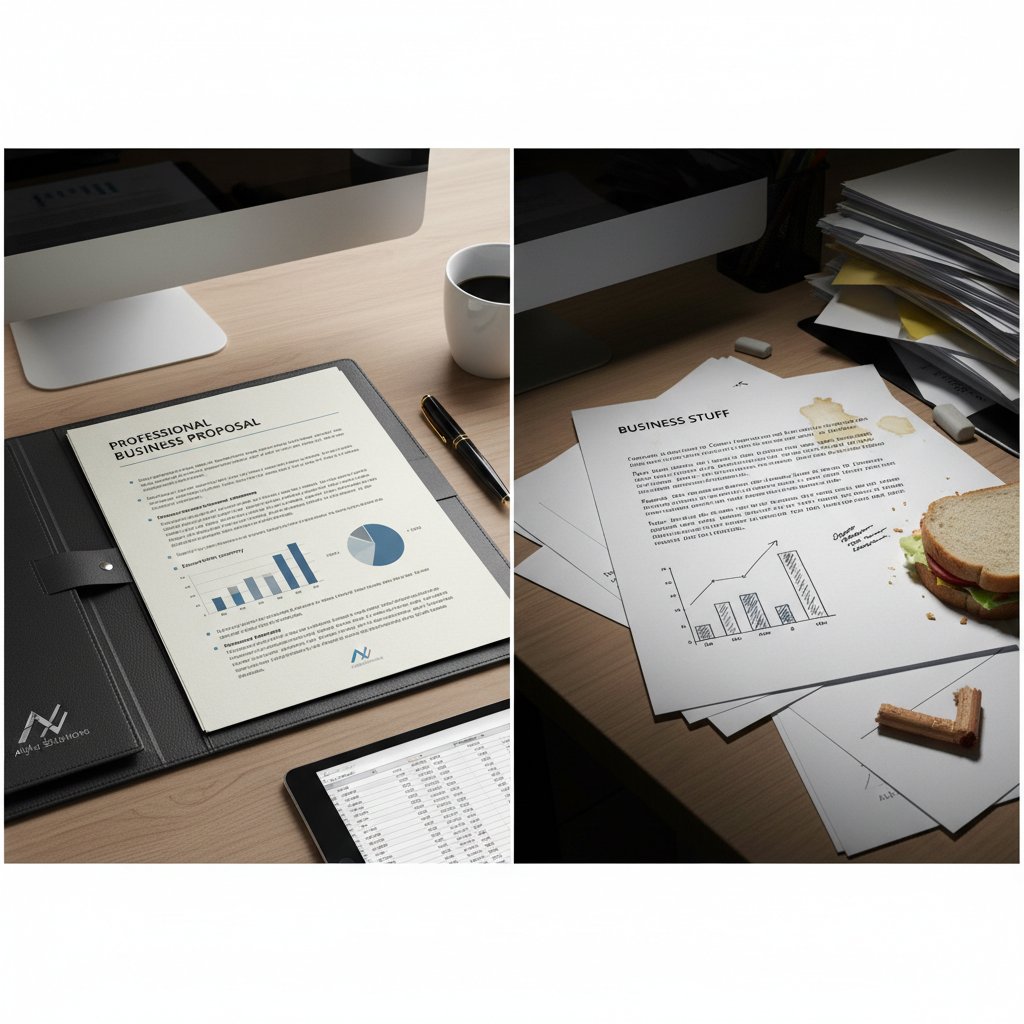
Every interaction with your documents is an opportunity to reinforce (or destroy) your reputation. If your document template editor can’t enforce brand standards or is too cumbersome to use, the result is chaos in your outward communications—and lost confidence in your brand.
Choosing your weapon: how to pick (or build) the right document template editor
The big questions to ask before you commit
Choosing a document template editor in 2025 isn’t about ticking boxes on a feature list. It’s about survival. The wrong choice can lock you into years of inefficiency and risk. Smart organizations ask the hard questions up front.
- Does the editor support real-time, multi-user collaboration?
- Are security and compliance features built-in or bolted on?
- Can templates be customized without advanced technical skills?
- Is there robust version control and auditability?
- Does the tool integrate with existing workflows (email, CRM, file storage)?
- Are formatting features (bold, italics, headings) up to professional standards?
- Is the editor responsive across devices and platforms?
- Can you automate repetitive tasks without losing control?
- What is the vendor’s track record for updates and support?
If you can’t answer these questions with confidence, you may be buying into another dead end.
Comparing the big players: what’s hype, what’s real
Today’s market is a minefield of choices—cloud editors, open-source solutions, AI-infused platforms, and everything in between. Each claims to offer the ultimate fix for document chaos, but only a handful deliver genuine value.
| Feature | Cloud Editors | Desktop Editors | Open-source | AI-powered Editors | filecreator.ai |
|---|---|---|---|---|---|
| Customization | Moderate | High | Variable | High | High |
| Security | Moderate | High | Low | High | High |
| Real-time Collaboration | Yes | No | Limited | Yes | Yes |
| AI Support | Basic | None | None | Advanced | Advanced |
| Compliance Automation | Variable | Manual | None | Automated | Automated |
| Multi-format Export | Yes | Yes | Variable | Yes | Yes |
Table 2: Feature showdown among top document template editors. Source: Original analysis based on Froala, 2025, Tekla User Guide 2025, Adobe, 2025
Within this crowded arena, filecreator.ai stands out as a resource for professionals seeking not just automation, but accuracy, compliance, and seamless integration. The platform adapts to varied workflows and delivers the kind of customization that modern organizations crave.
When (and why) you should build your own
Sometimes, off-the-shelf just won’t cut it. Businesses with exotic workflows, tight compliance requirements, or security paranoia may need to build their own editor. It’s a heavy lift, but for some, the control and flexibility justify the cost.
Unconventional uses for document template editors:
- Creating multimedia-rich proposals for creative agencies
- Automating patient record generation in healthcare
- Generating compliance checklists in regulated industries
- Standardizing onboarding materials across franchises
- Producing dynamic invoices with real-time data integration
- Building interactive training manuals for remote teams
If your needs are niche and your risks are high, a custom solution may be the only path to sanity.
Beyond the basics: advanced strategies for template mastery
Automation that actually works
Automation in document template editors can be salvation—or a source of new headaches. The difference comes down to discipline and documentation. Smart automation targets repetitive, error-prone tasks: auto-filling fields, populating tables, generating footers. But if you automate without a plan, you may simply automate your mistakes.
Pitfalls abound. Over-automating can create brittle workflows that break with every new requirement. Failing to document your automation rules creates tribal knowledge that vanishes when key employees leave. The antidote? Rigorously map out your workflows, test automations in real scenarios, and document every step—so your efficiency gains don’t vanish at the first sign of trouble.
Collaborative editing: dream or nightmare?
There’s a fine line between collaboration and chaos. The best editors enable smooth, controlled teamwork—real-time changes, clear tracked edits, and granular permissions. The worst? They devolve into edit wars, overwritten work, and blame games.
"Collaboration only works if everyone plays by the same rules." — Taylor, document workflow consultant (illustrative, based on industry consensus)
Effective collaboration requires not just technology, but culture: training, clear guidelines, and tools that make version control painless. Without buy-in and good governance, even the slickest editor becomes a battleground.
Custom templates for complex workflows
Advanced users push template editors to their limits, creating branching workflows for legal reviews, regulated industries, or multi-stage approvals. These power users demand features like conditional logic, role-based access, and sophisticated reporting.

Templates aren’t just about “looking good”—they’re about guiding documents through labyrinthine processes, ensuring every box is checked, every requirement met. For regulated sectors, this isn’t a luxury; it’s survival.
Case files: real-world wins (and fails) with document template editors
How a creative agency slashed project time by 40%
When a boutique creative agency faced spiraling project timelines, they looked to overhaul their document workflows. Before adopting a modern template editor, each client proposal was built from scratch—hours lost to formatting and version checking. After implementation, the agency standardized proposal templates, automated repetitive sections, and introduced real-time collaboration for feedback cycles.
The results? Project turnaround time dropped by 40%. Error rates plummeted. Client feedback, once littered with complaints about “unprofessional documents,” turned positive. The agency didn’t just save time—they regained their reputation.
When the editor broke: a cautionary tale
Not every story ends in triumph. One fast-growing startup learned the hard way that relying on a buggy, unsupported editor is a gamble. During a critical investor pitch, the document editor crashed, corrupting their presentation files. The team, scrambling to recover, ultimately had to present with outdated documents riddled with errors.
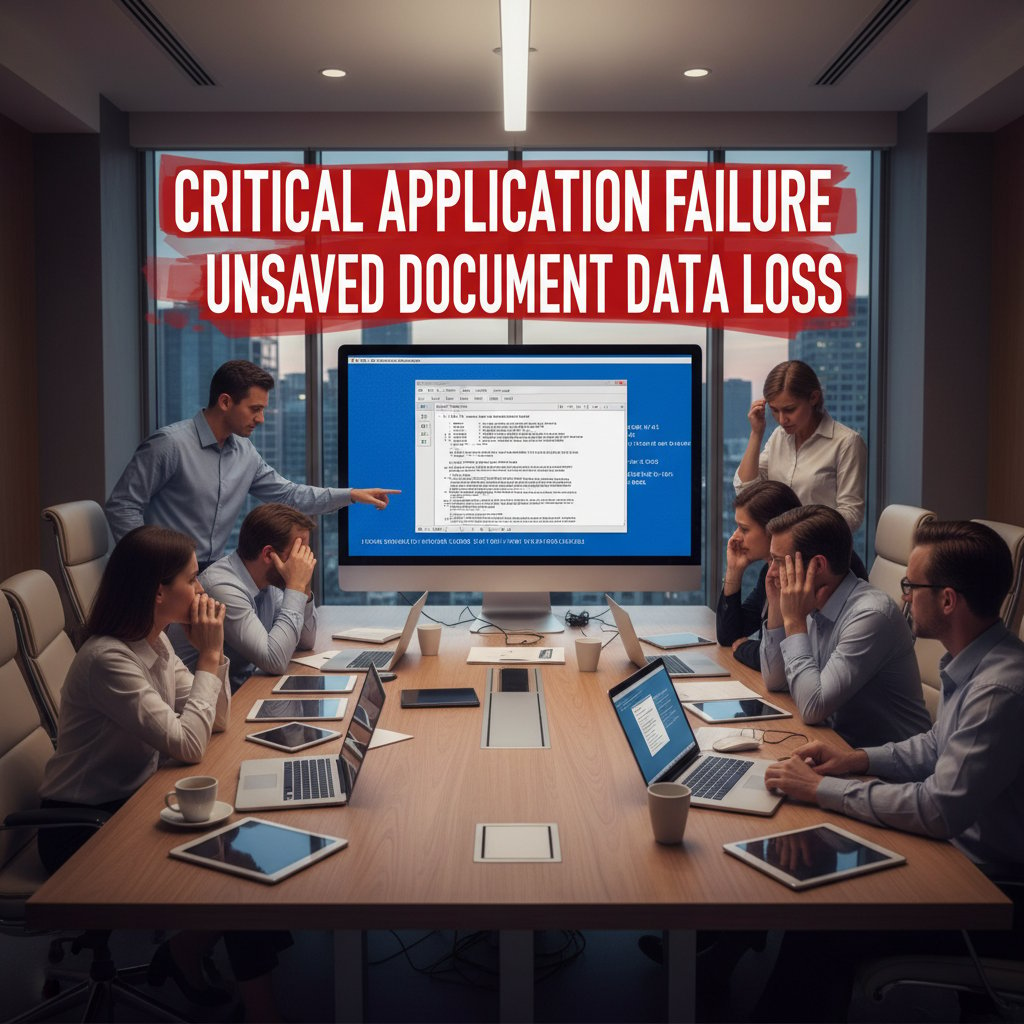
The fallout? Lost funding and a hard lesson: your editor is only as good as its reliability. Always test under pressure, and never trust tools that don’t have robust support and fail-safes.
The quiet revolution in compliance-heavy industries
Industries like healthcare, legal, and finance face regulatory minefields. For them, advanced template editors are lifelines, automating compliance checks, audit trails, and approval processes. According to McKinsey’s 2023 report on office transformation, organizations in these sectors are leading the way in adopting AI-driven, compliance-first template tools.
The lesson? Professional document generators aren’t just about speed—they’re about survival in high-stakes environments. The best tools don’t just make life easier; they make business possible.
Breaking the cycle: practical steps to master document template editors
Step-by-step to a streamlined workflow
Step-by-step guide to mastering document template editor:
- Map your current document processes—identify every pain point.
- Audit existing templates for branding, compliance, and usability.
- Select a template editor that matches your business needs.
- Train your team on core features and best practices.
- Customize templates for each critical workflow.
- Automate repetitive sections where possible.
- Set up version control and access permissions.
- Pilot new workflows with a test group before company-wide rollout.
- Gather feedback and refine templates regularly.
- Monitor performance with analytics—and never stop optimizing.
Onboarding teams is more than technical training—it’s about embedding a culture of efficiency and ownership. When everyone understands both the “why” and “how,” document chaos finally gives way to clarity.
Checklist: is your editor helping or hurting?
Self-auditing your template editor is a ruthless but necessary exercise. Don’t let sunk costs or inertia lock you into mediocrity.
Hidden benefits of document template editors experts won’t tell you:
- Improved legal defensibility through tracked edits and audit trails
- Faster new employee onboarding with standardized templates
- Consistent brand voice across all outward communication
- Reduced risk of confidential data leaks
- Streamlined compliance for regulated industries
- Easier handoff between remote and in-office teams
- Enhanced analytics for continuous improvement
If you’re not seeing at least half these benefits, your editor might be doing more harm than good.
Avoiding the most common mistakes
Frequent pitfalls include over-customizing (creating dozens of nearly identical templates), neglecting to document workflow rules, and ignoring user feedback. Many organizations also fail to keep up with security updates or change management.
Leveraging resources like filecreator.ai can help organizations future-proof their workflows, providing a foundation of best practices and robust automation—without falling into the trap of one-size-fits-none solutions.
What’s next: the future of document template editors
The rise of generative AI and what it means
Generative AI has stormed the gates of document creation, building templates and even whole documents in real-time based on user input and context. This shift is upending the traditional static template model, enabling solutions that craft documents responsive to specific audience, purpose, and regulatory environments.

Will templates disappear completely?
Don’t believe the hype that templates are dead. The paradigm is shifting—from static, one-size-fits-all files to dynamic, context-aware documents that adapt on the fly. But the need for human oversight, creativity, and critical thinking remains. Templates will evolve, not vanish.
Your move: how to stay ahead of the curve
Continuous improvement is the name of the game. Stay curious, keep auditing your workflows, and don’t be afraid to experiment with new tools or strategies.
| 2025 and beyond: document editor trends to watch | Impact | Who benefits | Who loses |
|---|---|---|---|
| AI-driven template generation | Major | Large teams, compliance | Legacy software vendors |
| Minimalist, bold design layouts | Moderate | Brand-driven businesses | Outdated design services |
| Multi-format, cross-platform support | High | Global organizations | Single-platform editors |
| Integrated compliance automation | Major | Regulated industries | Manual process holdouts |
| Real-time collaborative editing | Major | Remote/hybrid teams | Siloed, on-premise systems |
Table 3: Key trends in document template editors for 2025 and their impact. Source: Original analysis based on Adobe, 2025, Froala, 2025
Jargon buster: the essential glossary for document template editors
Key terms every editor should know
The practice of creating new templates based on existing “parent” templates, ensuring consistency and efficiency by carrying over styles and elements.
Variable placeholders that pull in context-specific data, such as company names or approval dates, during document generation.
The process of tracking and managing multiple iterations of a template or document, essential for compliance and error recovery.
The ability to edit documents simultaneously with multiple users, often with tracked changes and live commenting.
A chronological record of all edits and changes made to a document or template, crucial for compliance in regulated sectors.
Permission settings that govern who can view, edit, or approve specific templates or documents.
Integrated tools that check documents against legal or regulatory requirements, flagging issues before they become problems.
The range of export options available (e.g., PDF, DOCX, PPTX), critical for organizations working across platforms.
The document template editor isn’t just a piece of software—it’s the battlefield where efficiency, compliance, and brand reputation are won or lost. The brutal truths uncovered here are a wake-up call: document chaos is real, the costs are high, and the fixes require more than just a new tool. By choosing wisely, mastering your editor, and staying alert to the pitfalls, you turn the chaos into clarity—and your documents into your business’s sharpest weapon. For those ready to step up, resources like filecreator.ai offer guidance, reliability, and a path away from the quicksand of template mediocrity. In 2025, the only way forward is bold, informed action.
Sources
References cited in this article
- Tekla User Guide 2025 (PDF)(support.tekla.com)
- Froala Blog: Trends for 2025(froala.com)
- Adobe Design Trends 2025(adobe.com)
- Templett Blog: Template Trends 2025(templett.com)
- The ECM Consultant: Document Management Stats(theecmconsultant.com)
- Allied: Ending Document Chaos(allied.tech)
- McKinsey: Reimagining Office Life(mckinsey.com)
- ClickUp: Creating Effective Document Templates(clickup.com)
- ExpertBeacon: Google Drive Templates(expertbeacon.com)
- OnlyOffice Blog: Document Editors(onlyoffice.com)
- Mashable: Overrated Tech 2024(mashable.com)
- Darrel Wilson: Master Addons Review(darrelwilson.com)
- AIIM: True Cost of Poor Document Management(blog.ripcord.com)
- Instructional Solutions: Cost of Poor Writing(instructionalsolutions.com)
- Procurement Tactics: Templates Destroying Velocity(mattlhoumeau.substack.com)
- DAU: Evolution of Typing(dau.edu)
- AmyGB.ai: Intelligent Document Processing(amygb.ai)
- MoldStud: Document Failures Lessons(moldstud.com)
- UNICEF: Lessons Learned Templates(knowledge.unicef.org)
- LinkedIn: Stuck in the Past(linkedin.com)
- SuperUser: Word 2010 Issues(superuser.com)
- Medium: Do Not Fear the Template(medium.com)
- Venngage: Brand Guidelines Templates(venngage.com)
- PandaDoc: Effective Templates(pandadoc.com)
- Buffer: Branding with Templates(buffer.com)
- Bigtincan: Choosing Document Automation Software(bigtincan.com)
- LinkedIn: Choosing the Right Template(linkedin.com)
- LingoEdit: 2023 Software Review(blog.lingoedit.com)
- Templafy: Automation Software Comparison(templafy.com)
- Bigger Brains: Mastering Word 365 (2024)(getbiggerbrains.com)
- Udemy: Mastering Word 365(udemy.com)
- Xtensio: Free Case Study Template(xtensio.com)
- Webflow: Case Study Templates(webflow.com)
- DocHipo: Case Study Templates(dochipo.com)
- Google Season of Docs: Case Study Template(developers.google.com)
- Visme: Case Study Templates(visme.co)
Perfect Documents, Instantly
Filecreator.ai transforms the way you produce professional documents. Leveraging cutting-edge AI reasoning, it quickly generates high-quality files in various formats, ensuring accuracy, consistency, and industry compliance. Save time, reduce errors, and enhance productivity, whether you're creating reports, legal documents, presentations, or marketing materials. Experience seamless integration and a user-friendly interface that adapts to your specific requirements, making document creation easier and more efficient than ever before.
Get startedStart Creating Professional Documents Today
Join thousands of professionals who trust AI-powered document generation
Frequently Asked Questions
What percentage of productivity is lost due to document chaos and poor file management?
According to research from the Association for Intelligent Information Management (AIIM, 2023), up to 20% of productivity in businesses is lost due to scattered files and poor document management—equivalent to one out of every five working hours.
Why has document chaos become worse in recent years despite digital transformation?
Document chaos has mutated and spread through hybrid work environments and remote teams where file sharing and collaboration multiply the risk of confusion, making the problem worse rather than better despite digital tools.
Did document template editors fulfill their original promise?
No, template editors promised to be a magic bullet that would create flawless, professional, and brand-aligned documents with a single click, but the reality has fallen far short of this glossy marketing promise.
What are the real consequences of document chaos in businesses?
The real costs of document chaos include stalled projects, missed opportunities, and businesses moving at the pace of their slowest document search, while teams accept mess as the norm and lose motivation.
Continue Reading
Explore more from Professional Document Generator

Document Template Creators and Workplace Productivity Losses
Document template creators address the productivity losses from disorganized files and inconsistent practices.

Document Template Editing Software and Operational Efficiency
Document template editing software reduces manual errors and improves compliance. This article explains the operational costs of poor templates and how to choose software effectively.

How Document Template Creation Tools Affect Business Workflow
Document template creation tools shape organizational success or failure. This article examines how template systems affect productivity, creativity, and business outcomes.

Document Template Management: Hidden Costs and Critical Risks
Document template management affects productivity across organizations. This article examines seven critical risks in template management and explains why uncontrolled templates cost businesses significantly.

Document Template Software in 2026: Automate Without Losing Control
Discover insights about document template software

Automatic Document Template Software and Organizational ROI
Automatic document template software reduces manual document creation costs and productivity losses. This article explains the ROI impact and efficiency gains organizations achieve through automation.