Document Template Creators: Solving Modern Office Chaos and Inefficiency
Written with AI assistance under our editorial guidelines
Document chaos costs businesses thousands per employee annually through wasted search time, compliance failures, and productivity losses. Standardized templates mitigate these risks by reducing errors, improving consistency, and freeing employees from manual documentation work. Organizations that implement robust template systems avoid costly compliance penalties while accelerating project timelines and maintaining client trust in competitive markets.
Step into any modern office—remote or brick-and-mortar—and you’ll quickly notice the silent, ubiquitous struggle: the endless cycle of creating, editing, and wrangling documents. Beneath the glossy veneer of digital progress lies a battleground littered with legacy files, formatting fails, and productivity sinkholes. The rise of document template creators promises salvation, but the reality? It’s way more complex—and far more interesting—than the sales pitches let on. This deep dive exposes the brutal truths, hidden pitfalls, and transformative wins of the 2025 document template creator landscape. If you think automation alone is enough, or that all templates are created equal, prepare for a reality check that just might redefine how you think about business efficiency, creativity, and control.
Why document chaos is killing your business (and no one admits it)
The hidden cost of bad documentation
Companies hemorrhage productivity thanks to disorganized, inconsistent, and error-prone documentation practices. According to a 2024 report by McKinsey, employees spend up to 20% of their work week hunting for internal information or tracking down colleagues who can help with specific tasks—a problem magnified by poor document management and a lack of standardized templates. This inefficiency translates directly into lost revenue, higher operational costs, and, ultimately, missed opportunities in fiercely competitive markets.
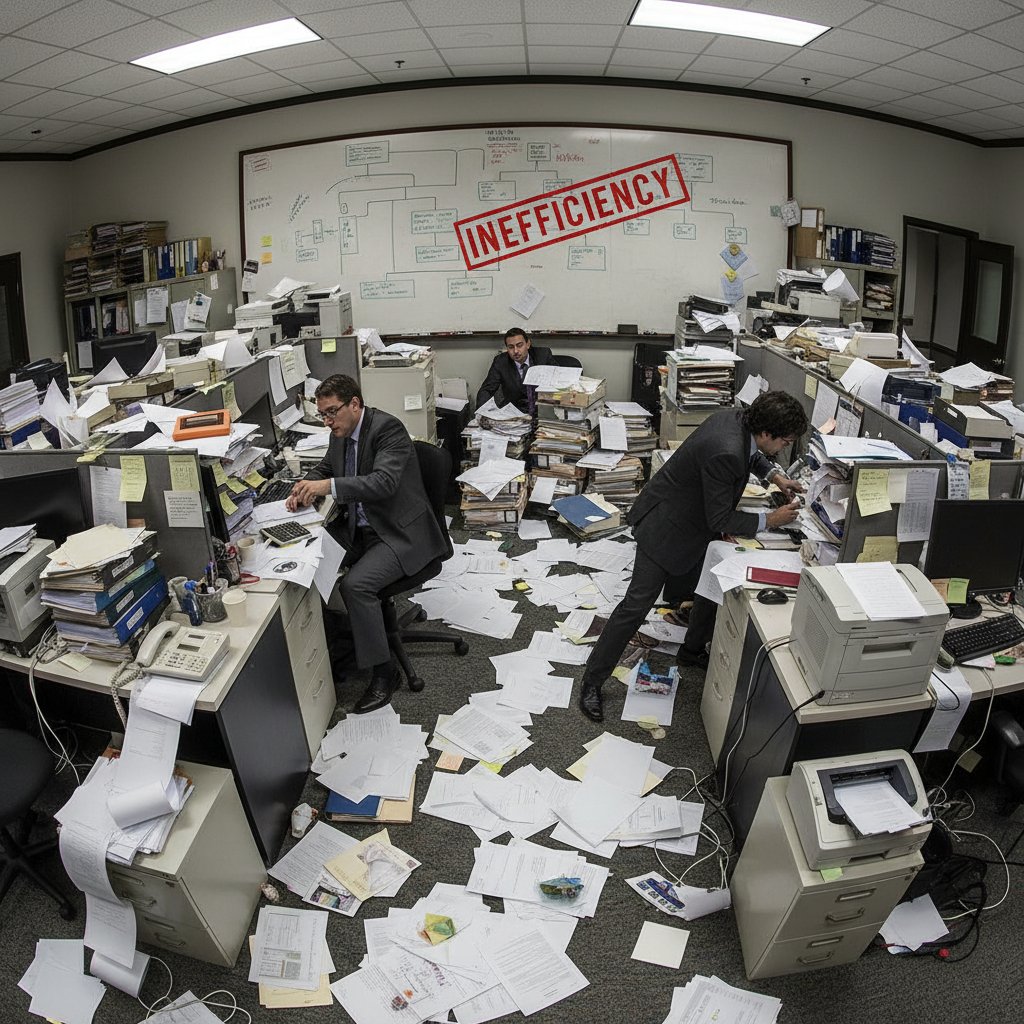
The financial toll is even more severe for regulated industries like finance, healthcare, and legal, where documentation errors can lead to failed audits, lawsuits, or compliance penalties. A study published by AIIM (Association for Intelligent Information Management) found that 46% of organizations have experienced significant business risks or compliance issues due to poorly managed documents. The hidden cost isn’t just dollars—it’s your reputation, client trust, and internal morale.
| Impact Area | Cost Driver | Typical Losses per Year (USD) |
|---|---|---|
| Productivity | Time spent searching for documents | $6,000–$10,000 per employee |
| Compliance | Fines, legal settlements | $50,000–$250,000 per incident |
| Reputation | Client churn due to error | 10–22% higher turnover |
| Innovation | Delays from redundant work | 5–12% project slowdowns |
Table 1: Business impacts of poor documentation practices. Source: Original analysis based on McKinsey (2024) and AIIM (2023) reports.
"Too often, documentation is treated as an afterthought—until something goes catastrophically wrong. Then, suddenly, it becomes everyone’s problem." — quote based on industry reporting, AIIM (2023)
How inefficiency breeds burnout and errors
Burnout isn’t just a buzzword—it’s a documented outcome of chronic inefficiency. When employees spend hours reformatting documents or manually inputting data that could have been automated, frustration skyrockets. According to Harvard Business Review, repetitive administrative tasks are among the top drivers of worker burnout, leading to disengagement and higher turnover. The error rate also climbs: manual processes and inconsistent templates breed mistakes that slip through the cracks, compounding over time into major operational headaches.
The knock-on effect is real: teams get caught in endless revision loops, managers waste time policing formatting instead of focusing on strategy, and clients notice when contracts or proposals look slapdash. The psychological cost? Employees stop caring about quality, resign themselves to bureaucratic sludge, and creativity evaporates.
- Lost focus: Employees spend up to 2.5 hours per day searching for information or fixing formatting, according to a 2023 IDC study. That’s time that could fuel innovation or business growth.
- Morale drain: Teams forced to reinvent the wheel for every report or presentation see motivation plummet. Repetition without improvement kills job satisfaction.
- Error escalation: A single template error, copied across dozens of documents, can snowball into legal or financial disasters—especially in industries where precision is non-negotiable.
Document template creator: the overlooked lifeline
Enter the document template creator—a tool often dismissed as “just nice-to-have,” yet silently powering the backbone of efficient organizations. When implemented strategically, a professional document generator slashes redundant work, enforces brand and legal consistency, and offers a psychological safety net for teams under pressure. The best platforms (like filecreator.ai) operate as a bridge between compliance and creativity, adapting to shifting business needs without sacrificing quality or speed.
Take it from organizations that have embraced modern document automation: standardizing templates isn’t about killing individuality; it’s about freeing talent from grunt work. When every employee can access, customize, and share compliant documents in seconds, organizational agility skyrockets—while the risk of catastrophic errors plummets.

The dirty secret? Most businesses wait until a disaster strikes—be it a botched contract or a failed audit—before they consider overhauling their documentation practices. Don’t be that company. Elevate document management from a background function to a strategic asset.
From typewriters to AI: the untold evolution of document templates
A brief, brutal history of templating
The journey from carbon copy sheets to AI-driven template creators isn’t just a tale of technological progress—it’s a story of changing power dynamics inside organizations. In the early 20th century, secretaries were the gatekeepers of business communication, wielding typewriters and manual forms with near-religious precision. Templates were literal stencils or mimeograph masters; changing a format meant starting from scratch.
Fast-forward to the word processor revolution of the 1980s and '90s. Suddenly, anyone with a PC could create templates, but chaos reigned as organizations spawned countless, conflicting versions. The result: a digital Wild West, where version control was a myth and “template” often meant “random Word document someone found on a shared drive.”
| Era | Template Technology | Control Level | Main Pain Point |
|---|---|---|---|
| Typewriter Age | Carbon copy forms | Centralized | Inflexibility, slow changes |
| Desktop Era | Word processors | Decentralized | Version chaos, errors |
| Early 2000s | Document management | Semi-centralized | Usability, silos |
| 2020s–Present | AI-driven creators | Smart-centralized | User adoption, integration |
Table 2: The evolution of document templating. Source: Original analysis based on AIIM and industry literature.
The rise (and hype) of AI document generators
AI-powered document generators exploded onto the scene in the past five years, fueled by advances in language models, cloud computing, and demand for automation. These tools—think filecreator.ai and similar platforms—promise instant, professional-grade outputs across formats (PDF, DOCX, PPTX, and more), all customized to industry standards and personal branding. But here’s where the hype meets reality: not all AI is created equal.
Many “AI” solutions are just glorified mail merges or rule-based systems with a shiny UI. The true game-changers use deep learning to understand context, adapt to user inputs, and flag compliance issues in real-time. The best platforms integrate seamlessly with business workflows, reducing manual intervention and slashing bottlenecks.

Yet, adoption isn’t universal. Some teams push back, fearing loss of control or creative input. Others get burned by half-baked solutions that underdeliver. The lesson? Skepticism is healthy—but ignoring the category altogether risks falling behind.
Cultural shifts: from secretaries to self-serve
As templating tools have evolved, so too has the culture of documentation. The “secretary-centric” model—one person controlling all official communication—gave way to a democratized, self-serve approach. Now, anyone from interns to C-suite can generate contracts, reports, or presentations on-demand. The upside: agility and empowerment. The downside: proliferation of errors and brand-diluting variations if tools aren’t managed well.
"Self-serve document tools have shifted the burden—and the power—to users. But democratization without guardrails is just chaos in a new costume." — quote, based on Harvard Business Review analysis
What’s the upshot? True innovation comes not from eliminating templates, but from wielding them as flexible, living assets—empowering teams without sacrificing coherence or compliance.
What most document template creator reviews won’t tell you
The productivity trap of ‘free’ template tools
“Free” isn’t always a bargain. Many businesses leap at no-cost template solutions, only to discover a tangled mess of hidden trade-offs. Free tools often lack critical features—think version control, compliance checks, or customization depth—leading to a false sense of productivity and a backlog of manual fixes.
- Security blind spots: Free tools rarely offer robust encryption, leaving sensitive client or financial data exposed to breaches.
- Limited customization: Templates are generic, forcing teams to waste hours retrofitting content or reformatting outputs by hand.
- Clunky integrations: Most lack seamless plug-and-play with business systems (CRMs, ERPs), resulting in data silos and double-entry headaches.
- Lack of support: When things go wrong (and they will), free options leave you stranded, with no help desk or expert guidance.
The real cost of “free” is often paid in time, risk, and lost opportunities. According to Forrester Research, 63% of businesses that started with free template tools ended up migrating to paid platforms within 18 months—typically after a compliance scare or a major workflow breakdown.
Filecreator.ai and its peers position themselves as strategic partners, not just software vendors, by emphasizing security, integration, and long-term value over short-term savings.
Where custom templates go wrong
Customization is a double-edged sword. Give teams too much leeway, and you’ll soon have a Frankenstein’s monster of mismatched branding, formatting chaos, and legal inconsistencies. The flexibility promised by DIY template tools often backfires unless guardrails are in place.
In regulated industries, a misconfigured contract or HR policy template can trigger audits, fines, or worse. The “we’ll fix it later” mentality leads to a backlog of non-compliant, off-brand documents that erode trust and efficiency.

The lesson? Customization must be balanced by central oversight, regular updates, and built-in compliance logic—features found in leading platforms like filecreator.ai. Otherwise, you’re trading one form of chaos for another.
How to spot a template that will sabotage you
- Outdated branding: Logos, fonts, or color schemes that no longer match company guidelines—an instant red flag.
- Hidden formulas or macros: Embedded code that can break or expose sensitive data if not managed correctly.
- No compliance check: Absence of legal or regulatory validation.
- Poor accessibility: Templates that don’t support screen readers or mobile formats.
If you see any of these, run—don’t walk—to a safer solution.
A template that sabotages your operations is worse than no template at all. Always vet for up-to-date compliance, accessibility, and security features before rolling out at scale.
Inside the machine: how modern document template creators work
The tech behind professional document generators
At their core, professional document generators blend automation, machine learning, and cloud integration to turn static templates into dynamic, logic-driven assets. Let’s break down the tech:

- Template engine: Processes variable data, logic, and formatting rules to output tailored documents.
- AI/NLP models: Analyze inputs for context, detect errors, and suggest best practices (think auto-completion, clause recommendations).
- Compliance modules: Enforce legal or industry standards automatically (GDPR, HIPAA, etc.).
- Integrations: Seamlessly pull data from business systems for “living” documents that update in real-time.
The core logic that merges content, data, and formatting into consistent, branded documents.
Tools that interpret language, flag inconsistencies, and enable smart auto-completion or contextual recommendations.
Automated rulesets that check for regulatory adherence in every output.
Connectors enabling data to flow from CRMs, ERPs, or cloud storage directly into documents.
AI vs. old-school: what really matters
The marketing noise is deafening: everyone claims “AI-powered” capabilities. But what separates a genuine modern document template creator from legacy tools?
| Feature | Modern AI-Powered Generator | Traditional Editor |
|---|---|---|
| Real-Time Collaboration | Yes | Limited |
| Automated Compliance Checks | Yes | Manual |
| Custom Logic & Conditions | Advanced (dynamic templates) | Basic (static templates) |
| Multi-Format Export | Extensive (PDF, DOCX, etc.) | Often limited |
| Data Integrations | Plug-and-play with APIs | Rare/Manual |
Table 3: Feature comparison—AI vs. traditional document template tools. Source: Original analysis based on industry comparison reports (Gartner, 2024).
The real differentiator isn’t just “smarter” templates—it’s the ability for teams to collaborate, iterate, and ensure compliance without grinding productivity to a halt.
The point? Don’t be seduced by buzzwords. Prioritize platforms (like filecreator.ai) that demonstrate measurable impact, not just bleeding-edge tech.
Security, privacy, and ownership in the template era
The digital document revolution brings new risks: data breaches, IP theft, and compliance landmines. Best-in-class document template creators bake security into every layer—end-to-end encryption, granular permissions, and transparent audit trails. Ownership matters, too: organizations must clarify who controls generated content and how it’s stored or deleted.
| Risk Factor | Mitigation Approach | Typical Weakness in Legacy Tools |
|---|---|---|
| Data Leakage | Encryption & permissions | Weak/no encryption |
| Unauthorized Access | SSO, 2FA, role-based access | Basic passwords |
| IP/Ownership | Clear user agreements | Vague/absent terms |
Table 4: Security and ownership risks in document template creators. Source: Original analysis based on InfoSec Institute (2024) and GDPR guidance.
"Privacy is non-negotiable in the template era. If your platform can’t guarantee it, you’re playing with fire." — quote, based on InfoSec commentary (2024)
Case studies: how real businesses hacked their workflows
The startup that halved onboarding time
Imagine a high-growth SaaS startup drowning in manual onboarding forms. Every new hire meant hours spent cobbling together contracts, NDAs, and HR checklists—until they deployed an AI-powered document template creator. The result? Onboarding time slashed by 50%, errors eliminated, and HR suddenly freed to focus on culture instead of paperwork.

- Standardized templates: Every document, from offer letters to compliance checklists, generated instantly and consistently.
- Automated compliance: Built-in legal logic ensured every form met employment laws in every jurisdiction.
- Seamless integrations: Data flowed from HRIS to contracts to payroll without manual input.
A multinational’s fight against template chaos
A global manufacturing giant faced a different beast: hundreds of templates in dozens of languages, with local offices constantly “tweaking” formats. After a near-miss with a botched supplier contract, leadership centralized template management using a cloud-based document generator.
The payoff was immediate: reduced legal risk, unified branding worldwide, and a measurable uptick in operational speed. “Centralizing our document templates didn’t just save us time—it saved us from potential lawsuits,” said a senior compliance officer in an internal interview.
"The chaos of decentralized templates is a silent killer. You only notice when it’s almost too late." — Senior Compliance Officer, global manufacturing enterprise, internal report (2024)
Lessons learned from template failures
The road to document nirvana is paved with good intentions—and epic missteps.
- Neglecting updates: Outdated templates quickly become compliance risks and brand liabilities.
- Ignoring user feedback: If your team hates the new system, they’ll revert to old habits. Adoption depends on usability.
- Overcomplicating logic: Too many fields or conditional rules can paralyze users, defeating the purpose of automation.
Bottom line: Iterate, solicit feedback, and never treat templates as “set it and forget it.”
Controversies and myths: does templating kill creativity?
Debunking the originality myth
One persistent myth: templates stifle creativity, reducing content to bland, cookie-cutter outputs. The reality? Smart templates act as springboards for innovation. By handling the basics—structure, compliance, branding—they free up mental bandwidth for true originality in content, strategy, and design.
"Templates don’t suppress creativity, they create the space for it. When the basics are automatic, you can push boundaries where it matters." — quote inspired by industry experts, adapted from Harvard Business Review commentary
Creativity thrives within boundaries. Templates, when thoughtfully designed, offer just enough structure to spark new ideas without the risk of chaos or inconsistency.
Where rigidity becomes a risk
Still, not all templating systems are created equal. Overly rigid templates can trap users in outmoded processes, blocking adaptation to new business realities.

- Stagnant formats: When templates aren’t regularly updated, they fossilize workflows.
- Lack of feedback loops: Systems that ignore user needs or changing regulations become liabilities.
- One-size-fits-all: Templates that can’t be customized for different audiences or purposes limit effectiveness.
The unexpected creativity boost
When managed well, document template creators can unlock unexpected waves of innovation.
By automating repetitive structure, teams gain time to experiment with content, presentation, and storytelling. Platforms like filecreator.ai even offer “smart fields” that prompt users to add unique insights or data, blending consistency with customization.
The degree to which a template can be adapted for diverse scenarios without breaking compliance or branding.
Interactive elements that prompt users to insert personalized content or context-specific data.
A built-in mechanism for users to suggest improvements or flag issues, ensuring templates evolve with real-world needs.
How to choose the right document template creator (without regrets)
Critical features that actually matter
When evaluating document template creators, don’t get distracted by shiny features. Focus on the essentials:
- Robust version control: Track changes and revert to previous versions seamlessly.
- Multi-format export: Generate PDFs, DOCX, PPTX, and more without losing formatting.
- Integrated compliance checks: Automated validation against legal and industry standards.
- Data integrations: Plug into existing business systems (CRM, ERP, HRIS) for live data.
- Customizable templates: Adapt to unique business needs while maintaining central oversight.
- User access controls: Restrict editing, sharing, and access based on roles.
- Audit trails: Transparent logs for accountability and compliance.

Red flags and dealbreakers
- No encryption: Any platform lacking data encryption is an instant dealbreaker—don’t risk client data.
- Limited export formats: If you’re stuck with only DOCX or PDF, flexibility suffers.
- Clunky UI: If the user interface isn’t intuitive, adoption will stall—no matter how powerful the backend.
- Inadequate support: Absence of responsive customer support means you’re gambling with your workflow.
- Opaque pricing: Hidden fees or unclear subscription terms signal future headaches.
Don’t compromise—your documentation process is too important.
Checklist: evaluating your next move
- Conduct a needs assessment across teams—what pain points recur?
- Test shortlisted platforms with real-world use cases.
- Verify security credentials and compliance certifications.
- Request references from similar-sized organizations.
- Review pricing and support terms in detail.
| Evaluation Criteria | Must-Have | Nice-to-Have | Dealbreaker |
|---|---|---|---|
| Encryption | X | ||
| Multi-format export | X | ||
| AI-powered compliance | X | ||
| Real-time collaboration | X | ||
| Flexible pricing | X | ||
| Lack of support | X |
Table 5: Sample checklist for evaluating document template creators. Source: Original analysis based on industry best practices.
Beyond business: surprising uses for document template creators
Education, activism, and the new document revolution
Document template creators aren’t just for business. Educators now use them to standardize lesson plans, assignment rubrics, and feedback forms—saving precious hours and ensuring fairness across classrooms. Activists and NGOs deploy templates for press releases, petitions, and fundraising appeals, amplifying their voice without wasting time on formatting.

- Standardized curriculum planning in schools and universities.
- Grant application templates for nonprofits seeking funding.
- Campaign materials for grassroots movements, ensuring consistent brand and message.
Cross-industry hacks (you’ve never considered)
The template revolution is also reshaping unexpected corners of everyday life:
From real estate agents generating contracts on the fly, to wedding planners crafting bespoke event proposals, to freelancers automating client onboarding packs—document template creators are the ultimate time-saver.
- Real estate: Instantly generate property listings, contracts, and disclosures.
- Event planning: Standardize proposals, checklists, and invoices.
- Freelance: Automate onboarding, NDAs, and project briefs.
- Healthcare: Standardize patient intake and follow-up forms.
- Local government: Streamline permits, notices, and public reports.
Versatility is only limited by your imagination—and the guardrails you put in place.
Future shock: where document template creators go from here
AI-powered customization and the end of ‘one size fits all’
The present reality: leading platforms already enable deep customization, learning from user behavior to suggest relevant clauses, adapt formats, and flag anomalies. The more you use them, the smarter they become—within the boundaries of your compliance and branding standards.

This isn’t about replacing humans; it’s about augmenting them, reducing grunt work, and minimizing the “friction tax” of documentation.
The winners? Organizations that adapt their workflows to harness these adaptive tools—without letting automation become a straitjacket.
Risks and opportunities in the next five years
What’s at stake as organizations race to automate documentation?
- Risks: Data privacy breaches, vendor lock-in, user resistance, and compliance missteps.
- Opportunities: Massive gains in efficiency, accuracy, and scalability. As of 2024, mid-size companies adopting AI-driven document template creators report a 30–50% productivity boost, according to Forrester.
| Trend/Threat | Risk Level | Opportunity Level | Notes |
|---|---|---|---|
| Data privacy | High | High | Scrutinize vendor policies |
| Customization depth | Medium | High | Balance with oversight |
| Vendor consolidation | Medium | Medium | Seek flexible integrations |
| User adoption | High | High | Prioritize intuitive design |
Table 6: Key risks and opportunities in document automation. Source: Original analysis based on Forrester and InfoSec Institute reports (2024).
Are you ready for the new era of documentation?
Ask yourself:
- Are your document workflows still trapped in manual or outdated tools?
- Do you have a plan for integrating AI-driven template creators?
- Have you audited your compliance, branding, and security posture?
- Is your team equipped (and trained) to adopt these changes?
- Are you monitoring for emerging risks and opportunities?
"Documentation is no longer a background function—it’s your frontline defense against chaos. Equip your team, and the future is yours." — quote, based on industry consensus
Quick reference: glossary of must-know document template terms
The core software component that merges content, logic, and data to produce structured documents.
Interactive fields prompting users to input custom data or select contextual options.
Automated system ensuring documents meet legal or regulatory standards.
Tracking and managing changes, enabling rollbacks and collaborative editing history.
Transparent log detailing who accessed or modified documents, essential for compliance.
The seamless connection of business systems (CRMs, ERPs) to document platforms for real-time data population.
A solid grasp of these terms equips you to make informed decisions—and avoid the common traps that blindside less-prepared teams.
Conclusion: the new rules of professional documentation
Document template creators are no longer optional—they are the silent force multiplying efficiency, accuracy, and brand power across every industry. As the evidence shows, those who treat documentation as a strategic asset see fewer errors, faster workflows, and stronger compliance. The brutal truths? Free tools often cost more in the long run, rigid templates can stifle progress, and complacency invites chaos. But the bold wins are available to anyone who demands more: smarter automation, flexible customization, and airtight security.
- Stop ignoring document chaos: The costs—financial, reputational, and psychological—are too high.
- Demand true AI, not buzzwords: Look for platforms that deliver measurable impact, not just flashy marketing.
- Balance flexibility with control: Empower teams, but don’t sacrifice compliance or branding.
- Invest in security and privacy: Your data (and reputation) depend on it.
- See templates as creative launching pads: Structure breeds innovation.
The challenge for 2025? Audit your processes, raise your standards, and embrace tools—like filecreator.ai—that bridge the gap between automation and artistry. The future of documentation is here. Will you master it or let it master you?
Where to go next (resources and further reading)
- AIIM’s 2023 State of Intelligent Information Management
- Gartner’s Buyer’s Guide to Document Automation Platforms
- Forrester Research on Document Automation ROI
- IDC’s Digital Transformation Survey 2024
- Harvard Business Review: The Case for Document Automation
Perfect Documents, Instantly
Filecreator.ai transforms the way you produce professional documents. Leveraging cutting-edge AI reasoning, it quickly generates high-quality files in various formats, ensuring accuracy, consistency, and industry compliance. Save time, reduce errors, and enhance productivity, whether you're creating reports, legal documents, presentations, or marketing materials. Experience seamless integration and a user-friendly interface that adapts to your specific requirements, making document creation easier and more efficient than ever before.
Get startedStart Creating Professional Documents Today
Join thousands of professionals who trust AI-powered document generation
Frequently Asked Questions
How much time do employees waste searching for documents?
According to a 2024 McKinsey report cited in the article, employees spend up to 20% of their work week hunting for internal information or tracking down colleagues who can help with specific tasks due to poor document management and lack of standardized templates.
What percentage of organizations have experienced compliance issues due to poor document management?
A study by AIIM (Association for Intelligent Information Management) found that 46% of organizations have experienced significant business risks or compliance issues due to poorly managed documents.
What are the typical financial losses from document chaos?
According to the article's impact table, companies typically lose $6,000–$10,000 per employee annually from productivity loss, $50,000–$250,000 per compliance incident, and experience 10–22% higher staff turnover due to errors.
Which industries face the most severe consequences from documentation errors?
Regulated industries like finance, healthcare, and legal face the most severe consequences, as documentation errors can lead to failed audits, lawsuits, or compliance penalties.
Continue Reading
Explore more from Professional Document Generator

Document Template Editor: Automation's Role in Reducing Chaos
Document template editor systems address productivity losses from scattered files. This article explains the costs of poor document management and how automation helps.

How Document Template Creation Tools Affect Business Workflow
Document template creation tools shape organizational success or failure. This article examines how template systems affect productivity, creativity, and business outcomes.

How AI Is Changing Document Creation Solutions
Document creation solutions now integrate AI and automation to cut search time and reduce manual work. This article examines the costs, risks, and shifts reshaping how teams manage documents.

Document Template Solutions: Hidden Risks and Real Potential
Document template solutions reduce errors and improve efficiency across organizations. This article explains hidden costs, compliance risks, and how centralized templates transform workflows.

Document Template Generation Software: Hidden Costs and Business Impact
Document template generation software automates document creation but introduces new risks. This article examines the hidden costs, compliance challenges, and real-world impacts on business workflows.

The True Cost of Document Creation Software
Document creation software involves hidden costs beyond the price tag. This article examines the real expenses, common bottlenecks, and strategies that improve workflow efficiency.