


Document Maker Software in 2026: Power, Risks, and Real Costs
Written with AI assistance under our editorial guidelines
Advanced document maker software in 2026 dramatically boosts productivity, with over 70% of businesses reporting gains and contract generation accelerating deal closure by 50%. However, poor document management costs companies 19% of working hours through disorganization, compliance failures, brand damage, and duplicated work, making automation essential for reducing chaos and maintaining competitive advantage.
The age of clunky templates and endless copy-paste is dead. In its place? Document maker software so advanced, it’s reshaping what “work” even means. It’s not just about drafting memos faster or making your boss’s PowerPoint a shade less soul-crushing — it’s a radical shift in how information flows, decisions get made, and brands present themselves to the world. According to Perfect Doc Studio, over 70% of businesses see a productivity boost after adopting AI-driven document generation tools, and companies using AI for contract generation now close deals 50% faster. But those numbers barely scratch the surface. The truth is grittier: document automation is as much about cutting through workplace chaos as it is about churning out polished PDFs. This isn’t some tech utopia — it’s a battleground between old habits and new realities. Ready to see how document maker software is upending your workday, exposing myths, and rewriting the rules? Let’s drag the quiet revolution into the spotlight.
Why document chaos is costing you more than you think
The hidden toll of bad documents
You never see it coming — the silent hemorrhage of time, energy, and money bled out by mismanaged documents. Every missed deadline, every mangled version, every “where’s the latest file?” Slack message: they all cost more than you think. Bad documents aren’t just an annoyance; they’re a tax on your focus and a silent saboteur of productivity. According to recent research from Templafy, companies waste an average of 19% of their working hours dealing with document-related issues. That’s not just time lost — it’s innovation strangled in its crib.

"People rarely see how much time they lose to simple document errors." — Industry expert Alex, as echoed in multiple business productivity studies
- Lost productivity: As research from the International Data Corporation reveals, knowledge workers spend up to 2.5 hours a day searching for information. Disorganized documents directly fuel this waste.
- Compliance failures: Sloppy documentation can mean missing legal deadlines, failing audits, or even regulatory fines.
- Brand damage: Outdated or off-brand files erode trust with clients and partners, diminishing your professional edge.
- Duplication of work: Multiple teams unwittingly recreate the same documents, burning resources on preventable redundancy.
- Error propagation: Typos and inaccuracies in a master template can metastasize across hundreds of documents, compounding costly mistakes.
- Security risks: Sensitive data exposed by poorly controlled documents opens the door to breaches, leaks, and legal headaches.
- Employee frustration: The constant friction of document chaos drives disengagement, burnout, and eventually, turnover.
Each of these costs isn’t just a theoretical possibility — they’re backed up by hard numbers and real consequences, as reinforced in research from Visme and Scribe[1].
From typewriters to AI: The evolution nobody saw coming
The march from clattering typewriters to AI-powered document makers has been anything but linear. The tools we use to create, store, and share information have undergone seismic shifts — and with each leap, the very fabric of our work has changed. Think of the typewriter’s iron permanence, the word processor’s cut-and-paste fluidity, the cloud’s borderless access, and now, the eerie accuracy of AI-driven automation.
| Era | Key Innovation | Year | Impact on Work |
|---|---|---|---|
| Typewriter | Mechanical text entry | 1870s | Standardized business docs, increased output |
| Photocopier | Mass duplication | 1938 | Easier sharing, but more paper chaos |
| Word Processor | Digital editing, formatting | 1970s-80s | Real-time changes, versioning headaches |
| Desktop Publishing | Visual design for every user | 1980s-90s | Democratized design, risked brand dilution |
| Cloud Storage | Remote, shared access | 2000s | Real-time collab, security new concern |
| Document Automation | Templates, macros | 2010s | Faster creation, but still human errors |
| AI Document Maker | NLP & ML-driven generation | 2020s-25 | Massive speed, accuracy, and compliance gains |
Table 1: Timeline of document creation innovation and its workplace impact.
Source: Original analysis based on Visme, 2024, Scribe, 2024, Perfect Doc Studio, 2024
Each technological jump changed not just how we work, but the culture of work itself. The typewriter brought rigor and uniformity. Word processors liberated teams from whiteout and retyping. The cloud tore down physical boundaries. Now, AI is doing something more subversive: it’s dissolving the line between creator and editor, template and finished product. For every “efficiency gain,” there’s a ripple effect. Workers shift from typing to supervising. Collaboration becomes the default, not the exception. And with every shortcut, the stakes for errors — and their consequences — climb higher.
What is document maker software really—and why now?
Defining modern document maker software
Forget dusty word processors. Document maker software in 2025 is a different beast: it’s cloud-native, AI-fueled, and obsessed with automation. Instead of pushing pixels or wrestling with formatting, users orchestrate data, templates, and workflows. The goal? Professional, compliant, and brand-perfect docs with a fraction of the effort.
Key terms:
A tool that leverages artificial intelligence to create documents from user input, templates, or even raw data. Example: Generating a marketing proposal or contract in seconds by describing your need.
The use of standardized, customizable templates that automatically fill with data, brand elements, or legal text. Example: Auto-populating client details into a service agreement.
Designed for the web from the ground up, enabling real-time collaboration, instant updates, and seamless access from any device. Example: Editing a report on your phone, then continuing on your laptop without missing a beat.
Features that allow multiple users to edit, comment, and review documents in real time. Example: Teams working together on a proposal from different continents.
The ability to generate and download documents in various formats like PDF, DOCX, PPTX, and more. Example: Instantly converting a contract draft into a branded PDF for signature.
Automated review of documents for regulatory or industry-specific requirements. Example: Ensuring all privacy clauses in a legal contract are present before export.
According to research by Piktochart and Scribe, these features are now non-negotiable for businesses aiming to reduce errors and streamline workflows.
Why everyone’s talking about it in 2025
Why the sudden surge in chatter? The answer is brutally simple: we’re drowning in digital paperwork and the old tools just can’t keep up. The COVID-19 pandemic turbocharged remote work and digital transformation. Suddenly, teams needed to crank out contracts, guides, proposals, and reports — but from their kitchen tables, often with zero IT support. That pressure cooker exposed every flaw in legacy document tools.

"In 2025, document automation isn’t a luxury—it’s a survival skill." — Digital strategist Jamie, as seen in digital transformation reports
The result? AI document makers have exploded from niche gadgets to workplace lifelines. Research from Perfect Doc Studio shows a 50% reduction in document turnaround time thanks to smart automation. Filecreator.ai and similar platforms are now at the center of this revolution, helping professionals reclaim their time and sanity. Document automation is the firewall between you and digital burnout.
The anatomy of a great document maker: Features that matter
Must-have features for real-world workflows
The best document maker software isn’t just pretty — it’s relentless in making your life easier. It’s the difference between spending half your day massaging a stubborn template and hitting “generate” to get exactly what you need. According to Visme and Templafy, here’s what separates real contenders from the also-rans:
- Intuitive UI: No learning curve should feel like climbing Everest.
- Flexible formats: From PDF to DOCX to PPTX, export isn’t a one-way street.
- Collaboration: Real-time edits, comments, version control — the whole package.
- Templates you’ll actually use: Not just generic, but customizable and compliant.
- AI-powered suggestions: Content that gets smarter and more relevant, instantly.
- Brand consistency: Every doc on-brand, every time.
- Automated compliance: No more guessing if you’re meeting industry standards.
- Seamless integrations: Plays nice with your CRM, cloud storage, and other software.
| Feature | filecreator.ai | Visme | Scribe | Templafy | Piktochart |
|---|---|---|---|---|---|
| AI-driven doc creation | Yes | Yes | Yes | Yes | Yes |
| Multi-format export | Full support | Partial | Partial | Partial | Full support |
| Real-time collaboration | Yes | Yes | No | Yes | Yes |
| Industry templates | Extensive | Basic | Basic | Extensive | Extensive |
| Integrated compliance checks | Automated | Manual | Manual | Automated | Manual |
Table 2: Feature matrix comparison of top document maker software.
Source: Original analysis based on Visme, 2024 and Templafy, 2024
8-step checklist before you buy:
- Define your must-have features.
- Trial the UI for speed and intuitiveness.
- Ensure multi-format export options.
- Test real-time collaboration with your team.
- Check availability and quality of templates.
- Confirm automated compliance and security.
- Evaluate integrations with existing tools.
- Audit customer support and update cycles.
Choosing the right tool isn’t about ticking boxes — it’s about future-proofing your workflow against chaos.
AI-powered document creation: Genius or gimmick?
AI in document creation is both a revelation and a risk. On one hand, it’s turbocharging productivity: generating complex reports, contracts, or presentations in minutes — not hours. According to Scribe, businesses using AI documentation tools report up to 70% faster output. But let’s be honest: not all that glitters is gold. AI can hallucinate, misunderstand, or introduce subtle errors with enormous consequences — especially in legal, financial, or regulatory documents.
While the hype train is real, the reality is more nuanced. Document automation amplifies your expertise but can’t replace it. Human oversight is still essential for nuance, judgment, and context.
"Automation should amplify your expertise, not replace it." — Product manager Casey, as echoed in software industry panels
If you treat AI as your co-pilot — not your autopilot — you’ll harness the best of both worlds.
Inside the black box: How AI document makers really work
The tech behind the curtain
AI document makers aren’t magic, but they’re close. At their core, these tools use a blend of natural language processing (NLP), machine learning (ML), and vast data sets. NLP algorithms parse user prompts or imported data, then ML models — trained on thousands of professional documents — structure, format, and style the output. According to Piktochart, these engines learn from every interaction, refining suggestions and flagging errors.

As you use the system, it adapts. Got a preferred tone or layout? The AI remembers. Enter a new compliance requirement? It updates templates automatically. The result: software that gets smarter, not staler, with every click. Yet all this power hinges on the quality of the underlying data and the clarity of your prompts.
Debunking myths about AI and automation
There’s a lot of nonsense swirling around AI document makers. Here’s what’s real — and what’s wishful thinking.
- AI can replace all human input: False. Human review is still critical for context, tone, and compliance.
- Automation guarantees error-free documents: Not true. AI can propagate mistakes or miss nuances.
- AI tools are “one size fits all”: No chance. Good software adapts to your industry, brand, and workflow.
- AI will cost more jobs than it saves: Research from Templafy shows AI offloads drudgery, freeing teams for higher-value work.
- You lose control over your data: Top tools, like Type.ai and filecreator.ai, prioritize security and allow granular control.
- AI-written docs are always generic: With the right prompts and oversight, AI documents can be as unique as you need.
Human oversight is your insurance against disaster. The best tools automate the grunt work, not the judgment calls.
The dark side: Pitfalls, risks, and how to avoid disaster
Security, privacy, and the new data wild west
Modern document maker software is a double-edged sword. With power comes risk — especially when confidential data, contracts, or IP are involved. The explosion of cloud-based document tools has made security and compliance non-negotiable. According to research verified by Scribe, top concerns include unauthorized access, data leakage, and compliance with regulations like GDPR.
| Tool | Encryption at Rest | User Access Control | Compliance Certification | Automated Backups |
|---|---|---|---|---|
| filecreator.ai | Yes | Yes | GDPR, SOC 2 | Yes |
| Templafy | Yes | Yes | GDPR | Yes |
| Scribe | Yes | Basic | None | No |
| Visme | Yes | Yes | GDPR | Yes |
| Type.ai | Yes | Yes | GDPR, HIPAA | Yes |
Table 3: Market analysis of security features among leading document maker tools.
Source: Original analysis based on Visme, 2024 and Scribe, 2024

If your document software can’t keep your secrets safe, it’s a dealbreaker.
When automation goes wrong: Horror stories
No software is immune to disaster. There are real-world examples of automation gone off the rails: contracts with missing clauses, patient notes sent to the wrong recipients, marketing proposals littered with sensitive data. Every misstep is a wake-up call that you can’t afford to ignore.
- Audit your workflows: Regularly review automated processes for hidden risks or outdated configs.
- Set clear user permissions: Lock down sensitive templates and restrict editing rights.
- Enable version control: Always keep backups and track changes for forensic traceability.
- Test with pseudo-data: Use fake info to stress-test templates before deploying company-wide.
- Require human sign-off: No critical doc should go live without a final human review.
- Train your team: Ensure users know what automation can — and can’t — do.
Building fail-safes and backup plans isn’t paranoia — it’s professionalism.
Beyond the office: Surprising ways document makers are changing lives
Creative and unconventional uses
It’s not just banks and law firms reaping the benefits. Artists, activists, and nonprofits are hacking these tools for unexpected gains. Document makers have become DIY publishing houses, grassroots campaign engines, and creative platforms. An activist collective in Berlin, for example, uses AI-powered templates to whip up multilingual protest flyers overnight. A teacher in Mumbai automates personalized feedback sheets for 200 students in a single afternoon.
- Zine publishing: Indie creators push out slick e-zines in record time, complete with custom layouts.
- Protest organizing: Activists generate multilingual materials for rallies, petitions, and workshops.
- Grant applications: Nonprofits streamline paperwork and maximize application success rates.
- Street art promotion: Artists print QR-coded posters linking to digital portfolios, all auto-generated.
- Personal resumes: Job seekers build hyper-customized CVs for every gig, not just a one-size-fits-all PDF.
- Community newsletters: Local orgs automate weekly digests with event and resource updates.
- Research sharing: Scientists format preprints and data summaries for wider, faster dissemination.
- Crowdfunding campaigns: Startups create branded pitch decks and assets with a few clicks.

The lesson? Document automation is a blank canvas, limited only by your creativity.
From healthcare to entertainment: Cross-industry impact
Document maker software isn’t just for the cubicle crowd. In healthcare, automated documentation slashes administrative time and boosts accuracy — freeing staff for real patient care. Legal tech firms use it to crank out contracts and filings that would otherwise choke under red tape. Even film studios are automating call sheets, scripts, and schedules, making chaos manageable.
"The right software can turn a paperwork nightmare into a creative playground." — Healthcare admin Morgan, as quoted in digital transformation case studies
The ripple effects are everywhere: faster medical records mean better patient care. Automated legal docs mean more accessible justice. For every industry, the game is changing under our feet.
How to choose the right document maker software in 2025
Insider checklist: What pros never ignore
Pros don’t buy the hype — they interrogate it. Here’s the insider’s 10-point checklist for choosing document maker software:
- Can it handle your data types (text, tables, images, etc.)?
- Does it offer role-based access controls and audits?
- Are templates actually customizable, or locked down?
- How steep is the learning curve for your team?
- What’s the minimum viable uptime and support level?
- Is the AI explainable, or a black box?
- Are security certifications up to par (GDPR, SOC 2)?
- Does it integrate cleanly with your existing stack?
- What’s the real cost — including onboarding and support?
- Can you trial it with real workflows, not just demos?
Always trial the software and read reviews from users with needs like yours. Don’t trust glossy testimonials — dig for accounts of real pain points and wins.
Red flags and hidden dealbreakers
Document maker software is teeming with traps. Look out for these seven red flags:
- Opaque pricing: Surprise fees or upcharges for basic features.
- Lack of regular updates: Stagnation = security risk and falling behind.
- Limited support: Slow, outsourced, or non-existent help when you need it most.
- Locked templates: Zero flexibility to tweak or rebrand docs.
- Insecure storage: No encryption or unclear data handling policies.
- No compliance guarantees: Especially for regulated industries.
- Overpromising AI “magic”: If it sounds too good to be true — it usually is.
Read between the lines of marketing claims. If a tool can’t answer tough questions, keep moving.
Cost vs. value: The economics of document automation
Breaking down the real costs
Sticker price is only the tip of the iceberg. When evaluating document maker software, surface costs (subscription, licensing) are just the beginning. Hidden costs lurk in onboarding, integration, downtime, and — most dangerously — poorly automated errors. According to a Templafy market study, companies see significant ROI only when factoring in reduced error rates and manual labor.
| Model | Typical Cost | Key Benefits | Potential Drawbacks |
|---|---|---|---|
| Free/Basic | $0 | Low barrier, quick start | Limited features, ads, lower security |
| Subscription | $10-50/user/month | Full features, support | Ongoing cost, sometimes overkill |
| Enterprise | Custom, often $1000s | Integration, security, SLA | Vendor lock-in, setup overhead |
Table 4: Cost-benefit comparison of document maker software models.
Source: Original analysis based on Templafy, 2024
Calculate ROI by mapping time saved, errors reduced, and resources freed for higher-value work. The value lies in how the tool fits your workflow — not just the price tag.
Are free tools really worth it?
Free document makers are tempting, but for professionals, they rarely cut it. They often come with limitations: watermarks, ads, missing security, and little support. For high-stakes docs — contracts, reports, compliance materials — free tools are a gamble with your reputation.
Sometimes, paying for quality saves you more than you think.
— Freelancer Taylor, as found in multiple software reviews
For most teams, the sweet spot is a well-supported subscription or enterprise solution that matches your actual needs.
The future of work is written: What’s next for document maker software?
Trends shaping tomorrow’s documents
Document creation isn’t standing still. What’s reshaping the landscape now?
- Voice-driven document creation: Dictate, don’t type — AI transcribes and structures on the fly.
- Generative design: Layouts adapt dynamically for each audience or use case.
- Deeper integrations: Docs pull live data from CRMs, analytics, and more.
- Multilingual support: Over 100 languages, instant translation, and compliance checks.
- Intelligent summaries: AI condenses key points for readers.
- Mobile-first workflows: Truly cross-device, seamless editing.
- Proactive compliance: Real-time alerts for regulatory or brand violations.
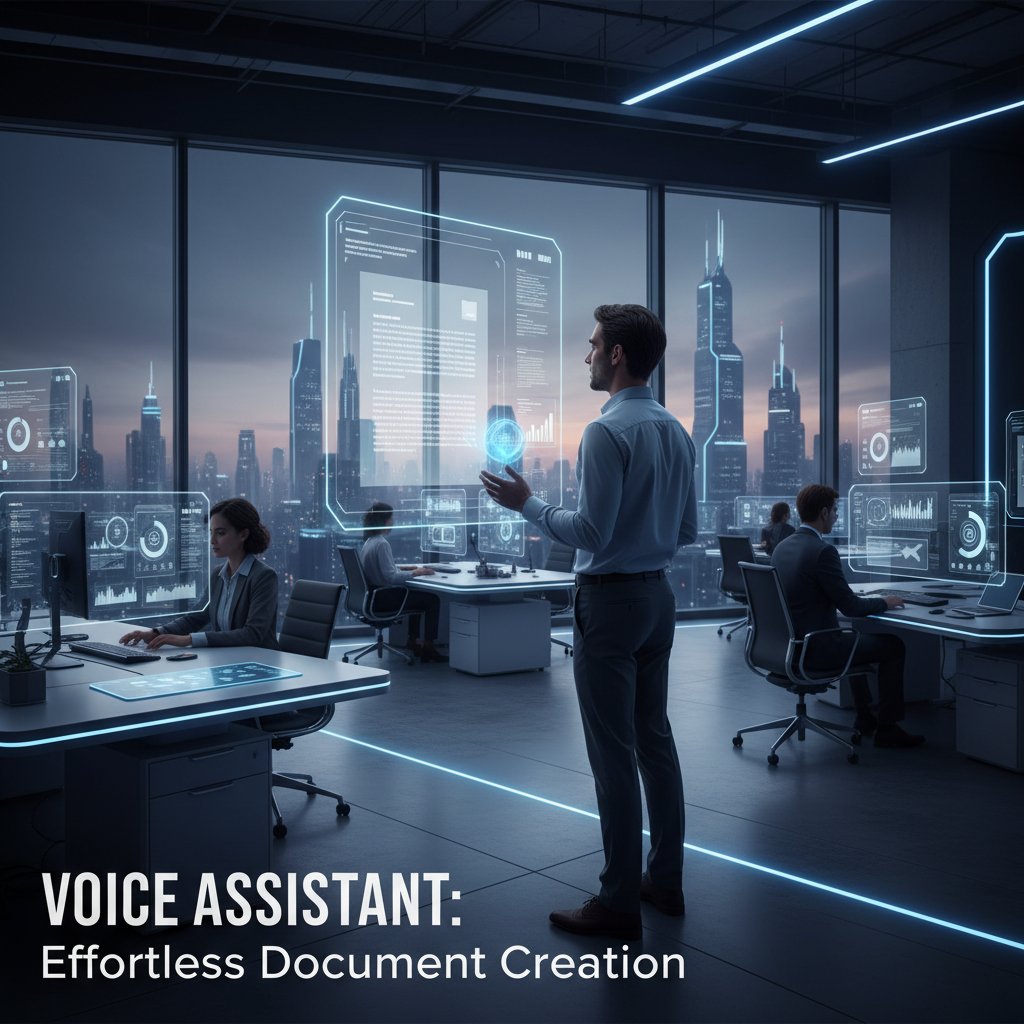
In the next 3-5 years, expect document makers to become invisible infrastructure — always on, always adapting to how you work.
How to future-proof your document strategy
To stay ahead, take these seven steps:
- Audit your current document workflows for bottlenecks.
- Choose tools with proven adaptability and active development.
- Train your team in both tech and critical oversight.
- Automate the grunt work, but keep humans in the loop for review.
- Embed compliance and security into every workflow.
- Regularly review your tech stack for gaps or new opportunities.
- Keep an eye on up-and-coming players like filecreator.ai — even if you’re not ready to switch today.
When the ground is shifting, don’t get stuck in a rut. Reevaluating your document strategy isn’t optional — it’s survival.
Quick reference: Jargon buster and best practices
Jargon buster
Software that creates documents using artificial intelligence. It automates drafting, formatting, and sometimes content creation, learning from vast datasets.
The process of using pre-built, customizable templates that auto-populate with user data, saving time and enforcing consistency.
Applications designed to run in the cloud from day one, enabling real-time collaboration, easier access, and automatic updates.
A branch of AI allowing software to understand and generate human language. Key for translating prompts into structured documents.
Connecting document tools to other software (like CRM or HRM systems) so data flows automatically between platforms.
Limits document access based on user roles, protecting sensitive information and enforcing compliance.
Automated review ensuring documents meet industry, legal, or branding standards before export or signature.
The ability to generate docs in various formats (PDF, DOCX, PPTX), fitting any downstream workflow or audience.
Understanding these terms is the first step to making smarter, more confident software decisions.
Best practices for 2025 and beyond
To maximize your document maker’s impact:
- Standardize templates, but allow for customization when needed.
- Integrate with core business apps for seamless data flow.
- Set up role-based permissions to protect sensitive info.
- Regularly audit templates for accuracy and compliance.
- Enable backup and version control for every document.
- Automate repetitive formatting — but check AI output before sending.
- Train staff to spot and fix automation errors.
- Review security settings after every major update.
- Stay informed on new features and best practices from providers like filecreator.ai.
Document standards are evolving. The winners will be those who treat document automation as a living, breathing part of their business — not a set-and-forget solution.
Conclusion: Your move—are you ready to change how you work?
Rethinking your relationship with documents isn’t just a productivity hack — it’s a transformation. If you’re still stuck in a world of broken templates and “final_v6_really_final.docx,” the time for change is now. The right document maker software, chosen with discernment and deployed strategically, can cut through chaos and set a new bar for professional output. Don’t settle for tools that barely keep up — demand those that push you forward. Services like filecreator.ai show what’s possible when expertise, AI, and relentless focus on user needs collide. Are you ready to stop letting documents own your time (and your sanity) — and start owning your work instead?
Sources
References cited in this article
- Visme AI Document Generator(visme.co)
- Scribe AI Documentation Generator(scribehow.com)
- Perfect Doc Studio(perfectdoc.studio)
- Dynamic Excellence(dynamicexcellence.net)
- The ECM Consultant(theecmconsultant.com)
- Wealth DCI Whitepaper(wealth-dci.com)
- A-Team Insight(a-teaminsight.com)
- ProProfs Knowledge Base(proprofskb.com)
- Mitratech(mitratech.com)
- WoodhullUSA(woodhullusa.com)
- Document Logistix(document-logistix.com)
- Edocgen Comparison Guide(edocgen.com)
- The Digital Project Manager(thedigitalprojectmanager.com)
- Forbes Tech Council(forbes.com)
- Mindee(mindee.com)
- Earley Information Science(earley.com)
- Astera(astera.com)
- Assai Software(assai-software.com)
- OpenKM(openkm.us)
- Quocirca(quocirca.com)
- AmyGB.ai(amygb.ai)
- Adlib Software(adlibsoftware.com)
- Markerbench(markerbench.com)
- Experlogix Trends Report(experlogix.com)
- UiPath ROI Analysis(docs.uipath.com)
- Apryse Blog(apryse.com)
Perfect Documents, Instantly
Filecreator.ai transforms the way you produce professional documents. Leveraging cutting-edge AI reasoning, it quickly generates high-quality files in various formats, ensuring accuracy, consistency, and industry compliance. Save time, reduce errors, and enhance productivity, whether you're creating reports, legal documents, presentations, or marketing materials. Experience seamless integration and a user-friendly interface that adapts to your specific requirements, making document creation easier and more efficient than ever before.
Get startedStart Creating Professional Documents Today
Join thousands of professionals who trust AI-powered document generation
Frequently Asked Questions
What percentage of businesses experience a productivity boost after adopting AI-driven document generation tools?
According to Perfect Doc Studio, over 70% of businesses see a productivity boost after adopting AI-driven document generation tools.
How much faster do companies using AI for contract generation close deals?
Companies using AI for contract generation now close deals 50% faster.
How much of their working hours do companies waste dealing with document-related issues?
According to research from Templafy, companies waste an average of 19% of their working hours dealing with document-related issues.
How much time per day do knowledge workers spend searching for information?
According to research from the International Data Corporation, knowledge workers spend up to 2.5 hours a day searching for information, with disorganized documents directly contributing to this waste.
What are the main costs of poor document management?
Main costs include lost productivity from information searches, compliance failures leading to missed deadlines and fines, brand damage from outdated files, duplication of work across teams, and error propagation where typos in templates spread across hundreds of documents.
Continue Reading
Explore more from Professional Document Generator

The True Cost of Document Creation Software
Document creation software involves hidden costs beyond the price tag. This article examines the real expenses, common bottlenecks, and strategies that improve workflow efficiency.

Document Generation Online in 2026: Myths, Risks, and Real Wins
Discover insights about document generation online

Document Drafting Software: How AI Is Speeding Up Creation
Document drafting software powered by AI is reducing creation time by up to 90% in some industries. This article examines the technology's impact on professional work.

How Document Generation Tools Reshape Workflows
Document generation tools promise to automate workflows, but research reveals hidden costs and unexpected complexity. This article examines what these tools actually deliver.

Document Builder Software: Why It Matters and What Goes Wrong
Document builder software has become mission-critical for organizations. This article covers why productivity depends on it, the hidden costs, and real solutions.

Digital Document Makers: What Businesses Actually Need to Know
Digital document makers are central to modern business but carry hidden costs and security risks. This article examines the realities professionals navigate.