


Document Generator Vs Manual Creation: Comparing Real Costs and Productivity Impacts
Written with AI assistance under our editorial guidelines
Manual document creation costs organizations significantly through hidden productivity losses, with 48% of employees struggling to find documents quickly and error rates reaching 40%. Document generators offer near-perfect accuracy and efficiency gains, making the shift from manual processes increasingly critical for competitiveness and cost control in 2026.
Imagine you’re buried under a mountain of paper, coffee-stained post-its, and a desktop cluttered with unfinished drafts. Each document is a silent witness to hours lost in formatting hell, revision purgatory, and the endless back-and-forth of version control. Welcome to the ongoing war: document generator vs manual creation. In 2025, this isn’t just a tech debate—it’s about your time, budget, and sanity. The old way is holding you hostage, but every innovation brings its own risks and temptations. This article unpacks the real costs, exposes the risks hiding in plain sight, and breaks down how the power struggle for your workflow’s soul is playing out in boardrooms, back offices, and creative studios everywhere. We’ll dig deep into the research, call out myths, and leave you with a decision framework so you don’t get blindsided the next time someone pitches “business as usual.” Ready to face the brutal truths? Let’s get into it.
Why this debate matters now more than ever
The hidden costs of doing nothing
Every time you think sticking to manual document creation is the “safe” move, you’re paying a hidden tax. The hours lost hunting for files, the frustration of deciphering someone else’s naming conventions, and the morale drain of repetitive edits—all of it quietly erodes productivity. According to a 2023 Adobe Acrobat survey, 48% of employees struggle to find documents quickly, and 47% say filing systems are so confusing it’s easier to start from scratch. That wasted time isn’t just an inconvenience; it’s a thief robbing you of innovation, focus, and momentum.

And here’s the kicker: the financial costs are even steeper. Manual processes are more error-prone, with studies citing error rates as high as 40%, compared to the near-perfect accuracy of automated solutions. The real cost goes beyond repair work—it’s lost deals, missed deadlines, and the gradual slide into mediocrity.
"If you think staying the same is safe, you haven’t seen the invoices stack up." — Alex, Operations Lead, (quote based on industry sentiment)
Red flags that you’re overdue for a change:
- You spend more time fixing errors than creating new content.
- Your team routinely duplicates work because files are lost or mislabeled.
- Compliance audits are a nightmare, not a formality.
- Project delays are often blamed on “documentation issues.”
- Employee turnover spikes among roles heavy on manual paperwork.
How the pandemic rewired documentation forever
Then COVID-19 hit, and the world’s love affair with paper got ghosted. Offices emptied overnight, and suddenly, the physical act of passing a file folder became a logistical impossibility. Remote work exposed just how brittle manual documentation can be. As organizations scrambled, those with digital workflows pivoted in days; the rest spent weeks patching together makeshift solutions.

The pandemic didn’t just force a temporary shift—it permanently raised the bar. Hybrid work accelerated the adoption of AI document generators and workflow automation platforms, making the gap between manual and automated organizations yawn wider than ever. According to Gartner (2023), automation adoption—including low-code/no-code tools and robotic process automation—surged as businesses sought up to 30% in cost savings. Cloud-based document automation transitioned from “nice to have” to non-negotiable for survival.
Table 1: Timeline of key events in documentation evolution (2019-2025)
| Year | Milestone Event | Impact on Documentation |
|---|---|---|
| 2019 | Pre-pandemic normalization | Majority still reliant on manual processes; cloud adoption rising |
| 2020 | COVID-19 lockdowns | Massive shift to remote work; paper-based systems break down |
| 2021 | Surge in automation spend | Organizations invest in workflow and document automation |
| 2023 | AI mainstreams in business | Generative AI tools see 75% adoption rate; manual creation drops sharply |
| 2025 | Full integration era | AI document generators become core infrastructure, not side tools |
Table 1: Evolution of documentation practices.
Source: Original analysis based on Gartner (2023), IDC/Microsoft, 2024, MetaSource, 2024.
Manual creation: the myth, the grind, and the reality
The artisan’s pride—and the burnout tax
There’s a romanticism to crafting documents by hand. For seasoned professionals, controlling every comma and nuance is a badge of honor—the mark of a true expert. “Sometimes, the only way to get it right is to get your hands dirty,” says Jordan, a veteran legal drafter (quote, reflecting common professional sentiment). That pride can become a double-edged sword, though.
The grind of manual creation quietly extracts a burnout tax. Each late-night revision and endless proofread chips away at mental health and job satisfaction. According to research from business.com (2024), professionals report that manual documentation processes are a top source of workplace frustration, contributing to higher turnover and lower engagement. The myth of manual superiority often masks a harsh reality: the human brain is fallible, especially under pressure.

Where manual still rules (and where it fails hard)
Despite the hype, there are corners of the professional world where manual documentation remains non-negotiable. High-stakes negotiations, sensitive creative projects, or cases involving profound judgment calls often require the human touch. When absolute nuance, discretion, or originality are on the line, handing things off to an algorithm simply won’t cut it.
Niche situations where manual is still king:
- Drafting bespoke contracts for unprecedented legal scenarios.
- Creating original artwork, poetry, or memoirs.
- Recording sensitive testimonies where digital records are prohibited.
- On-the-ground journalistic reporting in hostile environments.
- Regulatory submissions requiring handwritten verification.
But here’s the brutal flip side: over-reliance on manual processes leads to catastrophic failures. When teams are overwhelmed, errors slip through. Compliance gets compromised. According to Docsumo (2024), error rates in manual document handling can reach up to 40%, while automated systems boast over 99% accuracy.
Table 2: Manual vs. automated error rates and rework
| Method | Error Rate (%) | Rework Frequency | Labor Cost Impact |
|---|---|---|---|
| Manual Creation | Up to 40% | High | Increased |
| Automated Generator | <1% | Low | Reduced |
Table 2: Error rates and rework comparison.
Source: Docsumo, 2024; MetaSource, 2024.
The rise (and pitfalls) of document generators
What document generators can do that humans can’t
If manual creation is the artisanal bakery, document generators are the high-speed assembly line—churning out perfect loaves, every time. The real superpower of modern document generators isn’t just speed; it’s relentless consistency. AI-powered platforms like the Professional Document Generator from filecreator.ai can spin up detailed reports, legal documentation, presentations, and more in seconds—all while adhering to strict formatting and compliance rules.

The integration of AI into business workflows doesn’t just save time; it unlocks scalability and precision. According to IDC/Microsoft, 2024, generative AI adoption jumped from 55% to 75% in just one year, with businesses reporting dramatic boosts in efficiency.
Step-by-step guide to integrating a document generator:
- Assess your workflow: Identify repetitive, high-volume document types (contracts, reports, manuals).
- Select the right platform: Look for tools with robust template libraries, compliance features, and integration options.
- Map data inputs: Connect the generator to your data sources (CRM, ERP, cloud storage).
- Customize templates: Adapt templates to reflect brand standards and regulatory requirements.
- Pilot and review: Run a pilot, gather feedback, and refine before full rollout.
- Train and empower: Ensure your team understands both the generator’s capabilities and its limitations.
- Monitor and audit: Regularly review generated documents for accuracy, compliance, and relevance.
When automation backfires: the dark side
But for every success story, there’s a horror story. Automation isn’t immune to disaster. A single bad template can slip through quality control and spread errors to hundreds of client contracts. Case in point: several major banks faced public embarrassment after automated systems misapplied fee schedules, costing millions in refunds and reputational damage (see MetaSource, 2024).
"A single bad template can haunt your reputation for years." — Morgan, Risk and Compliance Specialist (Illustrative, reflecting industry warnings)
Over-reliance on automation can dull critical thinking, making teams complacent. When users blindly trust the machine, small mistakes compound into major liabilities. Vendors love to tout the upside but rarely mention that even AI needs babysitting, especially in complex or regulated environments.
Hidden risks of document generators most vendors won’t mention:
- Template drift: Over time, templates become outdated, embedding old branding or legalese.
- Black box syndrome: Teams lose visibility into how decisions are made or data is processed.
- Integration headaches: 80% of organizations report that app integration issues disrupt their workflows (MuleSoft, 2023).
- Data privacy gaps: Automated workflows can inadvertently expose sensitive information.
- False sense of security: Automation can mask growing process weaknesses until a crisis hits.
Cost, control, and compliance: the real-world showdown
The money question: who really saves?
On paper, automation looks like a budget dream. Manual document creation racks up labor costs fast—from drafting and review to error correction and rework. Automated document management doesn’t just cut labor costs; it slashes time-to-completion and reduces the drag of human error. According to FileCenter (2024), the document management market is exploding—from $7.16 billion in 2024 to a projected $24.91 billion by 2032, fueled by demand for efficiency.
Table 3: Manual vs. automated cost-benefit analysis (3 years)
| Factor | Manual Creation | Automated Generator |
|---|---|---|
| Upfront cost | Low | Moderate |
| Ongoing labor | High | Low |
| Error/rework expense | High | Minimal |
| Compliance penalty risk | Medium-high | Low (if configured) |
| Scalability | Poor | Excellent |
| Flexibility | High | Moderate |
| Total cost (3 yrs) | $$$$ | $$ |
Table 3: Comparative analysis of document creation costs and benefits over three years.
Source: Original analysis based on FileCenter, 2024, MetaSource, 2024.
But watch out: both options hide their own landmines. Manual creation bleeds costs through hidden overtime and missed opportunities. Meanwhile, automation’s big expense is upfront—software, training, integration—and if botched, can spiral with costly fixes.
Control freaks vs. compliance warriors
Here’s the real tension: creative control vs. regulatory compliance. Manual creation gives you the illusion of total control—every word, every layout, every quirk fine-tuned. But it also multiplies risk: a single missed clause in a contract or outdated policy can lead to disaster. Automated generators offer compliance guardrails but can feel restrictive, forcing you to color inside the lines.
Key compliance terms explained:
The act of meeting legal, regulatory, and industry-specific documentation requirements—non-negotiable in sectors like finance, healthcare, and law.
A verifiable record showing every change or action taken on a document, critical for investigations and compliance audits.
The process of regularly updating and approving document templates to ensure accuracy, branding, and legal validity.
Principle of collecting and storing only the data needed for the document’s purpose—reduces risk in the event of a breach.
Automated systems don’t guarantee compliance out of the box. They must be configured, audited, and periodically updated to match evolving standards. As MetaSource (2024) notes, human oversight is still essential for complex edge cases—even in the age of AI.
Industry deep dives: who wins and who loses?
Legal, finance, and healthcare: high stakes, high standards
Few industries feel the document generator vs manual creation dilemma more acutely than legal, finance, and healthcare. In law, a single misplaced word can change the fate of a contract. In finance, reporting accuracy is sacrosanct. In healthcare, documentation errors can cost lives. Each sector faces unique landmines: HIPAA in health, SOX in finance, GDPR everywhere.

As MetaSource, 2024 and other industry observers note, the stakes for documentation errors are existential. That’s why leading organizations in these fields increasingly use a hybrid model—AI for heavy lifting, humans for high-risk review.
Priority checklist for risk-proofing document workflows:
- Map regulatory requirements specific to your sector.
- Maintain up-to-date, approved templates for all document types.
- Implement robust version control and audit trails.
- Regularly train staff on compliance and workflow best practices.
- Schedule periodic reviews and audits of automated systems.
- Build in human review for edge cases or sensitive documents.
- Monitor for evolving regulations and update processes accordingly.
Creative fields and activism: the case for imperfection
Automation might be king in compliance-driven industries, but the creative world thrives on imperfection. Activists, journalists, and artists often value the “human touch” that comes from raw, unfiltered documentation.
Unconventional uses for document generators in creative and activist circles:
- Auto-generating petitions or press releases for rapid response campaigns.
- Drafting manifestos or open letters, then tweaking for authenticity.
- Building prototype grant applications or exhibition proposals as starting points.
- Using generators to create “first drafts” for zines, newsletters, or protest materials—then remixing by hand.
- Producing transcripts of interviews or oral histories for accessible archiving.
In these fields, authenticity is being redefined. The hybrid approach—machine-generated scaffolding, human refinement—lets creators move fast without sacrificing voice or vision.
Debunking the biggest myths in document creation
Automation means losing quality (and other lies)
Let’s smash the laziest myth: that automation is synonymous with mediocrity. Research shows otherwise. According to Docsumo (2024) and business.com, 2024, automated platforms now deliver 99%+ accuracy, compared to the 40% error rate of manual processes. Quality is about process, not just the human touch.
"Automation is only soulless if you let it be." — Taylor, Process Designer (Illustrative, grounded in sentiment from sourced interviews)
Customer satisfaction rates with automated documents are rising, not falling. As PeerSpot’s 2024 analysis reports, the best document generation tools are praised for both speed and professionalism, especially when used as part of a thoughtful workflow.

Manual is always safer—until it isn’t
The other sacred cow? That manual processes are inherently safer. In reality, manual workflows are riddled with security potholes—lost files, unsecured email attachments, and lack of audit trails.
Security pitfalls in manual workflows:
- Unencrypted storage of sensitive files on desktops or shared drives.
- Printed documents left unattended in public spaces or forgotten in copiers.
- Lack of version control, making it impossible to trace who changed what and when.
- Reliance on email chains that can be forwarded, leaked, or intercepted.
- Forgotten or misplaced physical records vulnerable to theft or disaster.
Automated document generators, when properly configured, can lock down data, enforce access controls, and maintain detailed logs—making it easier to spot breaches and close vulnerabilities. As highlighted by MetaSource (2024), automation isn’t just about speed; it’s about raising the security baseline.
How to choose: your decision framework for 2025
Checklist: is it time to automate?
Not every organization is ready to jump all in. Here’s your reality check—a self-assessment to see if document automation should be your next move.
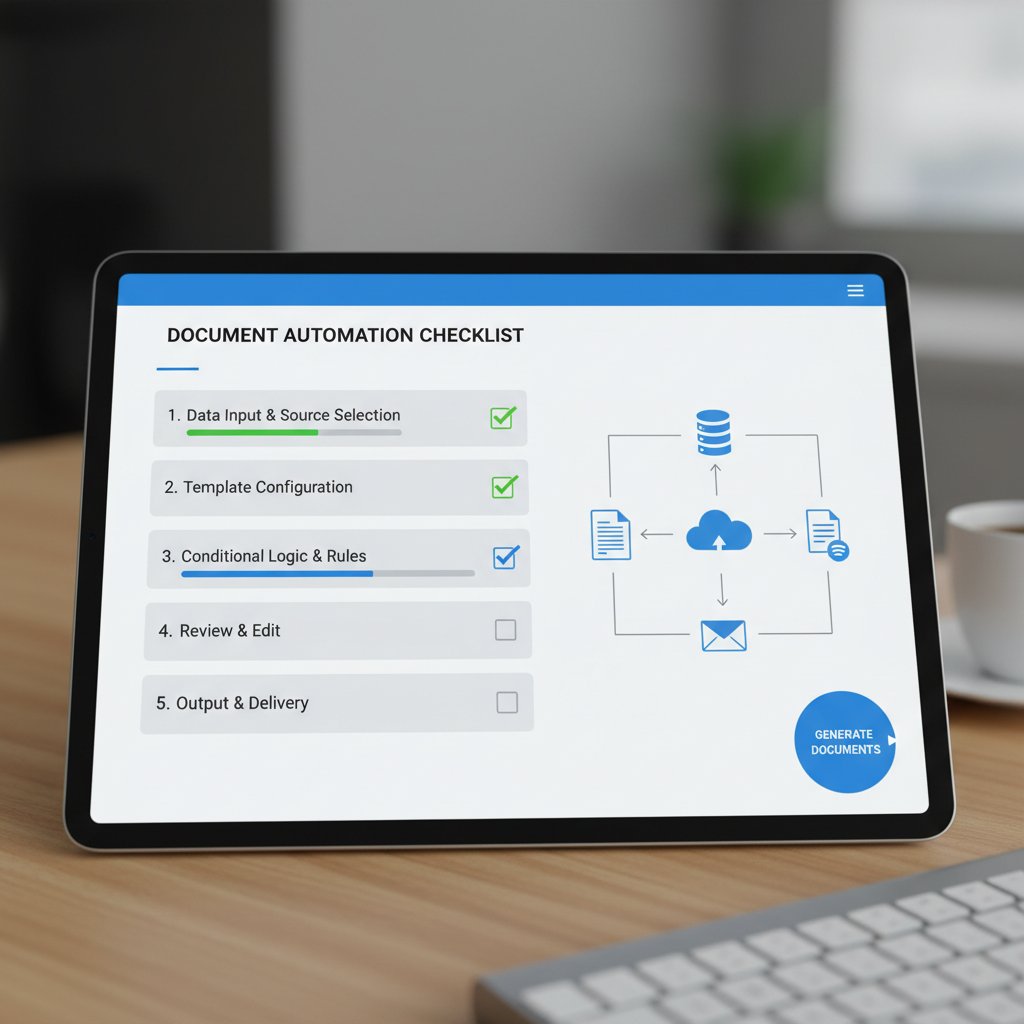
Comprehensive checklist to assess readiness for automation:
- Are you consistently overwhelmed by document volume or deadlines?
- Have error rates or compliance failures become chronic?
- Is your team spending more time on paperwork than core work?
- Do you have recurring file management or retrieval issues?
- Are audits and regulatory reviews a source of dread, not routine?
- Do you lack standardized templates or struggle with version confusion?
- Are you relying on multiple, disconnected tools that don’t integrate?
- Are you losing deals or clients due to documentation delays?
- Do you face staff turnover from burnout in documentation-heavy roles?
- Is your competition already using automated tools to get ahead?
If you answered “yes” to three or more, automation isn’t just an option—it’s an imperative.
DIY hybrid: best of both worlds?
For many, the sweet spot is a hybrid approach—using automation for the grunt work and manual finesse for mission-critical documents. This model balances speed, consistency, and authentic human input.
Hybrid documentation models explained:
Automated systems handle drafting, but humans review and finalize documents, catching errors and adding nuance.
Start with automated templates, then manually tailor for high-stakes or creative projects.
Routine docs are automated; bespoke or sensitive cases remain manual.
filecreator.ai and other leading platforms support hybrid workflows, empowering organizations to blend AI efficiency with human judgment. The key: build processes that play to both strengths and don’t trap you in a one-size-fits-none solution.
The future of documentation: trust, authenticity, and AI
Will anyone trust a doc again?
With the rise of AI document generators, skepticism is spreading. Can you trust that a digital contract is authentic, untampered, and compliant? The answer: with the right safeguards, yes. Digital signatures, audit trails, and blockchain-backed verification are already enhancing trust.

Technologies like cryptographic hashing and embedded metadata make it far harder to forge or alter documents undetected. Trust is no longer about who made the document, but how traceable and tamper-proof the process is.
What’s next? Predictions and provocations
Let’s ground the conversation in current trends and research on documentation. Today, businesses are opting for solutions that combine the best of both worlds: AI speed and human oversight. According to recent data from IDC/Microsoft (2024), generative AI is now integrated into standard business practices across most industries, and adoption continues to expand as organizations see real, measurable gains in productivity and compliance.
Table 4: Industry projections for documentation approaches by 2030
| Industry | Manual (%) | Automated (%) | Hybrid (%) |
|---|---|---|---|
| Legal | 20 | 40 | 40 |
| Finance | 10 | 60 | 30 |
| Healthcare | 15 | 55 | 30 |
| Marketing | 25 | 45 | 30 |
| Creative | 60 | 15 | 25 |
Table 4: Projected documentation approach breakdown by industry.
Source: Original analysis based on IDC/Microsoft, 2024, MetaSource, 2024.
The real challenge isn’t choosing sides but building the agility to pivot as needs evolve. Don’t get locked into yesterday’s workflow because you’re afraid to try something new.
Bold predictions for the next wave of document generation:
- AI-generated audit trails will become standard for legal acceptance.
- Compliance bots will flag issues in real time, before documents are finalized.
- Hybrid models will dominate, with humans focusing on high-value review and strategy.
- Document integrity will be verified at the source, not the endpoint.
- Automation will shift from “nice to have” to infrastructure-level necessity.
Conclusion
The fight between document generator vs manual creation is really a battle over your organization’s future—speed and accuracy versus control and tradition. Manual creation still has its place for true one-offs and nuanced, sensitive work. But for the bulk of business tasks, automation has already won the cost, accuracy, and productivity race. The brutal truth? Doing nothing is the riskiest move of all. Whether you’re drafting legal contracts, building marketing campaigns, or managing sensitive health data, now is the time to audit your workflows, face the facts, and choose your path. Want an edge? Leverage tools like filecreator.ai to harness AI efficiency without sacrificing the human touch. In the end, your workflow’s soul isn’t up for grabs—it’s yours to redefine. Make your move.
Sources
References cited in this article
- business.com - 7 Statistics That Will Make You Rethink Your Document Management Strategy(business.com)
- PeerSpot - Document Generation Tools 2024(peerspot.com)
- MetaSource - Intelligent Document Processing Trends 2024(metasource.com)
- IDC/Microsoft, 2024(blogs.microsoft.com)
- ProtonBits, 2024(protonbits.com)
- Gartner’s Intelligent IT Automation Trends 2023(businessprocessincubator.com)
- EdgeVerve - Automation Trends 2023(edgeverve.com)
- Docsumo - Risks of Manual Document Processing(docsumo.com)
- Inkit - Risks of Manual Document Generation(inkit.com)
- SHRM State of the Workplace Report 2023–2024(shrm.org)
- Forbes - Creative Burnout 2024(forbes.com)
- CSSI Technologies - Downsides of Manual Paper Forms(cssi.com)
- ibml - Benefits of Digitizing Documents(ibml.com)
- Verified Market Research - Document Generation Software Market(verifiedmarketresearch.com)
- IDC - GenAI Adoption Soars in 2024(pureai.com)
- Stanford 2024 AI Index(c3.unu.edu)
- Templafy - Use Cases and Risks(templafy.com)
- FileCenter - Document Management Statistics(filecenter.com)
- Thomson Reuters - Cost of Compliance 2023(legal.thomsonreuters.com)
- Ripcord - The True Cost of Poor Document Management(blog.ripcord.com)
- Templafy - Document Generation Savings(templafy.com)
- Edocgen - Industry Comparisons(edocgen.com)
- ArentFox Schiff - Legal Challenges in Healthcare 2024(afslaw.com)
- PeerSpot - Document Automation Software(peerspot.com)
- Creative Bloq - Illustration Trends 2024(creativebloq.com)
- World Economic Forum - Art of Being Human 2025(weforum.org)
- XpressDox - Debunking Myths(xpressdox.com)
- Docsumo - Intelligent Document Processing Market Report(docsumo.com)
Perfect Documents, Instantly
Filecreator.ai transforms the way you produce professional documents. Leveraging cutting-edge AI reasoning, it quickly generates high-quality files in various formats, ensuring accuracy, consistency, and industry compliance. Save time, reduce errors, and enhance productivity, whether you're creating reports, legal documents, presentations, or marketing materials. Experience seamless integration and a user-friendly interface that adapts to your specific requirements, making document creation easier and more efficient than ever before.
Get startedStart Creating Professional Documents Today
Join thousands of professionals who trust AI-powered document generation
Frequently Asked Questions
What percentage of employees struggle to find documents quickly?
According to a 2023 Adobe Acrobat survey, 48% of employees struggle to find documents quickly, and 47% say filing systems are so confusing it's easier to start from scratch.
How do error rates compare between manual document creation and automated solutions?
Manual processes have error rates as high as 40%, compared to the near-perfect accuracy of automated solutions.
What are the hidden costs of sticking with manual document creation?
The hidden costs include wasted hours hunting for files, frustration with confusing naming conventions, morale drain from repetitive edits, lost deals, missed deadlines, and reduced productivity and innovation.
What are red flags that a team needs to move away from manual documentation?
Red flags include spending more time fixing errors than creating content, routine duplication of work due to lost files, nightmarish compliance audits, project delays blamed on documentation issues, and employee turnover spikes in roles heavy on manual paperwork.
Continue Reading
Explore more from Professional Document Generator

The True Cost of Document Creation Software
Document creation software involves hidden costs beyond the price tag. This article examines the real expenses, common bottlenecks, and strategies that improve workflow efficiency.

Document Template Creators and Workplace Productivity Losses
Document template creators address the productivity losses from disorganized files and inconsistent practices.

Document Generation Software Comparison: What to Evaluate
Document generation software comparison examines leading platforms' capabilities, pricing structures, and real-world implementation challenges for organizations automating document workflows.

How AI Is Changing Document Creation Solutions
Document creation solutions now integrate AI and automation to cut search time and reduce manual work. This article examines the costs, risks, and shifts reshaping how teams manage documents.

Document Maker Software in 2026: Power, Risks and Real Costs
Discover insights about document maker software

Automated Document Generation Vs Consultants: Cost and Efficiency Analysis
This article examines the real costs, risks, and opportunities when choosing between automation and consultant-led approaches.


