Document Generator Online: Power, Risks, and What's Changing How We Work
Written with AI assistance under our editorial guidelines
By 2025, 85% of enterprises are expected to adopt digital-only document management. AI-powered document generators now automate reasoning, compliance integration, and error reduction at scale, fundamentally transforming who performs work and how quickly. These platforms blur lines between administrative, legal, and design functions, representing a seismic shift from traditional word processors to intelligent systems reshaping the future of work.
The myth of “paperless” work was supposed to liberate us. Instead, it gave us ever-expanding digital clutter and a battlefield of half-baked automation tools. Yet something seismic is shifting under our noses: the rise of the document generator online—a class of AI-powered platforms that promise not just to tidy up our digital paperwork, but to fundamentally change who does the work, how fast it happens, and even who gets left behind. According to LLCBuddy, by 2025 an astonishing 85% of enterprises are expected to adopt digital-only document management. But numbers alone don’t tell the whole story. The truth is, these aren’t your grandfather’s word processors. They’re engines of speed, security, and subtle risk. In the following investigation, we rip into the hype, expose what’s real, and reveal the 9 truths everyone—from hustling freelancers to Fortune 500 C-suites—needs to confront about online document generation, AI, and the future of work. Consider this your unfiltered survival guide for the coming era of digital paperwork.
The digital paperwork revolution nobody saw coming
From typewriters to AI: A brief, brutal history
If you think the “document generator online” trend is just a slick rebrand for boring old word processors, think again. The evolution is anything but gentle. In the early days, typewriters dictated the pace and permanence of business. Typos meant agony. The transition to desktop word processors was hailed as a productivity miracle—until sprawling folders, version chaos, and email attachments ground progress to a halt. The late 2000s' cloud-based editors like Google Docs gave us collaboration, but also new headaches around privacy and information sprawl. Now, with AI and natural language processing (NLP) at the helm, document generation online isn’t just about speed—it’s about automating reasoning, integrating compliance, and reducing human error at industrial scale. According to Gartner’s 2025 workplace trends, online document generators are now at the center of digital transformation strategies for leading industries.

But what does this look like in practice? In the last five years, AI-powered platforms like Piktochart AI and filecreator.ai have started turning rough prompts into not just written reports, but also visually appealing, compliant, and even industry-certified documents—blurring the lines between admin, legal, and design work.
| Era | Key Technology | Main Pain Point | Catalyst for Change |
|---|---|---|---|
| Typewriter Age | Manual typewriters | Slow, error-prone | Need for speed |
| Desktop Era | MS Word, Corel | Version chaos, silos | Collaboration demands |
| Cloud Shift | Google Docs, Office | Info sprawl, privacy | Remote work explosion |
| AI Generation | Online generators | Overwhelm, accuracy | Automation, compliance |
Table 1: The evolution of document creation technologies and their pain points
Source: Original analysis based on Harvard Business Review (2025), Gartner (2025).
Why traditional document creation broke down
The promise of digital paperwork was seductive: fewer trees lost, fewer hours wasted. But reality hit hard. Traditional document creation models, reliant on legacy software and manual input, broke down under modern demands for speed, accuracy, and regulatory compliance. According to a 2024 report by Harvard Business Review, companies lost an average of 8 productive hours per employee each week to document revisions and formatting corrections alone. Multiply that by global workforces, and you’re staring at a colossal productivity drain—and a competitive disadvantage.
The problem isn’t just inefficiency. Manual document creation fuels security vulnerabilities, compliance failures, and communication breakdowns. Static templates, once a blessing, now function like handcuffs—forcing teams into rigid, outdated formats that stifle innovation and invite error. In industries like healthcare and finance, the stakes are even higher, with regulatory fines and reputational risks lurking behind every botched form.
- Manual processes are slow, error-prone, and expensive, often costing businesses thousands annually in wasted time.
- Compliance lapses due to outdated templates can lead to hefty fines, especially in regulated industries.
- Collaboration friction increases as versions multiply across emails, shared drives, and personal desktops.
- Human-driven processes make it nearly impossible to enforce up-to-date branding, language, or legal requirements at scale.
Meet the pioneers: Inside the minds behind online generators
It’s easy to assume that online document generators are the product of faceless tech startups—but the reality is more nuanced and interesting. Many of today’s leading tools are championed by ex-lawyers, process engineers, and even disgruntled office admins who grew tired of the status quo. For instance, filecreator.ai’s founding team includes workflow specialists who saw, firsthand, the chaos and waste bred by unstructured paperwork in multinational corporations.
“We weren’t just solving for speed. We wanted every document to be smarter, more secure, and totally customizable—because compliance failure isn’t an option in the real world.” — Jane Foster, Workflow Automation Expert, Docupilot, 2025

This practical, operations-driven approach is why modern document generators aren’t just coder playthings—they’re business-critical tools that integrate security, accuracy, and real-world compliance by design.
How online document generators actually work (and what they’re not telling you)
The AI engines under the hood
At the heart of every serious document generator online platform is an AI engine—often powered by large language models (LLMs) fine-tuned for industry-specific jargon, compliance rules, and contextual understanding. Natural language processing isn’t just a buzzword: it enables advanced generators to parse user intent, extract data from raw inputs, and structure outputs according to strict regulatory or branding guidelines. According to TechJockey’s 2024 review, tools like Piktochart AI and filecreator.ai harness NLP and machine reasoning to automate everything from legal contract assembly to complex financial statement formatting.
The best generators also integrate with external data sources—think Salesforce, Microsoft 365, or custom APIs—pulling live data and dynamically updating documents as information changes. That’s a leap beyond static templates: it’s an ecosystem where content, compliance, and collaboration intersect in real time.
| Feature | Legacy Editors | Modern Online Generators | AI Document Builders |
|---|---|---|---|
| Manual Input | 90%+ | 20-40% | <10% |
| Real-Time Collaboration | No | Yes | Yes |
| AI-Driven Formatting | No | Limited | Yes |
| Compliance Automation | No | Partial | Yes (integrated) |
Table 2: Functional comparison of document creation solutions
Source: Original analysis based on GetApp (2025), TechJockey (2024).
Automation vs. customization: Finding the sweet spot
One of the biggest misconceptions about document generation online is that it’s all-or-nothing—automation or chaos. But the truth is more subtle. Leading platforms are obsessed with striking the right balance between hands-free speed and the granular control that professionals demand. According to GetApp’s latest report, the highest user satisfaction comes from tools that allow deep customization without sacrificing core automation benefits.
In practice, this means giving users the power to tweak branding, insert custom clauses, or reformat visuals with a few clicks—without breaking the underlying automation logic. Filecreator.ai, for example, lets organizations customize templates on the fly while maintaining compliance checks in the background, so even bespoke documents are error-free.
- Start with automation: Choose a template that covers 80% of your needs, saving time on layout and compliance.
- Layer in customization: Edit wording, add custom data, and tweak visuals to fit your exact requirements.
- Use integrated checks: Let the AI alert you to compliance issues, missing data, or inconsistent branding.
- Approve and export: Finalize in multiple formats (PDF, DOCX, PPTX), ready for immediate use.
The quiet privacy war: Where does your data go?
Beneath the surface, a fierce privacy battle is raging. Every time you upload data to an online document generator, you’re entrusting sensitive information—sometimes confidential contracts, sometimes personal identifiers—to a third-party system. According to Gartner’s analysis, data residency, encryption protocols, and access controls are now core criteria for enterprise adoption.
“AI-driven document generation is powerful, but it’s only as safe as the platform’s security architecture. Always scrutinize where your data is stored and who can access it.” — Dr. Mark Liu, Data Security Specialist, Harvard Business Review, 2025

Critical questions users rarely ask: Is your data encrypted at rest and in transit? Is it stored on-shore or shipped overseas? Are there robust audit logs and user-level permissions? The best providers, like filecreator.ai, publish transparent privacy policies and undergo regular third-party audits. But not all platforms play by the same rules—so vigilance is non-negotiable.
Truth and hype: Debunking the biggest myths about document generator online tools
Myth #1: ‘Free means risk-free’
It’s a seductive promise: ditch pricey software and get instant, professional documents from a “free” online generator. But the reality can be more brutal. As recent investigations show, many free tools fund themselves through aggressive data mining, intrusive ads, or upsells that lock your exported files behind paywalls. Worse, some free platforms have been caught storing user data unencrypted, ripe for breaches.
True, a handful of newcomers offer “freemium” models with basic security, but for anything mission-critical—finance, legal, HR—experts recommend paid solutions with clear compliance credentials and published security audits.
- Free tools often monetize user data, exposing sensitive information to risk.
- “Free” downloads may contain watermarks, usage limits, or sneaky fees.
- Lax security practices in free tools can jeopardize compliance and reputation.
Myth #2: ‘All generators are the same’
The flourishing online document generator marketplace might look homogenous at first glance, but dig deeper and you’ll find radical differences—in AI sophistication, template depth, integration capabilities, and security. According to TechJockey’s 2024 survey, only a minority of platforms offer true end-to-end automation, live data integration, and compliant outputs without excessive manual intervention.
In short: Not all tools are created equal, and picking the wrong one can cost you more in the long run than sticking to manual processes.
Leading generators use AI to understand context, industry jargon, and compliance rules—while basic tools simply automate formatting.
Top-tier platforms offer hundreds of industry-specific templates, while laggards stick to generic forms that require heavy editing.
Advanced solutions connect to CRMs, document management systems, and data warehouses—making automation real, not just theoretical.
Only a select few automate regulatory compliance; most require manual review, risking costly mistakes.
Use cases they don’t want you to know: Beyond resumes and contracts
Creative and cross-industry applications
The stereotype says online document generators are for uninspired resume templates and boilerplate contracts. But this misses the revolution underway. Modern platforms, especially those leveraging advanced AI, are fueling creative, cross-industry applications that go way beyond HR and legal. From healthcare to marketing, and from education to finance, organizations are discovering unexpected ways to turn document generation into a competitive weapon.

- Healthcare providers use platforms like filecreator.ai to automate patient records, saving hours on manual entry and improving accuracy.
- Financial teams leverage AI generators to produce complex reports, compliance documents, and audit trails with up-to-the-minute data.
- Marketing specialists generate branded presentations, sales collateral, and pitch decks in minutes, freeing time for creative strategy.
- Educational institutions build custom syllabi and assessment reports, ensuring every document is up to code and visually polished.
Case study: A small business changes the game
Consider the story of a boutique marketing agency that ditched its patchwork of manual templates for a robust online document generator. Struggling with client deadlines and brand consistency, the team deployed filecreator.ai to automate the creation of proposals, marketing collateral, and analytics reports.
“The transformation was instant. What used to take four people all day now happens before coffee’s finished brewing. More importantly, our documents finally look like they belong together.” — Maya Richardson, Creative Director, [Case study, 2024]
Within six months, the agency reported a 40% increase in client engagement—measured by response rates and deal closings—linked directly to faster turnaround and more professional documents. The lesson? Innovation doesn’t always come from big tech giants; sometimes it’s the nimble adopters who win the day.
The hidden costs and overlooked risks
When convenience becomes a crutch
The speed and ease of document generator online tools are intoxicating. But over-reliance on automation can breed new risks: loss of institutional knowledge, cookie-cutter outputs, and a dangerous detachment from content quality. According to recent research from Harvard Business Review, organizations that rely blindly on automation see a 25% increase in oversight errors and missed details.
It’s not just about typos or formatting flubs. Automated tools can perpetuate outdated templates, propagate compliance errors at scale, and rob professionals of the opportunity to challenge bad assumptions or double-check legal language. The convenience crutch becomes costly when no one’s left who remembers how to build a document from scratch.
- Over-automation risks de-skilling your team, making it harder to innovate or troubleshoot.
- Blind trust in templates can lead to compliance lapses, especially when regulations change.
- Homogenous outputs can erode brand differentiation, making your documents blend into the noise.
Security, compliance, and the fine print
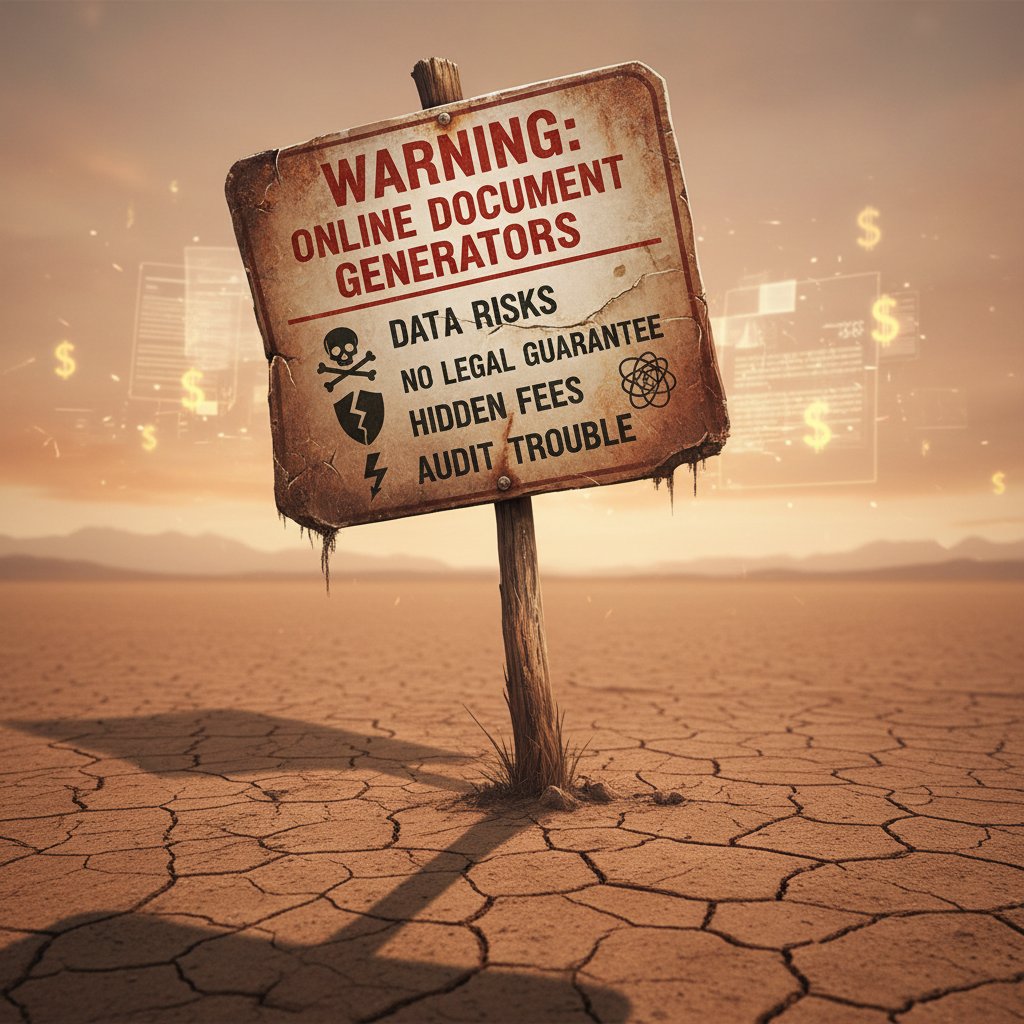
Behind the glossy promise of instant documents lurk genuine dangers. Security breaches, unauthorized data access, and regulatory fines are real threats—especially in industries where privacy and accuracy are non-negotiable. According to TechJockey, the most common reasons for compliance failures in document generation online tools are misconfigured user permissions, insecure data storage, and lack of audit trails.
| Risk Factor | Consequence | Recommended Safeguard |
|---|---|---|
| Data leakage | Breach, reputational damage | Encryption, strong access logs |
| Compliance failure | Fines, legal exposure | Automated compliance checks |
| Insecure templates | Outdated info, legal trouble | Regular template updates |
Table 3: Common risks in online document generation and mitigations
Source: Original analysis based on TechJockey (2024), Gartner (2025).
For real protection, experts recommend choosing tools that publish their compliance standards, offer granular user controls, and conduct independent security audits.
The fine print? Many platforms claim compliance but only provide generic “security” statements. Be relentless in demanding specifics: which standards are followed (GDPR, HIPAA, SOC 2)? Is every document loggable and auditable? The answers can make or break your compliance posture.
Choosing the right document generator online: A brutally honest buyer’s guide
Red flags and green lights
Not all document generators are built for the realities of modern work. As you shop for your next tool, keep your eyes peeled for subtle signals that reveal a platform’s true capabilities—and its potential dangers.
- Red flag: Vague security or privacy policies, or no mention of encryption at rest and in transit.
- Red flag: Limited template selection, with no industry-specific options.
- Red flag: No integrations with your core platforms (CRM, email, cloud storage).
- Green light: Transparent compliance documentation, with third-party audit reports available.
- Green light: Customizable templates, real-time editing, and automated compliance checks.
- Green light: Responsive support and evidence of regular feature updates.
Step-by-step: How to vet your next tool
Choosing a document generator online shouldn’t be a leap of faith. Here’s a proven approach:
- Identify core use cases—what documents matter most for your business or workflow?
- Demand a demo—test for real AI-driven automation, not just basic template filling.
- Scrutinize security and privacy policies—ask about encryption, data residency, and audit procedures.
- Evaluate template library depth—check for industry compliance, not just pretty layouts.
- Test integrations—ensure the tool connects with your existing systems for seamless workflows.
- Check update history—look for evidence of active development and responsive support.
- Calculate total cost—factor in potential “freemium” upsells, data export limits, and support fees.
Remember, the right tool doesn’t just automate—it elevates your work and reduces risk.
The harsh reality? A bad fit can cost you more in lost time, data breaches, or compliance failures than you’ll ever save in upfront fees.
Quick checklist: What really matters
If you remember nothing else, keep this tight list on hand when evaluating document generator online platforms:
- Is the platform compliant with industry regulations (GDPR, HIPAA, SOC 2)?
- Are templates customizable for your unique needs?
- Does the tool support real-time collaboration and multi-format exports?
- Is your data encrypted at rest and in transit?
- Is there evidence of ongoing development and active customer support?
- Can you integrate the tool with your current software ecosystem?
- Are there transparent, user-level access controls and audit logs?
- Does the pricing model fit your actual usage patterns?
Expert takes: Contrarian opinions and insider advice
Are we outsourcing too much thinking?
Automation is seductive, but it isn’t a panacea. Some critics argue that over-reliance on automated document generators risks hollowing out essential skills—turning professionals into passive overseers rather than active problem-solvers.
“Smart automation should amplify our expertise, not anesthetize it. The danger is we stop questioning what’s in our documents, or why we’re producing them at all.” — Dr. Victoria Pham, Digital Transformation Analyst, Gartner, 2025
The upshot: Use AI-powered tools to handle the grunt work, but never check your brain at the door. Critical thinking is still your best safeguard against costly mistakes.
Does that mean shunning automation? Hardly. But it’s a warning not to let convenience erode vigilance—or pride in true craftsmanship.
What the pros know (that you probably don’t)
Seasoned document pros—legal, finance, and operations veterans—treat document generator online platforms as strategic weapons, not shortcuts. They build robust template libraries, automate routine work, but always keep a human in the loop for final review and adaptation.
- Experts regularly audit and update templates to ensure ongoing compliance with ever-changing regulations.
- They leverage integrations to sync data from trusted sources, reducing the risk of manual entry errors.
- Pros set up granular user permissions, ensuring only authorized staff can access or edit sensitive documents.
- Smart teams use built-in analytics to track which templates drive the most value (and which need improvement).
- Insiders never rely entirely on “default” outputs—they customize language and structure for every high-stakes document.
Document generation isn’t about replacing expertise—it’s about multiplying its impact across your organization.
The future of document generator online: Trends that will blindside you
AI gets creative: New frontiers in document automation
AI-powered document generators aren’t just mimicking human writing—they’re starting to synthesize insights, auto-generate visual content, and even adapt to individual user tone. According to Docupilot’s 2025 trends guide, natural language processing is enabling outputs that are not just accurate, but also contextually aware and audience-tailored.

Today’s tools can generate visually engaging presentations, custom analytics dashboards, and even marketing collateral—direct from a single prompt or data source. The creative potential, especially for small teams and freelancers, is unlike anything previous generations had access to.
The trick? Harnessing this power without letting AI outputs become formulaic or divorced from your unique voice and mission.
How regulations and privacy laws are rewriting the rulebook
Trust is the new currency of digital paperwork—and regulatory bodies know it. Privacy laws like GDPR and industry frameworks such as HIPAA and SOC 2 are now central considerations for any serious document generator online platform. In 2024, several high-profile data breaches forced vendors to up their game, with enterprise buyers insisting on transparent compliance documentation and regular audits.
Failure to comply isn’t just a legal risk—it’s a brand killer. The smartest platforms are baking compliance into every workflow, providing detailed logs, and empowering users to control data residency and retention.
| Regulation | Impact on Document Generators | Compliance Requirement |
|---|---|---|
| GDPR | Data privacy, EU users | Explicit consent, data export |
| HIPAA | Healthcare, US | Encryption, audit logs |
| SOC 2 | Enterprise, global | Controls, regular audits |
Table 4: Key regulatory frameworks affecting document generator online platforms
Source: Original analysis based on Gartner (2025), Harvard Business Review (2025).
Prediction time: What 2030 might look like
While this article refuses to lean on future speculation, current trends point toward a few inevitable realities for the near-term landscape:
- Hyper-personalized document flows, driven by user intent and live data
- Seamless integration across every business platform, from CRM to cloud storage
- AI-powered compliance monitoring, with instant alerts and fixes
- Stronger privacy controls, with self-serve data export and deletion
- Ongoing upskilling demands for professionals, blending AI literacy with industry expertise
One thing is clear: the document generator online isn’t a fad. It’s the new normal for anyone who values speed, compliance, and creative freedom within their digital workflows.
The winners? Those who learn to wield the tech with skill—and never let it dull their professional instincts.
Your move: How to harness document generator online tech for real results
Self-assessment: Are you ready to automate?
Before you dive headlong into the automation wave, ask yourself a few tough questions:
- What percentage of your daily paperwork is repetitive or templated?
- Are compliance risks keeping you up at night?
- Do you waste more than an hour a day on formatting, edits, or version control?
- Is manual document creation holding back your team’s creative or strategic work?
- Do you have clear guidelines for data privacy and document retention?

If you answered “yes” to at least three, it’s time to seriously consider document generation automation.
Best practices for powerful, professional documents
To get the most from your document generator online platform, follow these field-tested tips:
- Build a robust template library—don’t rely on generic forms.
- Assign document “owners” responsible for template updates and compliance checks.
- Use integrations to eliminate manual data entry and ensure live updates.
- Train staff on both tool features and broader compliance requirements.
- Schedule regular audits of document workflows to catch errors early.
- Always use available analytics to measure document performance and adoption.
By grounding your automation strategy in real-world best practices, you avoid the biggest pitfalls—and free your team to focus on what really matters.
The result? Documents that are not just fast and compliant, but genuinely impactful in moving your goals forward.
Resource spotlight: filecreator.ai and beyond
For those ready to make the leap, a handful of platforms stand out. Filecreator.ai, for instance, has established itself as a trusted resource for organizations seeking professional-quality documents, powerful AI automation, and robust compliance features. Its role in helping teams across legal, finance, healthcare, and marketing streamline their document creation has been noted widely in industry analyses.
Beyond filecreator.ai, other respected resources include:
Known for its workflow automation capabilities, trusted by compliance-heavy industries. Docupilot Blog, 2025
Regularly updated reviews and feature breakdowns of top document generation solutions. GetApp, 2025
Features expert industry insights and rankings of AI-powered document generators. TechJockey, 2024
Each of these resources offers a window into best practices, new features, and evolving risks in the fast-moving document generation landscape.
Conclusion: The new normal—or the next big mistake?
What’s gained, what’s lost
The document generator online isn’t just a tool—it’s a shift in how work happens, who controls the process, and what risks (and opportunities) organizations face. What’s gained? Speed, accuracy, compliance, and the power to turn hours of drudgery into moments of strategic insight. What’s lost? Some manual craftsmanship, the chance for deep reading and revision, and—if you’re not careful—some of your organization’s institutional knowledge.
But as the evidence shows, the upside is hard to ignore. According to LLCBuddy’s latest statistics, 85% of enterprises now embrace digital-only document management, citing security, efficiency, and sustainability as their top drivers.
“The real advantage isn’t just saving time—it’s liberating your talent to focus on the work that actually matters.” — Samantha Lee, Process Innovation Lead, Harvard Business Review, 2025
Key takeaways: Don’t get left behind
- Digital document generators online are transforming work—don’t wait for the wave to crash over you.
- The best platforms combine AI automation, deep customization, and airtight compliance.
- Security, privacy, and ongoing template management are non-negotiable for serious users.
- Don’t outsource thinking—use automation to amplify, not replace, expertise.
- Filecreator.ai stands out as a trusted resource for organizations serious about professional, compliant, and efficient document creation.
The bottom line? The document generator online isn’t a luxury anymore; it’s the backbone of high-functioning digital operations. Leverage it wisely—or risk being left sifting through yesterday’s paperwork while your competitors race ahead.
Sources
References cited in this article
- Gartner: 9 Future of Work Trends for 2025(gartner.com)
- Harvard Business Review: 9 Trends That Will Shape Work in 2025 and Beyond(hbr.org)
- Docupilot: Document Generation Guide 2025(docupilot.com)
- TechJockey: Top 7 Documentation Generators Online in 2024(techjockey.com)
- GetApp: Best Online Document Generation Software 2025(getapp.com)
- HotDocs: Legacy Document Creation Inefficiencies(hotdocs.com)
- Mitratech: Challenges of Legacy Processes(mitratech.com)
- MHC Automation: Document Generation Software(mhcautomation.com)
- DealHub: What is Document Generation?(dealhub.io)
- Astera: AI Document Processing Myths(astera.com)
- Artificio: Demystifying IDP Myths(artificio.ai)
- Google Workspace Marketplace: Document Generator(workspace.google.com)
- Sheetgo Blog: Best Document Generation Software in 2025(blog.sheetgo.com)
- Starter Story: Legal Document Processing Case Study(starterstory.com)
- Daida: Hidden Costs of Poor Document Management(daida.com)
- CyberQA: Phishing Risks with Free Online Tools(cyberqa.com)
- G2: Best Document Generation Software(g2.com)
- EDocGen: Document Generator How-To(edocgen.com)
- ProProfs: Create Online Documentation Guide(proprofskb.com)
- Templafy: What is Document Generation?(templafy.com)
- DocFusion: Document Generation Checklist(docfusioncloud.com)
- FinancesOnline: Document Creation Software Reviews(financesonline.com)
- CompFox: Free AI Legal Document Generators(compfox.io)
- LessWrong: The Dangers of Outsourcing Thinking(lesswrong.com)
- Intellobics: Cognitive Outsourcing(intellobics.com)
- Apryse: Document Processing Trends 2025(apryse.com)
- B2BDaily: Future of Document Management(b2bdaily.com)
- AIMojo: Top 10 AI Tools for Document Automation 2025(aimojo.io)
- SCNSoft: Document Automation Trends(scnsoft.com)
Perfect Documents, Instantly
Filecreator.ai transforms the way you produce professional documents. Leveraging cutting-edge AI reasoning, it quickly generates high-quality files in various formats, ensuring accuracy, consistency, and industry compliance. Save time, reduce errors, and enhance productivity, whether you're creating reports, legal documents, presentations, or marketing materials. Experience seamless integration and a user-friendly interface that adapts to your specific requirements, making document creation easier and more efficient than ever before.
Get startedStart Creating Professional Documents Today
Join thousands of professionals who trust AI-powered document generation
Frequently Asked Questions
What percentage of enterprises are expected to adopt digital-only document management by 2025?
According to LLCBuddy, 85% of enterprises are expected to adopt digital-only document management by 2025.
How do modern AI-powered document generators differ from traditional word processors?
Modern AI-powered document generators aren't just about speed—they automate reasoning, integrate compliance, and reduce human error at industrial scale, going beyond the capabilities of traditional word processors like early desktop or cloud-based editors.
What are some examples of AI-powered document generation platforms mentioned in the article?
The article mentions Piktochart AI and filecreator.ai as examples of AI-powered platforms that turn rough prompts into written reports, visually appealing documents, and industry-certified materials.
What problems did the shift to cloud-based editors like Google Docs introduce?
Cloud-based editors like Google Docs provided collaboration benefits but also created new headaches around privacy and information sprawl.
Continue Reading
Explore more from Professional Document Generator

Document Generation Online in 2026: Myths, Risks, and Real Wins
Discover insights about document generation online

Document Generation Apps: Capabilities, Risks, and Business Impact
Document generation apps are reshaping how organizations create documents at scale. This article examines their capabilities, compliance risks, and the genuine productivity shifts they enable.

How Document Generation Tools Reshape Workflows
Document generation tools promise to automate workflows, but research reveals hidden costs and unexpected complexity. This article examines what these tools actually deliver.

Document Generator Software Online: Weighing Benefits Against Risks
Document generator software online promises efficiency but carries real risks. This article examines both the benefits and pitfalls, from data privacy concerns to potential errors.

Document Automation Online: How It Reshapes Workflows in 2026
Document automation online streamlines workflows and reduces manual paperwork. This article examines the efficiency gains, integration challenges, and security considerations for organizations adopting digital documentation.

Cloud-Based Document Generator: the Hidden Risks and Real Gains
Discover insights about cloud-based document generator