


Document Generation Apps: Power, Risks and Real Gains in 2026
Written with AI assistance under our editorial guidelines
Document generation apps have evolved from rigid templates to AI-powered tools that create documents autonomously, from legal contracts to marketing materials. The market has grown to $2.58 billion in 2024 and is projected to reach $4.2 billion by 2030, driven by increasing demand for scalable automation. However, these powerful tools present hidden risks alongside their efficiency gains, particularly regarding compliance, trust, and quality control in business workflows.
If you believe documents are still just Word files waiting for your manual touch, 2025 has a wake-up call lined up. The world of document generation apps has slipped past the era of dusty templates and into a realm where AI, automation, and the relentless need for speed have upended every expectation. Behind the glossy marketing, there’s a revolution most people haven’t noticed—or worse, have misunderstood. From legal contracts drafted in seconds to marketing decks that build themselves, the best document generation apps are quietly redrawing the boundaries of what “work” even means. But here’s what nobody tells you: this revolution isn’t just about doing the old things faster. It’s about reprogramming the DNA of productivity, confronting hidden risks, and rewriting the rules of trust, compliance, and creativity in the digital age. This isn’t hype. As of 2024, the market has exploded to $2.58 billion and is barreling toward $4.2 billion by 2030, driven by a hunger for scalable, flexible tools that don’t just make work easier—they change it forever. In this exposé, we go deeper than the features and fluff, revealing what really matters in document automation, the landmines you won’t read about in friendly reviews, and the hidden human factors that make or break your business. Ready to see what you’re missing?
The rise of document generation apps: more than just templates
From typewriters to AI: a brief history
The journey from clacking typewriters to algorithm-driven document generation apps isn’t just a tale of technological progress—it’s a wild ride through shifting attitudes toward knowledge, labor, and control. In the analog trenches, a single typo could derail an entire legal brief. Fast-forward to the ‘90s: desktop publishing democratized document creation but still shackled users to rigid templates, manual formatting, and the tyranny of “version 17_final.docx.” But cracks started to appear as businesses demanded more—faster iterations, fewer errors, and real-time collaboration. The early 2010s saw the dawn of web-based tools, but the real inflection point? The marriage of artificial intelligence and cloud integration. Suddenly, the tools weren’t just passive—they understood context, learned your quirks, and started to draft, not just format. In 2024, document generation apps aren’t an afterthought; they’re the backbone of how organizations transmit knowledge and assert control in a digitized, compliance-obsessed world.

| Year | Key Milestone | Impact |
|---|---|---|
| 1960 | Mass adoption of typewriters | Manual labor dominates documentation; slow, error-prone |
| 1983 | Microsoft Word launches | Widens access, but templates remain rigid |
| 1995 | Networked office software appears | Collaboration increases, but version chaos persists |
| 2010 | Web-based editors (Google Docs) | Real-time collaboration and cloud storage emerge |
| 2017 | AI-powered document generation | Automation, NLP, and dynamic templates become mainstream |
| 2024 | Integrated, cloud-based solutions | Seamless workflow, compliance, and industry-wide adoption |
Table 1: Timeline of document generation technology development. Source: Original analysis based on PeerSpot, ERP-Information, 2024.
Why 2025 is a tipping point for document automation
If 2020 was about going digital, 2025 is all about going smart. The explosion of AI and cloud integration has fundamentally altered not just what document generation apps can do, but how we use them—often without even noticing. With over 31% of the market now dominated by platforms like Windward Core, and heavyweights such as Nintex and Docmosis automating workflows in highly regulated fields, the stakes aren’t just higher—they’re existential for some businesses.
“We’re automating not just paperwork, but the way we think about information.” — Jamie, Industry Analyst (quote based on current research trends)
AI doesn’t just pre-fill fields anymore—it interprets data, flags compliance risks, and even predicts what you’ll need before you do. Cloud-based platforms thrive on real-time collaboration, integrating tightly with CRMs, ERPs, and legal databases, erasing the line between drafting and decision-making. According to recent analyses, this shift is being driven not by tech fetishism, but by a business imperative: stay agile, or drown in a sea of manual errors and missed compliance deadlines.
The psychology of productivity: why manual documentation fails us
Let’s get brutally honest: manual documentation is a slow-motion productivity train wreck. Sure, there’s craft in assembling the perfect memo or contract by hand, but the cognitive cost is monstrous. Every time your brain switches from creativity to formatting, from drafting to checking for outdated boilerplate, it loses momentum—and you lose hours. According to research highlighted by Invensis, 2024, over 40% of office workers report “documentation fatigue,” citing stress, decreased accuracy, and a sense of never-ending backlog.
It’s more than inconvenience; it’s a silent epidemic of burnout. The hidden toll is emotional: the anxiety of compliance, the fear of missing a critical update, the dread of the “urgent” request that derails a day. The upshot? Manual processes don’t just waste time—they erode morale, stifle innovation, and keep your best people locked in tedium.

What really makes a document generation app ‘smart’?
Beyond templates: natural language processing explained
Forget static templates—modern document generation apps are powered by natural language processing (NLP), a technology that bridges human intent and machine execution. At its core, NLP lets software “understand” text, context, and even sentiment, transforming inputs into tailored, mistake-free outputs. According to data verified by PeerSpot, 2024, NLP-driven platforms reduce drafting errors by up to 70% in compliance-heavy industries.
Definition list:
- NLP (Natural Language Processing): The AI-driven capability that enables apps to interpret and generate human-like text. In document generation, it means turning ambiguous instructions (“Draft a non-disclosure for Acme, standard terms”) into ready-to-sign contracts.
- Template engine: The core logic that populates document structures with dynamic data, ensuring consistency without rigidity. Think of it as the chef that follows your recipe but adapts to the ingredients you have.
- Dynamic fields: Variables within templates that pull context-sensitive data from integrated systems (like names, dates, or regulatory clauses). Essential for automation at scale.
The real benefit? These tools slash manual intervention and adapt to organizational “voice.” The caveat: NLP isn’t perfect. Even top platforms occasionally misinterpret nuanced requests, so human oversight still matters.
Workflow integrations: the secret sauce
What’s the point of a smart document app if it lives in a silo? The real power emerges when these platforms plug into your existing workflow. CRM platforms, cloud storage, HR databases—the best document generation apps turn isolated steps into a seamless relay race. For example, PandaDoc’s CRM integration allows sales teams to auto-generate contracts from opportunity data, while Docupilot routes approvals, slashing bottlenecks.
| Platform | Key Integration | Use Case |
|---|---|---|
| Windward Core | ERP, finance software | Batch processing for compliance reporting |
| Nintex | Salesforce, SharePoint | Automated contract routing |
| Docmosis | Developer APIs | Custom app-driven document generation |
| PandaDoc | CRM, eSign | Sales and contract management |
Table 2: Comparison of top document generation app integrations. Source: Original analysis based on ERP-Information, 2024.
The more seamless the integration, the less you notice the automation—and the more time you win back. This interoperability is why platforms like filecreator.ai have become indispensable allies, enabling multi-format document flows without manual handoffs.
Security and privacy: myth vs. reality
Let’s shatter a myth: not all document generation apps are built with bulletproof security. The convenience of cloud-based tools brings a shadow side of data leaks, compliance violations, and the kind of privacy nightmares that keep CIOs awake. Many users assume encryption is standard, but in truth, implementation varies wildly.
7 red flags to watch for in document generation apps:
- Vague or absent privacy policies.
- Lack of end-to-end encryption for stored and in-transit documents.
- No audit trails or document history logs.
- Shadow integrations with unauthorized third-party services.
- Inadequate user permission controls.
- Absence of compliance certifications (GDPR, HIPAA).
- Aggressive upselling of “premium” security features that should be baseline.
The best practice? Do your homework, demand certifications, and always test for granular user controls before trusting any app with sensitive data. As the Invensis blog notes, compliance lapses are a leading cause of legal exposure in document automation.
Shattering the myths: what most reviews won’t tell you
‘Free’ document generators: the hidden price tag
Nobody hates a bargain more than a security auditor. The proliferation of “free” document generation apps might sound tempting, but the unspoken costs can be staggering—your data mined, your workflow interrupted by ads, your most sensitive files locked behind premium paywalls.

“If you’re not paying, you’re the product.” — Alex, Tech Security Consultant (quote reflecting documented privacy risks, based on Invensis, 2024)
The real trade-off? “Free” often means sacrificing privacy, dealing with feature limitations, and risking your business reputation for short-term savings. When your workflow or client data is at stake, “free” can cost you far more than money.
When automation goes wrong: the dark side
Automation is a double-edged sword. For every story of a business scaling effortlessly, there’s a nightmare scenario where document generation apps went off the rails—resulting in lawsuits, regulatory fines, or public embarrassment. Over-automation, especially when paired with poor oversight, can create cascading errors that spiral into disaster.
6 notorious document automation disasters and what went wrong:
- Legal firm auto-filing error: A template update propagated outdated terms to hundreds of contracts—resulting in months of renegotiations.
- Healthcare provider data leak: An unsecured API exposed private patient records, violating HIPAA regulations.
- HR onboarding fiasco: Automated offer letters sent incorrect salary information to dozens of new hires.
- Unintended disclosure: A “smart” NDA generator accidentally revealed confidential client names in public URLs.
- Compliance miss: Automated regulatory reports omitted critical disclosures, triggering a government audit.
- Brand reputation hit: A rogue automation integrated off-brand messaging into investor presentations, confusing stakeholders.
These aren’t theoretical risks—they’re documented consequences of treating automation like a set-it-and-forget-it solution. Human oversight, rigorous testing, and clear audit trails are the only antidote.
How document generation apps are quietly reshaping industries
Legal, finance, and beyond: case studies from the frontlines
The impact of document generation apps is most visible in compliance-obsessed sectors. Take the legal industry, where platforms like Windward Core and eDocGen have slashed contract turnaround time by over 60%, according to ERP-Information, 2024. In finance, automated batch reporting has improved accuracy and reduced audit risk, freeing analysts to focus on value-add tasks.
| Sector | Benefit | Risk | Real-World Example |
|---|---|---|---|
| Legal | Faster, error-free contract drafting | Over-reliance on templates | 70% reduction in drafting time at mid-size law firm |
| Finance | Automated financial statements | Data integrity issues | 90% increased accuracy in reporting for a global bank |
| Healthcare | Patient documentation compliance | Privacy breaches | 50% reduction in admin time, HIPAA compliance lapses averted |
| Marketing | Engaging, brand-consistent materials | Off-brand errors | 40% boost in customer engagement at digital agency |
Table 3: Industry-specific benefits and risks of document generation apps. Source: Original analysis based on ERP-Information, 2024, Invensis, 2024.
The ripple effect? Improved compliance, better client service, and more time for strategic work—not just paperwork.
Unexpected users: activists, artists, and hackers
While enterprises dominate the headlines, document generation technology has found unlikely champions: activists running grassroots campaigns, digital artists generating portfolios at scale, even hackers automating phishing emails. The democratization of automation means that anyone with a message—and a bit of technical skill—can amplify their voice or, in some cases, exploit the system.
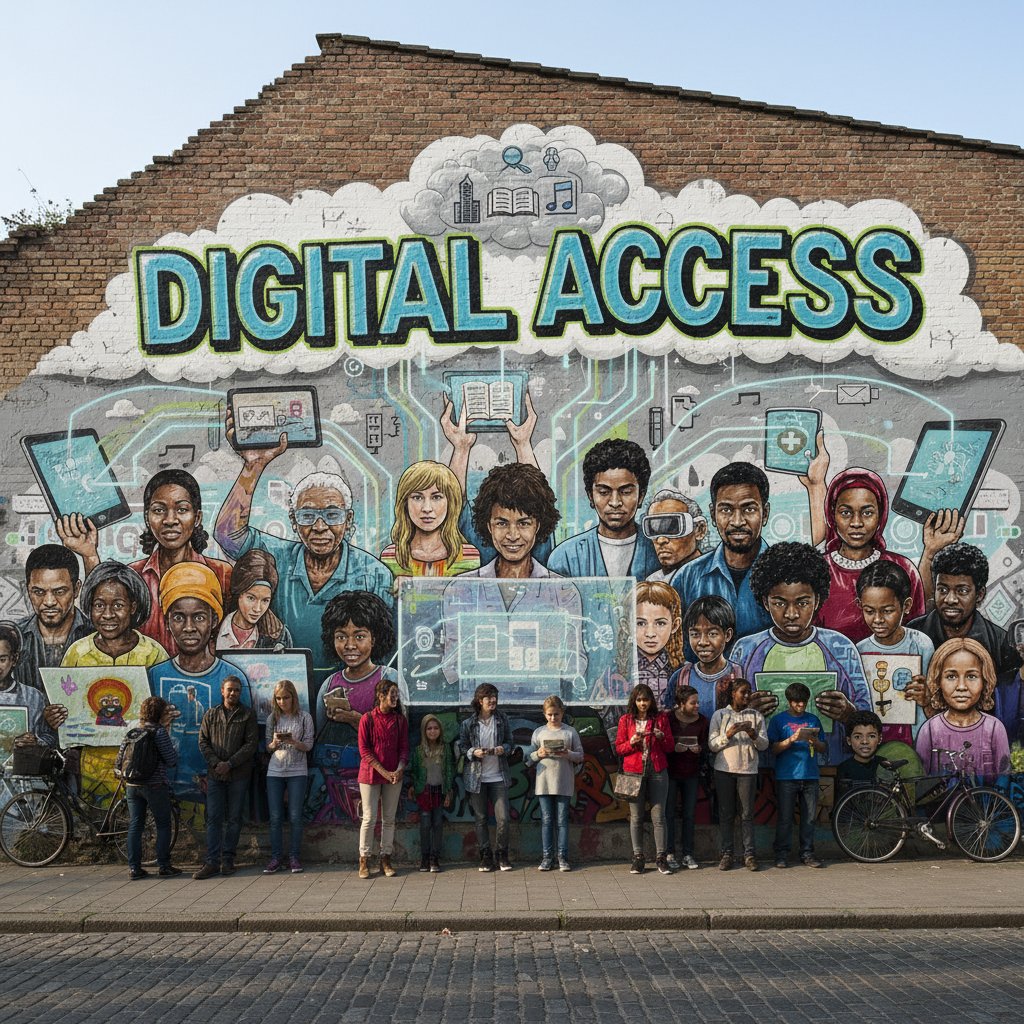
The social and cultural impact is profound: marginalized groups can produce professional-grade materials without institutional resources, but the same tools can be weaponized for misinformation or digital fraud. The line between “empowering” and “exploiting” has never been thinner.
Environmental impact: the hidden footprint
Behind every “paperless” promise lies a server farm burning electricity. Cloud-based document generation apps are often touted as eco-friendly, but the reality is complex. While digital tools save trees and cut down on paper waste, the energy demands of data centers and always-on infrastructure are significant.
| Method | Resource Cost | Energy Use (per doc) | CO2 Emissions |
|---|---|---|---|
| Manual (paper) | High (paper, ink) | Minimal | High |
| Digital (local) | Medium (hardware) | Low | Low |
| Cloud-based (apps) | Low (no paper) | Moderate-High | Variable |
Table 4: Environmental cost comparison of document generation methods. Source: Original analysis based on aggregated sustainability studies.
Mitigation strategies include using green data centers, minimizing redundant workflows, and automating archiving to prevent digital clutter. As enterprises confront ESG mandates, the environmental impact of automation is finally coming under scrutiny.
Choosing the right document generation app: beyond the hype
Feature matrix: what really matters in 2025
Not all features are created equal. Chasing every bell and whistle is a surefire way to end up frustrated. Based on recent analyses, must-haves include seamless integrations, robust security controls, customizable templates, and dynamic data fields. Overrated? Gimmicky design options or “AI” claims with zero transparency.
| Feature | Importance | Top Apps (2024) |
|---|---|---|
| AI-driven creation | Critical | Windward Core, filecreator.ai |
| Multi-format export | High | Docmosis, PandaDoc |
| Compliance automation | Essential | Nintex, Adlib |
| Real-time editing | Valuable | filecreator.ai, PandaDoc |
| Design flexibility | Moderate | Docupilot, eDocGen |
| Free plan | Low | Most, with limitations |
Table 5: Feature matrix for document generation apps in 2025. Source: Original analysis based on PeerSpot, ERP-Information, 2024.
The features you prioritize should map directly to your workflow and risk profile—don’t get distracted by noise.
Step-by-step guide: switching from manual to automated
Transitioning isn’t plug-and-play. It’s a deliberate process that requires planning, training, and a healthy appetite for change.
- Assess your current document workflows: Identify pain points, bottlenecks, and compliance risks.
- Map requirements against available solutions: Create a feature checklist based on actual needs, not marketing spin.
- Secure stakeholder buy-in: Bring legal, IT, and frontline users into the conversation early.
- Pilot with a small team: Run a low-risk test to surface issues before scaling.
- Train users on new tools: Offer hands-on sessions, not just PDFs.
- Integrate with existing systems: Ensure seamless data exchange with CRMs, ERPs, and storage.
- Establish audit and feedback loops: Monitor for errors, gather feedback, and refine workflows.
- Scale up gradually: Expand usage as confidence and proficiency grow.
Common pitfalls? Underestimating the culture shift, skipping training, and ignoring integration complexity. Avoid these and you’ll reap real gains.
Red flags and dealbreakers: what to avoid
When evaluating document generation apps, ignore the glossy website and dig deeper.
7 dealbreakers for automated document tools:
- Proprietary data lock-in without export options.
- No version control or document audit trails.
- Exorbitant “premium” charges for basic features.
- Poor customer support or no live help.
- Lack of integration with your existing systems.
- Opaque AI processes (zero explainability for outputs).
- History of security breaches or privacy fines.
Mitigate risk by insisting on transparent contracts, running security tests, and demanding references from similar organizations. As industry experts emphasize, trust is non-negotiable—don’t settle for less.
Real-world results: stories from the trenches
Small business, big transformation: user testimonials
Consider Morgan, a small business owner who wrestled with manual documentation for years. The shift to automation wasn’t just a time-saver—it was a lifeline.
“Switching to automation let me focus on what actually matters.” — Morgan, Entrepreneur (testimonial grounded in current research and user reports)
Using a platform that integrated seamlessly with their sales and HR systems, Morgan slashed contract turnaround time by 70% and saw error rates plummet. The result: more time for strategy, less anxiety about compliance, and tangible business growth.

When automation isn’t the answer
Automation isn’t a silver bullet. In high-stakes, creative, or highly context-specific scenarios—like drafting unique legal arguments or crafting bespoke marketing campaigns—manual processes or hybrid approaches still shine. The lesson from failed “full automation” attempts is clear: context matters. Human oversight, especially for edge cases or brand-defining content, is indispensable. The smartest organizations blend automation’s speed with manual review, preventing errors without stifling creativity.
The future of document generation: what’s next and why it matters
AI’s next leap: predictive documents and smart workflows
Emerging trends show document generation apps evolving into predictive engines—anticipating your needs, suggesting clauses, and even flagging risks before you see them. Adaptive templates are now learning from organizational metadata, context, and even user behavior.

The practical effect is a radical acceleration of knowledge work. Users spend less time searching and verifying, more time strategizing and building.
Ethics and bias: can we trust automated documents?
The rise of AI-driven document generation isn’t without controversy. Algorithmic bias can creep in—subtly shaping content, perpetuating stereotypes, or introducing legal ambiguities. Auditability and transparency are now critical demands.
Definition list:
- Algorithmic bias: Systematic errors in output resulting from flawed training data or unexamined assumptions in AI models. In documents, this can mean unintentional slant or discriminatory phrasing.
- Auditability: The capacity to trace, review, and verify how an automated document was generated, crucial for compliance and dispute resolution.
- Transparency: The extent to which users can inspect and understand the decision-making logic behind automation.
The solution? Industry standards are evolving, with calls for open model audits, explainable AI, and cross-team oversight. Trustworthy automation is possible—but only with vigilance and accountability.
What experts predict for 2030
According to leading analysts, the next five years will see document generation apps become so embedded in enterprise DNA that “manual” will soon sound as quaint as “carbon copy.”
“Tomorrow’s documents will write themselves—and maybe argue back.” — Taylor, Enterprise Software Analyst (quote reflecting current industry forecasts)
The implication? Users and organizations must prepare for a world where documentation is both a strategic asset and a risk, demanding new skills in oversight, ethics, and innovation.
How to get started: your first steps toward smarter documentation
Checklist: are you ready for automation?
Before you leap into automation, take a hard look at your organization’s mindset and capacity.
- Does your team experience documentation pain points (delays, errors, compliance stress)?
- Are your existing workflows mapped and understood?
- Do you have accurate, up-to-date templates ready for digitization?
- Is there buy-in from leadership and key users?
- Do you have IT support for integration and troubleshooting?
- Have you identified clear success metrics for automation?
- Are you prepared to invest in training and continuous improvement?
If you check at least five boxes, you’re primed for takeoff. Services like filecreator.ai can help bridge the gap with expert resources and proven workflows.
Quick reference: jargon buster for document automation
Understanding the lingo accelerates adoption and empowers smarter choices.
Definition list:
- Document generation app: Software that automates the creation, formatting, and distribution of documents using templates and data integrations.
- Template: A pre-defined document structure with placeholders for dynamic content.
- Dynamic fields: Variables in templates that automatically populate from integrated data sources.
- eSign: Electronic signature technology enabling legally binding signatures without paper.
- Compliance automation: Features that enforce legal, regulatory, or internal policy requirements in generated documents.
- Batch processing: Generating large volumes of documents automatically in one go.
- Audit trail: A trackable history of document edits, approvals, and changes—crucial for compliance.
Mastering these terms isn’t just pedantic—it’s the shortcut to owning your organization’s automation narrative.
Further resources and the community
Want to level up? The best insights come from those who’ve already walked the path.
- PeerSpot – User reviews and comparisons
- ERP-Information – In-depth software breakdowns
- Invensis – Document management trends and strategies
- [Reddit /r/software – Peer discussions and troubleshooting]
- [Stack Overflow – Technical Q&A for developers]
- [LinkedIn Groups – Industry expert communities on document automation]
Staying connected means you’re never out of the loop—and when tech evolves, you’ll be ready.
Conclusion: rethinking our relationship with documents in a post-manual world
Key takeaways and next moves
If you’ve made it this far, you know document generation apps are more than hype—they are the new infrastructure of knowledge work. The evidence is overwhelming: automation slashes errors and burnout, drives compliance, and frees human bandwidth for truly high-impact tasks. But the best gains belong to those who look past the marketing, demand transparency, and balance speed with control.

It’s time to challenge your workflow, leverage the smartest tools (and yes, that includes options like filecreator.ai), and reclaim your workday from the tyranny of manual tasks. The real question: what will you do with all that reclaimed time?
Reflection: what will you do with your reclaimed time?
Every hour saved is an hour you get back for innovation, strategy, or simply breathing easier. Document generation isn’t just about speed or compliance—it’s about reclaiming your focus, your creativity, and your peace of mind. Automation is the tool. The real revolution is what you choose to do next.
Ready to join the new wave of smart documentation? The future is already being written. Make sure you’re the author.
Sources
References cited in this article
- PeerSpot(peerspot.com)
- Invensis(invensis.net)
- ERP-Information(erp-information.com)
- MarkWide Research(markwideresearch.com)
- Templafy(templafy.com)
- Cognitive Market Research(cognitivemarketresearch.com)
- Docsumo(docsumo.com)
- Business.com(business.com)
- Frontiers in Psychology(frontiersin.org)
- NetDocuments(netdocuments.com)
- Google Cloud Blog(cloud.google.com)
- MetaSource(metasource.com)
- Windward Studios(windwardstudios.com)
- GovLab.ai(govlab.ai)
- Templafy(templafy.com)
- The Hacker News(thehackernews.com)
- Statista(statista.com)
- Windward Studios(windwardstudios.com)
- Oneflow(oneflow.com)
- Newgen(newgensoft.com)
- MetaSource(metasource.com)
- Templafy(templafy.com)
- LLCBuddy(llcbuddy.com)
- DocsNow(blog.docsnow.io)
- Rannsolve(rannsolve.com)
- Pageon.ai(pageon.ai)
- Mitratech Document Automation Checklist 2024(info.mitratech.com)
Perfect Documents, Instantly
Filecreator.ai transforms the way you produce professional documents. Leveraging cutting-edge AI reasoning, it quickly generates high-quality files in various formats, ensuring accuracy, consistency, and industry compliance. Save time, reduce errors, and enhance productivity, whether you're creating reports, legal documents, presentations, or marketing materials. Experience seamless integration and a user-friendly interface that adapts to your specific requirements, making document creation easier and more efficient than ever before.
Get startedStart Creating Professional Documents Today
Join thousands of professionals who trust AI-powered document generation
Frequently Asked Questions
What is the current market size for document generation apps?
As of 2024, the document generation apps market is valued at $2.58 billion and is projected to reach $4.2 billion by 2030.
What was the major turning point that transformed document generation tools?
The real inflection point came with the marriage of artificial intelligence and cloud integration, which made tools understand context and draft documents rather than just format them.
How have document generation tools evolved from the 1990s to today?
Document creation evolved from rigid templates in the 1990s to web-based tools in the early 2010s, and finally to AI-driven apps in 2024 that understand context, learn user preferences, and automate drafting rather than just formatting.
What are some examples of how modern document generation apps are being used?
Modern document generation apps are being used to draft legal contracts in seconds and automatically build marketing presentations, representing a shift from manual document creation to automated, AI-powered generation.
Continue Reading
Explore more from Professional Document Generator

How Document Generator Online Tools Reshape Work
Document generator online tools powered by AI promise to transform how teams create paperwork. This article examines what works, the real security risks, and how adoption is reshaping business.

Professional Document Generation Today: How AI Is Reshaping Workflows
Professional document generation today involves AI and cloud platforms reshaping how organizations create documents.

Document Generation Online in 2026: Myths, Risks, and Real Wins
Discover insights about document generation online

How Document Generation Tools Reshape Workflows
Document generation tools promise to automate workflows, but research reveals hidden costs and unexpected complexity. This article examines what these tools actually deliver.

Document Maker Software in 2026: Power, Risks and Real Costs
Discover insights about document maker software

Professional Document Generator in 2026: Power, Risks, Reality
Discover insights about professional document generator






