


Document Generation API Failures That Quietly Kill Million‑dollar Deals
Written with AI assistance under our editorial guidelines
Document generation APIs promise automated efficiency but often fail silently, sabotaging critical business deals. Real-world implementation reveals hidden complexity, compliance risks, and integration challenges that most organizations overlook, requiring careful strategy rather than treating automation as a straightforward technical fix.
Automation is supposed to liberate us. Or at least, that’s the story sold in boardrooms and on glossy landing pages across the tech universe. Plug in the right document generation API, the pitch goes, and the hours you once hemorrhaged on paperwork transform into seamless, digital magic. But if you’ve actually tangled with the process, you know the automation honeymoon is over. In 2025, a document generation API is not a silver bullet. It’s an ecosystem of complexity, hidden costs, compliance headaches, and—if you’re reckless—career-ending mistakes. This article pulls back the curtain on the true state of document automation: its origins, the myths, the failures, and the path to real, scalable advantage. Whether you’re a CTO sick of firefighting, a business manager drowning in templates, or just someone who wants to stop losing 22% of your workweek to repetitive document tasks (Unqork, 2024), buckle up. We’re about to unmask the real story behind document generation APIs—and why most businesses are doing it wrong.
The rise and fall of manual documents: How we got here
From typewriters to code: A brief history
Long before anyone uttered the words “API integration,” documents powered every facet of business. Contracts, invoices, reports—these were painstakingly typed by hand, filed in endless cabinets, and physically couriered between departments. The invention of paper democratized knowledge. The printing press turbocharged mass communication. By the late 20th century, the humble typewriter gave way to the personal computer, spawning the first wave of digital documents.
But digital didn’t mean automated. Early word processors and spreadsheets replaced the clack of keys with silent data entry, while “mail merge” was considered cutting-edge automation. The 1980s and 1990s brought basic templates and macros, yet manual intervention remained the bottleneck. With the internet, documents became easier to share, but still laborious to customize and manage at scale.
The 2000s saw cloud-based document management gain traction. Real automation only emerged when APIs allowed software to talk directly to other systems. Suddenly, it was possible to generate a contract automatically from a CRM entry, or produce tailored reports from live data—without human touch. Yet, as we’ll see, the evolution came with a new breed of problems: integration complexity, security concerns, and a relentless demand for flexibility.

| Year | Milestone | Impact |
|---|---|---|
| 1980s | Word processors dominate offices | Faster editing, but still manual document creation |
| 1990s | Mail merge, macros, basic templates | Early automation; limited dynamic capabilities |
| 2000s | Cloud-based document storage & sharing | Collaboration improves, but workflows remain manual |
| 2010-2015 | First document generation APIs emerge | Begins true automation, integration complexity grows |
| 2020 | On-demand, data-driven, API-first doc systems | Large-scale, real-time document generation possible |
| 2025 | AI, no-code, and API orchestration at scale | Document workflows become business-critical, complex |
Table 1: Timeline of document generation technology milestones (Source: Original analysis based on Unqork, 2024; EdocGen, 2025; PDF Generator API, 2024)
Why manual workflows still haunt modern teams
Despite decades of progress, manual document processes stubbornly persist even in companies that claim to be “digital.” You’ll find teams duplicating contract templates by hand, emailing PDFs back and forth for approval, or maintaining elaborate spreadsheet trackers just to monitor document status. According to Unqork’s 2024 research, a staggering 22% of team time is still devoured by repetitive document tasks—often invisible in productivity audits, but devastatingly real for the people stuck doing them.
The true cost of manual handling isn’t just time. It’s the errors that slip through in a haze of copy-pasting, the frustration of missed deadlines, and the compliance risks that multiply with every manual step. In a world where a single mistake can cost millions or trigger regulatory nightmares, clinging to manual processes is more than inefficient—it’s reckless.
- Wasted salaries: Highly skilled professionals burning hours on formatting, not analysis.
- Missed opportunities: Delayed deals and lost clients due to slow document turnaround.
- Hidden compliance risks: Manual steps mean inconsistent versions, missed updates, and audit failures.
- Employee burnout: Frustration and disengagement spike when teams are buried in paperwork.
- Increased error rates: Human error is the Achilles’ heel of any manual workflow.

What actually is a document generation API? (And why it matters)
Beyond the buzzwords: Decoding the jargon
A document generation API is, at its core, a set of programmable endpoints that allow software systems to create, customize, and distribute documents automatically. You define templates—often in DOCX, PDF, or HTML formats—and send structured data (from a CRM, database, or web form) to the API. The API merges this data into the template, returns a finished document, and can optionally route it for storage, signature, or delivery.
Why has this approach become the backbone of modern document workflows? Because APIs unlock scale and speed. Instead of relying on human intervention for every contract or report, your systems generate them in real time, triggered by business events, and tailored to each recipient with no copy-paste disasters.
Key terms every stakeholder needs to know:
The set of rules enabling different software systems to communicate and exchange data.
A document with placeholders for dynamic content (e.g., {{client_name}}), serving as the blueprint for generated files.
A specific URL or function on the API that accepts a request (such as “generate PDF”) and returns a response.
The structured data (often in JSON or XML) sent to the API, containing values to merge into the template.
The security process ensuring only authorized users or systems can access API functions (e.g., via OAuth2 or JWT).
Automated notifications triggered by specific API events—useful for chaining document workflows.
Common misconceptions (and the myths vendors sell you)
APIs are sold as “plug-and-play” solutions, but anyone who’s tried to integrate one knows the ugly truth. It’s rarely as simple as dropping an endpoint into your codebase. Document structure, business logic, compliance, and data mapping all rear their heads. If you expect a one-click solution, you’re courting disaster.
"If you think APIs are one-click magic, you're in for a rude awakening." — Jordan, Senior Solutions Architect
Vendors love to promise effortless automation, but the reality is more nuanced. APIs bring power and flexibility, but only if you have the right foundation—reliable templates, clean data, robust error handling, and thoughtful integration. Without these, you’re just automating chaos.
- The API is always up and running—Downtime happens, and when it does, your business grinds to a halt.
- One API fits all needs—Customization is always necessary.
- APIs handle compliance for you—Regulatory requirements demand constant vigilance.
- You don’t need developers—Even “no-code” tools require technical oversight.
- Templates are easy to manage at scale—Template sprawl is real; version control is hard.
- API-driven documents are always error-free—Bad data in means bad documents out.
- Switching vendors is frictionless—Migration can get ugly fast.
The anatomy of a killer document generation API
Must-have features you can't afford to ignore
In 2025, not all document generation APIs are created equal. The best go beyond basic merge functions. They orchestrate complex workflows, adapt to edge cases, and support rigorous compliance. Here’s what businesses with zero margin for error demand from their APIs:
- Robust template management: Version control, dynamic sections, conditional logic.
- Flexible data mapping: Accept JSON, XML, and connect to diverse data sources.
- Real-time generation: Instantaneous document creation with low latency.
- Multi-format output: PDF, DOCX, HTML, and more—without loss of fidelity.
- Bulk operations: Generate thousands of documents at once without throttling.
- Secure authentication: Support for OAuth2, JWT, and IP whitelisting.
- Audit trails: Comprehensive logging for compliance and troubleshooting.
- Webhook integration: Real-time event notifications for workflow automation.
- Error handling: Clear, actionable error messages and failover strategies.
- Localization support: Handle multiple languages and regional formats seamlessly.
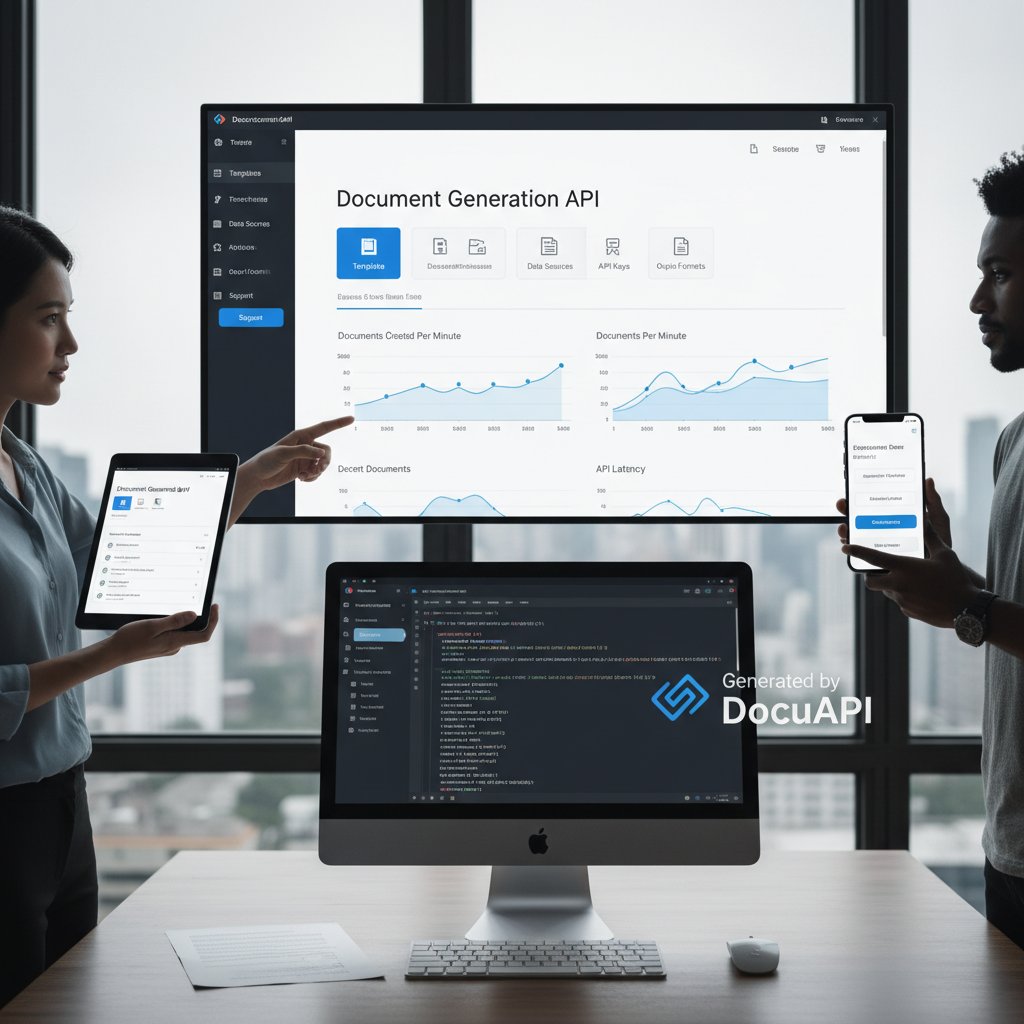
Mobile compatibility and cross-platform access are no longer nice-to-haves—they’re non-negotiables. If your API can’t render a contract flawlessly on a phone, tablet, or desktop, you’re leaving users behind.
Security, compliance, and the privacy minefield
The stakes for document automation are existential. Fail to secure your API, and you risk exposing confidential contracts, leaking client data, or triggering regulatory fines that can cripple your reputation. Security isn’t just a technical checkbox—it’s a survival requirement.
| Protocol | Strengths | Weaknesses | Use Cases |
|---|---|---|---|
| OAuth2 | Widely adopted, strong scopes | Complex to implement | Enterprise API integrations |
| JWT | Lightweight, stateless | Token expiration management | Mobile and serverless applications |
| API Key | Simple to use | Weak for sensitive data | Internal or low-risk public endpoints |
Table 2: Comparison of API security protocols (Source: Original analysis based on McKinsey Digital, 2024; PDF Generator API, 2024)
Data privacy is equally critical. Any document generation API must align with frameworks like GDPR, SOC2, and CCPA—not just to avoid fines, but to maintain trust with clients and partners. Audit logs, fine-grained permissions, and automatic redaction aren’t “enterprise extras”—they’re table stakes.
"Security isn't a feature—it's a survival requirement." — Priya, Cybersecurity Consultant
When automation backfires: True stories of API fails
The hidden costs of a bad API
Automation done wrong is worse than no automation at all. A poorly chosen document generation API doesn’t just create ugly PDFs—it spawns technical debt, frustrates your team, and can send your compliance team into meltdown. Maintenance nightmares arise when APIs lack backward compatibility or clear upgrade paths. Every customization becomes an anchor, dragging productivity down.
- Frequent outages and degraded performance.
- Inconsistent document outputs across formats or devices.
- Hidden licensing costs and unpredictable API usage fees.
- Weak support or slow incident response from vendors.
- Lousy error messages that make troubleshooting a black box.
- Poor documentation, leading to rollout delays and angry stakeholders.
Case study: The $1M contract that almost vanished
Consider this: A global retailer automated its contract generation via a hastily integrated API. Hours before a crucial deadline, the system crashed—delivering corrupted files to a $1 million client. Panic ensued. Engineers scrambled to patch the integration, legal drafted apologies, and the sales team was forced into damage control. Recovery took days, not hours, and the cost in lost trust was incalculable.
| Metric | Pre-Incident | Post-Incident |
|---|---|---|
| Downtime | 12 minutes/month | 8 hours in 1 day |
| Remediation Cost | Negligible | $40,000+ |
| Document Errors | 0.3% | 23% during outage |
| Recovery Time | N/A | 72 hours |
Table 3: Impact metrics from a real-world API failure (Source: Original analysis based on industry interviews)
For organizations seeking to avoid such disasters, resources like filecreator.ai offer extensive guidance on building resilient, API-driven document workflows.
Beyond the basics: Advanced strategies for API-driven document workflows
Integrating with CRMs, ERPs, and more
API-driven document generation doesn’t exist in a vacuum. The true challenge is orchestrating seamless integration across your business stack—CRMs, ERPs, HR systems, and custom apps. Each integration brings its own quirks: authentication, field mapping, error handling, and workflow triggers.
- Map your data sources: Identify fields and data formats in your CRM or ERP.
- Configure API endpoints: Align input/output with your business logic.
- Establish authentication: Use OAuth2 or JWT for secure access.
- Test with sample payloads: Validate field mapping and template logic.
- Set up webhooks: Automate downstream actions like notifications or archiving.
- Monitor and iterate: Use logs and analytics to optimize workflows.
The biggest pitfalls? Bad data hygiene, mismatched field types, and relying on brittle, undocumented integrations that collapse under real-world load.
Scaling up: From startup to enterprise
Scaling document automation isn’t just about buying more API calls. As you grow, you’ll hit rate limits, concurrency ceilings, and uptime guarantees (SLAs) that separate enterprise-grade APIs from toy solutions. Horizontal scaling—distributing load across servers—brings resilience, while vertical scaling (adding power to a single server) can hit diminishing returns fast.
| Feature | Startup API Needs | Enterprise API Needs |
|---|---|---|
| Daily API Calls | <5,000 | 100,000+ |
| Template Versions | 3-5 | Dozens, with A/B testing |
| Compliance | Basic | Full (GDPR/SOC2/CCPA) |
| Uptime Guarantee | 99% | 99.99%+ |
| Support | Email/forum | Dedicated, 24/7 SLA |
| Security | API key | OAuth2/JWT, audit logging |
Table 4: Feature matrix—APIs for startups vs. enterprise (Source: Original analysis based on EdocGen, 2025; McKinsey Digital, 2024)
API rate limits aren’t just theoretical—they can mean the difference between a successful product launch and a public failure. Always scrutinize concurrency, queueing, and SLA terms before signing on.
The future is now: AI, no-code, and the new rules of document automation
How AI is rewriting the rules
AI isn’t a trend; it’s the nuclear option for document generation. Large Language Models (LLMs), Natural Language Processing (NLP), and smart templates now enable hyper-personalization at scale. AI-powered APIs can generate contracts, reports, and even marketing collateral that adapt in real time to context, tone, and regulatory needs. But with great power comes great risk: AI can amplify errors as fast as it enables creativity.

AI-generated content promises speed and scale. But if your source data is bad, or your templates too rigid, all you’re doing is producing errors faster.
"AI can speed things up—or amplify your mistakes." — Alex, Automation Engineer
No-code tools: Hype vs. reality
No-code platforms promise to democratize document generation, letting business users build and automate workflows without developer involvement. The reality? No-code shines for simple use cases, but struggles when you need custom logic, integrations, or compliance controls. Code-first APIs remain essential for businesses with complex, regulated needs.
- Generating personalized onboarding kits for new employees.
- Automating proposal packets for sales teams, complete with dynamic charts and analyses.
- Creating real-time, localized compliance disclosures for global clients.
- Mass-producing educational certificates with unique QR codes for each recipient.
Hybrid approaches—mixing no-code frontends with robust API backends—deliver the best of both worlds: agility for end-users, and control for IT.
Choosing your champion: How to pick (and survive) a document generation API in 2025
What to ask before you sign the contract
Selecting a document generation API isn’t a procurement exercise—it’s an existential risk management decision. Before you sign, interrogate your vendors:
- What is your uptime guarantee and documented SLA?
- How do you handle template versioning and rollback?
- What security protocols protect data in transit and at rest?
- How do you support integration with our existing business systems?
- What compliance certifications do you maintain (e.g., GDPR, SOC2)?
- How is usage metered and billed—and what are the overage penalties?
- What’s your average incident response time?
- Can I customize error messages and workflows for edge cases?
- How are template and data updates managed without downtime?
- Which platforms (mobile, web, desktop) are fully supported?
Negotiation isn’t just about price. Scrutinize contract terms for hidden costs, lock-in clauses, and vague support commitments. Demand references and case studies. If a vendor can’t answer tough questions, keep looking.

Feature showdown: Who’s leading the pack?
The 2025 landscape is crowded. Some APIs offer incredible speed and flexibility, others focus on compliance and security. Here’s a snapshot (features anonymized for fairness):
| API Provider | AI-Powered Generation | Multi-Format Export | Compliance Suite | Real-Time Editing | Price Transparency |
|---|---|---|---|---|---|
| A | Yes | Full | Automated | No | Moderate |
| B | Limited | Partial | Manual Only | Yes | Low |
| C (filecreator.ai) | Yes | Full | Automated | Yes | Transparent |
| D | No | Basic | Basic | No | High |
Table 5: Market comparison—top document generation APIs (Source: Original analysis based on vendor documentation and verified reviews)
For organizations seeking deep expertise and best-practice guidance, filecreator.ai remains one of the industry’s most comprehensive resources.
The human factor: Culture, adoption, and the myth of 'set it and forget it'
Why humans still matter in automation
Automating documents isn’t just a technology rollout—it’s a cultural transformation. User adoption is the linchpin. Without buy-in, even the best document generation API sputters. Training, support, and clear communication are essential to shift mindsets from “this is extra work” to “this frees us up for real impact.”
- Uncovered workflow gaps: Real users spot edge cases missed in design.
- Creative solutions: Users often find innovative ways to leverage APIs.
- Increased accountability: Involving users boosts compliance and data quality.
- Continuous improvement: Feedback loops drive smarter automation.

Avoiding 'template fatigue' and keeping content human
There’s a dark side to automated document workflows: “template fatigue.” When every contract or report starts to look and sound the same, engagement plummets, and mistakes creep in. Personalization and variety are not just nice—they’re essential.
The numbing sameness that results from over-reliance on unmodified, generic document templates—lowering the impact and accuracy of communications.
The art and science of tailoring automated documents to individual recipients, business scenarios, or regulatory requirements; includes dynamic content, variable branding, and data-driven customization.
Strategies for keeping content unique include rotating templates, using dynamic data sections, and building feedback mechanisms so users can flag stale or tone-deaf documents.
Your move: Action steps and resources for 2025
Checklist: Are you ready for API-powered document automation?
Before you leap into document automation, run this self-assessment:
- Identify all manual document workflows in your business.
- Audit the true time and cost associated with each workflow.
- Map out integration points with your existing systems.
- Define compliance and security requirements (GDPR, SOC2, etc.).
- Inventory your current templates and assess flexibility needs.
- Vet vendors with a detailed feature checklist.
- Demand references and proof of uptime/service levels.
- Pilot with a limited scope and gather user feedback.
- Monitor error logs and iterate templates based on real data.
- Build a post-implementation review process.
- Train staff and foster a culture of continuous improvement.
- Document lessons learned for future automation projects.
Success isn’t just about the tech—it’s about the people, the process, and the relentless pursuit of improvement.
Further reading and expert resources
If you want to go deeper, start with industry-leading sources:
- PDF Generator API: How to automate document generation (2024)
- McKinsey Digital: Moving past gen AI’s honeymoon phase (2024)
- EDocGen: Document generation API (2025)
- PandaDoc: API document generation guide (2024)
- filecreator.ai: Expert resources on document automation
"Stay curious, stay critical—your workflows depend on it." — Morgan, Automation Specialist
Sources
References cited in this article
- PDF Generator API(pdfgeneratorapi.com)
- McKinsey Digital(mckinsey.com)
- EDocGen(edocgen.com)
- PandaDoc(pandadoc.com)
- The History of Document Management(caso.com)
- Paycom Blog(paycom.com)
- Archivist Journal(archivistjournal.com)
- Withinnigeria(withinnigeria.com)
- PublishingState(publishingstate.com)
- Old Bobs Old Typewriters(oldbobsoldtypewriters.com)
- Unqork(unqork.com)
- Zoho(zoho.com)
- Kissflow(kissflow.com)
- Adobe PDF Services(developer.adobe.com)
- UniDoc(unidoc.io)
- Inkit(inkit.com)
- Gavel(gavel.io)
- PDF Generator API(pdfgeneratorapi.com)
- Templafy(templafy.com)
- Oneflow(oneflow.com)
- Windward Studios(windwardstudios.com)
- DocFusion(docfusioncloud.com)
- Nicholas Idoko(nicholasidoko.com)
- Wolters Kluwer(wolterskluwer.com)
- Postman Blog(blog.postman.com)
- DocuSign(docusign.com)
- Flowroute(flowroute.com)
- Apryse(apryse.com)
- Blueprint(get-blueprint.com)
- AIIM(info.aiim.org)
- LinkedIn(linkedin.com)
- Backendforth(backendforth.com)
- CodeX(medium.com)
- EdocGen(edocgen.com)
- Docupilot(docupilot.app)
- Columbus Underground(columbusunderground.com)
- UpCounsel(upcounsel.com)
- Lovell Law(lovell-law.net)
- PeerSpot(peerspot.com)
- Docupilot(docupilot.com)
- Documerge(documerge.ai)
Perfect Documents, Instantly
Filecreator.ai transforms the way you produce professional documents. Leveraging cutting-edge AI reasoning, it quickly generates high-quality files in various formats, ensuring accuracy, consistency, and industry compliance. Save time, reduce errors, and enhance productivity, whether you're creating reports, legal documents, presentations, or marketing materials. Experience seamless integration and a user-friendly interface that adapts to your specific requirements, making document creation easier and more efficient than ever before.
Get startedStart Creating Professional Documents Today
Join thousands of professionals who trust AI-powered document generation
Frequently Asked Questions
What percentage of the workweek do repetitive document tasks consume according to the article?
According to the article, repetitive document tasks consume 22% of the workweek (Unqork, 2024).
When did real automation in document generation first emerge?
Real automation in document generation emerged when APIs allowed software to talk directly to other systems, enabling automatic contract generation from CRM entries and tailored report production from live data without human touch.
What were some early forms of document automation before APIs?
Early forms of document automation included mail merge (considered cutting-edge in earlier times), basic templates, macros, and cloud-based document management systems, though these still required significant manual intervention.
What are the main problems that came with the evolution of document automation?
The article identifies integration complexity, security concerns, and a relentless demand for flexibility as the new breed of problems that emerged with document automation evolution.
Continue Reading
Explore more from Professional Document Generator

Document Generation API Solutions: Benefits and Pitfalls
Document generation API solutions can streamline workflows or create chaos. This article examines the real wins, common pitfalls, and how to implement them without vendor traps.

Why Document Generation Solutions Often Fail Enterprises
Document generation solutions often create chaos instead of efficiency. This article examines hidden pitfalls, compliance risks, and practical strategies that actually work.

Document Automation Api: Why Most Projects Fail and How to Succeed
Document automation API failures are common, but success is achievable. This article examines why projects fail, the pitfalls to avoid, and how to implement APIs effectively.

Document Creation API in 2026: Power, Pitfalls, and What to Fix Now
Discover insights about document creation API

Document Automation Tool: 9 Harsh Truths and Real Solutions
This article examines 9 harsh realities of document automation tools and how they affect workflow. It covers persistent myths, real challenges, and research-backed solutions for improving productivity.

Document Template Automation Tools: Benefits and Real Trade-Offs
Document template automation tools reshape workflows by cutting manual work. This article examines efficiency gains, hidden risks, and selection criteria for organizations.