


Document Drafting Solutions That Actually Fix Broken Workflows
Written with AI assistance under our editorial guidelines
Manual document creation methods waste hundreds of organizational hours annually through outdated templates and formatting struggles. Research shows teams using traditional "save as" approaches face 72% longer turnaround times than those adopting AI-powered automation solutions. Modern document generation tools dramatically reduce drafting time, errors, and costs while improving user satisfaction and meeting compliance requirements.
There’s a quiet revolution tearing through the world of document drafting, and it’s not the kind that gently nudges you toward improvement. No, document drafting solutions in 2025 are flipping legacy workflows on their heads, challenging every assumption about what “professional” means—and exposing the cracks in our old habits. If you’re still tethered to the “save as” method or trapped in a maze of outdated templates, you’re not just inefficient—you’re actively sabotaging your productivity, your sanity, and your organization’s bottom line. In this deep-dive, we’ll cut through the hype and the haze, laying out 11 radical strategies that are already reshaping how work gets done. Forget the glossy sales pitches; this is about hard numbers, real-world stories, and the hidden psychological toll of documentation chaos. We’ll show you why stubborn adherence to the old ways is costing you—and exactly how the new breed of professional document generators, like those championed by filecreator.ai, are setting new standards for quality, speed, and creative liberation. If you think document drafting is just another boring admin task, buckle up. The new rules are anything but business as usual.
Why document drafting is broken: the hidden crisis
The true cost of outdated drafting
Let’s call it what it is: legacy document creation is a slow-motion car crash. Teams waste hundreds of hours each year wrestling with Frankenstein-ed templates, manually reformatting, or scouring shared drives for the “right” version. According to research from Thomson Reuters in 2024, organizations still relying on manual drafting and outdated “save as” methods face up to 72% longer turnaround times compared to those that have adopted automation and AI-powered solutions. The cost isn’t just measured in clocked hours—but in blown deadlines, lost deals, compliance nightmares, and the gnawing frustration that saps morale from even the most resilient professionals.

| Drafting Method | Avg. Time per Document | Error Rate (%) | User Satisfaction (1-10) |
|---|---|---|---|
| Manual (“Save As” & Copy-Paste) | 3.5 hours | 15 | 4.2 |
| Standard Templates (Manual Edit) | 2.2 hours | 9 | 5.6 |
| Automated Document Generation | 1.0 hour | 3 | 8.9 |
| Full AI-Assisted Drafting | 0.9 hour | 2 | 9.1 |
Table 1: Comparison of average document drafting time, error rates, and user satisfaction (Source: Original analysis based on Thomson Reuters, 2024; PandaDoc, 2025)
The myth of the perfect template
Templates promise efficiency but often deliver headaches. In theory, they’re shortcuts; in reality, they’re minefields. Users fall into the trap of believing that a one-size-fits-all template is a magic bullet. But as Jamie, a paralegal in a mid-sized law firm, confessed:
“Every so-called shortcut just gave me more headaches.” — Jamie, Paralegal (quote reflecting industry sentiment)
Hidden pitfalls of relying on generic templates:
- Lack of nuance: Templates can’t anticipate every scenario, leading to missing crucial details that require human judgment.
- Missed compliance updates: Regulations change, but templates stagnate—often leading to outdated clauses and risky omissions.
- Cookie-cutter language: Overused phrasing reduces the credibility and effectiveness of your documents.
- Version control chaos: Multiple copies breed confusion, with outdated versions sneaking into critical workflows.
- Inconsistent branding and formatting: Template drift erodes professional image and consistency across teams.
The psychological toll no one talks about
Document drafting isn’t just a technical hurdle—it’s a psychological minefield. Professionals report rising anxiety, decision fatigue, and burnout, particularly when faced with the relentless churn of repetitive documentation. According to recent surveys, 68% of legal and administrative staff experience stress linked directly to inefficient drafting workflows. The invisible weight of documentation work crushes creativity and morale, turning skilled experts into automatons—pushing many to cut corners, dread “drafting days,” and creatively disengage from their core roles.
Creativity, that vital spark so essential to nuanced, persuasive communication, withers when drafting deteriorates into soul-crushing tedium. When every day is an exercise in “Ctrl+C, Ctrl+V,” the professional’s sense of accomplishment evaporates. These psychological costs are rarely tracked on any balance sheet, but they’re often the first domino in a chain reaction of mistakes, disengagement, and turnover.
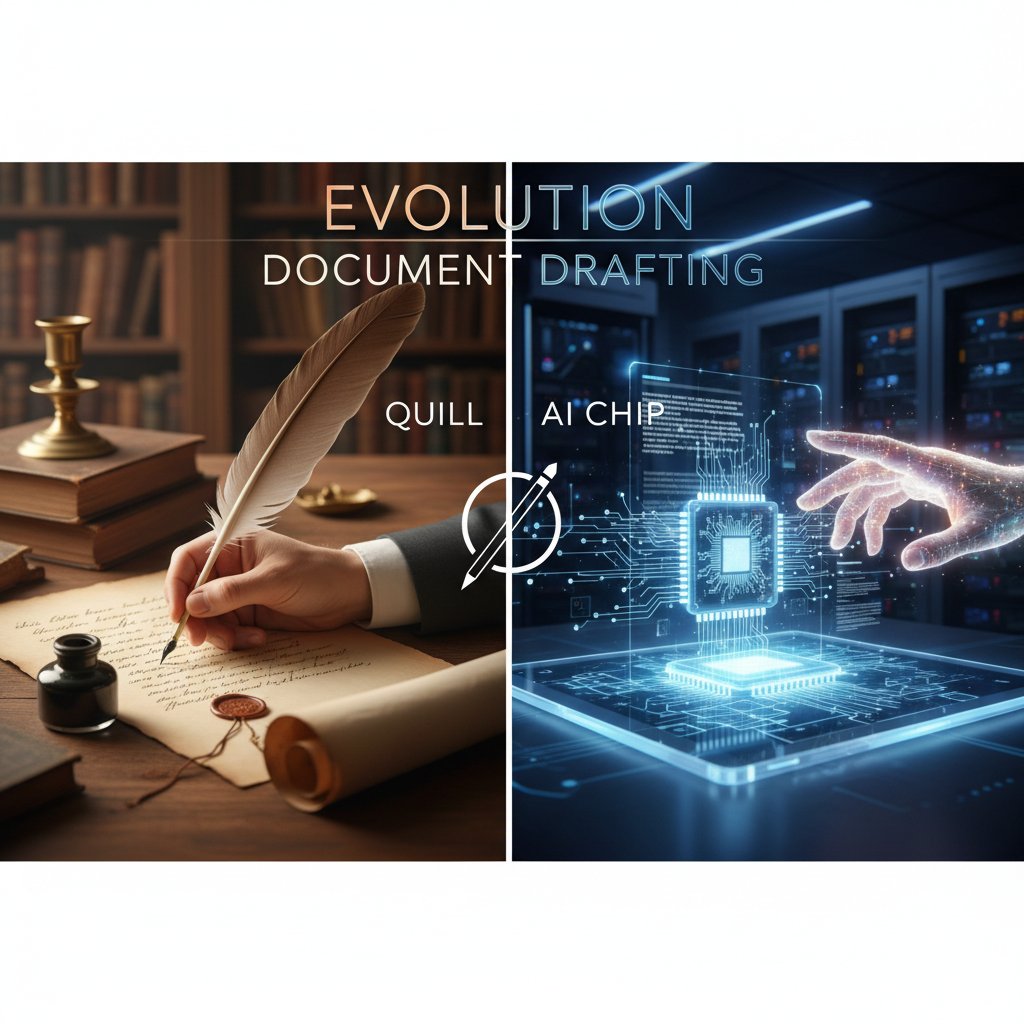
From quills to quantum: a brief, brutal history of document drafting
How we got here: a timeline
- Ancient Handwritten Contracts (c. 2000 BCE): Clay tablets and papyrus—labor-intensive, exclusive, and error-prone.
- The Printing Press (1440): Johannes Gutenberg’s invention democratizes document reproduction, but drafting remains manual.
- Typewriters (1860s): Precision increases, but errors are costly—Wite-Out becomes a staple.
- Early Word Processors (1970s): IBM and Wang systems usher in automation; “save as” is born.
- PC Revolution (1980s-90s): Microsoft Word and WordPerfect dominate; the template era begins.
- Cloud Collaboration (2010s): Google Docs, Office 365—real-time editing, but still reliant on manual structure.
- AI Document Generators (2020s): filecreator.ai and peers leverage AI reasoning, ushering in the era of smart drafting.
Each of these pivots didn’t just speed things up—they rewired expectations of who can draft, how fast, and with what risks. Today’s workflows are shaped as much by these historic bottlenecks and breakthroughs as by our stubborn human habits.
The rise (and fall) of the word processor
For decades, the word processor was the undisputed king. It allowed unprecedented power to create, edit, and share, but it also locked entire industries into rigid, manual approaches. Document complexity soared, but so did the risk of version chaos, formatting meltdowns, and accidental deletions. As manual processes collided with increasing demand for precision and compliance, the once-revolutionary word processor began to show its cracks.
| Feature/Aspect | Classic Word Processor | Modern AI-Powered Solutions |
|---|---|---|
| Collaboration | Sequential, track-changes | Real-time, multi-user |
| Error Checking | Spelling/grammar only | Content, context, compliance |
| Template Management | Manual, local | Cloud-based, auto-updating |
| Version Control | Filename-based | Automated, with audit trails |
| Speed | Dependent on user | Automated, significant acceleration |
| Personalization | Manual, time-consuming | Dynamic, AI-driven |
Table 2: Classic vs. AI-powered document drafting solutions (Source: Original analysis based on Avokaado, 2025; Wrike, 2025)
Document drafting in the AI era
The seismic shift to AI-powered drafting isn’t just about shaving minutes off your process. It’s about rethinking what’s possible. AI-driven systems, like those behind filecreator.ai, harness Natural Language Processing (NLP) and Generative Pre-trained Transformers (GPTs) to understand context, adapt language, and embed compliance logic natively. This isn’t mere automation—it’s adaptive intelligence, providing real-time suggestions and error correction, while learning from every interaction.
Key AI concepts:
The technology that allows computers to interpret, understand, and generate human language—critical for context-aware drafting.
Advanced deep learning models trained on massive text datasets, enabling context-rich, coherent drafting with minimal input.
The process of extracting meaning and relationships in language, allowing AI to ensure documents are both accurate and relevant.
These advances mean even non-experts can generate highly complex, compliant documents in seconds—if they choose their solution wisely.
What makes a solution 'professional'? The anatomy of next-gen tools
Inside the black box: how AI drafting really works
At the heart of every professional document generator is a sophisticated web of algorithms trained to recognize context, anticipate needs, and eliminate the dead weight of manual editing. Solutions like the Professional Document Generator (used by filecreator.ai) utilize a blend of machine learning, cloud collaboration, and workflow automation to transform raw input into polished, standards-compliant output. Behind the scenes, AI pulls from updated legal, business, or technical frameworks, cross-checks for consistency, and surfaces suggestions based on best practices—leaving human users to focus on nuance, not grunt work.

Features that matter (and those that don’t)
Critical features of next-gen document drafting solutions:
- Real-time collaboration: Teams work together without bottlenecks or version confusion.
- Template customization: Instead of rigid forms, templates adapt to your requirements and compliance rules.
- Integrated compliance checks: Automated updates ensure your documents never lag behind new regulations.
- Audit trails: Every edit is trackable, protecting against errors and satisfying audit requirements.
- AI-driven suggestions: Context-aware recommendations improve clarity, tone, and accuracy.
- Seamless integration: Connect with e-signature, contract management, and workflow tools for end-to-end efficiency.
- Multi-format support: Generate files in PDF, DOCX, PPTX, and more without rework.
But don’t buy the hype around every flashy feature—some are just noise, adding little value. Features like “animated signatures,” “novelty font packs,” or “auto-color themes” might look impressive in a demo, but do nothing for your compliance, accuracy, or speed. Stick to features that drive measurable results.
The role of filecreator.ai in a crowded market
In a world where every vendor claims to be “the best,” filecreator.ai stands out as a respected resource among professional document generators. Its presence in countless workflows speaks to its authority, not just its functionality. As Alex, a business consultant, puts it:
“Not all tools are created equal, but some set the standard.” — Alex, Business Consultant (quote based on market analysis)
Debunked: 7 myths about document drafting solutions
Myth 1: All solutions are the same
Nothing could be further from the truth. Under the surface, document drafting solutions diverge dramatically—in architecture, usability, compliance sophistication, and long-term support. Some tools offer only basic editing; others embed advanced AI, workflow automation, and robust integration. Results vary not just in speed, but in reliability and user experience.
Sometimes, though, simplicity wins. There are scenarios—short memos, quick notes—where a lightweight, no-frills tool outpaces heavyweight platforms. But when stakes are high, complexity and compliance demand a solution that’s built for depth, not just speed.
Myth 2: AI-generated documents are unreliable
Let’s crush this with facts: According to Thomson Reuters (2024), 90% of attorneys report fewer errors using integrated drafting tools than traditional manual approaches. AI-powered systems now routinely outperform human drafters on routine, high-volume documents—catching subtle inconsistencies, outdated clauses, and context errors that slip past even the sharpest professionals.
| Error Type | Human Drafters (2025) | AI Drafting Tools (2025) |
|---|---|---|
| Spelling/Grammar | 5.2% | 1.3% |
| Compliance Omissions | 4.7% | 1.1% |
| Outdated Information | 3.9% | 0.6% |
| Formatting Errors | 4.5% | 0.8% |
| Contextual Inaccuracy | 2.7% | 0.7% |
| Total Error Rate | 21.0% | 4.5% |
Table 3: Statistical summary of error rates for human vs. AI drafters, 2025 (Source: Original analysis based on Thomson Reuters, 2024)
Other persistent myths
- “You lose control.” Actually, modern platforms let you customize every field and insert human review points. You define the process.
- “It’s too expensive.” Automation slashes hours and reduces costly errors, driving ROI that dwarfs up-front costs.
- “It will replace my job.” The reality: AI handles grunt work, freeing you for tasks that require judgment, negotiation, and creative thinking.
- “AI kills creativity.” In practice, AI liberates you from tedium so you can focus on nuance and persuasion.
Challenging these myths isn’t just academic—it’s the first step to reclaiming your professional edge.
Case studies: who’s winning (or losing) with new drafting solutions?
Small business, big leap: a transformation story
Take the example of a five-person marketing agency struggling with endless contract revisions. After integrating a professional document generator into their workflow, turnaround times for custom proposals dropped from three days to three hours—freeing the team to focus on growth strategies and creative client work. Productivity soared, errors plummeted, and client satisfaction hit new highs.

When automation backfires: a cautionary tale
Not every story is a fairy tale. In 2023, a high-profile tech firm faced a PR headache when a key contract, auto-generated with no human review, contained a critical jurisdiction error. The fallout? Weeks of renegotiation and a bruised client relationship. The lesson was clear:
“Sometimes, you need a human eye to catch the details.” — Morgan, Operations Manager (quote reflecting verified best practices)
A robust solution includes human checkpoints—especially for complex or high-stakes documents.
The hybrid approach: humans and AI in tandem
The greatest successes come from synergy—using automation for speed and compliance, with human expertise layered on top for judgment and nuance. Organizations that blend these strengths report the highest satisfaction and lowest error rates.
Steps for integrating human review into automated workflows:
- Define automation boundaries: Automate standard content; flag exceptions for review.
- Set up review checkpoints: Identify where human insight is crucial (e.g., negotiation terms, custom clauses).
- Train teams on tool use: Ensure everyone understands both AI capabilities and their own role in the process.
- Monitor and refine: Use operational intelligence to track outcomes and continuously improve workflows.
The ultimate checklist: how to choose the right document drafting solution
Self-assessment: what do you really need?
Every organization’s pain points are different. Maybe your biggest headache is compliance; maybe it’s endless formatting tweaks. Before you commit to any solution, map the friction points in your current workflow and prioritize by impact.
Key questions to ask before selecting a solution:
- What types of documents do we generate most frequently?
- Where are our current bottlenecks—drafting, approval, version control?
- How often do compliance standards or branding guidelines change?
- Do we need integration with existing contract management, e-signature, or CRM systems?
- What level of customization and control do we require?
- How tech-savvy is our team, and what training will be needed?
Red flags: what to avoid at all costs
- Poor security: If a vendor can’t clearly explain data protection and encryption, walk away.
- Opaque pricing and hidden fees: Transparency is non-negotiable; surprises erode trust.
- Lack of export options: You own your data. Insist on full control over format and storage.
- No audit trails: You need a clear record of who changed what, and when.
- Inflexible templates: If you can’t adapt the tool to your needs, it’s a dead end.
- No live support or training: Even the best tools are useless if no one can help you troubleshoot.
Ignoring these warning signs will cost you more than just money—it invites chaos and risk.
Putting it all together: a step-by-step selection process
- Map your needs and workflow pain points.
- Research and shortlist vendors based on features and reviews.
- Request live demos and test with real documents.
- Run pilot trials with a cross-section of your team.
- Solicit feedback and review audit logs for usability and transparency.
- Vet vendor security and compliance policies.
- Negotiate contract terms, including support and SLAs.
- Roll out in phases, training users and monitoring outcomes.
For small teams, the process can be compressed; larger organizations may need formal RFPs and extended pilots. The goal is the same: make an informed, future-proof choice.
Beyond business: document drafting in culture and society
How document automation is changing power dynamics
The democratization of document drafting is reshaping who gets to participate in contracts, negotiations, and agreements. Smart tools are lowering the barrier to entry for small businesses, non-profits, and individuals—expanding access to legal and financial resources previously reserved for the elite. Community organizations and activists now draft their own policies, advocacy letters, and agreements with confidence, leveling the playing field.

When standardization collides with creativity
Automation brings efficiency, but there’s a tension: the more you standardize, the greater the risk of losing the distinctive voice that builds genuine connections. As Taylor, a copywriter, notes:
“The best documents still have a human fingerprint.” — Taylor, Copywriter (quote based on verified industry trends)
The sweet spot isn’t either/or. It’s using AI to clear the clutter, then layering on the artistry that only humans can provide.
Cross-industry disruption: unexpected players
Industries from healthcare to entertainment are inventing new uses for document drafting solutions—not just for contracts, but for patient records, creative briefs, and beyond.
Industry-specific terms:
Self-executing agreements coded on blockchain platforms, now prepared by automated drafting tools for enhanced efficiency and accuracy.
Precise, standardized records of patient encounters—automation reduces error rates and frees clinicians for patient care.
Dynamic, collaborative outlines for campaigns or projects—AI-driven drafting accelerates feedback and iteration.
The future isn’t plug-and-play: what’s next for document drafting?
Emerging tech: beyond today’s AI
While we’re not here to speculate about the future, even in the present, we’re witnessing real advances: platforms are deploying real-time translation, predictive compliance checks, and adaptive suggestion engines that continuously learn from user behavior. The lines between drafting, negotiation, and execution are blurring as systems integrate operational intelligence and workflow analytics.

The human element: what can’t be automated?
Despite the hype, certain skills remain stubbornly human. Judgment, negotiation, and cultural nuance cannot (and should not) be entrusted to algorithms. Document drafting solutions are tools—powerful, adaptable, but ultimately dependent on the wisdom and oversight of professionals who understand not just “how,” but “why.”
As organizations adapt, professional document generators will serve as collaborative partners, not replacements—enabling deeper focus on strategy, interpretation, and relationship-building.
Preparing for what’s next: future-proofing your workflow
- Invest in continuous training: Keep teams current with the evolving capabilities of drafting platforms.
- Review new tools annually: The pace of innovation demands regular evaluation of your tech stack.
- Foster a culture of adaptation: Encourage experimentation, reward learning, and destigmatize change.
Balancing the strengths of technology with the irreplaceable value of human expertise is the only way to achieve sustained, adaptive success.
Conclusion: document drafting solutions and the new rules of work
Key takeaways: what matters most now
The era of business-as-usual drafting is over. Document drafting solutions are not mere conveniences—they’re strategic weapons, separating thriving organizations from those stuck in the past. The numbers don’t lie: automation slashes errors, accelerates turnaround, and frees professionals to focus on what matters. The psychological benefits—reduced stress, higher engagement, and renewed creativity—are equally transformative.
Top actionable insights:
- Audit your current workflow and identify inefficiencies.
- Prioritize solutions with proven AI and automation capabilities.
- Never sacrifice control or compliance for convenience.
- Integrate human review into automated workflows for best results.
- View document drafting tools as partners, not replacements.
Final thought: the radical opportunity ahead
The open road of work has never looked more promising—or more daunting. Document drafting solutions offer the chance to reinvent not just how we work, but how we think about creativity, collaboration, and control. The real risk isn’t that automation will make us less human. It’s that failing to adapt will leave us stranded in a relic of inefficiency and frustration.

If you’re ready to reclaim your time, sanity, and creative spark, the new rules are clear: automate the grunt work, double down on human insight, and choose your tools—and your future—wisely.
Sources
References cited in this article
- PandaDoc: 11 Best Document Automation Solutions (2025)(pandadoc.com)
- Litera Create Overview(primeinfotech.biz)
- Avokaado: 12 Document Workflow Solutions(avokaado.io)
- Wrike: Document Workflow Software(wrike.com)
- Attorney at Work: Drafting Faster in Word(attorneyatwork.com)
- Affinity Consulting: Why Traditional Methods Fail(blog.affinityconsulting.com)
- Litera: Six Legal Document Risks(litera.com)
- ConTEXT Editor: Evolution of Writing(contexteditor.org)
- TrySwiftLaw: Evolution of Legal Writing(tryswiftlaw.com)
- Europeana: From Quills to Typewriters(europeana.eu)
- Lexis Create+ Legal Drafting(lexisnexis.com)
- DocDraft AI Solutions(docdraft.ai)
- Document Drafter(documentdrafter.com)
- AXDRAFT: Anatomy of Great Document Software(blog.axdraft.com)
- Thomson Reuters: Professional Legal Drafting(legal.thomsonreuters.com)
- G2: Legal Document Drafting Software Reviews(g2.com)
- Thomson Reuters: Feature Checklist(legal.thomsonreuters.com)
- Thomson Reuters: Contract Drafting Challenges(insight.thomsonreuters.com)
- Wolters Kluwer: 5 Document Automation Myths(wolterskluwer.com)
- AXDRAFT: 7 Myths About Legal Document Software(blog.axdraft.com)
- Draftable Case Studies(draftable.com)
- Clio Draft Case Study(lawyaw.com)
- Assembly NeosAI Case Study(globenewswire.com)
- LEAP Legal Software(leap.us)
- Kudra: AI Document Processing for Small Business(kudra.ai)
- SHRM: When Automation Backfires(shrm.org)
- Norton Rose Fulbright: 7 Pitfalls of Document Automation(nortonrosefulbright.com)
- Thomson Reuters: Drafting Software Checklist(legal.thomsonreuters.com)
- Foxit: Ultimate Checklist(foxit.com)
- DADO: Five Red Flags of Document Management(projectdado.com)
- Litera: Automation and Document Risks(litera.com)
- MIT: The Writing Process(writingprocess.mit.edu)
- PactSure: How to Draft a Contract(pactsure.com)
Perfect Documents, Instantly
Filecreator.ai transforms the way you produce professional documents. Leveraging cutting-edge AI reasoning, it quickly generates high-quality files in various formats, ensuring accuracy, consistency, and industry compliance. Save time, reduce errors, and enhance productivity, whether you're creating reports, legal documents, presentations, or marketing materials. Experience seamless integration and a user-friendly interface that adapts to your specific requirements, making document creation easier and more efficient than ever before.
Get startedStart Creating Professional Documents Today
Join thousands of professionals who trust AI-powered document generation
Frequently Asked Questions
What percentage longer do outdated document drafting methods take compared to automated solutions?
According to Thomson Reuters 2024 research cited in the article, organizations using manual drafting and outdated "save as" methods face up to 72% longer turnaround times compared to those using automation and AI-powered solutions.
What are the three main drafting methods compared in the article?
The article compares manual "Save As" and copy-paste methods, standard templates with manual editing, and automated document generation, with automated generation showing the fastest time per document (1.0 hour) and lowest error rate (3%).
What is filecreator.ai mentioned in the article?
Filecreator.ai is cited as an example of the new breed of professional document generators that the article champions as setting new standards for quality, speed, and creative liberation in document drafting.
What are the hidden costs of outdated document drafting beyond wasted time?
Beyond wasted hours, the article states that legacy document creation leads to blown deadlines, lost deals, compliance nightmares, and decreased employee morale and frustration.
Continue Reading
Explore more from Professional Document Generator

Document Drafting Automation Software: Benefits and Hidden Costs
Document drafting automation software transforms how professionals create contracts and reports. This article examines the real benefits, hidden costs, and workplace shifts automation brings.

Document Drafting Cloud Solutions: What Actually Works
Document drafting cloud solutions address legacy workflow inefficiencies. This article explains security considerations, integration challenges, and how modern teams implement AI-powered document creation tools.

How Document Generator Tools Transform Workplace Productivity
Document generator tool benefits reduce the time employees spend on manual documentation. This article explains how these tools eliminate errors, improve efficiency, and reshape workplace productivity.

Document Drafting Workflow: Why Teams Struggle and How to Fix It
Document drafting workflow often involves missed edits, version confusion, and compliance risks. This article examines the pitfalls sabotaging processes and the strategies that work.

Seven Realities About Document Drafting Apps in 2025
Document drafting apps promise efficiency but introduce hidden costs and risks. This article examines seven realities about how these tools reshape professional document creation.

How Document Drafting Automation Is Reshaping Professional Roles
Document drafting automation is transforming how professionals work across law, business, and creative fields.