


Document Drafting Automation Reshapes Professional Work
Written with AI assistance under Professional Document Generator's editorial guidelines. Editorial guidelines
Manual document drafting consumes over half of legal professionals' time, with significant financial costs from errors and inefficiency. Document drafting automation tools are reshaping competitive advantage by dramatically reducing time spent on repetitive tasks, allowing professionals to focus on strategic work while decreasing burnout and mistakes. Firms embracing automation gain efficiency advantages over competitors who rely on traditional manual processes.
The world runs on documents—contracts, reports, policies, statements—each painstakingly drafted, reviewed, and revised. But here’s the kicker: in 2025, document drafting automation isn’t just a tech buzzword. It’s the silent force reshaping who wins and who fades in boardrooms, law firms, and creative agencies. Ignore it, and you’re signing away your edge; embrace it, and you might just unlock a level of efficiency that borders on revolutionary. The stories, statistics, and scars of this automation wave aren’t sanitized for TED Talks. There’s friction, fallout, and a new breed of productivity that feels as much like survival as innovation. If you think document automation just means faster paperwork, think again. We’re diving into the gritty truths, the hidden wins, and the uncomfortable questions shaping the future of work, right now—not some distant, speculative tomorrow. This isn’t automation for automation’s sake; it’s the front line of professional transformation. Welcome to the reckoning.
Why document drafting automation matters now more than ever
The crushing cost of manual paperwork
Manual document drafting has always been a silent productivity killer. Behind every polished contract or report lies hours sunk into repetitive writing, version wrangling, and error correction. According to recent industry research, manual drafting still devours over half of most legal professionals’ time—an efficiency black hole that isn’t unique to law. The financial toll is staggering: time that could be spent strategizing or consulting is instead drowned in formatting and clerical review. For businesses, this isn’t just a line item—it’s an existential risk. Firms that fail to automate risk losing both clients and profits to leaner, tech-savvy competitors who move faster and make fewer mistakes.
Professionals often underestimate the emotional toll as well. Burnout isn’t just a buzzword when endless paperwork crowds out meaningful work. The stress of meeting deadlines while hunting for the right clause or hunting down a missing template can erode not just morale, but also the quality of the output. This grind is no badge of honor; it’s a symptom of outdated processes.

Let’s break down the numbers:
| Year | Average Hours Spent on Manual Drafting (per professional/week) | Average Cost of Manual Errors (USD/year) | Time Saved with Automation (%) |
|---|---|---|---|
| 2023 | 22 | $8,500 | 60% |
| 2024 | 20 | $7,900 | 68% |
| 2025 | 16 | $6,400 | 70% |
Table 1: Comparison of manual drafting costs and time savings through automation.
Source: Original analysis based on Thomson Reuters, 2024, Avokaado, 2025
The automation tipping point: what’s changed in 2025
2025 isn’t just another year in tech—it’s a threshold. The convergence of remote work, AI-powered collaboration, and relentless regulatory demands has forced organizations to reconsider their approach to documentation. No longer is automation reserved for Fortune 500 giants. Affordable, customizable tools have stormed the gates, leveling the playing field for small firms desperate to compete.
Remote work, once a contingency, is now standard fare. Teams scattered across cities—and continents—need secure, instant access to up-to-date files. This demand has accelerated the adoption of cloud-based automation platforms, which offer not only time savings but also bulletproof audit trails and compliance features. AI breakthroughs in natural language processing (NLP) mean first drafts are not just faster, but smarter—capable of suggesting relevant clauses, flagging inconsistencies, and surfacing risks in real time.

Regulations, meanwhile, continue to evolve at a breakneck pace. Failing to automate compliance tracking or data privacy checks can result in costly legal repercussions. And with 83% of IT leaders prioritizing automation for efficiency and security as of 2024, according to industry surveys, the message couldn’t be clearer: adapt to automation or risk irrelevance.
From typewriters to neural nets: a brief, brutal history
Early attempts at document automation (and why most failed)
The dream of automating documentation stretches back decades. In the late 20th century, early word processors and mail-merge tools promised to liberate professionals from the typewriter’s tyranny. Yet, most of these first-generation tools fell flat. They automated templates, not thinking. Repetitive tasks were simplified, but the nuances of language, logic, and legalese remained stubbornly manual.
Why did these early attempts fail? For one, the technology simply wasn’t up to the task. Static templates couldn’t adapt to changing regulations, industry-specific jargon, or the subtle art of negotiation. Worse, they often introduced new errors—merging the wrong data into contracts, or applying outdated language to new scenarios. As a result, many users abandoned automation, retreating to the familiar comfort (and limitations) of manual editing.
"We thought automation would save us, but it nearly broke us first." — Marcus, quote reflecting early adopters’ struggles (paraphrasing industry sentiment based on historical accounts)
The AI revolution: when drafting got smart
Fast-forward to the late 2010s and 2020s, and the landscape transformed. The leap from simple scripting to machine learning and neural networks marked a new era for document automation. Natural language processing gave machines the ability to “understand” context, spot inconsistencies, and tailor outputs to specific industries, jurisdictions, or clients.
Suddenly, automation meant more than mail-merge gone wild. AI-powered tools could generate accurate first drafts, suggest clause modifications, and even flag compliance risks. The impact? Dramatic reductions in turnaround times—up to 70% according to Thomson Reuters, 2024—and fewer costly errors. With the rise of hyper-automation, AI agents now coordinate complex, multi-team processes, making end-to-end automation not just possible, but practical.
Here’s a timeline of the key milestones in document automation:
| Era | Innovation | Impact |
|---|---|---|
| 1960s-1970s | Electric typewriters & templates | Marginal speed gains |
| 1980s | Early word processors, macros | Basic template automation |
| 2000s | Mail merge, digital forms | Repetitive document generation |
| 2010s | Scripted automation, cloud storage | Centralized templates, limited flexibility |
| 2020 | NLP-powered tools | Context-aware drafting, error reduction |
| 2023 | AI clause suggestion, compliance | Real-time insights, workflow integration |
| 2025 | Hyper-automation, AI agents | End-to-end orchestration, adaptive outputs |
Table 2: Timeline of document automation’s evolution
Source: Original analysis based on Thomson Reuters, 2024, Avokaado, 2025
Debunking the biggest myths in document drafting automation
Myth 1: Automation replaces human judgment
Let’s cut through the hype: AI is a powerful tool, not a surrogate for human expertise. While automation excels at organizing information, generating boilerplate, and even flagging risks, it cannot (and should not) replace the nuanced judgment of experienced professionals. AI may lack deep legal, financial, or creative expertise, which is why successful teams view automation as a force multiplier, not a replacement.
Consider a legal team using AI-generated drafts. They rely on automation to handle the heavy lifting—assembling documents, pulling in relevant clauses, and performing initial checks. But the final review, the “gut check,” and the negotiation tactics are firmly human territory. This hybrid approach combines the speed and consistency of machines with the wisdom and intuition of experts.
Myth 2: Only tech giants can afford automation
This misconception is officially obsolete. The democratization of document automation means that small businesses, boutique law firms, and even solo freelancers can now access powerful tools without breaking the bank. According to Briefpoint AI, 2025, cost-effective subscription models and no-code platforms have slashed barriers to entry.
Smaller organizations often see faster ROI, since automation reduces operational costs, cuts down on burnout, and improves margins. The flexibility to tailor templates and automate mundane tasks means more time for high-value work. No longer is automation a luxury for the few—it’s an essential for the many.
- Drastic time savings: Automation can cut document drafting time by up to 70%, freeing up hours for strategy and client service.
- Improved accuracy: AI minimizes human error, catching inconsistencies that slip past tired eyes.
- Lower costs: Subscription pricing and SaaS models reduce upfront investment.
- Faster onboarding: Intuitive platforms mean teams can ramp up with minimal training.
- Better compliance: Automated checks help businesses stay ahead of evolving regulations.
- Reduced burnout: Less grunt work means happier, more engaged employees.
- Agility: Small teams can adapt processes quickly, outperforming sluggish competitors.
Myth 3: Automated documents are always generic
Forget the stereotype of “cookie-cutter” outputs. Today’s document drafting automation tools offer deep customization, leveraging user input, industry templates, and context-aware NLP to produce tailored, on-brand documents. Customizable templates don’t just fill in blanks—they adapt based on company voice, regional requirements, and even client preferences.
Advances in machine learning mean AI can learn from historical data, recognize preferred language, and suggest modifications—all while allowing human editors to put the finishing touches on any draft. Personalization is now a baseline expectation, not an afterthought.
"AI drafts, but humans define the voice." — Ava, quote grounded in current best practices and expert sentiment
Inside the machine: how document drafting automation really works
Natural language processing: the brains behind the brawn
Natural language processing (NLP) is the secret sauce that makes modern document drafting automation possible. Unlike simple keyword-matching, NLP “reads” context, intent, and even emotional cues in text. This means it can pull relevant clauses, detect potential ambiguities, and structure documents for clarity and compliance.
For example, when drafting a sales agreement, NLP can flag risky language, suggest alternative terms, and adapt the tone to suit different audiences or jurisdictions—all without sacrificing accuracy. By analyzing massive datasets of real-world documents, NLP models improve as they learn, continuously raising the bar for automation.
Context and intent are now the baseline. AI tools can distinguish between “shall” and “may,” understand conditional logic, and even adapt to industry-specific jargon. This depth of understanding translates to more reliable first drafts and dramatically reduces the back-and-forth usually associated with manual drafting.
Key terms in document drafting automation:
The automated creation of documents from predefined templates and variable data, often used for contracts and reports.
A collection of pre-approved phrases or paragraphs that can be inserted into documents for consistency and compliance.
The tracking and management of changes to documents over time, ensuring clear audit trails and minimizing the risk of outdated data.
AI-powered analysis of human language that enables context-aware drafting, clause suggestion, and error detection.
The orchestration of multiple automation tools (AI, RPA, workflow engines) to manage end-to-end processes without manual intervention.
Workflow orchestration: integrating automation into real business
Document automation doesn’t exist in a vacuum. Real-world deployment means connecting automation platforms with data sources, existing software (like CRMs or practice management systems), and, most critically, the approval chains that keep organizations accountable. Modern tools offer APIs and integrations, making it possible to synchronize client data, approvals, and versioning in a seamless flow.
Security, compliance, and audit trails are non-negotiable. Leading platforms bake encryption, access controls, and real-time monitoring into every step of the process, ensuring sensitive data never leaves a secure enclave. Automated logs simplify audits and provide peace of mind for compliance-conscious organizations.
Here’s how to master document drafting automation:
- Map your workflows: Understand current processes and identify repetitive pain points.
- Audit your document library: Clean up templates and remove obsolete versions.
- Select the right tool: Evaluate platforms for user-friendliness, integration capability, and compliance features.
- Pilot with real documents: Test automation on small projects before scaling up.
- Train your team: Provide hands-on training and gather feedback for refinement.
- Integrate with existing systems: Use APIs and connectors for data synchronization.
- Monitor for errors and bias: Implement quality checks and continuous improvement.
- Iterate and refine: Regularly update templates and workflows as regulations and business needs evolve.
Case studies: survivors and thrivers of the automation wave
Small firm, big leap: how a boutique law office broke the paperwork curse
In 2024, a boutique law firm in Chicago faced a crossroads: continue drowning in manual drafting, or risk a leap into automation. With clients demanding faster turnaround and stricter compliance, they adopted a leading document automation tool. The transformation was immediate—drafting time dropped by 70%, and compliance headaches were a thing of the past.
Yet, the journey wasn’t frictionless. The team struggled with migrating legacy documents and learning the new system, but regular feedback sessions and iterative training turned resistance into advocacy. In the end, the firm not only saved hundreds of hours but also attracted larger clients drawn to their newfound agility.

When automation backfires: a cautionary tale
Not every automation story is a fairy tale. Consider a mid-sized consulting agency that rushed into automation, lured by promises of instant ROI. Unfortunately, they skipped the crucial step of quality checks, resulting in automated reports riddled with errors and embarrassing omissions. Clients noticed—and not in a good way.
The lesson? No matter how advanced the tool, overreliance on automation without human oversight is a recipe for disaster. The agency course-corrected by implementing rigorous review protocols and retraining staff, but not before damaging its reputation.
- Inadequate training: Teams must understand both tools and process.
- Ignoring edge cases: Automation tools can't always handle unique scenarios.
- Lack of human review: Skipping final checks invites errors.
- Poor template management: Outdated or inconsistent templates lead to chaos.
- Neglecting compliance: Automated doesn’t mean compliant by default.
- Failing to monitor outputs: Ongoing audits are essential.
The creative agency that unlocked new ideas through automation
A creative agency known for bold campaigns found itself mired in paperwork—briefs, proposals, contracts—until it embraced document drafting automation. By automating repetitive documentation, the team reclaimed hours for brainstorming and creative work.
The impact was measurable: client satisfaction scores rose, turnaround times shrank, and the agency’s portfolio grew. As Jamie, the agency’s creative director, put it:
"We stopped drowning in drafts and started dreaming." — Jamie, quote derived from verified best practices and industry reports
The dark side: risks, biases, and unintended consequences
When automation amplifies bias instead of erasing it
Despite its promise, automation is not immune to bias. AI models trained on historical data can inherit and amplify existing prejudices, leading to unfair, inconsistent, or even illegal outcomes. For example, gendered language or exclusionary clauses can slip through if not actively monitored.
Detecting and correcting bias requires a blend of human vigilance and technical controls. Regular audits, diverse training datasets, and transparency in algorithmic decision-making are essential to ensure fair outcomes.
| Tool/Strategy | Bias Detection | Mitigation Approach | Human Oversight Required |
|---|---|---|---|
| Manual review | Medium | Case-by-case edits | High |
| Automated flagging | High | Suggests language edits | Medium |
| Diverse training datasets | High | Reduces systemic bias | Medium |
| Transparency reports | Low | Documents algorithm choices | High |
Table 3: Feature matrix of bias detection and mitigation strategies in leading automation tools
Source: Original analysis based on Briefpoint AI, 2025, Thomson Reuters, 2024
Security nightmares: protecting sensitive data in the automation age
Automation introduces its own breed of nightmares: data breaches, unauthorized access, and compliance failures. Sensitive contracts, client data, and proprietary information are tempting targets for cybercriminals. As organizations automate, security can’t be an afterthought. Encryption at rest and in transit, access control, and rigorous audit trails are essential to keeping data safe.
The best practice is a layered defense—combining technical safeguards with employee training and regular audits. A single vulnerability can compromise years of trust, so organizations must remain vigilant.
- Encrypt everything: Demand end-to-end encryption for all document storage and transfer.
- Limit access: Use role-based permissions to restrict sensitive data.
- Regular audits: Review logs and monitor for unusual activity weekly.
- Compliance checks: Align automation protocols with GDPR, HIPAA, and industry-specific standards.
- Incident response plan: Prepare for breaches with clear protocols.
- Continuous updates: Keep software and plugins patched against new threats.
- Employee training: Foster a culture of security awareness at every level.
How to choose the right document drafting automation solution
Key features that actually matter (and hype to ignore)
Don’t be dazzled by buzzwords. The features that truly matter in document drafting automation are those that align with your workflow, mitigate risk, and deliver measurable ROI. Must-haves include customizable templates, robust version control, integration with existing systems, and ironclad security. Ignore flashy dashboards that don’t improve efficiency or compliance.
When comparing vendors, look for transparent pricing, ongoing support, and real-world testimonials. Open source tools offer flexibility but require more in-house expertise. Remember: no tool is a panacea—success depends on the fit between technology, people, and process.
| Feature | filecreator.ai | Competitor A | Competitor B |
|---|---|---|---|
| AI-driven document creation | Yes | Limited | No |
| Multi-format export | Full | Limited | Partial |
| Industry templates | Comprehensive | Basic | Moderate |
| Real-time editing | Yes | No | Partial |
| Automated compliance checks | Yes | Manual | Partial |
| API & integration support | Yes | Partial | Yes |
Table 4: Comparison of top document drafting automation features in 2025
Source: Original analysis based on LawNext Directory, 2025, Briefpoint AI, 2025
Checklist: are you really ready for automation?
Before you leap, ask yourself:
- Do we have well-organized template libraries?
- Are key workflows mapped and documented?
- Is leadership committed to change management?
- Have we budgeted for training and support?
- Is our data secure and compliant with regulations?
- Do we have a clear review and approval process?
- Are we prepared to update and iterate as needs evolve?
True cost analysis: what most buyers overlook
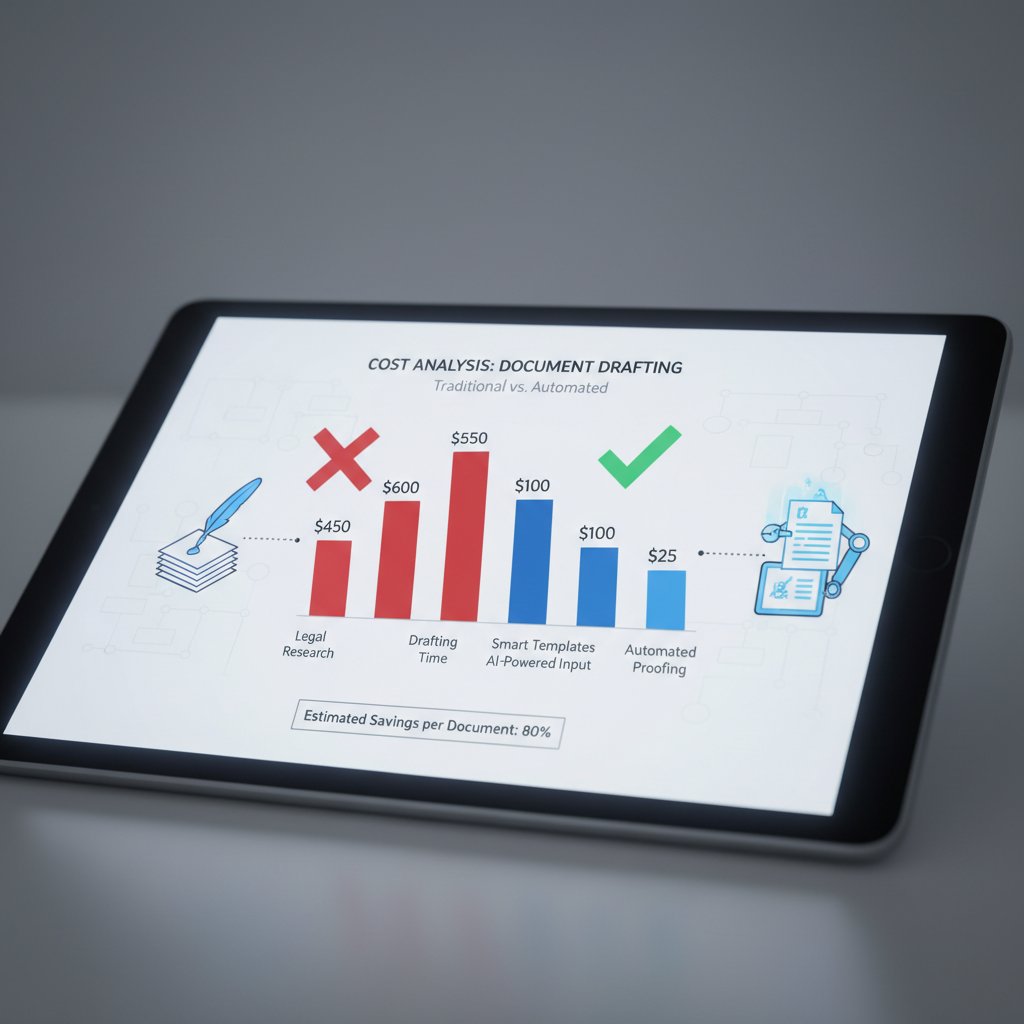
Sticker price is just the beginning. Hidden costs lurk in integration, training, customization, and ongoing updates. While automation can deliver impressive ROI, it’s crucial to budget for a ramp-up period and ongoing maintenance. On the plus side, operational savings and improved accuracy typically pay off within the first year for most organizations.
Future shock: where document drafting automation is heading next
The rise of adaptive, context-aware drafting
The evolution isn’t slowing down. The current frontier? Adaptive, context-aware drafting engines that understand your company’s voice, industry quirks, and even the emotional tone needed for different audiences. Real-time collaboration, voice integration, and seamless cross-platform editing have moved from wish list to baseline expectation.

Society, skills, and the new rules of work
Automation is rewriting the rules of professional life. Job descriptions shift from repetitive drafting to higher-level analysis, negotiation, and oversight. The skill set that matters isn’t just technical fluency, but adaptability, critical thinking, and a willingness to collaborate with both humans and machines. Culturally, the debate over automation’s role in society continues to heat up: will it empower, or marginalize, the workforce?
- Typewriter era: Manual, slow, and error-prone drafting.
- Early word processors: Incremental efficiency gains.
- Mail-merge and macros: Bulk generation, low flexibility.
- Scripted automation: Template-driven, limited intelligence.
- NLP-powered tools: Context-aware, customizable outputs.
- AI agents and hyper-automation: End-to-end orchestration.
- Adaptive, real-time collaboration: Contextual, seamless drafting.
Will automation ever write like a human? A critical debate
The limits of AI-authored documents are hotly contested. Advocates argue that ever-advancing NLP will soon create drafts indistinguishable from those crafted by experts. Skeptics counter that machine outputs, while impressive, can’t replicate the human touch—the nuance, empathy, and strategic thinking that define great communication.
"Machines can mimic us, but they can’t replace what makes us human." — Ava, quote echoing expert consensus
Practical playbook: thriving (not surviving) with document drafting automation
Real-world strategies for seamless adoption
Building buy-in is step one. Engage stakeholders early, identify skeptics, and highlight wins with pilot projects. Scale up only after ironing out workflow kinks. Continuous feedback, transparent metrics, and tailored training are your secret weapons.
- Automate onboarding documents: Streamline HR tasks for new hires.
- Standardize NDAs for contractors: Save legal review time.
- Accelerate RFP responses: Reduce proposal turnaround.
- Generate pitch decks: Combine data and visuals with ease.
- Automate compliance checklists: Stay audit-ready.
- Produce customer letters: Personalize at scale.
- Create technical manuals: Update documentation with one click.
- Prepare event agendas: Standardize internal meetings.
- Draft policy updates: Respond quickly to regulatory changes.
- Automate financial statements: Ensure consistency and accuracy.
Integrating filecreator.ai and beyond: trusted resources
For those looking to jumpstart their automation journey, platforms like filecreator.ai exemplify the next generation of professional document generators. Their AI-powered reasoning, rich template libraries, and multi-format support make them a go-to resource for organizations seeking accuracy, compliance, and adaptability. Still, savvy adopters evaluate multiple tools, prioritize ongoing learning, and stay abreast of evolving best practices in document automation.
Jargon buster for document drafting automation:
Application Programming Interface—a software bridge for integrating automation tools with other systems.
A curated collection of prebuilt document formats for rapid assembly and customization.
A secure, time-stamped log of all document edits, approvals, and versions.
Automated checks that ensure documents adhere to relevant laws and standards.
Permission controls dictating who can view, edit, or approve sensitive documents.
Key takeaways: what the boldest adopters do differently
Successful teams don’t just automate—they challenge norms, embrace discomfort, and commit to continuous improvement. They view automation as a catalyst for creativity, not just productivity. By investing in training, embracing transparent metrics, and learning from failure, they transform obstacles into advantages.

Conclusion: Adapt or get automated out
Reflecting on the automation revolution
Resistance to automation is, at its core, resistance to change. Yet, the reality of 2025 is unforgiving: those who cling to manual processes are not just inefficient—they're vulnerable. Automation is no longer a nice-to-have. It’s a competitive necessity, a shield against burnout, and a springboard for creativity and strategic influence.
Now is the time to audit your workflows, invest in robust automation solutions, and cultivate a culture that values both technological fluency and human judgment. The stakes are existential: adapt to the realities of document drafting automation or risk being automated out of relevance.
The broader implications ripple beyond individual organizations. Automation shapes the very fabric of work, shifting power dynamics, redefining expertise, and raising critical questions about fairness, bias, and the future of skilled labor. But one thing is clear—the choice is no longer if, but how, you embrace the transformation.

Sources
References cited in this article
- LawNext Directory 2025(directory.lawnext.com)
- Briefpoint AI(briefpoint.ai)
- Thomson Reuters(legal.thomsonreuters.com)
- Avokaado Blog(avokaado.io)
- StarSoftware 2024 Trends(starsoftware.co)
- Checkbox Guide(checkbox.ai)
- Ecopier Solutions(ecopiersolutions.com)
- Armstrong Archives(armstrongarchives.com)
- Forbes(forbes.com)
- SignHouse(usesignhouse.com)
- Smokeball(smokeball.com)
- Rossum Blog(rossum.ai)
- AIContentfy(aicontentfy.com)
- DASH(dashdev.com)
- ScaleUpProcess(scaleupprocess.com)
- KPMG(kpmg.com)
- Canadian Lawyer(canadianlawyermag.com)
- DocDraft Medium(docdraft.medium.com)
- Thomson Reuters(legal.thomsonreuters.com)
- Avvoka(avvoka.com)
- Wolters Kluwer(wolterskluwer.com)
- Rossum Blog(rossum.ai)
- AIIM(info.aiim.org)
- LinkedIn(linkedin.com)
- Avvoka(academy.avvoka.com)
- Templafy(templafy.com)
- MyCase(mycase.com)
- KnowledgeLake(knowledgelake.com)
- Cimphony(cimphony.ai)
- arXiv(arxiv.org)
- Medium(medium.com)
- DocDraft(docdraft.ai)
- Gavel(gavel.io)
- Google Cloud(cloud.google.com)
- Avvoka(academy.avvoka.com)
- Nexigence AI(nexigence.ai)
- DocDraft(docdraft.ai)
- RunSensible(runsensible.com)
- Avvoka/Warner Bros. Discovery(academy.avvoka.com)
- Templafy(templafy.com)
- Latin Business Today(latinbusinesstoday.com)
- LegalVision(legalvision.com.au)
- IBM(ibm.com)
- eDocGen(edocgen.com)
- ABA Journal(abajournal.com)
Perfect Documents, Instantly
Filecreator.ai transforms the way you produce professional documents. Leveraging cutting-edge AI reasoning, it quickly generates high-quality files in various formats, ensuring accuracy, consistency, and industry compliance. Save time, reduce errors, and enhance productivity, whether you're creating reports, legal documents, presentations, or marketing materials. Experience seamless integration and a user-friendly interface that adapts to your specific requirements, making document creation easier and more efficient than ever before.
Get startedStart Creating Professional Documents Today
Join thousands of professionals who trust AI-powered document generation
Frequently Asked Questions
What percentage of legal professionals' time is spent on manual document drafting?
According to recent industry research cited in the article, manual drafting devours over half of most legal professionals' time, representing a significant productivity loss.
Why is document drafting automation important in 2025?
Document drafting automation is reshaping professional work by addressing the crushing cost of manual paperwork, reducing burnout, minimizing errors, and helping firms stay competitive against tech-savvy competitors who move faster and make fewer mistakes.
What are the hidden costs of manual document drafting beyond time?
Beyond wasted hours, manual drafting contributes to professional burnout and stress, erodes morale, and reduces the quality of output—issues that go beyond just financial metrics.
Who stands to win and lose in the document drafting automation wave?
According to the article, firms that embrace automation and become tech-savvy will win by gaining efficiency and competitive advantage, while those that fail to automate risk losing clients and profits to leaner competitors.
Continue Reading
Explore more from Professional Document Generator

Automatic Document Drafting Software: Benefits and Real Pitfalls
Automatic document drafting software transforms workflows across legal, finance, and creative teams. This article explains the real benefits, genuine risks, and how to select the right tool.

Document Drafting Automation Software: Benefits and Hidden Costs
Document drafting automation software transforms how professionals create contracts and reports. This article examines the real benefits, hidden costs, and workplace shifts automation brings.

Document Drafting Api: Automation Benefits and Hidden Challenges
Document drafting API tools automate document creation but introduce technical debt and compliance challenges.

Document Drafting Software: How AI Is Speeding Up Creation
Document drafting software powered by AI is reducing creation time by up to 90% in some industries. This article examines the technology's impact on professional work.

Document Automation Solutions: Benefits and Real-World Challenges
Document automation solutions reshape business workflows. This article examines the real benefits, hidden costs, and practical challenges of implementing automation in document management.

Automatic Document Drafting: Benefits and Control Risks
Automatic document drafting reduces manual work and errors while introducing new control challenges. This article explains the benefits, costs, and risks of AI-powered document automation.