


Document Creator Online Free: Kiedy Darmowe Przestaje Być Bezpieczne
Written with AI assistance under our editorial guidelines
Free online document creators attract millions seeking to avoid software costs and licensing fees, but they come with hidden dangers including privacy risks, data control issues, and uncertain security practices that users often overlook when lured by the "free" promise and convenience of cloud-based collaboration.
In an age where content is currency and “free” has become a digital siren song, millions leap at the promise of a document creator online free—hoping to skip the grind, dodge software fees, and churn out pro files without friction. But behind every no-cost “Create Now!” button, there’s a deeper story—one of hidden costs, privacy landmines, and power moves that rarely surface in glowing reviews. This isn’t just a matter of convenience or saving a few bucks; it’s about who controls your words, your data, and your creative freedom. Are you ready to see what really happens when you upload your next doc to the cloud? This investigation cuts through the marketing gloss to reveal the real economics, privacy pitfalls, and secret strengths of today’s online document generators—and why the best deal might not be what you think. Before you trust your next masterpiece to a free document tool, read these seven brutal truths.
The explosive rise of free online document creators
From office suites to browser tabs: how we got here
Scroll back two decades, and the word “document” meant a Word file hunched on a hard drive, crafted in isolation, surrounded by coffee-stained printouts. Fast-forward to the present: the humble doc has gone global, slipping seamlessly through browser tabs, popping up on mobile screens, and living in the cloud. The old world of bloated software and license keys has been torched by a new breed of online document creator—where collaboration is instant, resources are unlimited, and the only thing standing between you and a finished report is your WiFi signal. This shift isn’t just about convenience; it’s a reflection of how our work, socialization, and self-expression have migrated online, blurring the line between professional and personal, public and private.
The cultural transformation is seismic. From businesses streamlining reports with real-time input to activists mobilizing around the world from kitchen tables, document creation is now frictionless and borderless. But this new landscape also comes with complications—hidden fees, compatibility headaches, and privacy dilemmas that rarely make it into the marketing copy.
Who’s actually using free document tools—and why?
The user base for free document creators is as diverse as the internet itself. Students on ramen budgets, freelancers toggling between gigs, NGOs fighting for causes, and even C-suite execs needing a quick, collaborative fix—everyone’s in the mix. Why? For some, it’s about cost. For others, it’s the lure of instant access and cloud collaboration. And for a growing number, it’s about working anonymously, bypassing corporate surveillance or government scrutiny.
- Instant collaboration: Teams across continents can brainstorm, edit, and finalize documents in real-time, slashing project turnaround times.
- Device agnosticism: Whether you’re on a battered Android, a borrowed Chromebook, or your own MacBook, you can access, edit, and share docs anywhere.
- Low barrier to entry: No downloads, no credit card—just click and create. For many in resource-constrained regions, this means true digital participation.
- Anonymity and privacy (sort of): Some platforms offer no-login tools for whistleblowers, journalists, or those who simply don’t want their name on every draft.
- Automatic backups: Cloud storage means your draft doesn’t die with your laptop—though where and how it’s stored is another question entirely.
Yet what’s “free” can rapidly morph into a Faustian bargain, especially for those who don’t read the fine print.
Global stats: How many documents are really created for free?
According to fresh data from Business Research Insights, 2024, the global market for online document sharing platforms has hit $6.24 billion in 2024, with a projected CAGR of 13.5% through 2033. That translates to tens of millions of documents being created, edited, and shared for free every single day across the planet. But this volume isn’t evenly distributed—certain regions and user types are driving a disproportionate share of activity.
| Region | Estimated Free Documents Created (2024, millions) | Percent of Global Volume (%) |
|---|---|---|
| North America | 540 | 36 |
| Europe | 410 | 27 |
| Asia-Pacific | 390 | 26 |
| Latin America | 80 | 6 |
| Africa | 65 | 5 |
Table: Estimated online document creation volume by region, 2024.
Source: Original analysis based on Business Research Insights, 2024, Market.us, 2024
The numbers are staggering—and growing. Yet as the market surges, so do concerns about security, sustainability, and who really benefits from all that “free” productivity.
What ‘free’ really means: the hidden economics
If you’re not paying, what’s the product?
Scratch beneath the surface of any document creator online free and you’ll find a business model built not on charity, but on calculated value extraction. The classic adage holds: “If something’s free, you’re probably the product.”
"If something’s free, you’re probably the product."
— Alex, digital privacy advocate
Your attention, your workflow, your data—these are the real currency. Platforms leverage user-generated content to train AI, sell targeted ads, or upsell premium subscriptions. It’s a high-wire act between convenience and exploitation, and most users have no idea how the sausage is made.
How these platforms actually make money
The economics behind “free” tools are anything but transparent. According to Rachel Drinkwater, 2023, monetization models range from overt (banner ads, affiliate offers) to covert (data mining, AI model training, aggressive upsells).
| Platform | Advertising | Upsells/Premium | Data Monetization | Affiliate Links |
|---|---|---|---|---|
| Google Docs | No | Yes | Yes | No |
| Canva Docs | Yes | Yes | Yes | Yes |
| Notion | No | Yes | Yes | No |
| Small Free Tools | Yes | Often | Sometimes | Yes |
Table: Monetization strategies of leading free document creator platforms.
Source: Original analysis based on Rachel Drinkwater, 2023, FlipHTML5, 2024
Some platforms keep the lights on with gentle nudges to upgrade, while others squeeze your data for all it’s worth, feeding ad engines or even selling anonymized analytics. Either way, the “free” label is rarely as simple—or risk-free—as it appears.
The bait-and-switch playbook: what to watch out for
Nobody likes nasty surprises, but with free document creators they come standard. Common traps include watermarks on exports, file size limits, locked features, or sudden paywalls after your project’s halfway done.
- Aggressive watermarking: Your exported PDF comes stamped with a logo, undermining your credibility.
- Feature lockout: Essential tools—export, download, or collaboration—suddenly require a paid upgrade.
- File size and project limits: Free tiers often cap usage, forcing tough choices mid-project.
- Disappearing features: What’s free today might be paywalled tomorrow—leaving you stranded.
- Unclear ownership: You may lose rights to your content or allow the platform to use it for marketing.
If you see any of these, tread carefully—or risk turning your “free” project into a paid headache.
Privacy panic: where do your documents really go?
The cloud conundrum: data sovereignty nightmares
You hit “save” and your document vanishes into the cloud—but where does it actually land? And under whose laws? Most platforms host data in a handful of global server farms, often crossing borders and jurisdictions. According to Recordsforce, 2024, this creates a labyrinth of legal ambiguity, with privacy protections varying wildly depending on where your data physically resides.
For businesses handling sensitive information—contracts, personal data, IP—the risks are acute. Documents stored in a country with weak privacy laws can be vulnerable to government access or data breaches. Even platforms touting compliance with standards like GDPR may struggle to enforce strict data sovereignty.
Who’s reading your files? Unpacking privacy policies
Most users scroll past privacy policies with a shrug, but the fine print reveals a lot. Many free document creators reserve the right to scan, index, or even share your content with third parties for analytics or advertising.
"I never realized how much I was giving away."
— Priya, non-profit organizer
It’s a devil’s bargain: you get a handy tool, they get to mine your data. Some platforms even train their AI on your files, further muddying the question of ownership and consent. Reading the privacy policy is no longer optional—it’s survival.
Anonymous tools: freedom, or liability?
Some creators promise “no sign up required”—and for whistleblowers or dissidents, this sounds like a lifeline. But anonymity is a double-edged sword: while it shields your identity, it often comes with zero support, no backups, and absolutely no recourse if something goes wrong.
Key privacy terms explained:
A principle requiring platforms to integrate data protection into every stage of system development; often more marketing than reality in free tools.
Collecting only the data strictly necessary for service; rarely enforced in ad-supported models.
Hosting data exclusively within a user’s legal jurisdiction for compliance; mostly offered by paid enterprise platforms.
Protecting stored data with encryption; check if it’s enabled for free tiers.
The platform literally cannot access your content, even if compelled; rare among free tools, sometimes available on paid or open-source options.
Understanding these terms—and their real-world implications—can mean the difference between digital freedom and opening yourself up to exploitation.
File formats, compatibility, and the myth of ‘universal’ access
Why your perfect doc looks broken on their screen
Ever spent hours formatting a CV, only for it to go haywire when opened on someone else’s computer? You’re not alone. File compatibility is the Achilles’ heel of all document creators, especially those that promise universal access. According to a FlipHTML5 industry guide, even mainstream formats like DOCX or PDF can glitch, depending on platform quirks, font libraries, and device settings.
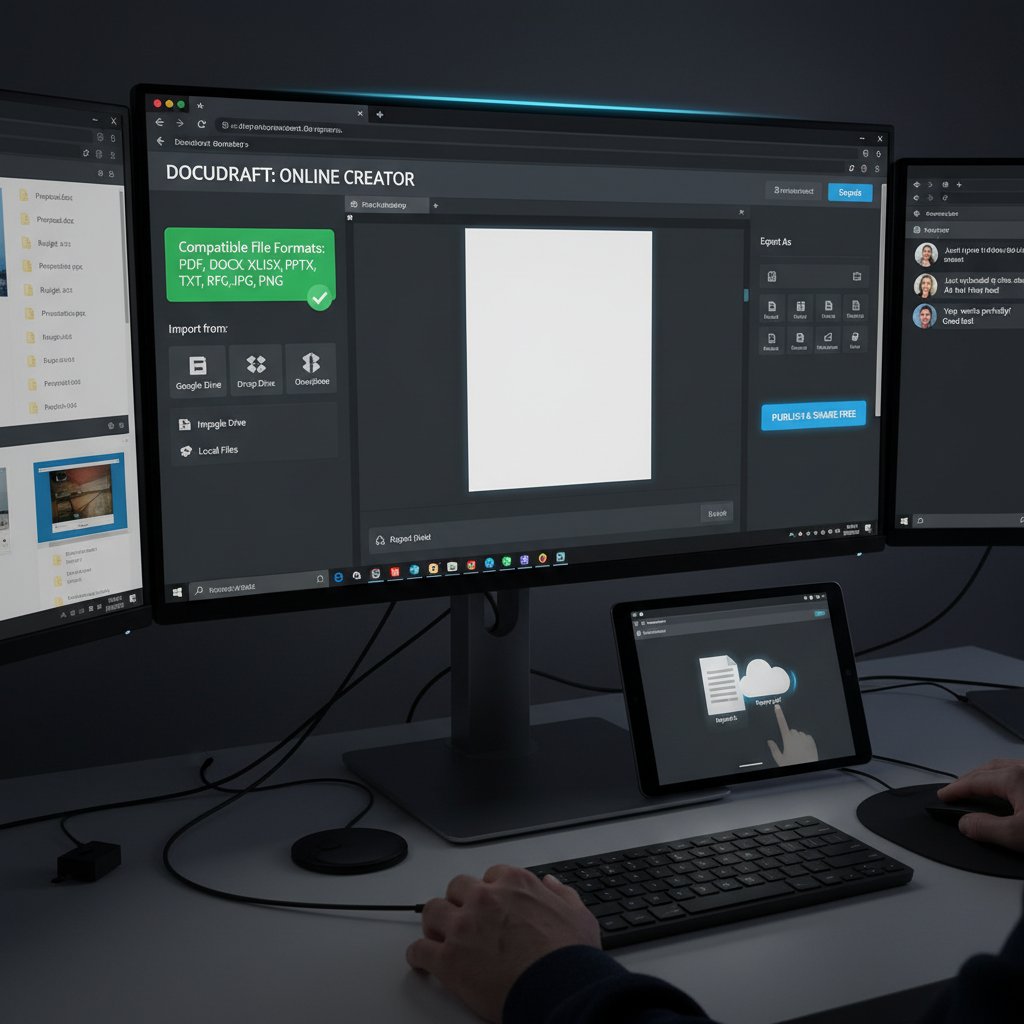
For critical projects, this can be a dealbreaker—especially when collaborating across platforms or sending docs to clients with strict requirements.
PDF, DOCX, ODT: decoding the alphabet soup
Each major format comes with its own strengths, weaknesses, and hidden traps. Here’s how the big three stack up, according to original analysis based on Canva Docs, 2024 and verified industry standards:
| Format | Strengths | Weaknesses | Best Use Cases |
|---|---|---|---|
| Looks the same everywhere; locked formatting | Hard to edit; can be large in size | Contracts, resumes, forms | |
| DOCX | Universal in MS Office; editable, widely supported | Formatting can break on older/other systems | Essays, reports, drafts |
| ODT | Open standard; lightweight; used in LibreOffice | Not always supported by online platforms | Collaboration, open source |
| Online | Real-time; cloud-based; collaborative | Export issues, privacy concerns | Brainstorming, team projects |
Table: Comparison of document formats for online document creation.
Source: Original analysis based on Canva Docs, 2024, FlipHTML5, 2024
Choosing the right format is more than a technical checkbox—it can make or break your project’s credibility.
Export hell: the hidden cost of ‘free’ tools
If there’s one thing every user of document creator online free tools learns the hard way, it’s the pain of exporting. Watermarks, broken formatting, or paywalled export functions can turn your finished doc into digital scrap.
Here’s how to survive the process:
- Finish formatting online: Don’t rely on post-export edits—what you see is not always what you get.
- Check export options early: Before you invest hours, make sure your tool allows free, watermark-free exports.
- Test on multiple devices: Open your exported file on different OSes and apps to catch glitches.
- Use PDF for critical docs: It’s more likely to look consistent, though editing is harder.
- Keep backups: Export versions as you go; platforms can change policies or lock content suddenly.
Master these steps, and you’ll avoid the most common export disasters plaguing the “free” document ecosystem.
The AI revolution: smarter, faster, but at what cost?
How AI is rewriting your documents—literally
The latest wave of document creators is powered by AI—rewriting, summarizing, and even suggesting content in real time. This isn’t just spellcheck on steroids; it’s a transformation of authorship itself. According to Recordsforce, 2024, AI is now integral to everything from grammar correction to full-on draft creation, making the process faster but also raising new questions about who “owns” the content.

While productivity surges, so do concerns about originality, bias, and the subtle influence of machine-generated content.
Spotting AI-generated docs: can you tell the difference?
In 2024, the line between human and AI-generated writing is almost invisible. For better or worse, here are some unconventional uses for document creator online free tools:
- Content spinning/rewriting: Some use free creators in tandem with AI to “camouflage” plagiarism or automate mass content production.
- Brainstorming and ideation: Teams rely on AI to suggest outlines, talking points, or even creative phrasing.
- Language translation: Free tools with AI offer instant, if imperfect, translation for global collaboration.
- Template hacking: Users feed prompts to AI-powered tools to generate legal docs, contracts, or policies—sometimes with questionable accuracy.
- Accessibility enhancements: AI auto-formats and adapts documents for different audiences, improving inclusivity but sometimes introducing errors.
The upshot? AI can be a force multiplier—if you know how to spot its fingerprints and use it critically.
The ethics of AI-powered document creation
With AI, the questions get thornier: is it plagiarism to use an AI-generated draft? Who’s responsible for errors or bias in machine-written content? As industry experts often note, just because you can doesn’t mean you should.
"Just because you can doesn’t mean you should."
— Jordan, digital ethics researcher
Transparency, attribution, and context matter more than ever. The best users leverage AI as a tool, not a crutch, and always double-check for accuracy and unintended bias.
Real-world war stories: when free tools save—or sabotage—your life
Student survival: acing assignments on a zero budget
For many students, free online document creators are lifelines—especially when campus software licenses expire or laptop storage disappears. Take the story of Sam, who pulled an all-nighter to submit a term paper using nothing but a battered Chromebook and a cloud doc tool. Despite last-minute crashes and a surprise watermark, the instant collaboration and anytime access made the difference between passing and failing.

Many universities now recommend students double-check export formats and privacy settings before uploading personal information—a reminder that convenience often comes with caveats.
Activists and whistleblowers: anonymity on the edge
For activists, journalists, or whistleblowers operating in high-risk environments, free document creators can be both shield and sword. Anonymous, no-login tools offer a way to draft, collaborate, and distribute sensitive information without leaving a digital footprint. But the risks are real: without encryption or secure backups, a single server failure or data leak can expose identities and compromise missions.
Choosing the right tool is literally a matter of safety. According to digital rights organizations, platforms prioritizing “zero-knowledge” encryption and data minimization—often open-source or privacy-focused—provide the best (if imperfect) shield.
Small business, big impact: landing clients with pro docs
Freelancers and small businesses often win their first contracts with slick proposals built on free document platforms. Consider Alex, a designer who landed a major client after sending a clean, branded PDF generated entirely online. But for every success, there’s a story of a proposal ruined by garish watermarks or corrupted formatting.
Priority checklist for document creator online free implementation:
- Audit export formats and check for watermarks before sending docs to clients.
- Read the privacy policy—don’t risk client IP on insecure platforms.
- Regularly backup all critical docs offline.
- Test real-time collaboration features before live client meetings.
- Stay updated on platform changes; features and policies shift rapidly.
For small teams, these habits mean the difference between “looking legit” and losing out on business.
Debunking the biggest myths about online document creation
Myth: Free always means low-quality
It’s easy to assume “free” equals “junk,” but that’s not always true. Some free document creator platforms outperform expensive rivals in speed, accessibility, or ease of collaboration—especially for one-off projects or creative brainstorming.
Common document creator myths vs. reality:
Many offer robust encryption or privacy options—if you know where to look.
Not always; even premium platforms suffer downtime or data loss.
Different tools excel for different industries—legal, creative, academic, or business.
Some platforms allow clean exports, especially for basic formats and templates.
Myth: Paid tools are always safer
History is littered with privacy scandals—from major platforms exposing private files to subscription services suddenly raising prices or locking features. Free tools, when used wisely, can be just as secure—sometimes more so, since there’s less incentive for aggressive data mining. When in doubt, consult trusted resources like filecreator.ai for up-to-date analyses and recommendations on document creator online free security best practices.
Myth: One tool fits all needs
The explosion of niche document creators has killed the “one size fits all” fantasy. Legal professionals need compliance checks and secure templates; marketers value design flexibility and export options; academics prioritize citation management.
Hidden benefits of document creator online free for niche professions:
- Legal: Fast, compliant contract generation without third-party exposure.
- Finance: Automated templates reduce calculation errors and speed up reporting.
- Healthcare: Privacy-focused tools minimize patient data risks.
- Marketing: Branded templates with social sharing baked in.
Choosing a tool isn’t about price—it’s about fit, flexibility, and the subtle details that make your workflow sing.
Choosing your weapon: how to pick the best free document creator
Feature checklist: what actually matters
With hundreds of document creator online free tools vying for your clicks, focus on essentials:
Quick reference guide for evaluating document creator tools:
- Can you export in preferred formats (PDF, DOCX, ODT) without watermarks?
- Is real-time collaboration smooth, or glitchy?
- How does the tool handle privacy—are you the product?
- Are templates customizable and professional?
- Is there robust mobile and browser support?
- Can you work anonymously if needed?
- Is the interface intuitive, or is there a steep learning curve?
Prioritizing these features keeps you from getting burned by hidden costs or clunky workflows.
The ultimate showdown: top platforms ranked
Selection criteria for the best document creators include speed, privacy, export quality, template selection, and collaboration tools. Here’s an at-a-glance breakdown:
| Platform | Export Quality | Collaboration | Privacy Controls | Templates | Watermark-Free |
|---|---|---|---|---|---|
| Google Docs | Excellent | Real-time | Moderate | Many | Yes |
| Canva Docs | Good | Real-time | Moderate | Many | No (watermark on free) |
| Notion | Good | Real-time | Moderate | Good | Yes |
| Zoho Writer | Good | Real-time | Strong | Good | Yes |
| LibreOffice Online | Good | Basic | Strong | Basic | Yes |
Table: Comparison of leading free document creator platforms.
Source: Original analysis based on Business Research Insights, 2024, FlipHTML5, 2024
Even the best platforms aren’t perfect—always double-check export policies and privacy terms before critical projects.
Special mentions: tools for power users and privacy fanatics
For those needing advanced features or bulletproof privacy, specialist platforms deliver where mainstream tools fall short. filecreator.ai is often cited as a useful resource for professionals seeking consistency, industry compliance, and customizable templates. Look for:
- End-to-end encryption and zero-knowledge architecture.
- Audit trails for legal or regulatory work.
- Advanced template libraries for niche industries.
- Multi-format support for seamless exporting.
- Clear, transparent privacy policies.
The best tool is the one that fits your mission—and doesn’t sell you out in the process.
Future shock: the next wave of online document creation
What’s next for free document creators?
The current generation of document creator online free tools is just the beginning. AI-generated content, blockchain-verified authorship, and frictionless cross-device workflows are already reshaping the landscape. As digital identity and security standards evolve, platforms will face pressure to deliver both convenience and ironclad privacy.
But as features multiply, so do the risks—especially for those who treat “free” as a synonym for “safe.”
Will ‘free’ survive the next privacy crackdown?
Mounting privacy regulations—like GDPR and CCPA—are forcing platforms to rethink how they handle user data, monetize content, and disclose practices. Many free tools are already scrambling to patch compliance gaps, while others quietly restrict features or introduce fees. The sustainability of the pure “free” model is under siege, especially as AI-driven services require ever-larger data sets.
The smart play is vigilance: stay informed and be ready to pivot as the rules of engagement change.
How to stay ahead: future-proofing your workflow
Success in the new era of document creation isn’t about chasing trends—it’s about building resilient habits:
- Audit your toolbox: Regularly review the platforms you use for privacy, export, and feature creep.
- Backup everything: Keep local copies—cloud convenience isn’t the same as permanent access.
- Harden your privacy: Use pseudonyms, VPNs, or privacy-focused browsers for sensitive docs.
- Follow regulation news: Laws change fast; make sure your practices stay compliant.
- Diversify your workflow: Don’t rely on a single platform—spread risk across tools and formats.
Timeline of document creator online free evolution:
- Desktop-only, licensed software dominates.
- First generation of cloud editors (Google Docs, Zoho).
- AI-powered drafting and collaboration surge.
- Privacy-focused and anonymous tools rise.
- Blockchain verification and decentralized storage begin to emerge.
- Cross-platform, multi-format, and regulatory-compliant tools become the new standard.
The only constant is change—future-proof your workflow by staying informed, skeptical, and adaptable.
Conclusion: Is ‘free’ freedom, or just another trap?
After all the hype, the seven brutal truths about document creator online free boil down to this: convenience always comes with trade-offs. For every cost-saving tool, there’s a hidden fee in privacy, functionality, or long-term access. The best users aren’t the ones who avoid risk—they’re the ones who spot it early, read the fine print, and make decisions with eyes wide open.

So what will you choose the next time you fire up a “free” document creator? Blind optimism—or engaged skepticism? The real cost of “free” isn’t always measured in dollars. Sometimes, it’s your data, your credibility, or your peace of mind. Choose your tools—and your freedom—wisely.
Sources
References cited in this article
- Canva Docs(canva.com)
- FlipHTML5 Learning Center(fliphtml5.com)
- Rachel Drinkwater: There is No Such Thing as Free(racheldrinkwater.com)
- Business Research Insights(businessresearchinsights.com)
- Market.us Creator Economy Report(market.us)
- Recordsforce: Digitization Trends 2024(recordsforce.com)
- Quora(quora.com)
- FEE.org: The Hidden Costs of Free Social Media(fee.org)
- Creative Fabrica Document Maker(creativefabrica.com)
- Cloudwards(cloudwards.net)
- TapeReal: Data Privacy Laws for Content Creators 2024(web.tapereal.com)
- Edge Delta: Data Privacy Stats(edgedelta.com)
- Blocks & Files(blocksandfiles.com)
- Cloud Security Alliance(cloudsecurityalliance.org)
- ISACA Blog 2023(isaca.org)
- WPS Office Blog(wps.com)
- Arlevent: Anonymous Google Doc Sharing(arlevent.ime.calpoly.edu)
- Pydio: Security Risks(pydio.com)
- ONLYOFFICE Blog(onlyoffice.com)
- Adobe: PDF/UA(adobe.com)
- Ask Leo!(askleo.com)
- Office Watch(office-watch.com)
- Microsoft Support(support.microsoft.com)
- PDF Association(pdfa.org)
- TechRadar: Free PDF Editors(techradar.com)
- Wolters Kluwer: Hidden Costs(wolterskluwer.com)
- Thomson Reuters: Future of Professionals Report(thomsonreuters.com)
- Forbes: The Future of AI-Powered Document Processing(forbes.com)
- SuperAnnotate: AI Content Detection(superannotate.com)
- Inside Higher Ed: Professors Proceed with Caution(insidehighered.com)
- DocDraft(docdraft.ai)
- AI PDF Buddy: Ethical Considerations(aipdfbuddy.com)
- Computer.org: AI Content Creation Ethics(computer.org)
- Britannica: AI Ethical Issues(britannica.com)
- Coherent Solutions(coherentsolutions.com)
Perfect Documents, Instantly
Filecreator.ai transforms the way you produce professional documents. Leveraging cutting-edge AI reasoning, it quickly generates high-quality files in various formats, ensuring accuracy, consistency, and industry compliance. Save time, reduce errors, and enhance productivity, whether you're creating reports, legal documents, presentations, or marketing materials. Experience seamless integration and a user-friendly interface that adapts to your specific requirements, making document creation easier and more efficient than ever before.
Get startedStart Creating Professional Documents Today
Join thousands of professionals who trust AI-powered document generation
Frequently Asked Questions
Jakie są główne niebezpieczeństwa związane z bezpłatnymi narzędziami do tworzenia dokumentów online?
Artykuł wskazuje, że za każdym bezpłatnym narzędziem kryją się ukryte koszty, zagrożenia dla prywatności oraz kwestie kontroli nad danymi i treścią użytkownika, które nie są widoczne w marketingowych opisach.
Jak zmienił się sposób tworzenia dokumentów w ciągu ostatnich dwóch dekad?
Przemieniło się od izolowanych plików Word przechowywanych na dysku twardym do chmurowych, globalnych rozwiązań dostępnych przez przeglądarki internetowe, umożliwiających natychmiastową współpracę i dostęp z urządzeń mobilnych.
Kto korzysta z bezpłatnych narzędzi do tworzenia dokumentów online?
Artykuł wskazuje, że użytkownikami są studenci, freelancerzy, NGO-sy, oraz pracownicy na stanowiskach kierowniczych, czyli bardzo zróżnicowana grupa internetowych użytkowników.
Dlaczego artykuł sugeruje, że "najlepsza okazja może nie być tym, co się wydaje"?
Artykuł twierdzi, że bezpłatne narzędzia mają ukryte koszty i zagrożenia dla bezpieczeństwa, dlatego rzeczywista wartość i bezpieczeństwo bezpłatnych rozwiązań mogą być mniej korzystne, niż się wydaje na pierwszy rzut oka.
Continue Reading
Explore more from Professional Document Generator

Free Document Generator Myths and Actual Trade-Offs
Free document generator tools have real trade-offs. This article examines seven myths, reveals actual costs, and explains how to create professional documents affordably.

Online Document Builder: Separating Marketing Claims From Reality
Online document builder platforms promise efficiency but carry hidden costs and security risks. This article examines the realities behind the marketing claims.

Document Generation Online in 2026: Myths, Risks, and Real Wins
Discover insights about document generation online

Document Generator Software Online: Weighing Benefits Against Risks
Document generator software online promises efficiency but carries real risks. This article examines both the benefits and pitfalls, from data privacy concerns to potential errors.

Online Document Creation Tools: What Shapes Them and How to Choose
Online document creation tools shape modern work. This article examines their hidden histories, actual risks, and how to choose the right tool for your needs.

Best Online Document Creation Services Compared
This article compares the best online document creation services available today, examining their strengths, weaknesses, and which tools suit different needs.





