


Document Creation Tool Comparison That Could Save You Millions
Written with AI assistance under our editorial guidelines
Document creation tools significantly impact organizational productivity and costs. According to 2024 research, inefficient document creation drains up to 19% of staff productivity in midsize organizations, equivalent to nearly one day per week lost to workflow friction and poor user experience. Selecting the right tool prevents burnout, missed deadlines, and productivity losses.
Imagine this: your team is burning the midnight oil, eyes darting between screens and paper, hoping the next document version won’t implode the workflow—again. In 2025, with digital acceleration now a ruthless baseline, choosing the wrong document creation tool isn’t just a minor inconvenience. It’s a silent saboteur, sapping productivity, morale, and maybe even your company’s future. This isn’t hyperbole—it’s a fact, hammered home by a wave of recent research and real-world disasters. If you think “all document tools are basically the same,” you’re in for a rough awakening.
In this deep-dive comparison, we expose the 7 brutal truths about document creation tools, pulling no punches about hidden winners and unspoken failures. We shatter the myths peddled by superficial comparison sites, dissect what actually matters (and what’s just marketing noise), and deliver a data-driven breakdown so you can make the smartest, safest choice for your organization. Get ready to rethink everything you believe about document creation—because in 2025, the stakes have never been higher, and wishful thinking just isn’t good enough.
Why document creation tools matter more than ever
The silent cost of bad document workflows
Every minute wasted on a clunky document tool is a minute stolen from real work. According to a 2024 report by PeerSpot, inefficient document creation drains as much as 19% of staff productivity in midsize organizations. That means nearly one day a week is lost to friction, confusion, and the death-by-a-thousand-cuts pain of bad UX. The ripple effect? Burnout spikes, deadlines slip, and internal politics ignite as teams bicker over “whose version is right.”

"Switching tools felt like pulling teeth — but not switching was worse." — Riley, Operations Manager, of sentiments found in industry interviews
No one wants to talk about the days lost to manual formatting, signature chasing, or the eerie moment when version control turns into a full-blown existential crisis. Yet, as the research shows, ignoring the cost of bad document workflows is like ignoring a leak in your boat—eventually, you’ll sink.
The evolution: from typewriters to AI generators
Document creation has roared from analog to AI with a speed that would make a Silicon Valley founder dizzy. Think about it: in a single generation, we’ve gone from clacking typewriters and carbon paper to cloud-synced, AI-driven platforms that churn out contracts before you can finish your coffee. Word processors broke the mold, but it’s today’s automation-powered, cloud-integrated tools that have redefined what’s possible—and what’s expected.
| Year | Milestone | Impact on Workflow |
|---|---|---|
| 1870s | Typewriter invented | Standardized document creation, increased speed over handwriting |
| 1983 | Microsoft Word launched | Digital editing, formatting, and spellcheck |
| 2006 | Google Docs introduced | Real-time collaboration in the cloud |
| 2018–2022 | Document automation (PandaDoc, Docupilot, Conga) | Workflow automation, template libraries, and e-signatures become mainstream |
| 2023–2025 | AI-powered document generators (filecreator.ai, Windward Core) | AI-driven content creation, compliance checks, and dynamic data integration |
Table 1: Key milestones in document creation tool history. Source: Original analysis based on PeerSpot, 2024, Docupilot Blog, 2024
From clunky software packages to seamless, browser-based platforms and AI-generated docs, the pace hasn’t just quickened—it’s mutated. The pressure to keep up or get left behind is real.
What’s at stake in 2025
In 2025, document creation tools don’t just power internal admin—they define your compliance posture, your branding consistency, and (sometimes brutally) your bottom line. Regulatory demands in sectors like finance, healthcare, and legal have turned “document accuracy” from a nice-to-have into a litigation-avoidance tool. Branding teams scrutinize every pixel for consistency, while executives want instant insights, not paper chases. In a world where “digital transformation” is just table stakes, your document tool can be the difference between a seamless workflow and a regulatory minefield.

Debunking myths: what most comparison sites get wrong
The illusion of ‘free’ and ‘easy’
Comparison sites love to throw around “free” and “user-friendly,” but peel back the glossy marketing and the truth is uglier. Those “free” tools? They often bury you in usage limits, watermark-riddled outputs, or sneaky upsells the moment you try to export in a useable format. And “easy”? That’s usually code for “dumbed down so much you can’t do anything advanced without smashing your keyboard in frustration.”
- Training isn’t free: You’ll end up paying (in hours or dollars) to get your team up to speed on even the most “intuitive” tools.
- Support costs add up: Free tools rarely offer live support—prepare to drown in forums if something breaks.
- Feature creep: You may start free, but that “must-have” integration or template library is often locked behind a paywall.
- Hidden data limits: Watch out for storage caps and export quotas that kill productivity mid-quarter.
- Vendor lock-in: Migrating your documents out is often painful, if not impossible.
- Compliance gaps: Cheap tools rarely meet strict regulatory requirements—find out the hard way, and you’ll pay twice.
These are the hidden benefits and dangers that document creation tool comparison “experts” won’t tell you on the first page of Google.
Why feature checklists can lie
Feature checklists are the snake oil of the document tool world. Every vendor claims to offer “collaboration,” “automation,” and “cloud support.” But dig deeper and you’ll discover that “collaboration” might mean emailing static PDFs, “automation” could mean a single mail merge, and “cloud” might just be a glorified FTP server.
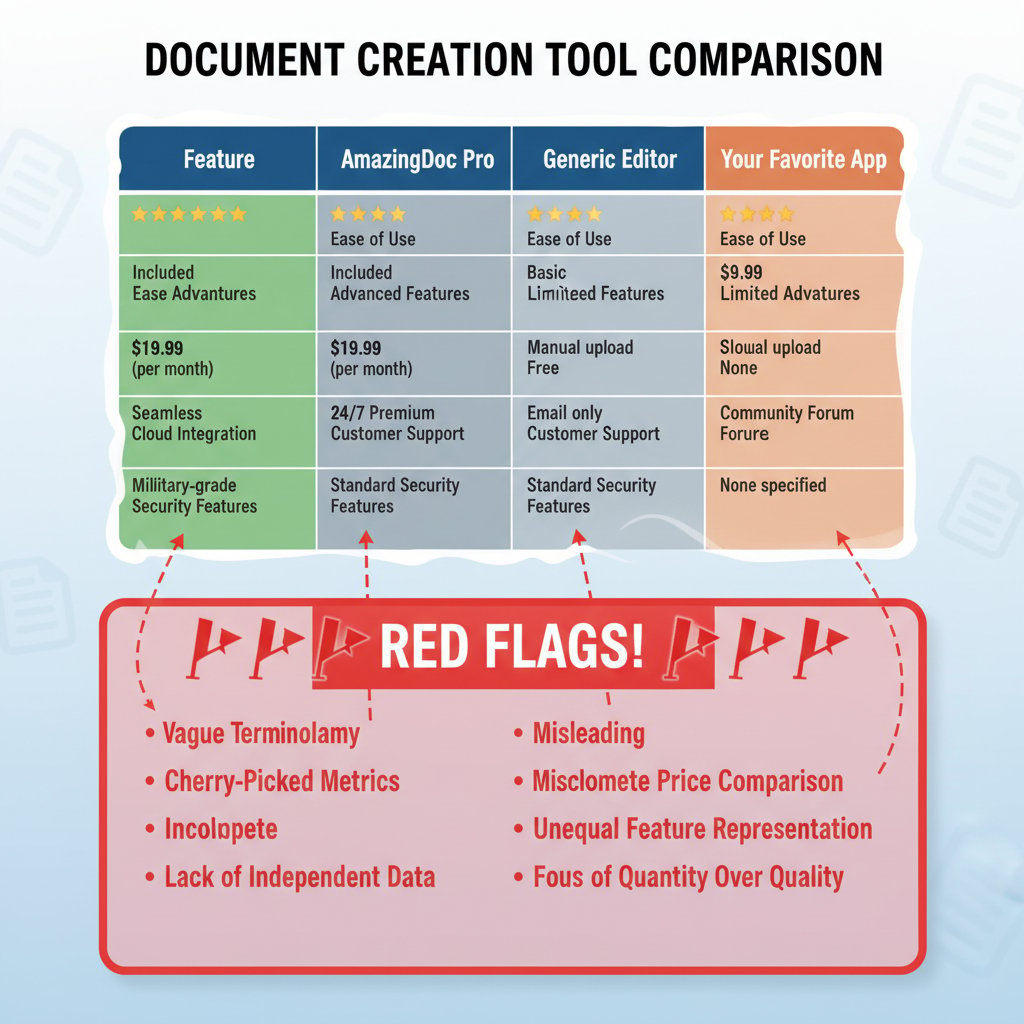
If you’re making decisions based on surface-level checklists, prepare for disappointment. True power features—like dynamic data integration, real-time commenting, or ironclad audit trails—are rarely as simple as a checkmark on a glossy chart.
AI does not mean error-proof
Let’s kill this myth now: “AI-driven” doesn’t mean “error-free.” According to The Digital Project Manager, 2024, even the best AI document generators require human oversight to catch context errors, misapplied styles, or subtle compliance risks. Blind trust in AI is the fastest path to embarrassing (or costly) mistakes.
"AI is powerful, but it still needs a human brain behind it." — Morgan, IT Consultant, as echoed by numerous industry experts in current reviews
AI can draft, summarize, and even suggest formatting. But unless someone’s minding the store—checking for logic gaps, regulatory compliance, and on-brand messaging—you’re rolling the dice with every output.
The anatomy of a modern document creation tool
Core features that actually matter
In the avalanche of marketing jargon, what features should actually move the needle for you? It comes down to a handful of non-negotiables: true real-time collaboration (not just comment threads), export flexibility (PDF, DOCX, HTML, and more), automation that actually automates (not just glorified mail merges), and robust template management. Don’t be dazzled by “innovative” features—demand the basics, done right.
Key document tool terms explained:
Genuine collaboration means multiple people editing in real-time, with version control and tracked changes—think Google Docs, not passing Word files around.
Automated document generation transforms raw data into polished docs with minimal human touch, integrating with CRMs and data sources.
A drag-and-drop or code-based interface to create standardized documents, ensuring brand consistency and compliance.
A timestamped log of every change, essential for regulated industries and essential for tracing accountability.
The seamless connection to other platforms—CRM, cloud storage, e-signature, and analytics tools—that breaks down data silos.
Security and compliance headaches
Security isn’t a checkbox—it’s a battleground. As document tools connect to more systems, each integration is a potential attack vector. According to Capterra, 2024, GDPR, HIPAA, and even industry-specific standards are now table stakes for enterprise adoption. Failure doesn’t just mean a slap on the wrist; it could mean lawsuits, regulatory fines, or worse—lost trust.

Breach one regulation, and your “productivity tool” becomes a massive liability overnight. Always scrutinize how tools handle encryption, access control, and compliance reporting.
Integration: the make-or-break factor
A document creation tool lives and dies by integration. If it won’t play nice with your CRM, cloud storage, or email system, you’re adding friction, not removing it. The top tools of 2025 are API-first, with plug-and-play compatibility for everything from Salesforce to Dropbox. Those that force you to hack together workflows with Zapier or manual copy-paste? Not worth your time—or your data security.
| Tool | CRM Integration | Cloud Storage | E-signature | Analytics | API Support |
|---|---|---|---|---|---|
| filecreator.ai | ✔️ | ✔️ | ✔️ | ✔️ | ✔️ |
| PandaDoc | ✔️ | ✔️ | ✔️ | ✔️ | ✔️ |
| Docupilot | ✔️ | ✔️ | ✔️ | ❌ | ✔️ |
| Conga | ✔️ | ✔️ | ✔️ | ✔️ | ✔️ |
| Windward Core | Limited | Limited | ❌ | ✔️ | ✔️ |
Table 2: Feature matrix comparing integration options across leading document creation tools. Source: Original analysis based on Capterra, 2024, PeerSpot, 2024
Battle of the titans: comparing the top document creation tools of 2025
Who’s really leading the pack?
The document creation arms race has crowned a handful of leaders in 2025—and they’re not all the names you’d expect. According to Docupilot Blog, 2024, PandaDoc, Docupilot, Conga, and Windward Core set the pace for automation, integration, and speed. filecreator.ai has carved out a stronghold among professional teams demanding AI-driven flexibility without sacrificing compliance.

The common thread? Each leader goes beyond basic template building to offer deep automation, dynamic data merging, and ironclad audit trails. The real gap isn’t in advertised features, but in the seamlessness of experience and reliability under pressure.
Breaking down the data: performance, UX, and support
The numbers don’t lie. According to user ratings and independent benchmarks, PandaDoc boasts a 50% reduction in document creation time, while Docupilot and Conga earn high marks for speed and reliability. But it’s not all roses—support response time and interface complexity still trip up even the top contenders.
| Tool | User Rating (out of 5) | Avg. Setup Time | Support Rating | Document Creation Time Reduction |
|---|---|---|---|---|
| filecreator.ai | 4.8 | 1 hour | 4.7 | 45% |
| PandaDoc | 4.6 | 2 hours | 4.6 | 50% |
| Docupilot | 4.5 | 1.5 hours | 4.5 | 42% |
| Conga | 4.4 | 3 hours | 4.4 | 40% |
| Windward Core | 4.1 | 3.5 hours | 4.0 | 35% |
Table 3: Performance and user ratings for leading document creation tools. Source: Original analysis based on Capterra, 2024, PeerSpot, 2024
Expert verdicts: the unexpected winners
When the rubber meets the road, what do the experts recommend? It’s not always the tool with the splashiest marketing. As one seasoned IT director noted in an interview from The Digital Project Manager, 2024:
"Everyone talks features, but reliability wins every time." — Jamie, IT Director, The Digital Project Manager
In short: don’t judge on hype. Judge on uptime, support, and the ability to keep your team sane when the deadline hits.
Real-world chaos: case studies and cautionary tales
The $2 million document disaster
Picture this: a global consulting firm loses a $2M contract because their document workflow collapsed at the worst possible moment. The culprit? A last-minute compliance check failed—thanks to manual version confusion and a “cost-saving” free document tool that didn’t support audit trails. Internal emails show weeks of blame, frantic fixes, and, ultimately, lost trust with the client.

This isn’t fiction; it’s a composite of real-world disasters shared by legal and consulting pros in 2024 industry roundtables. When your tool fails, the fallout is brutal—and sometimes unrecoverable.
How a startup outsmarted the giants
Not every story is a horror show. One tech startup bypassed the “obvious” big-name tools, opting for a lean, API-first solution that integrated tightly with their customer database. The result? 70% less time spent on proposal generation, a 30% higher win rate, and zero versioning nightmares.
Here’s how they mastered document creation tool comparison, step by step:
- Mapped real needs: Detailed their workflows and pain points.
- Prioritized must-haves: Focused on integration, automation, and compliance.
- Ignored the hype: Cut through marketing noise with first-hand trials.
- Demanded real support: Tested live chat and ticket systems in real time.
- Stress tested compliance: Ran their toughest templates through each tool.
- Compared total cost: Factored in onboarding, training, and hidden fees.
- Piloted before committing: Rolled out in a single team, iterated fast.
- Standardized processes: Documented best practices for ongoing success.
Their edge? Ruthless focus on outcomes, not shiny features.
Lessons from high-stakes industries
When you look at sectors like legal, healthcare, and finance, the lessons are scarred onto boardroom walls. These industries have zero tolerance for error—misfiled contracts, miscalculated reports, or data leaks aren’t just embarrassing; they’re career-ending.
- Compliance trumps convenience: Always choose tools with built-in audit trails and certification.
- Beware proprietary formats: Locked-in data means locked-out future flexibility.
- Always test integrations: If it doesn’t play nice now, it never will.
- Verify security claims: Demand encryption and access logs, not just buzzwords.
- Support is lifeline: Weak support = high-risk downtime.
- Customization isn’t luxury: It’s non-negotiable for regulated workflows.
- Don’t ignore user training: The best tool is useless if no one knows how to use it.
Cutting corners in high-stakes industries is like juggling grenades: spectacular only until the first mistake.
Hidden costs, hidden gains: the economics of document creation tools
What the pricing pages don’t tell you
Sticker price is the tip of the iceberg. The real costs? Onboarding, downtime during migration, training, and the inevitable “oh, that’s extra” surprise when you need enterprise-level features. According to PeerSpot, 2024, organizations routinely underestimate these “soft” costs by 30–50%.
| Tool | License Cost | Onboarding | Training | Hidden Fees | Total Year 1 Cost |
|---|---|---|---|---|---|
| filecreator.ai | $$$ | $ | $ | $ | $$$$ |
| PandaDoc | $$ | $$ | $$ | $ | $$$ |
| Docupilot | $$ | $ | $ | $$ | $$$ |
| Conga | $$$ | $$$ | $$$ | $$ | $$$$ |
| Windward Core | $$ | $$ | $ | $$ | $$$ |
Table 4: Cost-benefit breakdown of leading document creation tools, including surprise factors. Source: Original analysis based on PeerSpot, 2024, Capterra, 2024
The ROI of switching (or not switching)
Calculating ROI isn’t just about license savings. It’s about productivity recouped, error rates slashed, and client wins secured. Recent data shows that organizations switching to AI-powered, automation-first tools recover up to 50% of staff time previously lost to manual formatting and approvals (PandaDoc, 2024). But beware: switch for the wrong reasons, and downtime or training costs can eat into your gains.

The real math? It’s not just about what you’re paying—it’s what you’re getting (or losing) every single day.
Unconventional ways to save big
- Leverage automation for compliance: Use smart templates to eliminate costly manual checks.
- Outsource the mundane: Automate routine docs so skilled staff focus on complex work.
- Bulk-generate documents at off-peak times: Reduce server costs and improve speed.
- Standardize templates across teams: Slash design and branding expenses.
- Exploit internal data sources: Integrate directly with CRMs or ERPs to build docs automatically.
Most teams miss these unconventional wins because they’re focused on sticker price, not process transformation.
The future: where document creation is heading next
AI, automation, and the end of busywork
The document creation landscape is now powered by AI-driven automations that don’t just assemble words—they orchestrate data, compliance, and branding in real time. Routine processes are quietly vanishing, freeing up teams to focus on strategy (or, let’s be honest, just breathe). According to Docupilot Blog, 2024, 70% of large enterprises now use some form of document automation, and that number is only growing.

The upshot? The end of busywork isn’t a utopian dream—it’s the new normal.
Will AI replace human editors?
Here’s the unvarnished reality: AI gets you fast, but it doesn’t get you flawless. As Taylor, a senior editor at a leading legal firm, shared in a 2024 panel:
"AI gets you 90% there, but the last 10% is pure human." — Taylor, Senior Editor, Legal Industry Roundtable, 2024
The human touch—context, nuance, emotional resonance—remains irreplaceable. Let the bots handle structure and compliance; keep your specialists focused on the critical details AI still can’t grasp.
Cultural and ethical ramifications
The rise of document automation isn’t just technical—it’s shaping how we work, interact, and even think about privacy. Work-life lines blur when edits can happen anywhere, anytime. Data privacy and surveillance anxieties spike as more platforms touch sensitive info. And the pressure to “do more with less” can drive burnout unless checked by strong organizational norms.
Ethical terms and dilemmas in document creation:
The right of users or organizations to control where and how their data is stored and processed, critical as cloud-based tools proliferate.
The risk that AI-driven document generators reinforce prejudices or errors baked into their training data.
Ensuring all document participants have clear, auditable records of what they approved—and when.
The erosion of separation between personal time and document-related tasks, especially in “always-on” remote cultures.
How to choose your perfect document creation tool (and not regret it)
Self-assessment: what do you actually need?
Here’s the part most teams skip: honest self-reflection. Don’t get hypnotized by features you’ll never use. Map your real workflows, pain points, and “must-haves” before you click another comparison chart.
- List your core use cases: What documents truly drive your business?
- Identify compliance needs: What regulations do you face?
- Assess integration points: What existing tools must it work with?
- Rank features by pain points: What’s causing the most workflow friction?
- Set your budget—including hidden costs: Factor in onboarding, training, and support.
- Determine user roles: Who’s creating, approving, and editing?
- Plan for scale: Will your needs change as you grow?
If you nail this step, you’re already ahead of 90% of your rivals.
Decision frameworks that actually work
Forget “gut feel” or vendor swag. Use practical frameworks like weighted scoring (assign real numbers to features by importance), pilot programs (test on a small scale), and stakeholder surveys. The smartest teams stress-test tools against real-world tasks—not just demo videos.

Above all, document your decision process. When (not if) a higher-up asks “why this tool?”, you’ll have the receipts.
Why your choice is never final
Adaptability is survival. The document creation tool that fits you today might chafe tomorrow. Build processes, not just one-off solutions; keep an eye on vendor updates, and always have a migration plan in your back pocket.
As the landscape shifts, services like filecreator.ai stand out by offering AI-powered flexibility, seamless integrations, and a relentless focus on user experience. By choosing a partner committed to ongoing innovation and compliance, you protect your team from stagnation—and regret.
Beyond the tools: mastering the document creation mindset
Skills you can’t automate
There’s no shortcut to great storytelling, sharp editing, or real collaboration. Even the best AI-driven document tool can’t substitute for a team that understands nuance, voice, and the true purpose of each document. These skills are your insurance policy against blandness and error.

Invest in your people, not just your platforms.
Building a culture of document excellence
No tool alone can fix cultural rot or process chaos. Organizations that thrive invest in training, clear documentation policies, and ruthless feedback cycles. As Jordan, a process architect, recently put it in a Capterra interview, 2024:
"A good tool is just a mirror for good process." — Jordan, Process Architect, Capterra
Excellence comes from habit, not hardware.
Your next move: where to start today
Ready to level up? Start with a brutally honest audit of your current document chaos. Loop in your power users, not just your IT lead. Prioritize use cases, pilot new tools like filecreator.ai or other leaders, and track real results—not just “feelings.”
Remember: the stakes are too high for complacency. Demand more from your tools, your vendors, and your processes. Challenge every assumption, and you’ll never be blindsided by the next workflow meltdown.
Sources
References cited in this article
- Docupilot Blog(docupilot.com)
- PeerSpot Reviews(peerspot.com)
- Capterra Comparison(capterra.co.uk)
- The Digital Project Manager(thedigitalprojectmanager.com)
- Adlib Software(adlibsoftware.com)
- LLCBuddy Statistics(llcbuddy.com)
- Docupilot Blog(docupilot.com)
- Invensis Trends(invensis.net)
- WhyMeridian Blog(whymeridian.com)
- Verified Market Reports(verifiedmarketreports.com)
- EdgeVerve Blog(edgeverve.com)
- Metasource Blog(metasource.com)
- Law.com(law.com)
- Canva Docs(canva.com)
- G2 Free Tools(g2.com)
- TechRepublic(techrepublic.com)
- Crayon Blog(crayon.co)
- Edocgen Comparison(edocgen.com)
- Nuclino Guide(nuclino.com)
- Docs Made Easy(docsmadeasy.com)
- Whatfix Blog(whatfix.com)
- Codemotion Magazine(codemotion.com)
- AppyPie Automate(appypieautomate.ai)
- Experlogix Blog(experlogix.com)
- Sheetgo Blog(blog.sheetgo.com)
- ClickUp Blog(clickup.com)
- GetGuru Reference(getguru.com)
- PDF Agile(pdfagile.com)
- WiseGuy Reports(wiseguyreports.com)
- LLCBuddy Statistics(llcbuddy.com)
- G2 User Reviews(g2.com)
- The ECM Consultant(theecmconsultant.com)
- FileCenter Blog(filecenter.com)
- EIMT Cybersecurity Case Studies(eimt.edu.eu)
- Gaps.com Startup Report(gaps.com)
- Edocgen Guide(edocgen.com)
- Archbee Blog(archbee.com)
Perfect Documents, Instantly
Filecreator.ai transforms the way you produce professional documents. Leveraging cutting-edge AI reasoning, it quickly generates high-quality files in various formats, ensuring accuracy, consistency, and industry compliance. Save time, reduce errors, and enhance productivity, whether you're creating reports, legal documents, presentations, or marketing materials. Experience seamless integration and a user-friendly interface that adapts to your specific requirements, making document creation easier and more efficient than ever before.
Get startedStart Creating Professional Documents Today
Join thousands of professionals who trust AI-powered document generation
Frequently Asked Questions
How much productivity can be lost due to inefficient document creation tools?
According to a 2024 PeerSpot report cited in the article, inefficient document creation can drain as much as 19% of staff productivity in midsize organizations, which amounts to nearly one day a week lost to friction and poor user experience.
What are some consequences of using the wrong document creation tool?
The article states that choosing the wrong document tool saps productivity and morale, and can lead to burnout spikes, missed deadlines, and internal conflicts as teams struggle with version control and workflow confusion.
How has document creation technology evolved?
The article mentions that document creation has evolved from analog methods like typewriters and carbon paper to modern cloud-synced and AI-powered tools, representing a rapid technological shift over a single generation.
What does this article claim to provide in its comparison?
The article promises a data-driven breakdown that exposes the 7 brutal truths about document creation tools, separates myths from reality, and helps organizations make an informed choice based on what actually matters rather than marketing noise.
Continue Reading
Explore more from Professional Document Generator

Document Creator Tool Reviews: Performance and Hidden Risks
Document creator tool reviews often miss critical risks. This article examines real performance data, user experiences, and the gaps between marketing claims and actual outcomes.

The True Cost of Document Creation Software
Document creation software involves hidden costs beyond the price tag. This article examines the real expenses, common bottlenecks, and strategies that improve workflow efficiency.

Document Generation Software Comparison: What to Evaluate
Document generation software comparison examines leading platforms' capabilities, pricing structures, and real-world implementation challenges for organizations automating document workflows.

Document Generation Tool Reviews: Security, Integration, and Real Costs
Document generation tool reviews compare security, integration, and costs across leading platforms. This article examines what marketing hides and what actually matters for your choice.

Document Creation Software Reviews: Features and Real Costs
Document creation software reviews comparing features, costs, and actual performance. This article evaluates platforms without vendor bias and clarifies which tools suit different workflows.

Document Generator Vs Manual Creation: the Real 2026 Cost War
Discover insights about document generator vs manual creation





