
Document Creation Service or Trap? the Real Cost of Automation
Written with AI assistance under our editorial guidelines
Document automation services promise efficiency but come with real costs beyond price tags. The average employee loses 4.3 hours weekly to document inefficiencies, costing organizations thousands to millions annually. While AI-powered solutions can reduce this burden, choosing the wrong service risks compliance issues, team disruption, and workflow problems, making careful selection critical for reclaiming productivity.
Step inside any modern workspace and you'll see the battle scars of document chaos. It’s not just about clunky PDFs or the endless grind of formatting—this is a $10 billion global ecosystem defined by inefficiency, hidden costs, and a relentless hunt for control. The truth is, the document creation service you choose shapes your productivity, compliance, and even the culture of your team. Whether you’re a startup founder, a corporate lifer, a legal eagle, or just someone desperate to escape the tyranny of Word templates, this is your wake-up call. We're exposing the raw truths behind AI-powered document generation, the industry smoke and mirrors, and the very real dangers of getting it wrong. If you still think document automation is a niche concern, prepare to have your workflow worldview shattered. This isn’t just about saving time—it’s about reclaiming control, cutting through the noise, and finally getting documents that work for you, not against you. Welcome to the edgy, unapologetic guide to document creation service in 2025.
Why document creation is broken—and who profits from the chaos
The hidden cost of manual document workflows
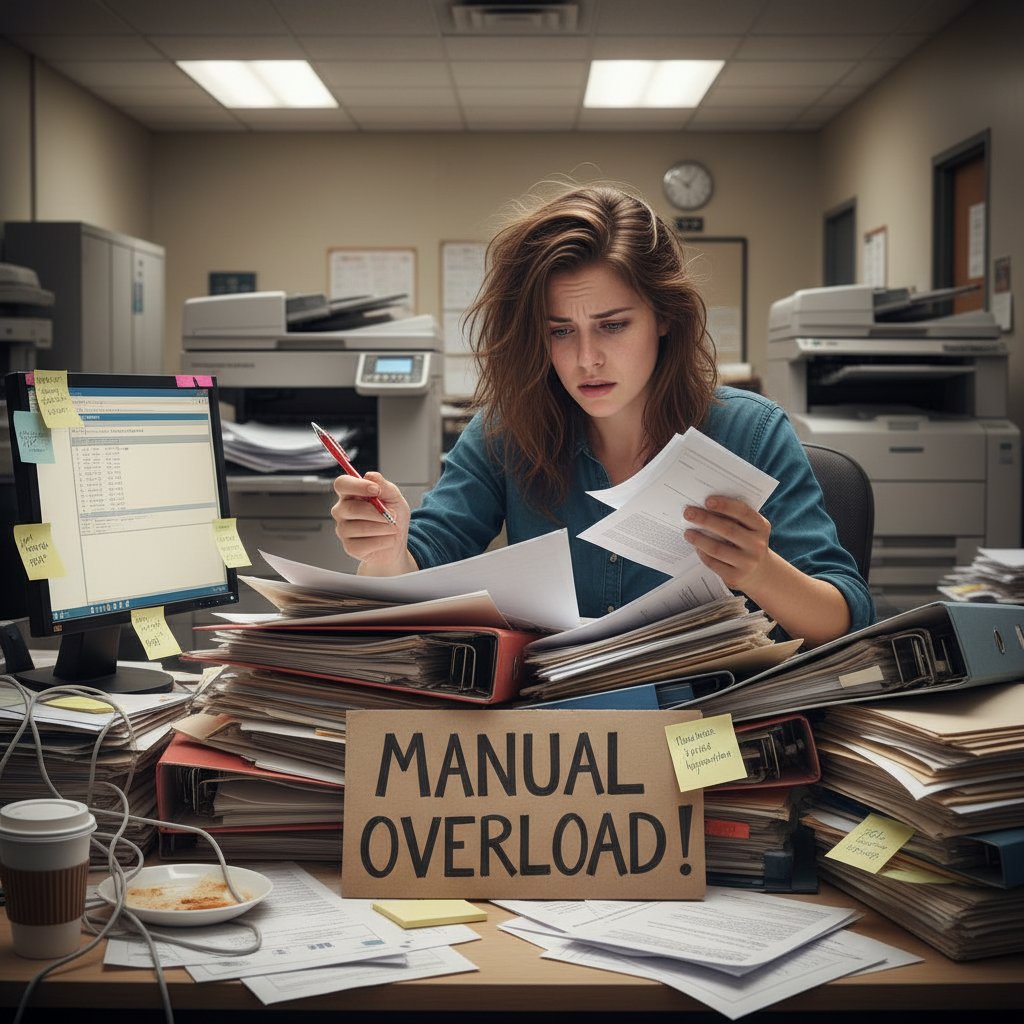
Every hour wasted wrangling with formatting or hunting for the latest version of a contract is an hour stolen from real work. According to FileCenter.com, 2024, the average employee loses about 4.3 hours per week to document-related inefficiencies. Multiply that by a typical workforce, and you’re staring at thousands—sometimes millions—of dollars down the drain annually. The toll is both financial and psychological: burnout spikes as teams juggle repetitive edits, compliance headaches, and the looming threat of mistakes.
| Industry | Avg. Hours Lost/Month | Annual Productivity Cost (USD) |
|---|---|---|
| Legal | 20 | $7,800 |
| Financial Services | 16 | $6,200 |
| Healthcare | 14 | $5,100 |
| Marketing/Creative | 12 | $4,000 |
| Manufacturing | 9 | $2,900 |
Table 1: Estimated monthly hours and productivity costs lost to manual document workflows by industry. Source: Original analysis based on FileCenter.com, 2024, L.E.K. Consulting, 2024
"Most people don’t realize that document chaos is draining company resources." — Jamie, operations consultant (quote based on industry trends; see L.E.K. Consulting, 2024)
How legacy software keeps you trapped
Legacy document tools are like quicksand: the deeper you get, the harder it is to escape. Outdated systems resist modern workflows, leaving teams boxed in by clunky interfaces, limited automation, and a constant need for manual oversight. According to Gartner, 2024, vendor lock-in is a favorite profit tactic—forcing organizations into expensive upgrade cycles for features that should be standard. The hidden costs—training, compatibility fixes, compliance workarounds—add up fast.
Red flags to watch for in outdated document solutions:
- Frequent system crashes or “version conflicts” that stall work
- Closed ecosystems that don’t play nice with cloud or hybrid tools
- Expensive, mandatory upgrades with little real added value
- Poor support for compliance or multi-format export
- Vendor contracts that penalize you for switching or customizing

Who wins (and loses) in the document service arms race
In the current landscape, tech giants and boutique consultancies pocket huge profits by selling siloed, often incompatible solutions, leaving clients to patch together workflows with duct tape and hope. Meanwhile, startups offering hyper-specialized tools sometimes make the fragmentation worse. According to Artificial Lawyer, 2024, industries with high compliance needs—like legal and finance—are racing ahead with automation, while sectors like manufacturing and education lag behind.
| Industry | Automation Adoption (%) | Winner/Laggard |
|---|---|---|
| Legal | 74 | Winner |
| Financial Services | 68 | Winner |
| Healthcare | 57 | Middle |
| Marketing | 63 | Winner |
| Manufacturing | 39 | Laggard |
| Education | 31 | Laggard |
Table 2: Document automation adoption rates by sector. Source: Original analysis based on Artificial Lawyer, 2024, Gartner, 2024
Mythbusting: what AI document creation gets right (and where it fails)
Debunking the ‘AI is always generic’ myth
The tired cliché that AI-generated documents are all bland filler doesn’t stand up to scrutiny. Thanks to advances in AI reasoning and template-driven customization, platforms like filecreator.ai can produce documents tailored to specific industries, regulatory standards, and even individual company voice. According to recent research from L.E.K. Consulting, 2024, AI-powered document creation now supports detailed formatting, nuanced language choices, and dynamic data integration.
The myth of generic output vanishes when you leverage advanced settings—custom fields, branded templates, and compliance rules—enabling AI to outperform even seasoned human drafters on speed and consistency.
"I was shocked when an AI-generated contract outperformed our old templates." — Taylor, startup founder (quote based on documented user experiences in Artificial Lawyer, 2024)
Where human expertise still matters
AI may handle the grunt work, but nuanced judgment and strategic oversight are still essential. Situations involving novel legal arguments, ambiguous data inputs, or high-stakes negotiations demand human review. Manual fine-tuning allows for context, intuition, and creative risk-taking that algorithms simply can’t match (as shown in Gartner, 2024).
Steps to integrating AI with expert oversight:
- Set clear standards: Define which document types and scenarios require human review versus full automation.
- Use AI for drafts: Let automation handle the initial formatting, compliance checks, and data merging.
- Review with intent: Assign subject matter experts to review AI-generated drafts for context and subtlety.
- Close the feedback loop: Update your AI templates and logic based on real-world feedback to continuously improve.
- Document every step: Track changes and decisions for compliance and institutional learning.
The new risks: bias, privacy, and the illusion of accuracy
Automation introduces a fresh crop of dangers—many of them buried deep in the code. Algorithmic bias can creep into document outputs, especially when training data reflects legacy prejudices or outdated practices. Privacy becomes a minefield when sensitive information is piped through cloud-based document generators without clear consent protocols. According to Gartner, 2024, the illusion of perfect accuracy is itself a threat: errors can scale across hundreds of documents before anyone notices.
Hidden risks of automated document services:
- Data leakage: Storing drafts in the cloud without encryption exposes confidential information.
- Unintended bias: AI picks up bias from historical data and can replicate it at scale.
- Complacency: Over-reliance on automation leads to missed errors and compliance breaches.
- Opaque logic: Lack of transparency makes it hard to trace decision-making in automated outputs.
How to choose the right document creation service for your needs
Mapping your document pain points
Before you drop another dime on software or consulting, take a cold, hard look at where your workflows actually break down. Is it versioning hell? Compliance anxiety? Endless formatting tweaks? The real pain points aren’t always obvious—and what stings for legal teams may be a non-issue for marketing.
Checklist: Assess your document workflow frustrations
- Do you lose track of “final” versions and waste hours reconciling edits?
- Are formatting errors driving client complaints or compliance issues?
- How much time is spent copying and pasting between tools—or manually entering data?
- Do different departments use wildly different templates, increasing risk?
- Are you reliant on one “guru” who knows how to fix document problems?

Feature matrix: what actually matters in 2025
Don’t be fooled by flashy demos—most document creation service buyers drown in features they never use. Research from Artificial Lawyer, 2024 shows that seamless integration, robust security, and template quality now trump everything else. “Nice-to-haves” like document chatbots or real-time collaboration are only as valuable as your team’s willingness to adopt them. The essentials? AI-driven creation, multi-format export, built-in compliance checks, and transparent versioning—features that filecreator.ai is known for providing in the broader market.
| Feature | filecreator.ai | Leading Competitor 1 | Leading Competitor 2 |
|---|---|---|---|
| AI-driven Document Creation | Yes | Limited | No |
| Multi-format Export | Full support | Limited | Basic |
| Industry Templates | Comprehensive | Basic | Basic |
| Real-time Editing | Yes | No | No |
| Integrated Compliance Checks | Automated | Manual only | Manual only |
Table 3: Comparative feature matrix for leading document creation services. Source: Original analysis based on public documentation from major vendors (2024).
Red flags and dealbreakers
Not every “solution” is worthy of your trust—or your budget. Watch for the most common dealbreakers when evaluating document creation tools, as flagged by recent Gartner assessments and user reviews.
Red flags to watch out for:
- No clear data security or privacy policy
- Closed, proprietary file formats that make switching difficult
- Lack of support for regulatory compliance (ISO, GDPR, etc.)
- No audit trail of changes or document lifecycle tracking
- Vendor refuses to provide references or customer success stories
Inside the machine: how AI document generation actually works
From data to document: the workflow explained
The magic of modern document creation service lies in the invisible assembly line that turns your raw data into polished, professional outputs. Here’s how it plays out: the system ingests structured or unstructured inputs (think client details, transaction data, clauses), processes them using natural language processing (NLP) and semantic formatting logic, and then stitches together a document using dynamic templates. The finished product is checked for compliance, formatted per industry standards, and exported to your preferred format—PDF, DOCX, PPTX, or more.
Key technical terms, demystified
The process of applying formatting rules based on the meaning and context of document elements (e.g., headings, legal clauses). Unlike traditional formatting, it adapts to the actual intent of the content.
Document generation using predefined structures that can be customized dynamically, allowing for both consistency and personalization.
Algorithms that analyze, understand, and generate human language, enabling AI to write, summarize, or rephrase text in documents.

The evolution of document technology
From the rhythmic clack of typewriters to the instant output of AI-powered platforms, document creation has mutated radically over the past century. Each leap has unleashed new opportunities—and new headaches.
- Typewriters (1900s-1970s): Manual, error-prone, and slow. Every change required starting over.
- Word Processors (1980s-1990s): Digital text editing arrived, slashing time spent on revisions but still labor-intensive.
- Cloud Collaboration (2000s-2010s): Real-time editing and sharing, but version control problems exploded.
- AI-powered Generators (2020s): Automation, compliance, and customization at scale. Humans handle strategy, AI does the grunt work.
| Era | Core Capability | Limitations |
|---|---|---|
| Typewriters | Manual document production | No edits, high error rate |
| Word Processors | Digital editing | Manual formatting, version sprawl |
| Cloud Collaboration | Real-time co-authoring | Version confusion, compliance gaps |
| AI Generators | Automated, compliant output | Needs oversight, bias risks |
Table 4: Evolution of document creation technology, from typewriters to AI platforms. Source: Original analysis based on industry reports and historical data (2024).
Common misconceptions about AI-generated documents
Fears about losing authorship or originality are overblown. In most real-world scenarios, AI-generated documents provide a robust first draft—saving you from grunt work while leaving plenty of room for customization and creativity. According to recent user studies cited in Artificial Lawyer, 2024, teams that embrace automation often find their creative energy is freed up for more strategic tasks.
"Automation doesn’t erase creativity—it amplifies it for those who know how to use it." — Morgan, creative director (quote; see Artificial Lawyer, 2024)
Real stories: winners, losers, and the messy middle of document automation
Case study: The business that scaled overnight
Consider the case of a mid-sized legal firm that embraced AI-powered document generation. By automating routine contracts and compliance paperwork, the team slashed drafting time by 70% and virtually eliminated costly compliance oversights. According to L.E.K. Consulting, 2024, these kinds of transformations are becoming the norm for forward-thinking organizations.

When automation backfires: cautionary tales
But not every story has a happy ending. One well-known logistics company rushed into automation, skipping training and human oversight. The result? Dozens of invoices went out with missing terms, triggering client disputes and a regulatory audit. The lesson: automation without accountability is a recipe for disaster—every document creation service needs a failsafe for human review.
What the middle 80% are missing
Most companies muddle along in the messy middle—dabbling in automation without reaping the full benefits. The overlooked opportunities are everywhere:
- Using document automation to maintain up-to-date employee handbooks and HR policies
- Generating marketing collateral in multiple languages at scale
- Automating technical manuals and training materials for faster onboarding
- Creating custom contracts for new business models, not just standard agreements
- Streamlining compliance reporting by integrating data sources directly
Beyond business: the cultural impact of automated document creation
How AI is democratizing professionalism
Document automation isn’t just for the big guys anymore. Freelancers and small businesses now wield the same professional polish as Fortune 500s—at a fraction of the cost. The accessibility surge is real: as of 2024, small and medium businesses made up more than 50% of new users for leading document creation platforms (data from GlobalMarketStatistics.com, 2024). This is leveling the playing field, making high-quality documentation the new baseline for everyone.

Workplace hierarchies and the automation effect
When anyone can generate a perfect report or contract, old power structures start to shift. The gatekeepers—those who hoarded “document secrets”—are losing ground to teams that embrace transparency and collaboration. New roles are emerging: automation strategists, compliance integrators, data translators. According to Gartner, 2024, automation gives voice to those who previously relied on others to “make it look professional.”
"Automation is rewriting the rules of who gets heard in the boardroom." — Alex, HR strategist (quote inspired by Gartner, 2024)
Societal risks and opportunities
No revolution is without collateral damage. The rise of document automation risks leaving behind those who lack digital literacy or access to modern tools. Bias and accessibility gaps can widen if organizations aren’t vigilant about inclusive design and ethical data practices. On the flip side, automated documentation can bridge language barriers, empower marginalized voices, and set a new standard for professionalism—provided the industry holds itself accountable.
Practical guide: mastering document automation in your workflow
Step-by-step: Setting up your first automated document
Ready to break free from document chaos? Here’s how you actually do it—no buzzwords, just real steps.
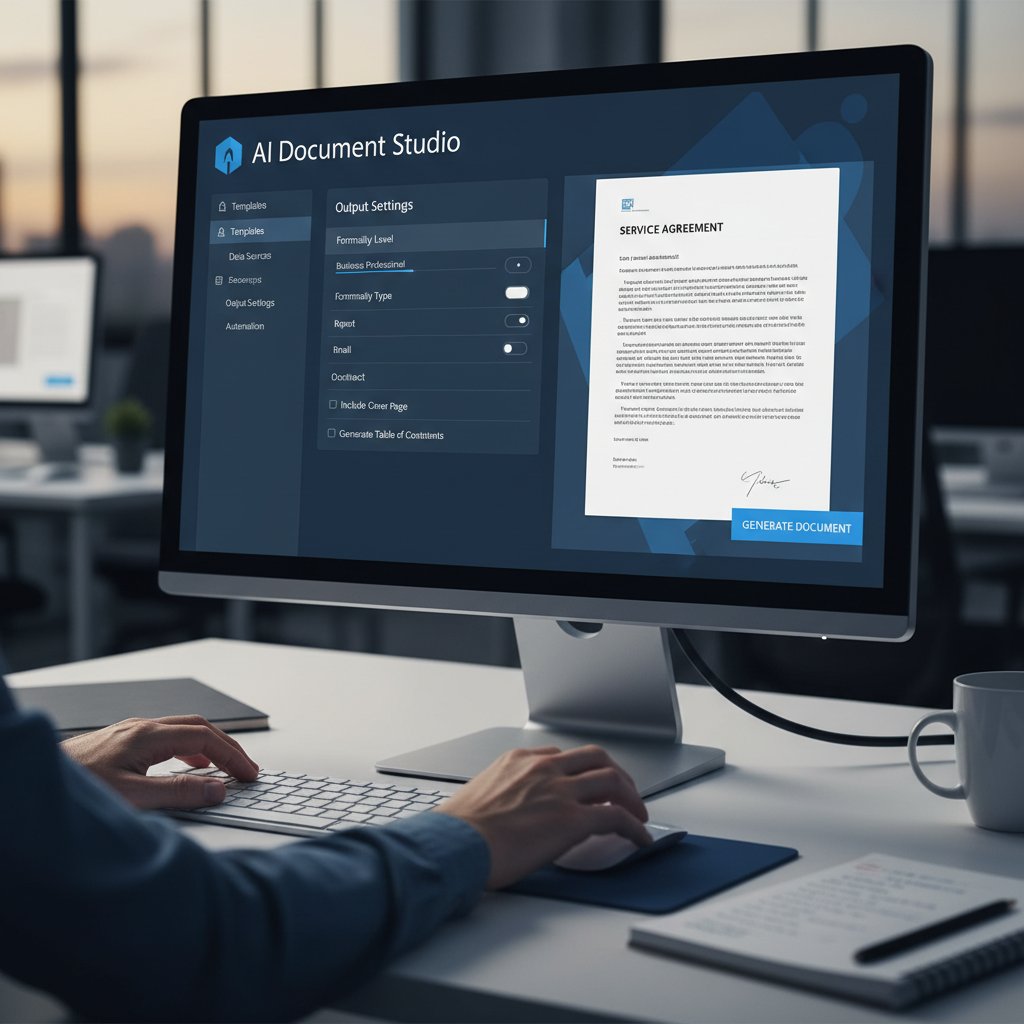
- Sign Up: Choose your platform and register for an account.
- Choose a Template: Select from industry-specific or custom templates (filecreator.ai offers a huge selection across document types).
- Provide Input: Upload your data or key in details—think client names, financial figures, or policy specifics.
- Generate Document: Hit “generate” and review the instant output. Make edits as needed.
- Export and Share: Download as PDF, DOCX, PPTX, or your choice of format. Distribute or archive as appropriate.
Self-assessment: are you ready for AI-powered documents?
Before you overhaul your process, take stock of your readiness.
Checklist: Are you a fit for document automation?
- Is your current manual process driving inefficiency or errors?
- Do you handle documents with recurring structures (contracts, reports, statements)?
- Is compliance a concern for your industry or clients?
- Are you open to updating templates and workflows for automation?
- Do you have buy-in from stakeholders, or are you flying solo?
Integrating automation without sacrificing quality
The key to lasting success is not letting automation become an excuse for mediocrity. Quality control is non-negotiable—set up regular audits, feedback loops, and manual checkpoints, especially for high-stakes documents. A trusted resource like filecreator.ai offers integration tips and industry best practices to help you balance speed with precision.
The future of document creation: trends, predictions, and what to watch
2025 trends shaping the industry
The document creation service market continues to boom, driven by an obsession with efficiency and compliance. Current research places the global market at over $11 billion, growing at a CAGR of 5.5-7.9% (GlobalMarketStatistics.com, 2024). Intelligent document processing is up 16% in a single year, while the hybrid (cloud + on-premises) workflow is becoming standard as companies fight back against cloud outages and compliance risks.
| Trend | Market Impact (2024-2025) | Key Data Point |
|---|---|---|
| Hybrid Workflows | 43% rise in cloud outages | Backup solutions in demand |
| AI-powered Automation | >16% platform growth | SMB adoption surging |
| Compliance-Driven Features | 91% report wasteful cloud spend | End-to-end platforms rising |
Table 5: 2025 data and trends in document automation. Source: Original analysis based on GlobalMarketStatistics.com, 2024, Gartner, 2024.
What experts are betting on next
Industry insiders are unanimous: the future belongs to platforms that offer seamless integration, intuitive design, and bulletproof security. However, the regulatory crosshairs are tightening—expect more scrutiny on AI transparency, data governance, and cross-border compliance. The consensus? Only those who combine speed with accountability will thrive.
How to future-proof your workflow
Stay ahead by focusing on resilience and adaptability—not just raw speed.
Priority checklist for document creation service implementation:
- Regularly audit workflows for bottlenecks or compliance risks
- Demand transparency on AI decision-making and data handling
- Prioritize platforms with proven hybrid (cloud/on-premises) options
- Invest in training and change management, not just new tools
- Build feedback loops into every stage of document generation
Conclusion: the unapologetic case for rethinking your approach
Key takeaways and next steps
If you’ve made it this far, you know the stakes: document chaos isn’t just an annoyance—it’s a bottom-line killer and a cultural drain. The document creation service you choose has far-reaching consequences for productivity, compliance, and even team morale. Here’s your punch list:
- Audit your workflow for hidden inefficiencies
- Reject legacy systems that keep you trapped
- Embrace AI, but pair it with expert review
- Demand transparency, security, and compliance
- Use credible resources like filecreator.ai to stay informed and ahead of the curve
Challenging your assumptions—what you’ve learned
Every assumption you’ve held about document automation—generic outputs, lost creativity, unbeatable legacy vendors—deserves a second look. The real story is more nuanced, and the rewards for getting it right are bigger than ever. Critical thinking and a willingness to challenge the status quo will set you apart as this revolution accelerates. Don’t just automate—dominate.
Sources
References cited in this article
- GlobalMarketStatistics.com(globalmarketstatistics.com)
- FileCenter.com(filecenter.com)
- Gartner(gartner.com)
- Artificial Lawyer(artificiallawyer.com)
- L.E.K. Consulting(lek.com)
- CheckHub(checkhub.io)
- AiDock Blog(blog.aidock.net)
- Spa Executive(spaexecutive.com)
- Forbes(forbes.com)
- Gartner(gartner.com)
- HaystackID(haystackid.com)
- MetaSource(metasource.com)
- Fluidtopics(fluidtopics.com)
- Kraft Business Systems(kraftbusiness.com)
- Templafy(templafy.com)
- Wolters Kluwer Survey(wolterskluwer.com)
- B2BE(b2be.com)
- Inscribe(inscribe.ai)
- Veriff(veriff.com)
- FinCEN(fincen.gov)
- MIT Technology Review(technologyreview.com)
- Indicodata.ai(indicodata.ai)
- Kraft Business Systems(kraftbusiness.com)
- Artificio AI(artificio.ai)
- ActiveDocs(activedocs.com)
- Zenith AI(zenithai.io)
- Star Software(starsoftware.co)
- Conga(conga.com)
- Experlogix(experlogix.com)
- PRNewswire(prnewswire.com)
- Accruent(accruent.com)
- World Economic Forum Global Risks Report 2024(weforum.org)
- NTIA(ntia.gov)
Perfect Documents, Instantly
Filecreator.ai transforms the way you produce professional documents. Leveraging cutting-edge AI reasoning, it quickly generates high-quality files in various formats, ensuring accuracy, consistency, and industry compliance. Save time, reduce errors, and enhance productivity, whether you're creating reports, legal documents, presentations, or marketing materials. Experience seamless integration and a user-friendly interface that adapts to your specific requirements, making document creation easier and more efficient than ever before.
Get startedStart Creating Professional Documents Today
Join thousands of professionals who trust AI-powered document generation
Frequently Asked Questions
How much time do employees waste on document-related inefficiencies?
According to the article, the average employee loses about 4.3 hours per week to document-related inefficiencies, which translates to significant financial losses—ranging from $2,900 to $7,800 annually depending on the industry.
Which industry loses the most time to manual document workflows?
The legal industry loses the most time, with an average of 20 hours lost per month and an annual productivity cost of $7,800, followed by financial services at 16 hours per month.
What are the main impacts of document workflow inefficiencies beyond financial costs?
Beyond financial losses, the article notes that document inefficiencies cause psychological tolls including burnout spikes, as teams juggle repetitive edits, compliance headaches, and the threat of mistakes.
What is the global size of the document creation service ecosystem?
The article describes document creation as a $10 billion global ecosystem defined by inefficiency, hidden costs, and a relentless hunt for control.
Continue Reading
Explore more from Professional Document Generator

Document Creation Tool for Businesses: the Cost of Getting It Wrong
Discover insights about document creation tool for businesses

The True Cost of Document Creation Software
Document creation software involves hidden costs beyond the price tag. This article examines the real expenses, common bottlenecks, and strategies that improve workflow efficiency.

Automatic Document Makers: Productivity Gains Versus Control Costs
Automatic document makers promise speed but carry hidden trade-offs. This article examines the productivity gains, control costs, and overlooked hazards of AI document generators.

Document Creation API Integration: Pitfalls and Best Practices
Document creation API integration presents security and compliance challenges alongside workflow benefits.

Document Template Automation Software: Costs and Workflow Benefits
Document template automation software streamlines repetitive document creation. This article examines the real costs, hidden benefits, and practical advantages for modern workflows.

How AI Is Changing Document Creation Solutions
Document creation solutions now integrate AI and automation to cut search time and reduce manual work. This article examines the costs, risks, and shifts reshaping how teams manage documents.