

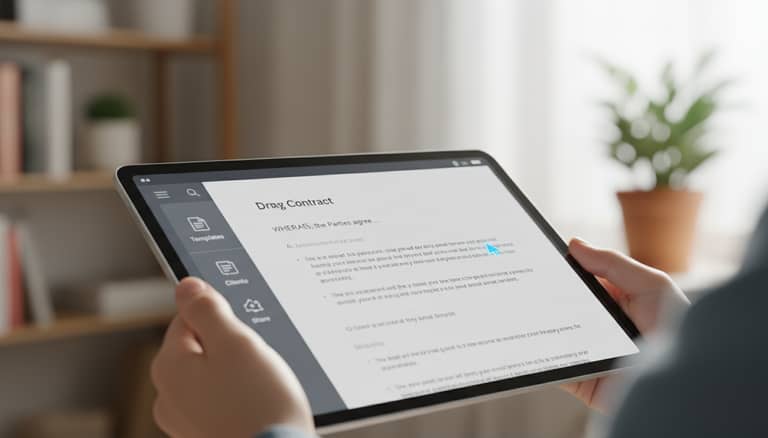
The Real Cost of Your Document Drafting App Revolution
Written with AI assistance under our editorial guidelines
Document drafting apps promise efficiency but introduce hidden costs, legal risks, and compliance challenges. While AI tools now enable faster creation and assist with citations and compliance flagging—with over 41 Am Law 100 firms adopting them—they come with new complications. Rather than eliminating chaos, these applications have sparked an arms race among vendors, each adding quirks and risks that require careful navigation alongside their productivity benefits.
If you think a document drafting app will save you from the chaos of deadlines, compliance audits, or that infamous “Version 17 FINAL_v2.docx” naming disaster, think again. The promise of one-click perfection has turned into an arms race among AI document generators, each claiming to cut your workload while secretly introducing its own quirks and risks. In 2025, the professional document landscape has been turned inside out—not by hype, but by the hard realities few dare to admit. This isn't just about saving time or jumping on the automation bandwagon. It’s about confronting the truths that lurk beneath the glossy UI: from hidden costs, legal landmines, and the ghostly presence of outdated clauses, to the relentless pressure to adapt or get left behind.
Below, we expose the 7 brutal truths about document drafting apps: how they’re reshaping business, law, education, and creative work—often in ways that’ll surprise, unsettle, and empower you. Expect a deep dive with hard-won insights, battle-tested advice, and the real risks and rewards behind the automated curtain. Welcome to the revolution—don’t get comfortable.
From typewriters to algorithms: How document drafting apps rewrote the rules
A brief history of document creation tech
Before the age of “just click Generate,” document creation was less about speed and more about muscle memory—pounding typewriter keys in government offices, legal firms, and newsrooms. The 1980s and ‘90s ushered in the word processor, with Microsoft Word and WordPerfect freeing writers from correction tape and giving rise to the modern editing cycle. Fast-forward to the 2010s, cloud-based apps like Google Docs and Office 365 cracked collaboration wide open, making real-time editing part of daily work.
But it was the integration of machine learning and NLP-driven AI in the 2020s that truly changed the game. Document drafting apps now not only suggest grammar fixes but predict your next clause, complete legal citations, and even flag compliance risks. According to a 2024 industry report, over 41 of the Am Law 100 firms leverage AI-driven tools for drafting legal work—a leap that would have been unimaginable just a few years ago. The rise of document generators has created both unprecedented productivity and a new class of digital headaches.

| Year | Innovation | Impact |
|---|---|---|
| 1870s | Mechanical typewriter | Standardized written work, enabled efficient documentation |
| 1983 | Microsoft Word launches | Digital editing, formatting, and mass document production |
| 2006 | Google Docs (cloud editing) | Real-time collaboration, version control, remote workflow |
| 2018 | First NLP-powered drafting | AI-driven suggestions, auto-formatting, legal compliance |
| 2023 | Multi-format AI generators | Instant DOCX/PDF/PPTX, cross-platform automation |
| 2024 | Seamless DMS/cloud AI tools | Integrated workflows, custom templates, legal industry surge |
Table 1: Timeline of document drafting innovations shaping professional workflows.
Source: Original analysis based on industry and Thomson Reuters, 2024
Why 2025 is the year of the document revolution
What’s fueling this rapid-fire transformation? Three forces have collided: the relentless march of AI, a pandemic-induced embrace of remote work, and the suffocating grip of regulatory compliance. With distributed teams, real-time cloud collaboration, and AI document generators, organizations are forced to rethink how they create, store, and audit every file. According to a 2024 survey, nearly 70% of enterprises cite compliance and security as the top reasons for investing in next-gen document drafting software.
Simultaneously, professional standards in law, finance, and HR have never been higher. The cost of a single compliance error can be catastrophic, driving the adoption of platforms that promise both speed and bulletproof accuracy. Yet, as Emma, an AI researcher, notes:
"We’re witnessing a perfect storm—AI isn’t just making it faster to draft documents, it’s forcing organizations to confront how they think about risk, privacy, and the fine print that holds businesses together." — Emma Choi, AI Researcher, 2024
Shattering the myth: Are document drafting apps really ‘set and forget’?
The automation illusion
Let’s confront the myth head-on: No, your favorite document drafting app is not a magic button. The marketing pitch—“Generate flawless documents in seconds!”—has infected every SaaS landing page, yet the reality is far messier. According to current research, AI-generated drafts often lack the nuanced judgment required for complex or non-standard files. In legal, HR, and regulated industries, this means the risk of missing critical context, introducing outdated clauses, or propagating boilerplate errors is very real.
The hard truth is that human oversight isn’t just a safeguard—it’s a non-negotiable. Experienced professionals routinely unearth subtle but consequential mistakes in automated drafts. Overreliance on AI tools, without rigorous review, opens the door to legal malpractice, compliance disasters, and PR nightmares.
- Loss of context: Automated tools can strip out the unique circumstances or regulatory nuances that make a document truly fit-for-purpose. According to Thomson Reuters, 2024, human review remains essential to accuracy.
- Template sameness: Overused templates risk making your contracts, reports, and proposals indistinguishable from the crowd—a red flag in any high-stakes negotiation.
- Hidden errors: Outdated clauses, bad cross-references, and grammar mismatches can slip through if you trust “one-click” outputs blindly.
- Workflow disconnect: Many AI apps still struggle to integrate smoothly with legacy systems, leading to version-control chaos and duplication.
Debunking the promise of error-free output
While top document drafting apps boast advanced grammar and style engines, even the slickest AI struggles with tone, context, and intent. Research consistently shows that, despite improvements in NLP, current models can misunderstand subtle legal nuances or misapply formatting rules. According to Alex, an operations manager for a global firm:
"We thought automation would eliminate errors, but after a few close calls, it became clear—AI drafts are a starting point, not a finished product. Our real-time audit process actually caught more issues post-automation than before." — Alex Martinez, Operations Manager, 2024
The lesson? Every draft—especially auto-generated ones—demands a robust quality-check process. This means human review for accuracy, context, and compliance, supported by tools that flag inconsistencies rather than pretending they don’t exist.
Beyond business: Document drafting apps in law, education, and creative work
Unexpected sectors embracing automation
The legal industry is often painted as risk-averse, but it’s become an unlikely epicenter of drafting app adoption. According to a 2024 industry analysis, 41 of the Am Law 100 now use AI-powered document drafting tools—not just for contracts, but for research memos and compliance reports too. These platforms aren’t replacing legal expertise; they’re augmenting it, freeing attorneys to focus on higher-order analysis.
Educators, too, are leveraging document generators to speed up lesson plan creation and grading rubrics. Tools that automate formatting and suggest content structure save hours each week, allowing teachers to focus on teaching rather than administrative tedium.
And in the creative realm? Writers facing “blank page syndrome” use document drafting apps to break creative blocks, generate outlines, or spark new angles. While AI can’t replicate genius, it can nudge the process along, offering the initial scaffolding for short stories, screenplays, or marketing copy.

Real-world case studies: Success and chaos
Consider a mid-sized law firm that slashed drafting time by 50% after integrating an AI document drafting app. Their secret? Combining automation with rigorous human review, plus seamless integration with their document management system (DMS). The result: faster turnaround, reduced errors, and happier clients—without sacrificing compliance.
Contrast that with a fast-growing startup that over-automated its HR and legal documents. Lulled by the promise of “set and forget,” they missed a state-specific compliance clause in an employment contract—an oversight that led to costly litigation. Human validation, it turns out, can’t be skipped.
| Case Study | Benefit | Failure Point | Outcome |
|---|---|---|---|
| Mid-sized legal firm | 50% faster drafting, fewer errors | Human review enforced, seamless DMS integration | High productivity, risk reduction |
| Fast-scaling tech startup | Rapid automation, low manual input | Over-automation, ignored review | Compliance breach, legal costs |
| University faculty | Quicker lesson planning | Inadequate customization | Saved time, but required tweaks |
Table 2: Case study comparison: Benefits and failure points in adopting document drafting apps.
Source: Original analysis based on Cimphony, 2024 and industry interviews.
Under the surface: The tech powering modern document drafting apps
AI, NLP, and the new language of work
At the heart of today’s best document drafting apps are cutting-edge AI models, trained on millions of documents and powered by natural language processing (NLP). Unlike spellcheckers, NLP engines understand the structure, intent, and context behind your words—flagging ambiguities, rewording for clarity, and predicting next steps. Machine learning algorithms continuously adapt to user feedback, improving over time with every correction and edit.
But don’t confuse technical wizardry for omniscience. AI’s “understanding” is statistical, not conscious. As a result, even the most advanced document generator needs well-crafted prompts and a vigilant human editor to ensure outputs are contextually correct and fit to purpose.

Cloud vs. local: Where does your draft really live?
The choice between cloud-based and local document drafting tools is more than a technical preference—it’s a question of control, security, and accessibility. Cloud apps deliver collaboration, version control, and universal access from any device. But they also raise legitimate concerns about data privacy, residency, and the risk of third-party breaches. Local (on-premise) tools offer tighter control and security, crucial for highly regulated environments, but can lag in integration and real-time collaboration.
| Feature | Cloud-Based App | Local/On-Premise App |
|---|---|---|
| Security | Depends on vendor, multi-factor auth, risk of external breaches | Tighter control, internal protocols |
| Accessibility | Anywhere, any device | Limited to internal network |
| Cost | Subscription, scalable | Upfront/license, maintenance costs |
| Speed | Varies with connection | Consistent, high performance |
Table 3: Feature matrix comparing cloud-based and local document drafting apps.
Source: Original analysis based on industry reports and Thomson Reuters, 2024
As Priya, a seasoned legal consultant, observes:
"With sensitive contracts, we have to consider where data is stored. Not every cloud provider meets our jurisdiction’s residency requirements, even if the software is world-class." — Priya Nair, Legal Consultant, 2024
The hidden costs (and surprising savings) of document drafting apps
What the pricing pages never say
Think you’ve budgeted for your shiny new document drafting app? Think again. While subscription models and pay-per-use pricing look transparent, they often mask hidden costs—platform switching, premium features, and mandatory training modules. Organizations also underestimate the expense of integrating with legacy systems or customizing templates to fit niche workflows.
- Training costs: Steep learning curves, especially with clunky interfaces, can sap productivity during the onboarding period.
- Integration pains: Connecting your new app with DMS, CRM, or legacy software may require costly middleware or IT support.
- Customization fees: Going beyond generic templates often incurs extra charges for design or compliance tweaks.
- User limits: Some apps charge per seat, inflating the bill for larger teams or distributed organizations.
- Hidden add-ons: Features like e-signature, advanced analytics, or encrypted storage may cost extra.
Calculating the real ROI
So, does a document drafting app actually pay for itself? The answer depends on context. For small businesses, time saved on manual tasks quickly offsets subscription costs. Enterprises see dramatic gains in error reduction and compliance—often more than justifying the investment. Freelancers, meanwhile, benefit from professional polish without hiring external help.
| User Type | Time Saved | Upfront Cost | Ongoing Cost | Intangible Savings |
|---|---|---|---|---|
| Small business | Up to 70% | Low-medium | Subscription | Reduced burnout, fewer errors |
| Enterprise | 50%+ | Medium-high | Scalable | Audit trail, compliance boost |
| Freelancer | 60% | Low | Per-use | Consistency, better branding |
Table 4: Cost-benefit analysis for various user types adopting document drafting apps.
Source: Original analysis based on Geekflare, 2024 and industry user surveys.
But don’t overlook the silent wins: less burnout from repetitive tasks, greater consistency across teams, and fewer embarrassing slip-ups on client-facing documents. The real ROI often sneaks in where you least expect it—confidence, credibility, and time reclaimed for higher-value work.
Risks, red flags, and how to avoid a documentation disaster
Data privacy and security: The elephant in the cloud
No conversation about document drafting apps is complete without facing the specter of data breaches and confidentiality lapses. For sectors handling sensitive data—legal, healthcare, finance—the threat is existential. Not all apps are created equal: Some use advanced encryption and zero-knowledge protocols; others cut corners, storing your files on third-party servers outside your control.
Best practices dictate a rigorous audit of any app’s security policy, especially regarding storage, transmission, and user access controls. As frequent headlines prove, even the best-intentioned platforms can fall prey to vulnerabilities or regulatory missteps.

The human factor: Overreliance and digital fatigue
Automation can dull critical thinking. The more you trust the machine, the greater the risk of losing essential skills—legal reasoning, narrative strategy, compliance nuance. Red flags when evaluating a new document drafting app include:
- Opaque algorithms: If you can’t audit how the AI arrived at its output, you can’t trust it for high-stakes documents.
- Lack of customization: Rigid templates that force your workflow into a generic mold lead to compliance gaps and frustration.
- No clear audit trail: Without version control and edit history, tracking errors or unauthorized changes becomes impossible.
- Poor onboarding: If your team can’t use the platform efficiently within days, productivity will plummet.
To keep human judgment central, organizations are pairing AI with mandatory review stages, ongoing staff training, and clear guidelines on when to trust—versus when to challenge—the tool’s output.
Choosing your weapon: How to pick the right document drafting app
Checklist: What matters most for your workflow
Choosing a document drafting app isn’t just about features—it’s about finding a fit for your specific workflow, compliance requirements, and team culture. Needs assessment is the first step, followed by a disciplined evaluation of each candidate.
- Define your use cases: Are you drafting legal contracts, marketing collateral, technical manuals, or all of the above?
- Check compliance standards: Does the tool support your industry’s regulatory requirements (GDPR, HIPAA, etc.)?
- Evaluate integration: Can it plug into your existing DMS, CRM, or cloud storage?
- Test customization: Are templates flexible, and can you control branding and document structure?
- Scrutinize security: What encryption, access control, and audit features are provided?
- Assess support and onboarding: Is training included? How responsive is support?
- Run trials: Use real documents in a sandbox—not just demo files.
- Collect peer feedback: Ask colleagues or industry groups for opinions and real-world experiences.
The value of trial runs and peer feedback cannot be overstated: what looks great in a demo may fall apart under actual workflow pressure.
Feature matrix: What really sets apps apart?
The devil’s in the details. Key differentiators among document drafting apps include the depth of AI (does it just check grammar, or does it understand legal/compliance context?), template diversity, and third-party integrations. Some offer real-time editing, while others lag behind with outdated UI paradigms.
| Feature | Leading App A | Leading App B | Leading App C |
|---|---|---|---|
| AI-powered drafting | Yes | Limited | Yes |
| Multi-format export (PDF/DOCX/PPTX) | Yes | Limited | Yes |
| Industry-specific templates | Comprehensive | Basic | Moderate |
| Compliance checks | Automated | Manual | Automated |
| Real-time collaboration | Yes | No | Yes |
| Integration with DMS/CRM | Full | Basic | Full |
| Customizable templates | Yes | No | Yes |
Table 5: Side-by-side comparison of leading document drafting app features.
Source: Original analysis based on verified product documentation and industry reviews.
For professionals seeking reliability and depth, generalist resources such as filecreator.ai provide valuable insight into best practices, trends, and platform evaluations across industries.
The next frontier: AI, ethics, and the future of document drafting
Emerging trends to watch in 2025 and beyond
Generative AI has exploded into the mainstream, enabling document drafting apps to produce near-final-grade work in seconds. Custom workflows, adaptive templates, and scenario-based outputs are now the norm rather than the exception. But this power comes with ethical dilemmas: Who owns the output? What constitutes original work? The debate over AI authorship is no longer theoretical—it’s shaping policy, copyright law, and business strategy in real time.

Staying nimble: How to adapt as the landscape shifts
For professionals, the only defensible strategy is ongoing learning. The best teams actively question the outputs of every tool, treating automation as an assistant—not a replacement. Critical thinking is essential; so is the humility to admit when the machine is wrong.
As Emma, the AI researcher, puts it:
"The smartest organizations are those that maintain skepticism and curiosity. They treat every draft as a hypothesis—one that demands scrutiny, iteration, and, above all, human judgment." — Emma Choi, AI Researcher, 2024
Staying ahead means seeking out platforms like filecreator.ai, which distill best practices, offer real-world case studies, and keep pace with the evolving documentation ecosystem.
Appendix: The ultimate resource kit for document drafting mastery
Jargon buster: What every user should know
The branch of AI that analyzes and generates human language, powering document generators’ ability to suggest edits, detect tone, and flag errors.
A system to manage document revisions, track changes, and prevent “which is the real one?” confusion—a must-have for compliance.
The backend component that creates reusable document structures, enabling quick customization for different use cases.
Software for storing, tracking, and managing digital documents, often integrated into enterprise workflows.
The record of who created, edited, or accessed a document—crucial for compliance and risk management.
Quick-reference guides and checklists
- Clarify your requirements: Identify the types of documents you need and the regulatory frameworks involved.
- Vet security protocols: Ensure encryption, data residency, and access controls meet your standards.
- Pilot with real workflows: Test the app using your own files, not just generic templates.
- Enforce human review: Mandate a second set of eyes on every draft before release.
- Monitor and adapt: Regularly assess tool performance, gather user feedback, and update policies as needed.
Use this checklist not just at implementation, but as an ongoing reference—technology and compliance demands change, and so should your approach.
Conclusion
If you’ve made it this far, you know the document drafting app isn’t some panacea. It’s a tool—powerful and flawed, liberating and risky. The 2025 landscape is littered with stories of transformation, disaster, and everything in between. The seven brutal truths laid out above are not just warnings; they’re a call to action. Automate ruthlessly, but never cede judgment. Embrace the speed, but audit the details. Demand transparency from your tools, and never ignore the invisible costs of convenience. Ultimately, your organization’s reputation, compliance, and intellectual edge hinge not on the sophistication of your AI, but on your willingness to wield it wisely. For those ready to lead—and not just follow—resources like filecreator.ai offer a compass through the noise. Document drafting isn’t just a workflow anymore; it’s a battleground for trust, expertise, and human ingenuity. Stay sharp.
Sources
References cited in this article
- Cimphony: Top 10 AI Legal Drafting Tools 2024(cimphony.ai)
- Geekflare: AI Legal Drafting Tools(geekflare.com)
- Thomson Reuters: Navigating Legal Drafting with AI(legal.thomsonreuters.com)
- Clausehound: Legal Technology Compared to Typewriters(blog.clausehound.com)
- AIDraftWriter: Rise of AI Drafting Apps(aidraftwriter.com)
- ClevelStrategy: Evolution of Content Development(clevelstrategy.com)
- Paycom: History of Documentation(paycom.com)
- CIOCoverage: History of Document Management(ciocoverage.com)
- Scanbot: Evolution of Document Scanning(scanbot.io)
- DocDraft: Myths About Using AI for Legal Documents(docdraft.ai)
- ContractWorks: Contract Automation Software(contractworks.com)
- Reedsy: Drafting Writing Apps 2025(blog.reedsy.com)
- EdgeVerve: Debunking AI Document Processing Myths(edgeverve.com)
- Knackly: Errors in Legal Documents(knackly.io)
- Thomson Reuters: AI-powered Legal Drafting(legal.thomsonreuters.com)
- Litera: New Era in Legal Drafting Tools(info.litera.com)
- Thomson Reuters: AI for Legal Drafting(legal.thomsonreuters.com)
- StarSoftware: Document Automation Trends(starsoftware.co)
- WebtualGlobal: Smart Doc Trends(webtualglobal.com)
- CloudScale: Atlas AI Success Stories(blog.cloudscale.io)
- MyCase: AI for Legal Documents(mycase.com)
- GlobalGrowthInsights: Contract Drafting Software Market(globalgrowthinsights.com)
- QYResearch: Document Drafting Solutions Software(qyresearch.com)
- Darrow: AI in Law(darrow.ai)
- Richmond JOLT: AI in Contract Drafting(jolt.richmond.edu)
- Storm Technology: Document Management Trends 2024(storm.ie)
- Adivi: Cloud vs Local Storage(adivi.com)
- Boston Institute of Analytics: Automating Document Management(bostoninstituteofanalytics.org)
- Perfeqta: Hidden Costs of Paper and Software Silos(perfeqta.io)
- Iubenda: How to Secure Your Business Documents in 2024(iubenda.com)
- Litera: Six Legal Document Risks(info.litera.com)
- ResearchGate: Digital Fatigue Review(researchgate.net)
- Microsoft: Appropriate Reliance on GenAI(microsoft.com)
- Thomson Reuters: Future of Professionals Report(thomsonreuters.com)
Perfect Documents, Instantly
Filecreator.ai transforms the way you produce professional documents. Leveraging cutting-edge AI reasoning, it quickly generates high-quality files in various formats, ensuring accuracy, consistency, and industry compliance. Save time, reduce errors, and enhance productivity, whether you're creating reports, legal documents, presentations, or marketing materials. Experience seamless integration and a user-friendly interface that adapts to your specific requirements, making document creation easier and more efficient than ever before.
Get startedStart Creating Professional Documents Today
Join thousands of professionals who trust AI-powered document generation
Frequently Asked Questions
What are document drafting apps, and how have they evolved?
Document drafting apps are tools that use AI, machine learning, and NLP to assist in creating documents by suggesting grammar fixes, predicting clauses, completing citations, and flagging compliance risks. They evolved from typewriters in the early era, through word processors like Microsoft Word in the 1980s-90s, cloud-based apps like Google Docs in the 2010s, and finally to AI-driven tools in the 2020s that now automate much of the drafting process.
How widely are AI document drafting tools being adopted in the legal industry?
According to a 2024 industry report cited in the article, over 41 of the Am Law 100 firms now leverage AI-driven tools for drafting legal work, representing a significant leap in adoption that would have been unimaginable just a few years ago.
What does the article claim are the hidden costs of document drafting apps?
The article warns of hidden costs, legal landmines, and the persistence of outdated clauses within these tools, along with relentless pressure for users to adapt or risk being left behind, despite the promise of one-click perfection.
Does using a document drafting app guarantee it will solve deadline and version control problems?
No—the article explicitly states that if you think a document drafting app will save you from deadline chaos and version control disasters like 'Version 17 FINAL_v2.docx,' you should think again, as the promise of one-click perfection masks underlying quirks and risks.
Continue Reading
Explore more from Professional Document Generator

Automatic Document Drafting Software: Benefits and Real Pitfalls
Automatic document drafting software transforms workflows across legal, finance, and creative teams. This article explains the real benefits, genuine risks, and how to select the right tool.

Document Drafting Automation Software: Benefits and Hidden Costs
Document drafting automation software transforms how professionals create contracts and reports. This article examines the real benefits, hidden costs, and workplace shifts automation brings.

Document Drafting Platforms: Benefits, Risks, and Implementation Realities
Document drafting platforms promise efficiency but carry hidden risks. This article examines the real trade-offs, myths, and strategies for implementing them responsibly.

Document Template App Wars: Hidden Risks and Real Pro Advantages
Discover insights about document template app

Automated Document Drafting Software: Benefits and Limitations
Automated document drafting software transforms how professionals create documents. This article examines its benefits, limitations, and when traditional methods remain preferable.

Document Creator Tools: Automation Benefits and Hidden Risks
Document creator tools automate workflow but introduce overlooked risks. This article examines the security issues, limitations, and professional implications of AI-driven document creation.


