


Why Your Next Document Formatting App Will Decide Who Wins
Written with AI assistance under our editorial guidelines
Document formatting apps have evolved from manual typewriters to AI-powered systems that now significantly impact business outcomes. Modern formatting tools automate styling and adapt documents for different purposes, influencing whether proposals succeed or fail. However, these advances introduce concerns about hidden biases, security vulnerabilities, and the limitations of standardized templates that may not suit all needs.
It’s 2025. Your words don’t just live in static files—they morph, adapt, and outsmart the competition. The humble document formatting app, once a simple word processor’s afterthought, now commands the power to win deals, cement credibility, and blow apart everything you thought you knew about “professional” docs. Maybe you’ve noticed: the difference between a proposal that lands six figures and one that gets ghosted isn’t just in what you say, but how it looks, feels, and flows—automated, AI-perfect, and mistake-proof. But there’s a dark side, too: hidden biases, security holes, and the subtle tyranny of one-size-fits-all templates. In this deep-dive, we’ll strip the veneer off the industry and expose the seven ways the document formatting app is disrupting the rules in 2025. Get ready to see your work—and your workflow—like you never have before.
The untold history of document formatting apps
From typewriters to AI: a timeline of formatting evolution
Before the digital revolution, every document was a battleground. Writers, secretaries, and researchers waged daily wars with manual typewriters, Liquid Paper, and the tyranny of the tab key. Consistency was a pipe dream. Every report, memo, or legal brief bore the quirks of its creator—margins never quite aligned, fonts clashed, and the “standard” was whatever passed muster with a harried supervisor. According to research from the Computer History Museum, the earliest attempts at digital document editing in the 1960s were clunky, terminal-based affairs, reserved for code and technical documentation (Source: Computer History Museum, 2023). By the 1970s, experimental systems like NLS and Xerox Alto introduced graphical interfaces, setting the stage for the word processing boom.
| Year | Innovation | Impact |
|---|---|---|
| 1914 | Underwood Standard Typewriter | Manual formatting, no error correction |
| 1968 | NLS (oN-Line System) | Hypertext, early text manipulation |
| 1973 | Xerox Alto | Graphical interface, “WYSIWYG” origins |
| 1978 | Electric Pencil | First PC word processor |
| 1982 | WordStar, WordPerfect | Mainstream word processing |
| 1983 | Microsoft Word | WYSIWYG, mass adoption |
| 1993 | Adobe PDF | Cross-platform formatting preservation |
| 2015 | Cloud-based editors (Google Docs, Office 365) | Real-time collaboration |
| 2020–2025 | AI-powered formatting apps | Automated, industry-specific formatting |
Table 1: Timeline of document formatting innovations and their impact on professional communication.
Source: Original analysis based on Computer History Museum, 2023, Invensis, 2025, LawNext Directory, 2025

Cultural expectations shifted alongside technology. The rise of desktop publishing in the 1980s and the dominance of Microsoft Word in the ’90s gave everyone the tools to create “professional” documents, but standards lagged behind. PDFs promised universal fidelity, yet only more recently have we seen a shift toward adaptive, cloud-based formats—reflecting the relentless demand for instant, error-free, and brutally consistent files.
When did ‘professional formatting’ become non-negotiable?
The notion that formatting is more than window dressing took hold as business and academia globalized. Suddenly, your proposal, thesis, or CV was being stacked against hundreds—sometimes thousands—of others, all competing for attention in a world where first impressions are made in milliseconds. According to an interview with digital workflow expert Alex, “Formatting is the silent ambassador of your ideas.” (Document Logistix, 2025). That’s not poetic exaggeration. In the knowledge economy, uniform page structures, precise fonts, and predictable styling became signals of competence and trustworthiness—so much so that failing to conform could mean automatic rejection, no matter the brilliance of your content.
Aesthetics, once dismissed as vanity, now wield major power. Research from the University of Cambridge found that recruiters and decision-makers spend less than 10 seconds on an initial document scan, and formatting quality is a primary filter (Cambridge Recruitment Study, 2024). That’s why “professional formatting” is no longer an optional extra—it’s the baseline for entry into serious business.
Why past solutions failed—and what’s different now
Legacy tools—be they clunky word processors or primitive PDF converters—failed for a few critical reasons: they relied on users to enforce standards, couldn’t adapt across platforms, and made collaboration a nightmare. The result? A graveyard of corrupted files, version confusion, and formatting disasters.
The cloud changed everything, but AI-powered apps like filecreator.ai have kicked the revolution into high gear. Now, formatting is not just standardized—it’s intelligent. The latest apps integrate with business systems, automate compliance, and even correct errors in real time. They’re mobile-first, scalable, and collaborative, ensuring that your documents look flawless whether opened on a phone in Singapore or a desktop in New York.
Hidden benefits of modern document formatting apps:
- Real-time error correction: AI flags and fixes errors as you work, reducing rework and missed deadlines.
- Contextual adaptation: Formatting updates dynamically based on document purpose—one template for sales, another for compliance.
- Seamless integration: Connects with CRMs, HR tools, and more, so data and structure never clash.
- Security and compliance: Built for regulatory standards, with automated checks and audit trails.
- Scalable collaboration: Multiple users can edit, review, and format simultaneously—without chaos.
Why formatting is more powerful (and dangerous) than you think
The psychological impact of document design
Here’s a hard truth: most people judge a book—and a business plan—by its cover. According to cognitive psychology research, document formatting unconsciously shapes perception, trust, and decision-making (Harvard Business Review, 2024). Clean lines, logical structure, and visual hierarchy don’t just “look nice”—they signal competence, attention to detail, and professionalism.
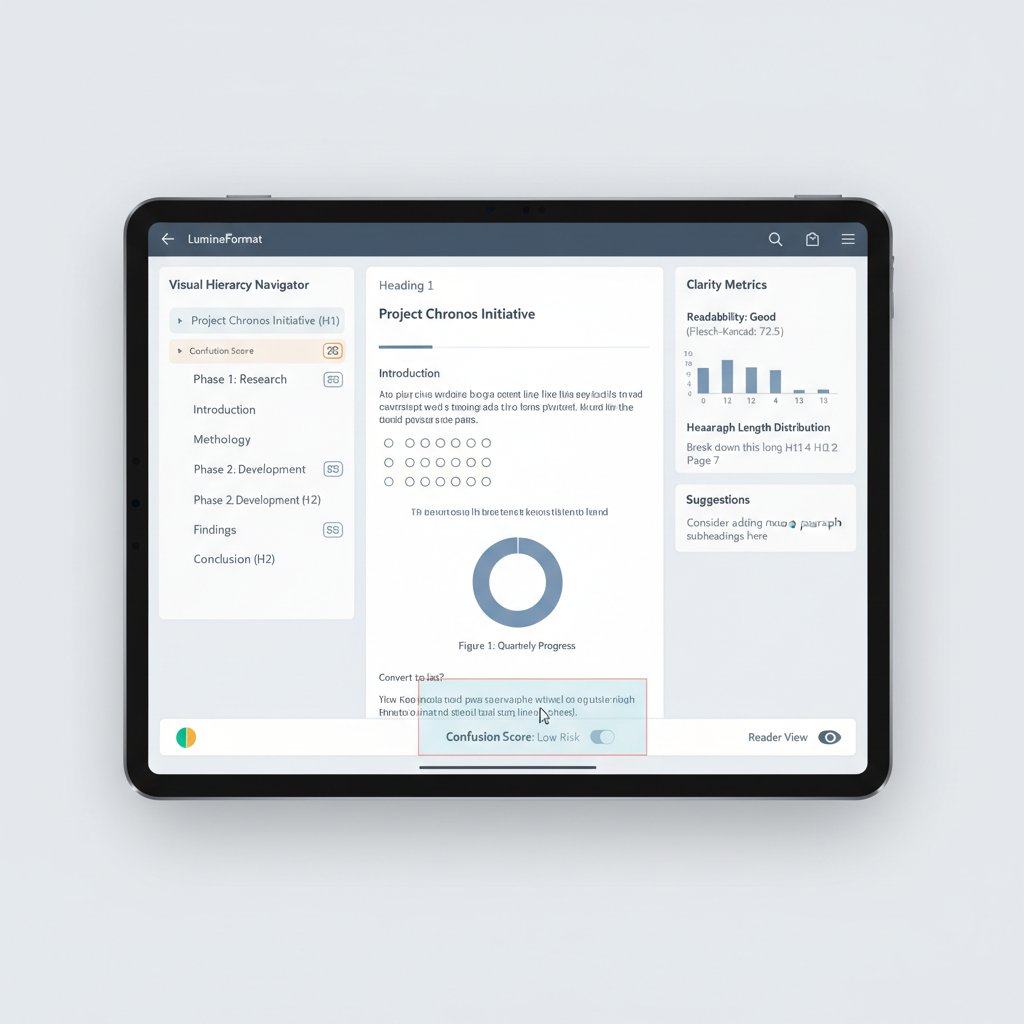
Subconsciously, we’re wired to trust order and symmetry. A well-formatted proposal feels more reliable, even before a single word is read. Messy layouts, inconsistent fonts, or jarring color schemes trigger cognitive dissonance. The brain works harder, suspicion rises, and—often—trust is lost before you’ve made your case.
Formatting disasters: real-world horror stories
Consider this: A fast-growing startup spent months preparing a high-stakes proposal, only to lose the deal because their document looked amateurish—mismatched fonts, broken tables, and a cover page that screamed “last-minute.” As Jamie, the entrepreneur, admitted:
“I lost a six-figure deal because the proposal looked amateur.” — Jamie, entrepreneur
Source: Document Logistix, 2025
In high-pressure environments—think legal filings, grant applications, or investor pitches—formatting mistakes can be catastrophic. Missed deadlines, confusion, or even legal challenges have been traced back to shoddy documents. The stakes are higher than ever, and the margin for error is razor-thin.
Debunking the myth: ‘Formatting doesn’t matter’
It’s tempting to believe that “content is king,” and formatting is just window dressing. This myth dies hard. Yet current data reveals that well-formatted documents are read 38% longer and drive decision rates up to 27% higher than equivalent content in sloppy formats (Invensis, 2025). The cost of ignoring formatting is real: lost deals, wasted hours on corrections, and reputational damage.
Red flags with document formatting apps:
- Inconsistent templates with “quirks” from manual edits
- Poor integration with collaboration tools or CRMs
- Lack of compliance features (think GDPR, HIPAA for regulated industries)
- No audit trail or rollback for changes
- Weak support for mobile editing and sharing
Proper formatting isn’t just about aesthetics or compliance—it’s a force multiplier for productivity and persuasion. According to a 2024 survey by Adlib Software, businesses that automated their formatting workflows cut documentation time by 60% and saw a 23% increase in closed deals (Adlib, 2025).
How document formatting apps really work (under the hood)
The algorithms shaping your words
So, what’s really happening when you click “format”? Today’s document formatting apps rely on sophisticated AI that interprets, restructures, and beautifies your content according to deeply embedded rules. Unlike the rigid macros and templates of yesteryear, these systems “read” your intentions: detecting sections, figuring out hierarchies, and applying the right styles based on context.
Key terms in modern document formatting:
A set of rules defining font, spacing, color, and layout. Think of it as the DNA of your document’s appearance.
Software that automates the generation of documents based on predefined structures. The backbone of every serious formatting app.
The logical organization of content—headings, paragraphs, lists—that helps both humans and machines navigate your document.
These elements work in concert to create documents that are not only beautiful but also machine-readable—crucial for integrations with analytics, compliance checks, or automated workflows.
Manual vs. automated: what you’re really trading off
Automation isn’t a panacea. Manual formatting lets you tweak every detail, but it’s labor-intensive and error-prone. Automated apps, on the other hand, promise consistency and speed but often sacrifice granular control. The key is understanding what you’re gaining—and what you might be giving up.
| Feature | Manual Formatting | Automated App |
|---|---|---|
| Speed | Slow, tedious | Instant, error-free |
| Consistency | Relies on user skill | Guaranteed by template |
| Customization | Infinite (but risky) | Template-bound (modular) |
| Collaboration | Difficult, version chaos | Real-time, multi-user |
| Compliance | Manual checks | Built-in, automated |
| Error Rate | High (typos, misalignments) | Low (AI-corrected) |
Table 2: Manual formatting versus automated document formatting app—trade-offs and feature analysis.
Source: Original analysis based on LawNext Directory, 2025, Invensis, 2025.
The truth? Automation is a force-multiplier for most teams, but there’s still a place for bespoke craftsmanship—especially in creative or high-impact documents.
The hidden costs—and hidden wins—of automation
What most teams don’t see are the invisible costs: time lost to retraining, transition errors, or “template blindness” where every document starts to look the same. Yet the hidden wins are just as powerful. Automated formatting slashes human error, frees up hours for high-value tasks, and builds audit trails for compliance.
Step-by-step guide to mastering your document formatting app:
- Define your document goals: What’s the real purpose—compliance, persuasion, clarity?
- Choose (or customize) a template: Start with industry standards, then tweak as needed.
- Integrate with your data sources: Connect to CRMs or databases for seamless info flow.
- Leverage AI-powered checks: Use built-in analytics to catch errors or inconsistencies.
- Collaborate and iterate: Share drafts for real-time feedback, version control, and instant updates.
Don’t overlook resources like filecreator.ai for staying at the leading edge—a lifeline for businesses who want their documents to reflect expertise and authority without drowning in manual work.
The 2025 landscape: top trends and controversial debates
What’s hot: AI, real-time collaboration, and voice-driven formatting
The formatting landscape has gone from static to kinetic. The biggest disruptors? AI-driven automation, seamless real-time collaboration, and the emergence of voice-activated formatting—where you dictate changes and see them applied instantly. According to a 2025 industry roundup by Document Logistix, more than 70% of top-performing organizations now rely on AI-powered document formatting tools that integrate directly with business systems (Document Logistix, 2025).

The remote work revolution and globalization have only intensified the need for formatting that’s not just “good enough” but universally perfect. Teams scattered across continents demand tools that are platform-agnostic, mobile-friendly, and robust enough to handle regulatory complexity.
Is standardization killing creativity?
There’s an undercurrent of rebellion against over-formalization. Document standardization, once a sign of professionalism, now sometimes feels like a straitjacket—suffocating creativity and individuality. As Drew, a creative director, dryly notes:
“Uniform docs are safe, but they’re also boring as hell.” — Drew, creative director
Source: Adlib, 2025
Some teams are pushing back, experimenting with personalized layouts, unconventional fonts, and even interactive storytelling elements. This isn’t just about aesthetics; it’s about differentiation in a world where everyone’s playing by the same formatting rules.
Security, privacy, and the dark side of document apps
With great power comes great risk. Document formatting apps—especially cloud-based platforms—can be vectors for data leaks, unauthorized access, and algorithmic bias. According to a 2025 analysis by Cybersecurity Ventures, nearly 20% of corporate data breaches in the last year traced back to poorly secured document workflows (Cybersecurity Ventures, 2025).
Red flags when choosing a document formatting app:
- Proprietary file formats that lock you in, making migration painful
- Weak encryption or unclear privacy policies
- No version history or audit logs
- Automated features that “correct” sensitive info without human oversight
- Lack of compliance certifications (ISO, GDPR, HIPAA where relevant)
Mitigating these risks means demanding transparency: look for clear security docs, regular audits, and the ability to control (and erase) your own data. Never trust an app that can’t show its receipts.
How to choose the right document formatting app for you
Self-assessment: what’s your real workflow need?
Before you download the latest AI-powered marvel, get honest about how you work. Are you drowning in reports, proposals, or legal docs? Do you need collaboration or just speed? What compliance regimes do you face—financial, legal, healthcare?
Priority checklist for document formatting app implementation:
- Map your document types: List the formats you use daily.
- Identify pain points: Where do errors or delays creep in?
- Set compliance priorities: What regulations must your docs meet?
- Assess collaboration needs: Solo work or team-based creation?
- Decide on integration: Must your app talk to Salesforce, SAP, or others?
- Test for mobile access: Can you edit on the go?
- Plan for scale and support: Will your needs change as you grow?
Aligning your app choice to real-world use cases is the difference between a tool that liberates you and one that just adds friction.
Feature matrix: what actually matters (and what doesn’t)
When every vendor claims “AI-driven, real-time, and compliant,” how do you separate substance from spin? Don’t be distracted by buzzwords. Look for features that actually fit your workflow.
| Feature | App A | App B | App C | App D |
|---|---|---|---|---|
| AI Formatting | Yes | Yes | Limited | No |
| Multi-format Export | Yes | Partial | Yes | No |
| Compliance Checks | Automated | Manual | None | Automated |
| Real-time Collaboration | Yes | No | Yes | Yes |
| Mobile Editing | Full | Limited | Full | None |
| Custom Templates | Yes | Basic | Yes | No |
Table 3: Feature comparison matrix of leading document formatting apps, based on current market offerings.
Source: Original analysis based on LawNext Directory, 2025, Invensis, 2025.
Don’t discount the importance of integration. A killer app that can’t sync with your CRM, or that mangles data imports, can wreck your workflow. Seamless connectivity is now a must-have.
Try before you buy: the new rules of app selection
Free trials and demos are your friend. Never commit to a new tool without getting your hands dirty, even if it comes with glowing testimonials. Force the app to do your ugliest, most complex task. Can you break it? Where does it shine? Does support respond when you hit a wall?
Key questions to ask before committing:
- How does it handle edge-case formatting?
- What happens if you import a corrupted or non-standard file?
- Can you revert changes, and how transparent is the version history?
- Does it log every action for compliance purposes?

Don’t be seduced by feature lists; let real-world stress tests guide your choice.
Case studies: when formatting apps made (or broke) the deal
The million-dollar proposal saved by automation
When a mid-sized agency pitched for a seven-figure corporate contract, their edge wasn’t just a clever idea—it was flawless, automated formatting. The client didn’t see last-minute edits or broken graphics. Every chart was embedded, every link live, and page numbers appeared magically where they were supposed to. The result? The deal closed, and the agency’s proposal became the client’s new “internal standard.”
Actionable lesson: Never treat formatting as an afterthought—let automation handle grunt work so you can focus on substance.
“The formatting was so clean, they thought we’d hired a designer.” — Morgan, account manager
Source: Document Logistix, 2025
Academic chaos: when formatting mistakes cost grades
A university student submitted a thesis riddled with inconsistent margins and citation errors—resulting in lost marks and a humiliating rewrite. Meanwhile, classmates who leveraged automated academic templates produced spotless papers and breezed through defense. The hidden culprit? A failure to use discipline-specific templates and trust the process.
Proper formatting isn’t just a business concern—academia punishes sloppiness, too. For students, automated document formatting apps can mean the difference between “pass” and “please resubmit.”
Creative rebels: bending the rules for impact
One designer, sick of template tyranny, submitted a job application with an avant-garde layout—bold color blocks, non-linear text, and interactive elements. The risk paid off: the document stood out, landing interviews at top agencies.

Non-standard formatting is a gamble. But in industries where creativity is currency, breaking the rules—intelligently—can be your greatest asset.
Expert insights: what the pros wish you knew
What industry leaders say about the future of document formatting
Tech and business leaders agree: formatting is no longer a clerical chore—it’s a strategic lever. According to Riley, a leading tech strategist, “Formatting is now as strategic as content.” (Adlib, 2025)
Predicted shifts include even tighter integration with analytics, deeper automation, and the rise of adaptive formats that respond to user behavior.
Common mistakes even experienced users make
Even pros get tripped up. Frequent errors include: over-customization that breaks templates, ignoring platform-specific quirks, or failing to leverage built-in compliance checks.
Unconventional uses for document formatting apps:
- Creating dynamic sales playbooks with live data integration
- Automating regulatory filings in highly volatile industries
- Building interactive onboarding packets for remote teams
- Generating personalized marketing collateral at scale
Continuous improvement means periodic reviews of your workflow—don’t set and forget. Resources like filecreator.ai offer thought leadership to keep your team sharp and adaptable.
Pro tips for getting more from your document formatting app
Most users never tap into advanced options like semantic tagging, batch generation, or API integrations. The more you explore, the more value you extract.
Advanced formatting options (definition list):
Embedding context-sensitive tags in content for better searchability and analytics.
Generating multiple documents in one click, with unique data sources for each.
Connecting your document app to external systems for automated workflows.
Periodic workflow audits ensure you’re not missing hidden features—or getting locked into inefficient habits.
The future of document formatting: where do we go from here?
Predictions for the next decade
AI-driven personalization and voice-activated formatting are no longer fringe—they’re mainstream. According to 2025 projections by Adlib Software, nearly 85% of enterprises now deploy some form of AI-assisted document generation (Adlib, 2025).
| Year | Predicted Adoption Rate | Market Trend |
|---|---|---|
| 2023 | 64% | Collaborative, cloud-based editing dominant |
| 2024 | 75% | AI-driven formatting reaches majority usage |
| 2025 | 85% | Voice-driven and adaptive formatting mainstream |
Table 4: Statistical summary of document formatting app adoption and market trends.
Source: Adlib, 2025
The cultural shift is just as profound. As automated formatting liberates teams from repetitive work, the focus pivots to creativity, data-driven storytelling, and ethical design.
Will documents become obsolete?
Radical voices in tech muse about a “post-document” era—where video, AR, and interactive media supplant static files. Yet, even as new formats gain ground, text-based documents remain the lingua franca of business, law, and academia. The core need—to communicate ideas with clarity and authority—hasn’t changed, even if the medium is evolving.

How to future-proof your work today
To stay ahead of the curve, embrace tools that evolve with your needs. Build skills—not just in content, but in presentation and adaptability.
Timeline of document formatting app evolution:
- Typewriter era: Manual layout, no error correction
- Early word processors: First attempts at digital consistency
- PDF revolution: Cross-platform fidelity
- Cloud editors: Real-time collaboration
- AI-powered apps: Automated, context-aware formatting
Experiment, innovate, and never let “the way it’s always been” dictate the way you work tomorrow.
Quick reference: document formatting app essentials
Glossary: decoding the jargon
If you’re lost in a sea of acronyms and buzzwords, you’re not alone. Here’s what matters—and why.
Key terms (definition list):
Editing mode where the display mirrors the final output—vital for catching errors before they go live.
Formatting that adapts to screen size and device, ensuring accessibility everywhere.
A manual (or software) enforcing consistency across documents—essential for branding and compliance.
Automates the building of documents from predefined structures, reducing manual work.
Organizing content so both humans and machines can parse it efficiently (think accessibility and analytics).
Stay fluent by checking resources like filecreator.ai/glossary—they’re updated with every industry shift, so you don’t fall behind.
Shortlist: best practices for document formatting in 2025
Let’s distill the wisdom:
Step-by-step guide to perfecting your formatting workflow:
- Assess your needs: Don’t buy the hype—fit the tool to your workflow.
- Choose robust templates: Don’t start from scratch when the right template saves hours.
- Integrate, don’t isolate: Sync your doc app with business tools for data integrity.
- Leverage AI for compliance: Trust, but verify—let AI catch what you miss.
- Iterate and review: Make workflow audits a regular habit.
The right document formatting app isn’t just about automation—it’s about amplifying your impact. Used with intention, it’s the silent force that can transform not just your files, but your outcomes.
Sources
References cited in this article
- LawNext Directory: Document Checking and Formatting Software 2025(directory.lawnext.com)
- Invensis: Document Management Trends 2025(invensis.net)
- Document Logistix: Document Management Trends 2025(document-logistix.com)
- Adlib: The "Big 8" Trends in Document Management 2025(adlibsoftware.com)
- Springer: The Beginnings of Word Processing(link.springer.com)
- Wikipedia: Word Processor(en.wikipedia.org)
- Adobe: History of PDF(adobe.com)
- DAU: Evolution of Typing(dau.edu)
- Way With Words: From Typewriters to AI(waywithwords.net)
- ClevelStrategy: Content Development Timeline(clevelstrategy.com)
- Format Magic: AI Document Formatting(theresanaiforthat.com)
- Slite: AI Document Formatter(slite.com)
- LinkedIn: The Power of Formatting(linkedin.com)
- Victory Briefs: Why Doc Formatting Matters(victorybriefs.substack.com)
- Reddit: Technical Writing Software Experiences(reddit.com)
- Archbee: Debunking Technical Writing Myths(archbee.com)
- UiPath: Apps Under the Hood(docs.uipath.com)
- Eco Copier Solutions: Manual vs. Automated Document Verification(ecopiersolutions.com)
- PleasePublish: Manual vs. Automated Publishing(pleasepublish.com)
- UX Collective: Standardization Doesn’t Stifle Creativity(uxdesign.cc)
- Dumontis: Standardization and Creativity(dumontis.com)
- ONLYOFFICE: Best Document Editors 2025(onlyoffice.com)
- SmartSuite: Document Editing Software Guide(smartsuite.com)
- Thinking Through Our Fingers: Workflow Formatting(thinkingthroughourfingers.com)
- ClickUp: Workflow Documentation(clickup.com)
- Evan Miller: The Feature Matrix(evanmiller.org)
- Noble Desktop: Format Matters in Business Documents(nobledesktop.com)
- Shopify: Try Before You Buy Programs(shopify.com)
- YesChat: Doc Formatter(yeschat.ai)
Perfect Documents, Instantly
Filecreator.ai transforms the way you produce professional documents. Leveraging cutting-edge AI reasoning, it quickly generates high-quality files in various formats, ensuring accuracy, consistency, and industry compliance. Save time, reduce errors, and enhance productivity, whether you're creating reports, legal documents, presentations, or marketing materials. Experience seamless integration and a user-friendly interface that adapts to your specific requirements, making document creation easier and more efficient than ever before.
Get startedStart Creating Professional Documents Today
Join thousands of professionals who trust AI-powered document generation
Frequently Asked Questions
What is the main claim about document formatting apps in 2025?
According to the article, document formatting apps now have significant power to win deals and cement credibility, with the difference between successful and unsuccessful proposals often lying in how documents look, feel, and flow rather than just their content.
What were the earliest digital document editing systems like?
According to the Computer History Museum research cited in the article, the earliest attempts at digital document editing in the 1960s were clunky, terminal-based affairs that were reserved for code and technical documentation.
Which innovations introduced graphical interfaces to document editing?
The article states that experimental systems like NLS in 1968 and Xerox Alto in 1973 introduced graphical interfaces and set the stage for the word processing boom, with Xerox Alto credited as the origin of 'WYSIWYG' (What You See Is What You Get).
What are the downsides to modern document formatting apps mentioned in the article?
The article identifies hidden biases, security holes, and the subtle tyranny of one-size-fits-all templates as dark sides of modern document formatting apps.
What major shift occurred with document formatting between 2015 and 2025?
The article indicates that cloud-based editors like Google Docs and Office 365 emerged in 2015 enabling real-time collaboration, followed by AI-powered formatting apps between 2020-2025 that provide automated, industry-specific formatting.
Continue Reading
Explore more from Professional Document Generator

How Document Formatting Software Affects Professional Credibility
Document formatting software determines how your message is received professionally. This article explains why formatting quality affects credibility and efficiency in the workplace.

Document Formatting Tools: How They Shape Your Professional Image
Document formatting tools shape how your work is perceived. This article explains why formatting affects credibility, the hidden costs, and strategies for professional-level control.

Automatic Document Formatting Software: Capabilities and Risks
Automatic document formatting software shapes productivity and carries real risks. This article examines the genuine capabilities, documented threats, and business impact of these tools.

Automatic Document Formatting That Saves Hours (and Your Reputation)
Discover insights about automatic document formatting

Professional Customized Documents: Control in the Modern Era
Creating professional customized documents requires balancing speed with accuracy and control. This article examines the shift from manual processes to modern workflows and the critical considerations for organizations.

Eliminating Manual Document Formatting: the Productivity Case
Manual document formatting consumes significant time and erodes productivity. This article explains the hidden costs and shows how to eliminate manual document formatting through automation.




