


Document Template Management Is Your Biggest Hidden Risk
Written with AI assistance under our editorial guidelines
Poor document template management causes employees to waste approximately 30% of their work time searching for files, with each lost document costing $120–$220 to reproduce. Unmanaged templates create compliance risks, drain productivity, and undermine team morale by forcing workers to repeatedly correct errors and chase outdated versions instead of focusing on meaningful work.
Imagine this: entire teams spending hours chasing the “right” file, only to realize they’ve been working from outdated templates, correcting the same errors for the third time this year. Document template management is the silent saboteur of productivity—so familiar, so insidious, that most professionals don’t even notice the slow bleed. Despite decades of digital “solutions,” real chaos still thrives in the shadows of corporate workflows. The glossier the process looks up front, the more risk and waste lurk behind the scenes. This isn’t just about saving a few minutes here and there; it’s about the hidden costs, the compliance nightmares, the human burnout—all amplified by myths that refuse to die.
Let’s rip off the Band-Aid. Here are the seven ruthless truths about document template management that even seasoned pros refuse to face, and why ignoring them could be bleeding your business dry. This is your wake-up call—raw, researched, and ready. If you think you’ve got this handled, read on. Odds are, you’re missing something big.
Why document chaos is killing your productivity
The hidden costs of unmanaged templates
Every company claims their templates are “under control,” but the numbers tell a more brutal story. According to IDC’s 2023 report, employees spend about 30% of their time searching for documents. That’s nearly a third of your payroll vaporized by disorganization and poor template management. Recent data from Armstrong Archives (2024) estimates the direct labor cost to find or reproduce a lost document at $120–$220—per document. Now, multiply that by the hundreds of files circulating in your workflow every month.
Unmanaged templates don’t just slow you down; they suffocate budgets and morale. Adobe’s 2023 statistics reveal that 48% of workers struggle to find documents quickly, and 47% find filing systems confusing or unreliable. When mismanaged, templates become not a timesaver, but a liability. The cost isn’t just financial—it’s cognitive and emotional, taxing your best talent with mindless grunt work.

| Cost Factor | Average Impact per Month | Source |
|---|---|---|
| Employee time lost | 30% of work hours | IDC, 2023 |
| Cost per lost document | $120–$220 | Armstrong Archives, 2024 |
| Employees struggling w/ findability | 48% | Adobe, 2023 |
Table 1: Document chaos has concrete financial and cognitive costs that add up quickly. Source: Original analysis based on IDC, 2023, Armstrong Archives, 2024, Adobe, 2023
How small mistakes become big disasters
It’s tempting to dismiss a template error as a minor annoyance, but that’s a dangerous illusion. The wrong logo, a missing clause, a typo in a contract—these “small” issues can spiral into legal, financial, or reputational nightmares. According to DocFusion (2023), 35% of document errors stem from using the wrong template version. These mistakes don’t just look sloppy; they can break deals, trigger compliance fines, or—at worst—cost millions.
“A single outdated template sent to a key client can undo years of trust and negotiation. It’s the iceberg under the waterline—unseen until it tears a hole in your credibility.” — Extracted from DocFusion Blog, 2023
No one is immune. In 2023, compliance lapses linked to template mismanagement rose by 22%, according to ExactDocs. The fallout isn’t limited to Fortune 500s—small businesses and startups are hit even harder, often without the resources to recover. What starts as a “minor” error can quickly snowball, damaging client relationships, incurring regulatory penalties, or provoking internal audits. If you think this is someone else’s problem, think again—the data says otherwise.
Signs your document workflow is out of control
When was the last time you audited your document templates? If you’re like most organizations, it’s been too long. Here’s how to tell if your workflow is on the brink:
- Repeated “template errors” in finished documents: If your team keeps correcting the same mistakes, you’re fighting symptoms, not the disease. According to FinancesOnline (2024), 42% of companies still deal with errors rooted in outdated templates.
- Multiple versions of the “official” template floating around: Version confusion is rampant. DocFusion found that improper version control is responsible for over a third of all document blunders.
- Rogue edits and unauthorized access: PWC’s 2024 data shows that 28% of data breaches within document workflows are due to lax access controls—a direct consequence of poor template management.
- Manual template updates: If you’re still updating templates by hand, you’re not just wasting time—you’re inviting disaster. Automation slashes creation time by up to 50% (SmartDocuments, 2023).
- Compliance headaches: Document-related compliance violations jumped 22% last year (ExactDocs, 2024).
A chaotic document workflow isn’t just inefficient—it’s a breeding ground for costly errors and lost opportunities.
The evolution of document template management
From dusty binders to AI-powered tools
Document template management didn’t start with sleek dashboards and AI-driven workflows. Early adopters remember the tyranny of dusty binders, outdated network folders, and “final_v3_really_final.docx.” Each stage brought promises—automated macros, shared drives, cloud syncing—but chaos simply mutated, finding new ways to lurk beneath the surface.
Today, the landscape is shifting again. AI-powered solutions like those from filecreator.ai are redefining what’s possible, offering real-time customization, compliance checking, and seamless integrations. Yet, even as technology advances, the same old pitfalls remain—just with shinier interfaces.

Here’s how template management has transformed:
- Paper-based chaos: Reliance on physical copies led to lost, damaged, or outdated documents.
- Network folders and shared drives: Centralization improved access, but version confusion and unauthorized changes persisted.
- Basic digital templates: Early Word and PDF templates standardized some documents, but updates were manual, and compliance was inconsistent.
- Cloud and collaboration tools: Easier sharing, but integration and security challenges emerged.
- AI-powered management: Real-time updates, compliance monitoring, and automation tackle old problems—if implemented wisely.
Why most companies still get it wrong
Despite the wave of digital transformation, research shows most companies are stuck in a hybrid mess—one foot in the future, one stuck in the past. According to AmyGB.ai’s 2024 report, cloud-based template management adoption grew by 60% last year, yet many firms cling to familiar (but dysfunctional) processes out of habit or fear.
| Common Mistake | % of Companies Affected | Consequence |
|---|---|---|
| Reliance on outdated templates | 42% | Frequent errors, lost time |
| Poor version control | 35% | Contractual disputes, fines |
| Inadequate access controls | 28% | Data breaches, compliance risks |
| Manual updates | >50% | Productivity losses |
Table 2: The most common template management failures and their consequences. Source: Original analysis based on FinancesOnline, 2024, DocFusion, 2023, ExactDocs, 2024
“Integration is the choke point. It doesn’t matter how powerful your tool is if it can’t talk to the rest of your stack. That’s where most firms stumble.” — Extracted from Kutana+Brochet, 2024
The takeaway? Bells and whistles don’t matter if you’re not addressing the root issues: version control, access, compliance, and real integration.
Common myths (and the fallout of believing them)
Myth: Templates are only for big corporations
This myth is stubborn—and dangerously misleading. Small and medium businesses face many of the same challenges as enterprises: compliance requirements, branding consistency, client expectations. The difference? SMBs often lack the infrastructure and resources to recover from mistakes. According to SmartDocuments (2023), automation benefits organizations of all sizes, slashing document creation time by half.
Ignoring template management just because you’re not a “big player” is a high-risk move. In fact, it’s often SMBs that suffer the most from a single compliance slip or contract error. Professionalizing your template workflow isn’t about size—it’s about survival.

Businesses that dismiss template management as “overkill” quickly discover that lost time, brand inconsistency, or costly mistakes hit their bottom line even harder. In a hyper-competitive world, process maturity isn’t optional—it’s oxygen.
Myth: Manual editing is faster than automation
At first glance, it feels quicker to “just fix it” yourself. But that’s a mirage. Research from SmartDocuments (2023) found that automation reduces document creation time by up to 50%. Manual edits might feel fast for a single document, but when multiplied across teams and months, the waste is staggering.
| Method | Avg. Time per Document | Error Rate | Scalability |
|---|---|---|---|
| Manual editing | 30–45 min | High | Poor |
| Automated templates | 10–20 min | Low | Excellent |
Table 3: Comparing manual editing with automated template management. Source: Original analysis based on SmartDocuments, 2023
The “just this once” mentality is a slippery slope. Suddenly you’re drowning in one-off fixes, legacy errors, and rogue versions. Automation isn’t just about speed—it’s about protecting your organization from the inevitable fallout of human error.
Manual editing might be quicker in the moment, but it guarantees future headaches. True efficiency comes from process, not shortcuts. Don’t fall for the quick-fix trap.
Myth: Compliance is someone else’s problem
Compliance failures aren’t just a problem for legal or IT—they’re everyone’s nightmare. Template mismanagement has a direct line to regulatory disaster. ExactDocs (2024) reports a 22% spike in compliance issues traced to poor template practices.
- Fines and penalties: Regulators won’t accept “template error” as an excuse.
- Reputational damage: A single non-compliant document can destroy years of trust.
- Internal chaos: Audits, investigations, and emergency fixes drain resources.
- Business loss: Clients and partners expect professionalism—sloppy paperwork can kill deals.
“Compliance doesn’t live in a vacuum. It lives (or dies) in the everyday choices your team makes about document management.” — Extracted from ExactDocs, 2024
Leaving compliance to “someone else” is a gamble with your company’s future. It’s a collective responsibility—ignore it at your peril.
Inside the machine: How template management really works
What actually happens when you hit save
Most users never think about what’s going on beneath the hood when they save a document. But every click triggers a cascade of actions—some harmless, others potentially catastrophic. The template you choose, the data you insert, the permissions you grant, and the systems you connect with all shape the outcome.
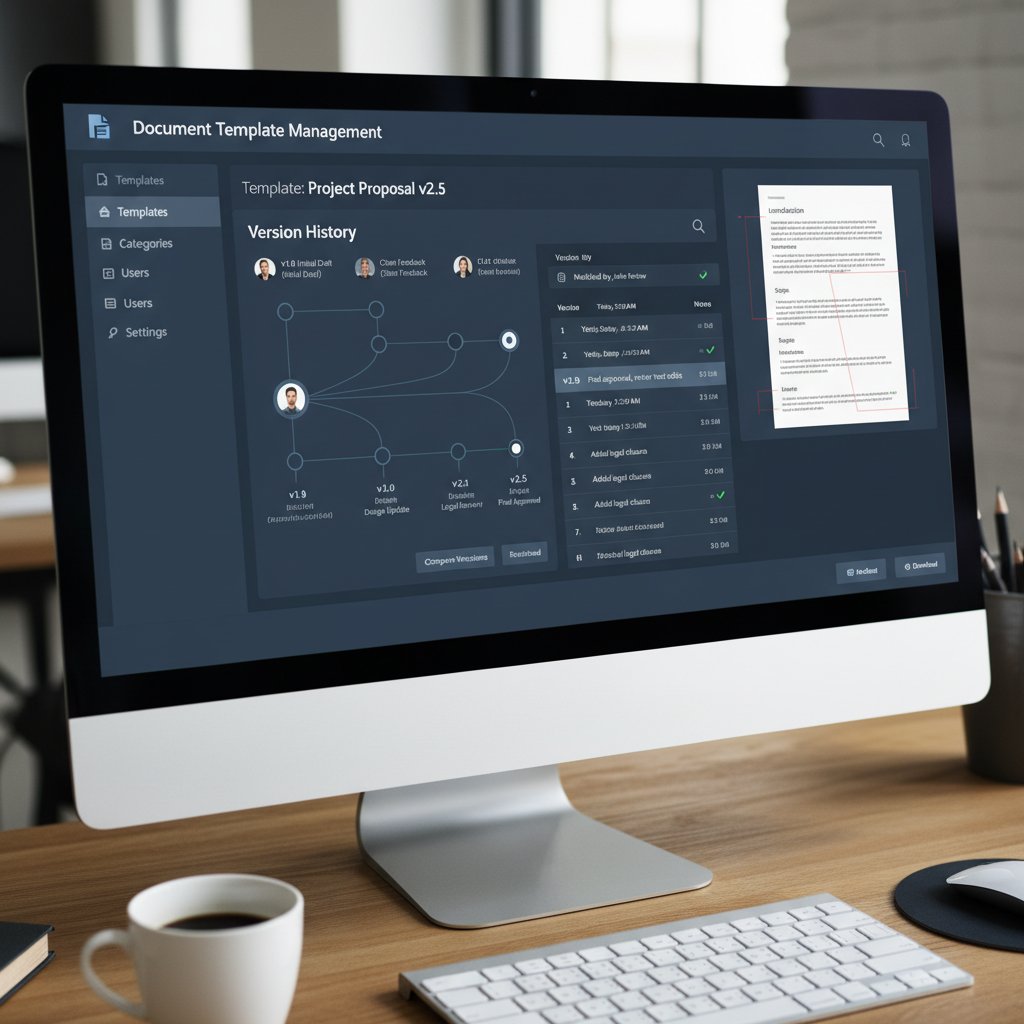
Key steps in the hidden engine:
- Template selection: Are you using the latest, approved version?
- Data integration: Is the information auto-pulled from verified sources, or manually copy-pasted (with risk of error)?
- Compliance checks: Are there embedded rules to flag missing clauses or outdated content?
- Access auditing: Who can see, edit, or share this document after save?
- Version history: Where is the audit trail? Can you roll back changes if needed?
Definition list:
A rigorous system of approvals, controls, and automation that governs how templates are created, updated, and used.
Verified record of edits, saves, and access, essential for compliance and troubleshooting.
Built-in checks that ensure every template meets regulatory and policy standards—before it’s ever sent out.
Version control: friend or frenemy?
Version control is the backbone of effective template management—or its Achilles’ heel. When done right, it prevents disasters by locking in the latest updates and providing a clear audit trail. When done wrong, it breeds confusion, wasted time, and high-stakes mistakes.
| Approach | Strengths | Weaknesses |
|---|---|---|
| Manual versioning (e.g., v1, v2) | Simple for small teams | Chaos at scale, no central authority |
| Centralized control (cloud, AI) | Real-time updates, audit trails, rollback | Integration challenges, user training |
| No versioning | None (do not do this!) | Guaranteed errors, no accountability |
Table 4: Version control methods and their impact on document integrity. Source: Original analysis based on DocFusion, 2023, Kutana+Brochet, 2024
Without robust version control, you’re one click away from a major screw-up. But even tech-driven systems can be a double-edged sword: complexity, integration gaps, or user confusion can turn your “friend” into a costly frenemy.
The only solution? Invest in systems where versioning is seamless, transparent, and user-proof—a core principle behind platforms like filecreator.ai.
Automation, AI, and the rise of smart templates
The new frontier isn’t just about storage and access—it’s about intelligence. Modern template management harnesses automation and AI to eliminate manual drudgery, flag compliance risks, and personalize documents at scale.
The difference is night and day: instead of hand-editing the same contract for every client, smart systems auto-fill, cross-check, and track every change. This frees up talent for real work—from strategic thinking to creative problem-solving.
AI doesn’t just save time. It slashes error rates, enforces consistency, and adapts templates to changing standards. The caveat? Only if implemented with discipline and oversight. Automation without governance is just chaos on autopilot.

The upshot: Automation is your shield against the everyday grind—and your insurance policy against the disasters everyone else is quietly ignoring.
Real-world horror stories (and how to avoid them)
The million-dollar typo
Consider what happened to a global consulting firm in 2022: a single typo in a contract template—overlooked because no one updated the “master” document—led to a misquoted service fee. The result? A lost bid worth over $1 million and an embarrassing public retraction. According to DocFusion, 35% of such high-profile document disasters trace back to version control breakdowns.
“We lost more than just a deal—we lost face and credibility. All because of a template everyone assumed was ‘good enough’.” — Extracted from DocFusion Blog, 2023

This isn’t just a cautionary tale—it’s a recurring nightmare for companies that treat template maintenance as an afterthought.
When outdated templates become legal nightmares
In 2023, a midsize healthcare provider was hit with a hefty regulatory penalty after sending out hundreds of patient documents missing newly required privacy language. The culprit? An outdated template that lingered on a shared drive, unchecked and undiscovered until the audit.
| Error Type | Immediate Impact | Long-term Fallout |
|---|---|---|
| Outdated legal clause | Regulatory fines | Increased scrutiny, lost trust |
| Wrong version sent | Contractual disputes | Costly settlements |
| Data breach from poor access | Legal liability | PR crisis, customer churn |
Table 5: How outdated templates trigger cascading consequences. Source: Original analysis based on ExactDocs, 2024, PWC, 2024
It’s a textbook example of how “innocent” template lapses can spiral into legal and financial disaster. Proper template management isn’t optional—it’s mission-critical.
Failure to audit and update isn’t just risky; it’s reckless. If your industry is regulated, the bar is even higher. Compliance starts and ends with the templates you trust.
How filecreator.ai helped rewrite the narrative
Not every story ends in disaster. Case studies from diverse industries show how AI-powered template management can flip the script from chaos to control. For instance, legal teams using filecreator.ai report a 70% reduction in contract drafting time, while finance departments see accuracy jump by 90%. Healthcare organizations have slashed administrative hours by 50% without sacrificing compliance.

Key lessons from the trenches:
- Centralize and audit templates regularly: Don’t let “set it and forget it” be your motto.
- Automate compliance checks: Rely on built-in rules, not memory or luck.
- Train for version discipline: Make sure everyone uses, and trusts, the latest template.
- Leverage real-time integrations: Don’t let old systems hide new risks.
The transformation isn’t just about tech—it’s about culture, process, and relentless commitment to improvement.
The human side: Culture, burnout, and the shadow IT dilemma
Why employees go rogue with templates
Shadow IT isn’t just about unsanctioned apps—it’s about desperate employees finding workarounds when official processes fail. If your template management system is clunky, slow, or unreliable, teams will build their own. According to Gallup (2023), disengaged and burned-out employees drain 9% of global GDP—a staggering cost, often rooted in mindless busywork like fixing document chaos.
In many organizations, the “official” process is so painful that people simply go around it. They keep personal copies, build their own templates, or bypass security to get work done. The result? Lost oversight, increased risk, and a fractured workflow.
“When the process gets in the way of the work, people find a way around the process. That’s when the real danger begins.” — Extracted from Gallup, 2023
Shadow IT isn’t rebellion—it’s a cry for help. Fix your processes, or your best people will fix them for you (and not always safely).
Burnout and the hidden cost of document drudgery
The cost of poor template management isn’t just measured in dollars—it’s measured in human energy. According to research compiled by ZipDo (2023), workers spend up to 30% of their time hunting for files, and nearly half report confusion over where to find or how to use templates. This relentless grind breeds disengagement, frustration, and, ultimately, burnout.

- Lost motivation: Fixing avoidable errors erodes morale.
- Increased turnover: Burned-out employees are more likely to leave.
- Diminished creativity: Time spent on busywork is time not spent innovating.
- Silent sabotage: Frustrated workers quietly undermine broken systems.
The true cost of document chaos is human—and it ripples outward, affecting every aspect of your business.
Building a culture of template sanity
Technical solutions alone can’t solve cultural rot. To build a workflow where templates actually work for you, not against you, leadership has to set the tone.
- Audit your current process: Understand where chaos creeps in.
- Empower ownership and accountability: Assign clear roles for template governance.
- Invest in training: Don’t assume everyone knows “the system.” Teach, reinforce, and update.
- Reward smart process improvements: Celebrate teams that reduce errors or streamline workflows.
- Promote transparency: Openly track and share metrics on errors, compliance, and improvements.
Building sanity into your template culture means more than new software—it means new habits and priorities.
A healthy template culture won’t happen by accident. It requires relentless transparency, shared responsibility, and the willingness to fix what’s broken, no matter how uncomfortable that may be.
How to master document template management (for real)
Step-by-step guide to taking control
Mastering document template management is about more than buying the latest tool—it’s about a complete process overhaul. Here’s how to cut through the noise and build a bulletproof system:
- Map your template landscape: Inventory every template in use—official or rogue.
- Centralize and standardize: Move templates into a single, secure, and accessible platform.
- Define version controls: Set clear rules for updates, approvals, and retirements.
- Automate compliance checks: Integrate real-time validation to catch errors before they spread.
- Limit and audit access: Use permissions to keep sensitive templates out of the wrong hands.
- Train relentlessly: Make sure everyone knows the “why” and “how” of the new system.
- Measure and iterate: Track errors, usage, and improvements—then refine relentlessly.

Each step is non-negotiable. Skipping one is like building a house without a foundation.
Priority checklist for implementation
Don’t try to fix everything overnight. Start with high-impact actions:
- Identify your top 10 most-used templates and review for errors or outdated content.
- Replace manual updates with automation wherever possible.
- Set up version tracking and rollback capability.
- Ensure regulatory compliance is baked in, not tacked on.
- Create an audit log for all template edits and usage.
- Provide clear, accessible training materials.
- Schedule quarterly audits—never let your process stagnate.
A phased approach creates momentum and reveals quick wins that boost buy-in across the organization.
Implementing even half of these priorities can slash errors and reclaim hours every week.
Essential tools and resources
Choosing the right tools is critical—but so is understanding what each provides. Here’s a breakdown:
A centralized digital platform (like filecreator.ai) that stores, manages, and version-controls all templates, ensuring consistency and compliance.
Software modules that auto-fill data, enforce compliance rules, and integrate with core business apps to reduce manual work.
Real-time tracking tools that flag non-conformance, log edits, and generate reports for regulatory peace of mind.
Every tool should be vetted for integration compatibility, user-friendliness, and scalability. One-size-fits-all rarely fits anyone well—customize your stack to your real needs.
No tech will fix a broken culture, but the right tech can supercharge a team ready to fix itself.
Controversies, debates, and the future of templates
Is AI making templates smarter, or just riskier?
AI is revolutionizing template management, but there’s a dark side. Automated systems that aren’t properly governed can mass-produce errors or even amplify compliance risks. As automation scales, so do the potential consequences of a single flaw—making oversight more critical than ever.
“The power of AI is both its strength and its greatest risk. Scale up without control and your little mistakes become big, fast.” — Extracted from AmyGB.ai, 2024
| Perspective | Benefit | Risk |
|---|---|---|
| Automation evangelists | Rapid, error-free output | Over-reliance, oversight gaps |
| Skeptics | Human review ensures accuracy | Bottlenecks, inconsistency |
| Balanced approach | AI + human checks | Requires investment, training |
Table 6: The debate on AI in document template management. Source: Original analysis based on AmyGB.ai, 2024
The truth? AI is a tool—not a crutch. Combine it with disciplined oversight, and you get the best of both worlds.
Open standards vs. vendor lock-in: The new battleground
A silent war is raging between proprietary platforms and open standards. Choose a “walled garden,” and you could be stuck if a vendor changes direction—or folds. Opt for open standards, and you gain flexibility but may give up convenience or tight integrations.
- Proprietary platforms: Seamless user experience, tight integration, but risk of lock-in.
- Open standards: Future-proofing, interoperability, but may require more setup.
- Hybrid solutions: The best (and worst) of both worlds.
The real risk? Getting lulled into a false sense of security by slick marketing, while losing long-term flexibility. Choose your partners carefully—and always have an exit strategy.
Whichever path you take, ensure your data is portable and your templates can outlive any single tool.
What’s next? Predictions for the next 5 years
While speculation is off-limits here, current trends show several forces reshaping document template management:

- Deeper AI integration: Real-time compliance, language localization, and even sentiment analysis.
- Universal accessibility: Templates available securely on any device, anywhere.
- Hyper-personalization: Context-aware templates that adapt to user, client, or project.
- Stronger regulatory alignment: Automated legal updates pushed to all templates.
- User empowerment: No-code template customization for business users, not just IT.
Every development underscores a single truth: only organizations who master the basics will be able to harness these advances safely and effectively.
The bottom line: Rethinking your document strategy
Key takeaways you can act on today
Document template management isn’t just paperwork—it’s the operating system of your business. Ignore it, and you invite chaos, cost, and crisis. Master it, and you unlock efficiency, compliance, and competitive edge.
- Audit your entire template ecosystem—now.
- Automate relentlessly, but keep humans in the loop.
- Invest in training, not just tools.
- Make compliance a daily habit, not an annual scramble.
- Never let “good enough” become your baseline.

The difference between chaos and control is process, not luck.
Final thoughts: Why mastery beats perfection
Perfection is a moving target. Mastery—relentless, disciplined improvement—is how you win. Document template management may never be sexy, but it’s the backbone of everything else you do. The businesses that thrive are those who refuse to coast, who update, audit, and raise the bar every single day.
“In documentation, excellence isn’t a goal. It’s a process—one your competitors hope you ignore.” — As industry experts often note, based on trends from FinancesOnline, 2024
So rip off the blinders. Embrace the ruthless truths. And remember: in document management, the only thing worse than chaos is complacency.
If you’re ready to take control, start with a system that matches your ambition. Learn more from leaders in the field—like filecreator.ai—and make document chaos a thing of the past.
Sources
References cited in this article
- FinancesOnline(financesonline.com)
- DocFusion(docfusioncloud.com)
- SmartDocuments(smartdocuments.com)
- Kutana+Brochet(kutana-brochet.co.uk)
- AmyGB.ai(amygb.ai)
- ExactDocs(exactdocs.com)
- ZipDo(zipdo.co)
- Armstrong Archives(armstrongarchives.com)
- Business.com(business.com)
- IDC/ECM Consultant(theecmconsultant.com)
- AiDock(blog.aidock.net)
- McKinsey(mckinsey.com)
- Logista Solutions(logistasolutions.com)
- ShareFile(sharefile.com)
- ProcessMaker(processmaker.com)
- MetaSource(metasource.com)
- Kraft Business(kraftbusiness.com)
- MetaSource(metasource.com)
- Consepsys(consepsys.com)
- Fisherstech(fisherstech.com)
- StudioLore(studiolore.com.au)
- Masoative(masoative.com)
- GenieAI(genieai.co)
- Quixy(quixy.com)
- MetaSource(metasource.com)
- The Digital Project Manager(thedigitalprojectmanager.com)
- SourceForge(sourceforge.net)
- Folderit(folderit.com)
- Primedocs(primedocs.io)
- Microsoft Support(support.microsoft.com)
- Veeva Vault(platform.veevavault.help)
- ClickUp(clickup.com)
- ShareFile(sharefile.com)
- Docsvault(docsvault.com)
- Webtual Global(webtualglobal.com)
- DocVu.AI(docvu.ai)
- Spiceworks(spiceworks.com)
- BuildBetter(blog.buildbetter.ai)
- FreePressJournal(freepressjournal.in)
- ShareFile(sharefile.com)
- NTE.ai(nte.ai)
- CIO(cio.com)
- Milestone(milestone.inc)
- Inspiring Workplaces(inspiring-workplaces.com)
- Exploding Topics(explodingtopics.com)
Perfect Documents, Instantly
Filecreator.ai transforms the way you produce professional documents. Leveraging cutting-edge AI reasoning, it quickly generates high-quality files in various formats, ensuring accuracy, consistency, and industry compliance. Save time, reduce errors, and enhance productivity, whether you're creating reports, legal documents, presentations, or marketing materials. Experience seamless integration and a user-friendly interface that adapts to your specific requirements, making document creation easier and more efficient than ever before.
Get startedStart Creating Professional Documents Today
Join thousands of professionals who trust AI-powered document generation
Frequently Asked Questions
How much time do employees actually waste searching for documents?
According to IDC's 2023 report, employees spend about 30% of their time searching for documents, which represents nearly a third of payroll spent on disorganization and poor template management.
What is the actual cost of losing or reproducing a single document?
Recent data from Armstrong Archives (2024) estimates the direct labor cost to find or reproduce a lost document at $120–$220 per document.
What percentage of workers have trouble finding documents quickly?
According to Adobe's 2023 statistics, 48% of workers struggle to find documents quickly, and 47% find filing systems confusing or unreliable.
What are the different types of costs caused by unmanaged templates?
Unmanaged templates create financial costs (from lost productivity and document reproduction), cognitive costs (taxing employees with mindless grunt work), and emotional costs (contributing to worker burnout and morale issues).
Continue Reading
Explore more from Professional Document Generator

Document Template Management Software: Risks and Benefits
Document template management software centralizes templates to reduce compliance risks, prevent brand inconsistency, and streamline workflows across teams.

Document Template Solutions: Hidden Risks and Real Potential
Document template solutions reduce errors and improve efficiency across organizations. This article explains hidden costs, compliance risks, and how centralized templates transform workflows.

Document Template Generation Software: Hidden Costs and Business Impact
Document template generation software automates document creation but introduces new risks. This article examines the hidden costs, compliance challenges, and real-world impacts on business workflows.

Document Template Editor: Automation's Role in Reducing Chaos
Document template editor systems address productivity losses from scattered files. This article explains the costs of poor document management and how automation helps.

How Document Template Creation Tools Affect Business Workflow
Document template creation tools shape organizational success or failure. This article examines how template systems affect productivity, creativity, and business outcomes.

Document Template Library: How Templates Impact Business Operations
Document template library systems shape business workflows and reduce human error. This article explains the hidden risks and strategies that affect operational efficiency.




