
Document Template Library Mistakes That Quietly Cost You Millions
Written with AI assistance under our editorial guidelines
Document template libraries are silent engines of business success that reduce human error, ensure compliance, and enable teams to operate efficiently at scale. Organizations treating templates as living, curated assets gain competitive advantages through brand consistency, legal protection, and streamlined workflows that free leaders to focus on strategy rather than administrative tasks.
In the high-stakes world of modern business, your document template library isn’t just a quiet stack of files hidden in a cloud folder—it’s the underworld kingpin of your workflow. The right template can make a rookie look like a veteran; the wrong one can tank a million-dollar deal before lunch. In 2025, with AI-powered automation and relentless demands for efficiency, clarity, and adaptability, pros know there are no safe shortcuts. Whether you’re a hustling startup founder, a corporate heavyweight, or an indie creative, the realities of template libraries are sharper than ever. This is not another vanilla rundown of “best templates”—this is your unfiltered guide to the dangerous edges, hidden risks, and make-or-break strategies behind document template libraries. Strap in: these are the truths your competition prays you’ll ignore.
The overlooked power of document template libraries
How templates quietly shape business empires
While most professionals sweat over pitch decks and headline-grabbing product launches, the real foundations of scale are built quietly—one template at a time. Document template libraries are the silent architects of empires, dictating how information flows, decisions are documented, and teams align. According to Kim Document Blog, 2024, centralized template systems reduce human error, streamline compliance, and empower self-service generation, letting companies move at the speed of thought without sacrificing accuracy. When workflows run on rails, leaders hand off tedious processes and focus on real strategy.
“Most leaders underestimate the quiet leverage of great templates.” — Maya, Kim Document Blog, 2024

But here’s the edge: the most successful organizations treat their template library as a living asset, obsession-level curated and fiercely protected. Every status report, contract, and strategic plan comes from a source of truth that evolves as the business does. The result? Brand consistency, legal compliance, and a competitive moat that’s nearly invisible—until your rivals wonder how you’re always two moves ahead.
From paper chaos to digital dominance
The journey from loose paper stacks to digital dominance is a cautionary tale of missed deadlines, lost deals, and epic compliance failures. In the 1980s, “templates” meant faded photocopies in filing cabinets. By the 2000s, office suites offered digital skeletons—clunky, generic, and begging for mistakes. Today, AI-powered template libraries like those curated by platforms such as filecreator.ai put scalable, context-aware templates at your fingertips, making manual processes look medieval.
| Year | Milestone | Impact |
|---|---|---|
| 1980 | Paper-based forms and manual templates | High error rates, slow workflows |
| 1995 | Early digital templates in office suites | Increased accessibility, limited customization |
| 2005 | Web-based template libraries emerge | Collaboration improves, but fragmentation persists |
| 2015 | Cloud-based, multi-user template systems | Real-time collaboration, but compliance gaps |
| 2020 | AI-enhanced document template libraries | Extreme efficiency, advanced compliance checks |
| 2023 | Adoption of industry-tailored template systems | Improved accuracy, sector-specific advantages |
| 2025 | Adaptive, AI-driven template platforms dominate | Seamless integration, error reduction, cost savings |
Table 1: Timeline of document template development from 1980 to 2025. Source: Original analysis based on Kim Document Blog, 2024, Asana, 2024
What changed? Modern template libraries are built around agility and intelligence. They are no longer static files—they’re evolving frameworks that adapt to business realities, enforce compliance, and eliminate the margin for costly human error. Think digital dominance or digital Darwinism; there’s no middle ground.
Why most template libraries are broken by design
Here’s a brutal truth: most template solutions are more liability than asset. Outdated, generic, or poorly maintained libraries introduce subtle chaos—version confusion, brand drift, missed legal clauses, and a false sense of security. According to Designhill, 2024, overlooked categories like graphic design and strategic planning templates are just beginning to receive the attention they deserve, yet many platforms lag behind user needs.
- Enforced compliance: Advanced libraries automate regulatory checks and approvals, slashing compliance risk.
- Real-time version control: Never worry about “wrong version” errors again.
- Integrated brand standards: Keep every document on-message, even across global teams.
- Contextual templates: Smart libraries offer industry-specific variants, not one-size-fits-all.
- Customizability at scale: Powerful editing tools let you adapt templates without breaking structure.
- Automated error detection: AI-powered systems flag missing sections, outdated content, and compliance gaps before you hit send.
- User analytics: Track what templates drive results, optimize, and eliminate dead weight.
The lesson? If your template library feels “good enough,” it’s already a threat to your business. The pros know: invest, audit, and never get complacent.
Exposing the myths: What most 'free' templates won’t tell you
The hidden costs of 'free'
Let’s not sugarcoat it: “free” templates are rarely free. The true price tag is paid in lawsuits, brand dilution, and hours lost rewriting generic documents. Free template repositories might save you a few bucks upfront, but they often come riddled with outdated clauses, copyright landmines, and formatting that screams “amateur hour.” According to research from Asana, 2024, teams using generic templates experience more frequent errors and longer approval cycles compared to those using premium, industry-tailored solutions.
| Feature | Free Libraries | Premium Libraries | Key Differences |
|---|---|---|---|
| Customization | Limited | Extensive | Free = rigid; Premium = adaptive |
| Compliance | Not guaranteed | Regularly updated | Free = risky; Premium = vetted for regulations |
| Support | None | Professional help | Free = DIY; Premium = expert guidance |
| Branding | Generic | Brand-aligned | Free = off-brand; Premium = consistent messaging |
| Security | Weak | Robust protocols | Free = unvetted; Premium = encrypted, monitored |
| Update cycle | Sporadic | Frequent | Free = outdated; Premium = maintained |
| Analytics | None | Usage tracking | Free = guessing; Premium = data-driven optimization |
Table 2: Comparison of free vs. premium template libraries. Source: Original analysis based on Asana, 2024, Kim Document Blog, 2024
The takeaway: every “free” template carries hidden costs—sometimes catastrophic.
Debunking the 'one-size-fits-all' fantasy
Templates are not universal passports. A contract template designed for a tech startup could leave a healthcare clinic wide open to legal exposure. The reality is brutally simple: industries have radically different regulatory, formatting, and workflow needs. According to PandaDoc, 2024, industry-specific templates reduce errors and speed up approval times, while mismatched templates create friction and compliance risk.
Industry-specific template nuances:
Templates in healthcare must comply with HIPAA and data privacy laws—miss a clause, and you risk regulatory penalties or lawsuits.
Legal templates require jurisdiction-specific language and clause structures; using a generic contract is not just lazy, it’s dangerous.
Finance templates demand up-to-date regulatory disclosures and precise formatting. Generic designs introduce audit risk and erode trust.
Branding, call-to-action style, and layout must align with audience expectations; generic templates tank customer engagement.
Requires modular, update-friendly structures to match fast-evolving products; static templates lead to maintenance nightmares.
Generic templates are like off-the-rack suits: fine for a school prom, reckless for a boardroom.
The copyright and compliance trap
Hidden in the fine print of many “free” templates are copyright restrictions, unlicensed assets, and clauses that can drag your business into costly disputes. According to Kim Document Blog, 2024, improper template usage is a leading cause of compliance failures—especially when teams copy and paste without vetting sources.
“A single template slip can snowball into a compliance nightmare.” — Jordan, Kim Document Blog, 2024
Ignore this at your peril: template shortcuts are a legal booby trap in disguise.
How to choose a document template library that won’t betray you
Critical features top professionals demand
The modern professional isn’t just picky—they’re ruthless in vetting template libraries. Top players demand systems that protect, adapt, and empower, not just “look nice.” Research from Designhill, 2024 and Envato, 2024 confirms that flexibility, security, and real-time collaboration are now non-negotiable.
- Comprehensive version control: Prevents outdated or unauthorized edits from creeping in.
- Customizability: Templates must adapt to changing business and industry conditions.
- Advanced security protocols: Encryption, access control, and monitoring for sensitive documents.
- Industry-specific modules: Preloaded compliance clauses and formatting for your sector.
- Real-time collaboration: Multi-user editing with live feedback.
- Automated compliance checks: Systematically enforce regulatory requirements.
- Seamless integrations: Works with your chosen document, CRM, and workflow tools.
- Analytics dashboard: Tracks usage, adoption rates, and performance of templates.
If a library can’t check every box, it’s not built for professionals.
Red flags: Spotting the pitfalls before you commit
Don’t get seduced by flashy UIs or endless template lists. The real danger signs are often buried:
- Outdated templates: Last update was “pre-pandemic”? Walk away.
- No audit trail: If you can’t see who edited what, you’re open to sabotage.
- Lack of industry focus: Generic templates = generic results (or worse).
- Weak security documentation: If they can’t explain encryption, don’t trust them with your docs.
- One-size-fits-all pricing: Overpaying for features you’ll never use.
- No support or onboarding: If you’re on your own, expect steep learning curves and wasted hours.
Spot these early, and you’ll save yourself a world of pain.
When to trust AI—and when to run
AI is rewriting the rules of document automation, but it’s not a cure-all. Smart doc libraries use AI to suggest best-fit templates, automate error checking, and adapt content. But if your “AI-powered” platform generates mistakes or can’t explain its recommendations, it’s a time bomb. According to Kim Document Blog, 2024, choose AI solutions that are transparent, customizable, and built on trusted data.

The bottom line: trust, but verify. AI is your ally—until it isn’t.
The anatomy of a professional-grade template
Technical backbone: What’s under the hood
Cutting-edge template libraries are more than pretty facades; they’re built on technical sophistication. Modular architecture, strict access controls, and automated version histories are the norm in platforms like filecreator.ai. According to PandaDoc, 2024, centralized systems save time, enforce brand standards, and enable robust analytics.
| Feature | Library A (filecreator.ai) | Library B (PandaDoc) | Library C (Envato) | Notes |
|---|---|---|---|---|
| AI-driven editing | Yes | Partial | No | filecreator.ai uses advanced AI |
| Security protocols | Robust | Moderate | Basic | Encryption and access logs |
| Customization | High | Moderate | High | Modular sections, easy rebranding |
| Compliance checks | Automated | Partial | Manual | Regulatory modules included |
| Analytics | Integrated | Partial | No | Usage tracking for optimization |
| Format support | DOCX, PDF, PPTX | DOCX, PDF | DOCX, PPTX | Multi-format export |
Table 3: Feature matrix of leading document libraries. Source: Original analysis based on filecreator.ai, PandaDoc, 2024, Envato, 2024
A premium template library isn’t just a convenience; it’s a fortified workflow engine.
Customization without chaos
The line between flexibility and chaos is razor thin. The best templates offer plug-and-play sections while locking down legalese and critical data fields. This balance lets teams adapt fast—without inviting rogue edits or format drift. According to Designhill, 2024, customizable business templates are one of 2025’s most in-demand assets.

The wisdom here? Flexibility is power—so long as it’s disciplined.
Security and privacy: The non-negotiables
If your document templates aren’t locked down, you’re handing the keys to your business over to whoever wants them. Encryption, two-factor access, and audit logs are no longer “nice-to-haves”—they’re table stakes for any serious player. According to Kim Document Blog, 2024, breaches of poorly protected document libraries have led to data leaks and PR disasters.
“If your templates aren’t encrypted, you’re gambling with your reputation.” — Alex, Kim Document Blog, 2024
In 2025, security isn’t a feature—it’s survival.
Real-world disasters (and triumphs) powered by templates
Case study: The million-dollar contract meltdown
Picture this: a global supplier, racing to lock in a high-stakes contract, grabs an old template from their dusty archive. One missing regulatory clause later, the deal unravels, sparking months of legal wrangling and a seven-figure loss. According to PandaDoc, 2024, template-related errors rank among the top five causes of preventable contract failures in large enterprises.

The lesson: your weakest template is the ceiling of your business risk.
Case study: How one startup scaled with smart templates
Contrast the disaster story above with a nimble SaaS startup. By building their workflow around a dynamic, AI-powered template library, they slashed onboarding time, doubled their proposal output, and hit milestones twice as fast as competitors. According to Designhill, 2024, companies leveraging advanced template systems consistently report efficiency gains and faster revenue cycles.

Great templates aren’t just tools; they’re force multipliers.
Disaster prevention: The unsung heroics of great libraries
For every disaster story, there are countless quiet saves—times when a bulletproof, well-maintained template averted disaster. The pros know that proactive template management is their secret insurance policy.
- Audit regularly: Review and update templates quarterly.
- Centralize access: One source of truth, accessible to all.
- Enforce version control: Prevent rogue edits.
- Automate compliance checks: Build in regulatory safeguards.
- Lock critical sections: Protect legal and financial clauses from unauthorized changes.
- Train your team: Good templates are worthless if misunderstood.
- Monitor usage analytics: Spot issues before they become crises.
Disaster prevention isn’t luck—it’s disciplined process.
The future is now: AI, automation, and the next-gen document library
How AI is rewriting the rules
AI is not a buzzword—it’s a tectonic shift in how documents are created, reviewed, and managed. Next-gen template libraries harness AI to analyze document flows, automate repetitive formatting, and surface content recommendations. According to industry analysis from Kim Document Blog, 2024 and filecreator.ai, AI now enables real-time compliance checks and smart content suggestions that were impossible even two years ago.

This is not the future; it’s the present reality of any serious operation.
Human touch vs. automation: Finding the balance
Not everything can—or should—be automated. The tension between machine speed and human nuance is where the best workflows live. AI can flag compliance gaps, but only a human knows when to bend a rule or add a personal touch for that million-dollar proposal.
Key terms in AI document automation:
Using AI to “read” and break apart template sections for dynamic customization. Example: Auto-inserting project names in the right fields.
AI suggests the best-fit template based on the document’s purpose and target audience. Example: Proposing an NDA template for a new partnership deal.
Embedding up-to-date regulations and flagging non-compliant language in real time. Example: Highlighting missing GDPR clauses in contracts.
Ensuring a human reviews or approves all AI-generated changes before finalization. Example: Legal review of a pre-filled contract.
The magic happens when you let AI handle the grunt work, but keep humans in charge of judgment calls.
filecreator.ai and the rise of specialized platforms
As the market matures, generic template warehouses are being outpaced by focused, AI-driven platforms like filecreator.ai, which cater to high-performance needs across industries. These specialized systems deliver not just templates, but frameworks—modular, secure, and smart enough to stay ahead of regulatory changes and workflow bottlenecks. The rise of niche document generators means that pros can finally demand tools that fit their world, not the other way around.
The result? Less wasted time, fewer errors, and a competitive edge that’s written right into your digital DNA.
Beyond business: Surprising uses for document template libraries
Creative industries and unconventional workflows
Think templates are just for corporate drones and accountants? Think again. Artists, writers, and filmmakers are increasingly turning to advanced document template libraries to streamline pitches, grant applications, and even script revisions. According to Designhill, 2024, the fastest-growing categories in template libraries are outside classic business use.
- Grant writing: Save days with pre-built, grant-specific layouts.
- Script formatting: Instantly apply professional standards to screenplays and storyboards.
- Storyboarding: Structured templates make creative brainstorming faster and more collaborative.
- Gallery proposals: Ensure every application meets submission guidelines.
- Festival submissions: Customizable forms that adapt to each festival’s requirements.
- Press kits: Keep branding consistent and impactful.
- Portfolio curation: Streamline the process with modular sections.
- Collaborative editing: Writers’ rooms use shared templates for real-time script revisions.
Template libraries are the artist’s backstage pass to efficiency.
Education, NGOs, and public sector innovators
Outside the profit-driven world, digital template libraries are quietly transforming how schools, non-profits, and governments operate. Teachers use them to standardize lesson plans, while NGOs leverage them for donor reports and volunteer onboarding. According to Envato, 2024, customizable templates reduce admin drag and improve communication clarity.

Even in resource-constrained environments, the right template library is a force multiplier for impact.
DIY templates: When to break the mold
Sometimes, the best template is the one you build yourself. Creatives and innovators swear by DIY approaches when standard templates don’t cut it. The upside? Total control. The risk? Reinventing the wheel can invite compliance gaps and formatting chaos.
Mini-guide for safe DIY template creation:
- Start with a vetted template as your base.
- Audit for legal, branding, and compliance essentials.
- Get a second pair of eyes—preferably a lawyer or compliance officer.
- Document every customization for easy updates.
- Test with real-world users before rolling out company-wide.
DIY is the wild west of templates: thrilling, but only for those who play smart.
Mastering your workflow: Pro tips for template library domination
Step-by-step: Building a bulletproof document process
Winning with template libraries is not just about picking the right platform—it’s about process discipline. Here’s how pros lock it down:
- Assess your needs: What documents drive your business? Prioritize those.
- Audit current templates: Ditch duplicates, fix outdated files.
- Choose a vetted library: Security, compliance, and analytics are non-negotiable.
- Set permissions: Lock down critical templates to avoid unauthorized edits.
- Centralize access: One URL, always up-to-date.
- Custom-tailor for teams: Add industry-specific fields as needed.
- Train your staff: Even the best template is useless if misunderstood.
- Automate compliance checks: Let AI do the heavy lifting.
- Monitor usage: Analytics reveal what’s working—and what’s not.
- Review quarterly: Update, drop dead weight, and add new templates for emerging needs.
Process beats chaos every time.
Mistakes even pros make—and how to dodge them
Don’t let experience breed complacency. Even veterans stumble on these pitfalls:
- Over-customizing: Tinkering so much you break the original structure.
- Ignoring updates: Old templates = new vulnerabilities.
- Skipping compliance checks: Assumptions are accidents waiting to happen.
- Poor onboarding: New hires left to figure things out on their own.
- Fragmented libraries: Multiple versions floating in different team drives.
- No analytics: Flying blind on what actually works.
- Failing to lock critical fields: Invitation for legal or financial disaster.
The solution? Relentless review and ruthless prioritization.
Quick reference: Template library upgrade checklist
It’s easy to get lost in feature lists. Here’s a quick visual for the decisive pro:
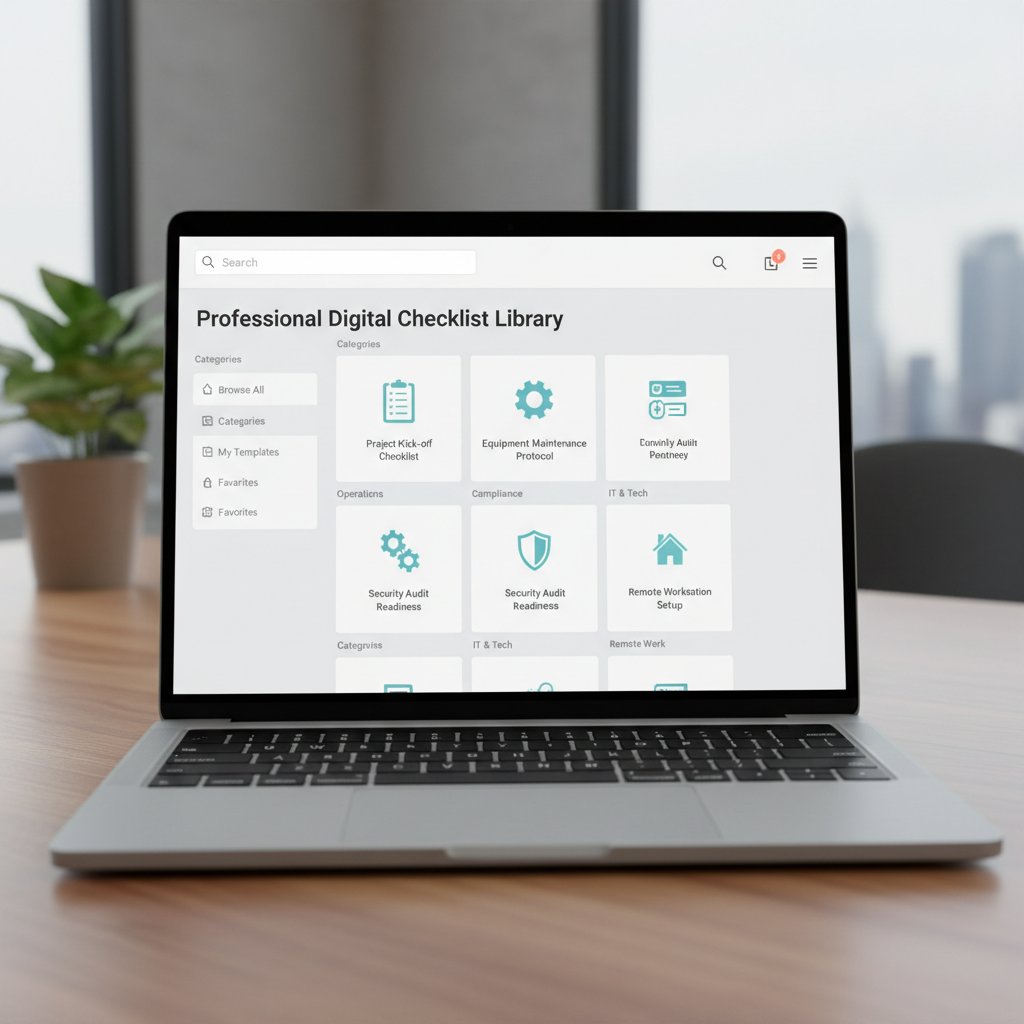
If you can’t check every box, your template game needs an upgrade—now.
Your next move: Choosing, customizing, and thriving with the right library
Recap: What separates leaders from laggards
The gulf between template library mastery and mediocrity has never been wider. Here’s how the split looks in the wild:
| User Type | Approach | Result | Pro Tip |
|---|---|---|---|
| Laggard | Grabs free, generic files | Errors, compliance failures | Invest in vetted, up-to-date libraries |
| Striver | Customizes but neglects audit | Misses compliance changes | Schedule quarterly template reviews |
| Leader | Uses advanced, AI-powered | Speed, consistency, savings | Combine analytics with disciplined process |
| Industry disrupter | Builds own modules on pro tools | Unmatched agility, brand power | Partner with expert-driven platforms like filecreator.ai |
Table 4: Side-by-side summary of template library outcomes. Source: Original analysis based on Kim Document Blog, 2024
The question: Where do you want to land?
Action plan: Your path to template mastery
Ready to join the elite? Here’s a ruthless, prioritized plan to get you there:
- Inventory every template in use right now.
- Purge every file that isn’t current, vetted, or necessary.
- Select a platform meeting every critical security and compliance need.
- Train your team—no exceptions, no shortcuts.
- Automate compliance checks and analytics.
- Schedule quarterly reviews. Ruthlessly iterate.
Pro status isn’t an accident—it’s a habit.
The final word: Templates as your secret weapon
Here’s the naked truth: in 2025, your document template library is more than a back-office tool. It’s your professional edge, your risk shield, and your silent partner in every deal, pitch, and project. The pros already know this. The rest are scrambling, stuck in yesterday’s habits. Don’t become a cautionary tale—make your templates your unfair advantage.
“In 2025, your template library is your competitive edge. Sharpen it.” — Sam, based on industry consensus
Sources
References cited in this article
- Asana: Software Requirement Document Template(asana.com)
- Designhill: Overlooked Template Categories(designhill.com)
- Envato: Free Business Templates(elements.envato.com)
- PandaDoc: Template Library(pandadoc.com)
- Kim Document: The Power of Template Libraries(blog.kimdocument.com)
- DocFusion: What are document template libraries?(docfusioncloud.com)
- Resume Writing Lab: Myths About Resume Templates(resumewritinglab.com)
- BOWWE: Website Templates Facts and Myths(bowwe.com)
- 9001Simplified: Hidden Costs of Free Templates(9001simplified.com)
- CloudLegal Support: The Hidden Cost of Free Business Templates(cloudlegalsupport.com)
- OutsideGC: One Size Fits All for Contracts?(outsidegc.com)
- DATAVERSITY: Debunking One-Size-Fits-All in Data Governance(dataversity.net)
- Lower Columbia College: Copyright Compliance(lowercolumbia.edu)
- PicDefense: Ultimate Guide to Copyright Compliance Templates(picdefense.io)
- SuiteDash: Template Library Guide(help.suitedash.com)
- Adobe: Create a Library Template(helpx.adobe.com)
- Whisperit: Professional Document Templates(whisperit.ai)
- pdf.ai: Best Document Management Systems 2025(pdf.ai)
- ClickUp: Design Document Templates(clickup.com)
- ProjectDado: Red Flags of Document Management Systems(blog.projectdado.com)
- Cognidox: Seven Document Control Pitfalls(cognidox.com)
- MHC Automation: How to Make a Document Look Professional(mhcautomation.com)
- Template.net: Free Document Templates(template.net)
- MyDock365: Custom Template for SharePoint Library(blog.mydock365.com)
- Microsoft: Set a Custom Template for a SharePoint Library(support.microsoft.com)
- SAMHSA: Disaster Response Printed Materials(samhsa.gov)
- SlidesCarnival: Disaster PowerPoint Templates(slidescarnival.com)
- California Preservation Program: Library Disaster Plan Template(calpreservation.org)
- State Library of Iowa: Disaster Preparedness Toolkit(statelibraryofiowa.gov)
- n8n-automation: Top AI Templates 2025(n8n-automation.com)
- Google Cloud: Generative AI Document Features(cloud.google.com)
- Veeva: Automation vs. Human Touch(veeva.com)
- Inventive.ai: RFP Automation and Human Touch(inventive.ai)
Perfect Documents, Instantly
Filecreator.ai transforms the way you produce professional documents. Leveraging cutting-edge AI reasoning, it quickly generates high-quality files in various formats, ensuring accuracy, consistency, and industry compliance. Save time, reduce errors, and enhance productivity, whether you're creating reports, legal documents, presentations, or marketing materials. Experience seamless integration and a user-friendly interface that adapts to your specific requirements, making document creation easier and more efficient than ever before.
Get startedStart Creating Professional Documents Today
Join thousands of professionals who trust AI-powered document generation
Frequently Asked Questions
Why are document template libraries considered so important to business success?
Document template libraries are described as silent architects that dictate how information flows, decisions are documented, and teams align. According to the article, centralized template systems reduce human error, streamline compliance, and empower self-service generation, allowing companies to move efficiently without sacrificing accuracy.
What makes the difference between a template library that helps versus one that hurts a business?
The most successful organizations treat their template library as a living asset that is obsessively curated and fiercely protected, evolving as the business does. This approach results in brand consistency, legal compliance, and competitive advantage, whereas poorly maintained templates can tank deals and create workflow inefficiencies.
How have document templates evolved over time?
The article references a journey from paper chaos to digital dominance, noting that in the 1980s, templates consisted of faded photocopies in filing cabinets, contrasting with modern digital template libraries available in 2025.
What is at stake when document template libraries are managed poorly?
The article warns that wrong templates can tank million-dollar deals, and poor template management historically led to missed deadlines, lost deals, and epic compliance failures in organizations.
Continue Reading
Explore more from Professional Document Generator

Document Template Solutions: Hidden Risks and Real Potential
Document template solutions reduce errors and improve efficiency across organizations. This article explains hidden costs, compliance risks, and how centralized templates transform workflows.

Document Template Generation Software: Hidden Costs and Business Impact
Document template generation software automates document creation but introduces new risks. This article examines the hidden costs, compliance challenges, and real-world impacts on business workflows.

Document Template Management: Hidden Costs and Critical Risks
Document template management affects productivity across organizations. This article examines seven critical risks in template management and explains why uncontrolled templates cost businesses significantly.

How Document Template Creation Tools Affect Business Workflow
Document template creation tools shape organizational success or failure. This article examines how template systems affect productivity, creativity, and business outcomes.

Document Template Management Software: Risks and Benefits
Document template management software centralizes templates to reduce compliance risks, prevent brand inconsistency, and streamline workflows across teams.

Document Template Editing Software and Operational Efficiency
Document template editing software reduces manual errors and improves compliance. This article explains the operational costs of poor templates and how to choose software effectively.