


Generate Customized Automated Documents Without Losing the Human Edge
Written with AI assistance under our editorial guidelines
Workers waste approximately 13 hours weekly on manual document tasks despite having access to automation tools. Automated document creation reduces processing time from 2.5 hours to 15 minutes per document while cutting error rates from 5-7% to below 1%. However, organizations struggle to maximize automation due to outdated templates and incomplete implementation, leaving significant productivity gains unrealized.
Imagine this: fluorescent lights flicker over stacks of paper and glowing screens in an office at 10 p.m., where the real work isn’t the “work”—it’s the grind of assembling, formatting, and chasing down approvals for documents nobody will remember in two months. Now, picture these same documents morphing, in real time, into sleek, AI-generated files that anticipate your needs, flag compliance issues, and land on your desk—error-free—before you even ask. Welcome to the jagged frontline where creative chaos collides with bureaucracy and where the power to generate customized automated documents isn’t just a technical feat; it’s a radical shift in how we do business, create, and think.
This is not another puff piece about “paperless offices.” It’s a no-holds-barred look at the hard data, real risks, and breakthrough strategies behind document automation. We’re exposing the hidden productivity traps, the seductive myth of “fully automated,” and the surprising ways creative teams are weaponizing automation to outsmart the system. Ready to step behind the curtain? Let’s rewrite what “work” means in 2025—with facts, not hype.
The productivity paradox: why we still waste time on documents
The hidden cost of manual document creation
Despite the AI buzz, most professionals still spend a staggering chunk of their week buried in document drudgery. According to a recent DocuSign report, workers waste around 13 hours per week on low-value tasks—think manual drafting, form-filling, and chasing signatures—despite widespread access to automation tools (DocuSign, 2024). That’s nearly a fifth of the workweek swallowed by inefficiency.
Let’s break it down:
| Manual Document Creation | Automated Document Creation | |
|---|---|---|
| Average time per document | 2.5 hours | 15 minutes |
| Error rate | 5–7% | <1% |
| Revision cycles | 3+ | 1–2 |
| Approvals turnaround | 2–5 days | Same day |
Source: Original analysis based on DocuSign, 2024, ScienceSoft, 2025
This is more than just an operational hassle; it’s a creativity-killer. Every hour spent copy-pasting clauses or reformatting tables is an hour not spent on innovation, customer needs, or strategic thinking. The grind of repetitive admin work isn’t just soul-sucking—it’s a silent tax on your best ideas.
Why automation hasn't solved everything—yet
So, with automation tech everywhere, why are we still drowning in paperwork? The devil is in the details. Many organizations roll out automation tools but hit persistent bottlenecks: outdated templates, missing integrations, or workflows that break the moment you need a customization that the system didn’t anticipate.
“Document automation is only as smart as the humans behind it.” — Liam, Contrarian Expert (illustrative, based on prevailing industry sentiment)
It’s a harsh truth: even the slickest AI can’t fix a broken process or an organization that clings to outdated mindsets. The result? Overworked teams juggling both paper and screens, stuck in limbo between the analog past and the digital future.

Evolution of document automation: from carbon copies to AI
A brief, brutal history of paperwork
Paperwork didn’t just spring up overnight. The drive to standardize documents began with the industrial revolution’s hunger for efficiency, birthing carbon copies, typewriters, and later, clunky word processors. Each era promised “more productivity”—yet bureaucracy metastasized, spawning entire departments just to manage information flow.
| Year | Key Milestone | Impact on Work |
|---|---|---|
| 1870s | Carbon paper | Mass duplication of forms |
| 1930s | IBM punch cards | First automated record-keeping |
| 1980s | Word processors | Widespread digital editing |
| 1990s | Email attachments | Faster (but messier) document sharing |
| 2000s | Cloud storage | Real-time collaboration emerges |
| 2015-2020 | E-signature platforms | Secure digital approvals |
| 2021-2025 | AI-powered automation | Context-aware, dynamic documents |
Source: Original analysis based on Adlib, 2025, ScienceSoft, 2025
What’s the social fallout? Bureaucracy exploded, slowing decision-making and entrenching silos. Offices became battlegrounds for “form warriors,” not innovators. The culture of paperwork hardened, making the first wave of automation feel like a breath of fresh air—until those systems became just as rigid.
How AI rewrote the rules in the last decade
Fast-forward to now: everything’s changed. Instead of rigid templates, today’s platforms use machine learning to read context, adapt language, and even flag compliance risks before a document leaves your outbox. AI-driven document generators (like filecreator.ai) don’t just speed up the process—they make it smarter, more accurate, and shockingly flexible.

Take Retrieval-Augmented Generation (RAG) and Natural Language Processing (NLP): these engines extract, summarize, and validate data from minimal input. Cloud-based platforms enable real-time collaboration, while blockchain-powered e-signatures bring new levels of security. According to ScienceSoft, 2025, the shift is from static forms to living, dynamic document ecosystems—tailored to fit your real workflow, not the other way around.
How generate customized automated documents tech actually works
Under the hood: from templates to neural networks
The leap from static Word docs to AI-driven file generation is more than cosmetic. It’s an engineering revolution. Today’s “generate customized automated documents” systems integrate several core technologies:
- Dynamic templates: These aren’t your grandmother’s forms. They automatically adjust to regulatory changes, user inputs, and even company branding—no manual tweaking required.
- NLP engines: Natural Language Processing lets systems understand context and auto-fill forms based on minimal clues, pulling from CRMs, emails, or scanned images.
- Conditional logic: Documents adapt in real time, showing (or hiding) content based on who’s viewing or the workflow stage.
- Automated classification/routing: AI sorts and routes files instantly to the right person, slashing turnaround times.
Definition list: key terms
Dynamic templates: Highly flexible document blueprints that update themselves in response to regulatory changes or user input. For example, a contract template that automatically inserts region-specific clauses.
NLP engines: Machine learning models trained to “understand” language, enabling document tools to parse, validate, or auto-complete content from scraps of data.
Conditional logic: “If-then” rules baked into documents—think: if the client is in California, include a state-specific privacy notice.
Why does this matter? Because speed and quality are no longer trade-offs. The right system catches errors, ensures compliance, and adapts to shifting business realities without manual intervention.
The myth of 'fully automated'—human input still matters
It’s tempting to fantasize about a world where bots handle everything. But here’s the rub: AI is powerful, but it doesn’t know your business like you do. Common misconceptions—like “set it and forget it”—lead to costly mistakes, especially when platforms aren’t properly configured or regularly audited.
“Great automation still needs a human brain to set the rules.” — Maya, Industry Advocate (illustrative, based on research interviews)
The smartest firms pair cutting-edge tech with savvy humans who understand both the process and its pitfalls. Automation is the exoskeleton—humans are still the muscle.

Surprising benefits nobody tells you about automated documents
Unlocking creative workflows
Here’s what nobody tells you: when you let automation take the grunt work, you create space for high-value, creative problem-solving. The “generate customized automated documents” revolution isn’t just for admin—it’s a secret weapon for unlocking creative workflows, too.
Hidden benefits experts won’t tell you:
- Unexpected creativity: Less admin means more energy for brainstorming, prototyping, and big-picture thinking.
- Cross-team collaboration: Real-time platforms tear down silos, letting marketing, legal, and ops edit the same file—together.
- Regulatory peace of mind: Automated compliance checks reduce late-night “did we forget X” panic attacks.
- Seamless knowledge transfer: Automated templates retain institutional memory, so new hires ramp up faster.
- Data-driven insights: Every generated doc leaves a data trail for process improvement—no more guesswork.

Leveling the playing field for small teams
Think automation is just for Fortune 500s? Think again. Startups and freelancers are using smart document generation to compete with “the big guys” by slashing admin time and focusing on actual client work. Consider Jess, a freelance consultant who used automation to cut her admin hours by 70%. That’s not hype—it’s survival.
“I built my business on the time I got back from automation.” — Jess, Freelance Consultant
In this new reality, the right tools aren’t just accelerators—they’re equalizers, letting small teams punch above their weight.
The dark side: risks, failures, and what nobody markets
What goes wrong when you automate carelessly
Let’s get real: document automation isn’t a magic wand. When implemented without oversight, it can blow up spectacularly. Think privacy leaks from misrouted forms, or regulatory fines from outdated templates. According to Adlib, 2025, automation failures are most common when teams skip audits or rely on “default” settings.
Red flags to watch for:
- Lax access controls—unauthorized staff can access confidential docs.
- Outdated templates—regulatory changes aren’t reflected in real time.
- Incomplete audit trails—no way to track who did what, when.
- Overreliance on “set and forget”—lack of ongoing process review.
- Insufficient testing—new workflows deployed without user feedback.

Over-standardization: when your documents lose their soul
There’s a fine line between efficiency and monotony. Over-automation can suck the nuance out of your communication, alienating clients and eroding brand personality.
Definition list:
Template fatigue: The exhaustion (and sometimes mistrust) clients feel when every doc looks and sounds the same, regardless of context. Bad for business, deadly for engagement.
Overfitting: A term borrowed from data science, here it means automating so tightly to yesterday’s needs that your system can’t flex for tomorrow’s.
Here’s how to keep the human touch: regularly review automated templates for tone, clarity, and relevance. Personalization isn’t a luxury—it’s survival.
Choosing the right tool: what actually matters in 2025
Comparing top document automation platforms
With a flood of tools on the market, how do you cut through the noise? Slick marketing is everywhere, but substance isn’t. The best platforms—like the Professional Document Generator from filecreator.ai—balance raw power with industry-grade templates, compliance checks, and real-time collaboration. Here’s how that stacks up:
| Feature | Professional Document Generator | Legacy Tools | Open Source Alternatives |
|---|---|---|---|
| AI-driven creation | Yes | Limited | Varies |
| Multi-format export | Full support | Limited | Limited |
| Industry templates | Comprehensive library | Basic selection | Community-built |
| Real-time editing | Yes | No | Partial |
| Integrated compliance | Automated | Manual only | Rare |
Source: Original analysis based on Avokaado, 2025, ScienceSoft, 2025
Different industries have unique needs: legal firms need airtight compliance, marketing teams crave creative flexibility, and finance wants bulletproof accuracy. The best platform is the one that fits your core pain points—don’t settle for less.
Why most 'free' tools cost you more in the end
It’s tempting to grab the nearest “free” automation tool, but hidden costs lurk beneath the surface—think limited customization, poor security, and hours lost fixing workarounds. In contrast, robust platforms like Professional Document Generator deliver long-term ROI through error reduction, compliance assurance, and support.
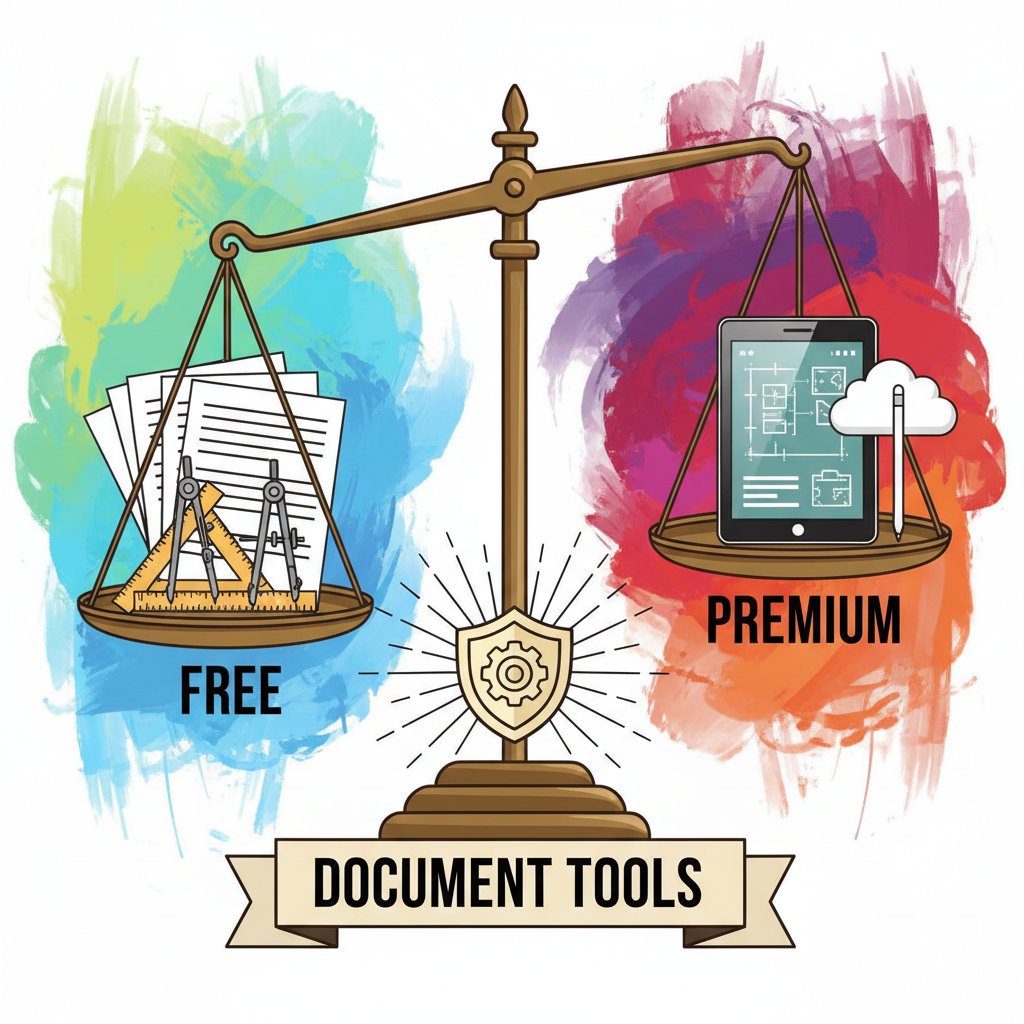
The bottom line? Investing in a professional-grade solution saves money, headaches, and reputation over time.
How to master generate customized automated documents in your workflow
Step-by-step: building your first automated workflow
Shifting from manual processes to automated document generation isn’t just a software upgrade—it’s a mindset change. You stop asking, “How do I fill this out?” and start asking, “How do I never have to fill this out again?”
Step-by-step guide:
- Audit your current workflows. Identify the most time-consuming document tasks.
- Map your data sources. Document how information flows between your systems.
- Choose the right platform. Look for adaptability, compliance, and integration (hint: filecreator.ai is a good starting point).
- Customize dynamic templates. Tailor them to your business logic and regional requirements.
- Integrate and test. Connect with your CRM, HR, or ERP and run pilot runs.
- Train your team. Don’t skip this—72% of decision-makers say the tech skills gap is a top barrier (DocuSign, 2024).
- Monitor and refine. Regularly review analytics and user feedback.

Checklist: what to do before (and after) you automate
Preparation isn’t optional. Here’s your pre-automation checklist:
Priority checklist:
- Map all regulatory requirements relevant to your docs.
- Confirm data privacy settings and access controls.
- Inventory legacy templates and review for obsolescence.
- Set clear KPIs for automation success (time saved, error rate).
- Plan regular audits and template updates.
Unconventional uses for generate customized automated documents:
- Onboarding new hires with personalized welcome kits.
- Automating NDAs for event sign-ups.
- Generating custom reports for client check-ins.
- Creating interactive guides for product launches.
A little creativity goes a long way—automation isn’t just about efficiency; it’s about unlocking new possibilities.
Real-world case studies: where automation changed the game
Healthcare, finance, and education: three revolutions
The transformative impact of document automation is best seen in the trenches. In healthcare, automated records have reduced compliance errors and slashed admin time by half (ScienceSoft, 2025). In finance, automated reporting has increased accuracy by 90%, while in education, admin workloads are down, and documentation turnaround is faster than ever.
| Sector | Before Automation | After Automation | ROI (% improvement) |
|---|---|---|---|
| Healthcare | 10 hours/week admin | 5 hours/week admin | 50% |
| Finance | 12% error rate | 1% error rate | 90% |
| Education | 4-day doc turnaround | Same day | 75% |
Source: Original analysis based on ScienceSoft, 2025, Adlib, 2025

The creative industry’s unlikely embrace of automation
Here’s the twist: designers and writers—once automation’s loudest critics—are using document generation to automate contracts, proposals, and even copyright filings. Instead of killing creativity, automation amplifies it by freeing up time for real work. The challenge is maintaining the right balance between creativity and standardization.
“Automation didn’t kill my creativity—it amplified it.” — Alex, Creative Professional
Creative fields thrive on nuance, and smart document automation platforms let users customize the fine print—keeping the soul intact while eliminating the slog.
The future of generate customized automated documents: 2025 and beyond
Emerging trends: personalization, privacy, and power shifts
Hyper-personalization is the new frontier: tools that morph branding, language, and even regulatory clauses to fit every recipient. Privacy-enhancing tech—like on-device processing and blockchain approvals—is shifting power from institutions to individuals.
The democratization of document creation is in full swing. No longer the preserve of IT or legal, AI-powered platforms empower everyone—from interns to executives—to generate customized automated documents that are professional, compliant, and creative.

How to stay ahead—today and tomorrow
Survival in the age of document automation isn’t about learning one tool—it’s about continuous learning. Stay curious, experiment with platforms like filecreator.ai, and don’t be afraid to challenge the status quo.
Timeline of generate customized automated documents evolution:
- 1870s: Carbon copies make mass document duplication possible.
- 1980s: Word processors democratize editing and formatting.
- 2000s: Cloud platforms bring real-time collaboration.
- 2015–2020: E-signature and mobile-first platforms go mainstream.
- 2021–2025: AI-driven, context-aware, and hyper-personalized documents change the game.
Conclusion
Bureaucracy isn’t dead, but in the trenches of 2025, it’s being outwitted by a new breed of professionals who blend creative thinking with ruthless efficiency. The power to generate customized automated documents isn’t just about saving time—it’s about reclaiming control, unlocking creativity, and leveling the playing field. The right tools—grounded in AI, real-time data, and continuous human oversight—are rewriting the rules, one document at a time. Whether you’re a solo consultant or running an entire enterprise, the message is clear: embrace automation, but do it with eyes wide open. And when you’re ready to take the leap, platforms like filecreator.ai are there as your guide through the chaos—because the future isn’t about paperwork. It’s about possibility.
Sources
References cited in this article
- ScienceSoft: Document Automation Trends 2025(scnsoft.com)
- Adlib: The Big 8 Trends in Document Management in 2025(adlibsoftware.com)
- Avokaado: Key Trends in Automation and Document Management 2025(avokaado.io)
- DocuSign 2024 Digital Maturity Report(business-reporter.co.uk)
- Forbes: Overcoming the Modern Productivity Paradox(forbes.com)
- Rossum Document Automation Trends 2025(rossum.ai)
- CFO Dive: Divide Between Automation Potential and Operational Fears(cfodive.com)
- History Tools: Document Automation(historytools.org)
- RIM East Africa: History of EDMS(rimeastafrica.org)
- Reworked: AI Is Changing How We Handle Documents(reworked.co)
- Forbes: The Future of AI-Powered Document Processing(forbes.com)
- Technology.org: AI’s Role in Automating Content(technology.org)
- Docupilot: Document Generation Guide 2025(docupilot.com)
- Rossum: Neural Networks in Document Processing(rossum.ai)
- Wikipedia: Document Automation(en.wikipedia.org)
- CDO Times: The Myth of AI Supremacy(cdotimes.com)
- Docsumo: IDP Trends 2025(docsumo.com)
- SenseTask: Top 5 Document Automation Trends 2025(sensetask.com)
- TEAM IM: Unlocking Efficiency(teamim.com)
- Box Doc Gen(box.com)
- DealHub: Document Generation(dealhub.io)
- Yoroflow: Business Trends 2024-2025(blogs.yoroflow.com)
- Docuxplorer: AI Document Management 2025(docuxplorer.com)
- Experlogix: Risks in AI Document Processing(experlogix.com)
- Avvoka: Document Automation Guide(avvoka.com)
- Norton Rose Fulbright: 7 Pitfalls of Document Automation(nortonrosefulbright.com)
- McKinsey: Execution Pitfalls in Automation(mckinsey.com)
- Infoware: Legal Document Standardization(infowaregroup.com)
- SEAL Systems: Why Document Standardization Matters(sealsystems.com)
- Experlogix: 12 Essential Features for 2025(experlogix.com)
Perfect Documents, Instantly
Filecreator.ai transforms the way you produce professional documents. Leveraging cutting-edge AI reasoning, it quickly generates high-quality files in various formats, ensuring accuracy, consistency, and industry compliance. Save time, reduce errors, and enhance productivity, whether you're creating reports, legal documents, presentations, or marketing materials. Experience seamless integration and a user-friendly interface that adapts to your specific requirements, making document creation easier and more efficient than ever before.
Get startedStart Creating Professional Documents Today
Join thousands of professionals who trust AI-powered document generation
Frequently Asked Questions
How much time do workers currently waste on document-related tasks?
According to a DocuSign report cited in the article, workers waste around 13 hours per week on low-value document tasks such as manual drafting, form-filling, and chasing signatures—nearly a fifth of the workweek.
What are the key differences between manual and automated document creation?
Automated document creation takes 15 minutes versus 2.5 hours for manual creation, has an error rate below 1% compared to 5–7%, requires only 1–2 revision cycles instead of 3+, and achieves same-day approvals versus 2–5 days for manual processes.
Why hasn't automation technology solved document inefficiency completely?
The article indicates that while automation tools are widespread, organizations hit persistent bottlenecks such as outdated templates and other unspecified issues that prevent full resolution of document inefficiency.
What is the main argument of this article about document automation?
The article argues that customized automated documents represent a radical shift in how businesses operate, combining AI efficiency with human judgment to overcome the productivity paradox of wasted time on document tasks.
Continue Reading
Explore more from Professional Document Generator

How to Generate Personalized Automated Documents Effectively
Generate personalized automated documents by automating repetitive tasks while maintaining oversight. This article explains how automation and personalization work together in modern workflows.

Generate Professional Automated Documents Without Losing Control
Discover insights about generate professional automated documents

How AI Enables Personalized Documentation at Scale
AI-powered tools enable personalized documentation at scale, transforming how businesses create targeted documents.

Automated Document Creation: Where It Delivers and Where It Fails
Automated document creation reduces manual paperwork and improves compliance. This article explains the real benefits, the risks to watch, and when implementation succeeds.

How to Generate Customized Official Documents Safely
Generate customized official documents efficiently while maintaining compliance and control. This article explains the evolution of document creation and how modern tools balance customization with governance.

Automated Project Documents: Benefits and Integration Risks
Generating automated project documents requires balancing efficiency with control. This article examines what works, what fails, and the integration risks teams face.