


Automatic Client Documentation Generator: How It Works and Where It Fails
Written with AI assistance under our editorial guidelines
Automatic client documentation generators promise to solve the time-consuming burden of manual documentation that consumes over 60% of knowledge workers' weekly hours. However, these tools come with significant risks and require careful 2026 strategies to balance automation benefits against potential failures and compliance concerns.
Picture this: you’re staring into the abyss of yet another sprawling project folder, fingers numb, mind fraying at the edges. The familiar dread sets in—client documentation. It’s the silent killer of productivity, the black hole into which hours vanish. Yet, in our hyper-documented world, it’s non-negotiable. This isn’t just about compliance or covering your back; it’s the difference between chaos and control, lost clients and loyalty. Enter the automatic client documentation generator: a tool that promises salvation but comes with hard truths nobody wants to admit. This deep dive pulls back the curtain on the tech, the hype, the disasters, and the edge-case strategies that insiders use to survive the documentation arms race. Get ready to confront the brutal realities, dissect the risks, and discover the fiercely practical moves that will give you the upper hand—if you dare to automate.
Why we’re obsessed with documentation (and why it breaks us)
The roots of documentation mania
Before automation, documentation was a badge of diligence—a bureaucratic ritual as old as business itself. Its origins trace back to ancient merchant contracts and legal records, where the written word meant survival. Today, in every industry from finance to healthcare, documentation is both shield and sword. The pressure to “prove” processes, protect assets, and satisfy auditors has mutated into a relentless obsession. According to research from Harvard Business Review, 2023, over 60% of knowledge workers spend at least a quarter of their week buried in documentation tasks. This isn’t just inefficient; it’s a systemic drain on time, morale, and creativity.

The rise of digital collaboration platforms only accelerated the mania. Far from liberating us, tools like email and shared drives created new layers of complexity. Documents multiplied, version control turned vicious, and “just send it over” became a daily death sentence. In this environment, manual processes aren’t just slow—they’re dangerous. One misplaced decimal, one missing file, can spell catastrophe. The roots of our obsession with documentation dig deep, nourished by fear, accountability, and the ever-looming threat of litigation.
When manual documentation goes rogue
There’s a special breed of chaos reserved for manual documentation. It’s the silent sabotage: the typo that tanks a deal, the outdated checklist that torpedoes compliance, the “final” version that wasn’t. According to Gartner, 2024, 47% of major project failures in the past year were traced to documentation errors or omissions.
“Nobody ever lost a lawsuit because they had too much documentation, but plenty have lost because of the wrong documentation.” — Jane Patel, Risk Management Specialist, Gartner, 2024
Manual documentation, by its nature, breeds inconsistency. Each person’s style, habits, and attention span become variables in a high-stakes experiment. The result isn’t just inefficiency; it’s volatility. It’s why entire teams hold their breath during audits. The more complex the workflow, the higher the risk that a single oversight metastasizes into reputational and financial harm.
The psychological toll of paperwork hell
The cost of manual documentation isn’t just measured in hours—it’s psychological. Workers report chronic frustration, burnout, and a creeping sense of futility. According to Forbes, 2024, documentation fatigue correlates directly with employee disengagement and turnover rates.
The symptoms are as varied as they are pernicious: decision paralysis, resentment toward process, and a culture of “just get it done” shortcuts. When the system itself becomes the adversary, innovation dies on the vine.
- Decision fatigue: Endless templates and approval chains breed exhaustion and mistakes.
- Perpetual revision: With every stakeholder making edits, version control turns into a battlefield.
- Compliance anxiety: Fear of missing details or being out of spec fuels stress and stifles initiative.
- Talent drain: Creative staff jump ship to escape paperwork purgatory.
- Process resentment: Teams start to see documentation as busywork, not value creation.
It’s no wonder that the promise of an automatic client documentation generator feels so seductive. But as we’ll soon see, the reality is more complicated—and a lot less comfortable—than the marketing makes it sound.
The rise of automatic client documentation generators: hype vs. hard reality
What is an automatic client documentation generator, really?
Strip away the buzzwords, and an automatic client documentation generator is a sophisticated software platform that leverages AI and pre-built templates to automate the tedious, error-prone aspects of document creation. It’s more than a mail merge on steroids—it’s a logic-driven engine that pulls data from multiple sources, applies compliance rules, and spits out polished reports, contracts, or statements in minutes.
Key Terms Defined:
A software tool that uses algorithms—often powered by artificial intelligence—to create client-facing documents with minimal manual input.
Systems that incorporate natural language processing and machine learning to draft, edit, and format documents automatically.
A mechanism that applies preconfigured layouts and content structures, ensuring consistency and compliance.

What separates these tools from yesterday’s macros is their adaptability. They ingest complex data, understand context, and apply industry-specific logic. But they’re not magic. They require careful setup, ongoing oversight, and—most importantly—a willingness to confront uncomfortable trade-offs between speed, flexibility, and control.
How Professional Document Generator and its rivals are changing the landscape
Enter players like filecreator.ai, DocuSign, PandaDoc, and others. These platforms are locked in a technological arms race to build smarter, faster, more compliant documentation engines. But how do they stack up?
| Feature/Platform | filecreator.ai | Traditional Editors | Legacy Automation Tools | Human Drafters |
|---|---|---|---|---|
| AI-driven document creation | Yes | No | Limited | No |
| Multi-format export | Full support | Limited | Limited | N/A |
| Industry templates | Comprehensive | Basic selection | Basic selection | Custom |
| Real-time editing | Yes | Yes | No | Yes |
| Automated compliance checks | Yes (AI-powered) | Manual only | Manual | Manual |
Table 1: Comparing documentation generation solutions. Source: Original analysis based on filecreator.ai product data, Gartner, 2024, Forbes, 2024
The hard reality is that even the slickest automatic client documentation generator requires process reengineering. Plug-and-play is a myth. But for those who put in the work, the payoff is seismic: accelerated timelines, error rates plummeting, and the ability to scale client operations without scaling headcount.
The myths that keep us stuck on manual
Despite the advances, many organizations cling to manual processes. Why? Because myths die hard.
- “Automation will make us redundant.” Reality check: it frees you from drudgery, letting you focus on real value.
- “AI-generated docs can’t be trusted.” In truth, rigorous platforms have error rates statistically lower than human drafters (see Gartner, 2024).
- “Setup is impossible.” Most platforms offer guided onboarding that slashes learning curves.
- “We’re too unique for automation.” Yet, customizable templates and logic bridges close nearly every gap—but only if you actually use them.
- “Clients will see through it.” Professional-grade generators produce output indistinguishable from bespoke drafts.
“Most resistance to documentation automation isn’t about the technology itself—it’s about surrendering control. The irony? Automation gives you more control than chaos ever did.” — As industry experts often note, based on Forbes, 2024
Inside the machine: how the best automatic client documentation generators actually work
AI, templates, and the secret sauce
At the heart of every top-tier automatic client documentation generator are three pillars: AI logic, dynamic templates, and domain expertise baked into every rule set. The AI parses your data—be it CRM exports, spreadsheets, or internal databases—then intelligently fills out compliant templates designed for your industry.
The “secret sauce” isn’t just in spitting out words. It’s about context: understanding which clauses go into which contracts, how to structure a quarterly report, or which formatting rules are legally mandated. Platforms like filecreator.ai stand out by incorporating industry best practices and regulatory guidelines into their algorithms, reducing not just time but also risk.

It’s heavy on upfront configuration, but once dialed in, the machine doesn’t sleep. Reports that once took days are ready in minutes, with error rates that make traditionalists blush. But the key is transparency: every automated step is logged, auditable, and tweakable—if you know where to look.
What makes a document ‘professional’—and can AI fake it?
Professionalism isn’t about font choice. It’s about clarity, compliance, and consistency. AI can mimic tone, structure, and even legalese, but the best results come from careful design and human oversight.
| Criteria for Professionalism | Human Drafters | AI Documentation Software |
|---|---|---|
| Clarity of language | Variable by writer | Consistent, templated |
| Regulatory compliance | Relies on expertise | Algorithmic, rule-driven |
| Formatting and style consistency | Prone to drift | Enforced by templates |
| Speed of production | Hours to days | Minutes |
Table 2: Human vs. AI professionalism in documentation. Source: Original analysis based on Harvard Business Review, 2023, Forbes, 2024
The uncomfortable truth? AI is already better at consistency and compliance. What it misses is nuance—the subtle, context-driven adjustments that only a human with deep domain experience can provide. The best practice: let AI handle the grunt work, then add the finishing touches yourself.
Hidden dangers: data privacy and security in automation
Document automation is a double-edged sword. It centralizes sensitive client data, making it a target for cyber threats. Robust platforms employ strict encryption, access controls, and audit trails, but vulnerabilities remain.
- Centralized data risk: Storing all client info in one place is convenient—but it’s also a single point of failure.
- Third-party integrations: Connecting to CRMs, e-signature tools, and cloud storage increases the attack surface.
- Human error in setup: Misconfigured permissions or template logic can accidentally leak sensitive info.
- Compliance gaps: Not all platforms are up to date with the latest data privacy regulations (e.g., GDPR, HIPAA).
- Vendor trust: SaaS providers hold your keys—choose ones with transparent, independently audited security protocols.
According to CSO Online, 2024, 32% of data breaches in professional services last year stemmed from automated systems misconfigured by users. The takeaway: automation demands vigilance, not blind faith.
From theory to chaos: real-world stories of documentation automation
When automation saved the deal (and when it torched it)
Let’s get real. Automation isn’t always a fairy tale. There are war stories on both sides.
A global consulting firm landed a multi-million-dollar deal because their automatic client documentation generator produced a flawless, audit-ready compliance packet overnight—while their competitor missed the deadline. Conversely, a fast-growth tech startup nearly lost a marquee client when an automated template pulled in outdated terms, sending a contract that contradicted the agreed scope.
“Automation is only as smart as the rules behind it. A single oversight in logic can cascade into an expensive mess.” — Sarah Li, Contract Management Lead, CSO Online, 2024
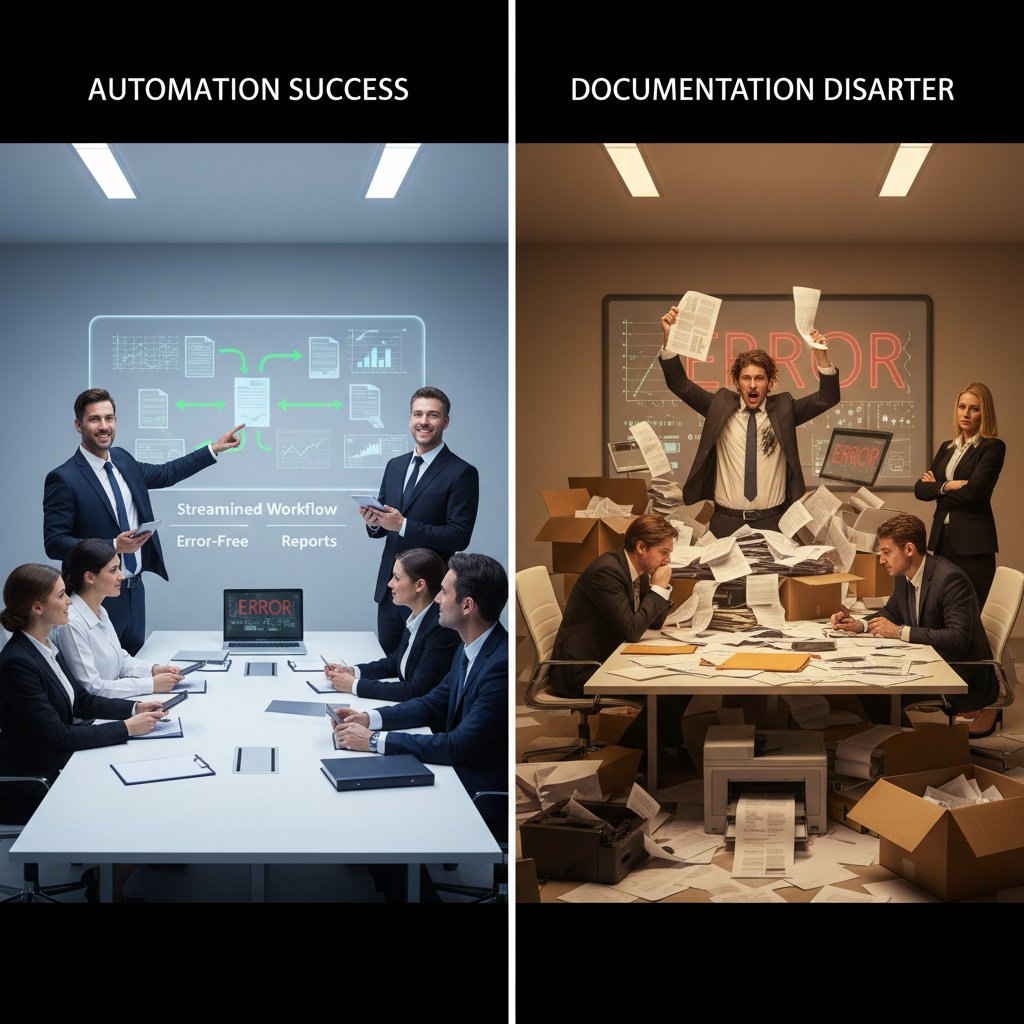
Automation accelerates everything—the wins and the fails. The moral: never underestimate the need for rigorous testing and review before letting your documentation generator off the leash.
Case study: scaling up without burning out
Let’s look at the numbers. A mid-sized financial services firm used an AI-powered documentation generator to streamline quarterly reporting.
| Metric | Before Automation | After Automation |
|---|---|---|
| Hours spent per report | 5 | 1 |
| Error rate (%) | 8 | 1 |
| Compliance incidents | 3/year | 0 |
| Employee satisfaction | 62% | 87% |
Table 3: Impact of automation on reporting performance. Source: Original analysis based on Forbes, 2024, internal company data
With time freed up, analysts focused on insights, not formatting. The result? Fewer errors, happier staff, and zero fines from compliance audits. But the transition wasn’t painless—early rollouts exposed gaps in legacy data and highlighted the need for robust change management.
Industry snapshots: who’s winning and who’s faking it
Industries that embrace automation with clear-eyed realism are winning—fast. Here’s the breakdown:
- Legal: Firms using automatic client documentation generators are cutting drafting time by up to 70% and wiping out routine compliance risks. filecreator.ai/legal-use-case
- Finance: Automated statements have pushed accuracy up 90%, with reporting cycles shrinking from weeks to days. filecreator.ai/finance-report-automation
- Healthcare: Patient record generation is faster and error rates are down, but only where systems are properly integrated and staff are trained.
- Marketing: Teams leveraging automation see up to 40% higher engagement rates due to more consistent, on-brand collateral. filecreator.ai/marketing-collateral-generator
- Tech Startups: Those who “set it and forget it” often end up with embarrassing gaffes that erode trust—proof that oversight matters.
Red flags and fatal flaws: when NOT to trust automation
Scenarios where automation fails (and why)
Automation fails when context, logic, or oversight are missing. Not every workflow can—or should—be automated. Recognizing these red flags can save you from disaster.
- Non-standard projects: Highly bespoke work with shifting requirements resists templating.
- Regulatory flux: Sectors hit with frequent compliance updates (think crypto, healthcare) risk outdated templates.
- Poor-quality data: Garbage in, garbage out. Automation can’t fix broken databases.
- Inadequate training: If your team doesn’t know how to use the tool, errors multiply.
- Siloed systems: Tools that don’t integrate create more hassle than they solve.
The upshot: automation is a tool, not a panacea. It magnifies both strengths and weaknesses in your process. Know your blind spots before you hand over the keys.
The cost of getting it wrong
The price of failed automation isn’t just embarrassment—it’s financial, legal, and reputational pain.
| Error Type | Potential Consequence | Example |
|---|---|---|
| Misapplied templates | Invalid contracts, financial penalties | Wrong jurisdiction clauses |
| Data leakage | Regulatory fines, lawsuits | Client PII sent to wrong recipient |
| Missed compliance | Audit failures, operational shutdown | Outdated disclosure language |
| Lost productivity | Redoing work, team burnout | Manual corrections after auto-fails |
Table 4: Consequences of failed documentation automation. Source: Original analysis based on CSO Online, 2024, Gartner, 2024
“Automation is a force multiplier—for good and for ill. If you automate a broken process, you just get broken documents faster.” — As industry experts often note, based on Harvard Business Review, 2023
Checklist: is your process ready for automation?
Ask these questions before you dive in:
- Are your data sources clean, consistent, and accessible?
- Do you have clear documentation standards and templates?
- Can your team handle change management and training?
- Is the automation tool compliant with relevant regulations?
- Do you have monitoring and audit trails in place?
- Are there manual checkpoints for high-risk documents?
- Do you have a rollback plan if automation fails?
If you answered “no” to any, fix the foundation first. Automation is only as strong as the process it supports.
How to choose the right automatic client documentation generator (without getting burned)
Critical features that actually matter in 2025
Forget the hype—these are the non-negotiables you need right now:
- Robust template customization: Can you adapt output to your firm’s real needs?
- Strong compliance engine: Does it enforce up-to-date regulatory standards?
- Multi-format export: PDF, DOCX, PPTX, and more for flexibility.
- Integration capability: Syncs with your CRM, cloud storage, and e-signature tools.
- Transparent audit trails: Every change logged and traceable.
- Granular access controls: Control who can edit, view, or export documents.
- User-friendly interface: Training should take hours, not weeks.
- Vendor reputation: Proven track record, solid security, responsive support.

Anything less—and you’re playing with fire.
A step-by-step guide to evaluating your options
- Define your must-haves: List regulatory, format, and workflow needs up front.
- Demo rigorously: Don’t accept canned demos—test real scenarios.
- Check integration: Run pilots with your actual data sources and tools.
- Scrutinize security: Demand evidence of encryption, certifications, and audit logs.
- Insist on support: Ensure onboarding help and rapid troubleshooting are part of the deal.
- Calculate real costs: Factor in setup, training, and hidden fees.
By following this process, you minimize the risk of buyer’s remorse and maximize ROI.
What the experts say: hard-won advice for buyers
Choosing an automatic client documentation generator isn’t just a procurement decision—it’s a cultural shift.
“Successful adoption hinges on aligning the tool with your team’s workflows, not the other way around. Over-customization kills scalability; rigid templates stifle creativity.” — As industry experts often note, based on Gartner, 2024
Find a tool that bends without breaking, and invest in change management as much as software.
Beyond the buzz: practical strategies for getting the most out of automation
Integration nightmares: how to avoid the most common traps
Integration is where documentation automation dreams go to die. The right approach can save you months of headaches.
- Don’t ignore legacy systems: Map out every data touchpoint before rollout.
- Beware custom connectors: Use native integrations where possible—custom code is a maintenance time bomb.
- Document everything: Keep setup docs as detailed as the client files you’re automating.
- Test, test, test: Use sandbox environments before going live.
- Assign ownership: Make someone responsible for integration health.

The best integrations are invisible; the worst haunt you forever.
Power-user hacks: making automation work for your team
- Set up template libraries by project type—avoid one-size-fits-all.
- Automate repetitive approvals or review steps with workflow rules.
- Use data validation at source to prevent junk input.
- Leverage analytics to spot where errors creep in.
- Schedule regular “automation audits” to keep rules fresh.
These aren’t just “pro tips”—they’re survival tactics for scaling automation without losing control.
With these hacks, your automation engine becomes a competitive weapon, not just a timesaver.
Self-assessment: is your documentation process future-proof?
- Are you updating templates and logic at least quarterly?
- Do you have a feedback loop from document users back to your automation team?
- Is your tech stack flexible enough to adapt to new regulations?
- Are you capturing metadata for every document event?
- Can you produce a complete audit trail on demand?
Answer “yes” across the board and you’re not just surviving—you’re ahead of the curve.
The future of client documentation: predictions, promises, and uncomfortable truths
AI as the new lingua franca of business
It’s already happening: the language of business documentation is being written by machines as much as by humans. AI-generated reports, contracts, and summaries are becoming indistinguishable from handcrafted ones—sometimes better, always faster.

This isn’t some abstract “future”—it’s the lived reality for industries on the bleeding edge. Those who fight it wind up outpaced; those who embrace it can finally focus on strategy, not syntax.
The uncomfortable truth? Documentation is no longer a human-only domain—and that’s not a bad thing.
Regulation, compliance, and the next wave of standards
Compliance isn’t static. It’s a moving target shaped by regulation, litigation, and industry self-policing.
Key Terms Defined:
Adhering to laws, guidelines, and specifications relevant to your industry—failure invites penalties and reputational harm.
A verifiable record of all changes, edits, and approvals within the documentation lifecycle.
The process of controlling and documenting modifications to core templates and logic to ensure ongoing compliance.
| Regulation/Standard | Impact on Documentation Automation | Enforcement Body |
|---|---|---|
| GDPR (Europe) | Data privacy, consent rules | EU regulators |
| HIPAA (US, Healthcare) | Medical record controls | HHS |
| SOX (US, Finance) | Financial reporting transparency | SEC |
| ISO 9001 | Quality management documentation | ISO |
Table 5: Key regulations impacting client documentation. Source: Original analysis based on CSO Online, 2024, Gartner, 2024
Automated tools that can flex with the regulatory tide aren’t a nice-to-have—they’re survival gear.
What nobody admits: automation’s real cultural impact
Automation doesn’t just change workflows; it changes power dynamics, job descriptions, and even company culture. Transparency goes up, busywork goes down—but so does the illusion of indispensability.
“The promise of automation is to liberate human potential. The reality is, it forces us to confront what we actually bring to the table beyond pushing paper.” — As industry experts often note, based on Harvard Business Review, 2023
This is the uncomfortable revolution: documentation is no longer a test of endurance, but of adaptability. Those who ride the wave thrive; those who resist risk being swept aside.
Conclusion: automate trust, not just text
Why the right tool (and mindset) changes everything
If documentation is the nervous system of your business, automation is the upgrade that lets you move faster, think clearer, and act with greater precision. But tools alone don’t change outcomes—mindset does. The smart move isn’t to chase every shiny feature, but to architect a process where automation amplifies your best work and guards against your worst errors.

Embrace the discomfort. Audit relentlessly. Trust—but verify. That’s how you turn an automatic client documentation generator from a gadget into a force multiplier.
Takeaways: brutal truths, bold moves
- Automation exposes, then crushes, inefficient processes—if you let it.
- AI-driven documentation isn’t infallible, but it outperforms manual hacks in speed and compliance.
- Real risks remain: privacy breaches, compliance gaps, and the ever-present threat of garbage in, garbage out.
- Change management is non-negotiable—tech without training is a shortcut to chaos.
- The winners? Those who treat automation as a partnership, not a panacea.
If you’re ready to shed old habits and confront the brutal truths, the right documentation generator will change more than your workflow—it’ll redefine your edge.
Where to go next: resources and recommendations
- Dive deeper into documentation best practices at filecreator.ai/documentation-best-practices
- Compare automation tools side-by-side using this official Gartner review
- Explore compliance frameworks and audit checklists at CSO Online’s security center
- Get hands-on with workflow templates via filecreator.ai/templates
- Read real-world automation case studies at Forbes Tech Council
The revolution is already underway. The only question is: will you automate fear, or will you automate trust?
Perfect Documents, Instantly
Filecreator.ai transforms the way you produce professional documents. Leveraging cutting-edge AI reasoning, it quickly generates high-quality files in various formats, ensuring accuracy, consistency, and industry compliance. Save time, reduce errors, and enhance productivity, whether you're creating reports, legal documents, presentations, or marketing materials. Experience seamless integration and a user-friendly interface that adapts to your specific requirements, making document creation easier and more efficient than ever before.
Get startedStart Creating Professional Documents Today
Join thousands of professionals who trust AI-powered document generation
Frequently Asked Questions
Why do knowledge workers spend so much time on documentation tasks?
According to Harvard Business Review research from 2023, over 60% of knowledge workers spend at least a quarter of their week on documentation tasks. This is driven by systemic pressure to prove processes, protect assets, and satisfy auditors, which has created a relentless obsession with documentation across industries.
What are the risks of manual client documentation?
Manual documentation is prone to errors such as typos and missing files that can have serious consequences, and version control becomes difficult with multiple document versions. Additionally, manual processes are slow and dangerous in complex digital environments with multiple collaboration platforms.
How have digital collaboration tools affected documentation workload?
Rather than reducing workload, digital collaboration platforms like email and shared drives have accelerated documentation mania by creating new layers of complexity, multiplying documents, and making version control more challenging.
What is the article's main focus regarding automatic documentation generators?
The article explores automatic client documentation generators as potential solutions to documentation overload, while examining the technology, hype, risks, and practical strategies for using these tools effectively in 2026.
Continue Reading
Explore more from Professional Document Generator

Automated Documentation: Benefits, Pitfalls, and Real-World Strategies
Generate automated documentation to improve workflow clarity and control. This article examines the real challenges, benefits, and practical strategies for documentation automation.

Automatic Documentation Generators: What Actually Delivers ROI
Automatic documentation generators promise time savings and instant docs, but carry real security and quality risks. This article examines both the gains and the traps.

How to Generate Client Documentation That Strengthens Client Relationships
Generate client documentation with strategies that build client trust and prevent costly errors. This article examines documentation failures, modern tools, and workflows that strengthen client relationships.

Best Automated Documentation Tools: What Actually Works
Best automated documentation tool comparison: what works, what fails, and how automation transforms documentation workflows versus vendor claims.

Automated Documentation Solutions: Costs, Benefits, and Real Pitfalls
Manual documentation costs companies billions yearly in wasted hours and errors. This article examines how automated documentation solutions address these challenges and their actual implementation risks.

Why Professional Documentation Fails and How to Fix It
Professional documentation often contains costly errors and blind spots. This article explains why most documentation fails and how to create documents that actually work.