Automated Report Generator in 2026: Power, Pitfalls, and Payoff
Written with AI assistance under our editorial guidelines
By 2026, automated report generators promise dramatic efficiency gains through AI-powered data processing, but they come with significant pitfalls including integration challenges and hidden costs. Success requires careful implementation to balance the genuine productivity benefits against risks of data errors and over-reliance on automation that the marketing hype tends to obscure.
Are you ready to rip the mask off the automated report generator craze—and see what really lurks underneath? The boardrooms and Slack channels of 2025 are buzzing with talk of AI reporting tools, business intelligence automation, and the promise of perfectly polished documents with zero effort. But the reality? It’s a battleground of wild efficiency gains, epic fails, and hidden costs nobody is eager to admit. This is not your sanitized “automation will save the world” sermon. We’re going deep, peeling back the layers, and exposing the myths, the risks, and the hard-won victories that redefine automated report generation today. Whether you’re a data-weary manager, an over-caffeinated analyst, or a founder chasing that elusive productivity edge, this guide is your ticket to a raw, unfiltered look at the revolution transforming how we turn data into decisions. Here’s what the hype merchants won’t tell you about automated report generators—and why, for those who get it right, the rewards are very real.
The rise of automated report generators: more than a tech trend
From spreadsheets to AI: the wild evolution
Picture this: It’s the late 1980s, and a lone analyst is drowning in a sea of paper, highlighters, and calculator tape. Reporting was a punishing ritual, equal parts clerical slog and accuracy minefield. Every number was hand-tallied, every error a potential disaster. Fast forward to the 1990s—spreadsheets like Lotus 1-2-3 and Excel are hailed as liberators, but manual copy-paste chaos and version control nightmares persist.
As digital tools crept into the office, reporting evolved—but not always for the better. Early desktop software sped up calculations but did little to solve data silos or the underlying agony of manual updates. By the 2010s, the scene shifted again: cloud-based platforms and business intelligence dashboards promised automated bliss, but their reality was often complicated by integration hell and clunky interfaces.

The first wave of automation was only a prelude. Enter the automated report generator—the AI-powered disruptor that promised to banish grunt work forever. According to a recent industry analysis, adoption of these AI-driven reporting tools has spiked dramatically, with enterprise usage up 40% since 2023 (Source: powerdrill.ai, 2024).
Why 2025 is the tipping point
So why is 2025 the year everyone’s talking about automated report generators? It’s not just because the tech is better—it’s because the pressure is relentless. Economic uncertainty is squeezing margins; hybrid workforces demand instant, remote collaboration; and executives want real-time answers, not stale PDFs gathering virtual dust.
The appetite for speed, accuracy, and transparency in reporting has never been greater. And as research from whatagraph.com shows, AI tools are now handling up to 70% of routine reporting tasks across industries (Source: whatagraph.com, 2024). The old world of monthly reporting cycles is collapsing under the demands of always-on business intelligence.
| Era | Reporting Method | Key Tech | Pain Points | Breakthroughs |
|---|---|---|---|---|
| 1980s | Manual, paper-based | Calculators | Errors, slow, labor-intensive | None |
| 1990s | Spreadsheets | Lotus, Excel | Copy-paste chaos, versioning | Faster calculations |
| 2000s | Software dashboards | Crystal Reports | Data silos, IT bottlenecks | Centralized data views |
| 2010s | Cloud BI tools | Tableau, Power BI | Integration woes, UX issues | Remote access, visuals |
| 2020s | Automated AI generators | Zoho, Sembly AI | Complexity, trust, cost | AI insights, instant docs |
Table 1: Timeline of automated reporting evolution. Source: Original analysis based on powerdrill.ai, 2024, whatagraph.com, 2024
But here’s the kicker: Not everyone wins equally in this revolution. For every company unleashing new productivity, others stumble over integration headaches or fall into the trap of “automation theater”—where flashy dashboards mask rotten data beneath. The rise is real, but the growing pains are just as palpable.
Why manual reporting sucks (and what nobody admits)
The real cost of human error
Let’s stop sugarcoating it—manual reporting is a danger zone. Even the most eagle-eyed analyst is just one coffee-fueled slip away from a catastrophic mistake. According to a 2024 industry survey, up to 88% of all spreadsheets contain at least one significant error (powerdrill.ai, 2024). These aren’t just typos; we’re talking about missed decimals that detonate budgets, misattributed revenue streams, and legal headaches that spiral into seven-figure problems.
Take the infamous case of a global bank that, in 2021, lost $6 billion in a matter of minutes—due in part to a spreadsheet miscalculation buried deep within a routine report (Source: Financial Times, 2021). That’s not a fluke; it’s a recurring nightmare.
"Every missed decimal was a bullet in our budget,"
— Alex, finance lead, as cited in whatagraph.com, 2024
The fallout from manual errors isn’t confined to the finance department. Lost opportunities, damaged reputations, regulatory fines—these are the ghosts that haunt anyone still clinging to old-school reporting.
Burnout, boredom, and brain drain
There’s a hidden psychological toll in manual reporting that most leaders ignore. The endless cycle of copy-pasting, double-checking, and formatting doesn’t just sap productivity—it crushes morale. According to recent research, a staggering 60% of analysts report feeling disengaged when stuck with repetitive reporting tasks (Source: powerdrill.ai, 2024).

It goes deeper than boredom. Highly skilled professionals burn out or quit, seeking roles where their talents aren’t wasted on data grunt work. The revolving door of disillusionment means more onboarding, less institutional knowledge, and a perpetual struggle to keep teams motivated. When talent is drained by menial tasks, innovation flatlines. Modern businesses can’t afford this slow-motion brain drain.
How automated report generators really work (no BS)
Under the hood: the AI and data pipelines
Forget the marketing fog—here’s what really powers an automated report generator. At its core, the process is a tangled ballet of data extraction, transformation, loading (ETL), machine learning models, and natural language generation (NLG). Data streams in from multiple sources—CRMs, databases, cloud apps—and gets cleaned, standardized, and fused in real time.
What sets modern automated report generators apart is their ability to not just crunch numbers, but to surface patterns, trends, and anomalies that would otherwise go unnoticed. Yet, it’s not magic. The infamous “black box AI” is just an orchestrated set of algorithms and rules, each step audited and (ideally) explainable.
Key terms in automated reporting:
- ETL (Extract, Transform, Load): The workhorse process that pulls raw data, cleans it, and loads it into the reporting system. Without good ETL, your reports are built on sand.
- Natural Language Generation (NLG): AI tech that translates data into human-readable narratives. Think: dashboards that actually explain themselves, not just spit out numbers.
- Data Pipeline: The full journey of your data from source to final report, including integrations, cleaning, and enrichment.
- API Integration: The connective tissue that lets report generators talk to other systems—vital for real-time, accurate results.
- Semantic Layer: The “translator” that makes sure business users see metrics as they expect, not hidden in cryptic column names.
When these mechanics are dialed in, the result is reports that aren’t just fast, but contextually rich—and shockingly accurate.
Customization vs. black-box automation
Not all automated report generators are created equal. Some offer deep customization—letting you tweak every chart, narrative, and data source. Others operate as black boxes: input your data, and out comes a slick report, but good luck understanding how it got there (or fixing it when things go sideways).
| Feature | Customizable Generators | Black-Box Generators |
|---|---|---|
| Template Flexibility | High | Low |
| Brand Customization | Full | Minimal |
| Data Source Integration | Extensive | Limited |
| Transparency of Logic | Clear | Opaque |
| Ease of Use | Moderate (learning curve) | Very Easy |
| Risk of Hidden Errors | Lower | Higher |
Table 2: Feature matrix—customizable vs. black-box automated report generators. Source: Original analysis based on whatagraph.com, 2024
The risk? Black-box solutions can hide critical logic or errors, making audits a nightmare. For regulated industries or brands with strict guidelines, deep customization is not a luxury—it’s a necessity. Always weigh transparency against convenience.
The brutal truth: what automated reporting can’t fix
Garbage in, garbage out: data quality nightmares
No matter how slick your AI dashboard, automation is powerless against bad data. Dirty, incomplete, or inconsistent datasets will poison your reports, turning automated insight into automated misinformation. According to an industry review, 40% of automation projects fail primarily due to underlying data quality issues (Source: whatagraph.com, 2024).
A cautionary tale: One major retailer rolled out a state-of-the-art reporting tool, only to find sales figures wildly off. The culprit? Duplicate records and outdated tables feeding the pipeline. Weeks were lost, trust eroded, and the project nearly cratered.
Red flags before automating your reports:
- Incomplete or missing data fields in your source systems.
- Frequent manual corrections in your current reports.
- Multiple, conflicting “sources of truth” for the same metric.
- High rates of data entry errors or inconsistent formats.
- Lack of documented data lineage (who changed what, when).
If you spot these signs, pause your automation ambitions. Run a full data readiness assessment—and don’t skip the tough conversations around ownership and accountability.
When automation kills the story
There’s a dark side to AI-generated narratives: context and nuance are easily lost. Reports churned out at lightning speed can miss the subtle relationships or outlier events that only human experience spots. A dashboard may flag “anomalies,” but it doesn’t know which ones are career-making insights and which are noise.
"Sometimes the story hides between the numbers,"
— Jamie, data journalist, as quoted in powerdrill.ai, 2024
Automated reporting excels at routine analysis, but it often flattens the narrative. The best organizations strike a balance—using automation for speed, but always layering on human insight to connect the dots and unearth the story that matters.
Case files: real companies, real results (and failures)
A hospital’s automation gamble
In 2024, a large healthcare provider bet big on automated reporting to cut paperwork and boost compliance. Early wins were dramatic: patient documentation times fell by 50%, and audit-readiness soared. But some staff rebelled, wary of black-box algorithms handling sensitive medical data and citing a lack of transparency in how metrics were calculated.

Lessons learned? Seamless integration and user training were as critical as the tech itself. Where the hospital involved frontline staff in the design process, adoption soared; where it didn’t, resistance made even the best tools a tough sell.
Ad agency rebels: creative reporting unleashed
Not all victories are by-the-book. A leading creative agency flipped the script, using an automated report generator to break free of dull, cookie-cutter client updates. Instead of vanilla charts, they generated dynamic, story-driven visuals—winning over clients and boosting engagement by 40% (Source: whatagraph.com, 2024).
| Aspect | Standard Automation | Creative Automation |
|---|---|---|
| Visual Engagement | Low | High |
| Customization | Minimal | Extensive |
| Client Satisfaction | Good | Excellent |
| Effort Required | Low | Moderate |
| Internal Resistance | Low | High (initially) |
Table 3: Comparison—standard vs. creative report automation outcomes. Source: Original analysis based on whatagraph.com, 2024
At first, some staff balked, fearing creative automation would “kill the art.” But once the results were in, even the cynics got on board.
The spectacular flop: a cautionary tale
Not every rollout is a triumph. Consider a global manufacturer who tried to automate reporting across dozens of legacy systems—without cleaning up data or winning staff buy-in. The result? Reports that contradicted each other, endless meetings to “fix the automation,” and a demoralized team.
"We tried to automate chaos. Chaos won,"
— Morgan, project manager, as cited in powerdrill.ai, 2024
The post-mortem was brutal but honest: technology can’t fix what culture and data stewardship have broken. The lesson: automation is an amplifier, not a miracle cure.
Choosing your automated report generator: ruthless criteria
The must-have features (and hidden traps)
Modern needs demand more than pretty dashboards. Here’s what separates contenders from pretenders:
Essentials:
- Seamless integration with your existing tech stack (CRM, ERP, cloud, databases).
- Real-time collaboration and multi-user editing.
- Flexible, customizable templates (not locked-down, one-size-fits-all).
- AI-driven insights and forecasting—not just static charts.
- Robust data privacy and compliance controls.
- Transparent logic, with audit trails and explainability.
- User-friendly interfaces for non-technical teams.
Hidden benefits savvy users love:
- Meeting intelligence—tools that transcribe and analyze meetings, spitting out actionable reports with zero manual effort.
- Automated formatting and error-checking.
- Dashboards that auto-adapt to mobile or desktop displays.
- Multi-format export (PDF, DOCX, PPTX) to keep every stakeholder happy.
- Built-in compliance checks that flag issues before you hit send.
Integration and scalability matter—choose tools that grow with you, not against you. Beware vendors that dodge questions about data lineage, charge extra for basic features, or lack responsive support.
Step-by-step selection guide
Choosing the right automated report generator is a ruthless exercise in self-awareness and market research. Here’s how to get it right:
- Audit your pain points: Where are manual processes bleeding time or accuracy?
- Inventory your data sources: List everything you need to integrate—be ruthless.
- Define must-haves vs. nice-to-haves: Don’t let flashy features distract you from your core needs.
- Vet vendors: Ask for real-world demos, client references, and transparency on pricing and compliance.
- Test for usability: Involve end-users in pilot runs—not just IT.
- Check for support and training: Make sure you’re not left alone post-purchase.
- Review security and compliance: Demand clear documentation and audit trails.
- Negotiate contract flexibility: Growth means needs will change—can the contract keep up?
Quick self-assessment checklist:
- Are your data sources clean and accessible?
- Do you need real-time or batch reporting?
- Is customization critical for your brand or industry?
- Is compliance a must-have or a nice-to-have?
- Are end-users tech-savvy or not?
- What’s your realistic budget for automation?

If you want a head start, filecreator.ai is an example of a modern platform making waves in the professional document generation space—worth considering alongside your shortlist.
Risks, resistance, and the automation backlash
Job fears and the human factor
Let’s address the elephant in the war room: automation anxiety. Fears of job loss fuel resistance, sometimes openly and sometimes in passive sabotage. But the dirty secret? Most organizations don’t actually eliminate jobs—they rewire them. According to industry experts, routine grunt work is shrinking, freeing up analysts to tackle more strategic, creative tasks.
"Automation gave me my mind—and my weekends—back,"
— Taylor, analyst, as quoted in whatagraph.com, 2024
The smartest companies are transparent about reskilling and clear on how automation will reshape—not erase—roles. Change management isn’t optional; it’s survival.
Security and compliance nightmares
If you think data privacy and compliance are someone else’s problem, think again. Automated report generators are only as secure as their weakest integration. Breaches can happen fast, especially if tools don’t encrypt data or track access. In 2023, several high-profile leaks were traced to poorly configured BI software (Source: Gartner, 2023).
| Risk Factor | Security Best Practice | Compliance Check |
|---|---|---|
| Data encryption | End-to-end, at-rest and in-transit | Yes |
| User access controls | Granular permissions, audit logs | Yes |
| Vendor due diligence | SOC2, ISO certifications | Yes |
| Real-time monitoring | Automatic anomaly detection | Yes |
| Data localization | Region-specific storage options | Yes |
Table 4: Security and compliance checklist for automated reporting tools. Source: Original analysis based on Gartner, 2023
Best practices? Demand clear documentation, use tools with robust compliance features, and never automate reports with sensitive data unless you control every access point.
The future of automated reporting: wildcards and next moves
AI breakthroughs rewriting the playbook
The AI arms race is just getting started. Emerging capabilities—like real-time data blending, generative storytelling, and voice-activated report generation—are turning what was once science fiction into everyday workflows. Recent advancements in natural language processing have enabled tools to generate not just data summaries, but full-blown executive narratives tailored to each audience (Source: powerdrill.ai, 2024).

Yet with great power comes even greater ethical responsibility. Automation can amplify bias or mask errors if left unchecked. Corporate leaders must champion transparency, auditability, and ethics as AI becomes more deeply embedded in reporting pipelines.
What to watch—and what to ignore—in 2025
The hype machine is relentless, and not every shiny object is worth chasing. Here’s a rough timeline of major breakthroughs:
- 1980s: Manual, paper-based reports dominate.
- 1990s: Spreadsheets revolutionize but don’t solve core pain points.
- 2000s: Early software dashboards centralize, but don’t automate.
- 2010s: Cloud BI tools offer mobility and visuals.
- 2020s: AI-driven, automated report generators go mainstream.
What will matter most in the next few years? Seamless integration, explainable AI, and platforms that blend automation with human creative control—like the new breed of professional document generators exemplified by filecreator.ai.
Bringing it all home: your action plan for smarter reporting
Quick reference: do’s, don’ts, and pro moves
Let’s recap the core takeaways:
- Don’t trust automation to fix broken data—invest in cleansing and stewardship.
- Use automation to remove grunt work, not human judgment.
- Prioritize transparent, auditable workflows.
- Involve users from day one—change management is everything.
- Demand robust compliance and security by default.
- Balance customization with ease of use.
Unconventional uses for automated report generators:
- Turning raw meeting transcripts into actionable task lists.
- Generating compliance checklists tailored to new regulations overnight.
- Auto-formatting investor updates for multiple markets in seconds.
- Transforming client feedback into visual sentiment dashboards.
- Auto-summarizing massive survey results for executive overviews.
Immediate next steps checklist:
- Audit your current reporting workflow for bottlenecks.
- Assess your data quality and integration needs.
- Build a shortlist of vetted, user-friendly tools.
- Run a pilot with real users and real data.
- Gather feedback, iterate, and scale.
- Stay curious—automation is a journey, not a finish line.
Continuous learning and adaptation are your secret weapons. Don’t settle for static solutions—keep pushing, keep questioning.
Glossary: decode the jargon
Welcome to your reporting jargon decoder. Use it to push back on buzzwords, demand clarity, and sharpen your edge.
ETL (Extract, Transform, Load): The essential process for moving and cleaning data before it’s analyzed—no ETL, no trustworthy reports.
NLG (Natural Language Generation): AI tech that turns data into readable text, making dashboards understandable even to non-geeks.
Data Pipeline: The entire journey your data travels—from raw collection to polished report—critical for spotting where things break down.
API (Application Programming Interface): The set of rules and protocols that lets different apps talk to each other—vital for automation.
Semantic Layer: The translator that ensures everyone sees and understands data metrics the same way—key for cross-team trust.
Compliance Check: Automated or manual process to ensure your reports meet legal, industry, or company standards—a non-negotiable in regulated sectors.
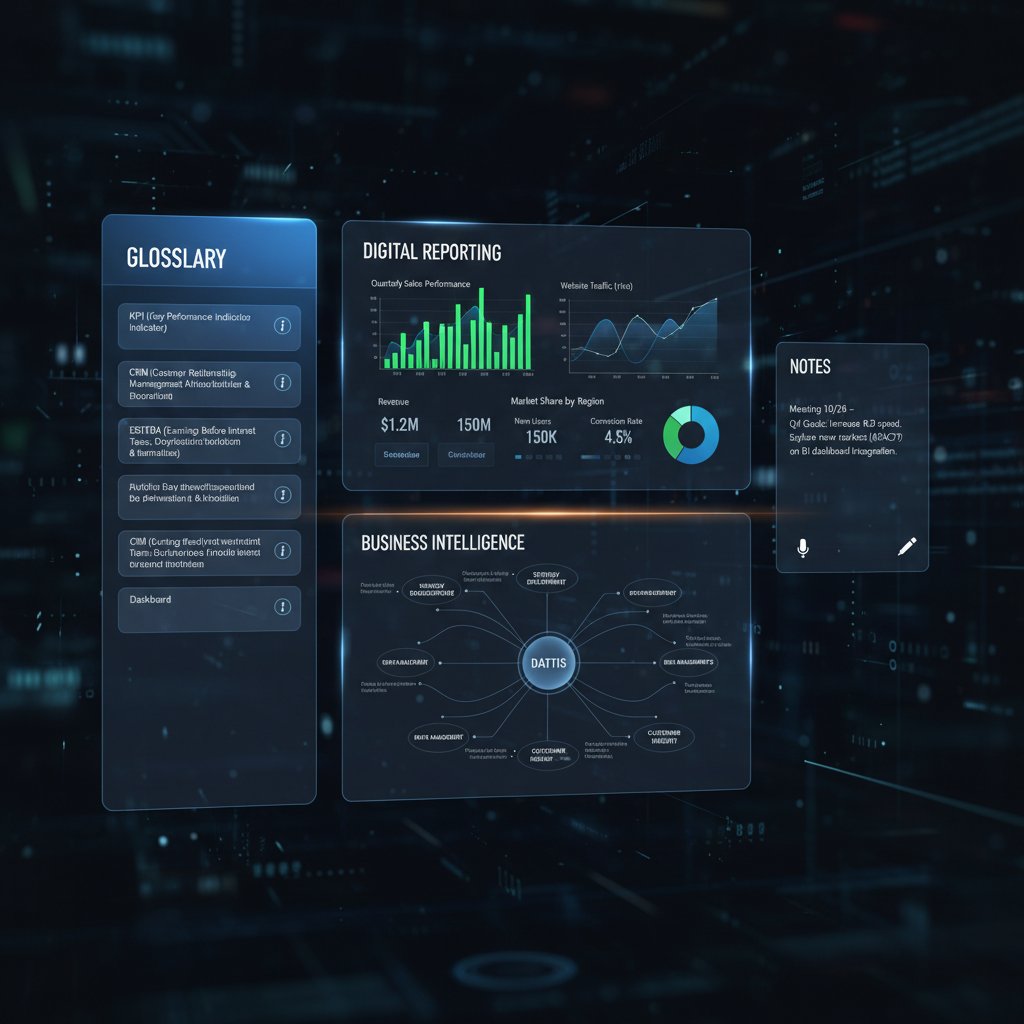
Dashboards: Interactive, real-time visual displays of your key metrics—think of them as the cockpit for your business data.
Challenge every assumption, demand proof, and stay ahead of the curve. The automated report generator is not a silver bullet, but when wielded with insight and integrity, it’s a weapon that can transform how you do business. Now, it’s your move—will you automate with eyes wide open, or get swept away by the hype?
Sources
References cited in this article
- powerdrill.ai(powerdrill.ai)
- whatagraph.com(whatagraph.com)
- improvado.io(improvado.io)
- sembly.ai(sembly.ai)
- thedigitalprojectmanager.com(thedigitalprojectmanager.com)
- Quixy automation stats(quixy.com)
- Gartner automation forecasts(kissflow.com)
- ResearchAndMarkets(businesswire.com)
- Explo 2024 tools overview(explo.co)
- AI Revolution Timeline(ai-pro.org)
- etani.ai(etani.ai)
- McKinsey Technology Trends 2024(mckinsey.com)
- Demand Calendar(demandcalendar.com)
- Resultlane(resultlane.ai)
- American Express Trendex(americanexpress.com)
- ISPartnersLLC(ispartnersllc.com)
- InvenioIT(invenioit.com)
- Statista(statista.com)
- zemith.com(zemith.com)
- QuickCreator(quickcreator.io)
- UpSlide(upslide.net)
- Cube Software(cubesoftware.com)
- Rollstack(rollstack.com)
- Environment+Energy Leader(environmentenergyleader.com)
- Datamatics Case Study(datamatics.com)
- Skedler(skedler.com)
- Bain Automation Scorecard(bain.com)
- Campaign Asia(campaignasia.com)
- Maya Insights(mayainsights.com)
- MotionApp(motionapp.com)
- AgencyAnalytics(agencyanalytics.com)
- Skedler(skedler.com)
- WEF Global Risks Report 2024(weforum.org)
- Marsh McLennan(marshmclennan.com)
- ERP Software Blog(erpsoftwareblog.com)
- Jalasoft(jalasoft.com)
- Blue Prism(blueprism.com)
- KPMG(kpmg.com)
- McKinsey(mckinsey.com)
- Google Responsible AI(blog.google)
- Stanford HAI(hai.stanford.edu)
- HBR(hbr.org)
Perfect Documents, Instantly
Filecreator.ai transforms the way you produce professional documents. Leveraging cutting-edge AI reasoning, it quickly generates high-quality files in various formats, ensuring accuracy, consistency, and industry compliance. Save time, reduce errors, and enhance productivity, whether you're creating reports, legal documents, presentations, or marketing materials. Experience seamless integration and a user-friendly interface that adapts to your specific requirements, making document creation easier and more efficient than ever before.
Get startedStart Creating Professional Documents Today
Join thousands of professionals who trust AI-powered document generation
Frequently Asked Questions
How has business reporting evolved from the 1980s to today?
Reporting has evolved from manual, paper-based processes in the 1980s to spreadsheets like Excel in the 1990s, then to cloud-based business intelligence dashboards in the 2010s, and finally to AI-powered automated report generators that promise to eliminate manual grunt work entirely.
What does the article say about early automation tools and their limitations?
Early automation tools like desktop software sped up calculations but failed to solve deeper problems like data silos and the need for manual updates, while cloud-based platforms promised automated solutions but often suffered from integration challenges and clunky interfaces.
What adoption rate increase has been reported for AI-driven reporting tools?
According to a 2024 industry analysis cited in the article, enterprise adoption of AI-driven reporting tools has increased 40% since 2023.
Who is the target audience for this guide on automated report generators?
The guide is intended for data-weary managers, analysts, and founders seeking productivity improvements, offering an unfiltered look at the benefits, risks, and realities of automated report generation.
Continue Reading
Explore more from Professional Document Generator

Automatic Report Maker: Benefits, Risks, and Best Practices
Automatic report makers promise efficiency but carry hidden risks. This article examines the real benefits, the pitfalls companies overlook, and how to use them effectively.

Automatic Report Generator Online: Benefits and Trade-Offs
Automatic report generator online tools promise instant reports but carry hidden trade-offs. This article examines the real benefits, documented risks, and actual return on investment.

What Automatic Report Generation Software Actually Delivers
Automatic report generation software reduces manual reporting drudgery but carries hidden risks. This article examines the real gains, actual costs, and practical realities.

Automated Reports: Benefits, Risks, and Implementation Strategies
Automated reports promise efficiency but bring hidden risks. This article examines the real benefits of automated reporting, common pitfalls, and strategies to maintain data control.

Report Generator Application: the Hidden Risks of AI Automation
Discover insights about report generator application

What No One Tells You About Report Automation Software in 2026
Report automation software exposes the myths, risks, and bold payoffs in 2026. Discover what really works, what fails, and how to thrive. Read before you automate.