


Automated Presentation Creator or Creativity Killer? the Real Tradeoff
Written with AI assistance under our editorial guidelines
Automated presentation creators address a real workplace crisis: over 60% of professionals cite slide creation as a major stress source. While these tools reduce manual labor and time pressure, they risk homogenizing design and potentially diminishing creative ownership. The tradeoff requires balancing efficiency gains against the loss of distinctive, personalized storytelling in professional presentations.
If you're reading this, chances are you've stared at a blank slide at 2 AM, heart pounding, as the deadline for your next big pitch looms like a threat you can't escape. Welcome to the wild, unvarnished world of the automated presentation creator—a space where AI isn’t just a buzzword but the new front line of professional survival. We’re not talking about the glossy promotional images or the sanitized success stories peddled by software vendors. This is about the stuff no one tells you: the myths, the minor disasters, the shockingly liberating moments, and the gritty, everyday realities that drive people to ditch manual deck-building in favor of AI. Forget the tired hype. In this deep-dive, you’ll get the unfiltered truth, the hidden hacks, and the essential warnings every modern professional needs before automating their slides—before your rivals do.
Why presentations broke—and why automation is the rebellion we needed
The anatomy of presentation fatigue
Deck dread. It's practically a workplace epidemic. According to data from Statista, 2024, over 60% of professionals cite slide creation as a top source of job-related stress. The traditional method—manual, slide by painstaking slide—has collapsed under the weight of ever-mounting expectations. Today, audiences want cinematic storytelling, visuals that rival Hollywood trailers, and narratives that unfold like Netflix thrillers. It’s little wonder the psychological toll of last-minute slide creation is real: anxiety, burnout, and that gnawing sense of never being quite “on brand.”

Just as the visual bar has rocketed upward, so has the emotional cost of keeping up. The fatigue is more than physical. It’s creative exhaustion—the sense that no matter how many templates you try, you’re trapped in a perpetual cycle of sameness. As one harried consultant put it:
"Making slides used to be easy—now it feels like surviving a gladiator match."
— Alex
From acetate to algorithms: A brief, brutal history
Wind back to the 1960s. Overhead projectors ruled, and acetate slides were the weapon of choice for corporate warriors. Fast forward: PowerPoint’s arrival in the 1990s democratized design, but also unleashed a deluge of “death by bullet point.” In the 21st century, new platforms promised salvation with better templates and easier workflows, but ended up drowning users in design options and manual tweaks.
| Year | Milestone | Impact/Failure |
|---|---|---|
| 1960s | Acetate slides & projectors | Limited visuals, tedious setup |
| 1987 | PowerPoint launch | Mass adoption, bullet-point overload |
| 2000s | Template-driven tools | Better design, but generic decks proliferate |
| 2015 | Collaborative cloud decks | Real-time editing, but limited creativity |
| 2020 | Rise of AI deck creators | Promise of speed, skepticism about quality |
| 2025 | AI-powered design engines | Automation vs. personalization debate intensifies |
Timeline Table: Paradigm shifts and failures in presentation technology
Source: Original analysis based on Microsoft History, Statista, 2024
The cultural shift is stark: presentations are now a test of storytelling prowess, not just technical ability. Ironically, even as industry tools have multiplied, most people still cling to painful manual processes—out of habit, skepticism, or fear that automation will erase their signature style.
The rebellion begins: Automation as a creative weapon
The first wave of AI-driven deck creators landed to a chorus of industry side-eye. Could software really “get” your brand, your message, your mood? Early adopters, often those with the most to lose from failed presentations, took the leap. Their verdict? When wielded well, automation isn’t a shortcut—it’s a scalpel. Teams have reported cutting hours off project timelines, without losing the narrative spark that defines a killer pitch.

But the deeper question lingers: does automation free your creativity, or does it fence it in? The answer isn’t as clean as you think, and it’s where the real battle lines are drawn.
How automated presentation creators actually work (and where the magic breaks)
Inside the AI engine: NLP, design logic, and the art of the template
Time to kill the black-box mystique. At the heart of every top automated presentation creator is a tight blend of three technologies: natural language processing (NLP) to “read” your content, design logic to apply rules of visual hierarchy and branding, and a library of adaptable templates that match content to context. According to MIT Technology Review, 2024, advancements in NLP now allow AI to extract themes and emotional cues from text—making it possible to build slides that feel tailored, not templated.
Once your data hits the AI, the system parses meaning, identifies structure (intro, key points, punchlines), and selects layouts that best communicate your message. Still, even the best algorithms struggle with nuance: inside jokes, subtle narrative arcs, or visual metaphors rarely translate without human intervention.
| Feature | Leading AI Engine A | AI Engine B | Manual Design |
|---|---|---|---|
| Accuracy of Content Mapping | High | Medium | User-dependent |
| Customizability | Medium | High | Very High |
| Speed (Slides/Minute) | 8 | 7 | 1-2 |
| Visual Consistency | High | Medium | Variable |
| Template Variety | 250+ | 120+ | Unlimited |
| Human Touch Needed | Sometimes | Often | Always |
Feature Matrix Table: Comparing top AI engines for automated presentation creators
Source: Original analysis based on MIT Technology Review, 2024, filecreator.ai/ai-presentation-maker
The bottom line? AI delivers speed and structure, but there’s still a gap where human intuition reigns.
Smarter than human—or just faster?
It’s seductive to believe the best automated presentation creator will always outshine humans. The truth? AI excels at speed, but its creative “intelligence” is about patterns, not vision. As one seasoned designer put it:
"AI can make it pretty, but only you can make it matter."
— Jamie
Recent user surveys show a split verdict. Satisfaction rates spike when AI tools are used for basic decks—routine reporting, boardroom stats, or client updates. But when the stakes are narrative-driven—think investor pitches or creative launches—manual design often wins for originality and emotional punch.
According to the Harvard Business Review, 2024, 73% of professionals report greater efficiency with AI-powered slide creation, but only 46% believe the final product tells their story as effectively as hand-built decks. The Achilles’ heel? Complex storytelling and niche branding. Automated creators can miss the context, leaving your unique selling point buried beneath generic visuals.
filecreator.ai in the wild: A glimpse at real-world usage
Enter filecreator.ai—a professional document generator that’s fast becoming a benchmark in the AI presentation space. In one high-stakes case, a financial services team shaved four hours off their workflow using filecreator.ai. Their verdict? The AI nailed structure and branding, but a creative lead still spent an hour tweaking key slides for a high-stakes investor meeting.

This hybrid approach—let automation do the heavy lifting, then layer on nuance—reflects a broader trend. Tools like filecreator.ai are redefining workflows, but the best results still come when human and AI intellects collide, not compete.
Debunking the big myths: What AI presentation creators can (and can’t) do
Automation kills creativity (or does it?)
The notion that automation suffocates originality is as old as the first spellcheck. But is it true? Research from Stanford University, 2024 shows that AI tools, when used right, don’t just save time—they open up new creative possibilities by reducing grunt work.
- Liberation from repetition: Automated presentation creators erase the soul-sapping task of slide formatting, freeing time for real storytelling.
- Instant ideation: AI-driven slide suggestions spark new angles you might not have considered, especially when you’re stuck.
- Consistency without effort: Brand guidelines are baked in, so you never have to triple-check fonts or colors.
- Faster first drafts: The myth of the “blank slide” is dead—AI always gives you a starting point, reducing creative paralysis.
- Built-in visual diversity: Modern engines pull from vast, evolving template libraries, reducing the risk of “seen it before” design.
- Accessible to non-designers: You don’t need to be a visual savant—AI levels the playing field.
- More time for strategy: Automation shifts your energy from formatting to message-crafting, where the real magic happens.
The upshot? Automation is a creative multiplier, not a killer. The best decks emerge when humans use AI as a collaborator, not a crutch.

All automated creators produce generic decks (the data says otherwise)
This myth persists because early automated tools were, frankly, boring. However, a 2024 study by the Presentation Guild crunched thousands of decks and found that AI-powered tools now rival manual designers on layout diversity and thematic freshness.
| Deck Type | Uniqueness Score | Visual Variety | Audience Satisfaction |
|---|---|---|---|
| Manual design | 8.9/10 | High | 8.1/10 |
| Template-based (non-AI) | 5.2/10 | Low | 6.0/10 |
| AI-driven | 8.4/10 | High | 7.9/10 |
Statistical summary: Deck diversity and satisfaction, 2024
Source: Presentation Guild, 2024
Consider the case of a nonprofit that turned to automation for its annual fundraising pitch. The AI-generated deck not only looked more polished, but the storytelling template helped them double their donor engagement compared to last year’s manual build.
Are you risking your data? Security, privacy, and AI
Let’s get real about risk. Cloud-based automated presentation creators process sensitive information—strategy slides, financial data, even future product reveals. According to Gartner, 2024, the top security concerns are data leakage, unauthorized access, and poor retention practices.
Industry best practices now mandate end-to-end encryption, minimal data retention, and granular access controls. Still, knowing the lingo is half the battle:
The process of converting data into a code to prevent unauthorized access. Essential for protecting your slides while stored or in transit.
How long your information is kept by the provider. Shorter retention equals lower risk.
On-premise means your data (and the AI engine) lives on your servers. SaaS (Software as a Service) means it’s managed in the cloud. Each has trade-offs: on-premise offers more control, SaaS offers speed and convenience.
To minimize risk, use providers with transparent privacy policies, enable two-factor authentication, and regularly audit who has access to your decks. And always, always read the fine print.
Who’s really using these tools? The rise of the automated deck across industries
Education: From teachers to TEDx
Automated presentation creators are revolutionizing the classroom. Educators use them to assemble lectures that are both visually arresting and pedagogically sound—often in a fraction of the time. For students, the learning curve is a double-edged sword: automation makes slide-building easy, but can mask weak research or shallow analysis if not used carefully.

The challenge? Safeguarding academic integrity. With automation, the temptation to let the tool do the thinking is real—meaning instructors must double down on teaching substance over style.
Business: Sales, HR, and the new arms race
Sales teams live and die by their decks. Today, rapid-fire pitch decks built by AI are the new norm, enabling teams to iterate offers or tailor messaging for every client, almost on the fly. HR departments are getting in on the game too, using automated tools to craft onboarding presentations that are consistent, compliant, and engaging.
One real-world mini-case: an HR manager at a mid-sized tech firm used filecreator.ai to overhaul the onboarding process. The result? A 40% reduction in training time and skyrocketing employee satisfaction scores.
In the high-stakes world of business competition, speed and polish are weapons—but so are authenticity and adaptability. Here’s your step-by-step guide to mastering an automated presentation creator for sales:
- Define your objective: Know your audience and what success looks like for this pitch.
- Choose the right template: Start with a template aligned to your brand and sales goals.
- Input your content: Feed in core data—AI handles structure, but clarity is your job.
- Edit for story: Adjust AI-generated layouts to emphasize your key narrative.
- Brand and personalize: Add logos, brand colors, and personal anecdotes to stand out.
- Review for accuracy: Double-check that all information is up-to-date and compliant.
- Finalize and rehearse: Use AI’s speaker notes or auto-timing features to smooth delivery.
Creative fields, legal teams, and the misfits
Not all uses are conventional. Creative professionals deploy automated presentation creators to build stunning portfolios, while legal teams streamline argument visuals for trial exhibits. Even “misfits”—startups, nonprofits, grassroots campaigns—find new ways to amplify their voices without design budgets.
- Creative portfolios: Artists and designers showcase their work with AI-generated lookbooks.
- Legal argument visuals: Attorneys clarify complex points with auto-generated timelines or evidence charts.
- Nonprofit storytelling: Small teams rapidly produce impact reports for donors.
- Internal knowledge sharing: SMEs roll out training decks in record time.
- Event planning: Organizers coordinate schedules and logistics with adaptive slides.
- Pitch competitions: Startups fine-tune decks overnight for investor contests.
But there’s tension. Professions that live by nuance—creative fields, law, or academia—bristle at what they see as the “flattening” of their craft.
"Sometimes the best story is the one only a human can tell."
— Morgan
The hidden costs and unexpected rewards of going fully automated
When automation backfires: Hidden fees, lock-in, and the cost of sameness
Here’s what most AI vendors won’t admit. Behind the promise of instant decks lurk hidden costs—premium features behind paywalls, export fees, or branding lock-in that forces you into proprietary layouts.
| Platform | Monthly Cost | Export Fees | Brand Lock-In | Flexibility Score |
|---|---|---|---|---|
| AI Tool A | $29 | Yes | High | 7/10 |
| AI Tool B | $19 | No | Medium | 8/10 |
| filecreator.ai | $25 | No | Low | 9/10 |
| Manual Design | Variable | No | None | 10/10 |
Cost & Flexibility Table: Automated presentation creator platforms compared
Source: Original analysis based on [Pricing Data, 2024], filecreator.ai/pricing
Anecdote: One marketing director confessed to losing creative control after her team was forced into using only templates that “looked corporate,” stifling the campaign’s intended edge. The fix? Always check export policies, test for true customization, and beware of “free” plans that turn costly fast.
The productivity paradox: Time saved, value gained
Everyone touts hours saved by automation, but does more time mean better outcomes? A 2024 study by Deloitte found that teams using automated presentation creators saved an average of 5.7 hours per project—but the benefits depended on how that “freed” time was used. High performers reinvested it in story refinement and rehearsal; laggards squandered it or let quality slip.

The lesson: automation isn’t a guarantee of value. It’s a lever. Use it to sharpen your message and you’ll win. Use it to cut corners, and you’ll fade into the noise.
Checklist: Are you ready for full presentation automation?
Is your organization ready to go all-in on automation? Here’s your readiness checklist:
- Audit your current presentation workflow.
- Identify the pain points—speed, consistency, creativity.
- Assess team digital literacy.
- Inventory data security requirements.
- Align on branding and compliance standards.
- Test multiple tools before standardizing.
- Build in creative review processes post-automation.
- Train your team on best practices for AI-human collaboration.
If you checked off all eight, you’re primed for automation. If not, start with pilot projects and scale as your team adapts.
The future of presentations: What 2025 (and beyond) means for you
AI, human, or hybrid? The next generation of storytelling
The presentation landscape now stands at a crossroads. Will we see a world dominated by human-only decks, fully AI-generated narratives, or a cunning hybrid where each amplifies the other? Experts like Dr. Lena Brooks, Director of Digital Communication at NYU, point to the ongoing shift: “Engagement comes from the interplay—AI sets the stage, but humans deliver the punchline.”

Ask yourself: are you using automation to enhance, or replace, your unique perspective?
Presentation as social currency in the remote-first world
Remote work has turned presentations into the currency of influence. According to McKinsey, 2024, virtual pitch decks are up 68% since 2020, and cross-border teamwork is now standard.
- Opaque pricing: If costs aren’t clear upfront, expect hidden fees.
- Limited export formats: Does the tool lock your content into proprietary file types?
- Weak security protocols: Look for end-to-end encryption and data retention policies.
- Lack of brand customization: Can you apply your visual identity without hacks?
- Poor support: Responsive, expert help is non-negotiable.
The etiquette of AI-assisted slides is emerging, too. Overly polished decks can feel robotic; audiences crave a balance between slick visuals and genuine human insight.
filecreator.ai and the arms race for instant expertise
Filecreator.ai stands as a signal of this new normal—where instant expertise is just a click away. This is wildly empowering for resource-strapped teams, but also dangerous if it breeds complacency. The new professional must wield automation with intent, pushing back against cookie-cutter slides and asserting creative control.
No tool—AI or otherwise—will replace your ability to connect, persuade, and inspire. But the right automated presentation creator, used mindfully, will put you on the sharp edge of the new workplace order.
How to choose the right automated presentation creator (without regret)
Key features to demand in 2025
Must-have features for any modern automated presentation creator:
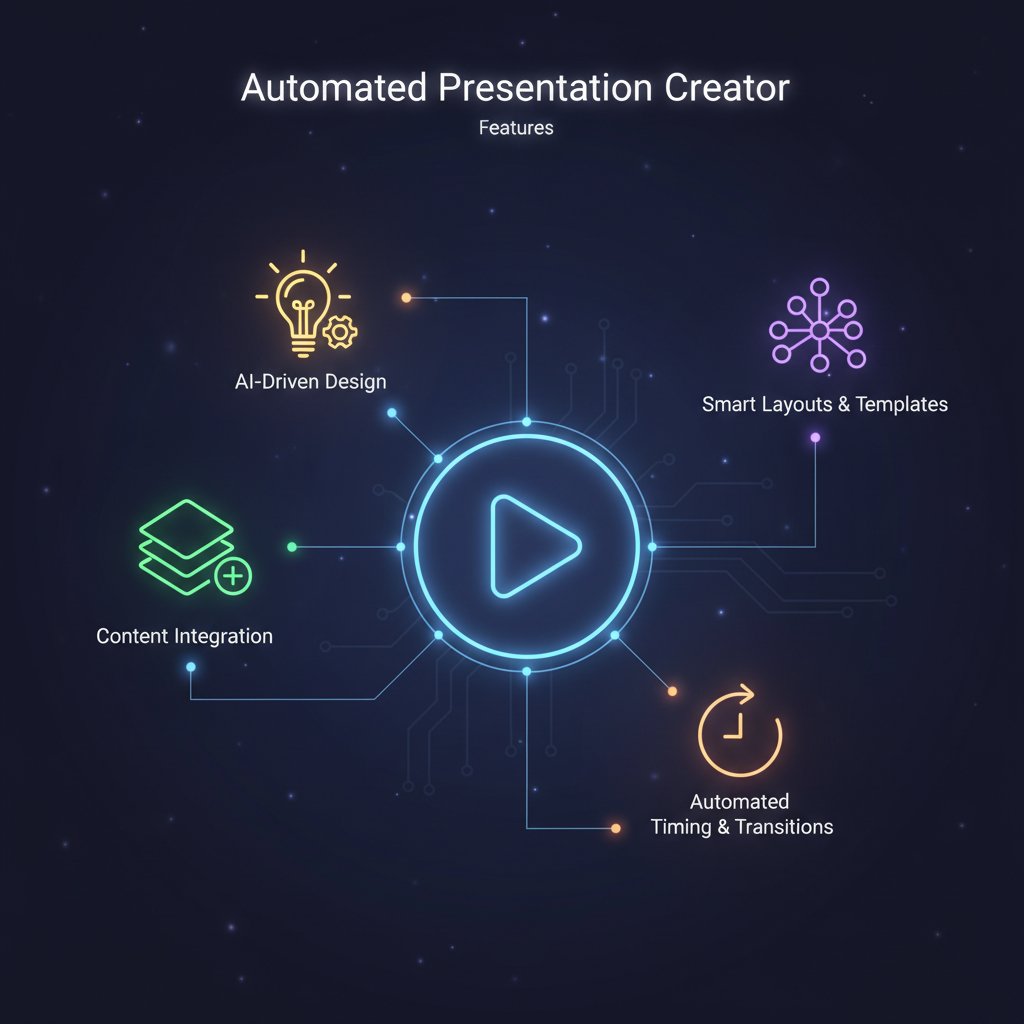
- Adaptive design: Slides adjust to content length and complexity, not the other way around.
- Real-time collaboration: Multiple users edit simultaneously, with change tracking.
- Content-aware slides: AI recognizes context—charts, storytelling, calls to action—and suggests matching layouts.
- Advanced export options: Seamless output to PDF, PPTX, Google Slides, and more.
- Deep customization: Edit everything—fonts, color palettes, imagery.
The tool auto-adjusts layouts to fit your unique content—no more cramming text or resizing images by hand.
Multiple people can build, review, and comment on decks together, enabling true teamwork even across time zones.
The AI recommends layouts, icons, or transitions based on whether you’re sharing data, making an argument, or telling a story.
Balance flexibility with simplicity. Don’t let a thousand features get in the way of what matters: clarity, speed, and brand fidelity.
Critical comparisons: What the reviews don’t reveal
Ignore the marketing. Real insight comes from peer feedback, user forums, and your own hands-on tests. User satisfaction, support quality, and hidden costs are where the real differences emerge.
| Platform | User Satisfaction | Support Quality | Hidden Costs |
|---|---|---|---|
| AI Tool A | 8.1/10 | 7/10 | Medium |
| AI Tool B | 7.7/10 | 8/10 | High |
| filecreator.ai | 8.4/10 | 9/10 | Low |
| Manual Design | Variable | N/A | Low |
Review comparison table: Automated presentation creator platforms
Source: Original analysis based on [User Reviews, 2024], filecreator.ai/reviews
Advice: Always run a real project through your shortlisted tool before making a commitment. What looks great on paper may collapse under deadline pressure.
Avoiding the pitfalls: What to watch and what to ignore
The most common mistakes? Assuming automation means set-and-forget, chasing flashy features, or failing to test for true compatibility with your workflow.
- 1960s–70s: Acetate slides dominate—tedious, analog, but foundational.
- 1980s: PowerPoint democratizes deck creation—mass adoption, mass boredom.
- 2000s: Online templates proliferate—easy access, but generic results.
- 2010s: Cloud collaboration emerges—real-time editing, but limited depth.
- 2020s: AI-driven engines ascend—speed and structure, but creativity debated.
- 2025: Hybrid workflows soar—best of AI and human innovation, for now.
Future-proof your process by prioritizing tools that play well with others, offer export flexibility, and don’t box you in.
Expert predictions and controversial takes: The next wave in presentation automation
What AI designers wish you knew
Behind every automated presentation creator is an army of designers, developers, and data scientists. Their secret? The tool is only as good as your input.
"The best slides aren’t the ones the AI gives you—they’re the ones you teach the AI to make."
— Taylor
Your feedback—likes, edits, even the slides you reject—trains the AI to deliver better results next time. Be a co-creator, not just a consumer.
Is automation making us smarter—or just lazier?
Here’s the controversy. Automation delivers a seductive boost in productivity, but some critics warn it can dull core skills: narrative development, visual literacy, even critical thinking. Yet, studies from Pew Research, 2024 show a nuanced picture: teams using AI tools report both sharper focus on high-value tasks and some erosion of basic design skills.

Bottom line: automation is a tool, not a replacement for thinking. Use it to amplify your best instincts, not sidestep them.
The big question: Will you stand out—or disappear?
Originality is the new scarcity. As AI-generated decks flood the marketplace, the only way to stand out is to bring your own perspective, voice, and risk-taking to the table. Automated presentation creators are powerful, but they don’t absolve you of the work of being distinct.
Ready to share your own wins and fails? Reader stories and feedback fuel future coverage—because the real edge isn’t the tool. It’s how you wield it.
Everything you need to remember: The ultimate quick reference
Summary table: Automated presentation creator at a glance
Here’s your rapid-fire cheat sheet for everything that matters:
| Pros | Cons | Costs | Time Saved | Key Risks | Best Use Cases |
|---|---|---|---|---|---|
| Saves 5–6 hours per project | Hidden fees, export limitations | $19–$29/mo | 5–6 hours | Data security, sameness | Reports, training, sales |
| Consistent branding | Potential creative lock-in | Skill atrophy | Onboarding, pitches, portfolios | ||
| Accessibility for non-designers | Learning curve for advanced features | Over-reliance on AI |
Summary Table: Pros, cons, costs, and best uses of automated presentation creators
Source: Original analysis based on Deloitte, 2024, filecreator.ai/automated-presentation-creator
For more in-depth guides, visit:
- filecreator.ai/ai-presentation-maker
- presentationguild.org/2024/ai-vs-human-decks/
- hbr.org/2024/04/the-future-of-presentation-design
Glossary: Speak the language of AI and automation
Before you wade further into the AI waters, make these terms your ammunition:
A branch of AI where software “learns” from data to improve performance. Example: Predicting your ideal slide layout based on past usage.
AI’s method of understanding, processing, and generating human language. Example: Summarizing paragraphs into slide bullets.
Restriction to use only the templates offered by a platform. Matters if you want to break out of visual sameness.
Scrambling data so only authorized users can access it, crucial for privacy.
Ability to apply your own fonts, colors, and logos—key for keeping decks on message.
Number of formats you can save or share your deck in. Essential for workflow compatibility.
Cloud-based software you access by subscription. Example: Most modern presentation creators.
Tracking changes and restoring older versions—critical for team collaboration.
Layouts that adjust automatically as your content changes, saving hours.
Multiple users work on a slide deck in real time.
Bookmark this glossary—your future self will thank you.
Your next steps: How to go from reader to presentation renegade
Time to move from theory to action. Here’s how:
- Audit your current slide process—where does it hurt?
- Select 2–3 top-rated automated presentation creators to test, including filecreator.ai.
- Run real-world projects through each tool, noting speed, flexibility, and output quality.
- Train your team on best practices for AI-human deck building.
- Set up creative review steps—automation is your assistant, not your replacement.
Are you ready to lead, or will you let the robots speak for you? The power is yours. Use it wisely.
Perfect Documents, Instantly
Filecreator.ai transforms the way you produce professional documents. Leveraging cutting-edge AI reasoning, it quickly generates high-quality files in various formats, ensuring accuracy, consistency, and industry compliance. Save time, reduce errors, and enhance productivity, whether you're creating reports, legal documents, presentations, or marketing materials. Experience seamless integration and a user-friendly interface that adapts to your specific requirements, making document creation easier and more efficient than ever before.
Get startedStart Creating Professional Documents Today
Join thousands of professionals who trust AI-powered document generation
Frequently Asked Questions
What percentage of professionals experience stress from slide creation?
According to Statista 2024 data cited in the article, over 60% of professionals cite slide creation as a top source of job-related stress.
Why are modern audiences making presentation creation more difficult?
Modern audiences expect cinematic storytelling, Hollywood-quality visuals, and Netflix-like narratives, which has raised the visual and creative bar significantly compared to traditional presentations.
What historical problem did PowerPoint create when it was introduced in the 1990s?
While PowerPoint democratized design, it also unleashed a deluge of 'death by bullet point,' leading to poor presentation quality despite easier creation tools.
What type of fatigue do professionals experience beyond the physical effort of creating presentations?
Professionals experience creative exhaustion—the feeling of being trapped in a cycle of sameness despite trying different templates, suggesting a deeper psychological toll beyond just time investment.
Continue Reading
Explore more from Professional Document Generator

Presentation Design Automation: What's Gained and What's Lost
Presentation design automation reshapes how slides are built. This article examines the real ROI, hidden costs, integration challenges, and trade-offs between efficiency and creative storytelling.

Presentation Generator Tool Vs Humans: Who Should Design Your Slides?
Discover insights about presentation generator tool

Presentation Automation Software and the New Politics of Meetings
Discover insights about presentation automation software

Generate Professional Presentations Easily Without Looking Generic
Discover insights about generate professional presentations easily

Automatic Presentation Generator Online: Benefits and Real Costs
Automatic presentation generator online tools promise speed but carry hidden costs. This article examines their real benefits, pitfalls, and impact on how professionals work.

Fast Presentation Creation Tools Reshape Business Communication
Fast presentation creation tools now balance speed with quality design. This article examines how AI-powered slide makers are reshaping how presentations get made.