


Automated Invoice Creator: Where Real ROI Is and Isn't
Written with AI assistance under our editorial guidelines
Automated invoice creation systems offer significant ROI potential for businesses still trapped in manual billing workflows, but success requires more than software adoption—it demands cultural transformation and addressing deeply ingrained processes rooted in decades of legacy systems and organizational resistance to change.
If you still find yourself locked in late-night battles with spreadsheets or chasing down overdue payments in 2025, you’re not alone—and you’re not crazy. Despite all the noise about digital transformation, billing remains a nerve-fraying, time-eating beast for millions of businesses. But beneath the glossy brochures and breathless webinars, the real automated invoice creator revolution is more raw, more disruptive, and frankly, more vital than the industry wants you to believe. This isn’t just about plugging in new software. It’s about upending decades of bad habits, smashing bottlenecks, and—finally—claiming the mental space that clunky invoicing has stolen from us all. In this deep dive, we’ll unravel how AI-powered invoice automation is rewriting the rules, why so many guides still get it wrong, and what you absolutely need to know before staking your workflow on the next big thing in billing. If you’re ready to confront the truth and claim the ROI, buckle up—because the age of the automated invoice creator is here, and it’s not waiting for anyone.
Why we’re still losing sleep over invoices in 2025
The ancient roots of modern billing chaos
Take a hard look at the modern business landscape and you’ll see a paradox: technological leaps everywhere, but billing systems that still echo the clatter of typewriters. Today’s invoice headaches trace back to decades-old workflows, ancient ERPs with cryptic interfaces, and a legacy mindset that equates “doing it right” with “doing it tediously.” According to Dun & Bradstreet, 2024, 45% of businesses are still shackled by late payments, often because manual invoicing processes create bottlenecks and errors that ripple from finance to operations. Even as cloud platforms have replaced filing cabinets, the fundamental friction points—data entry, chasing approvals, decoding ambiguous emails—remain stubbornly analog. This inertia isn’t just a technical issue; it’s a cultural one, rooted in fear of change, lack of expertise, and a lingering distrust of anything that feels “too automatic.” In short, we’re not battling a lack of tools, but a lack of transformation.
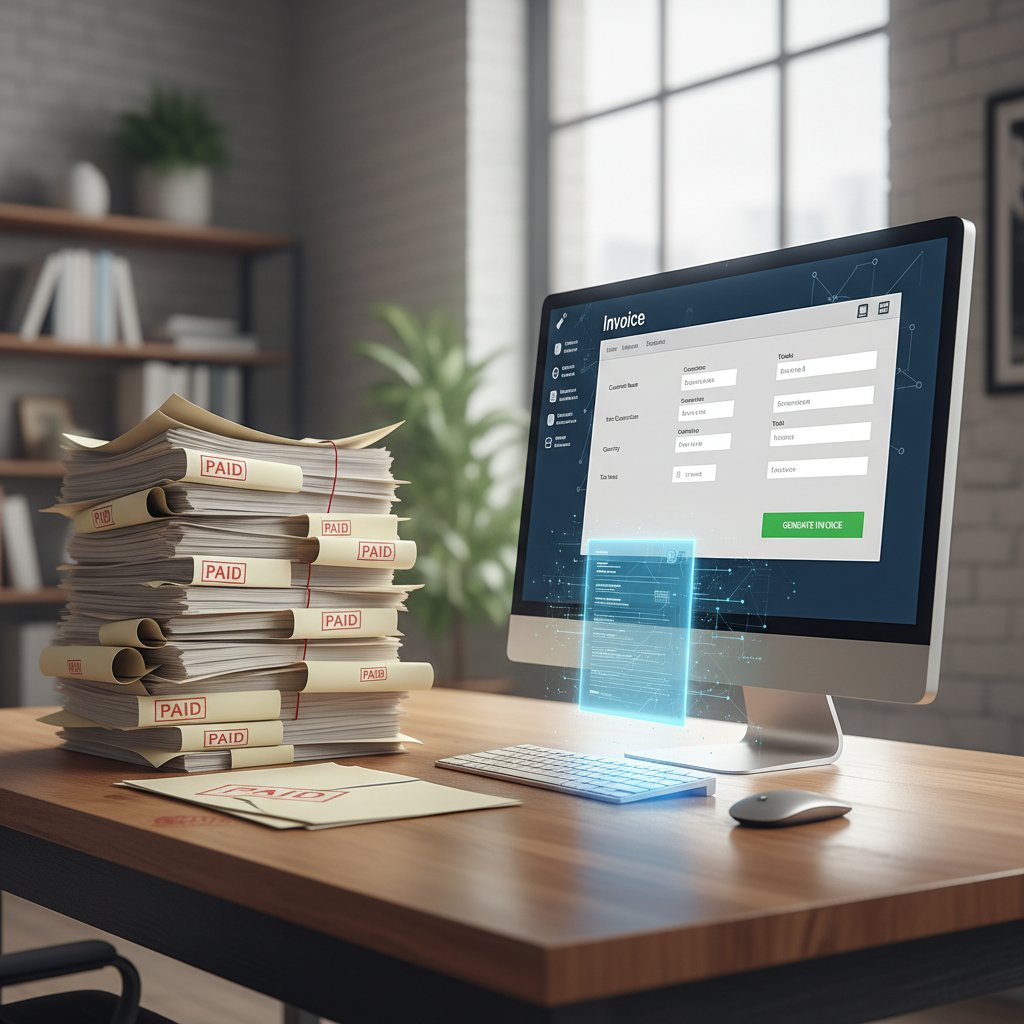
This context is crucial: even as flashy invoice automation demos promise three-click bliss, the reality for many businesses remains a slow grind. Paper-based processes bleed into digital ones, exceptions become the rule, and the resulting spaghetti of PDFs, emails, and manual tweaks is a perfect breeding ground for errors and disputes. According to RSM, 2024, global e-invoicing mandates are only accelerating the pain for companies unprepared for integration or compliance requirements. The upshot? The billing chaos of 2025 is less a failure of tech, and more the ghost of old habits refusing to die.
The emotional toll: stress, burnout, and missed opportunities
Billing is supposed to be a backstage process—a silent engine. But for many, it’s the main source of workplace anxiety, eating into evenings, weekends, and even sleep. Unpaid invoices morph into existential threats: payroll at risk, vendor relationships souring, strategic initiatives shelved. The emotional cost is rarely discussed, but it’s real. As reported by OptiPay, 2025, the uncertainty and stress caused by slow payment cycles directly contribute to burnout and missed business opportunities.
“Manual billing isn’t just inefficient—it’s demoralizing. You start to dread month-end, knowing every mistake will cost you more than money.” — CFO, Manufacturing SME, OptiPay, 2025
When billing becomes a source of dread, it quietly poisons culture and performance. The best talent—creative, analytical, strategic—ends up bogged down in paperwork or frantically chasing down errors. According to Team Factors, 2025, this emotional drag erodes team morale and distracts leaders from growth opportunities. While the pain isn’t always visible in the P&L, it’s painfully clear in lost sleep, turnover, and the sense of being perpetually behind.
Chasing payments: the hidden cost every business ignores
What’s the real price tag on late payments? Research indicates it’s a lot more than just a few overdue invoices. According to Dun & Bradstreet, 2024, late payments and cash flow uncertainty impact nearly half of all businesses, with ripple effects that include delayed projects, strained supplier relationships, and stunted expansion. But the hidden cost is in hours wasted—email ping-pong, endless follow-ups, and manual reconciliations that siphon energy away from more valuable work.
| Hidden Cost | Percentage of Businesses Impacted | Typical Loss in Productivity |
|---|---|---|
| Chasing late payments | 45% | 7-12 hours/week |
| Manual reconciliation | 38% | 5-10 hours/week |
| Error correction | 32% | 3-7 hours/week |
Table 1: Key hidden costs of manual invoicing, based on Dun & Bradstreet, 2024
Source: Dun & Bradstreet, 2024
The result? A business landscape where the true cost of “staying manual” is measured not just in dollars, but in lost focus, missed opportunities, and burned-out teams. The automated invoice creator is, for many, the first real chance to break that cycle.
The rise of the automated invoice creator: what changed and why now?
From spreadsheets to smart systems: a brief history
To understand the present state of invoice automation, you need to rewind. The journey from ledger books to AI-powered invoice creators is less a clean break than a series of messy pivots. In the 1980s and ’90s, spreadsheets like Lotus 1-2-3 and Excel gave businesses their first taste of digital control—but not without a flood of manual data entry and formula errors. This era was defined by “spreadsheet cowboys” and the constant specter of broken links or accidental overwrites. By the early 2000s, web-based ERPs promised centralized control but delivered a host of new headaches: clunky UIs, vendor lock-in, and brittle integrations.

The push to real automation began in the 2010s, as SaaS invoicing tools entered the mainstream. But even these often just digitized manual pain points. The real leap? The integration of machine learning and true workflow automation in the 2020s, letting systems “think” for themselves and anticipate exceptions.
- Manual ledgers and spreadsheets (pre-2000): All calculations and tracking by hand, prone to transcription errors and lost paperwork.
- Basic accounting software (2000–2010): Desktop tools brought digital records, but with minimal automation and lots of manual intervention.
- Cloud-based platforms (2010–2020): Centralized data and multi-user access, but often with static workflows and limited intelligence.
- AI-powered invoice creators (2020–present): True automation with data extraction, validation, and real-time workflow management, slashing errors and human workload.
The AI leap: how machine learning reshaped invoice creation
The last five years saw the real paradigm shift: invoices are no longer just documents—they’re streams of actionable data. Modern automated invoice creators use machine learning to extract, validate, and match data from PDFs, scans, emails, and even WhatsApp messages. According to Ossisto, 2025, AI-powered systems now reduce manual data entry by up to 70% and error rates by 30-40%, fundamentally changing how finance teams operate.
This leap is about more than speed; it’s about intelligence. AI tools can now flag duplicate invoices, spot signs of fraud, and even predict which customers are likely to pay late based on past behavior. As reported by Bill.com, 2025, these predictive features give businesses previously impossible levels of cash flow visibility and control.
| AI-Enabled Feature | Impact on Billing Workflow | Source/Date |
|---|---|---|
| Automated data extraction | 70% reduction in manual entry | Ossisto, 2025 |
| Fraud/error detection | 30–40% fewer losses | Ossisto, 2025 |
| AI chatbots for queries | 95% of billing inquiries auto-handled | Hostinger, 2025 |
| Real-time collaboration | 50% faster approval cycles | Ossisto, 2025 |
Table 2: Key AI advancements in invoice automation, with source attribution.
The bottom line? The automated invoice creator is now a decision engine, not just a document generator. It can match invoices to purchase orders, flag anomalies in real time, and free up finance talent to focus on strategy and growth.
Why 2025 is the tipping point for automation
There’s a reason invoice automation feels urgent in 2025. First, the pandemic years forced businesses to adapt at speed, exposing the brittleness of manual workflows. Second, regulatory pressure—especially e-invoicing mandates in the EU, Latin America, and Asia—means compliance isn't optional anymore. But perhaps most importantly, the tech has finally caught up with the need.
Today’s best automated invoice creators don’t just process paperwork—they orchestrate the entire billing journey, from capture to reconciliation and reporting. According to Keevee, 2025, companies deploying full-scale invoice automation report up to 20% reduction in operational costs and radically faster payment cycles.
“We’re in a new era where failing to automate your billing isn’t just inefficient—it’s a genuine competitive disadvantage.” — Invoice Automation Thought Leader, Keevee, 2025
The stakes are simple: inaction isn’t just risky, it’s a recipe for irrelevance.
How automated invoice creators really work (beyond the hype)
Under the hood: data extraction, validation, and workflow magic
Forget the buzzwords—what really happens when you hit “generate invoice”? At its core, a modern automated invoice creator uses a finely tuned pipeline of AI engines and rule-based logic to do the grunt work humans used to hate. Step one: data extraction. Optical character recognition (OCR) and natural language processing (NLP) scan PDFs, images, and emails, pulling out key fields like amounts, due dates, and vendor details. Next comes validation, where machine learning models compare extracted data against purchase orders, contracts, and previous invoices to flag discrepancies or duplicates.
Here’s a breakdown of what’s really going on:
AI scans uploaded documents for relevant information, using OCR and NLP to parse even messy handwriting or scanned receipts.
Extracted data is instantly checked against reference databases, business rules, and fraud patterns—slashing errors before they reach your accounting system.
Once validated, invoices are routed for approval, payment, and archiving automatically—no more email chains or paper chasing.
Every step can be customized to fit complex workflows, but the common thread is relentless automation of formerly manual, error-prone tasks. For businesses, this means fewer mistakes, faster processing, and—crucially—better cash flow oversight.
Integration nightmares: connecting with your existing stack
No one talks about it in the demo, but letting an automated invoice creator into your tech stack is rarely plug-and-play. Integration challenges are the iceberg below the waterline: legacy ERPs with closed APIs, inconsistent data standards, and resistance from IT or finance teams.
- Siloed systems: Many businesses operate with a patchwork of legacy tools and custom software built over decades, making integration a tedious, risky endeavor.
- API headaches: Even platforms with “open APIs” often require costly development work, custom middleware, or third-party connectors.
- Data inconsistency: Inconsistent labeling, formats, or naming conventions can cause misfires or duplications during migration.
- Security bottlenecks: Passing sensitive financial data between systems raises compliance and risk-management challenges, especially under regulations like GDPR.
The result? Even the best invoice automation platform can fall flat if the integration phase is glossed over. Smart teams treat integration as a project in itself, not an afterthought—mapping data flows, cleaning legacy records, and running pilot programs before scaling up. According to RSM, 2024, businesses that invest in robust integration planning see dramatically higher ROI and fewer post-launch meltdowns.
Security, compliance, and the AI ‘black box’ problem
Automating financial workflows means entrusting sensitive, regulated data to algorithms—raising legitimate concerns about security, auditability, and trust. While AI can flag fraud and ensure compliance far better than humans, it also introduces the infamous “black box” problem: decision logic that even experts can’t easily untangle.
| Security/Compliance Concern | How AI Tools Address It | Remaining Risks |
|---|---|---|
| Data privacy (GDPR, CCPA) | End-to-end encryption, strict access controls | Black box models may obscure data lineage |
| Fraud detection | Machine learning flagging of anomalies | False positives/negatives require human review |
| Regulatory reporting | Automated audit trails, exportable logs | Complex rules may be misapplied by AI |
Table 3: Security and compliance in AI-powered invoice automation
Source: Original analysis based on Ossisto, 2025 and RSM, 2024
Bottom line: the right automated invoice creator gives you more control, not less—but only if you demand transparency, require robust audit features, and retain the ability to override automation when needed.
Real-world impact: stories from the automation front lines
Small business, big leap: a freelancer’s survival story
For freelancers and microbusinesses, invoicing is supposed to be simple—but often it’s a recurring nightmare. Take the case of a freelance graphic designer in London. After automating her invoice creation with an AI-powered tool, she cut her billing hours from 8 per month to just 45 minutes, and eliminated late payments almost entirely by integrating automated reminders and payment links.

“I used to lose entire weekends to chasing down clients—now I trust my invoices to go out accurately and on time, and I can focus on real work.” — London-Based Freelancer, Ossisto, 2025
Her experience echoes a broader trend: according to Hostinger, 2025, AI chatbots now handle up to 95% of customer billing queries, letting even solo operators punch above their weight.
When automation backfires: lessons from the trenches
But the story isn’t always smooth. In one mid-sized manufacturing company, a rushed automation rollout led to hundreds of invoices being flagged for “data mismatch”—paralyzing the AR team for weeks. The culprit? Legacy data fields mismatched during integration, and nobody cross-checked the mapping before going live.
Other common pitfalls include:
- Underestimating change management: Automation isn’t just a software upgrade; it’s a culture shift. Teams need training and clear processes for exception handling.
- Ignoring edge cases: AI is great with patterns, but less so with one-off deals, special discounts, or non-standard contracts—these need human oversight.
- Blind faith in automation: Overreliance on the “set and forget” mentality can lead to missed errors if dashboard alerts or audit logs are ignored.
- Compliance slip-ups: Automated systems must be regularly checked for alignment with changing regulations.
The lesson? Invoice automation is powerful, but it demands rigorous setup, ongoing monitoring, and a readiness to intervene when the unexpected happens.
filecreator.ai and the new breed of AI-powered invoice tools
Platforms like filecreator.ai represent the new wave of AI-powered, professional document generators for businesses of all sizes. Unlike legacy tools, they offer near-instant document creation, industry-compliant templates, and seamless integration with your existing data. By focusing on professional quality, error reduction, and industry best practices, filecreator.ai empowers organizations to scale their document workflows—including invoicing—without the overhead or headaches of traditional manual processes.
The real power of platforms like filecreator.ai lies in their adaptability: customizable templates for different industries, support for multiple formats (PDF, DOCX, etc.), and automated compliance checks built into the generation process. For businesses navigating complex regulatory environments, this means faster turnaround, fewer errors, and a more consistent brand experience—without sacrificing control.

Unpacking the hype: myths, risks, and harsh realities
Automation kills jobs—or does it?
One of the loudest fears about AI invoice creators is job loss. But the numbers tell a more nuanced story: according to Hostinger, 2025, automation reduces manual billing workload by up to 70%, but most organizations redeploy finance staff to higher-value activities like analytics, forecasting, and partner management.
“Automation didn’t eliminate my job—it freed me up to focus on strategy, not paperwork.” — Accounts Manager, Hostinger, 2025
What automation really kills is drudgery, not opportunity. Smart teams use the time savings to invest in better service, sharper insights, and growth initiatives.
Is invoice automation only for big companies?
Invoice automation is often marketed to the enterprise—complex, expensive, and “not for the little guy.” But recent data from Keevee, 2025 underlines a different reality: small businesses and freelancers now make up the fastest-growing segment of automation adopters, thanks to cloud tools and flexible pricing.
Modern invoice creators like filecreator.ai offer scalable plans, making automation accessible to businesses of any size—with savings of up to 20% in operational costs.
While integration is trickier for enterprises with rigid legacy stacks, SMBs can often plug-and-play without major IT investment.
Industry-specific templates and self-service setup mean even solo operators can automate without a team of consultants.
The democratization of AI means you no longer need a seven-figure budget or an IT army—just the willingness to break free from tradition.
The hidden risks no sales rep will admit
Every tool has its perils, and invoice automation is no exception. Here’s what most glossy brochures skip:
- Algorithmic bias: If your training data is riddled with past errors, your AI may repeat or amplify them.
- Vendor lock-in: Custom workflows may make it costly to switch providers later.
- Compliance gaps: Automated systems need frequent updates to keep up with changing tax, privacy, and data security regulations.
- False security: Overconfidence in automation leads to complacency—manual monitoring and audit trails are still essential.
Don’t let the promise of “set and forget” lull you into ignoring the basics of operational hygiene. Real trust in automation comes from transparency, oversight, and a readiness to adapt when things go sideways.
Choosing the right automated invoice creator: what really matters
Features that actually move the needle
Not all automated invoice creators are born equal. Here’s a breakdown of features that deliver real results—versus the fluff.
| Feature | Impact Level | Why It Matters |
|---|---|---|
| AI-driven data extraction | Essential | Automates tedious entry, reduces error rates. |
| Real-time compliance checks | High | Ensures every invoice meets local/global rules. |
| Customizable templates | Essential | Fits your unique workflows and branding. |
| Seamless integration | High | Connects with your ERP, CRM, and banking. |
| Audit logs and traceability | Essential | Enables transparency for finance and regulators. |
| Collaborative approval workflow | High | Speeds up review and approval cycles. |
| Secure, encrypted data storage | Essential | Protects sensitive financial info. |
Table 4: Critical features in choosing an automated invoice creator
Source: Original analysis based on Ossisto, 2025 and Keevee, 2025
Don’t get distracted by slick dashboards—focus on the core features that protect, accelerate, and future-proof your billing.
Red flags and dealbreakers: how not to get burned
When evaluating invoice automation tools, keep your radar up for common traps:
- Lack of audit trails: If you can’t see who did what and when, you can’t trust the data.
- Opaque AI models: If vendors can’t explain how their algorithms work, compliance will be a nightmare.
- Limited integration: Tools that don’t play nice with your stack will add headaches, not solve them.
- No support for industry compliance: Missing VAT, sales tax, or e-invoicing features? Walk away.
- Hidden fees: Watch for transaction charges, storage limits, or costly “premium” add-ons.
A little skepticism up front saves a world of pain down the road.
Beyond the demo: questions to grill every vendor on
Before signing that contract, ask every prospective vendor:
- How is my data protected and who has access?
- What audit logs and compliance features are built in?
- How does your tool handle exceptions, edge cases, and manual overrides?
- What integration support do you offer for my existing tools?
- How often are compliance and tax rules updated?
- What’s the real total cost of ownership—up front and over time?
An honest vendor welcomes scrutiny; a slippery one is a red flag in itself.
Step-by-step: implementing invoice automation in your business
Assessing your workflow: are you ready for automation?
Before you overhaul your billing, you need radical clarity about your current processes. Map out every step, every touchpoint, every pain. Look for patterns in delays, errors, and bottlenecks. According to Ossisto, 2025, businesses that start with a clear workflow audit are 60% more likely to succeed with automation.
Automation Readiness Checklist:
- All current invoicing steps are documented in detail.
- Data quality (accuracy, completeness) is regularly reviewed.
- Existing software and tools are mapped and up to date.
- Key stakeholders are identified and engaged in planning.
- Compliance requirements are known and tracked.
- Exception and edge cases are documented.
If you can’t check most boxes, pause and fix your foundation before adding new tech.
Building the business case: ROI, costs, and quick wins
The ROI on invoice automation is real—but only if you size it right. Factor in not just the direct savings, but indirect benefits like faster collections, improved visibility, and reduced burnout.
| Metrics Measured | Manual Process | With Automation | Typical ROI |
|---|---|---|---|
| Time per invoice | 10-15 mins | 2-4 mins | 50–80% time saved |
| Error rate | 3–5% | <1% | 30–40% fewer errors |
| Operational cost | $8–12/invoice | $5–8/invoice | 20%+ cost savings |
Table 5: ROI metrics for automated invoice creators
Source: Original analysis based on Hostinger, 2025 and Ossisto, 2025
The payback period is often less than a year—sometimes just months—if you roll out with clear goals and strong executive buy-in.
Rolling it out: from pilot to full-scale deployment
Ready to launch? Here’s the process that yields the best results:
- Start with a pilot: Choose a contained business unit or set of clients to test the waters.
- Train your team: Invest in hands-on training and clear documentation for all users.
- Integrate with existing tools: Connect the invoice creator to your ERP, CRM, and banking platforms.
- Monitor and refine: Gather feedback, track KPIs, and adjust processes for exceptions.
- Scale up deliberately: Expand automation to new teams, geographies, or invoice types only when confident.

Each step demands focus, communication, and a willingness to course-correct. The reward? A billing function that’s faster, smarter, and finally aligned with the speed of modern business.
The future of invoicing: what’s next after automation?
Beyond invoices: full-stack financial automation
Automated invoice creators are just the start of a broader revolution. The same AI engines that process invoices are now tackling the entire financial stack—expense management, purchase orders, audits, and even contract generation. The goal isn’t just efficiency, but total visibility: one source of truth for every transaction, accessible in real time.
Modern platforms like filecreator.ai are at the forefront of this movement, enabling businesses to generate, track, and validate all key documents—including HR policies, technical manuals, and financial reports—through a single AI-driven interface. This convergence is breaking down silos, eliminating duplicate data entry, and surfacing actionable insights that would otherwise be buried in paperwork.

AI, blockchain, and the new trust economy
As regulatory scrutiny rises, invoice automation is increasingly about trust: proving the authenticity, accuracy, and compliance of every transaction. Enter blockchain. By embedding invoices and approvals in tamper-proof distributed ledgers, businesses get immutable audit trails and instant authenticity verification.
“Combining AI and blockchain is the holy grail for invoice integrity—reducing fraud and slashing reconciliation times.” — Blockchain Finance Analyst, billbooks.com, 2025
The intersection of automation and blockchain isn’t just a buzzword—it’s already transforming how businesses prove compliance and build trust with partners and regulators.
How to stay ahead: skills and strategies for tomorrow’s pros
The automation wave isn’t just technical—it’s cultural. To thrive, today’s finance, operations, and IT leaders need new skills:
- Data literacy: Understanding and interpreting AI-generated insights, not just raw numbers.
- Change management: Leading teams through digital transformation, addressing resistance and fear.
- Process design: Mapping and optimizing workflows for automation-readiness and compliance.
- Continuous learning: Staying updated on new tools, regulatory shifts, and best practices.
- Vendor management: Negotiating contracts and holding providers accountable for security and transparency.
Master these, and you’ll surf the automation wave—instead of getting swept under it.
Automated invoice creator: checklist, jargon buster, and key takeaways
Quick reference: automation readiness checklist
Before you commit to an automated invoice creator, check these boxes:
- Map your current invoicing process: Identify every manual step, bottleneck, and team involved.
- Clean your data: Fix inaccuracies, duplicates, and outdated records for a smooth migration.
- Engage stakeholders: Get buy-in from finance, IT, and operations early.
- Research compliance requirements: Know your tax, privacy, and e-invoicing obligations.
- Shortlist vendors: Focus on those with robust audit, security, and integration features.
- Pilot the solution: Start small, measure results, and refine processes before scaling.
If you can’t answer “yes” to all, invest in prep work before flipping the switch.
Jargon buster: terms you need to know (and why they matter)
Technology that “reads” text from scanned documents, PDFs, or images—critical for digitizing invoices.
AI that understands and processes human language, enabling automated data extraction from messy or unstructured documents.
A detailed, tamper-proof log of every action taken on an invoice—essential for compliance and troubleshooting.
The bridge that connects your invoice creator to other business tools; open APIs are key for smooth integration.
Processes for managing errors, edge cases, or discrepancies that the automation can’t resolve on its own.
Master these terms and you’ll cut through the vendor jargon—and avoid nasty surprises.
Key takeaways: what most guides won’t tell you
Most automation guides promise an easy road. Here’s the no-BS version:
- Manual chaos is a cultural, not just technical, problem—fix the mindset first.
- The best invoice creators deliver both speed and transparency—don’t accept tradeoffs.
- Integration is the real test—plan for it like a major project, not an afterthought.
- Automation is for everyone, not just enterprises—if you have invoices, you need it.
- The future is about trust—AI plus blockchain is changing the compliance game.
Embrace these truths, and you’ll turn your billing pain into a competitive weapon.
Conclusion
Staring down an invoice backlog in the age of AI is a choice, not a fate. The automated invoice creator is more than an upgrade—it’s a lifeline to sanity, speed, and serious ROI. As we’ve seen, the path to automation is riddled with myths, hidden costs, and hard-won lessons. But the payoffs are real: faster payments, fewer errors, happier teams, and a workflow that finally works for you—not the other way around. Don’t let legacy habits drain your time and energy. Whether you’re a solo freelancer or a global CFO, the power to reclaim your billing—and your peace of mind—is here. Seize it, scrutinize it, and demand more from your tools. The revolution won’t wait.
Sources
References cited in this article
- AI Statistics 2025 – Hostinger(hostinger.com)
- AI Invoice Processing – Ossisto(ossisto.com)
- Invoicing Statistics – Keevee(keevee.com)
- OptiPay: Cash Flow Challenges 2025(optipay.com.au)
- Team Factors: Cash Flow 2025(teamfactors.co.uk)
- RSM: E-invoicing Challenges(rsm.global)
- Wise: B2B Payment Trends(wise.com)
- TrustCCFA: Hidden Cost of Chasing Payments(trustccfa.com)
- Relevance AI: Invoice Processing Automation(relevanceai.com)
- Market.us: AI for Invoice Management(market.us)
- Parseur: AI Invoice Processing(parseur.com)
- Ottimate: Invoice Automation(ottimate.com)
- AIMultiple: Invoice Automation(research.aimultiple.com)
- Kefron: Invoice Automation Analysis(kefron.com)
- Invoice Ninja: Automation for Small Business(invoiceninja.com)
- Bloom: Best Invoicing Software for Freelancers(blog.bloom.io)
- SoftCo: Invoicing Mistakes(softco.com)
- AppZen: Invoice Automation Myths(appzen.com)
- SoftCo: Invoice Automation Market(softco.com)
- Unimedia Tech: SME Invoice Automation(unimedia.tech)
- IBML: Invoice Processing Risks(ibml.com)
- Conta: Invoice Creator Security(conta.com)
- Rippling: Best Invoice Automation 2025(rippling.com)
- Brex: Invoice Automation Comparison(brex.com)
- ERP Software Blog: Vendor Questions(erpsoftwareblog.com)
- Spendflo: Invoice Processing Guide(spendflo.com)
- Tipalti: Invoice Management(tipalti.com)
- Microsoft: Power Automate Guide(microsoft.com)
- DocuClipper: AP Statistics(docuclipper.com)
- Arya.ai: Best Invoice Automation Software(arya.ai)
Perfect Documents, Instantly
Filecreator.ai transforms the way you produce professional documents. Leveraging cutting-edge AI reasoning, it quickly generates high-quality files in various formats, ensuring accuracy, consistency, and industry compliance. Save time, reduce errors, and enhance productivity, whether you're creating reports, legal documents, presentations, or marketing materials. Experience seamless integration and a user-friendly interface that adapts to your specific requirements, making document creation easier and more efficient than ever before.
Get startedStart Creating Professional Documents Today
Join thousands of professionals who trust AI-powered document generation
Frequently Asked Questions
Why are businesses still struggling with invoicing in 2025 despite technological advances?
According to the article, billing systems are stuck in decades-old workflows and legacy mindsets that prioritize tedious manual processes. The fundamental friction points—data entry, chasing approvals, and decoding ambiguous emails—remain stubbornly analog, and this inertia is rooted in fear of change, lack of expertise, and distrust of automation rather than a lack of available tools.
What statistics show the impact of manual invoicing on businesses?
According to Dun & Bradstreet's 2024 data cited in the article, 45% of businesses are still affected by late payments, often because manual invoicing processes create bottlenecks and errors that ripple from finance to operations.
Is the automated invoice creator revolution mainly about implementing new software?
No, according to the article, it's not just about plugging in new software. The real revolution involves upending decades of bad habits, smashing bottlenecks, and addressing the cultural and organizational barriers to change, not simply adopting new tools.
What is the core problem preventing businesses from embracing invoice automation?
The article identifies that the problem is both cultural and technical—it's rooted in fear of change, lack of expertise, and lingering distrust of automation, alongside the inertia of legacy systems that mix paper-based and digital processes.
Continue Reading
Explore more from Professional Document Generator

Automatic Invoice Generation in 2026: Myth, Risk and Real ROI
Discover insights about automatic invoice generation

Automated Invoicing Documents: Benefits, Risks, and Implementation
Automated invoicing documents streamline workflows for freelancers and manufacturers. This article examines the benefits, risks, and strategies for implementing automation while maintaining control.

Invoice Generation Software: Weighing Automation Risks Against Gains
Invoice generation software automates billing but carries hidden risks. This article examines the pitfalls of manual invoicing, the errors that erode profits, and how to choose software that actually works.

Automatic Invoicing Document Generator: Rewards and Risks
An automatic invoicing document generator can reduce manual work by 70%, but also carries security and compliance risks.

Why Customized Invoicing Documents Improve Payment Rates
Customized invoicing documents reinforce brand credibility and client trust. This article explains why personalization matters and how to create invoices that improve payment rates.

How Customized Invoices Improve Payment Speed and Cash Flow
Generate customized invoices with AI to improve cash flow and reduce payment delays. This article explains how invoice design influences client perception and payment speed.





