


Automated Document Workflows in 2025: Hidden Risks and Realities Vendors Downplay
Written with AI assistance under our editorial guidelines
Manual document workflows persist despite automation promises, with employees spending an average of 12 hours weekly on document management. Vendors underplay significant risks including security vulnerabilities, cultural resistance, and hidden costs. Organizations face a complex reality where partial or full automation can reduce processing time and errors substantially, yet many struggle with adoption due to outdated habits and legacy system dependencies.
In a world obsessed with efficiency, automated document workflows promise nirvana—no more lost files, no more endless email chains, no more brain-melting spreadsheet chaos. The reality? The journey to true digital transformation is far messier and riskier than vendors dare to admit. Behind the glossy interface of every workflow tool lies a battlefield of manual process holdouts, security landmines, “no-code” illusions, and culture wars that threaten to blow up your best-laid plans. This article rips the mask off the hype, delivering the brute facts, hidden dangers, and boldest strategies for surviving—and thriving—in the landscape of automated document workflows in 2025. Strap in for a deep dive that’s part exposé, part survival guide, and all about making sure your business is on the right side of the digital revolution.
Why manual document chaos still haunts us in 2025
The cost of paper-based processes nobody wants to tally
Despite every C-suite declaration about “going paperless,” manual processes are stubborn survivors. They lurk under digital facades, quietly bleeding time and money. According to a 2024 survey by AIIM, organizations still spend an average of 12 hours per week per employee chasing down documents or waiting for approvals. That’s not just an operational annoyance—it’s a profit leak. The real kicker? Many companies underestimate these hidden costs, filing them away under “business as usual,” rather than viewing them as fixable inefficiencies.

| Process Type | Average Processing Time (min) | Error Rate (%) | Annual Cost per 1000 Docs (USD) |
|---|---|---|---|
| Manual (Paper/Email) | 18 | 7.7 | $8,900 |
| Partially Automated | 10 | 4.2 | $4,500 |
| Fully Automated | 3 | 1.1 | $1,500 |
Table 1: Comparative costs and error rates for document processing methods.
Source: AIIM Industry Watch, 2024
How outdated habits keep digital transformation stuck
You’ve heard the speeches about “embracing change,” but beneath the surface, old habits die hard. Many teams still cling to legacy processes—manual signatures, physical handoffs, or inbox roulette—out of sheer comfort or mistrust of tech. According to McKinsey’s 2024 Digital Quotient Index, nearly 60% of organizations cite “employee resistance to change” as their single greatest barrier to workflow automation.
“Digital transformation often fails not because of technology, but because organizations underestimate the power of ingrained habits. True change management is about unlearning as much as it is about learning.” — Dr. Sharon Drew, Organizational Change Expert, Harvard Business Review, 2024
This resistance isn’t limited to the old guard. Even tech-savvy teams can fall into the comfort zone—using email as a de facto approval system or creating workarounds that bypass official tools. The result? Frankenstein workflows, where digital tools are layered atop manual chaos, solving nothing and creating new compliance headaches.
The emotional toll of endless approvals and lost files
Workflow friction isn’t just a technical issue—it’s an emotional minefield. Employees feel a tangible sense of dread at each new approval bottleneck, or worse, when files disappear into the void of someone’s inbox. Productivity takes a hit, but so does morale. According to a 2024 Gartner poll, 46% of knowledge workers report regular stress due to “unclear or broken document flows.” These micro-frustrations compound, fueling silent disengagement.
In the trenches, this looks like:
- Missed deadlines because “the document was stuck with legal.”
- Frantic last-minute edits after discovering outdated versions.
- Passive-aggressive email threads (“Just bumping this to the top of your inbox…”).
- A general sense of helplessness that erodes team cohesion.
When manual chaos persists, the cost isn’t just measured in dollars or minutes lost. It’s the psychological drain—one that automated document workflows, if implemented thoughtfully, can finally relieve.
What automated document workflows really mean (beyond the buzzwords)
Defining the myth vs. the reality of automation
“Automated document workflows” get tossed around in boardrooms with the casual confidence of those who’ve never battled a broken Zapier integration at 2 AM. In reality, there’s a yawning chasm between the promise (“one-click approvals!”) and the actual day-to-day grind of building, maintaining, and scaling these systems.
Let’s set the record straight:
Automation replaces human judgment completely.
Automation handles routine, repetitive tasks, freeing up humans for the messy, contextual decisions that still demand critical thinking (Source: Forrester, 2024).
No-code platforms make everyone a workflow architect.
Most “no-code” tools still require technical fluency or at least a process mindset; the learning curve is real (Gartner, 2024).
Automated workflows are set-and-forget.
Automation is a living beast—systems need regular tuning to match new compliance, business, and technology shifts (Source: Knack: Document Workflow Automation Guide, 2025).
Understanding these truths is the only way to build workflows that survive contact with reality.
Workflow automation: more than just speed
It’s easy to fall for the “faster approvals” sales pitch, but true workflow automation delivers value far beyond a shorter timeline. The most successful organizations view their automated document workflows as strategic assets—not just digital assembly lines.
They use automation to:
- Enforce compliance by embedding rules and required fields, reducing the risk of costly errors.
- Enable real-time collaboration, replacing endless email threads with dynamic, centralized workspaces.
- Unlock analytics and insights, exposing bottlenecks, inefficiencies, and opportunities for process improvement.
- Create audit trails that satisfy even the most demanding regulators.
But beware: speed without structure is just chaos in motion. According to Experlogix’s “9 Best Document Management Automation Tools in 2025,” organizations that focus only on speed—without reengineering their underlying processes—end up automating dysfunction, not eliminating it.
- Compliance is embedded at every workflow stage, not bolted on as an afterthought.
- Collaboration is seamless, with users working from a single source of truth.
- Analytics and dashboards drive continuous improvement.
- Secure access and permissions ensure only the right people see sensitive data.
The anatomy of a modern document workflow
A genuinely modern automated document workflow isn’t a single tool—it’s an ecosystem. At its core lies a set of interconnected modules: document generation, routing, approval, versioning, e-signature, storage, and analytics. Each step feeds the next, reducing human error and maximizing traceability.

What differentiates leading organizations is their ability to integrate these components with broader enterprise systems—think CRM, ERP, HR platforms—turning isolated workflows into powerful business drivers. This integration isn’t just technical; it’s cultural. Teams need to trust that the system “just works” so they can let go of the old habits that hold them back.
The brutal truths vendors don’t advertise
Hidden costs: integration nightmares and automation debt
If you’ve ever tried to stitch together a patchwork of automation tools, you know the pain: APIs that break with every update, connectors that die quietly in the night, hidden consulting fees that balloon out of control. These aren’t just annoyances—they’re the real cost of automation.
| Hidden Cost | Typical Cause | Impact |
|---|---|---|
| Integration Overruns | Incompatible legacy systems | Budget blowouts, missed deadlines |
| Automation “Debt” | Quick fixes, poor documentation | Unmaintainable workflows, tech bloat |
| Ongoing Maintenance Fees | Third-party dependencies | Escalating operational expenditure |
| Training & Change Management | Underestimated learning curves | User frustration, adoption failure |
Table 2: The unspoken costs of workflow automation (Source: Original analysis based on Gartner, 2024, AIIM, 2024)
Why ‘set it and forget it’ is a dangerous fantasy
The most insidious lie in the automation industry is that workflows, once set up, will run forever in perfect harmony. In reality, business rules shift, compliance requirements tighten, and integrations decay. According to a 2024 Forrester report, 78% of organizations experienced “critical workflow failures” in the past year due to neglected updates or misaligned processes.
“Automation is not a static achievement—it’s a living system that requires continuous attention. Ignore it, and it turns from an asset into a liability.” — Janelle Moy, Workflow Analyst, Forrester Research, 2024
The lesson? Automate with your eyes wide open. Build in processes for regular review, retraining, and system audits—or expect your “automated” workflows to become tomorrow’s bottlenecks.
The illusion of ‘no-code’ simplicity
“No-code” and “low-code” platforms are everywhere, promising to democratize workflow automation. The truth is more nuanced. While these tools lower the barrier to entry, they often introduce their own set of challenges:
- Hidden complexity: Advanced features still require technical knowledge, especially for integrations.
- Vendor lock-in: Proprietary logic may trap your processes in a single ecosystem.
- Scalability limits: What works for a small team may buckle under enterprise-scale demands.
- Security blind spots: Non-developers may skip critical best practices.
The bottom line: “No-code” is not “no-brainer.” Invest in user training, governance, and periodic code reviews—even if the interface looks like drag-and-drop magic.
How real companies are winning (and failing) with workflow automation
Case study: A small business’s bumpy ride to automation
Consider a regional accounting firm desperate to end its reliance on paper signatures and faxed approvals. They adopt a mid-tier workflow automation tool, expecting instant relief. The reality is a rollercoaster:
- Initial setup slashes document processing time by 60%, freeing up staff for higher-value work.
- But hidden integration gaps emerge—linking the tool to their legacy CRM proves a nightmare, requiring expensive outside consultants.
- Despite early wins, adoption stalls when senior partners refuse to abandon their “tried-and-true” methods, creating a parallel shadow workflow.
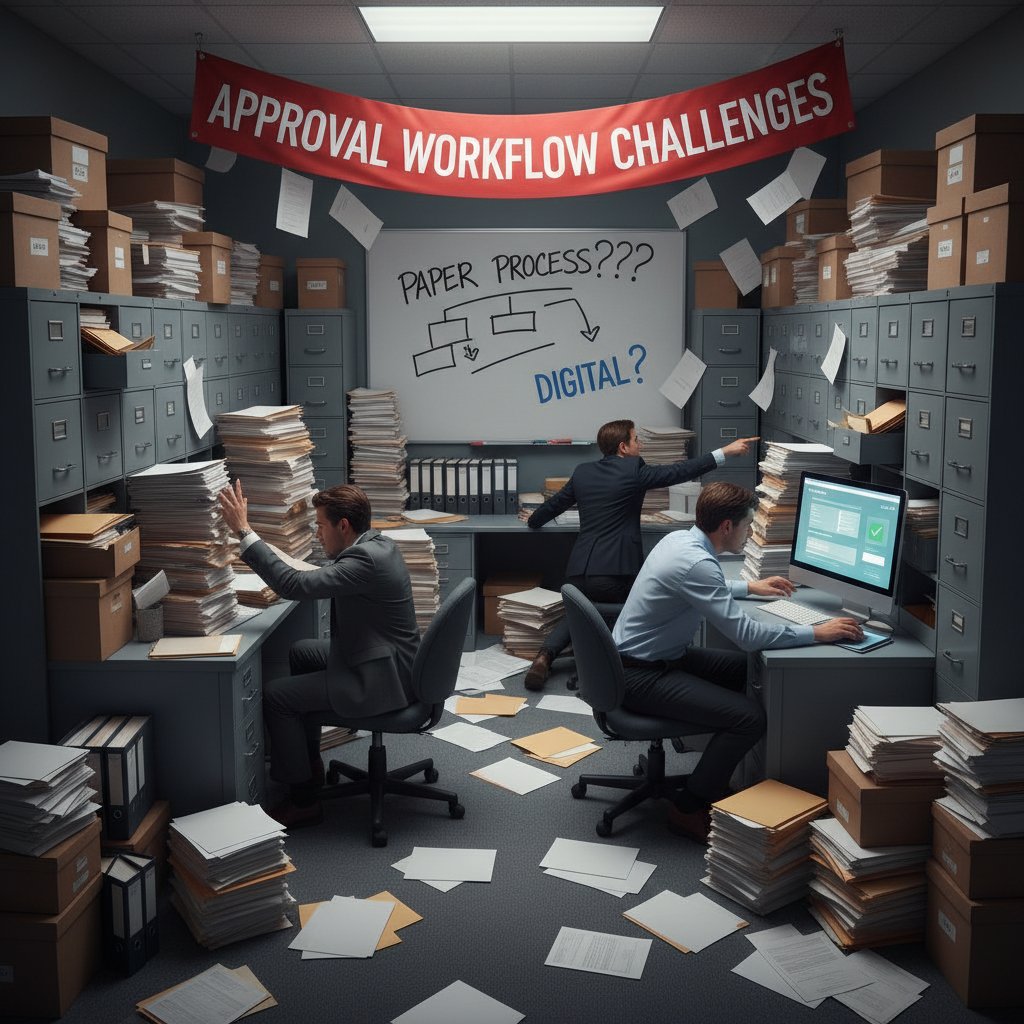
The lesson: Technology can’t paper over cultural resistance or fix broken upstream processes. True transformation demands process reengineering and relentless change management—not just new tools.
Case study: Enterprise scale—why complexity multiplies
At the enterprise level, complexity snowballs. A global manufacturer invests in a multi-million-dollar workflow automation suite, integrating document generation, e-signature, and AI-powered analytics. They quickly discover:
| Challenge | Small Business Impact | Enterprise Impact |
|---|---|---|
| Integration Complexity | Medium | High |
| Change Management | High | Very High |
| Security & Compliance | Manageable | Mission-Critical |
| Analytics Utilization | Low | High |
Table 3: Organizational scale magnifies workflow automation challenges
Source: Original analysis based on Experlogix, 2025, AIIM, 2024
Enterprise rollouts demand ironclad governance, executive buy-in, and rigorous user training. Otherwise, complexity becomes the enemy of progress.
What the failures teach us about resilience
Not every automation project ends in a fairy tale. In fact, some of the most valuable lessons come from high-profile failures—a missed regulatory deadline, a critical workflow outage, or a catastrophic data leak. The best organizations treat these as opportunities for hard-won learning, not shameful secrets.
“A failed automation isn’t the end; it’s a feedback loop. The only unforgivable sin is refusing to adapt.” — As industry experts often note, resilience is the true differentiator in process automation.
Failures teach us to:
- Audit workflows continuously.
- Involve end-users early and often.
- Build redundancy and manual overrides.
- Treat documentation as a living artifact, not a compliance checkbox.
The psychology of letting go: Cultural resistance to workflow automation
Why humans mistrust automated decision-making
There’s a primal discomfort in handing over control to a machine, especially when decisions impact jobs, money, or reputation. Automation, for many, is a black box—a system that “decides” without context or empathy. This mistrust isn’t paranoia; it’s rooted in real-world failures and horror stories of automation gone rogue.

Tackling this mistrust requires transparency—clear audit trails, explainable logic, and open communication about what automation can and can’t do.
The ‘automation anxiety’ no one admits
Even in digital-first organizations, there’s an undercurrent of “automation anxiety.” Employees worry: Will automation make my skills obsolete? What if the workflow breaks and I’m blamed? Who’s accountable for machine-made mistakes?
Recent research from Deloitte (2024) shows that 41% of employees feel anxious about automation—not because they fear tech, but because of the uncertainty around their role in the new landscape.
This anxiety, left unaddressed, breeds resistance, shadow IT, and “workarounds”—all silent killers of workflow ROI.
How to lead a team through workflow upheaval
Success in automation isn’t a technology problem—it’s a leadership challenge. Driving adoption means meeting people where they are, not where you wish they’d be.
- Acknowledge anxieties openly. Make it safe for employees to raise concerns and admit gaps in understanding.
- Involve end-users in workflow design. The people closest to the process know where the pain—and the opportunity—lie.
- Invest in robust, ongoing training—not just launch-day webinars.
- Celebrate small wins. Public recognition of successful adoption builds momentum.
- Provide manual overrides and escalation paths to maintain a sense of control.
When teams feel heard, empowered, and supported, automation becomes a partner—not a threat.
Advanced strategies: Designing document workflows for 2025 and beyond
AI-powered automation: what’s hype, what’s real
AI has stormed into the workflow automation conversation, but separating substance from sizzle is critical. What’s real? AI engines that extract data from unstructured documents, flag compliance risks in real time, and power intelligent routing based on business rules. What’s hype? Claims that AI can “replace” all human review or generate legally binding contracts with zero oversight.
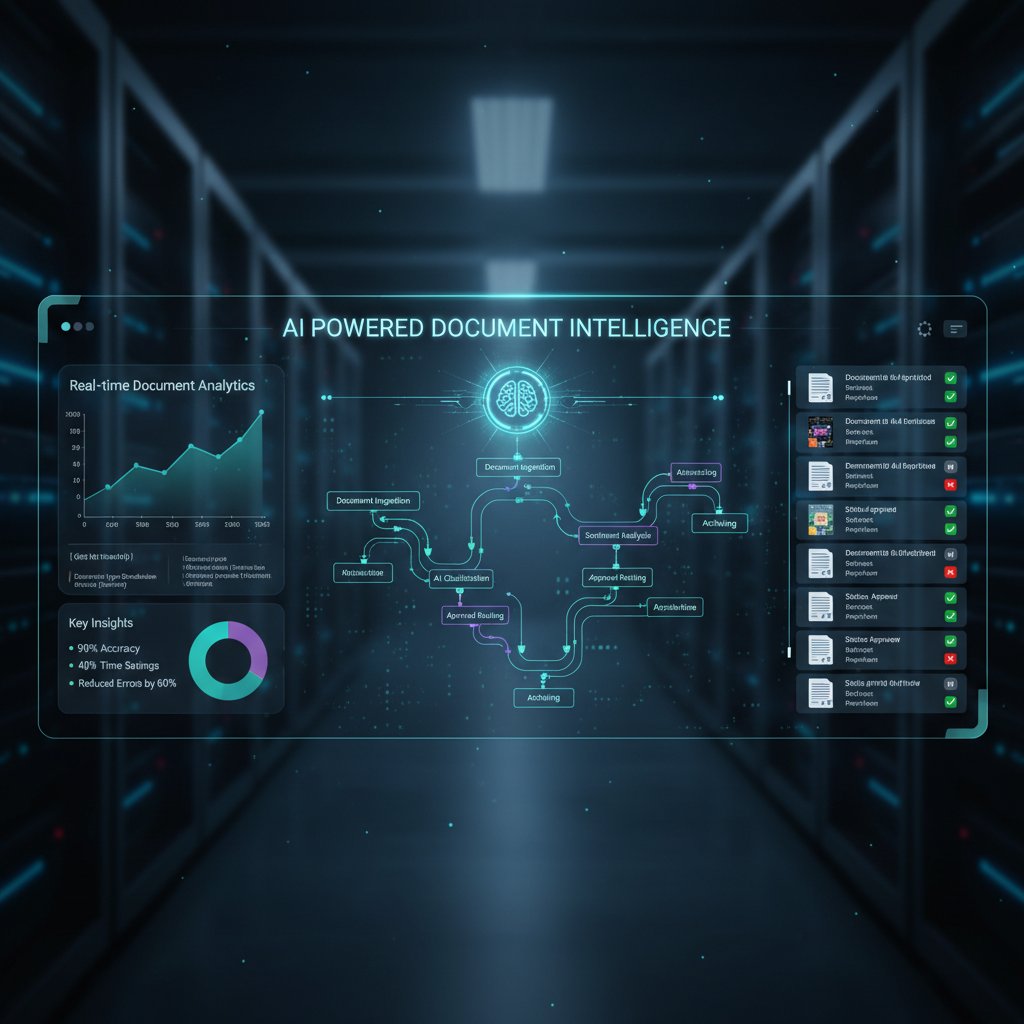
According to a 2024 IDC study, organizations that use AI for document data extraction see a 45% reduction in manual errors and a 35% boost in processing speed. But these gains come only with strong governance—AI needs training and guardrails to avoid costly mistakes.
In practice, leading teams leverage AI as an assistant, not an oracle—using it to accelerate routine tasks and surface exceptions, while humans handle the nuance.
From RPA to process mining: The toolkit you actually need
The menu of workflow tools is dizzying, but not every organization needs the full buffet. Here’s a breakdown of what delivers real value:
Software bots that mimic human actions in user interfaces, best for repetitive, rule-based tasks.
Tools that analyze event logs to map and optimize real-world workflows—ideal for finding bottlenecks and shadow processes.
Systems that create standardized, compliant documents based on templates and data inputs.
Secure, traceable tools for digital sign-off, legally binding in most jurisdictions.
The real trick? Integrating these tools into a unified ecosystem—one that’s extensible, auditable, and aligned with your business objectives.
Organizations waste millions chasing the latest shiny object, when a focused toolkit—well integrated and user-centric—delivers exponentially more value.
Security, compliance, and the dark side of automation
The more automated your document workflows, the higher the stakes for security and compliance. One misconfigured rule or exposed API can open the door to data breaches, non-compliance fines, and reputational carnage.
| Threat | Workflow Risk Area | Mitigation Approach |
|---|---|---|
| Data Leakage via Integrations | API and connector misuse | Regular audits, access controls |
| Unauthorized Document Access | Weak permissions | Role-based access, encryption |
| Audit Trail Gaps | Poor logging | Automated logging, monitoring |
| Regulatory Non-Compliance | Outdated workflows | Continuous compliance checks |
Table 4: Key security and compliance risks in workflow automation
Source: Original analysis based on Knack, 2025, AIIM, 2024
- Always conduct a security review before rolling out new workflows.
- Prioritize compliance from day one—don’t assume automation “bakes it in.”
- Maintain a clear incident response plan—because in the world of automation, “when” matters more than “if.”
Step-by-step: How to automate your document workflow (without losing your mind)
Readiness checklist: Are you primed for automation?
Before jumping in, gut-check your organization’s readiness for automated document workflows. The best automations solve real pain points—not imagined ones.
- Map your existing workflows. Document every step, no matter how trivial.
- Identify bottlenecks and error-prone handoffs. Where does work get stuck or lost?
- Assess your technical landscape. What systems need to connect? Where are the integration gaps?
- Gauge user readiness. Who will champion the change—and who might resist?
- Define your must-haves and nice-to-haves. Focus on core requirements, not shiny features.
A clear-eyed readiness assessment saves months of pain—and thousands in wasted spend.
Implementation: Dodging the most common traps
Rolling out automation is a high-wire act. The most common traps (and how to avoid them):
- Underestimating integration complexity. Always scope and test integrations early.
- Neglecting user training. Manuals are not optional; hands-on workshops are essential.
- Automating broken processes. Fix the process before you digitize it.
- Skipping change management. Adoption is a marathon, not a sprint.
- Failing to build in feedback loops. Continuous improvement is non-negotiable.
By tackling these traps head-on, you turn automation from an aspiration into a sustainable reality.
Measuring success: Metrics that matter (and those that don’t)
Obsessing over the wrong metrics can sink your automation project. Focus on indicators that translate to real business value.
| Metric | Why It Matters | What to Avoid |
|---|---|---|
| Cycle Time Reduction | Directly impacts productivity | Vanity metrics (logins) |
| Error Rate Decrease | Signals improved quality | Feature usage stats only |
| User Adoption Rates | Measures buy-in and sustainability | Download counts |
| Compliance Incident Count | Ensures risk mitigation | Raw email volume |
Table 5: The metrics that separate automation leaders from laggards
Source: Original analysis based on AIIM, 2024, Experlogix, 2025
The golden rule: What gets measured gets managed—just make sure you’re measuring what matters.
Unconventional uses and surprising benefits of automated document workflows
Cross-industry surprises: Schools, hospitals, and more
Automated document workflows aren’t just for banks and big business. Schools, clinics, and nonprofits are finding unexpected value:

- Schools streamline admissions and field trip permissions, cutting paperwork from weeks to days.
- Hospitals automate patient intake, reducing errors and accelerating care.
- Nonprofits use automation to manage grant applications and compliance reporting with skeleton staff.
The lesson? Automation’s impact is only limited by your imagination—and willingness to challenge outdated norms.
Hidden benefits experts won’t tell you
Some perks of workflow automation rarely make it into vendor demos but deliver outsize value:
- Institutional memory: Automated workflows preserve process knowledge, making staff turnover less disruptive.
- Improved transparency: Real-time dashboards shine a light on process black holes.
- Enhanced accountability: Automated audit trails clarify “who did what, when.”
- Reduced shadow IT: Centralizing document flows curbs the growth of risky ad hoc tools.
These second-order benefits often tip the ROI equation from “nice-to-have” to “mission-critical.”
Red flags: When automation creates more problems than it solves
Not every process should be automated. Watch for these danger signs:
- Frequent exceptions: If every document requires manual intervention, automation adds friction.
- Messy data inputs: Garbage in, garbage out—bad data torpedoes even the best-designed workflows.
- Outdated process logic: Automating obsolete steps locks in inefficiency.
- Lack of user buy-in: If employees avoid the workflow, it’s a liability, not an asset.
Recognizing these red flags early empowers you to recalibrate—or pull the plug—before damage is done.
The future of automated document workflows: What’s next?
Emerging trends: From smart contracts to voice-driven workflows
While the core principles of automation remain, cutting-edge organizations are pushing boundaries—introducing smart contracts for instant settlements or piloting voice-activated approval flows for accessibility.

But even as these trends proliferate, the fundamentals hold: clarity, security, and human oversight remain as non-negotiable as ever.
What industry insiders are betting on now
Insiders caution: Ignore the hype cycle and focus on what your business actually needs.
“The future isn’t about automating everything—it’s about orchestrating workflows so humans and machines do what each does best.” — As industry experts often note, balance—not blind automation—is the real competitive edge.
Organizations that keep humans in the loop, invest in training, and focus on continuous improvement will outpace those dazzled by the latest tech.
How to future-proof your workflow strategy
Want resilience? Focus on these battle-tested steps:
- Standardize processes before automating—don’t digitize chaos.
- Choose extensible platforms—open APIs beat closed silos.
- Prioritize security and compliance from the start.
- Invest in user training and change management.
- Build in feedback loops for ongoing optimization.
These steps aren’t glamorous, but they separate the automation leaders from the burned-out also-rans.
Conclusion: The new rules for human-machine harmony
Why ‘automate everything’ is the wrong goal
The seduction of total automation is powerful—but dangerous. Not every process benefits from digitization, and not every decision should be left to algorithms. The goal is not to eliminate humans from the loop, but to elevate them—freeing talent from drudgery so it can focus on creative, judgment-driven work.
The true promise of automated document workflows is harmony: human insight, amplified by machine precision. That means knowing what to automate, what to leave manual, and how to keep both systems in productive balance.
How to choose your battles—and win
- Audit your workflows ruthlessly—identify genuine pain points, not just “pet projects.”
- Seek quick wins to build momentum, but always plan for scale.
- Don’t be afraid to sunset or rethink automations that aren’t delivering measurable value.
- Partner with trusted experts and leverage resources like filecreator.ai for guidance and best practices.
The organizations that win at automation are those that wield it surgically—targeting real problems, respecting human expertise, and refusing to settle for status-quo thinking.
Your next move: What to do before you automate another document
Before diving into your next workflow automation project, pause. Map your processes. Talk to your users. Get brutally honest about what’s working, what’s broken, and what’s just legacy inertia in disguise. Then—and only then—design your workflow for the world you have, not the one you wish you had.
The age of automated document workflows is here, but victory goes to the bold, the skeptical, and the endlessly curious. If you’re ready to transform chaos into clarity, the time to start is now.
For expert support and a deeper library of workflow resources, visit filecreator.ai.
Sources
References cited in this article
- Knack: Document Workflow Automation Guide (2025)(knack.com)
- Experlogix: 9 Best Document Management Automation Tools in 2025(experlogix.com)
- Feathery: Power of Document Workflow Automation(feathery.io)
- Rannsolve: Document Processing in 2025(rannsolve.com)
- Teknita(teknita.com)
- SuiteFiles: The Year of No Admin (2025)(suitefiles.com)
- Fulcrum: The True Costs of Paper-Based Business(fulcrumapp.com)
- ChartLogic: Hidden Costs of Paper-Based Records(chartlogic.com)
- Statista: Global Consumption of Paper and Cardboard(statista.com)
- CIO(cio.com)
- LinkedIn: Impact of Outdated Document Technologies(linkedin.com)
- Impact Networking: Digital Document Workflow(impactmybiz.com)
- Eco Copier Solutions: Complete Guide to Automated Document Workflows(ecopiersolutions.com)
- Box: Document Workflow Automation(blog.box.com)
- ProcedureFlow: 14 Benefits of Workflow Automation(blog.procedureflow.com)
- NetSuite: 13 Benefits of Workflow Automation(netsuite.com)
- ProcessMaker: 7 Common Myths on Workflow Automation(processmaker.com)
- Forbes: Debunking Workflow Automation Myths in Manufacturing(forbes.com)
- FlowTrics: Document Automation – The Future of Efficient Workflow(flowtrics.com)
- FlowWright: 8 Common Workflow Process Automation Mistakes to Avoid(flowwright.com)
- Knack: No-Code Workflow Automation(knack.com)
- Forbes: The Role of No-Code Tools in Workflow Automation(forbes.com)
- Financial Cents: 2024 State of Accounting Workflow Automation(financial-cents.com)
- BeezLabs: SAP RPA Case Studies(beezlabs.com)
- World Economic Forum: Manufacturing Automation Data(cflowapps.com)
- Redwood: IT Workflow Automation Strategies(redwood.com)
- Evolution.ai: Intelligent Workflow Automation(evolution.ai)
- ResearchGate: The Psychology of Letting Go(researchgate.net)
- MDPI: Status Quo Bias in Workflow Automation(mdpi.com)
- IndustryWeek: Cultural Resistance(industryweek.com)
- Infinity Inc: 5 Ways Workflow Automation Reduces Employees’ Stress(infinityinc.us)
- MHC Automation: Do Employees Fear Automation?(mhcautomation.com)
- Airbyte: Document Workflow Automation(airbyte.com)
- Templafy: Document Workflow Automation(templafy.com)
- Workast: How Document Automation Can Improve Your Business' Workflow(workast.com)
- Standley: The Future of Document Management(standleys.com)
- OPEX: Top 5 Trends in Document Management for 2025(opex.com)
- Futran Solutions: Document Intelligence for 2025(futransolutions.com)
- Adlib Software: The Big 8 Trends in Document Management in 2025(adlibsoftware.com)
Perfect Documents, Instantly
Filecreator.ai transforms the way you produce professional documents. Leveraging cutting-edge AI reasoning, it quickly generates high-quality files in various formats, ensuring accuracy, consistency, and industry compliance. Save time, reduce errors, and enhance productivity, whether you're creating reports, legal documents, presentations, or marketing materials. Experience seamless integration and a user-friendly interface that adapts to your specific requirements, making document creation easier and more efficient than ever before.
Get startedStart Creating Professional Documents Today
Join thousands of professionals who trust AI-powered document generation
Frequently Asked Questions
How much time do employees currently spend on manual document processes?
According to a 2024 AIIM survey, organizations still spend an average of 12 hours per week per employee chasing down documents or waiting for approvals.
What are the cost differences between manual and automated document processing?
Manual paper/email processes cost an average of $8,900 per 1,000 documents annually with a 7.7% error rate, while fully automated processes cost $1,500 annually with only a 1.1% error rate.
What hidden dangers do automated document workflow vendors typically downplay?
The article identifies several risks vendors downplay, including manual process holdouts, security landmines, 'no-code' illusions, and cultural challenges that can threaten digital transformation plans.
Why do companies continue using manual document processes despite digital transformation efforts?
The article states that outdated habits die hard, and many teams cling to legacy processes like manual signatures and physical handoffs, viewing the associated costs as 'business as usual' rather than fixable inefficiencies.
Continue Reading
Explore more from Professional Document Generator

Document Automation Tools: the Real Costs and Benefits
Document automation tools are projected to reach $24.3B by 2032. This article examines the real risks, actual benefits, and how to select the right solution for your business.

Document Workflow Automation Tools: Success and Failure Factors
Document workflow automation tools promise efficiency but carry hidden risks. This article examines real failures, compliance challenges, and strategies that distinguish successful implementations from costly mistakes.

Automatic Document Workflow That Works: 7 Harsh Lessons for 2026
Discover insights about automatic document workflow

Document Workflow Automation in 2026: Speed, Chaos and Risk
Discover insights about document workflow automation

Document Workflow Software: What Actually Works in 2026
Document workflow software can prevent missed deadlines and compliance disasters. This article examines the real costs of inefficient workflows and how modern tools transform document management.

Document Automation Solutions: Benefits and Real-World Challenges
Document automation solutions reshape business workflows. This article examines the real benefits, hidden costs, and practical challenges of implementing automation in document management.