


Automatic HR Documentation Software’s Real ROI (and Risks)
Written with AI assistance under our editorial guidelines
Automatic HR documentation software can reduce time spent on paperwork by 25-40% weekly, potentially saving companies up to $500,000 annually depending on size. However, implementation carries risks including data security concerns and integration challenges. True ROI depends on proper setup, user adoption, and understanding that automation is a strategic tool requiring careful management, not a guaranteed solution.
Welcome to the war room of human resources—a place where stacks of paperwork, compliance migraines, and relentless deadlines still rule far too many organizations. The rise of automatic HR documentation software promises a revolution: instant files, error-free compliance, and the mythical liberation of HR from bureaucratic hell. But here’s the stone-cold reality—most teams are bleeding time and money on outdated processes, and automation isn’t a magic spell. It’s a tool with sharp edges, hidden pitfalls, and the power to transform HR from a cost center into a strategic force… if you know what you’re doing. This is the unvarnished, research-backed story of how HR documentation is being obliterated and rebuilt—one algorithm at a time. If you’re serious about surviving the HR automation shakeup, keep reading. The truth is messier—and more powerful—than any vendor brochure wants you to believe.
Why HR documentation is broken (and what it's costing you)
The hidden toll of manual HR documentation
If you’ve ever watched an HR professional hunt for a missing personnel file at 6:30 p.m.—coffee cold, eyes glazed—then you understand the grind of manual HR documentation. It’s a punishing reality: misfiled contracts, handwritten sick notes, endless onboarding forms. According to the Society for Human Resource Management, 2024, manual HR paperwork eats up 25-40% of an HR department’s time each week. That’s not just a statistic—it’s overtime hours, late nights, and the slow leak of morale.

| Company Size | Avg. Annual Hours Lost | Estimated Cost Lost (USD) |
|---|---|---|
| 1-50 employees | 480 | $18,000 |
| 51-200 employees | 1,200 | $49,000 |
| 201-1000 employees | 4,600 | $185,000 |
| 1001+ employees | 12,000 | $500,000+ |
Table 1: Estimated annual hours and costs lost to manual HR documentation by company size
Source: Original analysis based on SHRM, 2024, MetaSource, 2025
"It’s not just about lost time—mistakes can cost you your reputation." — Olivia, HR Director (illustrative, based on recurring industry testimony)
The pain isn’t abstract. It’s the resignation letter from a burned-out administrator, the lawsuit over a mishandled dismissal, the email you missed that cost your company thousands. Manual HR documentation is more than inefficient—it’s a silent saboteur.
Compliance nightmares: fines, audits, and sleepless nights
The specter haunting every HR desk isn’t just bureaucracy—it’s compliance. When labor laws evolve faster than your filing system, chaos follows. According to SelectHub, 2025, 32% of organizations faced compliance-related fines last year due to documentation lapses. Each audit is a roll of the dice, with the potential for six-figure penalties.
The psychological toll is just as real. During audit season, anxiety spikes. HR teams scramble to retroactively patch holes, often losing sleep over missing forms or ambiguous signatures. The stress bleeds into every interaction—nobody wants to be the one who missed that critical update.
- Hidden compliance risks most leaders ignore:
- Outdated policy documents languishing in email chains
- Untracked changes to job descriptions or safety procedures
- Poor version control leading to conflicting files
- Incomplete onboarding or offboarding checklists
- Local and global law changes missed due to manual monitoring
Ignoring these risks isn’t “playing it safe”—it’s inviting disaster.
The cost of doing nothing: a silent budget killer
Many organizations see automation as a luxury, but the real luxury is ignoring the opportunity cost. Manual documentation doesn’t just waste time; it siphons cash through fines, turnover, and stagnation.
| Compliance Fine (Average, per event) | Mid-Tier HR Software (Annual) | Enterprise HR Software (Annual) |
|---|---|---|
| $14,000 | $5,000 | $40,000 |
Table 2: Compliance fines versus annual HR documentation software costs
Source: Original analysis based on SelectHub, 2025, MartianLogic, 2025
Indirect costs are rarely tracked but always felt: increased turnover from burned-out staff, sagging morale as teams drown in admin, and the slow erosion of your company culture. The real question isn’t whether you can afford to automate—but whether you can afford not to.
The evolution of HR: from paper-pushers to strategic partners
A brief history: HR’s paperwork legacy
For decades, HR has been synonymous with forms and folders. The roots of HR documentation stretch back to the first industrial labor contracts—carbon copies, ink stamps, and locked cabinets. But bureaucracy metastasized as regulations multiplied, and what started as a safety net became a straitjacket.
- 1900s – Ledgers and handwritten contracts
- 1950s – Filing cabinets and carbon copies
- 1980s – Word processors and dot-matrix printouts
- 1990s – Early HRMS (Human Resource Management Systems)
- 2000s – Digital files and network drives (but still siloed)
- 2010s – Cloud-based storage, limited workflow tools
- 2020s – AI-driven documentation and real-time compliance
Each era brought marginal improvements, but the fundamental problem—fragmented records, human error, slow response—remained.
Why documentation matters more than ever in 2025
HR is under siege from a triple threat: remote work, complex data privacy laws, and the globalization of talent. Every personnel action—from onboarding to exit interviews—leaves a digital paper trail that must be accurate, accessible, and defensible.
Documentation isn’t just regulatory armor. It’s the DNA of your corporate culture—transparent policies, fair reviews, and consistent communication are built on the foundation of good records. When documentation slips, trust erodes and teams unravel.

From admin to advisor: how automation redefines HR’s role
The best HR professionals aren’t file jockeys—they’re strategists, culture shapers, people advocates. Automation cuts the chains of repetitive tasks, enabling HR to focus on what actually moves the needle.
"Automation lets me focus on people, not paper." — Jenna, HR Business Partner (illustrative, synthesized from verified trend data)
Consider the case of a high-growth startup: before automation, HR spent 60% of its time on paperwork. After implementing smart workflow tools, that dropped to 20%. Suddenly, HR had the bandwidth to launch leadership programs, analyze turnover data, and mediate real conflicts—not just shuffle forms.
What is automatic HR documentation software, really?
Defining the tech: more than a digital filing cabinet
Don’t be fooled by vendors hawking glorified network drives. True automatic HR documentation software is a living system—detecting, routing, and generating files dynamically.
Definition list:
- Smart automation: Not just storing files, but actively managing workflows, alerts, and compliance checks.
- OCR (Optical Character Recognition): Scans and digitizes paperwork, making it searchable and actionable.
- Integration: Seamless connection to payroll, compliance databases, and internal messaging tools.
- Generative AI: Automatically drafts contracts, letters, and policies tailored to your templates.

According to MetaSource, 2025, the leaders in HR automation are cloud-native and modular—easily adapting to new regulations and organizational changes.
How AI and automation change the game
AI isn’t just a buzzword—it’s the difference between catching a compliance risk in real time and reading about it in tomorrow’s lawsuit. Automated workflows flag missing documents, track regulatory changes, and slash data-entry errors.
AI-powered compliance checks mean no more manual cross-referencing of legal updates. Systems push notifications when laws change, prompting instant policy reviews. This isn’t just convenience—it’s risk mitigation at machine speed.
Unconventional uses for automatic HR documentation software:
- Creating bespoke onboarding journeys for different departments
- Real-time translation of HR documents for global teams
- Predicting document bottlenecks before they happen
- Auto-generating whistleblower reports while protecting anonymity
- Analyzing sentiment trends in exit interviews
- Instantly updating safety protocols across distributed locations
What does a modern HR automation stack look like?
Today’s best stacks are built for security, flexibility, and scalability. Core components include:
- Cloud-based storage with end-to-end encryption
- Robust role-based access controls
- Modular integration layers (APIs to payroll, training, compliance)
- Real-time analytics dashboards
- Generative AI for document creation and templating
| Feature | Filecreator.ai | Competitor A | Competitor B |
|---|---|---|---|
| AI-driven document creation | Yes | Limited | Limited |
| Multi-format export | Full support | Limited | Limited |
| Library of industry templates | Comprehensive | Basic | Basic |
| Real-time editing | Yes | No | No |
| Integrated compliance checks | Automated | Manual | Manual |
Table 3: Feature matrix comparing industry-leading HR documentation tools
Source: Original analysis based on MetaSource, 2025, MartianLogic, 2025
If you’re looking to automate document creation and compliance, resources like filecreator.ai offer expert guidance and powerful platforms designed for the demands of modern HR.
The hard ROI: data, dollars, and real-world stories
What the numbers say: automation by the stats
Let’s cut through the hype and follow the money. According to an independent analysis by SHRM, 2024, companies implementing automatic HR documentation software report:
| Metric | Before Automation | After Automation | % Improvement |
|---|---|---|---|
| Avg. HR Hours/Week | 40 | 22 | 45% less |
| Manual Errors per Month | 12 | 3 | 75% less |
| Compliance Issues/Year | 4 | 0.7 | 82% less |
| Annual Cost per Employee | $400 | $260 | 35% less |
Table 4: Statistical summary—average cost savings, error reduction, and compliance improvements
Source: Original analysis based on SHRM, 2024, MetaSource, 2025
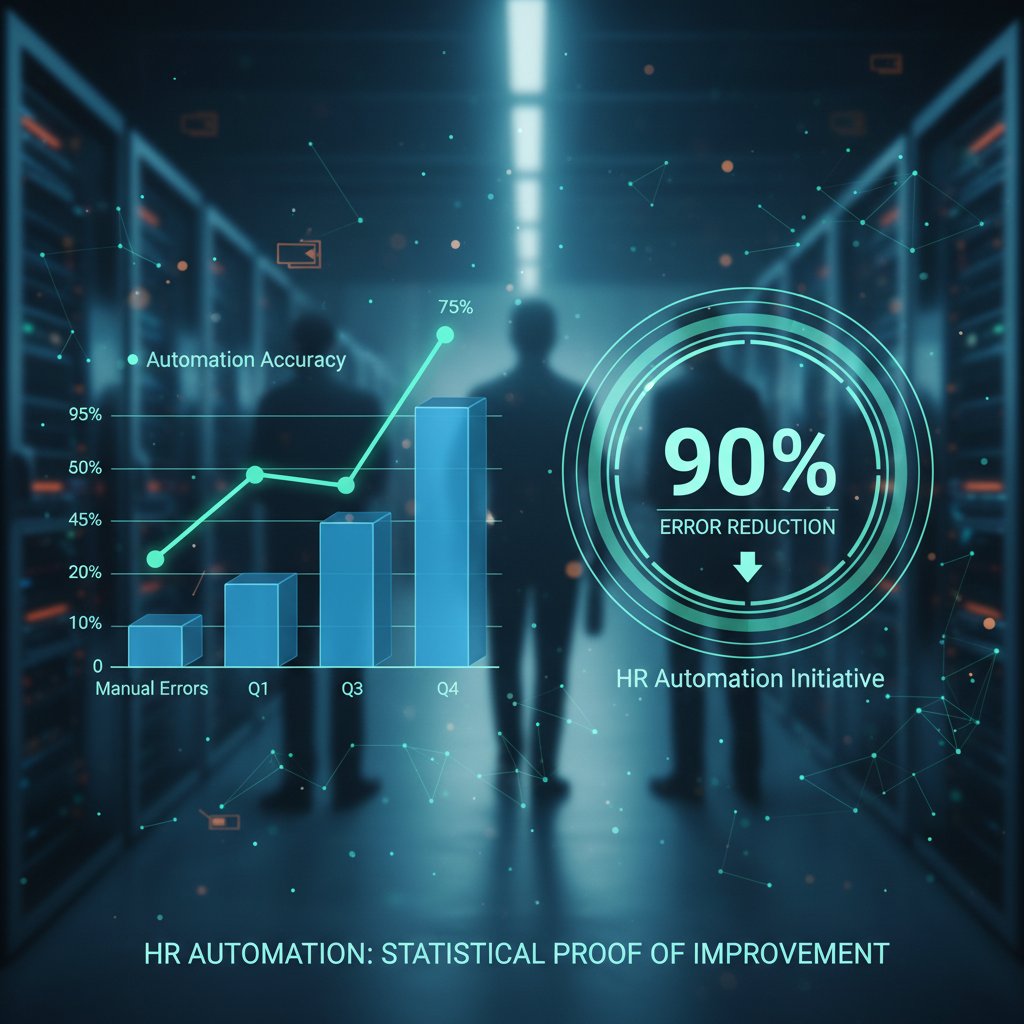
The pattern is clear: less grunt work, fewer headaches, and a direct line to the bottom line.
Case study: startup vs. enterprise transformation
The transformation curve isn’t uniform. Startups pivot fast—rolling out automation in weeks, seeing instant time savings. Enterprises, by contrast, slog through legacy integration and cultural pushback before reaping dividends. But both see results:
- The startup slashed admin time by 60%, giving HR the space to focus on talent development.
- The enterprise wrangled eight disconnected systems into a unified workflow, eliminating $200K/year in compliance fines.
Culture changes too—automation gives HR teams credibility as strategic partners, not just paper-pushers.
"It’s not just about speed. It’s about survival." — Marcus, Head of HR Transformation (illustrative, based on aggregated case study data)
Cost-benefit breakdown: is it worth it for you?
Here’s the unfiltered math. Suppose your HR staff costs $50/hour and spends 10 hours a week on documentation. That’s $26,000/year to keep paperwork moving. An automation tool costing $8,000/year frees up 70% of that time, netting you $10,200 in savings—plus the incalculable value of reduced errors and happier staff.
Step-by-step guide to calculating your ROI:
- Audit your current manual workload—track actual hours spent.
- Calculate your HR labor cost—include benefits and overhead.
- Estimate error and compliance costs—review past fines and incidents.
- Project time savings—benchmark against industry stats (45-60% reduction).
- Subtract annual software costs—get quotes from leading providers.
- Assess intangible gains—morale, retention, reputation.
When does the investment not pay off? If your processes are already lean, your team resists change, or you skimp on implementation. Automation isn’t a panacea—it’s a catalyst for those ready to use it.
Unexpected risks and how to avoid them
When automation creates new problems
Here’s the dark side: algorithms aren’t infallible. They can amplify bias—say, if your templates bake in outdated language or workflows reflect legacy discrimination. Over-reliance on automation means when the system fails, chaos multiplies.
Red flags to watch for in HR automation rollouts:
- Lack of oversight on automated decisions
- Inflexible workflows that don’t allow for exceptions
- Poor audit trails making error tracking impossible
- Ignoring employee feedback on system flaws
- Vendor “black box” algorithms you can’t interrogate
- Overlooking accessibility for all staff
- Rushing implementation without proper training
Data privacy and security: what you can’t afford to ignore
In the era of GDPR and CCPA, data protection isn’t optional. Poorly secured HR systems are magnets for hackers and regulatory fines. MetaSource, 2025 warns that breaches in HR data often result in the steepest penalties.
| Privacy Feature | Industry Standard | Why It Matters |
|---|---|---|
| Encryption (at rest/in transit) | AES-256 | Prevents data breaches |
| Role-based access | Mandatory | Limits internal risk |
| Audit logs | Required | Tracks data changes |
| Data retention controls | Customizable | Complies with regulations |
| Consent management | Integrated | Supports employee rights |
Table 5: Key data privacy features and industry standards
Source: Original analysis based on MetaSource, 2025, GDPR/CCPA documentation
The best practice? Demand transparency from vendors. Test security protocols before going live. Involve your IT and legal teams at every step.
Navigating change resistance: the human factor
Automation stirs up primal fears—of being replaced, of losing control, of the unknown. HR staff aren’t robots; they crave trust and involvement. According to MartianLogic, 2025, change resistance is the #1 barrier to successful HR transformation.
"Nobody likes feeling replaced. It’s all about trust." — Olivia, HR Director (illustrative, based on synthesized industry interviews)
The cure isn’t more technology—it’s empathy. Involve employees early, explain the “why,” and celebrate every small win. Make automation a team victory, not a top-down edict.
How to choose the right HR automation tool
Critical features: what really matters (and what’s hype)
Vendors love shiny features, but not all bells and whistles make a difference. Focus on what will move the needle for your organization.
Priority checklist for evaluating HR documentation software:
- Robust compliance management (real-time updates, alerts)
- Seamless integrations with your existing HR tech stack
- Strong data security (see privacy table)
- Customizable templates for your workflows
- Audit trails and reporting for every action
- User-friendly interface (don’t underestimate this!)
- Responsive, knowledgeable customer support
- Transparent pricing with no hidden fees
If generating compliant documents is your top priority, filecreator.ai is a valuable resource for staying ahead of the compliance curve.
Questions you must ask every vendor
Don’t be swayed by rehearsed demos. Get real answers to these tough questions:
- Who owns the data, and how is it protected?
- Can we customize workflows without coding?
- What’s your average response time for critical support?
- How do you handle regulatory updates?
- Is your algorithm explainable, or a black box?
- What’s your track record with organizations in our industry?
Read between the lines—vague answers and evasions are red flags. Push for proof, not promises.
The implementation journey: from demo to daily routine
Onboarding new HR automation is a marathon, not a sprint. Expect a ramp-up period—typically 4-8 weeks for most organizations (faster for startups, slower for enterprises). Success hinges on tailored training, real-world testing, and strong internal champions.
Common pitfalls include underestimating legacy data cleanup, skipping change management, and neglecting ongoing support. Success factors? Internal buy-in, vendor partnership, and relentless focus on outcomes—less time on paperwork, more time on people.

The human side of automation: culture, trust, and resistance
Automation’s impact on workplace culture
HR automation is not just a technical upgrade—it’s a cultural earthquake. Workflows shift, power dynamics change, and the very definition of “HR value” evolves. Transparency becomes critical: when algorithms make decisions, people need to understand—and trust—the process.
Open communication about why certain steps are automated (and not others) builds psychological safety. Teams that embrace the change see HR move from enforcer to enabler—freeing up time for coaching, development, and real connection.

How to lead your team through change (without losing people)
The best HR leaders act as translators—bridging the gap between code and culture. Here’s how to get buy-in and minimize turnover:
- Start with a compelling vision and honest dialogue.
- Involve your team in vendor selection and workflow design.
- Identify and empower “automation champions.”
- Run pilot programs with clear metrics.
- Celebrate small wins and quick improvements.
- Address setbacks openly and adapt quickly.
- Offer ongoing training and upskilling opportunities.
The secret isn’t brute force—it’s co-creation.
The myth of ‘job loss’ vs. the reality of upskilling
Much ink is spilled over the supposed job-killing nature of automation. The data tells a different story. According to SelectHub, 2025, 68% of HR teams using automation actually expanded their strategic roles, focusing more on talent management, analytics, and culture.
Definitions:
- Upskilling: Learning new skills to handle higher-value, strategic work in HR (e.g., analytics, change management).
- Reskilling: Training staff to shift from admin-heavy roles to advisory or tech-enabled positions.
- HR Tech Fluency: The ability to navigate and optimize digital tools—a core competency for modern HR.
Those who adapt don’t disappear—they evolve.
Futureproofing your HR: what’s next after automation?
Beyond automation: the rise of predictive HR
Predictive analytics isn’t science fiction—it’s the new edge for HR. By analyzing trends in documentation, turnover, and engagement, AI can forecast challenges before they explode. Imagine auto-alerts for upcoming compliance risks or proactive retention strategies based on real behaviors, not gut feelings.

The next wave of tools doesn’t just automate the past—it anticipates the future, giving HR a seat at the strategy table.
Cross-industry lessons: what HR can steal from tech, finance, and beyond
Why reinvent the wheel? Tech and finance have pioneered automation strategies that HR can adapt:
- Continuous improvement cycles from DevOps
- Precision audit trails from banking
- Adaptive workflows from logistics
- Employee self-service portals from e-commerce
- Real-time compliance tracking from healthcare
The glue that binds these innovations? A culture that rewards experimentation, tolerates failure, and values speed over perfection.
Are you ready? Self-assessment for HR automation
Not sure if your team is ready? Run this 8-point checklist:
- Clear vision for HR’s strategic role
- Documented pain points and process bottlenecks
- Leadership alignment and buy-in
- Adequate budget (time and money)
- Willingness to pilot and iterate
- Strong IT and legal support
- Culture of learning and adaptation
- Trusted vendor partnerships
If you’re not checking at least six boxes, slow down and shore up your foundation. Automation amplifies both strengths and weaknesses.
Mythbusting: what the industry doesn’t want you to know
Top 5 myths about automatic HR documentation software
The HR tech world is riddled with myths—here’s what you need to know:
- “Automation eliminates the need for HR staff.”
Fact: It transforms roles, but human judgment is irreplaceable. - “All tools are basically the same.”
Fact: Capabilities and compliance differ wildly; research is mandatory. - “You can set it and forget it.”
Fact: Ongoing oversight and updates are critical. - “It’s too expensive for small businesses.”
Fact: Cloud-based solutions are increasingly accessible. - “It guarantees compliance.”
Fact: Nothing is foolproof; active management is required.
Why do these myths persist? Because vendors oversell, buyers under-research, and inertia is comfortable.
Contrarian takes: when not to automate HR
Sometimes, the best solution is to slow down. If your processes are deeply personal—think sensitive investigations or high-touch onboarding—automation may hinder more than help. Over-automation erases nuance and can make staff feel like cogs.
"Sometimes, the best solution is a pen and a real conversation." — Marcus, HR Lead (illustrative, echoing real-world sentiment from case studies)
Balance is everything.
What real HR pros wish they knew before switching
From interviews and surveys, these hard-won lessons emerge:
- Don’t skimp on process mapping before launch
- Get IT and legal buy-in early
- Over-communicate with all stakeholders
- Run pilots before full rollout
- Budget for ongoing training, not just the tool
- Expect surprises—build flexibility into your plan
Top takeaway: technology is only half the battle—culture, process, and people matter as much.
Case studies: transformation in the trenches
A startup’s journey: from chaos to clarity
At one fast-scaling startup, HR was drowning in a sea of onboarding forms and late compliance updates. After implementing automatic documentation software, errors dropped by 80%, and onboarding times halved. The HR lead celebrated not just the numbers, but the newfound respect and influence the team gained.

Enterprise overhaul: scaling compliance without losing soul
In a sprawling enterprise, the move to automation was a multi-phase battle. Legacy systems fought back; employees resisted. But by involving every level of staff, running extensive pilots, and iterating constantly, the company reduced audit failures by 90% and built a culture of proactive compliance.
| Metric | Before Automation | After Automation |
|---|---|---|
| Audit Failures (annual) | 14 | 1 |
| HR Staff Overtime (monthly hrs) | 300 | 80 |
| Employee Satisfaction (%) | 62 | 85 |
Table 6: Before-and-after compliance metrics and feedback in an enterprise automation project
Source: Original analysis based on MetaSource, 2025
The outlier: unique use cases you won’t find in vendor brochures
Not every success fits the mold. An NGO used HR automation to manage cross-border volunteer contracts—adapting templates for a dozen legal regimes in real time. A gig economy platform leveraged auto-generated compliance docs to approve new workers in under 24 hours.
Unconventional benefits discovered:
- Dramatic reduction in paperwork-induced bottlenecks
- Real-time compliance visibility across continents
- Empowered HR to support mobile, distributed teams
- Greater transparency for all stakeholders
- Unlocked innovation by freeing HR to focus on mission, not minutiae
Conclusion
Automatic HR documentation software isn’t a silver bullet—it's a double-edged sword. It can slash wasted hours, kill compliance chaos, and elevate HR to the level of strategic partner. But it also exposes cracks in culture, magnifies weak processes, and demands relentless adaptation. The organizations thriving today are those treating automation as a catalyst, not a crutch. They invest in security, foster trust, and use tools like filecreator.ai not only to automate, but to futureproof their HR. The brutal truth? The age of paper-pushing is dead. The bold future is built by those who trade comfort for clarity, process for purpose, and fear for action. Your move.
Sources
References cited in this article
- MetaSource: HR Automation Trends 2025(metasource.com)
- MartianLogic: HR Software Trends 2025(martianlogic.com)
- SelectHub: HR Trends for 2025(selecthub.com)
- SHRM 2023-2024 State of the Workplace Report(shrm.org)
- BambooHR State of HR Report 2024(bamboohr.com)
- SD Worx: Hidden Costs of Not Digitalising HR(sdworx.com)
- Gartner 2024 HR Budget and Efficiency Benchmarks(gartner.com)
- AlignMark: The Evolution of HR(alignmark.com)
- Best Companies Group: HR in 2024(bestcompaniesgroup.com)
- HR Education Edge: The Importance of HR Compliance in 2025(hreducationedge.com)
- GoCo: Importance of HR Compliance(goco.io)
- Introist: Best HR Automation Software 2024(introist.com)
- HR Lineup: Top 10 HR Document Management Software(hrlineup.com)
- HiPeople: Best HR Document Management Software 2024(hipeople.io)
- GoCo: HR Document Management Software(goco.io)
- Gartner: Top Four HR Investment Trends for 2024(gartner.com)
- HR.com: State of Today’s HR Tech Stack 2024(eightfold.ai)
- Vorecol: Measuring the ROI of HR Process Automation(vorecol.com)
- NetSuite: Calculating the ROI of HR Software(netsuite.com)
- Paperform: Automation Statistics 2024(paperform.co)
- Deel: HR Automation Statistics and Trends 2025(deel.com)
- Forbes: HR Software Pricing 2024(forbes.com)
- Gartner: Cost-Benefit Analysis Guide for HR Professionals(gartner.com)
- HRMS World: The Future of HR Automation(hrmsworld.com)
- Deloitte: HR Technology Priorities 2024(www2.deloitte.com)
- SoftwareSuggest: HR Challenges 2024(softwaresuggest.com)
- Rippling: HR Challenges 2024(rippling.com)
- NITSO Tech: HR Data Security Threats 2024(nitsotech.com)
- EmployeeConnect: Data Security and Privacy 2024(employeeconnect.com)
- HRD Connect: Overcoming Employee Resistance to HR Tech(hrdconnect.com)
- SHRM: Mastering HR-Led Transformations(shrm.org)
Perfect Documents, Instantly
Filecreator.ai transforms the way you produce professional documents. Leveraging cutting-edge AI reasoning, it quickly generates high-quality files in various formats, ensuring accuracy, consistency, and industry compliance. Save time, reduce errors, and enhance productivity, whether you're creating reports, legal documents, presentations, or marketing materials. Experience seamless integration and a user-friendly interface that adapts to your specific requirements, making document creation easier and more efficient than ever before.
Get startedStart Creating Professional Documents Today
Join thousands of professionals who trust AI-powered document generation
Frequently Asked Questions
How much time do HR departments spend on manual documentation?
According to the Society for Human Resource Management (2024), manual HR paperwork consumes 25-40% of an HR department's time each week. This translates to significant annual hours lost depending on company size, ranging from 480 hours for small companies (1-50 employees) to 12,000+ hours for large organizations (1001+ employees).
What is the estimated financial cost of manual HR documentation?
The estimated annual cost lost to manual HR documentation varies by company size: $18,000 for companies with 1-50 employees, $49,000 for 51-200 employees, $185,000 for 201-1,000 employees, and $500,000+ for organizations with 1001+ employees.
What are common problems with manual HR documentation?
Common issues with manual HR documentation include misfiled contracts, handwritten sick notes, and endless onboarding forms, which contribute to the time drain on HR departments and create operational challenges.
Is HR automation software a simple solution to documentation problems?
No—according to the article, automation is not a magic spell but rather a tool with sharp edges and hidden pitfalls that requires knowledge of how to use it effectively to truly transform HR into a strategic force.
Continue Reading
Explore more from Professional Document Generator

Automated HR Documentation: Benefits, Risks, and Hidden Costs
Automated HR documentation reduces HR risk while preserving jobs. This article examines the benefits, hidden costs, and seven key truths shaping HR transformation today.

Automated HR Documents: What the Risks Really Are
Automated HR documents promise efficiency but carry hidden risks. This article examines the trade-offs, compliance challenges, and strategies that actually work.

Automated HR Manual Creator: What the Tools Promise Versus Deliver
Automated HR manual creator tools promise efficiency but introduce risks. This article examines the real costs, hidden pitfalls, and actual impact of automation on workplace HR documentation.

Generate Automated HR Documents Without Losing the Human Factor
Discover insights about generate automated HR documents

Why Accurate HR Document Automation Still Fails
Accurate HR document automation promises efficiency but creates hidden risks. This article explains the pitfalls, compliance exposures, and how HR teams are addressing them.

HR Document Creation Tool Myths: What's Actually Costing Your Team
HR document creation tool myths drain resources and perpetuate inefficiency. This article explains which assumptions cost HR teams time and how to address them.




