


Upgrade From Legacy Document Tools Before They Quietly Sink You
Written with AI assistance under our editorial guidelines
Legacy document tools drain productivity through hidden costs including 30% higher maintenance spending, 21.3% productivity drops per employee, and 500% more downtime annually compared to modern alternatives. Security vulnerabilities, vendor lock-in, and constant workarounds compound expenses that rarely appear on balance sheets, making upgrades essential for organizational survival.
Most businesses treat their document systems like old plumbing—ignored until something bursts. If you think sticking with legacy document tools is a harmless “if it ain’t broke, don’t fix it” move, brace yourself. Underneath the surface, these outdated platforms bleed productivity, expose you to security nightmares, and quietly drive your best people toward rebellion. Upgrading from legacy document tools isn’t just a technical decision—it’s a survival tactic. This is the inside story of the hidden costs, the shocking risks, and the real-world escapes that separate innovators from those being left in the dust. If you value your time, your data, or your team’s sanity, now’s the moment to face nine brutal truths—and smarter, faster ways out.
Why legacy document tools are quietly killing your productivity
The hidden costs you never see
Legacy document tools are a perfect storm of invisible expenses. On the surface, that old software suite or local SharePoint server might seem “paid for.” But beneath the skin, it’s draining your resources with downtime, constant workarounds, and an endless parade of support tickets. According to HotDocs, 2023, organizations relying on outdated document generation platforms can spend up to 30% more on maintenance and support, with added costs from vendor lock-in as products are phased out.
These costs compound with clunky interfaces, lack of cloud/mobile integration, and the endless retraining needed for new staff. Data from Revver, 2023 shows that productivity drops by an average of 21.3% per employee due to document-related inefficiencies. Even worse, the risk of downtime—when a single corrupted file can lock an entire team out of critical work—adds hidden losses that rarely show up on a balance sheet.
| Cost Category | Legacy Tools Average | Modern Tools Average | % Difference |
|---|---|---|---|
| Downtime (per year) | 48 hours | 8 hours | +500% |
| Training (per user) | $1,200 | $500 | +140% |
| Maintenance (annual) | $30,000 | $12,000 | +150% |
| Security Incidents | 2.7/year | 0.6/year | +350% |
Table 1: Breakdown of hidden costs between legacy and modern document tools. Source: Original analysis based on HotDocs, 2023, Revver, 2023, and Smart Communications, 2023.

It’s easy to miss these leaks. But like a slow drip, they add up—quietly sabotaging growth and competitive edge. Every moment spent wrestling with inflexible templates or chasing down “that one guy who knows the system” is a moment not spent innovating or closing deals.
The silent rebellion: how employees bypass the system
Enter shadow IT, the quiet revolution no CIO wants to admit is happening. When legacy document tools block productivity, employees don’t just complain—they get creative. They start sharing files in unsanctioned cloud apps, emailing sensitive documents to personal accounts, or building their own workarounds with whatever tools are at hand. According to a 2023 Smart Communications report, nearly 40% of document-related data breaches come from unofficial file sharing or unapproved cloud storage.
The upside? These renegade solutions reveal what your people really need: speed, mobility, and painless collaboration. The downside? Every shadow process increases risk and erodes trust in IT’s authority.
- Employees move faster with cloud-based platforms—breaking free from clunky, storage-centric systems that slow everything down. Productivity can jump by as much as 50% after migration to modern solutions, according to HotDocs, 2023.
- User experience matters—clean, intuitive interfaces keep teams engaged and compliant, instead of hunting for workarounds.
- Centralized control is possible—with API-friendly modern solutions, IT can actually enable speed without sacrificing security.
- Automation reduces errors—AI-driven workflows spot mistakes before they become disasters, something legacy tools just can’t do.
- Compliance becomes easier—with up-to-date templates and audit trails, tracking who did what isn’t a forensic exercise.
"We just started using our own cloud apps because the old tools slowed us down." — Alex, Project Manager, Smart Communications, 2023
The quiet workaround isn’t just about saving time. It’s a warning sign: if your team has to break the rules to do their jobs, the real problem is the rules—or, more directly, the outdated tools enforcing them.
The myth of 'if it ain’t broke, don’t fix it'
Let’s kill this sacred cow. The idea that “if it ain’t broke, don’t fix it” might have worked for a family toaster, but in business tech, it’s reckless. Legacy document tools don’t usually scream “broken.” Instead, they rot quietly, eroding compliance, efficiency, and morale in the background. According to Jama Software, 2023, maintenance and support costs rise year-over-year for legacy systems, especially as vendors phase out support and compliance standards evolve.
The real risk isn’t a dramatic crash. It’s the steady drip of lost productivity, rising costs, and security holes waiting to be discovered in an audit—or by a hacker.

Staying put on legacy tools because “nothing’s broken” ignores how standards, threats, and business realities change. The risk of inaction is often far greater—and far more expensive—than the cost of change.
How legacy tools set you up for disaster
Security nightmares no one wants to talk about
If you’re still running on-premise document tools or unsupported software, you’re a sitting duck. Unpatched vulnerabilities, weak encryption, and misplaced backups are the norm. A 2023 Jama Software report details how legacy systems experience security breaches at a rate nearly 4.5 times higher than modern, cloud-based platforms.
| System Type | Average Breach Rate (Annual) | Typical Data Loss per Incident |
|---|---|---|
| Legacy Tools | 2.7 incidents/year | 18,000 records |
| Modern Tools | 0.6 incidents/year | 2,500 records |
Table 2: Security breach rates and impact: legacy tools vs. modern tools. Source: Jama Software, 2023.
"You can’t patch a sinking ship and call it safe." — Jamie, IT Security Lead, Jama Software, 2023
Old-school platforms are often storage-centric, meaning if someone gets inside, they get everything. Modern document tools—especially those with robust API access controls and regular security updates—segment, encrypt, and monitor. In a landscape where just one breach can cost millions in fines and lost reputation, that’s not optional. It’s existential.
Compliance and regulatory landmines
Regulations don’t stand still. GDPR, HIPAA, SOX—these acronyms evolve, and so do their requirements. Outdated document tools weren’t designed for modern compliance, lacking version controls, audit trails, or privacy-by-design features. In 2023, several high-profile legal cases resulted in millions in fines for mishandled document retention and unauthorized access. According to Smart Communications, 2023, “just keeping up with compliance updates is an ongoing battle for anyone running legacy systems.”
A missed requirement isn’t just a slap on the wrist. It can mean public exposure, lost contracts, and irreparable brand damage. The compliance gap widens every month you wait.
The domino effect: when one document breaks everything
Every office has lived it: one corrupted contract, one missing version, one accidental overwrite, and the gears grind to a halt. The domino effect of a single document mishap in a legacy system can ripple through finance, legal, operations, and sales in minutes. With no real-time backup, collaborative editing, or version history, recovery is slow or impossible.
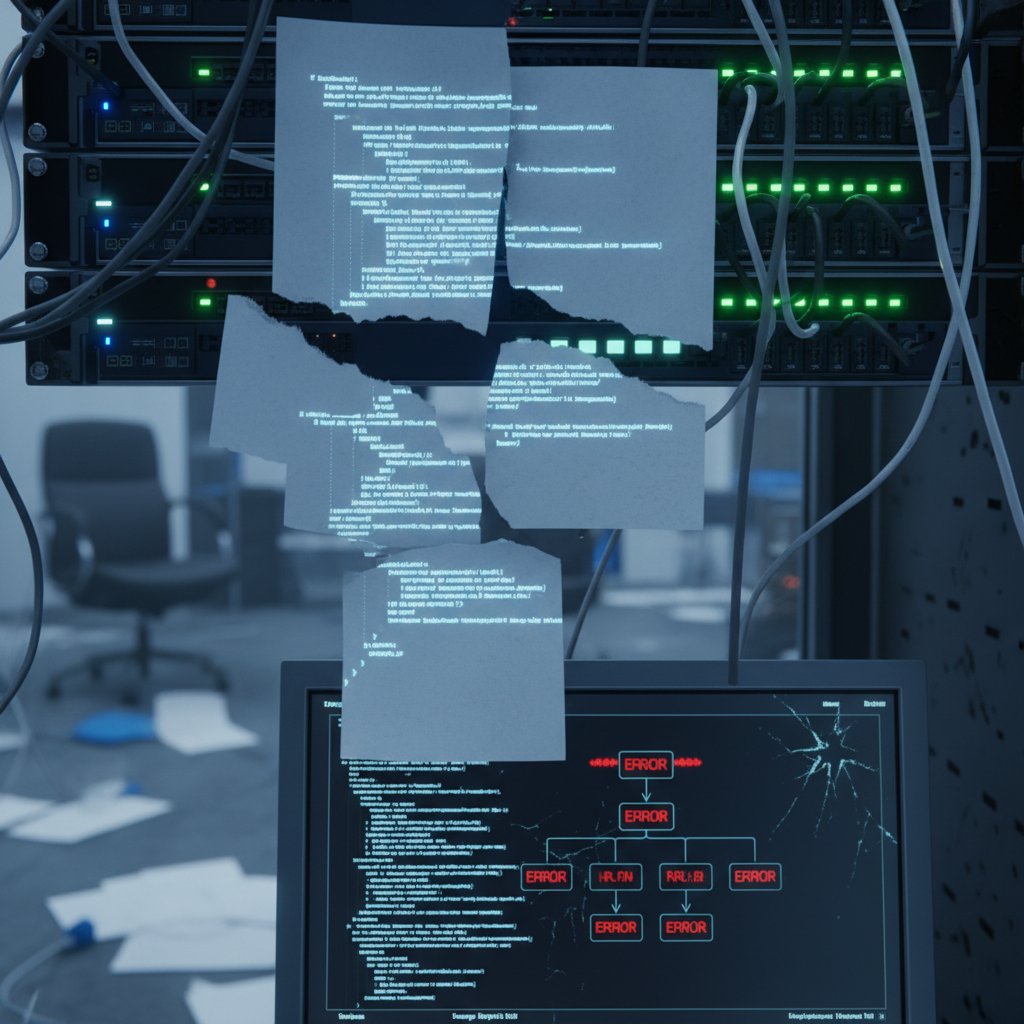
Modern solutions, like those offered by filecreator.ai, are designed to prevent these catastrophes with built-in redundancy, granular permissions, and instant recovery—so one mistake doesn’t become an organizational crisis.
The evolution of document creation: from typewriters to AI
A brief, brutal history
The story of document creation is a story of bottlenecks and breakthroughs. In the mid-20th century, typewriters ruled, each page a minor miracle of manual labor. The arrival of word processors in the 1980s shifted the bottleneck to floppy disks and network drives. By the early 2000s, email attachments and local servers were the norm, but collaboration was clunky and version chaos reigned.
Here’s how the evolution played out:
- Typewriters (1930s–1970s): Everything was manual—no version control, no backups, every mistake permanent.
- Early word processors (1970s–1980s): Digital creation, but files lived on fragile media; collaboration meant passing disks.
- Networked office suites (1990s–2000s): Shared drives enabled file access, but often led to accidental overwrites and security risks.
- Cloud-based platforms (2010s): Real-time collaboration, anywhere access, and enhanced security finally became a reality.
- AI-driven creation (2020s): Automation, error detection, and instant formatting take productivity to a new level.

Each leap solved some problems, but legacy habits and tools linger. Today, anyone clinging to the “old normal” is missing out on the speed and resilience AI-driven platforms deliver.
What changed—and why it matters now
The leap from personal, storage-based tools to cloud, API-friendly solutions changed everything. Collaboration is no longer chained to a single device or office. With platforms like filecreator.ai, teams co-author, review, and approve documents from anywhere—in real time, with less risk of version confusion or loss.
But the true inflection point has been AI. Instead of just speeding up what you already do, AI-powered tools automate routine formatting, spot compliance issues, and even generate drafts tailored to your business logic. According to Smart Communications, 2024, companies using AI-infused document tools report up to 50% reduction in processing time and 30% cost savings.
Real-world case studies: who upgraded, who failed
A company that nearly collapsed
One mid-sized engineering firm learned the hard way: clinging to their legacy document system almost killed their business. A corrupted requirements document triggered a cascade of errors—missed deadlines, lost compliance paperwork, and a $500,000 penalty from a key client. The IT team spent weeks recovering data, but the damage was done.
| Metric | Before Migration | After Migration | % Change |
|---|---|---|---|
| Annual IT Spend | $350,000 | $220,000 | -37% |
| Time to Draft Contract | 3 hours | 45 minutes | -75% |
| Security Incidents | 2/year | 0 | -100% |
| Employee Satisfaction | 6/10 | 9/10 | +50% |
Table 3: Cost analysis before and after upgrading from legacy document tools. Source: Original analysis based on Smart Communications, 2023 and HotDocs, 2023.

The turning point? A phased migration to a cloud-based document generation solution with expert-led training and robust API integration. Within a year, document errors dropped by 80% and turnaround times plummeted.
The breakout success story
Contrast that with a legal services startup that made the leap early. Frustrated by hours lost to clunky templates and compliance nightmares, they adopted an AI-powered document platform, slashing contract creation time from hours to minutes. The team reported a 70% reduction in drafting time and nearly eliminated compliance errors.
"Switching wasn’t just an upgrade—it was a reinvention." — Taylor, Chief Operations Officer, Smart Communications, 2024
They didn’t just fix a pain point—they unlocked growth and agility, outpacing competitors who were still stuck in the past.
What they wish they knew before upgrading
Even successful migrations have their friction points. The best transformations come from teams that learned these tough lessons:
- Underestimating data migration complexity—Old formats don’t always play nice with new systems.
- Lack of stakeholder buy-in—IT can only push so far without executive and user support.
- Training is more than a checklist—Ongoing support and realistic timelines matter.
- Ignoring integration needs—Modern platforms must mesh with existing workflows, not disrupt them.
- Compliance is moving target—Continuous review is necessary to stay ahead.
Red flags to watch during migration:
- No clear documentation for legacy systems
- Vendors slow to respond or unwilling to provide migration help
- Staff resistance to change, often from lack of communication
- Overlooking backup and disaster recovery during the switch
The new frontier: AI-powered document creation and workflow
What AI actually changes (and what it doesn’t)
AI in document tools isn’t about turning humans into spectators. It’s about reducing grunt work, automating error checking, and making compliance less of a minefield. AI-powered platforms, such as those offered by filecreator.ai, can generate drafts, flag inconsistencies, and adapt templates to your business rules, all while ensuring industry compliance.
But AI doesn’t replace subject matter expertise or client context. Human oversight is still essential for nuance and accuracy. Instead, AI frees up knowledge workers to focus on high-value tasks, not the hunt-and-peck work of legacy templates.
Key AI terms explained:
Machine systems that mimic human intelligence to execute complex tasks—automating document formatting, compliance checks, and even content generation.
A subset of AI where algorithms learn from data patterns to improve predictions, such as recommending document edits based on previous behavior.
Technology allowing AI to understand, interpret, and generate human language, making document drafting and review smarter and more contextual.
Coding framework for integrating systems, enabling document tools to “talk” to other apps—critical for automation and workflow efficiency.

The bottom line: AI turbocharges productivity and accuracy, but the best results come from teams that blend human judgment with machine precision.
Why collaboration is the new currency
Collaboration is the defining feature of modern business. Real-time, multi-user editing transforms workflows, breaking silos and reducing bottlenecks. Legacy tools, by contrast, lock information in silos or local machines, slowing everything from project bids to policy rollouts.
Platforms like filecreator.ai enable seamless teamwork, letting users co-author, comment, and approve documents wherever they are—without the ping-pong of endless email threads or version confusion.
Step-by-step guide to collaborative document workflows:
- Choose a cloud-based platform with strong multi-user editing (like filecreator.ai).
- Set clear access permissions—define who can view, edit, or approve.
- Use shared templates to ensure consistency and compliance across teams.
- Leverage real-time commenting for instant feedback (no more email confusion).
- Integrate with existing tools (CRM, project management) via APIs.
- Automate approval chains—no more chasing signatures or “lost” documents.
- Audit and archive automatically for compliance and easy retrieval.
The result? Productivity jumps, errors drop, and projects move faster—with less friction and fewer risks.
How to plan your escape: practical migration strategies
Assessing your current mess
Every successful upgrade starts with brutal honesty. Conducting a thorough self-audit of your current document system is the first step. Map out what tools you use, where data lives, who has access, and how often things go wrong. You might be shocked at the complexity and risk hiding in plain sight.
Migration readiness self-assessment:
- Do you know where every critical document is stored?
- Are there unsupported systems or “single points of failure” (only one person knows the tool)?
- How often do users resort to workarounds or external tools?
- Are compliance and security standards regularly reviewed and updated?
- Can you generate an audit trail for all documents—quickly?

Admitting the gaps isn’t failure—it’s the first step to fixing them.
Building a bulletproof migration plan
The best migrations aren’t rushed—they’re engineered. Key steps for a successful upgrade:
- Inventory all current documents and systems.
- Prioritize what gets migrated first—mission-critical docs and high-risk systems.
- Choose a migration partner or tool with proven track record (filecreator.ai is a reputable resource).
- Develop a phased rollout plan—don’t try to eat the elephant in one bite.
- Provide comprehensive, ongoing training for all users.
- Establish backup and rollback procedures before making changes.
- Monitor, audit, and refine post-migration.
Choosing a modern, API-friendly platform is only half the battle; success depends on leadership buy-in, clear communication, and ongoing support. Platforms like filecreator.ai are built to support enterprises through every step, from assessment to rollout and beyond.
Common myths and unanswered questions about upgrading
Mythbusting: 'Migration is always chaos'
It’s a persistent myth: every upgrade will end in weeks of downtime and chaos. That’s simply not reality for well-planned migrations. According to Smart Communications, 2023, businesses that employ phased rollouts and hands-on training report smooth transitions, with productivity often improving within weeks, not months.

Real-world data shows that while hiccups happen, most issues stem from lack of planning, poor communication, or underestimating integration needs—not the migration itself.
FAQ: what leaders and teams really want to know
Q: Will I lose access to my old files during migration?
No, well-planned migrations use phased rollouts and backups to ensure all data remains accessible. Audit trails and version history further reduce risk of loss.
Q: Are AI document platforms secure?
Yes, reputable AI-powered platforms use strong encryption, granular permissions, and regular security audits that often exceed the protection legacy tools offer.
Q: Is the cost of upgrading justified?
Data from HotDocs, 2023 and Smart Communications, 2023 shows average cost savings of 30% and productivity gains of 50% after switching from legacy tools.
Key terms defined:
Outdated software or hardware still in active use, often unsupported, and prone to security and compatibility issues.
Use of non-sanctioned software or workarounds by employees to bypass slow or restrictive legacy systems.
Gradual rollout of new systems, allowing teams to adjust and minimizing disruption.
Digital record of all actions and changes to documents for regulatory and audit purposes.
How to future-proof your document strategy
Designing for change, not just today
Survival now means building for change. Modern document tools aren’t just about today’s needs—they’re about flexibility, scalability, and quick adaptation. Create workflows that can shift as regulations or business models do.
Unconventional uses for modern document tools:
- Real-time drafting and approval of crisis communications
- Automated onboarding kits for new hires
- Dynamic contract generation with client-specific clauses
- Cross-team project management with embedded document workflows
- Instant multi-language policy rollouts for global teams

Designing with adaptability as a core principle ensures you’re not boxed in by your own systems when business pivots or regulations shift.
What industry leaders predict next
Industry experts agree: flexibility is the new gold standard in document management. According to Morgan, a seasoned digital transformation consultant:
"Tomorrow’s winners are building flexibility into their systems now." — Morgan, Digital Transformation Lead, Smart Communications, 2024
The organizations that thrive are those that build systems ready to adapt—not just to what’s coming, but to the changes already underway.
The real cost of standing still
Refusing to upgrade from legacy document tools doesn’t just cost more in maintenance and lost productivity; it’s an opportunity cost that widens the gap between you and your competitors. Market data shows organizations clinging to old tools lose share to faster, more compliant rivals every year.
| Year | Legacy Tool Market Share | Modern Tool Market Share |
|---|---|---|
| 2020 | 55% | 45% |
| 2022 | 34% | 66% |
| 2024 | 18% | 82% |
Table 4: Market share trends for legacy vs. modern document tools. Source: Original analysis based on Smart Communications, 2023 and HotDocs, 2023.
Every year you stand still, you’re falling further behind. The market rewards those who move—fast.
The last word: are you ready to break free?
The moment of decision
This isn’t just about switching software. It’s about reclaiming time, sanity, and strategic edge. If your current document workflows are a drag on productivity and morale, you’re not alone. But the risk of inertia—of clinging to “what’s familiar”—is higher than ever. Legacy document tools are quietly but relentlessly sabotaging your work. The decision to break free isn’t just bold: in today’s business landscape, it’s necessary.
Your next steps
- Assess your current document systems and workflows honestly.
- Research modern, cloud-based and AI-powered solutions.
- Pilot an upgrade with a small, high-impact team.
- Plan a phased migration—don’t rush the process.
- Train your staff and set up clear support channels.
- Integrate with your key business platforms via APIs.
- Monitor, audit, and refine—make continuous improvement your mantra.
Whether you look to filecreator.ai or another modern resource, the power to transform your document strategy is in your hands. The cost of doing nothing? More than you think. The payoff for action? Freedom, speed, and a future where your documents work for you—not against you.
Sources
References cited in this article
- Smart Communications(smartcommunications.com)
- HotDocs(hotdocs.com)
- Jama Software PDF(jamasoftware.com)
- Armstrong Archives(armstrongarchives.com)
- Business.com(business.com)
- Revver(revverdocs.com)
- Hyland(hyland.com)
- Workday(blog.workday.com)
- RecordPoint(recordpoint.com)
- Silicon Valley Project Management(svprojectmanagement.com)
- Chief Executive(chiefexecutive.net)
- Security Info Watch(securityinfowatch.com)
- Daida(daida.com)
- Allianz Risk Barometer 2024(commercial.allianz.com)
- Integrity360(insights.integrity360.com)
- WEF Global Cybersecurity Outlook 2024(www3.weforum.org)
- Kroll(kroll.com)
- De Gruyter(degruyter.com)
- DAU.edu(dau.edu)
- DocumentLLM(documentllm.com)
- Appvizer(appvizer.com)
- FileCenter(filecenter.com)
- NTE.ai(nte.ai)
- Forbes(forbes.com)
- Hyland/Forrester(hyland.com)
- Astera(astera.com)
- ThinkCompany(thinkcompany.com)
- ModLogix(modlogix.com)
- Forbes(forbes.com)
- MetaSource(metasource.com)
- Document Logistix(document-logistix.com)
- ShareFile(sharefile.com)
- Axero Solutions(axerosolutions.com)
- KDI Inc.(kdi-inc.com)
- Statista: Main drivers of modernizing legacy applications and data 2023(statista.com)
Perfect Documents, Instantly
Filecreator.ai transforms the way you produce professional documents. Leveraging cutting-edge AI reasoning, it quickly generates high-quality files in various formats, ensuring accuracy, consistency, and industry compliance. Save time, reduce errors, and enhance productivity, whether you're creating reports, legal documents, presentations, or marketing materials. Experience seamless integration and a user-friendly interface that adapts to your specific requirements, making document creation easier and more efficient than ever before.
Get startedStart Creating Professional Documents Today
Join thousands of professionals who trust AI-powered document generation
Frequently Asked Questions
What are the main hidden costs of using legacy document tools?
Legacy document tools drain resources through downtime, constant workarounds, support tickets, and vendor lock-in costs. According to HotDocs (2023), organizations can spend up to 30% more on maintenance and support, while Revver (2023) shows productivity drops by an average of 21.3% per employee due to document-related inefficiencies.
How much more downtime do legacy tools experience compared to modern alternatives?
Legacy tools average 48 hours of downtime per year, while modern tools average only 8 hours, representing a 500% difference. This significant gap in reliability can lock entire teams out of critical work when files become corrupted.
What productivity impact do document-related inefficiencies have on employees?
According to Revver (2023), productivity drops by an average of 21.3% per employee due to document-related inefficiencies with legacy tools, caused by clunky interfaces, lack of cloud/mobile integration, and the need for endless retraining.
How do security incidents differ between legacy and modern document tools?
Legacy tools experience an average of 2.7 security incidents per year compared to 0.6 incidents per year with modern tools, representing a 350% difference in security vulnerability.
Continue Reading
Explore more from Professional Document Generator

Why Outdated Document Software Sabotages Workflow and Growth
Outdated document software drains productivity and exposes data to risk. This article explains the hidden costs of legacy tools and strategies for modernization.

Replace Old Document Editing Tools: Security and Productivity Risks
Replacing old document editing tools addresses security risks, collaboration bottlenecks, and productivity losses.

Problems with Legacy Document Tools: Hidden Costs and Risks
Problems with legacy document tools drain productivity, create security risks, and impose hidden costs on organizations.

Outdated Document Editors: Hidden Productivity Costs Revealed
Outdated document editors cost employees hours weekly in lost productivity. This article examines hidden costs, collaboration risks, and how modern alternatives improve workflow efficiency.

How Inefficient Document Systems Damage Teams and Workflows
Inefficient document systems waste time and breed workplace chaos. This article explains the hidden costs and outlines research-backed strategies to replace them effectively.

How Modern Tools Outperform Legacy Document Systems
Legacy document systems remain widespread despite their age. This article examines what makes modern alternatives better than legacy systems and measurable.





