


Traditional Document Editors Alternatives That Actually Speed Up Work
Written with AI assistance under our editorial guidelines
Traditional document editors like Word and Excel suffer from significant productivity drains that modern alternatives address more effectively. Issues include difficulty locating documents, confusing filing systems, version control chaos, and inefficient collaboration requiring email exchanges. Creative teams, legal professionals, and entrepreneurs are switching to AI-powered, privacy-focused, cloud-based editors that enable real-time collaboration and streamline workflows beyond what legacy tools can provide.
Crack open your laptop in 2025 and, chances are, you’ll still find people locked in a soul-crushing dance with Word or Excel. The familiar blue and gray interfaces, the spinning hourglass, the frantic hunt for the “latest” version. Yet beneath this veneer of routine churns a quiet revolution. The world’s most creative teams, sharpest legal minds, and boldest entrepreneurs are ditching traditional document editors for new, radical alternatives. Why? Because the old way is failing—silently stifling productivity, draining collaboration, and leaving innovation for dead. In this deep dive, we’ll expose the hidden costs of sticking with legacy tools, demystify the boldest new alternatives, and show you how AI-powered, privacy-first, and genuinely collaborative editors can rewrite your workflow. Ready to challenge everything you thought you knew about documents? Start here, and don’t look back.
Why traditional document editors are holding you back
The legacy problem: stuck in the past
For decades, office life orbited around familiar names—Word, Excel, PowerPoint—etched into corporate muscle memory. These traditional document editors once defined efficiency, but times have shifted. What began as innovation is now inertia. According to recent research from Business.com, 2023, 48% of users still struggle to locate documents swiftly in traditional editors, while nearly half find company filing systems baffling. Despite our evolving needs, many teams cling to legacy workflows out of habit, not necessity.
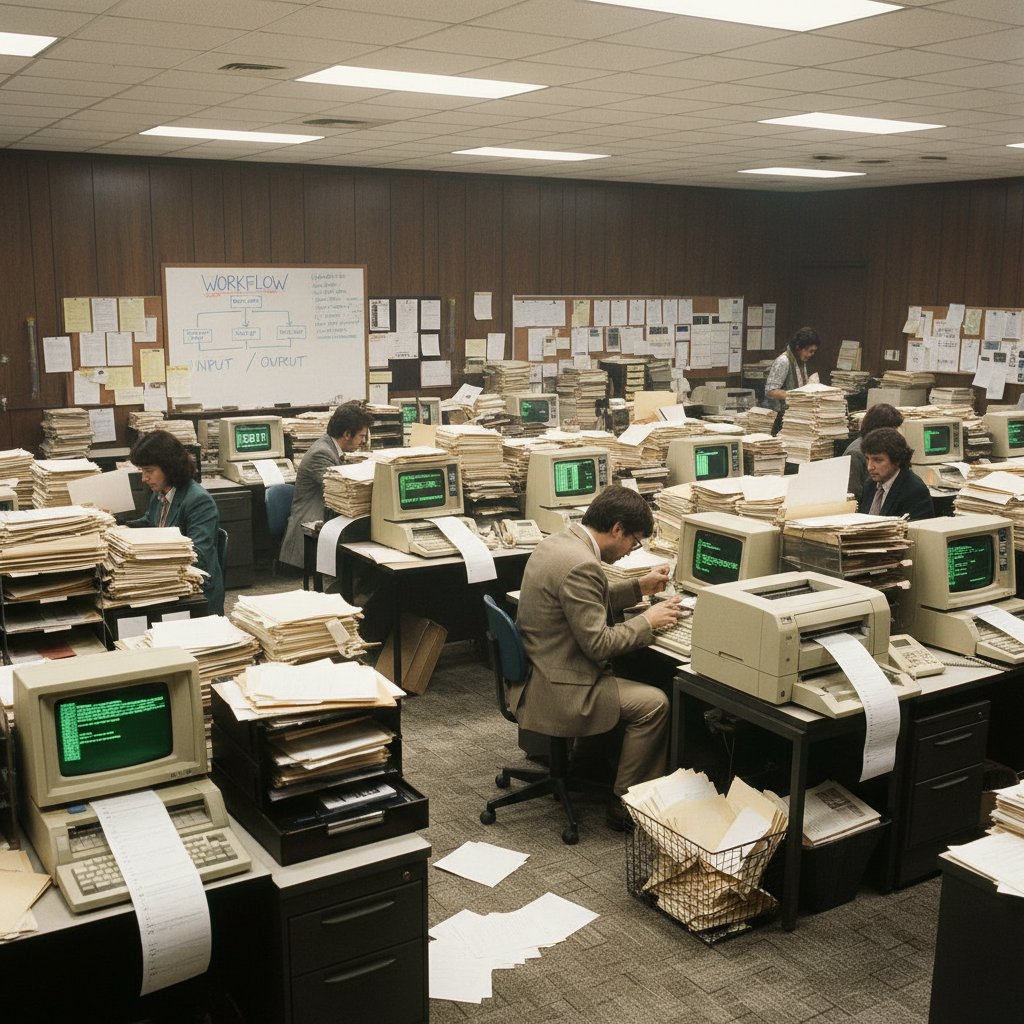
“We’ve built our workflow on habits, not what actually works.”
— Ava, user insight
While nostalgia for familiar interfaces is real, these tools have become digital comfort food: reliable in taste, but lacking nourishment for the demands of today’s fast-paced, remote, and interconnected world. Teams like Automattic, now fully remote, abandoned local editors years ago in favor of real-time cloud collaboration, setting a precedent many still hesitate to follow.
Pain points nobody talks about
Everyone knows the pain of a crashed document just before a deadline, but the daily grind of legacy editors runs deeper. Version confusion leads to accidental overwrites, lost work, and the inevitable “v2_FINAL_FINAL.docx” disaster. Collaboration devolves into email ping-pong, with feedback getting lost in translation. Security, too, is a ticking time bomb: outdated tools expose businesses to leaks and compliance nightmares.
- Lost hours: Modern teams waste significant time hunting for files, with research showing 48% still struggle to find recent documents (Adobe, 2023).
- Format chaos: Mismatched software versions and file types lead to formatting breakdowns and data loss.
- Security risks: With ransomware and phishing attacks on the rise, legacy editors—often lacking robust encryption—are prime targets.
- Version confusion: Multiple file versions create silos of outdated info, breeding mistakes and undermining trust.
- Collaboration breakdowns: Real-time editing is rare, forcing teams into endless rounds of fragmented feedback.
The emotional toll is real—frustration, burnout, and a sense that your work could (and should) be smarter, faster, and more secure. As one documentation expert put it, “Outdated documentation workflows limit productivity and digital transformation” (TinyMCE 2023 Survey).
Why change feels scary—debunking the myths
So why do organizations hesitate to leave traditional editors behind? Mythology, mostly. Common misconceptions cloud decision-making, causing unnecessary apprehension about new tools. “If it isn’t broken, why fix it?” they ask. But dig deeper and you’ll find the real story:
Myth: New editors are less secure
Reality: Modern cloud and privacy-first editors often provide end-to-end encryption, granular access controls, and more timely updates than their legacy counterparts (MuleSoft, 2023).
Myth: The learning curve is too steep
Reality: Today’s alternatives mimic familiar UIs or streamline workflows to minimize onboarding woes. Onboarding that once took weeks can now be measured in minutes, with contextual help baked in.
Myth: Integration will break our workflow
Reality: 80% of companies face app integration issues, but leading alternatives are built with interoperability in mind, offering seamless API connections and plug-and-play extensions (MuleSoft, 2023).
Clinging to the past is riskier than embracing change. The real threat isn’t new tools—it’s the slow bleed of missed opportunities and mounting inefficiencies that come with legacy software.
The rise of AI-powered document generators
How AI is rewriting the rules
What if your document editor could anticipate your needs, correct your errors, and even draft content before you know you need it? AI-powered document generators are demolishing the boundaries set by static templates. Gone are the days of repetitive manual formatting; in their place are platforms that learn from your habits and generate dynamic, tailored content at breakneck speed.

The core tech behind platforms like Professional Document Generator at filecreator.ai leverages advanced AI reasoning to create, format, and structure files across industries—from legal agreements to sleek presentations—instantly. Unlike the old guard, these systems interpret context, industry standards, and user intention, turning hours of work into minutes of output, all while reducing human error.
What makes AI editors different?
AI editors redefine “smart.” They automate repetitive formatting, ensure compliance, and tailor structure in real time. Contextual awareness means the tool “understands” whether you’re drafting a marketing report, a legal contract, or a technical manual—and adjusts accordingly. For freelancers balancing multiple clients, or legal teams crunching through compliance checks, this isn’t just a perk; it’s a necessity.
| Feature | AI-powered generators | Traditional editors |
|---|---|---|
| Real-time collaboration | Yes | Limited or none |
| Automated compliance checks | Built-in | Manual |
| Template adaptability | Dynamic, context-aware | Static, manual |
| Integration/API support | Extensive, modern | Often legacy, limited |
| Formatting efficiency | Automated, error-reducing | Manual, error-prone |
Table 1: Feature comparison of AI-powered document generators versus traditional editors
Source: Original analysis based on Gartner, 2023, Forrester, 2024
In practice, remote legal teams have slashed drafting time and improved accuracy by up to 90% using AI document generators (Forrester, 2024). For creative professionals, AI-backed editors free up mental bandwidth for big ideas—while the machine nails the details.
Risks, realities, and how to stay in control
No tool is perfect. AI-powered editors raise legitimate concerns—data privacy, algorithmic bias, and the specter of “AI hallucination” (where the tool generates inaccurate content). Overreliance can dull critical thinking. But used wisely, the benefits far outweigh the risks.
"AI should empower, not replace, your voice." — Jordan, expert, summarizing safe AI adoption
Checklist for safe adoption:
- Scrutinize privacy policies and data handling practices
- Keep human review in the loop for sensitive or high-stakes docs
- Choose platforms with transparent AI logic and strong user controls
- Stay informed about updates and adjust workflows accordingly
Mastery lies not in blind trust, but in harnessing AI as a powerful ally—one that elevates your work without erasing your judgment.
Collaboration in the age of cloud-native editors
The end of email ping-pong
Remember the misery of “reply-all” chains, with half a dozen versions of the same file floating through your inbox? That chaos is finally obsolete. Cloud-native editors—like Google Docs, OnlyOffice, or Notion—enable seamless, real-time collaboration, cutting through the noise and fostering true teamwork.
- Upload or create your document in a cloud-native editor.
- Invite collaborators with granular access—edit, comment, or view only.
- Communicate in-line with comments, suggested edits, and tagging.
- Track changes in real time, erasing confusion over “latest” versions.
- Export, share, or publish with a click—no more format headaches.
The shift to synchronous, multi-user editing isn’t just a technical upgrade; it’s cultural. Teams report a 40% boost in productivity (Forrester, 2024), and remote work, once a logistical nightmare, now thrives thanks to frictionless collaboration.
Security and privacy: what actually matters now
As workflows move from local drives to the cloud, concerns over privacy and security loom. Are documents safe “out there”? The truth: modern cloud editors often surpass legacy tools in security, employing encryption, robust access controls, and continuous updates that patch vulnerabilities quickly.
| Editor | End-to-end encryption | Granular access control | Breach incidents (2024) |
|---|---|---|---|
| Google Docs | Yes (in transit) | Yes | 0 confirmed |
| OnlyOffice | Yes | Yes | 0 confirmed |
| Notion | Yes | Yes | No public incidents |
| Traditional (Word) | No | Basic | Several (phishing) |
Table 2: Privacy features and breach history of top document editors
Source: Original analysis based on Statista, 2023, Adobe, 2023
Despite these advances, misconceptions persist: many users believe cloud storage is “less safe.” In reality, on-premise files are often more vulnerable to physical theft, accidental deletion, or unpatched vulnerabilities.
Case study: remote teams and the new workflow
Take Automattic, the company behind WordPress, which operates 100% remotely. Adopting Google Docs and Notion as their backbone, they’ve created a culture where collaboration is both frictionless and transparent. Real-time editing empowers teams to iterate fast, while granular permissions ensure sensitive information stays locked down.

Productivity metrics speak for themselves: remote teams leveraging collaborative editors report up to a 40% boost (Forrester, 2024), with cultural benefits like increased trust and accountability.
Breaking the mold: open-source and privacy-first alternatives
Why openness matters more than ever
In a world dominated by big tech, open-source document editors are the rare act of rebellion—offering transparency, accountability, and community-driven innovation. Privacy-first tools reject the surveillance economy, placing data ownership back in users’ hands.
Software whose source code is available for anyone to inspect, modify, and enhance. Champions transparency and crowdsourced improvement.
Tools designed with data protection at their core—often eschewing ads, telemetry, or cloud storage in favor of user control.
Decentralized collaboration where documents are shared across independent servers, sidestepping single points of failure or surveillance.
Communities rally around these platforms, driving rapid development and ensuring that priorities reflect real user needs—not just corporate agendas.
The best open-source editors you’ve never heard of
While LibreOffice Writer is the poster child for open-source word processing, a new crop of alternatives is pushing the envelope.
- LibreOffice Writer: The battle-tested classic, beloved for its offline capabilities and rigorous privacy stance.
- OnlyOffice: Fuses editing with project management, making it a hit among SMEs seeking an all-in-one solution.
- Etherpad: Ultra-lightweight, real-time collaborative editing—ideal for hackathons or anonymous brainstorming.
- CryptPad: Privacy-obsessed, offering encrypted docs that even its creators can’t read.
- Collabora Online: Brings open-source editing to the browser, with enterprise support.
Each excels in its niche—be it integration, real-time features, or privacy. The trade-offs? Open-source tools may lack the polish of mainstream giants, and integration with proprietary formats can pose occasional headaches.
- LibreOffice Writer: Privacy-focused, fully offline, open format support, but sometimes clunky interface.
- OnlyOffice: Smooth integration with business tools, strong security, but may demand more technical setup.
- CryptPad: Zero-knowledge encryption, but limited in advanced formatting features.
- Etherpad: Real-time editing, but barebones on styling.
- Collabora Online: Enterprise-grade, but might require IT expertise for deployment.
Are privacy-first editors really safer?
It’s easy to slap “privacy-first” on a product, but reality is nuanced. Some tools boast end-to-end encryption, while others simply avoid telemetry. The gold standard: open code, no ads, no user tracking, and transparent data handling.
"Control is worth more than convenience." — Liam, advocate for privacy-first software
To cut through the hype:
- Review independent security audits or code reviews
- Check for features like local storage, granular permissions, and encryption by default
- Avoid tools with ambiguous privacy policies or opaque infrastructure
Ultimately, privacy-first means little without user vigilance and a healthy dose of skepticism.
Hidden benefits and surprising drawbacks of switching
What you gain: beyond the obvious
Switching from traditional document editors isn’t just about chasing the latest trend. The true payoffs run deeper, especially for those willing to explore the full ecosystem of alternatives.
- Productivity boost: Automated workflows and real-time collaboration minimize dead time and confusion.
- Accessibility: Cloud-native platforms sync seamlessly across devices, making “work from anywhere” a reality.
- Workflow automation: Integrations allow for document generation triggered by CRM, email, or project management tools.
- Cross-device sync: Start drafting on your phone, continue on your laptop, finish in a browser—no friction.
- Reduced human error: AI-powered checks catch mistakes before they snowball.
- Improved compliance: Automated industry-standard templates help ensure every document meets regulatory requirements.
Case study after case study—from startups like Automattic to sprawling corporations—confirms the gains: 75% of companies report increased cloud editor use, and productivity jumps by 40% among remote teams (Statista, 2023).
The dark side: what nobody tells you
No transition is seamless. Documenting the less glamorous side is essential for honest decision-making.
| Cost/Benefit | Switching to alternatives | Staying with traditional |
|---|---|---|
| Onboarding time | Moderate, improves over time | Minimal, but workflow stagnates |
| Compatibility (legacy files) | Occasional issues | Full compatibility |
| Feature completeness | Can be limited (niche tools) | Comprehensive |
| Integration challenges | Sometimes complex | Familiar, but often outdated |
| Security | Often stronger | Vulnerable, rarely updated |
| Hidden costs | Subscription, training | Productivity loss, support |
Table 3: Cost-benefit matrix for switching from traditional to alternative editors
Source: Original analysis based on Adobe, 2023, TinyMCE 2023 Survey
To soften the pain:
- Pilot new tools with a small team before full rollout
- Invest in onboarding and training for core users
- Maintain legacy tools for edge cases (offline, regulatory, niche formatting)
No revolution is painless, but the right preparation limits the fallout.
Contrarian takes: when traditional editors still win
Situations where legacy tools shine
The digital brave new world isn’t for everyone—or every situation. Sometimes, the simplest solution is the most reliable.
- Offline access: In locations with unreliable internet, old-school editors reign supreme.
- Regulatory compliance: Some industries require offline, air-gapped environments and strict file retention policies.
- Niche formatting: Academic publishing, legal filings, or government documents may demand features only legacy editors offer.
- Ultra-long documents: Handling technical manuals or books is still easier in certain desktop tools.
- Are you frequently offline?
- Do you face heavy regulatory requirements?
- Do you rely on complex formatting or macros?
- Are your workflows deeply entrenched?
- Is integration with legacy business systems mandatory?
If you answered yes to most, a hybrid approach may be the answer: use AI and cloud-native tools for day-to-day work, but keep legacy software in reserve for special cases. filecreator.ai is often cited as an example of blending cutting-edge tech with deep respect for compliance and industry standards.
Are we over-automating our creativity?
Let’s challenge the hype: Is there a risk in letting AI and automation take the wheel? Absolutely. Manual processes can encourage focus, foster deeper understanding, and preserve creative nuance.
"Sometimes slow and manual means more control." — Riley, creative professional
For artists, novelists, or anyone seeking granular control, slower, manual editing may still trump AI’s speed. The key is balance: automation for the routine, manual for the meaningful.
How to choose: a decision framework
Key questions to ask before making the leap
Choosing a new document editor isn’t just a technical exercise—it’s a strategic one. Honest self-assessment is the best insurance against buyer’s remorse.
- What are your team’s biggest pain points? (e.g., collaboration, version control, compliance)
- How critical is integration with other apps and systems?
- What’s your risk tolerance for data privacy?
- Do you value speed or granular control more?
- How tech-savvy is your team?
- What’s your budget for training and migration?
A quick reference for decision-makers:
- If you need airtight security and privacy: explore open-source or privacy-first editors.
- If real-time collaboration is non-negotiable: lean into cloud-native platforms.
- If regulatory compliance is paramount: maintain a hybrid workflow with air-gapped legacy editors.
- If you need speed and scale: AI-powered document generators like filecreator.ai are your best friend.
Top features to demand in 2025
The ultimate editor blends intelligence, security, and seamless UX. Here’s what to look for:
- AI-driven document creation: Automates structure, checks compliance, and boosts consistency.
- Multi-format support: Export to PDF, DOCX, PPTX, and more.
- Granular access controls: Define who can view, edit, or comment.
- Robust API integrations: Plug into CRM, email, project management, or analytics tools.
- Offline functionality: Work anywhere, anytime.
- Collaborative editing: Real-time, multi-user capabilities.
- Accessibility features: Support for diverse needs and devices.
For students: prioritize cloud sync and easy sharing.
For teams: demand real-time collaboration and strong integrations.
For creatives: seek customizability and advanced formatting.
Future-proof your workflow by choosing tools that evolve—those backed by active development, strong communities, and transparent roadmaps.
The future of document creation: what’s next?
From static text to living documents
Documents are no longer static artifacts—they’re living, interactive canvases. Modern editors let users embed video, code snippets, databases, and analytics dashboards, transforming the humble document into a dynamic hub for work and creativity.

The next wave is already here: voice commands, video annotation, and real-time data visualization are busting barriers. The document is no longer a destination—it’s a platform.
The rise of document automation and integration
End-to-end workflow automation is dissolving barriers between content creation, storage, and distribution. API integrations, webhooks, and smart templates mean that a single action—like closing a deal in your CRM—can trigger the generation of contracts, proposals, and presentations, ready to ship.
| Era | Key features | Dominant tools |
|---|---|---|
| 1970s–1980s | Basic word processing, offline | WordPerfect, WordStar |
| 1990s–2000s | GUI, print formatting, macro support, desktop-first | Microsoft Word |
| 2010s | Cloud sync, limited collaboration | Google Docs |
| 2020–2023 | Real-time, multi-user, API integration | Notion, OnlyOffice |
| 2024–2025 | AI-driven, automation, workflow integration | filecreator.ai, Coda |
Table 4: Timeline of document editor evolution (1970s–2025)
Source: Original analysis based on industry histories and verified data from Statista, 2023
Platforms like filecreator.ai and other Professional Document Generators exemplify this trend: they don’t just create documents—they orchestrate workflows, minimize manual touchpoints, and enable real business transformation.
Societal impact: democratizing content creation
The ripple effects extend beyond business. Alternative editors level the playing field, giving small organizations, grassroots activists, and independent creators access to tools once reserved for enterprise behemoths.
- Activism: Secure, privacy-first editors protect dissent and mobilize communities without surveillance.
- Education: Real-time co-editing empowers collaborative learning and self-paced study.
- Art projects: Multimedia-rich docs support creative expression, from digital zines to collaborative storytelling.
- Grassroots journalism: Open-source platforms enable independent reporting, free from corporate gatekeepers.
Ultimately, these tools challenge us to rethink our role: not just as document consumers, but as empowered creators shaping their own narratives.
Conclusion: Will you cling to the past or shape the future?
The world of documents is dividing: those who clutch to the comfort of legacy editors, and those bold enough to explore the new frontier. As research and case studies make clear, the risks of sticking with traditional document editors—lost time, collaboration chaos, security exposures—far outweigh the fleeting comfort of routine. New alternatives, from AI-powered generators and cloud-native collaboration to open-source and privacy-first rebels, offer not just better tools, but a blueprint for reinvention.
So, will you be defined by the limitations of your software, or by the ambition of your ideas? The choice is yours. The only thing more dangerous than change is refusing to make it.
- Audit your current workflows and pain points—with brutal honesty.
- Test-drive alternative editors in pilot projects.
- Prioritize security, integration, and real-time collaboration.
- Invest in onboarding and training to minimize disruption.
- Blend old and new as needed—don’t fear the hybrid approach.
- Never stop experimenting; stay curious and challenge your comfort zone.

Reinvent your workflow, reclaim your time, and never settle for less than the tools you deserve. The future of document creation is already here—are you bold enough to seize it?
Sources
References cited in this article
- ONLYOFFICE Blog(onlyoffice.com)
- Bit.ai(blog.bit.ai)
- SmartSuite(smartsuite.com)
- Business.com(business.com)
- TinyMCE 2023 Survey(tiny.cloud)
- Zoho Workplace(zoho.com)
- Collabora Online(collaboraonline.com)
- Hatchworks(hatchworks.com)
- Planable(planable.io)
- Type.ai(thetoolbus.ai)
- HaystackID(haystackid.com)
- Springer Study(link.springer.com)
- Paperpal(paperpal.com)
- Forbes(forbes.com)
- Experlogix(experlogix.com)
- CKEditor(ckeditor.com)
- Enterprise Apps Today(enterpriseappstoday.com)
- Adobe Blog(blog.adobe.com)
- Morgan Lewis Privacy Report(morganlewis.com)
- FixThePhoto(fixthephoto.com)
- Cisco Privacy Benchmark(cloudwards.net)
- CopyScribe AI(copyscribe.ai)
- Bynder(bynder.com)
- Mobisystems(mobisystems.com)
- Multicollab(multicollab.com)
- MetaSource(metasource.com)
- Science Times(sciencetimes.com)
- TheClueless.Company(theclueless.company)
- ePublishing(epublishing.com)
Perfect Documents, Instantly
Filecreator.ai transforms the way you produce professional documents. Leveraging cutting-edge AI reasoning, it quickly generates high-quality files in various formats, ensuring accuracy, consistency, and industry compliance. Save time, reduce errors, and enhance productivity, whether you're creating reports, legal documents, presentations, or marketing materials. Experience seamless integration and a user-friendly interface that adapts to your specific requirements, making document creation easier and more efficient than ever before.
Get startedStart Creating Professional Documents Today
Join thousands of professionals who trust AI-powered document generation
Frequently Asked Questions
Why are creative teams and entrepreneurs moving away from traditional document editors like Word and Excel?
According to the article, traditional editors are silently stifling productivity, draining collaboration, and leaving innovation behind. The article highlights that these legacy tools have become outdated habits rather than necessary solutions, and modern teams are adopting AI-powered, privacy-first, and genuinely collaborative alternatives instead.
What specific problems do users face with traditional document editors?
The article cites research showing that 48% of users struggle to locate documents quickly in traditional editors, while nearly half find company filing systems confusing. Additional pain points include version confusion leading to accidental overwrites, lost work (such as the 'v2_FINAL_FINAL.docx' problem), collaboration through email ping-pong with lost feedback, and outdated security concerns.
How did Automattic approach moving away from traditional document editors?
Automattic, now a fully remote company, abandoned local editors years ago in favor of real-time cloud collaboration, setting a precedent that many teams have hesitated to follow.
What types of alternatives are mentioned as replacements for traditional document editors?
The article mentions AI-powered, privacy-first, and genuinely collaborative editors as the new alternatives that teams are adopting to speed up work and improve productivity.
Continue Reading
Explore more from Professional Document Generator

How AI-Powered Document Tools Outpace Traditional Editors
Traditional document editors create hidden productivity costs through outdated interfaces and manual formatting.

Advanced Document Editing Software: What Drives Modern Workflows
Advanced document editing software powers modern workflows. This article examines how today's digital tools expose inefficiencies and the competitive edge they provide.

Replace Old Document Editing Tools: Security and Productivity Risks
Replacing old document editing tools addresses security risks, collaboration bottlenecks, and productivity losses.

Outdated Document Editors: Hidden Productivity Costs Revealed
Outdated document editors cost employees hours weekly in lost productivity. This article examines hidden costs, collaboration risks, and how modern alternatives improve workflow efficiency.

Why Problems with Traditional Editors Quietly Drain Your Team
Discover insights about problems with traditional editors

Alternative Word Processors: Why Writers Are Switching
Alternative to traditional word processors offer streamlined workflows beyond Word and Docs. This article examines why writers are switching and what these new tools deliver.


