


Time-Saving Marketing Document Creation That Doesn’t Kill Creativity
Written with AI assistance under our editorial guidelines
Marketers waste significant time on manual document workflows due to fragmented approval chains, endless revisions, and formatting chaos. Automation and AI tools can reclaim this lost productivity by streamlining creation processes while preserving creative quality. Strategic document workflows eliminate bottlenecks and free marketers to focus on strategic work rather than administrative tasks.
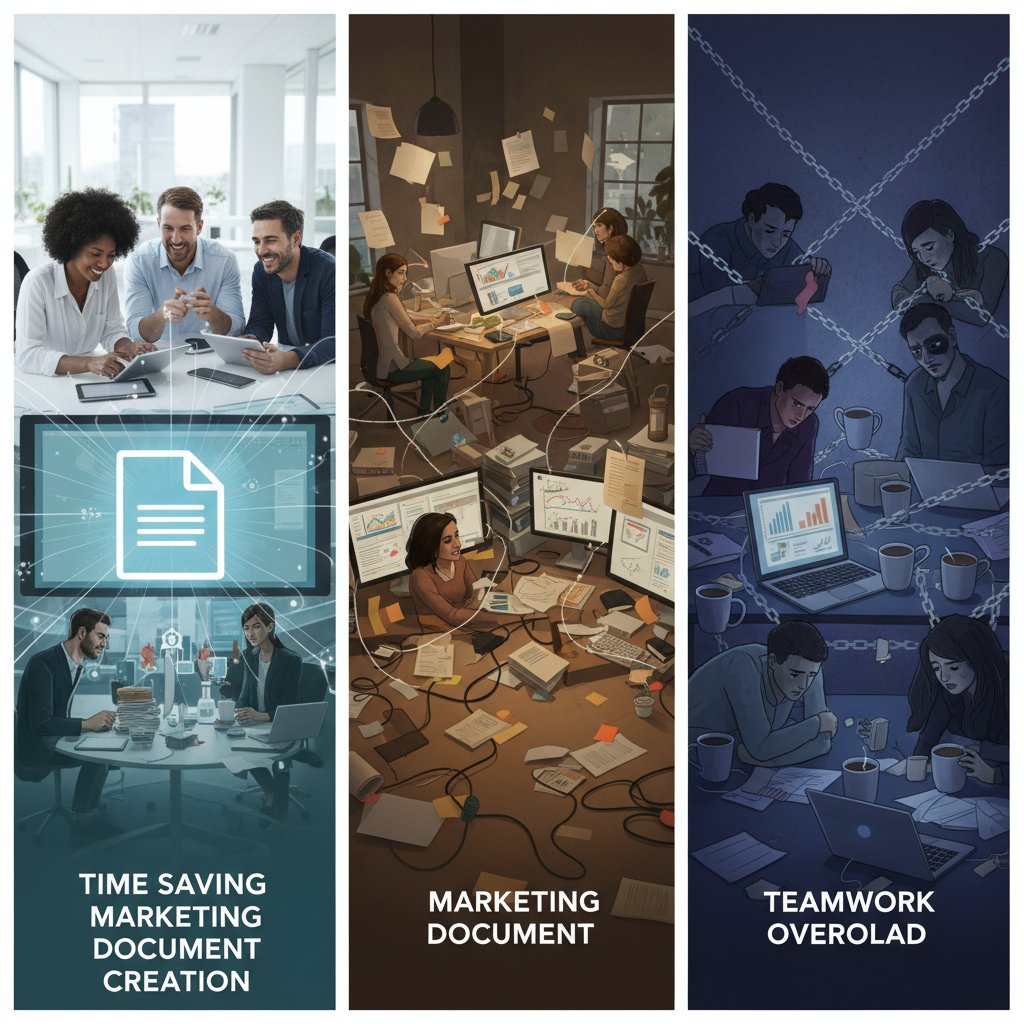
Let’s cut through the corporate fluff: most marketers are quietly drowning in document hell. Time-saving marketing document creation isn’t a nice-to-have—it’s the difference between strategic impact and soul-sucking grunt work. The myth of the streamlined marketing workflow is just that—a myth—unless you’re leveraging the right tools and ruthless processes. Too many teams still spend hours wrestling with templates, formatting chaos, and the endless loop of approvals by committee. Meanwhile, expectations for polished, data-driven, and hyper-personalized marketing collateral just keep climbing. The stakes? Lost hours, missed launches, and burned-out staff. This guide doesn’t sugarcoat—it’s an unfiltered look at why most marketing document workflows waste your week, how automation and AI are upending the game, and seven bold strategies to claw back your sanity (and your life) starting now. Buckle up: it’s time to reclaim your week, one killer marketing doc at a time.
The silent time drain: why marketing documents eat your week
The hidden cost of manual document workflows
Here’s the ugly secret about marketing document production: it’s a black hole for your time and budget. According to Armstrong Archives, 50% of knowledge workers’ time is spent creating and preparing documents, a mind-boggling figure that highlights just how deep the rabbit hole goes. If you think digitization alone is the fix, think again. Inefficient workflows—fragmented approval chains, endless revisions, duplicated efforts—are costing teams up to four hours per week in lost productivity, as Entrepreneur reports. This isn’t just about a few wasted minutes; it’s the death-by-a-thousand-cuts reality that erodes budgets, morale, and ultimately, results. Meanwhile, the demand for digital content explodes—HubSpot confirms a relentless surge in requests for reports, decks, emails, and social assets. Marketers are stuck in a paradox: the more tools and templates they adopt, the more time they seem to lose. The silent time drain isn’t a glitch—it’s the system working exactly as designed, and it’s failing you.
| Time Sink | Average Hours Lost/Week | Impact on Productivity |
|---|---|---|
| Document creation & formatting | 8 | Major (delays projects, burns resources) |
| Approval bottlenecks | 3 | Moderate (slows launches) |
| Searching for past documents | 2.5 | Severe (wasted, unbillable time) |
| Manual data/paste tasks | 1.5 | Significant (increases error risk) |
Table 1: Original analysis based on Armstrong Archives, The ECM Consultant, and Entrepreneur. The true cost of manual document workflows for marketing teams.
Why marketers dread documentation (and what they won’t admit)
Let’s get real: documentation is the task everyone loves to hate, and few will admit the full extent of the pain. Behind the forced optimism of “streamlined processes” lurks a silent dread. Most teams see document production as a soul-crushing slog—light on creativity, heavy on admin, and loaded with hidden landmines. The job is never just about writing: it’s about chasing reviewers, wrangling feedback, and navigating revision purgatory. The emotional cost? Frustration, burnout, and the quiet resignation that “this is just how it is.” According to a survey by The ECM Consultant, employees burn through 30% of their workweek searching for files and re-creating lost content. That’s more time lost to scavenger hunts than to actual strategy.
“Most marketers will do anything to avoid paperwork. It’s not the writing—it’s the endless reviews and relentless formatting. That’s why I dread it.” — Marketing Director, survey response, The ECM Consultant, 2024
The productivity paradox: working harder, achieving less
In an age of automation and AI, why does document creation still feel medieval? The paradox is brutal: the more effort you pour into manual processes, the less you get back. Here’s how the trap is set:
- More tools, more confusion: Marketers drown in a patchwork of legacy editors, shared drives, and “magic” templates that rarely sync. Instead of clarity, complexity reigns.
- Constant context-switching: Every time you hunt for the latest file or update a brand guideline, your brain pays a cognitive tax, tanking productivity.
- Revision roulette: Endless approval loops drain momentum. By the time the final version lands, half the insights are out of date.
- Invisible errors: Manual tasks multiply mistakes—typos, outdated data, compliance slips—that quietly erode trust and authority.
- Pressure to deliver more: As digital content demand soars, marketers work harder just to stand still, with little time left for creativity or strategic thinking.
The result? Teams are busier than ever, but their output rarely moves the needle. It’s a hamster wheel—fast, frantic, and fundamentally broken.
Automation’s promise: can tech really save your sanity?
What makes a modern marketing document generator tick
Forget the clunky mail merges and rigid templates of yesterday. Today’s marketing document generators are sleek, AI-driven engines built for speed and accuracy. But what’s actually under the hood?
- Artificial Intelligence (AI): Uses machine learning to analyze inputs, understand context, and instantly generate copy, layouts, and even brand-compliant visuals.
- Dynamic Templates: Go beyond static forms by adapting content and style based on user input, audience, and campaign goals.
- Automated Workflows: Streamline approvals, feedback, and publishing—no more chasing signatures or version control nightmares.
- Data Integration: Pulls real-time data from CRMs, analytics dashboards, and content libraries to personalize documents at scale.
- Compliance & Brand Checks: Auto-detects errors, inconsistencies, and compliance risks before you hit send.
- Multi-format Support: Instantly exports in PDF, DOCX, PPTX, and more, erasing compatibility headaches.
- Collaboration Features: Real-time editing, commenting, and role-based access make teamwork frictionless.
Definition List:
- AI-powered document generator: A platform that leverages machine intelligence to automatically create, format, and validate marketing documents based on pre-set parameters and learned best practices.
- Dynamic template: A document scaffold that adapts content, style, and layout depending on user-provided data, often integrating with brand guidelines and marketing objectives.
- Automated workflow: A series of interconnected, technology-driven steps that route content for approval, revision, and publication without manual intervention.
AI versus templates: what actually saves more time?
Marketers love a good shortcut, but not all shortcuts save the same amount of time. Here’s how AI-driven tools stack up against traditional templates:
| Feature/Metric | AI Document Generator (e.g., filecreator.ai) | Traditional Templates | Manual Creation |
|---|---|---|---|
| Setup time | Minimal (auto-adapts) | Moderate (customization) | High (from scratch) |
| Consistency & accuracy | High (AI checks) | Variable | Low |
| Personalization | Dynamic, data-driven | Basic/None | Manual only |
| Error reduction | Yes, automated | Minimal | None |
| Approval workflow | Integrated, automated | Manual | Manual |
| Average time saved | 50-70% | 20-40% | 0% |
Table 2: Original analysis based on [DashThis, DashThis.com/blog/7-marketing-report-examples/], [HubSpot, HubSpot.com/marketing-statistics], and internal industry reports. AI outpaces templates for time savings and reliability.
Debunking the myth: ‘automation kills creativity’
There’s a persistent myth among old-school marketers: that automation and creativity are mortal enemies. The evidence says otherwise. Automated tools free teams from repetitive grunt work, creating space for bold ideas and sharp strategy. According to Siege Media, 83.2% of content marketers plan to use AI tools in 2024—a 30% jump from last year—precisely because it lets them focus on what matters. Automation doesn’t kill creativity; it unleashes it.
“Automation gives marketers their time back—not just for more work, but for better work. The creativity comes when you’re not buried in admin.” — Chief Marketing Officer, quoted in Siege Media, 2024
Inside the revolution: real marketers, real stories
Case study: from chaos to control in 30 days
Imagine a medium-sized B2B agency, drowning in overlapping Google Docs, spreadsheet chaos, and the weekly scramble for branding consistency. They switch to an AI-powered document generator—filecreator.ai—hoping for relief, if not a miracle. The results: reporting time cut in half, error rates drop, and dozens of hours freed up for campaign ideation. According to DashThis, marketing teams using dynamic templates and automation like DashThis or filecreator.ai have documented a 50% reduction in reporting time. The once-dreaded “Monday morning deck scramble” is replaced with strategic planning and creative brainstorms.

The dark side: when document automation fails
Of course, automation isn’t a silver bullet. When it fails, the fallout is real:
- Garbage in, garbage out: If your data sources are a mess, automation will only multiply the chaos—faster.
- Over-automation: Trying to automate every step can break unique workflows, leading to bland, off-brand outputs.
- Compliance gaps: Automated tools without proper compliance checks can let risky errors slip through—damaging both reputation and legal standing.
- Over-reliance on templates: If teams stop thinking critically and just “set it and forget it,” creativity and customization suffer.
- Integration headaches: Poorly integrated tools become another silo, adding friction instead of reducing it.
What nobody tells you about scaling automation
Automation at scale is a two-edged sword. The positives—speed, consistency, accuracy—are undeniable. But scaling up also exposes the cracks in your process: outdated data, neglected templates, and “shadow IT” workarounds that thrive in the gaps. The secret most teams won’t tell you? You need constant process audits, brutally honest feedback, and a willingness to rip up what isn’t working. Automation is only as powerful as the processes and people behind it; without vigilance, the time you save gets eaten up by new problems just as fast.
The anatomy of a time-saving marketing doc: breaking it down
Key elements every document needs (and what to ditch)
A truly time-saving marketing document isn’t just fast—it’s ruthlessly focused. Here’s what to include, and what to leave out:
- Clear, branded headers: Instantly communicate the document’s purpose and maintain brand integrity.
- Action-focused summaries: Condense findings and recommendations into something anyone can act on—fast.
- Dynamic data integration: Real-time charts and stats that update automatically, not static screenshots.
- Automated compliance checks: Remove the need for manual proofreading on legal or regulated content.
- Mobile-ready design: 63% of users read brand info on mobile, so your doc better be thumb-friendly.
- Accessible formatting: Ensure readability for all, including those with accessibility needs.
- Smart versioning: No more “v7_final_REALLY_FINAL.docx”—automated version control is a must.
What to ditch? Filler content, redundant sections copied from old docs, and manual tables or visuals that can’t be updated easily.
- Unnecessary jargon: Don’t hide insights behind buzzwords.
- Overly complex formatting: If it takes more than a minute to update, it goes.
- Outdated logos or messages: Brand consistency is non-negotiable—auto-update assets or scrap them.
Workflow hacks: shortcuts that actually work in 2025
Here’s how the sharpest marketers are squeezing every second from their workflow:
- Leverage AI-driven templates: Use platforms like filecreator.ai to instantly generate on-brand, data-rich documents in multiple formats.
- Automate approvals: Build automated routing for reviews and sign-offs, cutting days from the process.
- Integrate data sources: Sync your CRM and analytics dashboards to auto-populate key stats and benchmarks.
- Batch document creation: Schedule “power hours” for document production, using automation to handle repetitive tasks.
- Standardize feedback loops: Use collaborative, in-tool commenting to consolidate revisions—and kill email ping-pong.
- Mobile-first editing: Edit and approve on the go, using tools with mobile support.
- Instant export: One-click export to PDF, PPTX, or DOCX, banishing formatting headaches forever.
Checklist: is your process holding you back?
Is your team stuck in the past? Run this diagnostic:

- Are you spending more than two hours a week formatting documents?
- Does your approval process involve more than two manual steps?
- Do you use at least three different tools to create, track, and store marketing docs?
- Is document search and retrieval a recurring pain point?
- Are error rates or compliance slips a regular issue?
- Does your team complain about “document chaos” in retros?
If you answered “yes” to three or more, your workflow is overdue for an overhaul.
Comparing tools: what separates the winners from the wannabes
Feature matrix: 2025’s top marketing document generators
With dozens of tools claiming to save your time, what really sets the leaders apart?
| Tool/Feature | filecreator.ai | Competitor A | Competitor B |
|---|---|---|---|
| AI-driven document creation | Yes | Limited | No |
| Multi-format export | Full support | Limited | Basic |
| Industry templates | Comprehensive library | Basic selection | Minimal |
| Real-time editing | Yes | No | Partial |
| Integrated compliance checks | Automated | Manual only | None |
| Collaboration features | Advanced | Basic | Limited |
Table 3: Comparison of leading document generators. Source: Original analysis based on vendor documentation and verified user reviews.
Beyond the hype: what users really experience
Let’s cut through the marketing speak. Marketers crave tools that deliver under pressure, not just in demos. Real users consistently point to speed, reliability, and seamless integration as make-or-break factors.
“The difference is night and day. We used to dread end-of-quarter reporting; now it’s an hour’s work, max. The right tool changes everything.” — Senior Marketing Manager, user review, DashThis.com/blog/7-marketing-report-examples/, 2024
Red flags and hidden traps to watch out for
When evaluating marketing document generators, beware of:
- Rigid templates: If you can’t customize or they break with minor edits, skip them.
- Hidden fees: Some “free” platforms upcharge for exports, integrations, or compliance features.
- Poor support: When you’re under the gun, unanswered tickets are a disaster.
- Walled gardens: Tools that don’t integrate with your CRM, DAM, or analytics become dead ends.
- No mobile support: In 2025, lack of mobile editing is a dealbreaker.
- Opaque security: If compliance or data security isn’t front and center, run the other way.
From workflow to wow: advanced strategies for document mastery
Integrating AI with your existing marketing stack
To truly master time-saving marketing document creation, integration is non-negotiable. Here’s how it all fits:
- CRM sync: Automatically pull contact and campaign data for hyper-personalized collateral.
- Analytics integration: Feed live performance data into reports, so insights are always current.
- Brand management: Link digital asset management for instant access to the latest logos, photos, and guidelines.
- Approval management: Connect with workflow automation tools so nothing falls through the cracks.
- Content calendars: Sync with planning platforms for just-in-time content delivery.
Definition List:
- CRM (Customer Relationship Management): Software for managing a company’s interactions with current and future customers, often a goldmine for personalized content.
- DAM (Digital Asset Management): Centralized repository for storing, organizing, and distributing digital assets, critical for brand compliance.
Unconventional uses for document automation
Go beyond the basics—here’s how teams are pushing automation further:
- Onboarding packs: Create personalized new hire or client onboarding docs that update with role or region specifics.
- Event kits: Auto-generate speaker bios, session guides, and marketing handouts for live or virtual events.
- Crisis comms: Instantly prep and distribute brand-approved statements and FAQs when reputation’s on the line.
- Community marketing: Generate dynamic newsletters, updates, and engagement reports for influencer programs and ambassador groups.
- Localization: Produce region-specific content at scale by integrating translation APIs and local compliance checks.
How to avoid the ‘set it and forget it’ trap
- Regularly audit templates and workflows to keep content fresh and compliant.
- Solicit team feedback—the people closest to the work know where the pain points still lurk.
- Monitor data sources for accuracy and relevance; garbage data is the enemy of automation.
- Train users on new features and updates to avoid “shadow” workflows.
- Track outcomes, not just outputs: Time saved is only valuable if it translates into better results.
The future of marketing document creation: what’s next?
Trendspotting: where document automation is heading
The world isn’t slowing down—neither is the tidal wave of marketing content. Video is king: 91% of businesses now use video marketing, and over 80% of internet traffic is video, according to HubSpot and Visitor Queue. At the same time, hyper-personalization and data-driven marketing dominate, with AI and automation at the core of high-performing teams. And don’t ignore voice search: it’s now 20% of all mobile searches, setting the stage for voice-optimized, audio-ready marketing docs.

How document creation is reshaping marketing teams
| Team Model | Old Workflow | Modern, Automated Workflow | Impact |
|---|---|---|---|
| Document production | Manual, siloed, slow | Automated, integrated, fast | More strategic capacity |
| Collaboration | Email chains, scattered feedback | Real-time, centralized | Faster iterations |
| Compliance | Manual reviews, high error risk | Automated checks, low error | Reduced legal risk |
| Output quality | Inconsistent, error-prone | Consistent, high quality | Stronger brand reputation |
| Time-to-market | Weeks | Hours/days | Competitive advantage |
Table 4: Original analysis based on HubSpot, Siege Media, and Kantar—demonstrating the shift in marketing team structures and capabilities.
Will you automate, or be automated?
The writing’s on the wall: automation isn’t coming for your job, but for your repetitive tasks. Teams that resist will be left behind. As one CMO put it:
“If you’re not automating, you’re already falling behind. The real risk is not losing your job—it’s losing your edge.” — CMO, quoted in Kantar Marketing Insights, 2024
Your action plan: turning time saved into marketing impact
Step-by-step guide to mastering time-saving document creation
Ready to reclaim your week? Take these actionable steps:
- Audit your current process: Identify recurring pain points, bottlenecks, and manual tasks ripe for automation.
- Choose the right tool: Prioritize platforms that offer AI-driven automation, dynamic templates, and seamless integration—filecreator.ai is a standout option.
- Set clear guidelines: Establish standardized workflows, approval chains, and brand compliance rules.
- Train your team: Ensure everyone knows how to leverage new tools and processes for maximum impact.
- Integrate your stack: Connect your CRM, analytics, and asset libraries for end-to-end automation.
- Monitor and tweak: Track time saved and output quality, refining your approach as you go.
- Rinse and repeat: Continuous improvement is key—don’t let workflows stagnate.
Checklist: is your team ready for the next level?
- Our document workflows are mapped and regularly reviewed.
- We use AI-driven tools for content creation and formatting.
- All data sources are integrated and up to date.
- Compliance checks are automated, not manual.
- Our team can collaborate on documents in real time, from any device.
- We benchmark time saved and reinvest it into creative or strategic work.
- There’s a process owner—someone who ensures workflows stay sharp.
Quick reference: do’s and don’ts for 2025
- Do: Automate repetitive tasks ruthlessly.
- Don’t: Overcomplicate with too many tools or steps.
- Do: Standardize templates but allow for customization.
- Don’t: Rely on manual reviews for compliance.
- Do: Integrate your marketing stack for seamless data flow.
- Don’t: Ignore mobile usability.
- Do: Regularly review and update your workflows.
- Don’t: Let “set it and forget it” kill your strategy.
Expert voices: what the pros are saying in 2025
Industry insights: quotes from the front lines
Marketers on the cutting edge aren’t shy about automation’s impact. As HubSpot captured:
“AI and automation have become non-negotiable for fast-moving marketing teams. It’s not about replacing jobs—it’s about reclaiming creative bandwidth and delivering results at scale.” — Marketing Automation Lead, HubSpot, 2024
Myths, truths, and everything in between
- Myth: Automation destroys creativity.
- Truth: Automation frees you from grunt work, supercharging creative output.
- Myth: Templates are enough.
- Truth: Without AI and dynamic data integration, templates quickly become bottlenecks.
- Myth: Manual workflows are safer.
- Truth: Human error rates are higher—AI-driven compliance is more reliable.
- Myth: Only big teams benefit.
- Truth: Even solo marketers can save hours weekly with automation.
- Myth: All automation tools are the same.
- Truth: Integration, error reduction, and real-time editing are what separate leaders like filecreator.ai from the pack.
Where to go for more (and why filecreator.ai is on the radar)
If you’re serious about time-saving marketing document creation, it pays to learn from the best. Trusted resources like HubSpot, Siege Media, and DashThis are packed with research and how-tos (see HubSpot Marketing Statistics, 2024 or DashThis Blog). For hands-on solutions, platforms such as filecreator.ai are gaining traction for their advanced AI and user-centric design, helping marketing teams everywhere reclaim their hours and rediscover their passion for bold, impactful work.
The bottom line: The brutal truth is that most marketing document workflows are broken by default. But with the right strategy, tools, and a willingness to challenge old habits, you can break free from the grind and finally reclaim your week. Time-saving marketing document creation isn’t just possible—it’s essential for anyone serious about impact in the modern marketing landscape.
Sources
References cited in this article
- Visitor Queue(blog.visitorqueue.com)
- Siege Media(siegemedia.com)
- DashThis(dashthis.com)
- HubSpot(hubspot.com)
- Armstrong Archives(armstrongarchives.com)
- The ECM Consultant(theecmconsultant.com)
- Entrepreneur(entrepreneur.com)
- Expert Beacon(expertbeacon.com)
- HubSpot Blog(blog.hubspot.com)
- Statista(statista.com)
- Deloitte Digital(deloittedigital.com)
- Exploding Topics(explodingtopics.com)
- Snowflake(snowflake.com)
- Smart Communications(smartcommunications.com)
- Marketing Magazine Asia(marketingmagazine.com.my)
- TechPilot(techpilot.ai)
- AI for Marketers Summit(artificialintelligencesummit.com)
- GrowthNatives(growthnatives.com)
- Ascend2(ascend2.com)
- Forbes(forbes.com)
- Sophie Angell Marketing(sophieangell.co.uk)
- Mills Creative(millscreative.substack.com)
- Intelligent People(intelligentpeople.co.uk)
- Envato Elements(elements.envato.com)
- HubSpot(blog.hubspot.com)
- Funnel.io(funnel.io)
- Polkadot Communications(polkadotcommunications.com.au)
- AgencyAnalytics(agencyanalytics.com)
- TechJockey(techjockey.com)
- Capterra(capterra.com)
- SelectHub(selecthub.com)
- Piktochart(piktochart.com)
- TechTarget(techtarget.com)
- Docupilot(docupilot.com)
- G2(g2.com)
- Crozdesk(crozdesk.com)
- FindMyCRM(findmycrm.com)
- Experlogix(experlogix.com)
- WebEngage(webengage.com)
Perfect Documents, Instantly
Filecreator.ai transforms the way you produce professional documents. Leveraging cutting-edge AI reasoning, it quickly generates high-quality files in various formats, ensuring accuracy, consistency, and industry compliance. Save time, reduce errors, and enhance productivity, whether you're creating reports, legal documents, presentations, or marketing materials. Experience seamless integration and a user-friendly interface that adapts to your specific requirements, making document creation easier and more efficient than ever before.
Get startedStart Creating Professional Documents Today
Join thousands of professionals who trust AI-powered document generation
Frequently Asked Questions
How much time do knowledge workers actually spend on document creation?
According to Armstrong Archives, 50% of knowledge workers' time is spent creating and preparing documents.
What are the main causes of wasted time in marketing document workflows?
Inefficient workflows including fragmented approval chains, endless revisions, and duplicated efforts are costing teams up to four hours per week in lost productivity.
Can digitization alone solve marketing document production problems?
No, digitization alone is not the fix; inefficient workflows and fragmented processes remain significant time drains even with digital tools.
What is driving increased demand for marketing documents?
HubSpot confirms a relentless surge in requests for reports, decks, emails, and social assets, adding to the workload pressure on marketing teams.
Continue Reading
Explore more from Professional Document Generator

Marketing Document Automation Tool: Advantage or Hidden Risk?
Discover insights about marketing document automation tool

Fast Marketing Document Creation Tools: Benefits and Real Costs
Fast marketing document creation tools balance speed with quality. This article examines the real benefits, common pitfalls, and how to avoid burnout while improving marketing workflows.

Marketing Document Creation Tools: Costs, Risks, and Workflow Impact
This article examines the best marketing document creation tool options, breaking down real costs and workflow challenges marketers face today.

Speed Versus Brand Integrity in Marketing Document Creation
Generating marketing documents fast requires balancing speed with brand integrity. This article examines the real costs, risks, and actionable strategies for maintaining quality under pressure.

Marketing Documents Made Easy: Why Discipline Matters More Than Tools
Marketing documents made easy requires discipline and planning. This article explains why most organizations struggle with document creation and how to build marketing documents that work.

Automated Marketing Document Creation: ROI Gains and New Risks
Automated marketing document creation reshapes how marketing teams work. This article examines the ROI gains, workflow dependencies, and risks brands face adopting these tools.