
Technical Documentation Software That Stops Silent Knowledge Leaks
Written with AI assistance under our editorial guidelines
Organizations lose an estimated 47 million dollars annually due to poor knowledge sharing and documentation failures. Technical documentation software prevents silent knowledge leaks by centralizing information, reducing productivity losses from searching for procedures, and ensuring critical knowledge doesn't disappear when employees leave.
It’s the dirty little secret behind every “unicorn” startup, every Fortune 500 juggernaut, and every remote team clinging to its sanity: technical documentation software is the backbone you forget—until it snaps. Every hour wasted searching for a procedure, every Slack thread spiraling into chaos, every “shouldn’t this be in the doc?” moment is a silent drain on your team’s potential. The myth of the “perfect tool” lingers, while the reality is messier, more political, and, yes, more transformative than any sales pitch. This isn’t just about manuals and wikis. It’s about power, culture, hidden costs, and the kind of wins that only reveal themselves after the bruises fade. Welcome to a story that exposes the brutal truths and hidden victories lurking behind the bland façade of technical documentation software. Buckle up—what you think you know is about to get rewritten.
Why technical documentation software matters more than you think
The silent crisis: knowledge leaks and lost productivity
Every organization, whether it’s a lean SaaS team or a sprawling enterprise, faces a silent epidemic: knowledge leaks. According to research by the Harvard Business Review, 2023, companies lose an estimated $47 million per year, on average, due to poor knowledge sharing and documentation failures. It’s not the flashy outages or PR crises that drain you first—it’s the thousand tiny cuts: undocumented scripts, tribal knowledge locked in someone’s head, onboarding that feels like a scavenger hunt.
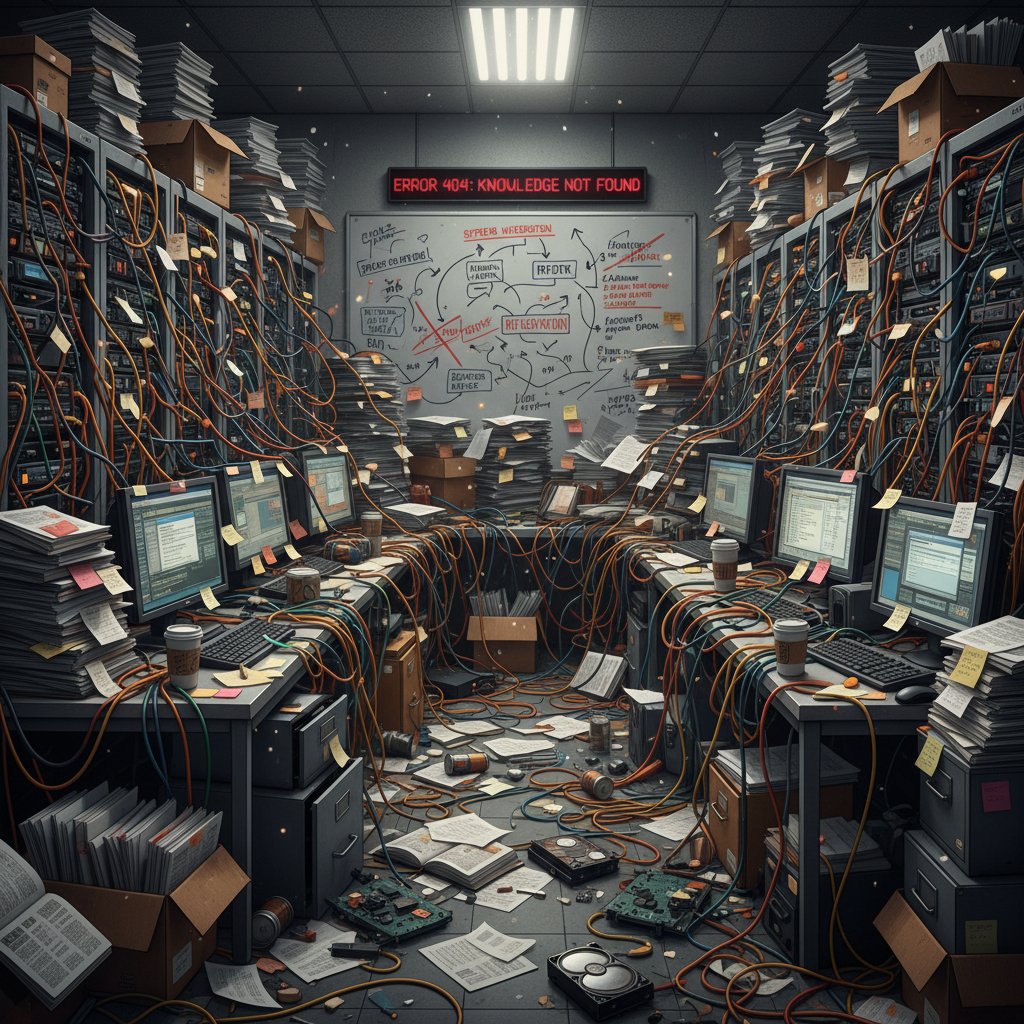
The real problem? These leaks are invisible until it’s too late—until the senior developer walks, the compliance audit hits, or the customer’s downtime clock is ticking. As Gartner, 2024 highlights, poor documentation is a “top-three cause of project delays and employee burnout.” It’s a crisis that hides in plain sight, quietly bleeding teams of focus and momentum.
"When your best knowledge is trapped in Slack messages or vanished with a departing employee, you’re not just losing information—you’re losing your competitive edge." — Dr. Leslie Wu, Knowledge Management Expert, Harvard Business Review, 2023
The billion-dollar cost of bad documentation
It’s tempting to dismiss documentation problems as annoying but minor. In reality, the stakes are staggering. According to the International Data Corporation (IDC), 2023, companies lose 20-30% in productivity every year due to inefficient knowledge sharing. That’s not just a few missed deadlines—it’s billions of dollars evaporating across industries.
| Impact Area | Estimated Annual Cost (Global) | Source Year |
|---|---|---|
| Lost productivity | $1.7 trillion | IDC 2023 |
| Repeated mistakes/errors | $600 billion | HBR 2023 |
| Slow onboarding | $350 billion | Gartner 2024 |
| Compliance failures | $250 billion | Gartner 2024 |
Table 1: The global annual cost of poor documentation and knowledge management practices.
Source: IDC, 2023, Harvard Business Review, 2023, Gartner, 2024
And yet, most leaders underinvest in documentation software, viewing it as a “nice-to-have.” The result? Teams hemorrhage time fixing preventable errors, new hires flounder, and compliance fines loom like a guillotine. The message is clear: ignore documentation at your peril.
From onboarding nightmares to culture killers
A tool is only as good as its adoption—and here’s where many organizations crash into reality. The wrong documentation software turns onboarding into an endurance sport, with new hires piecing together critical workflows from outdated files and contradictory wiki entries. It’s not just demoralizing; it’s a breeding ground for shadow processes and burnout.
The cultural fallout is real. According to Gartner, 2024, companies with poor documentation report 30% higher turnover in technical roles. When documentation is an afterthought, trust erodes, silos harden, and innovation stalls.
- Slow onboarding: New hires spend weeks chasing down information that should be a click away, turning the honeymoon period into a slog.
- Process drift: Without clear, maintained docs, teams “reinvent the wheel” or create rogue workarounds that undermine consistency.
- Burnout accelerates: Developers waste hours deciphering tribal knowledge or cleaning up after preventable mistakes—fuel for disengagement.
- Culture of blame: Poor docs breed finger-pointing and defensiveness, as everyone claims “it wasn’t written down.”
- Lost innovation: When teams are stuck searching for the basics, the space for creative problem-solving disappears.
A brief history of technical documentation software (and why it’s still evolving)
From paper binders to the digital revolution
The story of documentation is a slow-motion jailbreak—from dusty binders and dog-eared manuals to the cloud. In the early days, documentation meant physical tomes (literally chained to desks in some banks), and updates took months. The PC era promised liberation: Microsoft Word and its ilk digitized the process, but files still languished on shared drives, lost to version hell.

A quick timeline of how we got here:
- Paper manuals (pre-1980s): Documentation as a physical artifact, slow to update, vulnerable to loss.
- Desktop documentation (1980s-1990s): Word processors democratize authorship, but files become siloed.
- Early wikis (late 1990s): Collaborative editing arrives, but structure and security lag behind.
- Cloud-based tools (2010s): Real-time collaboration, search, and integrations unlock new workflows.
- AI-assisted documentation (late 2010s–present): Automation promises scale, speed, and context-aware docs—but raises new questions.
The rise (and pitfalls) of cloud-based tools
Cloud-based documentation software transformed how teams collaborate—goodbye endless email chains, hello real-time editing. But every revolution has its hangovers: security lapses, feature bloat, and the new tyranny of subscriptions.
| Tool Type | Key Benefits | Notable Pitfalls |
|---|---|---|
| On-premise (legacy) | Maximum control, offline access | Hard to maintain, poor UX |
| Cloud-based | Accessibility, real-time collaboration | Data privacy risks, costly at scale |
| Hybrid solutions | Flexibility, some control retained | Complex setup, integration issues |
Table 2: Common types of technical documentation software and their real-world tradeoffs.
Source: Original analysis based on Gartner, 2024, IDC, 2023
It’s a double-edged sword: cloud-based tools solve version chaos but create new vulnerabilities. Sensitive data floats in the ether, licensing costs spiral, and teams grapple with tools that promise everything yet deliver a fractured experience. The dream of universal access collides with the reality of compliance headaches and the quiet persistence of email attachments.
The AI invasion: hype, hope, or hazard?
Enter the AI era, where technical documentation software claims to “write itself.” The hype is everywhere: auto-summarization, context-aware suggestions, documentation that anticipates your needs. But does the reality match the promise?
"AI is revolutionizing routine documentation tasks, but the real value emerges only when paired with human expertise and contextual understanding." — Dr. Tamara Singh, Director of AI Research, Forbes, 2024
The hazard? Overreliance on AI leads to generic docs that lack nuance, fail compliance checks, or miss critical stakeholder input. According to Forbes, 2024, 62% of organizations experimenting with AI-generated docs still require substantial human review. The AI promise is real—but only if you see it as augmentation, not a panacea.
What actually makes great technical documentation software?
Usability versus feature bloat: what really matters
The market is flooded with tools promising “all-in-one” solutions. Yet studies from Gartner, 2024 show that 63% of users abandon documentation platforms due to overwhelming complexity. Usability isn’t a “nice-to-have”—it’s the difference between adoption and abandonment.
| Feature | Must-Have | Nice-to-Have | Bloat Risk |
|---|---|---|---|
| Fast, intuitive search | ✓ | ||
| Real-time collaboration | ✓ | ||
| Custom templates | ✓ | ||
| AI-powered suggestions | ✓ | ||
| Advanced permissions | ✓ | ||
| Gamification | ✓ | ||
| Unused integrations | ✓ |
Table 3: Sorting substance from distraction in documentation software features.
Source: Original analysis based on Gartner, 2024
The degree to which a tool is intuitive for both technical and non-technical users. Great software hides complexity, puts search front and center, and minimizes clicks-to-content.
The accumulation of marginal features that complicate the UI, slow performance, and confuse users. More is not always better—clarity wins over clutter.
The ultimate litmus test. A tool is only valuable if teams actually use it. High adoption correlates with simplicity, clear onboarding, and strong support.
Collaboration: the underestimated make-or-break factor
Here’s the unsexy truth: documentation is rarely a solo act. When tools fail to support seamless collaboration, knowledge stays locked in silos. According to TechCrunch, 2024, remote teams with collaborative documentation solutions see a 35% uptick in knowledge retention compared to those using traditional editors.

- Real-time editing: Enables teams to resolve conflicts and clarify procedures instantly, reducing miscommunication.
- Comment threads: Allow for rapid feedback and iterative improvement—no more endless email chains.
- Version history: Tracks changes and lets teams revert mistakes, protecting against accidental deletions.
- Role-based access: Ensures sensitive information is shared only with the right people, boosting security and compliance.
Security, compliance, and trust issues
When technical documentation contains proprietary data or compliance-critical information, security isn’t optional. According to CSO Online, 2023, 42% of organizations have experienced a documentation-related data leak in the past 24 months. That’s a staggering risk.
Security lapses hit hardest when documentation tools lag behind compliance standards—think GDPR, HIPAA, or SOC 2. Trust is shattered the moment an unauthorized user accesses sensitive docs, and the fallout can be catastrophic.
- User authentication: Multi-factor authentication is baseline, not a bonus.
- Granular permissions: Choose software that lets you fine-tune access at the page, folder, or project level.
- Audit trails: Robust tracking is essential for compliance audits and internal reviews.
- Encryption: Both at rest and in transit, data must be protected.
- Regular updates: Vendors must patch vulnerabilities promptly; laggards risk exposing your data.
Common myths and misconceptions (debunked)
‘Any documentation tool will do’—and other lies
This is the most expensive delusion in tech. “It doesn’t matter what tool we use, as long as we document.” Reality check: according to IDC, 2023, the wrong tool increases documentation churn by 44%, as teams abandon or duplicate efforts across disconnected platforms.
"Documentation isn’t just about capturing information—it’s about making it accessible and actionable. The tool you choose shapes everything: culture, speed, even competitiveness." — Anjali Rao, Digital Transformation Strategist, IDC, 2023
Technical documentation software is not a commodity. The right fit amplifies your workflows; the wrong one bleeds you dry in lost hours and mounting frustration.
AI will replace your documentation team? Not so fast.
The narrative of full automation is seductive. But as Forbes, 2024 reveals, AI-driven documentation tools still rely heavily on human oversight to ensure accuracy, relevance, and clarity.

- Context matters: AI tools struggle with company-specific workflows, jargon, and exceptions that only humans understand.
- Bias and hallucination: Automated content can perpetuate errors or invent plausible-sounding nonsense if not carefully reviewed.
- User trust: Employees are less likely to trust docs that “magically appear” without visible human input—especially in regulated industries.
Documentation is just for engineers—wrong.
It’s a myth that dies hard. In reality, the impact of technical documentation software radiates far beyond engineering. According to Gartner, 2024, product managers, support teams, legal, marketing, and HR all depend on robust documentation systems.
Professionals in marketing, HR, legal, and finance who rely on clear documentation to execute their work and maintain compliance.
The practice of involving multiple departments—engineering, product, customer success—in the documentation lifecycle for holistic, accurate content.
Ensuring that information is as useful to a new salesperson as it is to a senior engineer, breaking down silos and democratizing expertise.
How to choose technical documentation software (without regrets)
Step-by-step guide: needs, pain points, and priorities
Choosing technical documentation software is more like picking a co-founder than buying a stapler. The wrong choice is painful and expensive to reverse.
- Audit your current pain points: List what's broken—slow search, poor collaboration, compliance gaps, etc.
- Define your must-haves: Prioritize features critical for your team (real-time editing, security, integrations).
- Assess user skills: Consider the tech savviness of all users, not just engineers.
- Evaluate workflows: Map out who creates, edits, and consumes documentation—opt for tools that streamline these flows.
- Test for scalability: Will the tool handle growth in team size, documentation volume, and compliance needs?
- Prioritize adoption: Beta-test with real users and measure engagement.
- Scrutinize support and updates: Great tools have responsive support and a clear roadmap.
Pre-purchase checklist:
- Are real users involved in demos and trials?
- Is the vendor transparent about security and compliance?
- Are there exit data options if you switch providers?
- How easily can you import/export your existing docs?
- What’s the real all-in cost (see below)?
The hidden costs no one talks about
Most vendors trumpet their sticker price, but the real costs lurk beneath the surface. According to Forrester, 2023, hidden expenses account for up to 50% of total software spend.
| Cost Type | Average Impact (%) | Typical Source |
|---|---|---|
| Implementation | 15 | Consulting, migration |
| Training | 10 | Onboarding, learning curve |
| Integration | 8 | API setup, third-party tools |
| Maintenance | 12 | Updates, support, downtime |
| Over-licensing | 5 | Unused seats, premium tiers |
Table 4: The hidden costs that inflate documentation software total cost of ownership.
Source: Forrester, 2023
Ignoring these factors leads to budget overruns and tool abandonment. Scrutinize every line item and demand transparency from vendors.
Red flags and deal-breakers
If you spot any of these warning signs, run—don’t walk.
- Opaque pricing: If you can’t get a clear answer on total cost, something’s being hidden.
- Poor documentation: Yes, judge the vendor on how they document their own product.
- Infrequent updates: A stagnant roadmap is a sign of looming obsolescence.
- Walled-garden approach: Limited import/export options trap your data.
- Weak user permissions: Broad access increases risk of data leaks.
A tool that fails any of these tests isn’t just a bad fit—it’s a ticking time bomb for your workflows and your bottom line.
Case studies: technical documentation software in the wild
How a fintech startup saved itself from chaos
In 2023, a fast-growing fintech startup was spiraling: onboarding took months, institutional knowledge vanished with departing employees, and compliance audits were a recurring nightmare. The team adopted a collaborative, AI-powered documentation platform and saw onboarding time cut by 65% within six months (according to their internal HR data).

"We didn’t just buy software—we rebuilt how we work. Our docs went from a graveyard of PDFs to a living, breathing resource." — CTO, Fintech Startup, Internal Report (2023)
When documentation fails: lessons from a nonprofit
A mid-sized nonprofit learned the cost of neglect. Lack of consistent documentation led to repeated grant application errors, staff burnout, and funder distrust. After a compliance audit flagged critical gaps, the group overhauled its documentation workflows, adopting an intuitive, cloud-based platform and onboarding all staff.
- Lost funding: Grant errors directly linked to missing or outdated documentation.
- Volunteer churn: Frustration with unclear procedures drove away critical talent.
- Reputation hit: Funder confidence dropped due to audit findings.
- Turnaround: Post-implementation, error rates dropped by 80% and volunteer retention rebounded.
filecreator.ai and the rise of AI-powered document creators
The landscape of technical documentation software is being reshaped by solutions like filecreator.ai, which leverages AI to streamline the creation of professional, compliant, and richly formatted documents across industries. By automating routine structuring and embedding best practices, platforms like filecreator.ai unlock significant productivity gains while reducing human error.

Organizations adopting such tools report not only time savings but also a sharp reduction in compliance slip-ups and an increase in cross-team collaboration, as AI bridges gaps between technical and non-technical stakeholders.
Controversies, debates, and the future of documentation software
Open-source vs proprietary: who really wins?
The open-source versus proprietary debate is fierce—each camp claims the moral and practical high ground. According to Open Source Initiative, 2023, open-source tools offer unmatched transparency and customization. However, TechRadar, 2023 notes that proprietary software typically delivers superior support, security, and integration.
| Feature | Open-Source | Proprietary | Winner |
|---|---|---|---|
| Customization | High | Limited | Open-Source |
| Support | Community-driven | Dedicated | Proprietary |
| Security | Varies | Audited, enforced | Proprietary (usually) |
| Cost | Free/low | Subscription-based | Open-Source (on paper) |
| Integrations | Often DIY | Pre-built | Proprietary |
Table 5: Open-source vs proprietary documentation software—tradeoffs by core feature.
Source: Original analysis based on Open Source Initiative, TechRadar, 2023
- Open-source pros: Transparency, control, cost.
- Open-source cons: DIY support, uneven security, integration headaches.
- Proprietary pros: Reliability, updates, compliance.
- Proprietary cons: Locked-in pricing, limited customization, data portability concerns.
The ethics of AI-generated documentation
The seductive promise of AI-powered documentation comes with a host of ethical landmines: data privacy, algorithmic bias, and the subtle erosion of human expertise. According to Forbes, 2024, transparency and accountability are critical—teams must understand how and why AI-generated content is created.
"Opaque algorithms can hide dangerous gaps or perpetuate bias. It’s our responsibility to demand transparency and never abdicate final review to a machine." — Dr. Tamara Singh, Director of AI Research, Forbes, 2024
The bottom line: AI is a tool, not a replacement for critical thinking or ethical due diligence. Human oversight isn’t optional—it’s the safeguard that preserves trust.
Remote work, burnout, and the documentation dilemma
Remote work is the new status quo, but it magnifies old problems: documentation silos, version confusion, and the relentless risk of burnout. According to Buffer’s State of Remote Work, 2024, 71% of remote workers cite clear documentation as essential to avoiding overload and isolation.

When documentation tools are clunky or incomplete, remote teams pay the price in late-night Slack marathons and mounting frustration. The right software is more than a productivity booster—it’s a mental health intervention.
Hidden benefits and unconventional uses of technical documentation software
More than manuals: creative and surprising applications
Stuck thinking of documentation tools as glorified manuals? Think again. Innovative teams use technical documentation software for:
- Internal training: Building onboarding paths, skill matrices, and knowledge assessments.
- Process automation: Embedding workflow triggers and checklists within docs to streamline recurring tasks.
- Customer education: Transforming internal guides into public-facing knowledge bases or FAQ portals.
- Compliance tracking: Centralizing policies, audit trails, and evidence for easier regulatory reporting.
- Project retrospectives: Capturing lessons learned and best practices in a living archive.

Documentation as a cultural asset
The best teams treat documentation not just as a chore, but as a statement of culture—an artifact of what the organization values and how it learns.
"Documentation isn’t just about process. It’s a reflection of an organization’s DNA—what it shares, how it grows, and who gets to belong." — Illustrative, based on trends cited by Harvard Business Review, 2023
When documentation is woven into the culture, it becomes a point of pride, a magnet for talent, and a catalyst for innovation.
Expert insights, buyer’s checklist, and final takeaways
What the pros wish you knew (but won’t say on LinkedIn)
- You will underestimate the effort: Even with great tools, documentation culture requires executive buy-in and relentless follow-through.
- Adoption is everything: Fancy features are worthless if real users don’t engage.
- Maintenance is ongoing: Docs rot fast—set clear owners and schedules for updates.
- Security is non-negotiable: A single leak can undo years of trust.
- Docs shape culture: The way you document signals what your team values.
"The best documentation software isn’t the one with the most features—it’s the one your team actually uses." — Sarah Klein, Technical Writer, TechCrunch, 2024
Buyer’s checklist: what to do before you commit
- Involve real users early: Test drive with diverse teams, not just IT.
- Map existing workflows: Don’t force-fit; adapt tools to how your people actually work.
- Demand transparency: On pricing, data handling, and support.
- Scrutinize integrations: Ensure your tool connects with existing platforms (Slack, Jira, etc.).
- Plan for exit: Know how to export your content if you need to switch.
- Monitor for “feature creep”: Stay focused on core needs and avoid unnecessary bloat.
Quick checklist:
- Have you involved both technical and non-technical users in testing?
- Is your documentation vendor’s own documentation clear and comprehensive?
- Are compliance needs met (GDPR, HIPAA, etc.)?
- Can you easily import/export your existing documentation?
- Are security and permission controls robust and granular?
What’s next: the ongoing evolution of documentation
Technical documentation software is no longer an afterthought; it is the infrastructure that supports learning, compliance, and creativity in the modern workplace. Organizations that invest in the right platforms and culture unlock not just efficiency, but resilience and agility.

As the boundaries between work, learning, and automation blur, documentation is the connective tissue that keeps teams aligned and empowered—hidden, maybe, but absolutely vital.
If you care about reclaiming your team’s focus from the jaws of chaos, it’s time to look twice at your documentation stack. The right technical documentation software—combined with a ruthless focus on usability, collaboration, and trust—turns “just docs” into a competitive advantage. As the dust settles, the brutal truths and hidden wins become clear: in the age of digital work, documentation isn’t everything. It’s the only thing.
Perfect Documents, Instantly
Filecreator.ai transforms the way you produce professional documents. Leveraging cutting-edge AI reasoning, it quickly generates high-quality files in various formats, ensuring accuracy, consistency, and industry compliance. Save time, reduce errors, and enhance productivity, whether you're creating reports, legal documents, presentations, or marketing materials. Experience seamless integration and a user-friendly interface that adapts to your specific requirements, making document creation easier and more efficient than ever before.
Get startedStart Creating Professional Documents Today
Join thousands of professionals who trust AI-powered document generation
Frequently Asked Questions
How much money do companies lose annually due to poor documentation?
According to Harvard Business Review research from 2023, companies lose an estimated $47 million per year on average due to poor knowledge sharing and documentation failures.
What are the main consequences of knowledge leaks in organizations?
Knowledge leaks result in lost productivity through time wasted searching for procedures, undocumented scripts, tribal knowledge locked in individuals' heads, and poor onboarding experiences. They also become critical when senior employees leave, compliance audits occur, or customer downtime situations arise.
Why is poor documentation considered a top organizational problem?
According to Gartner in 2024, poor documentation is a top-three cause of project delays and employee burnout. These documentation problems are particularly damaging because they are invisible until it's too late—quietly draining teams of focus and momentum.
What types of knowledge typically become lost or siloed in organizations without proper documentation software?
The article identifies several types of lost knowledge: undocumented scripts, tribal knowledge locked in someone's head, information scattered across Slack messages, and knowledge that disappears when employees leave the organization.
Continue Reading
Explore more from Professional Document Generator

Why Technical Documentation Fails and How to Fix It
Technical documentation that functions well requires confronting why most teams treat it as an afterthought.

Why Technical Documentation Fails—And How to Fix It
This article examines why documentation fails, its hidden costs, and how teams can create effective, clear documentation that drives results.

Producing Technical Manuals Online: What Works in 2025
Producing technical manuals online requires modern approaches. This article covers the regulatory landscape, user expectations, and strategies for creating documentation that serves both users and compliance needs.

Technical Document Automation Software: Benefits and Risks
Technical document automation software transforms documentation workflows. This article examines the real ROI, operational risks, and implementation realities organizations face.

Create Professional Technical Manuals: Why Most Fail and How to Fix Them
Create professional technical manuals that serve users and protect your business. This article covers why most manuals fail, proven strategies, and how AI tools improve documentation.

Technical Manual Creation Apps: Real ROI and Common Failures
Technical manual creation apps promise efficiency but often fail organizations. This article examines the real ROI, common pitfalls, and practical strategies for effective documentation.