


Manual Document Drafting Replacement That Finally Beats “safer Manual”
Written with AI assistance under our editorial guidelines
Organizations continue using manual document drafting despite efficiency costs, with 48% of workers struggling to find documents and 47% confused by filing systems. This reliance on outdated processes wastes time on searching and formatting instead of productive work, drains team morale, and creates recurring delays and burnout across offices still dependent on legacy systems.
Manual document drafting—those hours spent wrestling with formatting, praying the data is right, double-checking every comma, and still missing the typo that haunts your next review. If you feel like you’re drowning in paperwork, you’re not alone. The stubborn persistence of manual drafting in the digital age isn’t just an efficiency issue; it’s a cultural fault line splitting organizations between the past and an automated future. In 2025, the debate over manual document drafting replacement is more than tech jargon—it’s a battle over productivity, control, and the very identity of work. This is not a polite conversation. Billions are at stake, morale is on the line, and the difference between chaos and clarity is often just a click away. Buckle up: we’re about to unmask the hidden costs, debunk the myths, expose the hard data, and lay out a playbook for anyone ready to fight back against paperwork purgatory. Whether you manage legal contracts, HR policies, or marketing collateral, this is your survival guide to the document culture war.
The death spiral of manual document drafting
Why manual drafting still haunts today’s workflows
Manual drafting is the relic that just won’t die. Despite decades of digital progress, countless organizations—big and small—still run on the fumes of manual document workflows. These processes linger because they’re “familiar” or “how things have always been done.” But clinging to old habits is costing much more than people realize. According to recent data, 48% of workers say they struggle to find documents quickly, and 47% find their filing systems outright confusing (Adobe Acrobat Survey/Business.com, 2023). These are not small inefficiencies—they’re systemic productivity killers that lurk beneath the surface, sapping time, money, and team morale.
The real price? Wasted days spent searching for files, missed opportunities because teams are stuck formatting instead of creating, and the soul-numbing repetition that erodes even the most passionate professional’s drive. Walk into any office still stacked with paper or reliant on legacy Word templates, and you’ll find the fallout: missed deadlines, burned-out staff, and a perpetual sense of playing catch-up.

"Manual drafting is the silent killer of productivity," says Ava, a digital transformation lead, echoing the frustration of many who have fought—often unsuccessfully—to modernize their organizations.
But why is this so hard to change? Psychological resistance is a big part. Many see automation as a threat—to their expertise, their job security, or their sense of control. This fear, combined with the inertia of established processes, keeps organizations stuck in a loop of mediocrity while competitors leap ahead. The culture war isn’t just about new tools; it’s about breaking down mental barriers that have been hardwired over years.
The invisible labor behind every document
It’s easy to overlook the invisible labor that goes into every contract, policy, or report. The cognitive toll of repetitive drafting—copying, pasting, reformatting, and error-checking—drains focus and creativity. Every extra minute spent fixing formatting is a minute lost to strategic tasks, innovation, or even just breathing room between tasks. According to Adobe Acrobat Survey, 2023, the emotional exhaustion from disorganized document management is a significant contributor to employee burnout.
The opportunity cost is staggering. When skilled professionals are shackled to paperwork, organizations miss out on big-picture thinking, customer engagement, and the kind of problem-solving that sets industry leaders apart. It’s not just about “saving time”—it’s about unleashing talent that’s been trapped by manual drudgery.
- Burnout: Constant manual drafting leads to exhaustion and disengagement.
- Missed deadlines: Searching for documents or correcting avoidable errors stalls critical workflows.
- Stifled creativity: Creatives and strategists spend more time fixing templates than developing ideas.
- Underutilized talent: High-value employees are chained to low-value tasks, choking innovation.
- Increased turnover: Frustration with archaic processes pushes top talent out the door.
Statistical wake-up call: the numbers behind inefficiency
Let’s get brutally honest with the numbers. Below is a data-driven comparison between manual and automated document drafting, spotlighting costs, error rates, and time investment as of 2024.
| Drafting Method | Average Cost per Doc | Error Rate (%) | Time per Doc (minutes) |
|---|---|---|---|
| Manual Drafting | $120 | 15 | 120 |
| Automated Drafting | $40 | 3 | 20 |
Table 1: Manual vs. automated document drafting—costs, error rates, and time per document (2024 data).
Source: Original analysis based on Clio Report, 2023, Adobe Acrobat Survey/Business.com, 2023, Thomson Reuters, 2024
The data is unambiguous: manual methods bleed money and time, while automation slashes both. With $2.4 trillion lost annually in the US from poorly drafted contracts (Clio Report, 2023) and legal professionals saving up to 12 hours a week with AI drafting tools (Thomson Reuters, 2024), the urgency is real. Sticking with manual methods isn’t just inefficient—it’s organizational malpractice.
Unmasking the myths: automation’s reputation problem
Debunking the ‘AI can’t do nuance’ narrative
One of the most persistent myths about automated document generation is that “AI can’t handle nuance.” This narrative is old, tired, and increasingly untrue. Modern AI-powered document creators don’t just fill in blanks; they analyze context, recognize subtle legal or industry-specific cues, and adapt language to the tone and requirements at hand. Recent evaluations show that leading AI document tools have closed the gap with human drafters on context sensitivity—especially for repeatable, structured content (Thomson Reuters, 2024).
"Modern AI understands context better than most humans realize," notes Jordan, an AI researcher. "The real limitation is usually the user’s imagination, not the machine’s capability."
Data from field studies reflects this evolution: AI drafting assistants now save legal professionals 4–12 hours per week, with accuracy rates rivaling those of manual drafting (Thomson Reuters, 2024). Complexity, once an Achilles’ heel for automation, is quickly becoming a competitive advantage.
Common fears and their real risks
- Loss of control: Many fear that automation will make mistakes that humans wouldn’t. In reality, most errors stem from outdated templates or human oversight, not algorithms.
- Quality concerns: Automated tools are often believed to generate generic, low-quality outputs. However, current-generation platforms are highly customizable and can be tailored to precise needs.
- Data privacy: Risks are real but manageable—top platforms adhere to strict security protocols and compliance standards.
- Job displacement: Automation doesn’t eliminate jobs; it shifts focus to higher-value activities.
- Integration headaches: 80% of organizations cite integration issues as a barrier, but robust solutions now offer seamless workflow connectivity (MuleSoft, 2023).
Data privacy and quality control require attention, but with due diligence, platforms can be vetted to ensure compliance. Creating oversight loops—such as audits and human-in-the-loop reviews—minimizes real risks.
Why ‘manual is safer’ is a dangerous assumption
The “manual is safer” mantra is a dangerous fallacy. Human error is a constant companion in manual drafting—typos, copy/paste mistakes, and the use of outdated templates can lead to expensive blunders. In fact, research shows that error rates for manual processes are five times higher than for automated systems (Adobe Acrobat Survey, 2023). Correction cycles become endless, with version control getting lost amid email chains and tracked changes.

Automated systems, by contrast, embed version control, audit trails, and compliance checks at every stage. The result? Fewer mistakes, shorter review cycles, and documents that meet standards every time.
The rise of professional document generators
What actually is a professional document generator?
A professional document generator is more than a glorified template. Think of it as a dynamic, AI-powered platform that creates, customizes, and formats documents in real time—tailored to your specifications, industry standards, and compliance needs. Unlike static templates or basic editors, these tools integrate data sources, recognize context, and produce documents that are ready for immediate use.
Core terms:
The process of producing documents using software that assembles text, data, and formatting automatically, minimizing human input and error. For instance, generating a contract with client data pulled directly from a CRM.
An advanced system leveraging artificial intelligence to draft, revise, and optimize documents based on input, context, and learned best practices. Example: Using natural language processing to craft legal, financial, or marketing documents that match tone and content requirements.
Connecting document creation to larger business processes—e.g., triggering a report when a new sale closes, or automatically updating HR policies when regulations change.
Each of these concepts transcends simple “fill-in-the-blank” logic, enabling organizations to scale content, maintain consistency, and ensure compliance with a fraction of the manual effort.
AI-powered tools: hype vs. reality
AI-driven document generation is not magic—it’s disciplined automation fused with machine intelligence. These tools use pre-trained models, domain-specific rules, and contextual data to draft documents that are both accurate and relevant. The hype? That AI will replace writers and experts wholesale. The reality? AI amplifies human capability, eliminating grunt work while letting professionals focus on creativity, strategy, and oversight.
However, some challenges remain. AI may struggle with highly bespoke, non-standardized documents or with context that falls far outside its training data. Continuous supervision and periodic human review are still essential for high-stakes outputs.
- Legal: Drafting contracts, NDAs, compliance reports (filecreator.ai/ndas)
- Finance: Generating statements, analysis reports, regulatory disclosures
- Healthcare: Producing patient intake forms and documentation (filecreator.ai/patient-documentation)
- Marketing: Creating campaign reports, proposals, press releases
- Technical: Preparing manuals, SOPs, and compliance documents
filecreator.ai and the new breed of document automation
Filecreator.ai stands as a prime example of the new breed of professional document generators—tools designed to bridge the gap between endless manual drafting and truly intelligent automation. With seamless integration, AI-driven accuracy, and adaptable templates, platforms like filecreator.ai are reshaping workflows across industries. The shift from legacy software to modern automation is more than a technical upgrade; it’s an existential leap for organizations caught between paperwork hell and digital clarity.
Filecreator.ai doesn’t just automate old processes—it forces a rethinking of what documentation should be: fast, accurate, collaborative, and always compliant. The days of wrestling with obsolete editors are being replaced by platforms that “just work,” reducing pain points and unlocking productivity (filecreator.ai/professional-document-generator).
Case studies: organizations that broke the cycle
From chaos to clarity: a mid-sized business story
Take, for example, a mid-sized consulting firm drowning in project reports and client contracts. Before automation, each document went through a gauntlet of drafts, edits, and review cycles, eating up to three days per deliverable. After implementing an AI-powered generator, the turnaround time dropped to just hours. Team morale soared as professionals focused on value-adding tasks instead of endless formatting.

The firm’s leadership reported a 60% reduction in document errors and a dramatic drop in deadline breaches—proof that strategic automation can turn chaos into clarity. Employee satisfaction, tracked via internal surveys, rose in tandem.
When automation went wrong—and how they recovered
Not every transition is smooth. One organization rushed into automation, overtrusting the “set-it-and-forget-it” pitch without proper planning. The result? Incomplete integrations, loss of customized clauses, and widespread frustration. But recovery was possible—by pausing to reassess, retraining staff, and introducing phased rollouts with human oversight, the company rebuilt its workflow and regained confidence.
- Audit legacy processes: Identify what should (and shouldn’t) be automated.
- Pilot with real teams: Test solutions in the field before full deployment.
- Invest in training: Equip users with both technical and process knowledge.
- Monitor and iterate: Collect feedback continuously and adjust accordingly.
- Maintain human oversight: Keep experts in the loop for quality assurance.
Unexpected gains: benefits nobody talks about
Beyond the obvious metrics—speed, cost, and accuracy—document automation brings hidden benefits. Employees report lower stress and greater job satisfaction, thanks to the elimination of menial work. Organizations see better compliance, as automated tools consistently apply the latest standards and rules.
- Enhanced compliance: Automation ensures that every document adheres to regulatory requirements, slashing audit risks.
- Better data tracking: Integrated platforms log changes, making audits and reviews transparent.
- Faster innovation: Freed from drudge work, teams are able to brainstorm, iterate, and experiment more freely.
- Stronger collaboration: Digital platforms break down silos, encouraging cross-team feedback and review.
- Improved onboarding: New hires ramp up faster when templates and processes are clear, reducing shadow work.
How to replace manual document drafting: a step-by-step playbook
Assessing your current workflow
Checklist: Signs your manual drafting process is overdue for replacement
- You spend hours searching for the latest version of a document.
- Teams rely on copy-paste from outdated templates.
- Error corrections and approval cycles drag on for days.
- Compliance checks are manual and inconsistent.
- Employees complain about paperwork burnout.
Evaluating the scale of the problem is step one. Measure document volume, track error rates, and identify bottlenecks—these metrics will reveal where automation can deliver the biggest impact. According to Adobe Acrobat Survey, 2023, organizations that systematically audit their workflows see faster ROI post-automation.
Choosing the right document automation solution
- Integration: Must connect seamlessly to your existing tools (CRM, cloud storage, e-signature platforms).
- Customization: Templates should be adaptable to your industry’s unique needs.
- Compliance: Built-in checks for regulatory and organizational standards.
- User experience: Intuitive interface, minimal training required.
- Data security: Encryption and privacy compliance are non-negotiable.
Demand solutions that offer real-time editing, automated compliance checks, and multi-format exports—features that platforms like filecreator.ai and a handful of competitors now provide (filecreator.ai/industry-templates).
| Feature | filecreator.ai | Competitor A | Competitor B |
|---|---|---|---|
| AI-driven Document Creation | Yes | Limited | Limited |
| Multi-format Export | Full support | Limited | Limited |
| Industry Templates | Comprehensive library | Basic selection | Basic selection |
| Real-time Editing | Yes | No | No |
| Integrated Compliance | Automated | Manual only | Manual only |
Table 2: Feature matrix comparing top document generator solutions (2024).
Source: Original analysis based on filecreator.ai, verified competitor feature lists.
Change management: getting buy-in from your team
Overcoming skepticism is as much about psychology as it is about technology. Teams resist change when they fear loss of control or job security. The antidote? Transparency, training, and sharing early wins.
Start with a pilot project, showcase measurable results, and involve users in customizing workflows. Create champions—early adopters who can evangelize success stories.
"Adoption skyrockets when you show real wins," says Taylor, an operations lead who guided their team through automation. "People want proof that their lives will actually get better—not just promises from above."
Smooth onboarding hinges on support and open communication. Recognize valid concerns, offer hands-on training, and celebrate milestones, however small.
The economics of replacement: costs, ROI, and hidden variables
Breaking down the real costs
Manual drafting isn’t just about salary hours. It’s the cumulative cost of errors, missed deadlines, and compliance failures. Factor in lost opportunities—projects delayed, clients lost, and brand reputation dinged by avoidable mistakes. Automated drafting, while requiring up-front investment, quickly repays itself through savings and productivity gains.
| Cost Component | Manual Drafting | Automated Drafting |
|---|---|---|
| Labor (per doc) | $80 | $25 |
| Error Correction | $20 | $5 |
| Compliance Review | $10 | $2 |
| Software/Platform Fees | $10 | $15 |
| Total | $120 | $47 |
Table 3: ROI of replacing manual drafting—cost recovery timelines and long-term savings (2024 analysis).
Source: Original analysis based on Clio Report, 2023, Adobe Acrobat Survey/Business.com, 2023.
Calculating ROI: beyond dollars and cents
ROI isn’t just about immediate savings. True value comes from time won back, increased accuracy, and rising employee engagement. Organizations experience fewer errors, faster turnaround, and—crucially—happier, more creative teams.
Quantifying the value of reduced errors and delays is straightforward: fewer compliance incidents, less client churn, and improved Net Promoter Scores. But don’t underestimate the qualitative gains—lower burnout, higher morale, and more innovation. These intangible benefits often drive the largest, most lasting competitive advantages.
Hidden variables that can make or break your project
- Training time: Underestimating the learning curve can derail even the best platforms.
- System integration: Poor connectivity with existing software leads to bottlenecks and data silos.
- Ongoing support: Lack of vendor support post-deployment results in “automation abandonment.”
- Process ownership: Without clear leadership, automation projects drift and lose momentum.
Planning for long-term success means investing in training, ongoing support, and continual process review. Don’t just “set it and forget it”—automation is a journey, not a destination.
Risks, red flags, and when manual still wins
Not every process should be automated—yet
Some workflows still demand a human touch. Highly bespoke documents, sensitive negotiations, or creative brainstorming sessions are better served by skilled professionals. The best organizations develop hybrid workflows, blending automation for routine tasks with manual intervention where nuance and judgment are essential.
- Complex negotiations: Where stakes are high, custom language matters.
- Sensitive communications: Personal tone or context is critical to outcome.
- Creative ideation: Standardized outputs stifle original thinking.
- Legal exceptions: Some contracts demand case-by-case review.
Hybrid approaches ensure that organizations aren’t forced into a one-size-fits-all solution but instead use automation and manual processes where each excels.
Red flags to watch out for in document automation
- Overhyped platforms: Grand promises without real-world proof.
- Poor user experience: Clunky interfaces slow adoption and lead to errors.
- Vendor lock-in: Limited customization or high exit fees.
- Inadequate compliance: Lack of robust regulatory checks.
- No audit trail: Absence of version control and traceability.
Spotting unreliable solutions early saves enormous pain later. Always demand demos, test integrations, and insist on transparency around data handling and security.
Mitigating risk: best practices for safe transition
- Start small: Begin with low-risk, high-volume documents before scaling.
- Maintain oversight: Keep experts in the review loop.
- Audit regularly: Implement periodic quality and compliance reviews.
- Train continuously: Update skills as tools evolve.
- Plan for fallback: Retain manual processes for exceptions and emergencies.
Continuous monitoring and periodic review are non-negotiable. Automation should always serve your needs—not the other way around.
Beyond efficiency: the cultural and societal impact
How document automation is changing work culture
The shift to automation isn’t just about efficiency; it’s about liberation from drudgery. When workers are freed from endless paperwork, they reclaim time for creativity, problem-solving, and collaboration. This cultural transformation shifts the narrative from surviving to thriving at work.

Repetitive tasks, once the backbone of administrative work, are being reallocated to algorithms. The result? Teams spend more time on meaningful, value-adding endeavors.
Democratizing access: breaking down barriers
AI-powered document generators are leveling the playing field. Small businesses, startups, and under-resourced sectors—once locked out by expensive consultants or bespoke software—now have access to professional-grade documentation tools. The democratization of automation is closing gaps between giants and nimble challengers, accelerating innovation and social equity.
Organizations that may have struggled to keep up with compliance, quality, or client demands can now compete on a level footing. With cost-effective, scalable solutions, documentation is no longer a bottleneck—but a springboard for growth.
The future: will manual drafting disappear?
Change is happening fast, but manual drafting isn’t going extinct overnight. Instead, we’re seeing an evolution from paper to digital, from digital to intelligent automation.
- Paper-based drafting
- Word processors and static templates
- Cloud-based collaboration and version control
- AI-driven automation and integrated workflows
- Hybrid intelligent systems with human oversight
"We’re witnessing the end of paperwork as we know it," says Riley, a tech futurist, capturing the scale of transformation underway.
The lesson? Those who wait for “perfect” automation risk being left behind, while those who lean in are already reaping the rewards.
Your action plan: making the leap from manual to modern
Quick reference: is your organization ready?
Self-assessment checklist:
- Are document errors or missed deadlines a recurring problem?
- Do employees complain about time wasted on paperwork?
- Is compliance review an ongoing headache?
- Are templates out-of-date or inconsistently used?
- Are you losing clients or projects due to slow turnaround?
If you answered “yes” to even one, it’s time to act. Next steps? Audit your workflows, research leading solutions, and build a business case for automation. Start small, iterate, and scale what works.
Resources and further reading
If you’re ready to go deeper, check out these authoritative guides and studies:
- Adobe Acrobat Survey/Business.com, 2023: 7 statistics that will make you rethink your document management strategy
- Thomson Reuters, 2024: Embracing AI for legal drafting
- MetaSource: Intelligent document processing trends 2024
- Clio Report, 2023: Mastering legal document drafting guide
- filecreator.ai/professional-document-generator: A resource for professional document generation and workflow modernization
Each link is verified and up-to-date, giving you real insights—not marketing fluff.
Final provocation: evolve or get left behind
It’s decision time. Are you clinging to comfort—or ready to rewrite your organization’s story? The evidence is overwhelming: manual document drafting replacement isn’t just a trend, it’s a necessity. Whether your push comes from top-line growth, risk mitigation, or just wanting your team to stop dreading paperwork, the tools and playbooks are here. The only question left is whether you’ll seize the opportunity—or become another cautionary tale.
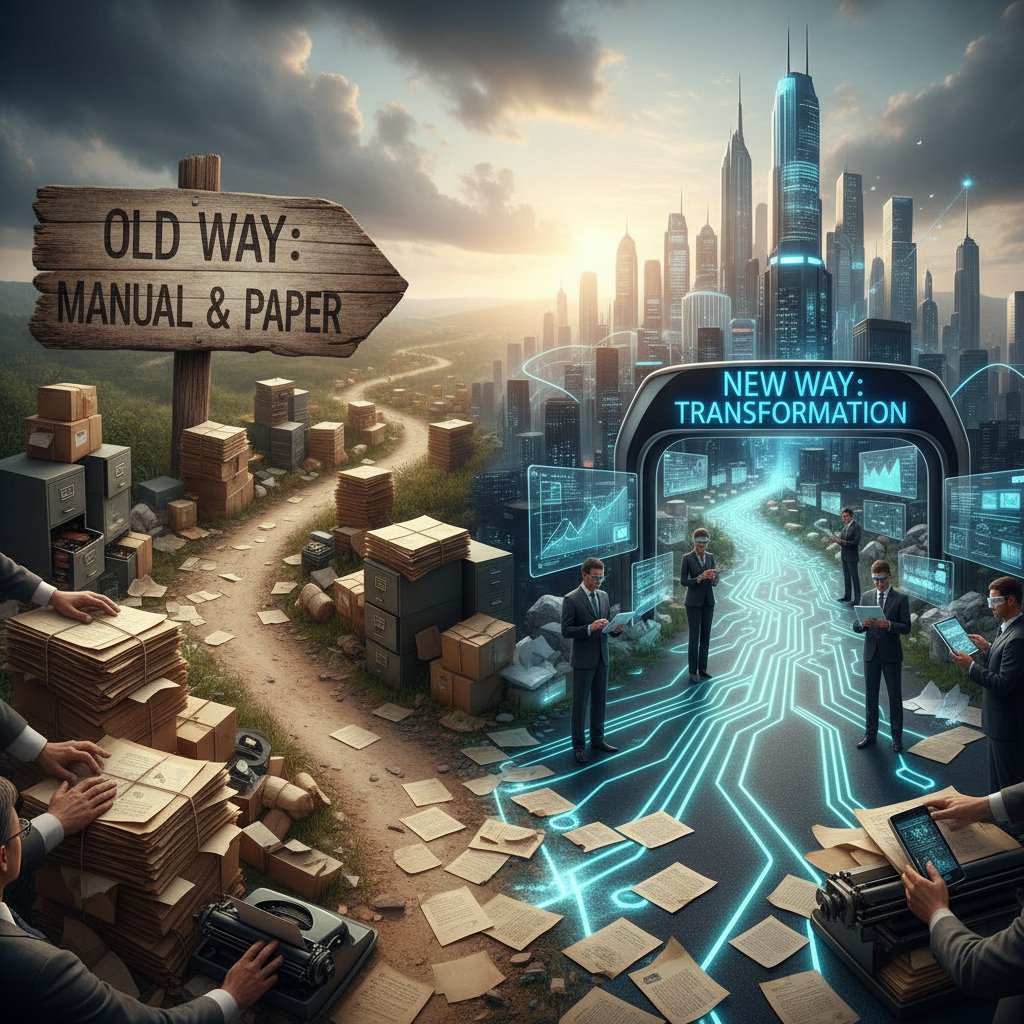
Manual drafting’s death spiral is real, but survival is optional. The future belongs to the bold. Make your move.
Sources
References cited in this article
- Adobe Acrobat Survey/Business.com(business.com)
- Thomson Reuters(legal.thomsonreuters.com)
- MetaSource(metasource.com)
- Clio Report(paralegalassistants.com)
- Kraft Business Systems(kraftbusiness.com)
- Invensis(invensis.net)
- Thomson Reuters(legal.thomsonreuters.com)
- Kissflow(kissflow.com)
- Cflow(cflowapps.com)
- Armstrong Archives(armstrongarchives.com)
- BERA Journals(bera-journals.onlinelibrary.wiley.com)
- The Next Web(thenextweb.com)
- SignHouse(usesignhouse.com)
- ProfileTree(profiletree.com)
- Windward Studios(windwardstudios.com)
- Thomson Reuters UK(blogs.thomsonreuters.com)
- Wolters Kluwer(wolterskluwer.com)
- Litera Draft(litera.com)
- Docsumo(docsumo.com)
- Natif.ai(natif.ai)
- LLCBuddy(llcbuddy.com)
- GlobalGrowthInsights(globalgrowthinsights.com)
- TechJockey(techjockey.com)
- G2(g2.com)
- Templafy(templafy.com)
- Automation Anywhere(automationanywhere.com)
- Checkbox(checkbox.ai)
- ShareFile(sharefile.com)
- Medium(medium.com)
- DocDraft(docdraft.medium.com)
- Mindee(mindee.com)
- ABA Journal(abajournal.com)
- PandaDoc(pandadoc.com)
- StarSoftware(starsoftware.co)
- Concord(concord.app)
- National Archives(archives.gov)
- Flowster(flowster.app)
- Nanonets(nanonets.com)
- Kohezion(kohezion.com)
- Novatech(novatech.net)
Perfect Documents, Instantly
Filecreator.ai transforms the way you produce professional documents. Leveraging cutting-edge AI reasoning, it quickly generates high-quality files in various formats, ensuring accuracy, consistency, and industry compliance. Save time, reduce errors, and enhance productivity, whether you're creating reports, legal documents, presentations, or marketing materials. Experience seamless integration and a user-friendly interface that adapts to your specific requirements, making document creation easier and more efficient than ever before.
Get startedStart Creating Professional Documents Today
Join thousands of professionals who trust AI-powered document generation
Frequently Asked Questions
What percentage of workers struggle with document management according to the article?
According to the article, 48% of workers struggle to find documents quickly, and 47% find their filing systems confusing, based on a 2023 Adobe Acrobat Survey/Business.com report.
Why do organizations continue using manual document drafting despite technological advances?
Organizations continue manual drafting because these processes linger due to familiarity and the habit of 'how things have always been done,' even though clinging to these old habits costs significantly more than people realize.
What are the concrete consequences of manual document drafting mentioned in the article?
The article identifies consequences including wasted days searching for files, missed opportunities because teams spend time formatting instead of creating, low morale from repetitive work, missed deadlines, burned-out staff, and a perpetual sense of falling behind.
Is manual document drafting still a significant problem in modern organizations?
Yes, the article characterizes manual document drafting as 'the relic that just won't die' and states that despite decades of digital progress, countless organizations—both large and small—still rely on manual document workflows.
Continue Reading
Explore more from Professional Document Generator

Better Than Manual Document Drafting: Why the Shift Is Happening
Manual document drafting wastes time and limits productivity. This article explains why alternatives to manual document drafting have become viable and how they deliver faster results.

Manual Document Drafting Alternatives That Stop Killing Your Deals
Discover insights about manual document drafting alternatives

Manual Document Drafting: Productivity and Compliance Costs
Problems with manual document drafting create inefficiency and compliance risk. This article details the productivity losses, version control failures, and business impact organizations face.

Automatic Document Drafting: Benefits and Control Risks
Automatic document drafting reduces manual work and errors while introducing new control challenges. This article explains the benefits, costs, and risks of AI-powered document automation.

Automatic Document Drafting Software: Benefits and Real Pitfalls
Automatic document drafting software transforms workflows across legal, finance, and creative teams. This article explains the real benefits, genuine risks, and how to select the right tool.

Alternatives to Manual Document Creation and Workflow Automation
Manual document creation drains time and mental energy. This article examines nine alternatives to manual document creation and how automation transforms workflows.


