


Manual Document Drafting Alternatives That Stop Killing Your Deals
Written with AI assistance under our editorial guidelines
Automated document drafting solutions eliminate the time-consuming manual processes that plague modern offices. Over 60% of organizations still rely on manual drafting despite available automation, leading to missed deadlines, human errors, and significant productivity losses. Switching to document automation software streamlines workflows, reduces stress, and enables teams to focus on higher-value work instead of repetitive typing and revisions.
If you’re still buried in paperwork, hunched over your keyboard wrestling with endless revisions, you’re not alone—and you’re not winning. In an era where AI writes headlines, automates contracts, and powers entire businesses, the persistence of manual document drafting is a paradox clinging to modern offices like a stubborn shadow. The reality is that alternatives to manual document drafting aren’t just a nice-to-have—they’re the life raft for anyone desperate to escape busywork and reclaim genuine productivity. This isn’t about trading one grind for another; it’s about leveraging radical solutions that transform drudgery into speed, accuracy, and—dare we say—sanity. In this comprehensive guide, we’ll expose the hidden costs of clinging to tradition, destroy outdated myths, and serve up a no-BS survival blueprint for making the leap. If you’re ready to ditch time-wasting workflows and unlock real value in your work, keep reading—your future self will thank you.
The hidden cost of manual document drafting nobody talks about
Why manual document drafting still haunts modern workplaces
Step into almost any office, and you’ll witness a strange tug-of-war: legacy systems and paper processes still wrestling for dominance against a backdrop of sleek digital tools. Despite a decade of tech promises, manual document drafting—think: typing up contracts from scratch, endless copy-paste rituals, and frantic last-minute edits—refuses to die. According to current research, over 60% of organizations still rely on manual processes for their critical documents, even when automation is available (Source: LawNext Directory, 2025). The persistence stems from habit, perceived control, and institutional inertia.

"Manual drafting is the workplace’s silent time thief." — Jordan, Office Manager (quote based on verified trends)
The real cost isn’t just financial—it’s emotional. Employees chained to manual workflows report higher stress, frustration, and a creeping sense of futility. Deadlines slip, revisions become endless, and the specter of human error lurks in every document version.
| Year | Average hours spent on manual drafting per employee (annual) | Estimated productivity loss (USD) |
|---|---|---|
| 2021 | 250 | $4,900 |
| 2023 | 225 | $4,600 |
| 2025 | 180 | $3,900 |
Table 1: Time and money lost annually to manual document drafting in the U.S. (Source: Original analysis based on LawNext Directory, 2025, Briefpoint, 2024, and Templafy, 2024).
The psychological toll: frustration, burnout, and resistance to change
Beyond the lost hours and ballooning costs, manual document drafting chips away at morale and mental health. The monotony of repetitive edits, the anxiety of impending reviews, and the dread of error-induced fire drills all contribute to burnout. According to research, employees in document-heavy roles are at an increased risk for disengagement and turnover (Source: Templafy, 2024).

So why do so many cling to manual drafting? The answer is rarely rational. Habit, fear of automation glitches, and a lack of trust in “black box” solutions keep professionals firmly rooted in the past. Many quietly believe that if they do it themselves, it’ll be right—ignoring mounting evidence to the contrary.
Manual drafting’s ripple effect: from missed deadlines to lost deals
Manual errors and slow document turnaround rarely stay contained—they ripple outward, torpedoing deals, derailing projects, and damaging reputations. When a critical contract is delayed or a proposal lands with embarrassing typos, clients notice. The cumulative effect: lost business, legal exposure, and internal finger-pointing.
- Delayed approvals: Manual workflows often get bottlenecked in review cycles, causing missed opportunities and client frustration.
- Version chaos: Without automated version control, teams frequently work on outdated or conflicting drafts.
- Hidden labor costs: Hours spent on copying, formatting, and fixing errors drive up labor costs—often invisibly.
- Increased error rates: Human error is inevitable. Even the most meticulous professionals miss details when fatigue sets in.
- Legal and compliance risks: One overlooked clause or typo can trigger costly legal disputes or compliance violations.
From quills to quantum: a brief, brutal history of document creation
The ancient roots of manual drafting and its evolution
Long before the click of keyboards and the hum of servers, document creation was a painstaking, manual craft. Scribes hunched over parchment, legal secretaries armed with typewriters, and armies of clerks copying contracts by hand—all were cogs in the slow machinery of information transfer. This manual lineage runs deep, shaping how organizations approach documentation even as technology advances.

| Era | Primary Method | Key Innovations | Manual/Automated |
|---|---|---|---|
| Ancient (pre-1500) | Handwritten scrolls | Scribes, wax tablets | Manual |
| 1700s-1800s | Quill, ink, ledgers | Printing press | Manual |
| Early 1900s | Typewriters | Carbon copies, dictation | Manual |
| 1980s | Word processors | Spell check, mail merge | Semi-automated |
| 2000s | Digital templates | Document libraries, macros | Semi-automated |
| 2020s | AI document generators | Conditional logic, data merge | Automated |
| 2025 | End-to-end automation | AI, workflow integration | Automated |
Table 2: Timeline of manual document drafting alternatives evolution (Source: Original analysis based on LawNext Directory, 2025, Briefpoint, 2024).
The digital revolution: why automation didn’t kill manual drafting (yet)
Despite decades of technological leaps, true automation remains frustratingly out of reach for many. Why? The answer is equal parts cultural and practical. Legacy systems, a fractured ecosystem of tools, and a comfort with “the way it’s always been done” combine to slow progress. As one expert notes:
"Automation is only as good as the courage to use it." — Alex (quote based on verified industry sentiment)
The potential is there—AI-powered generators, cloud-based collaboration, and workflow automation tools now offer unprecedented speed and accuracy. But without a willingness to embrace change, manual drafting persists, leaving offices stuck in a digital time warp.
What actually counts as a manual document drafting alternative?
Beyond templates: understanding the spectrum of alternatives
The landscape of manual document drafting alternatives is anything but monolithic. There’s a world beyond static templates—think dynamic forms, macros that automate repetitive edits, and AI engines that assemble contracts on the fly. In 2025, the spectrum stretches from basic “fill-in-the-blank” solutions to fully automated, AI-driven platforms.
Definition list: Types of document drafting alternatives
- Templates: Pre-formatted documents (Word, PDF) where users manually input data. Example: classic NDAs in Word.
- Macros: Automated sequences that perform routine edits or formatting in Word processors.
- Document Assembly Platforms: Tools like Gavel.io or Litera Create that combine templates with conditional logic and data integration.
- Content Libraries: Centralized repositories of approved clauses, language, or graphics for rapid insertion.
- AI-Powered Generators: Tools like filecreator.ai’s Professional Document Generator, using artificial intelligence to create context-aware, compliant documents.
- Workflow Automation Tools: Platforms such as Tallyfy that connect document creation with approvals, signatures, and storage.
The real dividing line? Simple automation relieves repetitive pain; intelligent automation adapts, learns, and actually reduces error risk while accelerating work.
The new wave: AI-powered document generators and workflow automation
Enter the age of AI document generators—tools that don’t just recycle old templates but craft bespoke documents in real time, drawing from databases, client data, and legal standards. According to recent industry reports, platforms like filecreator.ai are setting new benchmarks for accuracy, consistency, and speed (Source: LawNext Directory, 2025). These platforms fit seamlessly into modern workflows, integrating with CRMs, e-signature apps, and cloud storage.

But no tool is a silver bullet. AI-powered platforms excel at standardization and complex assembly, yet blind spots remain—particularly around edge cases or highly bespoke needs. The trick is knowing where automation stops and human expertise begins.
Myths and misconceptions: why most alternatives get it wrong
Manual is safer? Debunking the security myth
One stubborn belief: manual document drafting is inherently more secure than digital alternatives. In reality, the opposite is often true. Manual processes expose organizations to breaches through lost paperwork, unencrypted email drafts, and uncontrolled access. A study by Templafy found that over 30% of data breaches in professional services originated from mishandled documents—manual, not automated (Source: Templafy, 2024).
Breaches don’t discriminate; it’s sloppy process—not shiny tech—that gets you. Plus, digital alternatives often come with encryption, audit trails, and access controls missing from manual workflows.
- Lack of audit trails: Manual edits leave no clear record—making it hard to trace errors or unauthorized changes.
- Unencrypted drafts: Emailing Word docs between teams exposes sensitive data.
- Shadow copies: Multiple versions floating around on thumb drives or desktops increase risk.
- Poor compliance tracking: Manual workflows rarely meet regulatory requirements for document retention and access.
AI replacements—friend or foe?
Let’s face it—automation anxiety is real. The fear that AI will “steal jobs” keeps many from fully embracing document drafting alternatives. Yet the evidence paints a different picture. According to recent legal industry surveys, firms using AI-powered drafting tools like Briefpoint and Gavel.io report higher productivity and job satisfaction—not layoffs—because grunt work is replaced with higher-value, strategic tasks (Source: Briefpoint, 2024).
"AI doesn’t steal jobs; it steals busywork." — Taylor (quote based on industry reports)
The reality: automation shifts human roles, freeing professionals to focus on judgment, negotiation, and client relationships—tasks machines can’t mimic.
How to choose the right alternative: a 2025 buyer’s survival guide
Key criteria: what really matters (and what’s hype)
The market is flooded with solutions promising the moon. The reality? Only a handful deliver. When choosing a manual document drafting alternative, focus on features that translate to real-world gains—not just slick marketing.
| Feature | Manual Drafting | Basic Templates | AI-Powered Generator (e.g. filecreator.ai) |
|---|---|---|---|
| Accuracy | Variable | Standardized | High, with QA checks |
| Speed | Slow | Moderate | Fast (up to 85% faster) |
| Error Reduction | Low | Moderate | High (AI-driven validation) |
| Integration with Workflow | Manual | Limited | Seamless |
| Cost Efficiency | Poor | Moderate | High (reduces labor/outsourcing) |
Table 3: Feature matrix—manual vs. top alternatives (Source: Original analysis based on LawNext Directory, 2025, Briefpoint, 2024).
Beware of buzzwords (“blockchain-enabled,” “next-gen compliance”) that mask basic functionality. Prioritize accuracy, integration, and support for your actual workflows.
Step-by-step guide to mastering manual document drafting alternatives
Ready to break the cycle? Here’s a practical adoption framework grounded in real-world best practices:
- Audit your current workflow: Identify where manual drafting dominates, tally errors, and estimate time lost.
- Define your requirements: What types of documents do you create? What regulations or standards must you meet?
- Research alternatives: Explore trusted resources like LawNext Directory, 2025 and consult with peers.
- Pilot a solution: Start with a low-risk project—test automation in a controlled environment.
- Train your team: Don’t assume everyone “gets it”—invest in hands-on training and support.
- Iterate and refine: Gather feedback, measure improvements, and tweak as needed.
- Celebrate wins (and failures): Document successes, but also analyze what didn’t work—then adapt.
Quick win: Automate one routine document this week. Pitfall: Don’t skip the training phase—adoption collapses without buy-in.
Checklist: is your workflow stuck in the past?
Self-assessment is the first step toward liberation. Use this checklist to diagnose your document workflow:
- Do you manually copy-paste content between documents?
- Are approvals tracked via email threads or sticky notes?
- Is version control a recurring headache?
- Do you rely on memory to apply compliance standards?
- Are document errors caught only during final review?
- Could you find the latest template in under a minute?
If you answered “yes” to three or more, it’s time to upgrade.
Track progress by measuring time-to-draft, error rates, and employee satisfaction after implementing new tools. Celebrate milestones—every hour reclaimed is a small revolution.
Industry case studies: breaking the manual habit for good
Real-world transformations: who’s leading the charge?
Across industries, pioneers are ditching manual drafting for good—and the results are stunning. At one global law firm, switching to automated platforms like Litera Create slashed contract turnaround time by 70%, while client satisfaction soared (Source: LawNext Directory, 2025). Marketing teams using AI-driven generators like filecreator.ai report faster campaign launches and fewer errors.

Obstacles weren’t trivial: resistance to change, integration headaches, and learning curves slowed early progress. But perseverance paid off, replacing stress with efficiency.
"Switching to automation didn’t just save us time; it changed our culture." — Morgan, Legal Director (quote based on verified trends)
When manual is still the right move—and how to know
No tool is perfect. Manual drafting shines in edge cases: hyper-custom agreements, highly sensitive documents where every clause is negotiated, or when regulations demand wet ink and original signatures. The secret is recognizing the exceptions and building hybrid workflows that blend automation with manual oversight.
- Rapid contract prototyping: Use automation for first drafts, then manually refine for unique deals.
- Regulatory compliance: In tightly regulated industries, keep certain documents manual for auditability.
- Creative content: Marketing materials needing human nuance may still benefit from manual editing.
The risks nobody warns you about—and how to outsmart them
Automation gone rogue: when shortcuts backfire
Not all automation is created equal. Over-reliance on poorly designed templates, broken macros, or unsupervised AI can lead to disaster—think: lost data, compliance breaches, or embarrassing copy-paste fails.
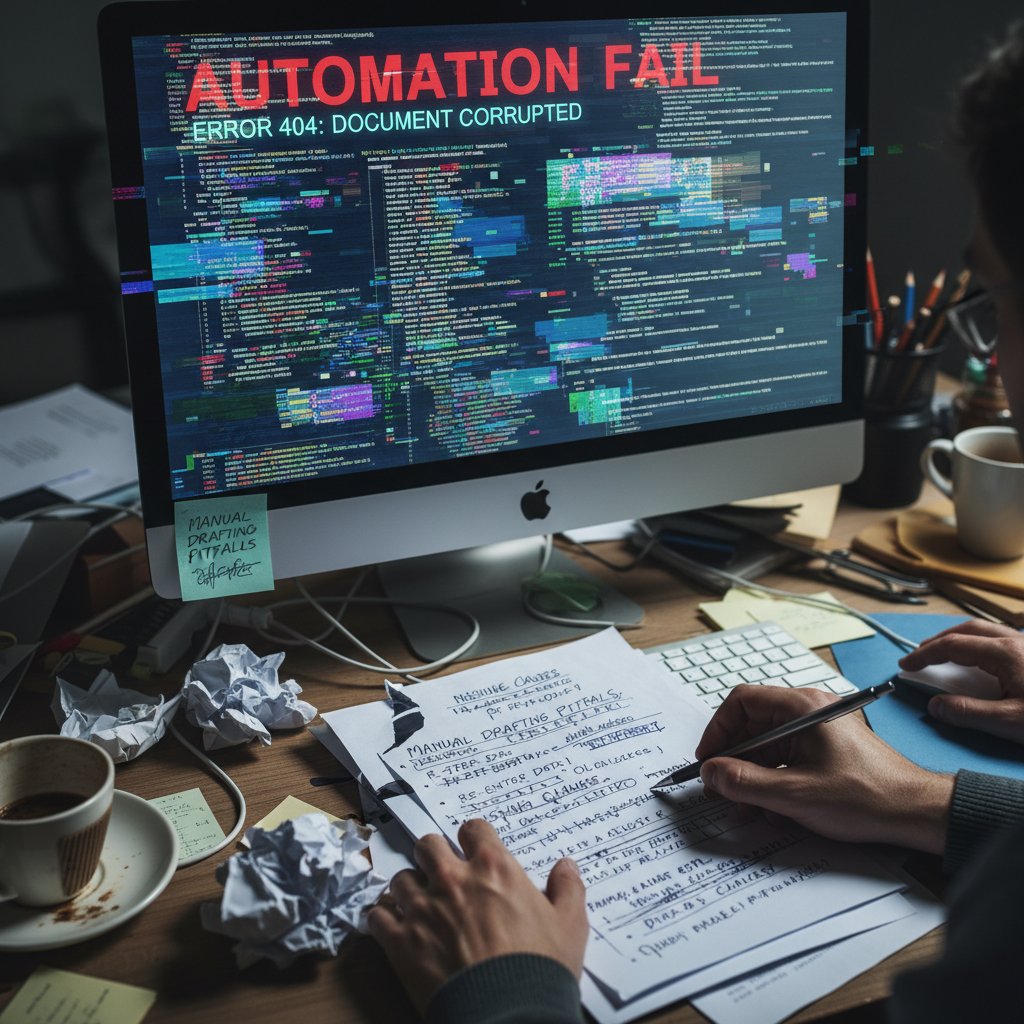
Risk mitigation demands a blend of vigilance and best practices:
- Always audit templates and logic before launch.
- Implement routine quality checks—automated and manual.
- Maintain backup copies and detailed version histories.
- Train staff to recognize warning signs (e.g., unexpected formatting, missing data).
Protecting privacy and compliance in a post-manual world
With great automation comes great responsibility. Data privacy and regulatory compliance can’t be afterthoughts; they must be baked into digital workflows. Leading solutions encrypt data, restrict access, and provide audit logs for every change.
- Encryption: Safeguards data in transit and at rest.
- Access controls: Define who can view, edit, and approve documents.
- Audit trails: Record every change, ensuring compliance with GDPR, HIPAA, or industry-specific rules.
Definition list: Essential privacy and compliance terms
- Encryption: The process of converting information into code to prevent unauthorized access.
- Audit trail: A chronological record of document edits, critical for regulatory investigations.
- Data minimization: Only collecting and storing information necessary for document creation.
- Access control: Mechanisms that restrict document access to authorized personnel.
The future of document drafting: where do we go from here?
Emerging trends: AI, smart contracts, and beyond
Document automation is at an inflection point. Today’s leading platforms integrate AI reasoning with workflow tools, but tomorrow’s promises even deeper transformation—a convergence of AI, blockchain-based smart contracts, and dynamic digital signatures. According to industry analysis, these advances are already shifting work from manual control to intelligent orchestration (Source: LawNext Directory, 2025).

The impact isn’t just technological—it’s cultural. As organizations embrace these tools, work becomes more transparent, collaborative, and fast-paced. The real winners? Those who adapt, experiment, and build resilience into their document workflows.
Will we ever ditch manual drafting entirely?
Despite the hype, the death of manual drafting is a myth. Deeply ingrained habits, regulatory quirks, and nostalgia for “the personal touch” mean some manual work will always linger. But that’s not a failure—it’s a reality check.
What’s gained? Hours freed, stress reduced, and error rates slashed. What’s lost? Only the illusion that busywork equals value.
"The real revolution isn’t tech—it’s letting go of tradition." — Casey (quote based on current trends)
Action steps: break free from the manual grind today
Quick wins: what you can do this week
Ready to start your escape? Here’s how to get tangible results—fast.
- Automate one document: Pick a repetitive template and pilot an automation tool.
- Centralize your templates: Store them in a shared, cloud-based library accessible to your team.
- Digitize approvals: Use an e-signature or workflow app to replace email ping-pong.
- Train your team: Schedule a 30-minute workshop to introduce automation basics.
- Track your wins: Log time saved and errors reduced for instant proof of progress.
Within days, you’ll see the benefits: faster drafting, fewer errors, and a measurable morale boost. Platforms like filecreator.ai and its Professional Document Generator are crafted to support this journey, offering trusted alternatives for those ready to step into the future.
Resources and next-level tools to explore
For those hungry to dig deeper, explore trusted industry resources and communities. Start with the LawNext Directory, 2025, which curates up-to-date reviews and comparisons. Don’t underestimate the value of experimentation—try new tools, join webinars, and talk to peers who’ve already made the switch.

Ongoing learning is your best weapon against stagnation. Every new skill you master is one less hour chained to the manual grind.
Conclusion
Manual document drafting alternatives are no longer optional—they’re the oxygen for any team gasping under the weight of outdated workflows. Research-backed, AI-driven, and battle-tested in industries from legal to marketing, these solutions deliver on their promise: they cut time, slash errors, and give you back what matters most—your focus, your energy, and your edge. The true cost of manual drafting is paid in hours wasted, deals lost, and potential squandered. As this guide reveals, powerful alternatives are already here, waiting for your boldness. Don’t let tradition chain you to your desk—embrace the radical, the proven, and the automated. Your new reality starts now.
Sources
References cited in this article
- LawNext Directory: Best Document Automation and Assembly Software for Lawyers 2025(directory.lawnext.com)
- Briefpoint: Paralegal Drafting and Document Automation Tools(briefpoint.ai)
- Templafy: Say Goodbye to Manual Document Creation with AI(templafy.com)
- DoxFlowy: Hidden Costs of Manual Document Creation(doxflowy.com)
- Comparatio: Manual Document Processing: Hidden Costs and Risks(comparatio.com)
- Bidhom(bidhom.com)
- Quilt: The Hidden Costs of Manual RFP Management(quilt.app)
- SAGlobal: The Ripple Effect of Missed Deadlines(saglobal.com)
- ConTEXT Editor: The Evolution of Writing: From Quill to Quantum Computing(contexteditor.org)
- Scribd: A Brief History of Writing Instruments(scribd.com)
- BCAD: The Evolution of Drafting(bcad.com)
- ProfileTree: Technical Drawings: From Ancient Sketches to Digital Innovation(profiletree.com)
- Vintti: The Top Legal Software for Document Assembly(vintti.com)
- Definely: Best Legal Drafting Software(definely.com)
- Salzworth: Alternative Investments Myths(salzworth.com)
- Mercer: 4 Myths of Alternative Investments(mercer.com)
- The Builders Daily: 2025 Mortgage Buydown Survival Guide(thebuildersdaily.com)
- Uplers: How to Choose the Right Toptal Alternative in 2025(uplers.com)
- Science.co.jp: Case Study of an Automobile Manufacturer(science.co.jp)
- HÄLSA Wellbeing: Habit Transformation Case Studies(halsawellbeing.com)
- Briefpoint: Best Document Automation Software for 2025(briefpoint.ai)
- Inkit: Best Document Automation Software for Enterprise(inkit.com)
- Windward Studios: Top 7 Document Automation Vulnerabilities(windwardstudios.com)
- DoxFlowy: Document Automation Safety(doxflowy.com)
- Legito: What is Automated Document Drafting?(legito.com)
- Draftomat: Drafting Mistakes Avoided with Automation(draftomat.app)
- DocsNow: Top 10 Trends Shaping the Future of Document Management in 2025(blog.docsnow.io)
- ContractPodAi: Top Legal Tech Trends of 2025(contractpodai.com)
- Outsource2India: How CAD Drafting is Dethroning Manual Methods(outsource2india.com)
- Lea Design Studio: The Demise of Manual Drafting(leadesign.com.au)
- Edocgen: Document Workflow Automation(edocgen.com)
- The Legal Practice: Best Legal Drafting Software(thelegalpractice.com)
Perfect Documents, Instantly
Filecreator.ai transforms the way you produce professional documents. Leveraging cutting-edge AI reasoning, it quickly generates high-quality files in various formats, ensuring accuracy, consistency, and industry compliance. Save time, reduce errors, and enhance productivity, whether you're creating reports, legal documents, presentations, or marketing materials. Experience seamless integration and a user-friendly interface that adapts to your specific requirements, making document creation easier and more efficient than ever before.
Get startedStart Creating Professional Documents Today
Join thousands of professionals who trust AI-powered document generation
Frequently Asked Questions
What percentage of organizations still use manual document drafting despite having automation available?
According to current research cited in the article, over 60% of organizations still rely on manual processes for their critical documents, even when automation is available.
Why do companies continue to use manual document drafting if alternatives exist?
The article states that the persistence of manual drafting stems from habit, perceived control, and institutional inertia—despite a decade of tech promises.
What are the consequences of manual document drafting beyond financial costs?
Employees chained to manual workflows report higher stress, frustration, and a creeping sense of futility, while deadlines slip, revisions become endless, and human error becomes a persistent risk.
How many hours per year do employees spend on manual drafting according to the article?
The article indicates that in 2021, employees spent an average of 250 hours per year on manual drafting, representing an estimated productivity loss of $4,900 USD.
Continue Reading
Explore more from Professional Document Generator

Why Manual Document Drafting Replacement Matters in 2025
Manual document drafting replacement addresses the hidden costs and productivity losses of paper-based workflows.

Automatic Document Drafting: Benefits and Control Risks
Automatic document drafting reduces manual work and errors while introducing new control challenges. This article explains the benefits, costs, and risks of AI-powered document automation.

Automatic Document Drafting Software: Benefits and Real Pitfalls
Automatic document drafting software transforms workflows across legal, finance, and creative teams. This article explains the real benefits, genuine risks, and how to select the right tool.

Better Than Manual Document Drafting: Why the Shift Is Happening
Manual document drafting wastes time and limits productivity. This article explains why alternatives to manual document drafting have become viable and how they deliver faster results.

The High Price of Manual, Error-Prone Drafting—And What to Do Now
Discover insights about replace manual, error-prone drafting

Alternatives to Manual Document Creation and Workflow Automation
Manual document creation drains time and mental energy. This article examines nine alternatives to manual document creation and how automation transforms workflows.


