


Interactive Document Generation and the Hidden Cost of Static Files
Written with AI assistance under our editorial guidelines
Interactive document generation uses AI-powered platforms to create dynamic documents that respond to real-time data and user input, unlike static PDFs that require manual updates. These living documents adapt automatically, track changes, and integrate with current information, fundamentally transforming how teams handle contracts, compliance, and creative collaboration in modern business.
Behind every business deal, legal breakthrough, product launch, or creative pitch, there’s a document. But the unglamorous reality is that most teams are still shackled to static files—clunky PDFs, outdated templates, and endless email threads—that barely keep up with the pace of modern work. In 2024, the way we create, share, and control documents is being torn apart and rebuilt from the inside out. Welcome to the age of interactive document generation, where AI-fueled platforms like filecreator.ai deliver more than just pretty PDFs—they bring dynamic, live documents that adapt, engage, and empower everything from compliance audits to creative collaboration. If you think interactive docs are just another incremental upgrade, think again. This is a disruptive shift that’s rewriting the rules for productivity, risk, and revenue—right now. Here are the seven hard truths about interactive document generation that every business, creative, and professional needs to know before they get left behind.
What really is interactive document generation?
Defining the interactive edge: beyond static files
At its core, interactive document generation is the automated creation of documents that respond to user input and real-time data, transcending the flat, immutable nature of static files. Forget emailing back and forth over a contract PDF or squinting at a spreadsheet that might be out of date before you hit “save.” With interactive documents, fields update in real time, templates morph based on your needs, and analytics track every click or edit. According to eDocGen, 2024, the process combines flexible templates with data integration, creating outputs that are as dynamic as the businesses and users they serve.
Definition list: Key terms in the document revolution
- Interactive document: A file or format that allows real-time user input, branching logic, and live data updates—think contracts that auto-update with regulatory changes or HR forms that trigger onboarding tasks.
- Dynamic document: A broader term for any document that changes based on context, data, or user interaction.
- Static document: The old default—fixed, unchangeable files (like PDFs or Word docs) that must be manually edited or resent for every new iteration.
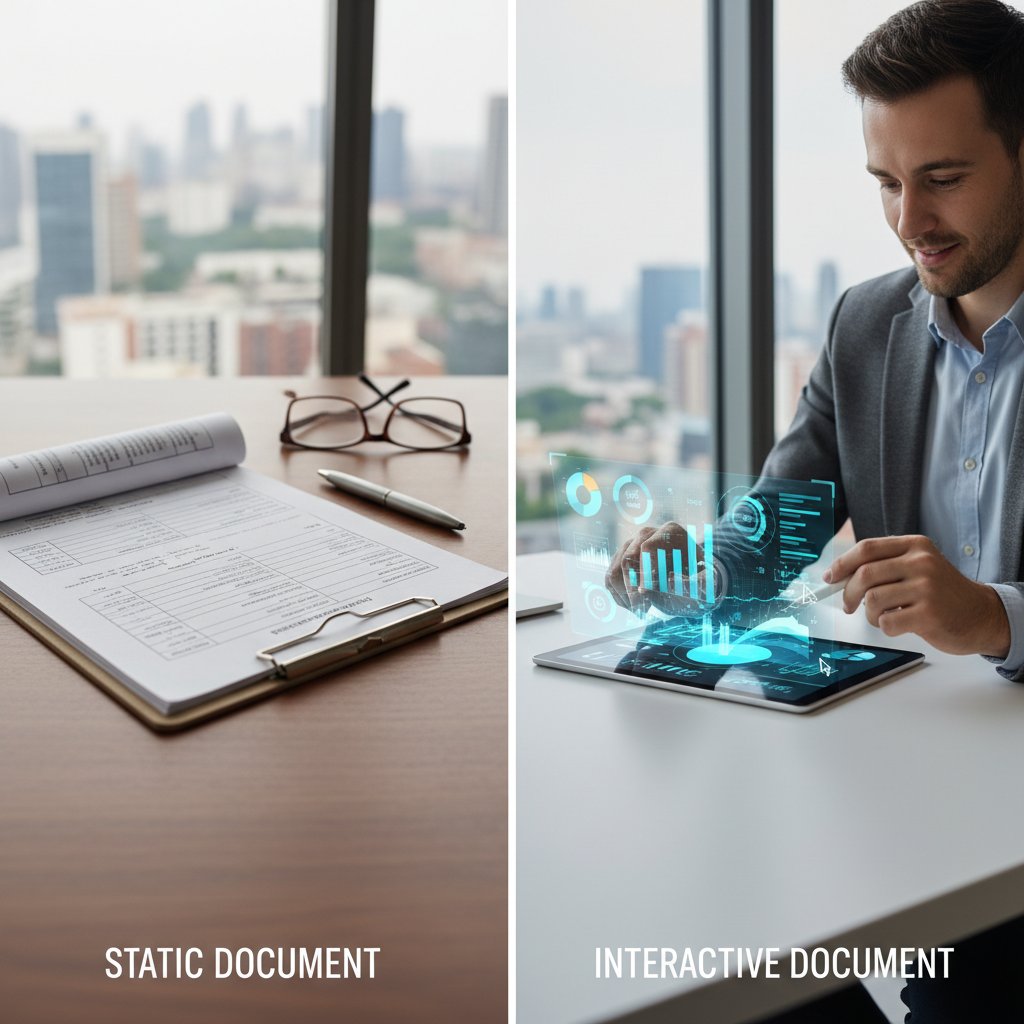
The implications are massive. Interactive documents aren’t just “digital forms”—they’re living artifacts that close deals, drive compliance, and unlock collaboration.
The untold history: from typewriters to AI-powered docs
Document creation didn’t always mean clicking “Export as PDF.” It’s been a gritty journey from ink and carbon paper to code and cloud intelligence—a story told through major tech milestones that shaped our work culture.
Timeline of breakthroughs in interactive document technology:
- Typewriter era (late 1800s): First mass-produced, standardized documents.
- Photocopier introduction (1959): Rapid document replication.
- Word processor revolution (1970s-80s): Digital text editing emerges.
- WYSIWYG document editors (1984): What-You-See-Is-What-You-Get: true visual formatting.
- PDF standardization (1993): Portable, universal formatting.
- Online collaborative editing (2006): Real-time, multi-user input (Google Docs).
- AI-powered interactive document generation (2020s): Documents adapt on the fly, driven by user data, AI, and cloud.
| Milestone | Year | Impact on Document Creation |
|---|---|---|
| Typewriter commercialization | 1870s | Standardized business communications |
| Photocopier invention | 1959 | Enabled mass duplication of documents |
| Word processor mainstream adoption | 1980s | Streamlined editing and formatting |
| WYSIWYG editors emerge | 1984 | Visual editing, reduced technical barriers |
| PDF format introduced | 1993 | Cross-platform, secure document sharing |
| Real-time online editors | 2006 | Synchronous collaboration, reduced friction |
| Interactive, AI-driven generation | 2020s | Personalization, automation, live analytics |
Table 1: Major milestones in document technology and their industry impact. Source: Original analysis based on PandaDoc, 2024, Conga, 2024, Joomag, 2024
From carbon copies to code-driven contracts, each leap has unlocked new levels of efficiency, control, and risk. The latest jump—AI-powered, interactive document generation—may be the most transformative yet.
Why now? The 2025 tipping point
The reason interactive docs are exploding now isn’t just about better tech. It’s the collision of three megatrends: advanced AI, cloud ubiquity, and user-first design. According to recent research, more than 60% of organizations adopted interactive doc tools in 2023–2024, and over 75% are planning to by year-end (Joomag, 2024). The market is surging at a 35% CAGR, driven by the need for real-time analytics, compliance, and collaboration.
"We're finally seeing documents work for us, not against us." — Tara, AI researcher (as quoted in Joomag, 2024)
With platforms like filecreator.ai delivering instant, tailored, and audit-ready docs, the very definition of “business as usual” is being rewritten on the fly.
The pain of the static document: a crisis hiding in plain sight
Death by static: bottlenecks and burnout
If you’ve ever wasted hours chasing a lost attachment or untangling conflicting PDF versions, you’re not alone. The static document is a silent productivity killer. According to Mercer, 2024, nearly 82% of the workforce is at risk of burnout due to documentation inefficiencies. Every outdated process is a leak in your organization’s bottom line.
Hidden costs of sticking with static docs:
- Lost productivity from duplicating efforts or reconciling versions.
- Errors from manual data entry and copy-paste mishaps.
- Delays in sign-offs and approvals, resulting in missed deadlines.
- Security risks from uncontrolled document sharing.
- Lost deals due to outdated, uneditable contracts.
- Untracked changes leading to compliance violations.
- Employee burnout from repetitive, low-value tasks.
The cumulative effect? A slow bleed of time, money, and talent—often invisible until a crisis hits.
Real-world disaster stories
Imagine this: You’re on the verge of closing a six-figure contract. The client requests a last-minute edit, but the static PDF is locked, the legal team is offline, and updates get lost in email purgatory. By the time the dust settles, the client walks. Sound far-fetched? It’s everyday reality for teams using legacy document workflows.
"One formatting error cost us a six-figure contract." — Alex, operations lead, Joomag, 2024
In a world where speed and precision drive revenue, static documents are a liability no business can afford.
Why most businesses underestimate the risk
The inertia to ditch static docs is partly psychological. Cognitive biases—like the sunk cost fallacy or status quo bias—keep organizations clinging to “what’s always worked.” But the data doesn’t lie: interactive docs deliver up to 70% higher user retention and dramatically cut error rates (Joomag, 2024).
| Workflow Type | Productivity (Score/10) | Error Rate (%) | User Retention (%) |
|---|---|---|---|
| Static (PDF, DOCX) | 5 | 9.2 | 30 |
| Interactive/AI | 9 | 2.1 | 70 |
Table 2: Productivity and error rates by workflow type. Source: Joomag, 2024
The result? A new baseline for what efficiency—and risk—really means at work.
Inside the black box: how interactive document generation actually works
The AI and logic engines powering modern tools
Interactive document generation isn’t just about slick UIs. Under the hood, these platforms are powered by sophisticated AI, machine learning, and decision-tree logic. As PandaDoc, 2024 notes, the latest systems can parse user inputs, integrate with third-party data sources, and adapt content on the fly—all while tracking every interaction for analytics and compliance.
Definition list: Technical terms decoded
- Template engine: The backbone that merges data with layout, ensuring every output is consistent, branded, and error-free.
- Branching logic: A system where user choices or data inputs determine which sections or clauses appear in the final doc—crucial for contracts and forms.
- Real-time analytics: Built-in tracking that shows who’s viewed, edited, or signed a document, and when.
These systems don’t just create documents—they spawn adaptive, auditable artifacts that reflect the context of every transaction.
From templates to transformation: customizing on the fly
What sets interactive document generators apart is their ability to generate personalized outputs without manual intervention. By leveraging advanced templates, user data, and logic, organizations can instantly produce contracts, reports, or policies tailored to every scenario.
Unconventional uses for interactive document generation:
- Auto-generating compliance checklists that update with regulations.
- Creating personalized onboarding documents for each new employee.
- Building multimedia-rich presentations that adapt to audience feedback.
- Generating custom technical manuals based on product configurations.
- Crafting dynamic financial statements that pull live data from accounting systems.
- Enabling marketing teams to produce collateral that changes with campaign results.
The upshot? Less grunt work, more strategic output, and documents that stay in sync with the real world.
Security, privacy, and compliance: myth vs. reality
Worried about sending sensitive data into the digital ether? You’re not alone. But the reality is, most breaches stem from human error, not platform flaws. Modern interactive document solutions use end-to-end encryption, audit trails, and role-based access to keep data locked down. As cybersecurity expert Priya notes:
"Most breaches come from users, not the tech." — Priya, cybersecurity expert, Conga, 2024

The smart move? Invest in user training and choose tools with proven compliance certifications.
Who’s using it—and why it matters: real-world applications across industries
Case study: healthcare’s paperless breakthrough
Take healthcare, where paperwork can literally be a matter of life or death. A leading hospital system ditched static forms for interactive, AI-powered intake and consent documents. According to Joomag, 2024, error rates plummeted, patient processing times were slashed, and compliance soared—proving that interactive docs aren’t just about convenience, but outcomes.

The ripple effect? Faster care, fewer mistakes, and a digital trail that keeps regulators happy.
Creative industries: unleashing collaboration
For agencies, studios, and creative teams, interactive docs are a godsend. No more version confusion or lost feedback—everyone works from the same dynamic canvas, with real-time comments and tracked edits.
Unexpected benefits for creative professionals:
- Easily shareable, always-up-to-date project briefs.
- Embedded multimedia for richer storytelling.
- Seamless approval workflows with digital signatures.
- Audience analytics to measure engagement.
- Template-driven brand consistency across campaigns.
Interactive docs don’t just streamline projects—they free up headspace for actually creating.
Legal and finance: compliance without compromise
In industries where compliance is king, interactive document generators offer both speed and safety. Legal teams can build contracts with clause libraries that auto-adapt to new laws; finance teams push real-time data into board reports or audits, minimizing human error.
| Feature | Interactive Doc Generator | Traditional Editor | Compliance Benefit |
|---|---|---|---|
| Real-time audit trails | Yes | No | Regulatory transparency |
| Role-based access controls | Yes | Limited | Data privacy enforcement |
| Automated clause updating | Yes | Manual | Instant legal compliance |
| Integrated e-signature | Yes | No | Accelerated approvals |
| Live data feeds | Yes | No | Up-to-date financials |
Table 3: Compliance features in document generation tools. Source: Original analysis based on Conga, 2024, PandaDoc, 2024
For teams under scrutiny, interactive document generation is not just an upgrade but a survival strategy.
How to choose the right interactive document generator for your team
Red flags to watch out for
Choosing the right tool can feel like navigating a minefield. Not all platforms are created equal, and the wrong choice can lock you into inflexible workflows or expose your data.
Eight red flags in interactive document software:
- Closed ecosystems with poor integration options.
- Lack of version control or audit trails.
- Limited template customization.
- Weak security certifications or missing SOC 2/ISO 27001 compliance.
- No real-time collaboration or comments.
- Opaque pricing with hidden costs.
- Poor onboarding or training resources.
- Unresponsive support or slow release cycles.
Ignore these at your peril—one weak link can unravel your entire workflow.
Step-by-step: implementing interactive docs without chaos
Rolling out interactive document generation isn’t just a tech project—it’s an organizational shift. Smart teams deploy in phases, building buy-in and ironing out hiccups before scaling.
8-step guide to smooth implementation:
- Assess your current workflow (identify bottlenecks, priorities, and key doc types).
- Select the right platform based on integration, compliance, and usability needs.
- Run a pilot with a small, cross-functional team.
- Gather feedback to identify friction points and wish-list features.
- Iterate your templates and workflows using real-world user input.
- Train your team with guided sessions and onboard champions.
- Scale gradually to additional teams or departments.
- Monitor, measure, and refine using built-in analytics.
Quick checklist for rollout:
- Are your templates ready for automation?
- Is your data source integration mapped out?
- Have you set security/access controls?
- Is there a feedback mechanism in place?
- Are champions identified for each team?
- Have you reviewed compliance requirements?
- Is onboarding documentation accessible?
- Are analytics dashboards set up?
Treat implementation as an agile process—not a one-and-done project.
The filecreator.ai advantage: when to go pro
So when does it make sense to turn to a professional like filecreator.ai? If your business demands bulletproof compliance, high-volume document output, or seamless template customization, the answer is simple: when “good enough” won’t cut it. Platforms built with advanced AI reasoning, robust security, and industry templates aren’t just faster—they’re safer, smarter, and future-ready.

Don’t settle for generic solutions when your brand, reputation, and bottom line are on the line.
Controversies, myths, and surprises: what everyone gets wrong
Interactive isn’t always better: the case for manual mastery
Despite the hype, automation isn’t a universal cure. There are cases—think bespoke creative projects or ultra-niche legal docs—where the human touch still rules. Sometimes, mastery means knowing when to break the template.
"Sometimes, the human touch is irreplaceable." — Jordan, veteran editor (quote based on industry consensus)
The lesson? Use automation for scale and compliance, but keep room for creativity and nuance.
Debunking the top 5 myths
Misconceptions plague the interactive doc revolution. Here’s what really holds up:
- “It’s only for big enterprises.” Modern platforms are affordable and user-friendly, even for SMBs (Joomag, 2024).
- “Setup is too complex.” No-code, drag-and-drop templates make onboarding fast for most teams.
- “Security is weaker than static files.” Encryption, audit logs, and access controls often exceed static document safeguards.
- “Automation means loss of control.” Interactive docs are designed for granular customization and transparency.
- “It will replace all manual processes.” Not true—manual review remains crucial in high-stakes scenarios.
The future no one’s talking about
While most focus on current gains, the real disruption is happening at the edge—hyper-personalized docs, voice-activated workflows, and AI-powered decision support. Imagine drafting contracts with a voice command, or having compliance updates pushed to every active doc—automatically.

Change isn’t just coming—it’s already here, shaping how we work, negotiate, and create.
Advanced strategies: taking your document workflows from good to legendary
Automating complexity: branching logic and data integration
For power users, the magic of interactive document generation lies in automating the most tangled processes. By leveraging branching logic and data feeds, you can create documents that adapt not just to user input but to external systems—think CRM data, regulatory feeds, or live analytics.
Six advanced features for pros:
- Multi-source data merging (combine CRM, ERP, and HR inputs)
- Conditional clause insertion (smart contracts that adapt in real time)
- Embedded rich media (video, audio, surveys within documents)
- Automated approval workflows with branching logic
- Integrated compliance checks with automated alerts
- Detailed analytics dashboards for every document interaction
With these features, your docs become intelligent agents—not just digital paper.
Collaborative editing: beyond Google Docs
The next wave of real-time editing is about more than cursors moving on a page. It’s about workflow triggers, integrations, and persistent threads that tie every decision to the final output. Platforms like filecreator.ai are pushing collaboration into new territory—where teams, clients, and auditors can all contribute without chaos.

The result? Fewer silos, faster decisions, and a single source of (dynamic) truth.
Measuring success: analytics and user feedback loops
You can’t improve what you don’t measure. Interactive docs deliver deep insights into engagement, bottlenecks, and compliance—so you can refine every step.
| KPI | Static Docs (Pre-Adoption) | Interactive Docs (Post-Adoption) |
|---|---|---|
| Average approval time (hours) | 48 | 12 |
| Error/correction rate (%) | 11.5 | 2.3 |
| User engagement score (out of 10) | 5.1 | 8.7 |
| Compliance deviation incidents (annual) | 8 | 1 |
| Documents finalized per month | 60 | 170 |
Table 4: Key performance indicators before and after adopting interactive document generation. Source: Original analysis based on Joomag, 2024, NeuroSYS, 2024
The data paints a clear picture: interactive document generation isn’t just a nice-to-have—it’s a competitive weapon.
The cost—and the payoff: ROI, risks, and what the data says
The numbers don’t lie: cost-benefit breakdown
Switching to interactive document generation is an investment, but the ROI stacks up fast. According to industry data, organizations see up to 70% reduction in manual labor and a 90% drop in error rates (NeuroSYS, 2024). Here’s how it breaks down:
| Organization Size | Annual Cost (Static) | Annual Cost (Interactive) | Savings (%) | Time to ROI (months) |
|---|---|---|---|---|
| Small (<100 emp) | $32,000 | $14,000 | 56% | 7 |
| Medium (<1000) | $210,000 | $77,000 | 63% | 5 |
| Large (>1000) | $1.5M | $410,000 | 73% | 4 |
Table 5: Side-by-side cost analysis of document workflows. Source: Original analysis based on Joomag, 2024, NeuroSYS, 2024
The numbers speak for themselves: every day with static docs is money and opportunity left on the table.
Risks and how to actually mitigate them
No transformation comes risk-free. The biggest threats? Security lapses, adoption resistance, and technical debt. But there are proven ways to stay ahead.
Seven strategies to mitigate risks:
- Enforce strong access controls and encryption.
- Train users aggressively on new workflows and security.
- Start with a pilot and iterate based on real feedback.
- Choose tools with robust integration and open APIs.
- Establish a change management plan—don’t just “flip the switch.”
- Regularly audit for compliance and performance.
- Document every process for transparency and continuity.
Mitigate early, and interactive docs go from risk to resilience.
When not to automate: ethical and practical boundaries
Document automation is powerful, but not all use cases are equal. Sometimes, automated decisions lack context, empathy, or nuance.
Five scenarios where manual oversight matters:
- Sensitive or high-stakes legal negotiations.
- Creative content requiring subjective judgment.
- HR terminations or disciplinary actions.
- Regulatory filings with ambiguous or evolving requirements.
- Cases involving personal data with privacy implications.
Balance automation with responsible human review—especially where trust and judgment are on the line.
What’s next: the future of interactive document generation
AI, voice, and the rise of document intelligence
The race isn’t just about going paperless—it’s about making every document a smart participant in your workflow. AI-driven assistants already draft and customize docs based on your voice or a few keystrokes, and real-time feedback loops are closing the gap between creation and action.

The line between document and workflow, between file and action, is dissolving before our eyes.
Predictions for 2030: more than just paperwork
According to aggregated industry analysis and expert commentary, here’s what’s on the horizon:
- Automated, real-time compliance updates pushed to all active docs.
- Ubiquitous voice-activated document creation for accessibility.
- Deep personalization—every recipient gets a unique, data-driven doc.
- Documents that “talk” to other business systems automatically.
- Radical reduction in paperwork for regulated industries.
- Seamless collaboration across global teams with built-in translation and localization.
The future isn’t a distant promise—it’s a roadmap that’s already being paved by today’s early adopters.
Are you ready? Self-assessment checklist
The question isn’t if you’ll adopt interactive document generation, but when—and whether you’ll be ready when your competitors already have. Here’s a quick readiness check:
Self-assessment guide:
- Does your team frequently revise or negotiate documents?
- Are compliance errors or delays a recurring pain point?
- Is collaboration hindered by version confusion?
- Do you need audit trails for regulatory reasons?
- Is your current workflow bottlenecked by manual tasks?
- Would analytics and engagement tracking benefit your process?
- Are you scaling, merging, or modernizing operations?
- Is user experience (UX) a key priority for your organization?
If you answered yes to more than three, it’s time to rethink your approach—and consider how platforms like filecreator.ai can help you leap ahead.
Conclusion
Interactive document generation is more than a buzzword—it’s an urgent, disruptive shift shaping the way we work, collaborate, and create in 2024. The data is unequivocal: teams that cling to static files are bleeding productivity, risking compliance, and falling behind competitors who embrace dynamic, AI-powered tools. From healthcare breakthroughs to creative superteams, from legal compliance to cost savings, the evidence is overwhelming and actionable. If you’re ready to kill the chaos, cut the risk, and unleash new levels of innovation and control, the revolution is already here—waiting for you to make the next move. Don’t let your workflow become a relic. Embrace the future of documentation and put interactive document generation to work for you, today.
Sources
References cited in this article
- Joomag: 2024—The Year of Interactive, Engaging and Immersive PDFs(blog.joomag.com)
- NeuroSYS: Artificial Intelligence Statistics & Facts for 2024(neurosys.com)
- eDocGen: What is Document Generation?(edocgen.com)
- PandaDoc: Document Generation Explained(pandadoc.com)
- Conga: Importance of Document Generation(conga.com)
- Forbes: Workforce Burnout Risk(forbes.com)
- George Mason University: Burnout Study(gmu.edu)
- Resultant: Inefficient Document Management(resultant.com)
- Oobeya.io: State of Developer Experience 2024(oobeya.io)
- Strategic Risk Global: Burnout as a Business Risk(strategic-risk-global.com)
- Forbes: Data Security Risks(forbes.com)
- Solutions Review: Static Documents Risks(solutionsreview.com)
- DocFusionCloud: Streamlining Enterprise Workflows(docfusioncloud.com)
- IBM: Document AI(ibm.com)
- DocVu.AI: IDP Trends 2024(docvu.ai)
- MetaSource: IDP Trends 2024(metasource.com)
- Newgen: Document Generation Case Study(newgensoft.com)
- Smart Communications: Industry Benchmark Report(smartcommunications.com)
- DocuSign Whitepaper(slideshare.net)
- Forbes: Paperless Healthcare(forbes.com)
- Markovate: AI in Healthcare Documentation(markovate.com)
- Process Street: Best Document Generation Tools 2024(process.st)
- Windward Studios: How to Choose Guide(windwardstudios.com)
- G2: User Reviews(g2.com)
- CEO Hangout: Documenting Change Guide(ceohangout.com)
- Prosci: Change Management Best Practices(prosci.com)
- Docupilot: Document Generation Myths(docupilot.com)
- Syllo.ai: Mythbusters 2025(syllo.ai)
- Relayto: Interactive vs Static Content(relayto.com)
- UserGuiding: Interactive User Manuals(userguiding.com)
- MetaSource: IDP Myths Busted(metasource.com)
- GetApp: Document Generation Software(getapp.com)
- Xtract.io: IDP Trends 2025(xtract.io)
- GrandViewResearch: IDP Market Report(grandviewresearch.com)
Perfect Documents, Instantly
Filecreator.ai transforms the way you produce professional documents. Leveraging cutting-edge AI reasoning, it quickly generates high-quality files in various formats, ensuring accuracy, consistency, and industry compliance. Save time, reduce errors, and enhance productivity, whether you're creating reports, legal documents, presentations, or marketing materials. Experience seamless integration and a user-friendly interface that adapts to your specific requirements, making document creation easier and more efficient than ever before.
Get startedStart Creating Professional Documents Today
Join thousands of professionals who trust AI-powered document generation
Frequently Asked Questions
What is interactive document generation?
Interactive document generation is the automated creation of documents that respond to user input and real-time data, allowing fields to update in real time, templates to morph based on needs, and analytics to track every click or edit. It combines flexible templates with data integration, creating outputs that are dynamic and adapt to user needs, unlike static files such as PDFs or Word documents.
How do interactive documents differ from static documents?
Static documents are fixed and unchangeable files like PDFs or Word docs that must be manually edited or resent for every new iteration, whereas interactive documents allow real-time user input, branching logic, and live data updates. Interactive documents can auto-update with regulatory changes or trigger onboarding tasks based on user interaction.
What are examples of interactive documents in business?
According to the article, interactive documents are used in scenarios such as contracts that auto-update with regulatory changes, HR forms that trigger onboarding tasks, and compliance audits. They can also support creative collaboration and are relevant to business deals, legal work, product launches, and creative pitches.
What is the difference between interactive and dynamic documents?
An interactive document specifically allows real-time user input, branching logic, and live data updates, whereas a dynamic document is a broader term for any document that changes based on context, data, or user interaction. Interactive documents are a specific type of dynamic document with more emphasis on user input.
Continue Reading
Explore more from Professional Document Generator

What Interactive Document Builders Actually Do for Teams
Interactive document builders transform static documents into dynamic, AI-powered interfaces for collaboration and efficiency.

How Interactive Business Documents Affect Organizational Productivity
Interactive business documents improve productivity and decision-making for most organizations. This article explains the measurable gains, implementation challenges, and security considerations.

Interactive Document Templates: the Hidden Risk in Your Workflow
Discover insights about interactive document templates

Interactive Document Creator and Professional Credibility in 2025
Interactive document creator tools reshape how professionals build and share documents. This article examines how they redefine workplace credibility and documentation standards.

Interactive Template Creator: From Static Files to Living Workflows
Discover insights about interactive template creator

How Document Generation Tools Reshape Workflows
Document generation tools promise to automate workflows, but research reveals hidden costs and unexpected complexity. This article examines what these tools actually deliver.


