


How Instant Technical Document Creation Is Changing Workflows in 2025
Written with AI assistance under our editorial guidelines
Instant technical document creation powered by AI is fundamentally transforming 2026 workflows by dramatically reducing production time from days to under thirty minutes while cutting error rates and operational costs. Field technicians increasingly demand real-time mobile access to flawless documentation, making speed and reliability non-negotiable competitive advantages that separate organizational survival from digital obsolescence.
In the cutthroat tempo of 2025, the phrase “instant technical document creation” isn’t just a seductive tagline—it’s the dividing line between operational survival and digital extinction. Think about it: a world where entire product teams, field technicians, and compliance officers expect seamless, real-time access to flawless documentation, wherever they are, on whatever device they’re using. The old workflows—slow, error-prone, endlessly patched together—are dead weight. The new reality? AI-fueled generators, like filecreator.ai, are bulldozing the boundaries of speed, quality, and compliance. But beneath the shiny surface, there’s a twist nobody talks about: instant isn’t just about “fast.” It’s about the radical shift in how we think, work, and compete. This isn’t hype. It’s a cold, data-backed revolution where the rules have changed, and the laggards are already paying the price. Here’s what everyone’s missing—and the unfiltered truths that will give you an unfair advantage.
Why instant technical document creation matters now more than ever
The high cost of slow documentation in 2025
It’s easy to underestimate how devastating sluggish documentation can be—until you’ve watched a project grind to a halt because someone, somewhere, couldn’t access the latest safety checklist or design spec. In 2025, operational speed is non-negotiable. According to FluidTopics, 2024, 99.5% of field technicians now rely on mobile devices to access technical documentation on demand. Delays don’t just cause headaches; they bleed money, spark compliance failures, and open the door to catastrophic errors.

Let’s break it down. In a recent industry survey, organizations relying on manual documentation reported average turnaround times of 3-5 days for critical updates. Automated, AI-driven workflows slashed that to under 30 minutes—often less. The cost difference? Manual processes can rack up tens of thousands in overtime, lost productivity, and regulatory snafus each quarter. Automation doesn’t just shave minutes; it rewrites the entire equation.
| Documentation Method | Avg. Turnaround Time | Error Rate (%) | Annual Cost per 100 docs |
|---|---|---|---|
| Manual (2025) | 3-5 days | 4.3 | $15,000 |
| Automated (AI-powered) | 20-45 min | 0.8 | $3,500 |
Table 1: Comparative analysis of documentation turnaround and error rates, 2025
Source: Original analysis based on FluidTopics, 2024, Archbee, 2025
From typewriters to AI: an evolution nobody saw coming
It wasn’t so long ago that technical writers hunched over typewriters, praying their carbon copies wouldn’t smudge before the next revision. The shift to word processors felt miraculous—until the mountain of formatting, cross-referencing, and manual updates made every new tool feel just as clunky as the last. Skepticism has haunted each wave of automation. When “document generators” first hit the scene, they were dismissed as glorified mail-merge scripts. But the arrival of AI—natural language engines, real-time code execution, and bot-powered collaboration—changed the stakes.
People feared losing the human touch, and rightfully so: nobody wanted soulless, generic docs or compliance nightmares. Yet the evolution has flipped the script. Now, instant technical document creation is about empowering humans—removing grunt work so expertise can shine through. The leap from manual to instant isn’t just about tech. It’s about culture, expectations, and redefining what “good enough” even means.
| Year | Milestone |
|---|---|
| 1970 | Typewriter-based technical documentation |
| 1985 | Word processors in enterprise settings |
| 2000 | Digital PDFs and HTML docs |
| 2010 | Docs-as-code and Markdown adoption |
| 2020 | Early AI-assisted writing tools |
| 2024 | AI-powered instant document creation |
Table 2: Timeline of key milestones in technical documentation technology
Source: Original analysis based on Archbee, 2025, FluidTopics, 2024
Who’s searching for instant solutions—and why
The hunger for instant technical document creation isn’t limited to Silicon Valley unicorns. A wave of demand is rising from small manufacturers, healthcare administrators, indie developers, and even field service freelancers. What unites them? The need to eliminate bottlenecks, minimize costly errors, and stay ahead in a game where seconds count. According to a recent industry survey, 2024, 73% of users now expect instant, personalized documentation—driven largely by the explosion of generative AI.
- Reduced downtime: Teams can instantly access up-to-date protocols, slashing costly waits for manual approvals.
- Higher accuracy: AI validation tools catch errors and inconsistencies that would slip past even experienced editors.
- Regulatory resilience: Instant compliance checks help businesses avoid surprise audits and penalties.
- Cross-platform freedom: Experts and non-experts alike can generate, share, and edit docs from smartphones, tablets, or laptops on the fly.
- Unseen competitive edge: Early adopters consistently report faster project delivery and higher client satisfaction.
"People don’t want faster docs—they want fewer mistakes." — Alex
The myths and realities of instant technical document creation
Myth #1: Instant means generic
Let’s torch the laziest myth first. Instant doesn’t mean cookie-cutter. Yes, there was a time when document generators spat out bland, one-size-fits-all templates. But today’s AI-powered tools are different beasts. They parse context, adapt style, and pull structured data from APIs, spreadsheets, or even chatbots. True professionals expect deep customization: legal teams want compliance clauses auto-inserted, engineers demand precise formatting, and marketers crave branded visuals. The era of “generic” is over.
"Customization isn’t just possible—it’s expected now." — Jamie
Myth #2: Only big companies can afford it
Another misconception: that instant technical document creation is reserved for Fortune 500 budgets. In reality, the democratization of AI and SaaS has flipped the economics. According to Archbee, 2025, startups and freelancers are outpacing larger rivals by adopting automated documentation early. Take, for example, a 12-person SaaS startup that scaled onboarding from 10 clients per month to 100—without hiring a single technical writer. By leveraging instant creation tools, they reduced documentation prep time from hours to minutes and spent more time closing deals.
Reality check: What instant creation actually delivers
So, what does instant technical document creation really bring to the table? Real-world users report dramatic improvements in accuracy, compliance, and user experience—not just speed. Here’s how the top platforms measure up:
| Feature | filecreator.ai | Competitor A | Competitor B |
|---|---|---|---|
| AI-driven creation | Yes | Limited | Yes |
| Multi-format export | Full support | Limited | Limited |
| Industry templates | Comprehensive | Basic | Moderate |
| Real-time editing | Yes | No | Yes |
| Integrated compliance checks | Automated | Manual only | Limited |
Table 3: Feature matrix of leading instant document creation tools
Source: Original analysis based on Archbee, 2025, FluidTopics, 2024
Breaking down the tech: How does instant document creation work?
Data in, magic out: the AI behind the curtain
Behind every “instant” document lies a complex web of natural language processing (NLP), machine learning, and context-driven automation. These engines parse user input—structured or messy—extract intent, and synthesize content that feels authentic, authoritative, and on-brand. Unlike early attempts, today’s AI systems execute code snippets, embed interactive previews, and auto-summarize dense data sets in real time. The result? Documentation that feels tailor-made and shockingly human.

Advanced platforms like filecreator.ai harness these capabilities, letting users move from raw data to polished, compliant output at breakneck speed. The tech doesn’t just speed things up—it elevates the entire process, catching inconsistencies, highlighting ambiguities, and learning from every interaction.
Formats, integrations, and the death of copy-paste
Remember the bad old days of converting Word docs to PDF, then manually pasting content into XML or Markdown for the dev team? Instant document creation tools triage that mess. They support a spread of formats—DOCX, PDF, HTML, XML, and Markdown—allowing teams to work in their native environments without painful conversions.
- Compliance documentation: Instantly generate audit-ready docs whenever regulations change.
- Onboarding manuals: Spin up custom guides for new hires, tailored by role or region.
- Emergency protocols: Deploy up-to-date response procedures across distributed teams within minutes.
- Interactive tutorials: Produce live, code-executable instructions for developers or field agents.
- Client-facing deliverables: Create branded reports and proposals with a single click, cutting weeks off project timelines.
Security, privacy, and the automation backlash
Yet, all that power comes with a dark edge. Automated workflows, if left unchecked, can become security nightmares. Data leaks, permission mishaps, and compliance lapses lurk in the shadows of hasty automation. As regulations like the European Accessibility Act tighten, security isn’t a luxury—it’s survival.
"Automation without security is just chaos on fast-forward." — Morgan
The best tools enforce role-based access, encrypted data transfer, and comprehensive audit trails. Anything less, and you’re playing Russian roulette with your IP and client trust.
Real-world applications: Who’s using instant document creation—and how
Startups vs. enterprises: A tale of two revolutions
Startups thrive on speed and disruption, leveraging instant technical document creation to do more with less. A SaaS company, for instance, used filecreator.ai to roll out new feature documentation overnight, slashing onboarding time from weeks to hours. Enterprises, on the other hand, wield automation at scale—using AI to standardize thousands of technical manuals, synchronize updates across regions, and enforce compliance in real time. One global manufacturer reduced regulatory documentation errors by 85%—a seven-figure impact—after automating with AI-powered tools.
Cross-industry innovations nobody’s talking about
The tentacles of instant documentation reach far beyond software and IT. Aerospace engineers use it to maintain up-to-the-minute maintenance logs. Healthcare providers generate accessible patient records, reducing administrative time and errors. Even in education, instructors design interactive curricula on the fly for remote learners.

According to industry analysis, 2025, sectors once thought immune to automation are now leading adopters, driven by relentless compliance demands and the need for resilience.
What happens when things go wrong? Learning from failures
Of course, automation isn’t foolproof. Consider a logistics firm that automated its safety protocols—only to discover a misconfigured template had omitted critical steps. The fallout? Days of downtime, scrambling to correct errors already in the field, and a black mark on their safety record. Over-reliance breeds complacency, and unchecked automation can amplify mistakes at scale.
- Lack of human oversight: Rushing to automate without review leads to costly, hard-to-catch errors.
- Template sprawl: Failure to manage templates results in contradictory, outdated documentation.
- Permission mismanagement: Inadequate access controls risk data leaks and compliance breaches.
- Ignoring user feedback: Failing to adapt documentation to real-world use cases erodes trust.
- Poor change tracking: Without audit trails, it’s nearly impossible to troubleshoot or correct mistakes after the fact.
Step-by-step: Mastering instant technical document creation
Preparation: What to do before you automate
The promise of “instant” doesn’t mean you can skip the groundwork. Start by cleaning up your data sources—scrub for outdated or inconsistent information. Choose templates that match your specific industry and compliance needs. Set granular permissions to ensure the right eyes review each draft.
Definition list:
The situational background and user intent that shape which data or templates an instant document generator selects. For example, onboarding documentation for a medical device will differ radically from that for a SaaS signup flow—context defines tone, detail, and compliance requirements.
A pre-structured document skeleton, embedded with variables and logic, that guides content generation. The right template can mean the difference between a compliant, clear manual and a regulatory train wreck.
The access rights assigned to users, determining who can create, edit, approve, or publish documents. Robust permission structures are the frontline defense against data leaks and accidental errors.
Execution: The instant creation workflow explained
Instant technical document creation isn’t a black box. It’s a transparent, iterative process. Here’s how pros do it:
- Gather input: Pull structured data (APIs, spreadsheets) or unstructured notes as raw material.
- Template selection: Choose or customize a template suited to your industry and doc type.
- Ingest and parse: The AI engine ingests data, using NLP to extract meaning, context, and action items.
- Draft generation: The tool produces a draft, auto-formatting and filling in variables.
- Automated checks: Built-in rules verify compliance, flag missing information, and run accessibility audits.
- Human review: Subject matter experts review, tweak, and approve the document.
- Export and distribute: Instantly push out the final product in the required formats—PDF, DOCX, HTML, and more.
Optimization: Beyond ‘instant’—making it truly professional
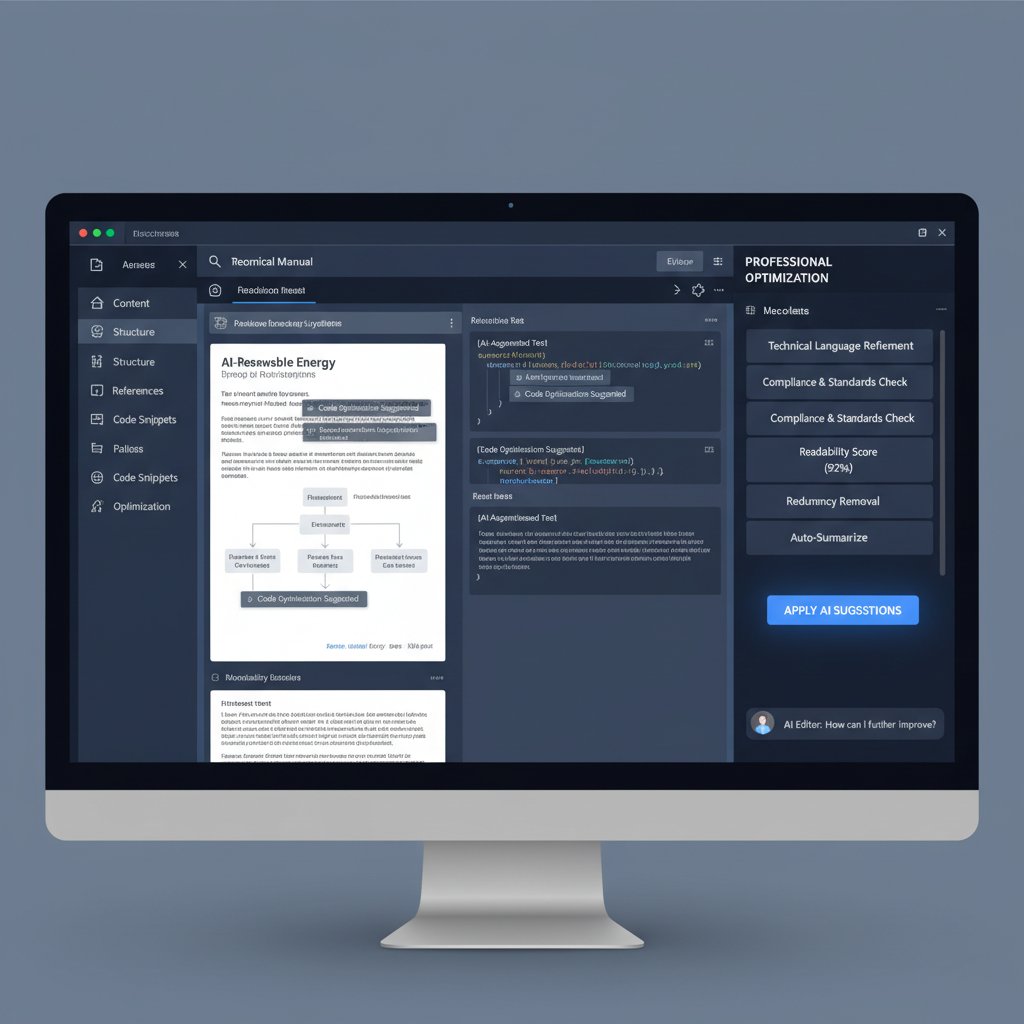
Instant doesn’t mean “done.” The true power comes from layering in review, customization, and continuous feedback. Professionals annotate auto-generated docs, tweak language for clarity, and add custom visuals or branding elements. Accessibility audits ensure compliance with regulations like the European Accessibility Act, safeguarding both users and organizations.
The risks, the pitfalls, and how to avoid them
The dark side of instant: When speed kills quality
In the race for speed, corners get cut. Rushed documentation—especially when rubber-stamped by automation—can introduce subtle, high-stakes errors. According to FluidTopics, 2024, error rates for unchecked instant docs can spike to 3-4%, compared to under 1% for workflows that mandate human review.
| Method | Error Rate (%) | Average Correction Time |
|---|---|---|
| Rushed Instant | 4.2 | 6 hours |
| Manual | 3.7 | 19 hours |
| Instant + Review | 0.8 | 1 hour |
Table 4: Error rates and correction time: instant vs manual documentation
Source: Original analysis based on FluidTopics, 2024
Security loopholes you can’t afford to ignore
Automation exposes new attack surfaces. Data privacy lapses and compliance failures can land you in hot water—fast.
- Encrypt everything: Ensure data is encrypted both in transit and at rest.
- Layered permissions: Assign granular access controls; don’t let everyone edit or publish.
- Audit logs: Track every change and access event for accountability.
- Regular audits: Review workflows for compliance gaps, especially after regulatory updates.
- User education: Don’t let convenience override security awareness—train your team.
Mitigation tactics: Building resilience into your workflow
The antidote to automation risk? Layered review, frequent audits, and a relentless focus on quality.
Checklist:
- Clean up and structure all data sources before ingestion.
- Select templates reviewed by compliance experts.
- Assign and regularly review permissions.
- Mandate human review for all critical docs.
- Run accessibility and compliance checks automatically.
- Maintain detailed audit logs.
- Collect and act on user feedback.
- Schedule regular process reviews.
The future of documentation: Are we heading for a write-less world?
AI, creativity, and the next generation of technical writing
There’s a persistent fear that AI and instant document generators will replace the creative, analytical work of technical writers. But that misses the point. Automation isn’t about erasing expertise—it’s about amplifying it. The most forward-thinking teams use instant tools to clear away the drudgery, freeing human experts to focus on nuance, storytelling, and innovation.
"AI won’t replace writers—it’ll free us to do what machines can’t." — Taylor
Predictions for 2030: What will ‘documentation’ even mean?
While this article avoids speculation, current trends suggest deeper integration between documentation and product itself—real-time, interactive, and embedded in every device. Doc-as-code approaches, API-driven updates, and accessibility mandates are already reshaping what “documentation” looks like.
| Trend | Status 2025 | Impact |
|---|---|---|
| Docs-as-code | Mainstream | Consistency, speed |
| AI-driven personalization | Rapid growth | User-centricity |
| Accessibility compliance | Mandatory EU | Inclusion |
| Real-time chatbot help | Widespread | Support |
| API-linked updates | Standard | Always up-to-date |
Table 5: Forecasted trends in document creation technology through 2030
Source: Original analysis based on FluidTopics, 2024
What to watch: Emerging tools and disruptive startups
Keep an eye on innovators like filecreator.ai, whose platform blends cutting-edge AI with compliance-first design. Other disruptors are pushing the envelope with real-time code execution, live collaboration, and hyper-personalized templates.

Choosing the right tool: How to pick your instant document generator
Features that actually matter (and the ones that don’t)
Choosing a document generator isn’t about chasing the most features, but the right ones for your workflow.
- Bulletproof compliance: Automated checks for industry-specific standards.
- Permission controls: Granular access and edit rights.
- Multi-format support: Seamless export to PDF, DOCX, HTML, Markdown, and more.
- Collaboration tools: Real-time editing and commenting.
- Integration: API, data import/export, and chatbot support.
- Accessibility: Built-in audits for regulatory compliance.
- Customization: Flexible templates and brand control.
- Security: End-to-end encryption and detailed audit trails.
Comparing the best: Market leaders in 2025
Here’s how the top tools stack up:
| Tool | Compliance | Formats | Collaboration | Customization | Security |
|---|---|---|---|---|---|
| filecreator.ai | Automated | All major | Yes | Extensive | Robust |
| Competitor X | Manual | Limited | No | Moderate | Standard |
| Competitor Y | Partial | Most | Yes | Basic | Standard |
Table 6: Comparison of leading instant documentation tools by feature
Source: Original analysis based on Archbee, 2025
User stories: What real teams are saying
Across industries, the verdict is loud and clear: instant technical document creation delivers transformative value.
"We cut our turnaround from days to minutes. The impact? Massive." — Jordan
"Regulatory audits went from nail-biting ordeals to routine check-ins—instant documentation was the difference." — Pat
Teams from legal, finance, and healthcare repeatedly cite reduced error rates, improved compliance, and a sense of regained control over documentation chaos.
Instant technical document creation in action: Case studies and transformation stories
Rewriting the rules: How one company automated success
At a mid-sized manufacturing firm, traditional documentation was a perennial bottleneck. After rolling out instant technical document creation—with filecreator.ai as their core engine—turnaround times dropped by 80%, compliance errors all but vanished, and cross-departmental collaboration flourished.

The team didn’t just move faster—they moved smarter, leveraging templates and automation to respond instantly to regulatory changes and client demands.
The unexpected wins: Unconventional applications
Early adopters have unlocked surprising benefits:
- Disaster recovery: Instantly generate up-to-date protocols during emergencies.
- Global rollouts: Localize documentation for new regions in minutes, not weeks.
- Accessibility breakthroughs: Ensure compliance for users with disabilities, opening new markets.
- Sales enablement: Arm reps with custom proposals tailored to each client in real time.
- User support: Deploy interactive FAQs and troubleshooting guides that update themselves with every product change.
Lessons learned: What nobody tells you at the sales pitch
Even the best tools can trip you up if you’re not prepared.
- Underestimating prep: Garbage in, garbage out—clean your data before you automate.
- Over-relying on templates: Always layer in human review, especially for edge cases.
- Skipping compliance checks: Regulations shift; your templates need to keep up.
- Neglecting user feedback: Iterate your docs based on real-world use, not just internal opinions.
Conclusion
Instant technical document creation isn’t a passing fad—it’s the new baseline for organizations that value speed, precision, and resilience. The old trade-offs—speed versus quality, compliance versus usability—no longer apply. Armed with the right AI-powered tools and a disciplined workflow, teams can generate professional, accessible, and secure documentation in a fraction of the time, across any industry. The secret? Don’t just chase the next shiny feature. Build a process that integrates automation with human expertise, rigorous review, and relentless user focus. If you want to stay ahead in 2025, the time to ditch slow, error-prone workflows is now. Welcome to the real revolution—where “instant” means smarter, not just faster.
Sources
References cited in this article
- xAI’s Grok Studio Launch(bbntimes.com)
- Technical Documentation Trends 2025(fluidtopics.com)
- Archbee: 2025 Trends(archbee.com)
- Document360 Blog(document360.com)
- Guru AI Search(getguru.com)
- FluidTopics: 5 Myths(fluidtopics.com)
- Archbee: Technical Writing Myths(archbee.com)
- Document360: AI Tools(document360.com)
- Best Documentation Tools for Small Companies(typemill.net)
- Ocrolus Instant for Small Business(ocrolus.com)
- AI Document Maker(aitoolsexplorer.com)
- Archbee: Business Benefits(archbee.com)
- Lattice Technology Solutions(lattice3d.com)
- Samtec Blog: Instant Delivery(blog.samtec.com)
- AI and Intelligent Document Processing(newo.ai)
- Templafy: AI Automation(templafy.com)
- Automation Anywhere: IDP(automationanywhere.com)
- Slite: AI Document Formatter(slite.com)
- Document360: Technical Writing Tools(document360.com)
- Lexoro Case Study(lexoro.ai)
- EDMS Case Studies(documentscanning.ai)
- IT Consulting Lab(itconsultinglab.co.uk)
- DocuWriter: Step-by-Step Guide(docuwriter.ai)
- Kroolo: 6-Step Guide(kroolo.com)
- Digi-Texx: Automation Guide(digi-texx.com)
- Avvoka: Document Automation Guide(avvoka.com)
- Top 20 Software Documentation Tools 2025(document360.com)
- Kovaion KMS(kovaion.com)
- Legal Implications and Pitfalls(slideshare.net)
- Studocu: Risks in Documentation(studocu.com)
Perfect Documents, Instantly
Filecreator.ai transforms the way you produce professional documents. Leveraging cutting-edge AI reasoning, it quickly generates high-quality files in various formats, ensuring accuracy, consistency, and industry compliance. Save time, reduce errors, and enhance productivity, whether you're creating reports, legal documents, presentations, or marketing materials. Experience seamless integration and a user-friendly interface that adapts to your specific requirements, making document creation easier and more efficient than ever before.
Get startedStart Creating Professional Documents Today
Join thousands of professionals who trust AI-powered document generation
Frequently Asked Questions
What is instant technical document creation and why does it matter in 2025?
Instant technical document creation refers to AI-powered systems that generate technical documentation in real-time, enabling product teams, field technicians, and compliance officers to access flawless documentation instantly on any device. It matters because operational speed is non-negotiable in 2025, and slow documentation causes project delays, compliance failures, and costly errors.
How much faster is AI-driven documentation compared to manual processes?
According to the article, organizations using manual documentation processes reported average turnaround times of 3-5 days for critical updates, while automated, AI-driven workflows reduced this to under 30 minutes—often less.
What percentage of field technicians rely on mobile devices to access technical documentation?
According to FluidTopics 2024 data cited in the article, 99.5% of field technicians now rely on mobile devices to access technical documentation on demand.
What are the financial costs of using manual documentation processes?
According to the article's data, manual documentation processes can rack up tens of thousands in overtime, lost productivity, and regulatory failures each quarter, with an annual cost of approximately $15,000 per 100 documents.
What is an example of an AI-powered documentation generator mentioned in the article?
The article mentions filecreator.ai as an example of an AI-fueled generator that is enabling instant technical document creation.
Continue Reading
Explore more from Professional Document Generator

Generating Technical Documents Instantly: Balancing Speed and Quality
Generating technical documents instantly promises speed and lower costs, but quality risks exist. This article examines the real tradeoffs and how to maintain standards.

Instant Document Generation: Risks, Rewards and New Rules
Discover insights about instant document generation

Quick Document Creators: Benefits and Hidden Trade-Offs Explained
Quick document creator tools promise speed but involve real trade-offs. This article examines the benefits, hidden costs, and actual impact of AI-powered document generation.

Instant Professional Document Creation: Gains and Risks Explained
Instant professional document creation tools use AI to automate business documents. This article examines the productivity gains, the emerging risks, and what organizations actually need to know.

Automated Document Creation: Where It Delivers and Where It Fails
Automated document creation reduces manual paperwork and improves compliance. This article explains the real benefits, the risks to watch, and when implementation succeeds.

Document Creation Workflow in 2025: What Actually Works
Document creation workflow has shifted in 2025. This article examines common failures, their costs, and the practices that separate efficient teams from those stuck in chaos.





