


Human Error-Prone Processes Alternative That Actually Cuts Mistakes
Written with AI assistance under our editorial guidelines
Automating repetitive, high-risk processes through hybrid AI models and systematic workflow redesign significantly reduces human error compared to traditional manual methods. Research shows error rates increase up to 20% during peak stress, making automated alternatives essential for organizations operating on thin margins where mistakes threaten reputation and profitability.
Welcome to the rough, real world where a single typo can torpedo a contract, a misfiled report can cost millions, and “just double-check it” is not a strategy—it’s a hope. If you’re still wrestling with human error-prone processes, hanging onto outdated workflows, or trusting “gut feeling” over hard data, you’re playing a dangerous game. The stakes are higher than ever: industries run on razor-thin margins, and reputations can be shredded by mistakes that should have been history. This guide is about confronting the uncomfortable truth: traditional, manual, and patchwork workflows are no match for today’s demands. Discover the alternatives that aren’t just buzzy—these are expert-backed, field-tested ways to outsmart the persistent specter of human error, from hybrid AI models to radical process redesign. We’ll break down myths, expose the real costs, and deliver actionable tactics so you can break free from costly mistakes and finally own your outcomes.
The high cost of human error: why we’re still making mistakes
Unpacking the psychology of workplace mistakes
Let’s drag the dirty secret of business operations into the light: humans are not wired for flawless repetition. Under stress, distraction, or boredom, our brains cut corners—sometimes with catastrophic results. Cognitive biases like confirmation bias or the illusion of control make us believe “I won’t mess this up,” right before we do. The workplace doesn’t help: endless deadlines, multitasking, and information overload push employees to operate on autopilot. According to research published in the Harvard Business Review, even highly trained professionals fall prey to routine errors when under pressure or fatigue, with error rates increasing by up to 20% during peak stress periods (Source: Harvard Business Review, 2024).

“We’re hardwired to cut corners, even when the stakes are high.” — Samantha, veteran operations manager
Consider a real-world example: in 2023, a clerical error in a major financial institution led to a $10 million payment being sent to the wrong account. It was a simple copy-paste mishap—a slip that exposed how even digital tools, when misused by tired or distracted humans, can magnify risk. In manufacturing, a mislabeled batch caused a recall that nearly crippled a brand. The point? These aren’t rare horror stories—they’re everyday occurrences in places still trusting error-prone human processes.
The true price tag: financial, cultural, and emotional impact
The numbers are unflinching. According to a 2023 report by the Risk Management Society, human error is responsible for over 80% of workplace incidents, costing the global economy an estimated $3.1 trillion annually (Source: Risk Management Society, 2023). In healthcare, medical errors are the third leading cause of death in the United States, accounting for more than 250,000 deaths each year, as per Johns Hopkins Medicine (Johns Hopkins Medicine, 2023). Manufacturing, finance, and logistics all report error rates that threaten not just profit, but lives and livelihoods.
| Sector | Average Error Rate | Annual Cost (USD) | Typical Consequence |
|---|---|---|---|
| Finance | 1-2% | $1.2B | Compliance fines, lost revenue |
| Healthcare | 5-10% | $20B+ | Patient harm, regulatory penalties |
| Manufacturing | 2-5% | $50B | Product recalls, downtime |
Table 1: Error rates and consequences by sector. Source: Original analysis based on Risk Management Society, 2023, Johns Hopkins Medicine, 2023.
But the damage isn’t just numbers on a balance sheet. Employee morale plummets in environments where the same mistakes happen, again and again, with blame falling on individuals instead of the broken systems that set them up to fail. According to a Gallup poll (2023), 61% of workers in error-prone roles report higher stress and burnout levels; turnover in these roles is 30% higher than in more automated or streamlined environments (Gallup, 2023). The real tragedy? Most organizations still treat errors as personal failings instead of a signal to fix dysfunctional processes.
Inside human error-prone processes: what’s actually broken?
Spotting the usual suspects: manual, legacy, and hybrid workflows
Outdated processes aren’t just historical artifacts—they’re alive and well, haunting back-offices and shop floors everywhere. You’ll find them lurking in organizations relying on spreadsheets for mission-critical records, paper-based signoffs for compliance, or patchworks of software stitched together with manual keystrokes. These are the breeding grounds for error, where one slip can set off a cascade of problems.
- Frequent manual data entry: Each time a person transcribes or copies information, they introduce risk—typos, transpositions, or missed fields are inevitable.
- Reliance on spreadsheets: Spreadsheets are powerful but unforgiving. One wrong formula or an overwritten cell can corrupt entire datasets.
- Paper-based approvals: Physical documents get lost, damaged, or delayed. The result? Missed deadlines and compliance failures.
- Legacy software dependence: Old, unsupported systems lack integration and audit trails, making it easy for errors to go unnoticed.
- Unclear responsibilities: When workflows aren’t clearly mapped, tasks fall through the cracks, leading to duplication or omission.
- Email as workflow: Using email to manage approvals or track progress leads to version control nightmares and lost information.
- No real-time visibility: Without dashboards or status tracking, errors may linger undetected until they snowball into crises.
Patchwork fixes—like adding a new form here, or an extra signoff there—rarely solve the root problems. In fact, they often create brittle, convoluted workflows that are even harder to manage and audit.

Debunking the myths: is automation always the answer?
It’s tempting to think that slapping automation onto a broken process is a silver bullet. But automation, when poorly planned, can amplify mistakes at the speed of light. The myth of “set it and forget it” is dangerous: automation excels at consistency, but if you automate a flawed or ambiguous process, you end up scaling errors, not eliminating them.
“Automation can speed up mistakes if you’re not careful.” — Alex, systems integrator
Case in point: a logistics company implemented an automated shipping label generator without updating its address validation rules. Result? Hundreds of packages shipped to wrong addresses, losses mounting by the hour. The problem wasn’t with automation itself, but with the assumption that tech could fix a broken process without critical human oversight. Sometimes, the best alternative isn’t just more tech—it’s smarter, more human-centric process design, or hybrid models that blend the best of both worlds.
Meet the alternatives: beyond ‘just automate it’
Human-in-the-loop: the hybrid model for error resistance
The smartest organizations know that total automation is a fantasy. Instead, they’re championing the human-in-the-loop model, where AI or robotic systems handle repetitive grunt work, but humans provide oversight, judgment, and exception handling. This approach blends the best of both: relentless consistency partnered with contextual intelligence.

Industries where this model excels include healthcare (AI scans, human diagnosis), finance (automated fraud detection, human review), and manufacturing (robotic assembly, manual quality checks). This isn’t about resisting automation—it’s about embedding human judgment at the critical junctures where algorithms fall short.
- Fraud detection: AI flags suspicious transactions, but humans investigate edge cases.
- Medical imaging: AI scans for anomalies; radiologists make the final call.
- Contract review: AI highlights risk clauses; legal experts handle negotiation.
- Customer service: Bots triage common queries; complex issues escalate to people.
- Quality control: Vision systems catch defects; humans resolve ambiguous cases.
- Content moderation: Algorithms filter obvious violations; nuanced cases need human context.
Process redesign: rethinking broken steps before tech takes over
Before you automate, ask: is the process itself worth saving? Process mapping—laying out every step, handoff, and decision point—often reveals unnecessary complexity, bottlenecks, and ambiguities. Redesigning for clarity and simplicity can eliminate entire categories of error, long before you bring in automation.
- Document the current process: Map every step, who’s involved, and where decisions are made.
- Identify failure points: Look for steps with high error rates, frequent rework, or confusion.
- Eliminate redundancies: Remove steps that don’t add value or duplicate effort.
- Clarify roles and responsibilities: Ensure everyone knows their part and how handoffs work.
- Standardize inputs and outputs: Create templates or checklists to reduce ambiguity.
- Pilot the new process: Test with a small group, gather feedback, and adjust as needed.
- Measure and refine: Use clear metrics to track improvements and spot lingering issues.
| Outcome | Before Redesign | After Redesign |
|---|---|---|
| Error rate | 8% | 2% |
| Cycle time | 10 days | 4 days |
| Compliance issues | Weekly | Monthly or less |
Table 2: Comparison of process outcomes before and after redesign. Source: Original analysis based on process improvement case studies (Harvard Business Review, McKinsey 2023).
Common pitfalls? Rushing the mapping phase, failing to involve frontline staff, or prioritizing speed over clarity. Redesign isn’t a quick fix, but it’s the only way to ensure automation doesn’t just put lipstick on a broken process.
AI and intelligent automation: not your grandma’s automation
The new wave of AI isn’t about mindless repetition—it’s about context-aware, adaptive systems that learn and improve. Unlike traditional “if/then” automation, modern AI-driven alternatives can spot patterns, flag anomalies, and even suggest process improvements. But buyer beware: AI can encode the biases and blind spots of its creators, and without strong oversight, it may introduce new risks.
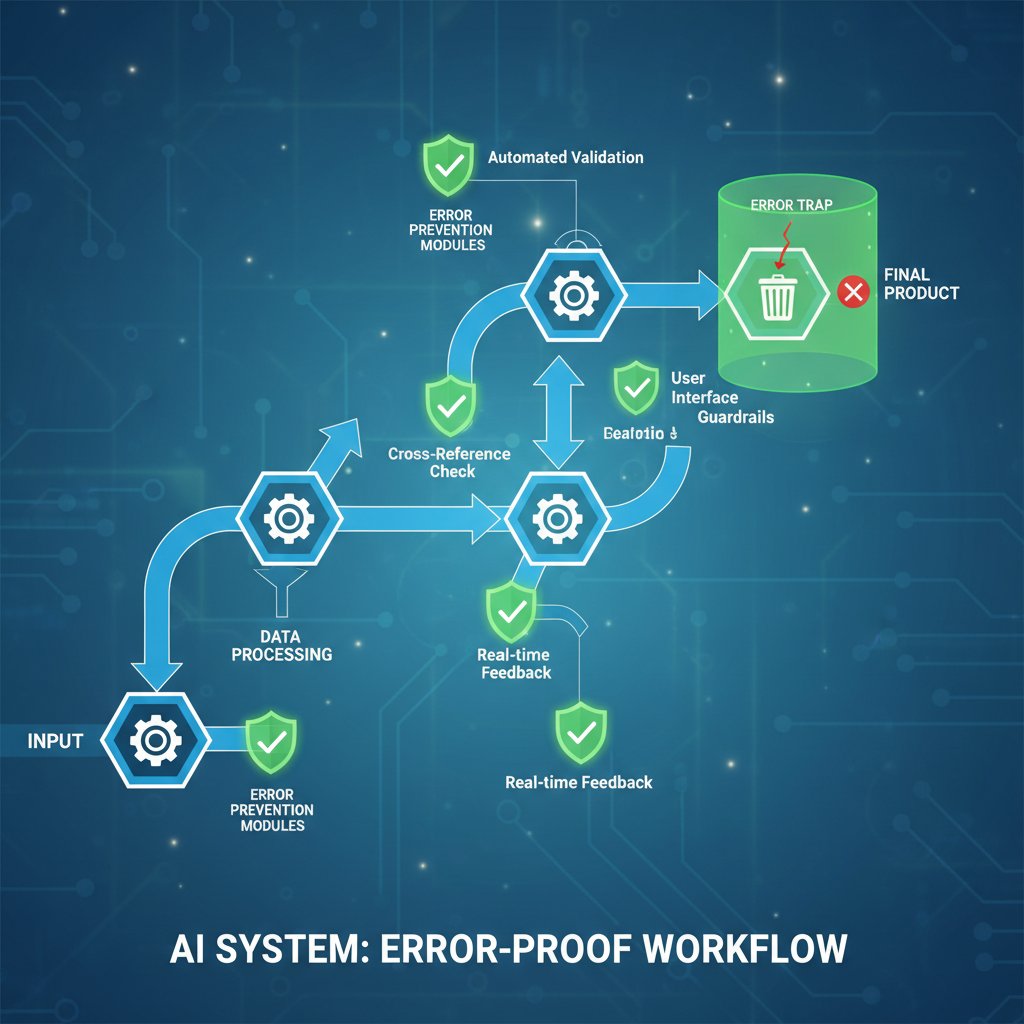
Forward-thinking teams are leveraging platforms like filecreator.ai to streamline critical documentation tasks, reducing human error without losing control over quality or compliance. By combining intelligent templates, embedded compliance checks, and customizable automation, these solutions deliver speed and accuracy, but always leave room for expert oversight. The real win? Recapturing the hours lost to manual edits, inconsistencies, and last-minute fire drills.
Case studies: who’s winning (and losing) the fight against error?
When it goes right: success stories from the trenches
A global manufacturing company slashed defect rates by 60% after implementing robotic process automation (RPA) for routine assembly and inspection. Human technicians were redeployed to higher-value troubleshooting, while bots handled the repetitive, error-prone steps. In healthcare, a mid-sized hospital moved from chaos to control by automating patient intake and documentation workflows. Errors in medical records dropped by 75%, and the average patient wait time was cut in half.
| Industry | Error Rate Before | Error Rate After | Cost Savings | Time Saved |
|---|---|---|---|---|
| Manufacturing | 8% | 3% | $2M/year | 30% |
| Healthcare | 12% | 4% | $1.5M/year | 50% |
| Finance | 4% | 1% | $900K/year | 40% |
Table 3: Before-and-after metrics from three industries. Source: Original analysis based on case studies from Deloitte, McKinsey, 2023.
When it goes wrong: cautionary tales and lessons learned
Not every automation story ends in glory. In 2022, a major retailer’s automated inventory system began double-counting stock due to a misconfigured rule. The result: shelves bare in some stores, overflowing in others, and millions lost in missed sales. The underlying issue? Blind trust in the system, and no human in the loop to catch the runaway error.
“We trusted the system—and paid the price.” — Jordan, operations director
Risk mitigation could have changed the outcome: regular audits, human review checkpoints, and robust exception handling. The lesson is as old as business itself—never outsource your judgment entirely. The best error-proofing strategies keep humans in the review loop, even as automation takes on more of the heavy lifting.
Choosing your path: how to find the right alternative for your workflow
Self-audit: is your process ripe for change?
Transformation starts with brutal honesty. Take a hard look at your workflows with an eye to where errors creep in. A self-audit isn’t about blame—it’s about spotting patterns and vulnerabilities before they bite.
- Process involves frequent manual data entry or copy-paste.
- Reliance on spreadsheets or paper documentation for critical records.
- Missing or unclear process maps—no one can sketch the full workflow.
- Frequent rework or corrections, especially by senior staff.
- Complaints about “not knowing the current status” of a task or document.
- Regular missed deadlines or compliance issues linked to process confusion.
- Lack of standardized templates or checklists.
- High turnover or burnout in roles tied to these processes.
Once you spot the weak links, you’re ready to chart a smarter, safer course.
Feature matrix: comparing the top alternatives
Choosing an alternative to error-prone processes means matching solutions to your pain points. Key features to weigh: cost, scalability, error reduction, user-friendliness, compliance, and integration with existing tools.
| Solution Type | Cost | Scalability | Error Reduction | User-Friendliness | Compliance |
|---|---|---|---|---|---|
| Manual | Low upfront | Poor | Low | Varies | Poor |
| Hybrid (Human-in-the-loop) | Moderate | Good | High | Moderate | Good |
| RPA | Medium-high | Very good | High | Moderate | Moderate |
| AI-powered | Variable | Excellent | Very high | Varies | Excellent |
Table 4: Feature matrix comparing manual, hybrid, RPA, and AI-powered solutions. Source: Original analysis based on Deloitte 2023 and industry reports.
Choose based on your organization’s scale, compliance obligations, and appetite for change. For some, AI-powered platforms like filecreator.ai deliver the right mix of flexibility and control, especially where documentation accuracy is mission-critical.
Decision pitfalls: mistakes to avoid when choosing a solution
Even seasoned pros can stumble when selecting new tools or redesigning workflows.
- Falling for overpromising vendors pushing “one-click” magic.
- Underestimating the time and culture change needed for adoption.
- Skipping process mapping and jumping straight to automation.
- Ignoring integration with existing systems.
- Overfitting solutions to edge cases instead of the everyday workflow.
- Neglecting to train and upskill staff alongside technology rollouts.
Avoid “analysis paralysis” by starting with proven, high-impact solutions. Document generators like filecreator.ai help organizations escape endless decision cycles by providing ready-to-deploy, error-resistant templates—giving you a launchpad for smarter processes, not another source of confusion.
The human side: culture, resistance, and the future of work
Why people cling to error-prone processes—even when they know better
Change isn’t just technical—it’s personal. Employees stick with flawed workflows out of habit, fear of job loss, or sheer inertia. The myth that automation is a job killer is persistent, even as evidence mounts that smart automation transforms roles rather than erasing them.

Job transformation is the real story: repetitive tasks fade, while roles shift to oversight, analysis, or creative problem-solving. The hardest part to automate isn’t the task list—it’s trust, both in the systems and each other.
“Sometimes the hardest thing to automate is trust.” — Morgan, change management consultant
Building a culture that values smart risk over blind repetition
Leadership sets the tone: innovation is impossible in a blame-first culture. Organizations that value psychological safety—where staff can flag process gaps without fear—move faster and make fewer mistakes.
- Reduced burnout and turnover as repetitive drudgery disappears.
- Faster onboarding with standardized, error-resistant workflows.
- Increased agility—easy to update processes as regulations or markets shift.
- Higher customer satisfaction from fewer errors and faster response times.
- Enhanced compliance with built-in checks and documentation.
- Improved morale—staff focus on meaningful work, not firefighting.
- Stronger reputation as a forward-thinking, risk-aware organization.
Sustained improvement isn’t a one-time project—it’s a mindset. Continuous feedback loops, regular process audits, and recognition for process innovation keep momentum alive. The endgame: making it safe—and rewarding—to catch and fix errors before they can do damage.
Beyond buzzwords: decoding technical jargon and alternatives
What’s the difference? RPA, BPM, AI, and more demystified
Software bots that mimic repetitive human actions—like data entry or invoice processing—across digital systems.
Systematic approach to designing, executing, and improving organizational workflows for efficiency and effectiveness.
Algorithms that “learn” from data, enabling context-aware automation—think pattern recognition, anomaly detection, or natural language processing.
Technology that converts scanned documents or images into editable, searchable digital text for further processing.
A hybrid approach where humans provide oversight or handle exceptions in otherwise automated workflows.
The use of data analytics to map, analyze, and optimize business processes based on digital footprints left in IT systems.
Why does all this jargon matter? Because vendors love to blur the lines, selling old solutions in new packaging. A savvy buyer knows the difference between genuine innovation and marketing hype—don’t trust buzzwords, demand specifics about how a tool addresses your real, documented pain points.
The future: will error-proofing ever be absolute?
Perfection is a myth—and a dangerous one at that. Even the best systems have limits: black swan events, unprecedented scenarios, or subtle biases in AI models can still trip you up.

Emerging trends like cognitive automation and self-healing workflows promise even greater resilience, but they also raise ethical and societal questions: Who’s accountable when the system is “smarter” than its operators? What biases are we encoding into our automated decision-making? These aren’t just technical debates—they cut to the heart of trust, transparency, and responsibility in the digital age.
Actionable playbook: how to start eliminating error-prone processes today
Quick wins: what you can change this week
You don’t need a multi-year transformation program to start. Some changes can shave error rates fast:
- Standardize critical forms and templates—remove ambiguity.
- Implement checklists for recurring tasks—reduce reliance on memory.
- Add review checkpoints for high-stakes steps.
- Train teams on common sources of error and how to spot them.
- Pilot one automated workflow in a low-risk area—prove the value, then scale.
Small wins build credibility and momentum for bigger shifts. Each fast improvement is a signal: things don’t have to stay broken.
Long game: building a resilient, error-resistant organization
Sustainable change means shifting from reactive firefighting to proactive risk management.
Measure, review, and refine processes on a regular cadence. Set up dashboards for real-time visibility into workflow health. Foster a culture where catching errors earns praise, not punishment.
- Embed error-proofing into onboarding and training.
- Schedule regular process audits.
- Maintain open feedback channels for staff to suggest improvements.
- Rotate task ownership to surface hidden risks.
- Build in redundancy for critical steps.
- Prioritize transparency—make it easy to trace decisions and changes.
- Celebrate process innovation, not just “heroic saves.”
- Keep technology and people aligned through ongoing upskilling.
As you scale smarter solutions, remember: the goal isn’t to replace people but to free them for the work that really matters.
Conclusion: your move—embracing the alternative and owning the outcome
Here’s the brutal truth: the world won’t wait for you to catch up. In an era where error-prone processes can tank your business overnight, inaction is a choice—a risky one. But there’s real empowerment in facing the flaws in your system head-on, refusing to accept “that’s how we’ve always done it.”

The alternatives are here and proven—human-in-the-loop workflows, radical process redesign, AI-powered automation, and error-resistant documentation with platforms like filecreator.ai. The only question left is this: what process will you finally fix tomorrow? The path from error-prone to error-resistant is open. All you have to do is take the first step.
Perfect Documents, Instantly
Filecreator.ai transforms the way you produce professional documents. Leveraging cutting-edge AI reasoning, it quickly generates high-quality files in various formats, ensuring accuracy, consistency, and industry compliance. Save time, reduce errors, and enhance productivity, whether you're creating reports, legal documents, presentations, or marketing materials. Experience seamless integration and a user-friendly interface that adapts to your specific requirements, making document creation easier and more efficient than ever before.
Get startedStart Creating Professional Documents Today
Join thousands of professionals who trust AI-powered document generation
Frequently Asked Questions
What does the article identify as the main reason humans make workplace mistakes?
According to the article, humans are not wired for flawless repetition and tend to cut corners under stress, distraction, or boredom. Cognitive biases like confirmation bias and the illusion of control make employees overconfident, while workplace conditions like endless deadlines, multitasking, and information overload push them to operate on autopilot.
How much do error rates increase during peak stress periods?
According to research cited from the Harvard Business Review (2024), error rates increase by up to 20% during peak stress periods, even among highly trained professionals.
What real-world examples does the article provide of costly human errors?
The article mentions a 2023 clerical error at a major financial institution that resulted in a $10 million payment sent to the wrong account due to a copy-paste mishap, and a manufacturing example where a mislabeled batch caused a recall that nearly crippled a brand.
What types of solutions does the article suggest as alternatives to human error-prone processes?
The article mentions expert-backed, field-tested alternatives including hybrid AI models and radical process redesign to replace traditional, manual, and patchwork workflows.
Continue Reading
Explore more from Professional Document Generator

How Document Automation Reduces Errors and Avoids New Risks
Document automation reduces errors in data capture, saving organizations time and money. This article examines the real results, risks, and strategies for successful implementation.

How Human Errors in Documents Damage Trust and Revenue
Human errors in documents cost organizations trust and revenue. This article explains the real price of mistakes and covers nine strategies to prevent them.

How Organizations Escape Error-Prone Processes
Error-prone processes cost organizations millions annually. This article examines why mistakes multiply silently and outlines seven alternatives to reclaim operational control.

The Real Cost of Human Document Errors in 2026 (and How to Win)
Discover insights about problems with human document errors

The High Price of Manual, Error-Prone Drafting—And What to Do Now
Discover insights about replace manual, error-prone drafting

AI-Driven Error Reduction: Hidden Vulnerabilities Beyond Automation
AI-driven error reduction in documents can reduce manual errors by up to 30%, but introduces new risks: bias, privacy issues, and overreliance.






