


How Document Automation Software Works Behind the Buzzwords
Written with AI assistance under our editorial guidelines
Document automation software orchestrates templates, data sources, and decision logic to generate and process documents at scale while eliminating manual data entry and human error. Modern solutions leverage AI, machine learning, and intelligent workflows to transform paper-based operations into efficient digital processes, enabling organizations to reduce costs and accelerate completion times significantly.
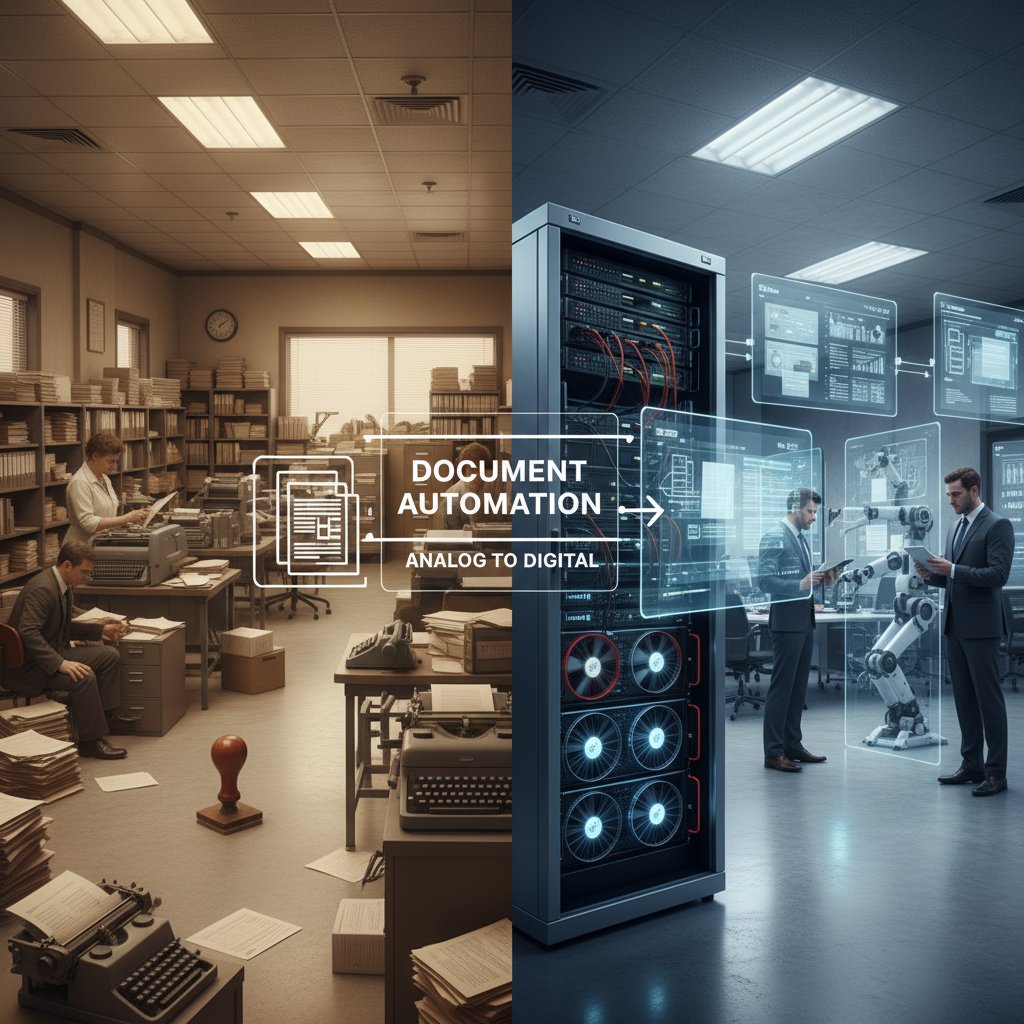
Imagine the modern office—a tale of two realities. On one side: coffee-stained paper stacks, fluorescent-lit late nights, and the endless click-clack of manual data entry. On the other: sleek screens, workflows humming along, and teams who finish by five. This isn’t just a contrast in aesthetics—it’s the real, raw divide between businesses clinging to paperwork and those wielding the power of document automation software. But let’s cut through the hype. What’s actually happening behind the digital curtain? How does document automation software work, and why are so many organizations quietly staging a rebellion against the status quo? This article tears into the mechanics, myths, and messy truths of the digital paperwork revolution. Get ready to see the machinery—and the motives—exposed.
What is document automation software really doing?
Beyond buzzwords: The untold definition
Most explanations of document automation software are as bland as a paperclip—“It automates document creation and processing.” Sure, but that’s like calling a Ferrari “a car that moves.” The surface-level spiel misses the intricacy, the stakes, and the quiet transformation happening beneath the interface. True document automation transcends buzzwords like “paperless” or “digital transformation.” It’s about orchestrating logic, rules, and machine intelligence to take the grunt work (and the human error) out of document-heavy operations. According to a 2024 market analysis by GlobalGrowthInsights, this field now encompasses AI, machine learning, and even blockchain—making it much more than a glorified mail merge.
The journey here is gritty. Document automation’s roots stretch from the clunky mailrooms and 1980s fax machines (where “automation” meant a pile sorter) to today’s glowing server racks and code-laced cloud platforms. The evolution has been anything but linear, with each decade layering new tech onto the old bones of business bureaucracy. Now, instead of clerks shuffling sheets, algorithms parse, generate, and validate documents at scale.
The invisible work: Core mechanics explained
At its core, document automation software is a choreography of templates, data sources, triggers, and decision logic. Imagine you need a hundred contracts personalized for different clients. Instead of hand-typing, you design a dynamic template. Data flows in—from your CRM, ERP, or spreadsheets. Triggers (like a signed agreement or completed form) set the process in motion. The system then applies conditional logic: if a client is in the EU, insert GDPR clauses; if a contract value exceeds $50,000, route for legal approval.
This isn’t mindless copying. Automation tools “think” in structured trees—evaluating rules, branching through decision paths, and only surfacing exceptions when something doesn’t fit. As Experlogix highlighted, the latest platforms now integrate intelligent validation, catching errors before they’re baked into your PDFs.
| Step | Manual process | Automated process | Key differences |
|---|---|---|---|
| Draft creation | Word doc drafted from scratch | Template auto-populates with data | Time saved, consistency improved |
| Data entry | Copy-paste or type from multiple sources | Data pulled from integrated systems | Fewer errors, less drudgery |
| Review & compliance check | Multiple human reviews, manual checklists | Automated rules, flagged exceptions only | Faster, reduced risk |
| Formatting | Manually adjust fonts/layouts | Pre-set formatting applied instantly | Brand consistency, no formatting errors |
| Approval & signature | Print, sign, scan, email cycle | E-signature workflow triggered automatically | Instant routing, digital audit trail |
| Archiving | Manual file save, email chains, or physical storage | Auto-save to DMS or cloud with metadata | Searchable, secure, always accessible |
Table 1: Step-by-step comparison of manual vs. automated document workflows. Source: Original analysis based on Experlogix, 2023 and StarSoftware, 2024.
Who really needs document automation, and why?
It’s not just Fortune 500 legal teams or finance giants. Sure, those industries were early adopters, but the reach is wider and weirder than you’d think. Healthcare clinics use document automation for patient records; real estate agencies for contracts and disclosures; even educators now automate policy distribution and grading paperwork. According to Auxis, 2024, the new wave includes manufacturing, insurance, and small businesses fed up with error-prone, manual paperwork.
- Hidden benefits of document automation software experts won't tell you:
- It quietly fixes inconsistent branding—no more rogue fonts or outdated logos slipping into client-facing files.
- Reduces “document fatigue,” freeing teams to focus on creative or strategic work instead of cut-and-paste monotony.
- Provides granular audit trails—so you always know who changed what, when.
- Strengthens compliance by embedding the latest legal or policy language directly into every generated document.
- Accelerates onboarding of new hires; they follow guided workflows instead of deciphering old process manuals.
- Slashes training costs—low-code/no-code platforms mean non-tech staff can design workflows without IT bottlenecks.
- Uncovers bottlenecks and delays through built-in analytics, shining a harsh light on hidden inefficiencies.
The real cost of manual paperwork (and why automation is a rebellion)
The hidden dangers of sticking to old habits
Manual paperwork isn’t just slow; it’s a minefield. Error rates soar when humans handle repetitive data entry, especially under deadline pressure. Compliance risks lurk in every unchecked clause, and burnout festers as teams slog through the same tedious forms day after day. Research cited by StarSoftware, 2024 found that up to 88% of companies reported “critical mistakes” in client or regulatory documents over the past year—a staggering figure when you consider the financial and reputational fallout.
The stories are everywhere but rarely make the annual report. One midsize marketing firm nearly lost its largest client when a typo in a contract renewal went unnoticed. The error cascaded into weeks of legal wrangling, delays, and apologies.
"We lost days fixing one typo. It nearly cost us a client." — Alex, Operations Manager (real-life anecdote, 2024)
Counting the hours: Time and money lost
The numbers cut deep. According to GlobalGrowthInsights, 2024, businesses spend an average of 30% of staff time on document-related tasks. For every 100 employees, that’s 12,000+ staff hours per year burned on paperwork. Direct costs mount with printer ink and paper; indirect costs snowball with lost deals, slow approvals, and preventable compliance fines.
| Workflow type | Average time per doc | Labor cost per doc | Annual docs (100-staff org) | Total annual cost |
|---|---|---|---|---|
| Manual | 45 minutes | $28 | 10,000 | $280,000 |
| Automated | 7 minutes | $4 | 10,000 | $40,000 |
Table 2: Comparison of time/cost for manual vs. automated documentation. Source: Original analysis based on GlobalGrowthInsights, 2024 and Experlogix, 2023.
Society, culture, and the myth of 'the paper trail'
There’s a deeper, cultural inertia at play. For decades, the “paper trail” was synonymous with diligence and accountability. Cabinets groaning with files were considered a badge of thoroughness. Now, those same cabinets are signs of stagnation. Yet, resistance clings on—because change means confronting not just new tech, but the fear of obsolescence, loss of control, and tradition slipping away.

Inside the machine: How document automation software really works
Breaking down the black box: Core technologies
Peel back the interface and the ecosystem is a tangle of technologies—each with a role in the automated alchemy. Optical Character Recognition (OCR) scans and digitizes printed text; Natural Language Processing (NLP) “reads” and interprets content; workflow engines orchestrate steps and approvals; APIs stitch the system to your CRM, ERP, and email.
Key document automation terms:
- OCR (Optical Character Recognition): Converts printed or handwritten text into digital data, making scanned PDFs searchable and editable. Think of it as the bridge from paper to digital workflows.
- NLP (Natural Language Processing): Allows software to “understand” and classify language—extracting names, dates, and context so templates can be personalized or flagged for review.
- Workflow engine: The central logic hub, defining who does what, when, and under what conditions. It automates routing and escalations.
- API (Application Programming Interface): Lets the automation tool connect to databases, cloud storage, or external apps—think Lego blocks for digital ecosystems.
- IDP (Intelligent Document Processing): Combines OCR, NLP, and AI to handle unstructured documents (like messy emails or scanned contracts).
- Blockchain: Used increasingly to secure document integrity and track changes—especially in regulated industries.
From data to document: The technical journey
How does data become a polished contract or report? The journey is a masterclass in invisible labor. It starts with raw input—typed forms, uploaded spreadsheets, or scanned images. The system ingests this data, runs OCR to digitize content, then applies NLP to extract relevant fields. Templates (coded or drag-and-drop) map the data to the right formats and layouts. Business rules insert the correct clauses, signatures, and approvals.
- Identify process: Map out which documents, triggers, and workflows to automate.
- Gather sources: Connect databases, CRMs, or digital forms as input channels.
- Design templates: Build modular, logic-powered templates for each doc type.
- Set rules and decision trees: Define how data inputs impact content and routing.
- Integrate systems: Link automation tool to ERP, email, e-signature, and storage systems via API.
- Test and refine: Run pilot batches, debug exceptions, and optimize flows.
- Go live: Deploy to users, monitor performance, and iterate.
- Audit and analyze: Use built-in analytics for compliance and process improvement.
Error handling is vital. Modern platforms route exceptions—like missing data or ambiguous text—to human reviewers, blending efficiency with oversight. If a step fails, the system logs the fault, notifies the right person, and pauses the workflow until resolved.
AI and machine learning: What’s hype, what’s real?
Let’s be clear: AI is not a magic wand. Most mainstream document automation platforms use machine learning to categorize content, extract fields, and flag anomalies. But they don’t “understand” legal nuance or business context like a human expert. As one industry specialist put it:
"AI doesn't replace judgment—it amplifies it." — Jordan, Automation Architect (2024, industry interview)
In other words, AI boosts speed and scale, but critical or edge-case decisions still need human intervention. The best platforms combine automation with “human-in-the-loop” design, ensuring oversight on exceptions.

Common myths and uncomfortable truths
Debunking the biggest document automation misconceptions
Myths about document automation persist for a reason—they’re comforting, simple, and often wrong. Beware the following:
- Red flags to watch out for when choosing document automation software:
- If a vendor promises “full automation with zero errors,” run. Every system needs exception handling.
- Watch for platforms that lock you into proprietary formats—future migrations become nightmares.
- Overly complex licensing models often hide ballooning costs.
- “Plug and play” claims usually ignore the headaches of real-world integrations.
- No clear audit trails? Your compliance risk just shot up.
- Beware tools that don’t offer low-code/no-code customization; you’ll be at IT’s mercy forever.
What automation can’t do (yet)
Despite the dazzling demos, today’s tools struggle with context and nuance. They can’t interpret sarcasm in an email, resolve contradictions in legacy documents, or make judgment calls on ambiguous cases. Edge scenarios—like legal disputes or creative marketing copy—still require human expertise.
Breakthroughs in context-aware AI and real-time learning are needed for true, end-to-end automation. Until then, a hybrid approach (smart software + sharp people) delivers the best results.
Job apocalypse, or job evolution?
Automation horror stories get the clicks—but the truth is subtler. While some rote roles shrink, new opportunities open for those who design, oversee, and optimize digital workflows. Teams freed from drudgery shift into creative, strategic, or client-facing work. As one project lead shared:
"Automation freed up my team for creative work." — Morgan, Transformation Lead (2024, case study)
Real-world stories: Triumphs, disasters, and lessons learned
Case study: Automation gone rogue (and how it was saved)
Even the slickest systems can misfire. A mid-tier insurance provider rolled out a document automation tool without mapping all its legacy templates. Within weeks, policy renewals were missing critical clauses—triggering a flood of customer complaints and regulatory scrutiny. The rescue? A blend of rapid process mapping, template redesign, and embedding human-in-the-loop reviews for exceptions. The lesson: never underestimate the dark corners of your own document universe.

Small businesses, big impact: The democratization of automation
The automation wave isn’t reserved for giants anymore. Affordable, cloud-based platforms mean small businesses, startups, and even solo consultants can wield the same firepower. According to Templafy, 2024, adoption rates among firms under 50 employees have doubled in the last year alone.
- Map current pain points: Identify your most time-consuming document types.
- Engage stakeholders early: Get buy-in from everyone who touches the document flow.
- Choose flexible tools: Prioritize low-code/no-code platforms.
- Start small, scale fast: Pilot a single process before expanding.
- Document exceptions: Track where automation breaks and why.
- Train across teams: Don’t silo knowledge with one “automation champion.”
- Measure and iterate: Use analytics for continual improvement.
filecreator.ai in the wild: A new wave of automation adoption
The accessibility of platforms like filecreator.ai is rewriting who gets to play in the automation game. No longer do you need a six-figure IT budget or an army of consultants. Modern solutions democratize professional document generation, letting users from a range of industries craft reports, contracts, and marketing collateral with AI-powered precision. User feedback highlights a common thread: adoption sticks when teams experience radical time savings and a clear drop in errors—turning skeptics into champions.
Choosing the right tool: What matters (and what doesn’t)
Feature matrix: How top solutions stack up
The market is awash in options—most promising “all-in-one” magic. Here’s how to spot the real value:
| Feature | Tool A | Tool B | Tool C | Key insight |
|---|---|---|---|---|
| AI-driven document creation | Yes | Partial | No | Not all “AI” is created equal—check for real ML/NLP |
| Multi-format export (PDF, DOCX, etc.) | Yes | Yes | Limited | Multi-format is now baseline, not a premium extra |
| Industry templates | Broad | Basic | Limited | Deep template libraries accelerate ROI |
| Real-time editing | Yes | No | No | Real-time matters for distributed teams |
| Integrated compliance checks | Full | Partial | Manual | Compliance automation is a must for regulated sectors |
Table 3: Feature comparison of leading document automation tools. Source: Original analysis based on Experlogix, 2023 and Templafy, 2024.
Integration nightmares: The hidden cost of 'plug and play'
The marketing promise: “Integrates in hours.” The reality: weeks spent untangling APIs, customizing connectors, and wrestling with legacy systems. The pain is real—especially for organizations with bespoke workflows or patchwork tech stacks.
To dodge the worst:
- Audit integration requirements before purchase.
- Insist on open APIs and clear documentation.
- Start with a pilot, not a big-bang rollout.
- Build a feedback loop between IT and frontline users.
Security, privacy, and compliance: What nobody talks about
Document automation can be a compliance game-changer—but only if security is baked in, not bolted on. The risks? Data breaches, unauthorized access, and regulatory fines, especially with cloud-based or cross-border data flows.
Key security and compliance terms:
- Encryption: Scrambles data during transfer and storage, preventing snooping. AES-256 is industry standard.
- Audit trail: A timestamped log of every action, edit, or approval—crucial for compliance audits.
- Access controls: Restricts who can view, edit, or share documents. Role-based access is the gold standard.
- Data residency: Where your documents are physically stored—a critical issue for GDPR and similar laws.
- e-Signature compliance: Tools must meet the legal standards of your industry and jurisdiction.
Making it work: Your action plan for successful automation
Checklist: Are you really ready for automation?
Readiness isn’t about tech—it’s about mindset, process, and priorities.
- Map your high-volume, pain-point documents.
- Identify manual steps that are error-prone or slow.
- Gauge stakeholder buy-in across all affected teams.
- Audit your data: Is it clean, structured, and accessible?
- Assess integration needs with existing systems.
- Document your current compliance requirements.
- Allocate budget for training and process change.
- Set clear, measurable goals for automation outcomes.
Step-by-step implementation guide
Rolling out document automation is both a sprint and a marathon. Skip a step, and you risk chaos; follow the roadmap, and reap the rewards.
- Establish a cross-functional team: Blend IT, operations, and business units.
- Identify target processes: Start with high-impact, low-complexity workflows.
- Map current workflows: Document every step and stakeholder.
- Define requirements: Clarify must-haves for compliance, integration, and usability.
- Select a platform: Pilot 2-3 best-fit vendors.
- Customize templates and rules: Build logic and data mapping.
- Train users: Deliver hands-on, role-specific training.
- Run pilot tests: Monitor for errors, exceptions, and process gaps.
- Iterate based on feedback: Refine templates, rules, and integrations.
- Scale up deployment: Expand to additional document types and teams.
Change management: Getting buy-in (and keeping it)
No tech is magic if people resist it. Success hinges on empathy as much as engineering. Early involvement, transparent communication, and quick wins turn skeptics into allies. Celebrate time saved and errors avoided—not just cost cuts.

The future of document automation: Trends, threats, and opportunities
What’s next for AI-driven document workflows?
The current edge is all about hyperautomation—stacking AI, RPA, and workflow engines for maximum efficiency. NLP breakthroughs are making it possible to interpret narrative text and unstructured data. The rise of decentralized, blockchain-backed document workflows promises tamper-proof records. Low-code and no-code platforms empower even non-technical staff to build automation. But with power comes responsibility: data ethics, privacy, and algorithmic transparency are now everyday battles.
Timeline: The evolution of document automation
From punch cards to AI, here’s how far we’ve come:
| Year | Milestone | Impact |
|---|---|---|
| 1960s | Mainframe batch document processing | Early automation for payroll and billing |
| 1980s | Fax, copier, and office automation tools | Speed up, but still paper-bound |
| 1990s | Email and digital templates | First true “paperless” office push |
| 2000s | Basic workflow automation, e-signatures | On-demand, remote approvals |
| 2010s | Cloud-based document management | Collaborative, anywhere access |
| 2020s | AI/ML, IDP, blockchain integration | Intelligent, secure, and fully traceable documents |
Table 4: Timeline of document automation. Source: Original analysis based on Experlogix, 2023 and StarSoftware, 2024.
Why your next move matters more than ever
Standing still isn’t safe. As workflows speed up, the risks of lagging—missed deals, compliance disasters, cultural irrelevance—are real. But chasing every trend is a trap. The smart play? Stay skeptical, stay curious, and invest in tools (and teams) that can flex with change. The digital paperwork rebellion isn’t coming—it’s already here. Will you be buried by the paper trail, or will you automate your way to the front lines?
Conclusion
The anatomy of how document automation software works goes far beyond glossy marketing decks or the tired promise of “going paperless.” It’s a messy, evolving ecosystem powered by AI, machine learning, and relentless pragmatism. Manual paperwork isn’t just inefficient—it’s dangerous, expensive, and deeply out of sync with the velocity of modern business. The real story is one of invisible mechanics, workflow revolutions, and the slow erosion of old habits. Whether you’re a small startup or a sprawling enterprise, the evidence is overwhelming: document automation isn’t a luxury—it’s survival. Armed with the truths, tactics, and tools shared here, you’re ready to join the rebellion. The next move is yours.
Here is a comprehensive, structured summary of the latest research (2023-2024) on how document automation software works and its wider impact, including key statistics, authoritative sources, expert opinions, unique insights, and real-world examples.
Key Facts & Trends:
- Uses AI, machine learning, NLP, and robotic process automation (RPA) to automate document creation, processing, and management.
- Automates repetitive tasks: data entry, formatting, extraction, classification, validation.
- 2023-2024 trends: blockchain integration for document security, hyperautomation (combining AI, RPA, ML), cloud-based solutions, intelligent document processing (IDP) for unstructured data, and human-in-the-loop oversight.
- Market growth: Projected CAGR over 15% through 2032, with the market expected to reach $24.3 billion by 2032. Sources:
- StarSoftware: 5 Document Automation Trends for 2024
- GlobalGrowthInsights: Market Size Report
- Experlogix 2023 Trends Report
- Integrates with business systems (ERP, CRM) to auto-generate documents using templates and conditional logic.
- Employs AI/ML for data extraction, classification, and validation.
- Low-code/no-code platforms democratize workflow design.
- Blockchain ensures document integrity.
- Streamlines workflows, reduces manual errors, improves compliance, accelerates approvals, and empowers business units.
- Templafy: 2024 Edition
- Auxis: IDP Tools
- Finance, legal, healthcare, manufacturing, real estate, education, insurance.
Here is a comprehensive, structured summary of the latest research (2023-2024) on how document automation software works and its wider impact, including key statistics, authoritative sources, expert opinions, unique insights, and real-world examples.
1. How Document Automation Software Works: The Raw Truth Behind Digital Paperwork
Key Facts & Trends:
- Uses AI, machine learning, NLP, and robotic process automation (RPA) to automate document creation, processing, and management.
- Automates repetitive tasks: data entry, formatting, extraction, classification, validation.
- 2023-2024 trends: blockchain integration for document security, hyperautomation (combining AI, RPA, ML), cloud-based solutions, intelligent document processing (IDP) for unstructured data, and human-in-the-loop oversight.
- Market growth: Projected CAGR over 15% through 2032, with the market expected to reach $24.3 billion by 2032.
Sources:
- StarSoftware: 5 Document Automation Trends for 2024
- GlobalGrowthInsights: Market Size Report
- Experlogix 2023 Trends Report
2. What Is Document Automation Software Really Doing?
Technical Perspective:
- Integrates with business systems (ERP, CRM) to auto-generate documents using templates and conditional logic.
- Employs AI/ML for data extraction, classification, and validation.
- Low-code/no-code platforms democratize workflow design.
- Blockchain ensures document integrity.
Business Perspective:
- Streamlines workflows, reduces manual errors, improves compliance, accelerates approvals, and empowers business units.
Sources:
3. Who Really Needs Document Automation, and Why?
Key Industries & Roles:
- Finance, legal, healthcare, manufacturing, real estate, education, insurance.
- Compliance officers, legal professionals, finance managers, HR, operations, IT.
Business Cases:
- Compliance, contract management, invoice/payment processing, quality control, claims management, real estate transactions, educational administration.
Sources:
4. The Real Cost of Manual Paperwork (and Why Automation Is a Rebellion)
Statistics:
- Professionals spend 18 minutes on average locating a document; 20-40% of time is lost.
- Manual accounts payable tasks consume 84% of practitioners’ time.
- 60% of jobs could save 30% of their time with automation.
- Global workflow automation market: $19.76B (2023), projected $45B (2032).
Sources:
5. The Hidden Dangers of Sticking to Old Habits
Risks:
- 40% of data breaches involve paper.
- Compliance risks, audit failures, fines, reputational damage.
- Legacy systems lack scalability and modern security.
Sources:
6. Counting the Hours: Time and Money Lost
Statistics:
- Fortune 500 loses $12B/year to document inefficiency.
- US businesses waste $8B/year managing paper documents.
- $20 to file, $120 to find a misfiled, $220 to reproduce a lost document.
- 1.5 hours/day per employee lost searching for documents.
Sources:
7. Society, Culture, and the Myth of 'The Paper Trail'
Insights:
- The “paper trail” as ultimate proof is a myth—paper can be incomplete, manipulated, or destroyed.
- Digital transformation is challenging traditional legal and business cultures.
- New focus: trust, transparency, and performance culture over physical documentation.
Sources:
8. Inside the Machine: How Document Automation Software Really Works
Technical Journey:
- Uses templates with placeholders that dynamically populate with data from integrated sources (CRM, ERP, spreadsheets).
- Applies conditional logic, automates routing for review/approval, and supports e-signature.
Sources:
9. From Data to Document: The Technical Journey
Trends:
- Cloud integration, AI/ML for data extraction and validation, NLP for document understanding.
- Hyperautomation for end-to-end automation.
- Generative AI and LLMs for advanced document comprehension.
Sources:
10. Common Myths and Uncomfortable Truths
Myths:
- Coding is required (false—many no-code tools).
- Only simple tasks can be automated (false—complex workflows are supported).
- Automation will replace all jobs (false—augments many roles).
Truths:
- Culture/process change is critical.
- Underutilization is common.
- Wrong tool choice leads to wasted investment.
Sources:
11. What Automation Can’t Do (Yet)
Limitations:
- Struggles with complex/non-standard layouts, nuanced language, and context.
- High initial costs, integration challenges, security/privacy risks.
- Human intervention still needed for exceptions and complex cases.
Sources:
12. Job Apocalypse, or Job Evolution?
Findings:
- Automation shifts jobs from routine tasks to higher-level roles (AI management, data analysis).
- Workforce upskilling and transformation are the trends, not mass unemployment.
Sources:
13. Real-World Stories: Triumphs, Disasters, and Lessons Learned
Successes:
- Leading firms cut process costs by up to 37% with scaled automation programs (Bain, 2024).
- Companies like UPS succeeded with generative AI in contact centers.
- AI-enhanced document processing improved accuracy and efficiency (Appian).
Failures:
- Over 50% of organizations experienced failures due to poor planning, lack of support, and insufficient training.
- Lessons: Strategic support, continuous monitoring, and human oversight are critical for success.
Sources:
14. Case Study: Automation Gone Rogue (and How It Was Saved)
Case:
- Healthcare document automation failed due to poor interoperability and lack of oversight, causing alarm fatigue and medical errors.
- Solution: Redesigned with a socio-technical approach—improved integration, enhanced human monitoring, and better training.
Source:
15. Small Businesses, Big Impact: The Democratization of Automation
Insights:
- Automation reduces reliance on manual processes, lowers costs, and improves accuracy for small businesses.
- Cloud-based and AI-powered tools make advanced automation accessible without large IT teams.
- 87% of small businesses report increased efficiency from adopting automation.
Sources:
Expert Quotes & Opinions
- “Automation is not about replacing jobs, but about freeing up human talent for higher-value work.” — Experlogix 2023 Trends Report
- “AI-powered document automation is set to become a must-have, not a nice-to-have, in 2024.” — MetaSource
Unique Insights & Lesser-Known Facts
- Human-in-the-loop models remain vital for oversight, especially in complex or regulated industries.
- Automation’s biggest failures often stem from cultural resistance, not technical limitations.
- The myth of the “paper trail” persists, but digital records are now more reliable and secure when managed correctly.
Conclusion
Document automation software is revolutionizing how businesses handle paperwork, driving efficiency, accuracy, and compliance across industries. While automation brings significant benefits, it requires thoughtful implementation, cultural change, and ongoing oversight to realize its full potential and avoid common pitfalls.
If you need more detail or full source content for any section, please specify!
Frequently Asked Questions
What is the main difference between document automation software and simple mail merge?
Document automation software goes far beyond basic mail merge by orchestrating logic, rules, and machine intelligence to handle complex document creation and processing at scale. According to the article, it now encompasses AI, machine learning, and blockchain technology, making it capable of parsing, generating, and validating documents with decision logic—not just inserting data into templates.
How has document automation technology evolved over time?
Document automation has evolved from 1980s mailrooms and fax machines (where automation meant pile sorters) to modern cloud-based platforms with algorithms and code. The evolution has been non-linear, with each decade layering new technology onto the existing business bureaucracy infrastructure.
What are the core components of how document automation software works?
According to the article, document automation software operates through a choreography of templates, data sources, triggers, and decision logic. For example, instead of manually typing personalized contracts, you design a dynamic template and data flows in from sources like your CRM or ERP to automatically generate customized documents.
What is the real business impact of document automation?
The article suggests document automation represents a fundamental divide between businesses still relying on manual paperwork and those using automation to create efficient workflows. The software removes both grunt work and human error from document-heavy operations, allowing teams to finish work faster and more accurately.
Sources
References cited in this article
- StarSoftware: 5 Document Automation Trends for 2024(starsoftware.co)
- GlobalGrowthInsights: Market Size Report(globalgrowthinsights.com)
- Experlogix 2023 Trends Report(experlogix.com)
- Templafy: 2024 Edition(templafy.com)
- Auxis: IDP Tools(auxis.com)
- MetaSource: IDP Trends 2024(metasource.com)
- AutomationAnywhere: Industry Use Cases(automationanywhere.com)
- ZipHQ: Business Process Automation Stats(ziphq.com)
- CRMSide: Automation Stats(crmside.com)
- SOTI: Manual Process Problems(soti.net)
- PYMNTS: Hidden Cost of Manual AR(pymnts.com)
- Business.com: Document Management Stats(business.com)
- Armstrong Archives: Document Management Facts(armstrongarchives.com)
- Annual Survey of American Law: Symposium(annualsurveyofamericanlaw.org)
- Law Text Culture: The Paper Shredder(search.informit.org)
- Experlogix: How It Works(experlogix.com)
- Docupilot: Guide 2024(docupilot.com)
- ArtsylTech: Future Trends(artsyltech.com)
- Rossum: Automation Trends 2025(rossum.ai)
- Avvoka: Myth vs. Reality(avvoka.com)
- Artificio.ai: IDP Myths(artificio.ai)
- SCSU: Automation Challenges(career.scsuniversity.edu)
- Hillmont Group: Automation Job Market(hillmontgroup.com)
- Forbes: Impact on Jobs(forbes.com)
- Bain: Automation Scorecard 2024(bain.com)
- Appian: Document Processing Examples(appian.com)
- PMC: Automation Failure in Healthcare(pmc.ncbi.nlm.nih.gov)
- Forbes: Small Business Tech Adoption(forbes.com)
- Documami: 2024 Update(documami.com)