


Generate Project Plans That Don’t Fail in Reality with AI
Written with AI assistance under our editorial guidelines
Most project plans fail because traditional approaches ignore modern realities. According to 2025 research, only 34% of projects finish on time and within budget, while just 36% deliver promised benefits. Effective planning now requires acknowledging seven root causes of failure and applying research-backed strategies that account for remote teams, AI disruption, and constant deadline pressure rather than relying on outdated templates.
Look around any modern workplace, and you’ll find a graveyard of project plans—beautiful Gantt charts, color-coded spreadsheets, and detailed documents gathering digital dust. The truth is, most project plans are dead on arrival. In 2025, as organizations scramble to juggle remote teams, AI disruption, relentless deadlines, and ESG demands, the old rules for generating project plans are not just outdated—they’re dangerous. You’re here because you sense it: your next project plan needs to be more than a box-ticking exercise. It needs to be battle-tested, brutally honest, and smarter than the chaos that’s coming your way.
This isn’t another tired guide to “how to create a project plan” or a push for cookie-cutter templates. Instead, you’re about to dive deep into the seven ugly truths sabotaging projects worldwide—and the sharpest, research-backed strategies for outsmarting them. With insights from leading studies and real-world case files, we’ll expose the disconnect between theory and reality, debunk the AI hype, and show you how to generate project plans that actually work. Whether you’re a seasoned PM, a startup founder, or that lone wolf tasked with herding cats across continents, this is your wake-up call.
Welcome to the edge of project management in 2025. Forget what you think you know. It’s time to generate project plans that win.
The ugly truth about project planning: why most plans fail
Project failure by the numbers
It’s tempting to believe that with all the new tools, project plans should be flawless. The numbers say otherwise. As of 2025, according to Wellingtone’s latest Project Management survey, only 34% of projects finish on time and within budget, and a meager 36% deliver their promised benefits. These aren’t just abstract figures—they’re stark evidence of a broken system that keeps repeating itself.
| Metric | 2025 Value | Source/Date |
|---|---|---|
| Projects completed on time and budget | 34% | Wellingtone, 2025 |
| Projects delivering full benefits | 36% | Wellingtone, 2025 |
| Organizations expecting more project work | 62% | Wellingtone, 2025 |
| Shift to agile/small teams | 53% | monday.com, 2025 |
| Hybrid/remote work models | 74% | monday.com, 2025 |
| Millennials open to AI in PM | 49% | MarketsandMarkets, 2025 |
| AI in PM annual growth rate | 24.1% CAGR | MarketsandMarkets, 2025 |
Table 1: The hard reality of project outcomes in 2025. Source: Wellingtone, 2025, monday.com, 2025, MarketsandMarkets, 2025

Despite the explosion of agile frameworks, new tools, and AI-powered platforms, the brutal truth remains: most organizations don’t really measure project success well, and far too many project plans crumble under real-world pressure.
The disconnect between theory and reality
Every project manager knows the drill: draft a plan, present it to the team, tick off some milestones, and pray it survives first contact with reality. But as research from Wellingtone (2025) shows, the gulf between planning theory and execution grows every year. Stakeholders demand certainty, but the world delivers volatility.
"Most project plans are written for an ideal world that simply doesn’t exist. That’s why they fail." — Adapted from expert commentary, Wellingtone, 2025
The fantasy of the “perfect” project plan persists—one where every risk is mitigated, resources are magically available, and timelines are never derailed by reality. Yet, when the dust settles, it’s rare for any plan to emerge unscathed. Why? Because most plans are built to impress, not to adapt.
The pressure to produce slick, comprehensive documents often trumps the gritty work of risk analysis, stakeholder management, and honest forecasting. As a result, organizations invest more in creating plans than in ensuring they’re relevant, flexible, and actionable. This illusion of control is the first domino to fall, setting up a cascade of missed deadlines, scope creep, and frustrated teams.
Why templates can’t save you
Let’s be clear: templates are not a silver bullet. In fact, they might be part of the problem. Here’s why:
- Templates promote false confidence: Filling in blanks gives an illusion of preparedness, but rarely captures unique project risks or complexities.
- One-size-fits-none: What worked for a SaaS rollout in Berlin won’t cut it for a manufacturing overhaul in Shenzhen.
- They kill creativity: Rigid formats discourage original thinking and proactive problem-solving.
- Outdated content lingers: Teams often recycle old templates, carrying forward obsolete assumptions and errors.
- They ignore context: Templates rarely reflect organizational culture, stakeholder dynamics, or market volatility.
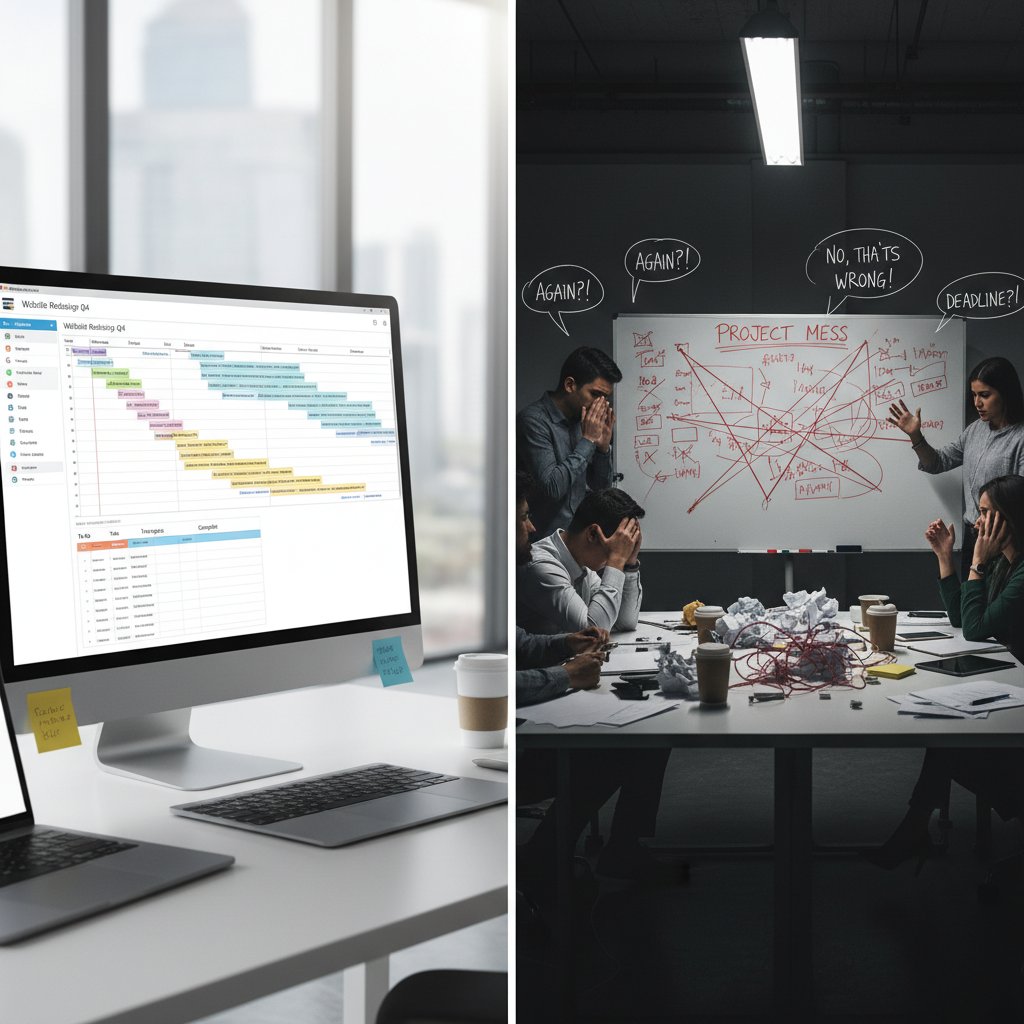
Relying solely on templates is like showing up to a knife fight with a coloring book. The world of project planning is too unpredictable, too turbulent for check-the-box solutions.
The evolution of project plans: from spreadsheets to AI
A brief history of project planning
Project planning wasn’t always this complicated. In the beginning, it was little more than a list scribbled on paper. Then came the spreadsheets, the Gantt charts, and the endless parade of PM software. Today, AI is rewriting the rules—sometimes in ways we barely understand.
| Era | Main Tool | Core Weakness |
|---|---|---|
| Pen & paper | Lists, memos | No transparency, hard to scale |
| Spreadsheets | Excel, Google Sheets | Error-prone, siloed, manual updates |
| PM software | MS Project, Basecamp | Complexity, training overload |
| Automation/AI | filecreator.ai, monday.com | Requires trust, risk of black boxes |
Table 2: How project planning tools evolved—with strengths and pitfalls. Source: Original analysis based on Wellingtone, 2025, monday.com, 2025
- Pen and paper ruled the early days—simple, but unsustainable for scale.
- Spreadsheets changed the game but introduced new risks: manual errors, siloed data, and version hell.
- PM platforms added structure, but at the price of endless features and steep learning curves.
- The new frontier? AI-powered tools that promise smarter, faster, data-driven project plans—if you can get past the trust barrier.
How automation is rewriting the rules
Automation doesn’t just speed up planning—it changes the very DNA of project management. AI-driven platforms ingest vast data, analyze real-time risks, assign resources, and crunch probabilities in seconds. But here’s the kicker: they don’t care about legacy thinking, office politics, or “how it’s always been done.”

The old guard scoffs at “robots making plans,” but the research is relentless. According to MarketsandMarkets (2025), AI adoption in project management is growing at a staggering 24.1% annually. Organizations that embrace automation are not just faster—they’re fundamentally more adaptable, catching risks and reallocating resources before disaster strikes.
But automation is no magic wand. AI still needs human oversight to interpret data, navigate politics, and handle curveballs. The smartest orgs treat it as a force multiplier, not a replacement.
Hybrid and agile: buzzwords or breakthroughs?
Hybrid and agile—they’re everywhere, but is anyone using them right? For too many, these are just stickers slapped on old-school processes. But when done right, they’re game-changers.
"Agile isn’t a framework, it’s a mindset. Hybrid is the only way to survive today’s chaos." — Paraphrased from monday.com, 2025
- Agile: Prioritizes adaptability, frequent feedback, and rapid iteration over rigid plans.
- Hybrid: Blends waterfall (linear) and agile (iterative) methods to fit real project needs.
- Lean: Strips out waste and focuses only on what adds value.
According to monday.com’s 2025 survey, 53% of organizations are shifting to smaller, agile teams, and 74% have embraced remote or hybrid models. When hybrid methods go beyond jargon and become embedded in culture, projects get leaner, faster, and a lot more successful.
Inside the machine: how AI generates project plans
What really happens behind the scenes
Forget the smoke and mirrors. When you click “generate project plan” on a modern platform, a complex ballet unfolds. AI scrapes historical data, benchmarks timelines, runs risk analyses, and predicts bottlenecks—all in the time it takes to sip your coffee.

What does this mean for you? No more guessing about task durations, no more copy-pasting old plans, and a lot less “hope and pray.” But it also means ceding some control to the algorithm—and trusting it’s been trained on quality data.
The best AI-driven tools, like filecreator.ai, don’t just automate; they surface blind spots, suggest alternative approaches, and adapt to shifting realities. The result? Plans that are living documents, not relics.
Comparing AI and human-made plans: who wins?
| Factor | Human-Made Plans | AI-Generated Plans |
|---|---|---|
| Speed | Slow, manual | Instant, automated |
| Adaptability | Low (requires updates) | High (real-time updates) |
| Error Rate | High (human error) | Lower (data-driven) |
| Creativity | High (contextual) | Moderate (data-based) |
| Bias | Prone to bias | Can inherit data bias |
| Risk Detection | Manual, limited | Automated, predictive |
| Transparency | High (if documented) | Varies (black box risk) |
Table 3: AI versus human planning—where each has the edge. Source: Original analysis based on Wellingtone, 2025, MarketsandMarkets, 2025
While human planners bring creativity and context, the sheer speed and analytical depth of AI-generated plans are hard to beat—especially under tight deadlines and shifting scopes.
AI isn’t flawless, but it’s relentless. It never sleeps, never forgets, and never pretends everything is fine when the data says otherwise. The real win? When you fuse sharp human judgment with AI’s analytical muscle.
filecreator.ai: the new normal?
filecreator.ai stands out in this landscape—built as a Professional Document Generator, it merges advanced AI reasoning with industry best practices to create instantly compliant, high-quality documents. It’s not about replacing project managers; it’s about arming them with the best tools to survive today’s battlefield.
"The future belongs to those who let AI do the heavy lifting while they focus on leadership and strategy." — Adapted from commentary in Monday.com’s 2025 report
Think less slogging through templates, more orchestrating real progress. The best teams don’t just automate—they elevate.
filecreator.ai has become a go-to for organizations tired of “template tyranny,” offering a way to quickly generate project plans that don’t just look good, but actually deliver.
Common myths (and dangerous lies) about generating project plans
Is AI just a glorified template?
AI-powered planning tools get dismissed as “just fancy templates.” That’s lazy thinking. Here’s why this myth dies under scrutiny:
"AI-driven plans aren’t about templates—they’re about insights. Templates fill blanks. AI fills gaps you didn’t know existed." — Paraphrased from MarketsandMarkets, 2025
- AI analyzes real-world data: Templates can’t adapt to shifting risks or resource constraints.
- AI surfaces hidden dependencies: Human eyes miss what algorithms catch.
- AI plans evolve: Static templates don’t update themselves mid-project.
- AI can flag burnout risk: No template will ping you when your team’s about to snap.
- AI integrates with your actual tools: Templates force you to copy-paste.
Believing that AI is just a glorified template is a dangerous shortcut that leaves you exposed.
Manual plans are always better—true or false?
| Claim | Reality (2025) |
|---|---|
| Manual plans = more control | Only if you have infinite time |
| Human touch = fewer errors | Error rates are higher in manual plans |
| Templates = low value | Only if they’re static, uncustomized |
| AI lacks context | True—unless humans guide training |
Table 4: Manual vs. automated planning—debunking outdated beliefs. Source: Original analysis based on Wellingtone, 2025, MarketsandMarkets, 2025
Here’s the rub: manual plans excel in simple, slow-moving environments. In today’s world, where every hour brings new variables, clinging to manual processes is a risk you can’t afford.
Manual planning has its place—especially for projects where context and nuance trump speed. But for the majority, automation isn’t just a shortcut; it’s survival.
The myth of the ‘perfect’ project plan
The myth of perfection is seductive. You want a plan so flawless, so comprehensive, it guarantees success. Newsflash: that doesn’t exist.

- Scope Creep: Even the best-laid plans get upended by changing requirements.
- Hidden Risks: No checklist can predict every wildcard.
- Human Factor: Morale, burnout, and office politics defy spreadsheets.
Perfection is paralysis. The real goal? Plans that bend, not break.
Real-world case files: project plan disasters (and comebacks)
When plans go wrong: cautionary tales
You want war stories? The industry is full of them. Take the global retailer whose “bulletproof” plan missed a critical cyber risk—resulting in a $12M breach. Or the NGO that copied last year’s template, only to find half its team burnt out by Q2. These aren’t rare exceptions; they’re warning signs.

Each disaster showcases the same threads: plans built for show, not for real life. Rigid templates, ignored warnings, and a refusal to adapt. The price? Budget overruns, wasted resources, and reputational scars that don’t heal quickly.
But here’s the real lesson: every failure hides the seeds of a smarter, more resilient approach—if you’re willing to learn.
How automation rescued the day
Sometimes the hero isn’t a person—it’s a shift in mindset (and a smarter tool). Consider the finance firm drowning in spreadsheet chaos until they implemented automated resource tracking. Or the marketing team whose AI-generated plan flagged burnout risks and redistributed workloads—saving the campaign (and a few careers).
"Once we let automation handle scheduling and risk, our team had the bandwidth to innovate instead of firefight." — Marketing Director, monday.com, 2025
- Automated risk detection: No more missed deadlines due to surprise absences.
- Real-time updates: Plans adapt to new inputs without endless email chains.
- Morale monitoring: AI flags when team engagement dips.
This isn’t science fiction. These are wins happening right now, as documented in the latest monday.com reports.
Unexpected wins: creative uses of generated plans
Don’t box AI into project management only. Teams are hacking AI-generated plans for:
- HR onboarding: Dynamic checklists that update as policy changes.
- Legal compliance: Automated risk audits with documentation trails.
- Product launches: Resource allocation that adapts as real-time sales data flows in.
- Sustainability tracking: Automatically incorporating ESG metrics from the start.
- Cybersecurity drills: Plans that incorporate threat intelligence, not just IT checklists.

The limits? Only as narrow as your imagination—and willingness to experiment.
How to generate project plans that don’t suck
Step-by-step guide: smarter plan generation
If you’re ready to ditch the status quo, here’s how to generate project plans that actually work:
- Define the real goal: Forget “deliverables.” What’s the impact your plan must achieve?
- Identify stakeholders early: Map out who has power, who has interest, and who can derail you.
- Gather real data: Pull recent project metrics, not just gut feelings.
- Choose the right method: Agile, waterfall, hybrid—match the method to the mission.
- Leverage AI for drudgery: Let automation handle scheduling, risk, and resource allocation.
- Build in adaptability: Schedule reviews and updates from day one.
- Prioritize mental health and workload balance: Use tools to flag burnout risk.
- Integrate sustainability and cyber risks: ESG and security are non-negotiable.
- Test, learn, and iterate: Treat every plan as a living document.

Follow these steps, and you’ll move from box-ticking to genuine impact.
The priority checklist: must-have elements in 2025
- Clear, outcome-focused objectives: If your goals are fuzzy, your results will be too.
- Stakeholder map: Know who can block or boost your success.
- Resource transparency: Don’t guesstimate—demand hard numbers.
- Risk matrix: Real risks, real mitigation—not generic buzzwords.
- AI-powered schedule and budget tracking: Manual tracking is for masochists.
- Mental health checks: Burnout is a project killer.
- Sustainability/ESG actions: Tie project success to larger goals.
- Cybersecurity protocols: Every plan is a potential attack vector.
- Feedback loops: Built-in, not bolted-on at the end.

This isn’t optional—these are table stakes for survival.
Quick reference: jargon decoded
- Scope Creep: The relentless expansion of a project’s goals without more resources.
- Stakeholder: Anyone who can make or break your project’s success (not just the boss).
- Burnout: Chronic stress that torpedoes morale and output—a silent killer in project teams.
- Hybrid Planning: Mixing agile and waterfall methods to fit your project’s needs.
- Resource Allocation: The art (and science) of putting the right people on the right tasks at the right time.
- ESG: Environmental, Social, and Governance—no longer optional for modern projects.
- Risk Matrix: A visual map of what could go wrong, and how bad it could get.
- PMO: Project Management Office; once the command center, now often decentralized.
Risks, red flags, and how to avoid planning disasters
The dark side of automation
Automation can be your secret weapon—or your Achilles’ heel. Here’s what keeps experts up at night:
- Black box algorithms: If you can’t explain how your plan was generated, you can’t defend it.
- Data bias: Garbage in, garbage out. Bad data trains bad AI.
- Overreliance: Blind trust in automation lets critical warning signs slip through.
- Skill atrophy: Teams forget how to plan manually, leaving you exposed when systems fail.
- Security risks: Integrating tools means more attack surfaces.

AI is a tool—use it consciously, and keep your critical thinking sharp.
Red flags in generated plans
- No clear owner for tasks: If everyone’s responsible, no one is.
- Static timelines: Real plans update in real time.
- Ignored risks: If your risk section is empty, you’re already in trouble.
- Missing feedback loops: Plans that don’t adapt invite disaster.
If you see these, hit pause. Don’t proceed until you’ve addressed the gaps.
A plan is only as strong as its weakest assumption. Regular reviews and active questioning keep you on course.
Mitigating risk: what the pros do differently
Pros don’t just build plans—they stress test them. They run scenario analyses, model disruptions, and pre-mortem failures before kickoff.
"The best teams plan for chaos, not perfection. They use AI to spot cracks before they become chasms." — Extracted from Wellingtone, 2025
The real edge? Decentralize ownership. Empower domain experts, not just project managers, to spot problems and adapt solutions. Schedule regular check-ins, demand transparency, and never stop learning from each project—win or lose.
The future of project planning: trends you can’t ignore
What’s next for AI-powered project plans?
The AI revolution in project planning isn’t coming—it’s already here. Key trends:

- AI-powered risk prediction: Spotting issues before they derail progress.
- Real-time collaboration: No more “latest version” confusion.
- Decentralized PMOs: Project ownership moves to where the knowledge lives.
- ESG and cyber compliance baked in: No more afterthoughts.
- Mental health analytics: AI flags burnout before it becomes catastrophic.
- Seamless integration: Plans draw from live data across finance, HR, and ops.
These aren’t dreams—they’re the new baseline for competitive teams.
Human vs. machine: a new partnership
| Attribute | Human Strengths | AI Strengths |
|---|---|---|
| Judgment | Context, empathy | Data-driven objectivity |
| Adaptability | Lateral thinking | Rapid recalculation |
| Speed | Deliberate, cautious | Instant, tireless |
| Transparency | Clear rationale | Sometimes opaque |
| Pattern Recognition | Subtle nuances | Volume, trends |
Table 5: The real-world partnership between humans and AI in project planning. Source: Original analysis based on Wellingtone, 2025, MarketsandMarkets, 2025
"Trust AI to crunch the numbers; trust humans to ask the right questions." — Paraphrased from industry commentary, 2025
The teams that win aren’t the ones who pick a side. They’re the ones who fuse the strengths of both.
Why filecreator.ai is on every pro’s radar
filecreator.ai didn’t show up to replace project managers—it showed up to liberate them. By automating the grunt work, it lets professionals focus on what matters: strategy, stakeholder alignment, and creative problem-solving.

It’s clear: professionals and organizations serious about winning in 2025 are turning to filecreator.ai to upgrade their approach to project planning, ditching the dead weight of templates and manual processes.
The question isn’t whether AI is the future—it’s whether you’re ready to lead with it.
Conclusion: are you brave enough to ditch old habits?
Your next move: embracing smarter project plans
Now you know the brutal truths. The question is, what will you do about them? Here’s your battle plan:
- Audit your current planning process: Where do you rely on outdated templates or wishful thinking?
- Identify automation opportunities: What repetitive tasks could AI handle better?
- Prioritize adaptability: Build plans that can flex, not just impress.
- Champion wellbeing and sustainability: Make these core, not afterthoughts.
- Test, measure, iterate: Every project is a chance to refine your playbook.
You have a choice. Keep clinging to habits that sabotage outcomes, or step up and generate project plans that don’t just survive—but win.
The tools are here. The proof is overwhelming. All that’s missing is the courage to let go of comfort and embrace what works.
Key takeaways: what nobody else will tell you
- Perfection is a trap: Plans are for guiding action, not impressing stakeholders.
- Templates won’t save you: Real success is about context and adaptation.
- AI is a force multiplier: Use it to power through complexity, not sidestep it.
- Mental health and ESG are core: Ignore them at your peril.
- Decentralization is the new normal: Let the experts own their slice.
- filecreator.ai is your shortcut to high-impact plans: Don’t wait to try it.
Change is hard. But so is failing the same way, project after project. If you’re ready for results, it’s time to rethink everything you know about project planning.
Sources
References cited in this article
- The Digital Project Manager(thedigitalprojectmanager.com)
- ProjectManagement.com(projectmanagement.com)
- monday.com Project Management Stats(monday.com)
- Planfix 2025 Trends(planfix.com)
- WorldMetrics Project Failure Stats(worldmetrics.org)
- ISEO Blue: How Many Projects Fail(iseoblue.com)
- TeamStage Project Management Stats(teamstage.io)
- Piktochart: Project Plan Templates(piktochart.com)
- BrightHub: Dangers of Overusing Templates(brighthubpm.com)
- Venngage: Real-Time Collaboration(venngage.com)
- Future-Code: Evolution of PM Tools(future-code.dev)
- Saviom: Emerging Project Management Trends(saviom.com)
- Project-Management.com: AI in PM(project-management.com)
- Height: History of Project Management(height.app)
- ProjectSmart: Brief History(projectsmart.co.uk)
- iCertGlobal: History of PM(icertglobal.com)
- Microsoft Project Copilot(learn.microsoft.com)
- Hive Blog: AI for PM(hive.com)
- Taskade AI Project Plan Generator(taskade.com)
- ProjectManagement.com: AI in Planning(projectmanagement.com)
- Medium: AI Trends in PM(nyandreas.medium.com)
- Zenhub: AI Project Management Tools(blog.zenhub.com)
- LeanOffice.org: Project Management Myths(leanoffice.org)
- LinkedIn: Project Management Myths(linkedin.com)
- PremierAgile: Myths(premieragile.com)
- UNDRR GAR 2024 Case Studies(undrr.org)
- FEMA Case Study Library(fema.gov)
- Wudpecker: 15 PM Trends in 2024(wudpecker.io)
- Teamwork.com: Creative PM(teamwork.com)
- Asana: Project Planning(asana.com)
- Buildertrend: Construction Planning(buildertrend.com)
- UMass Bootcamp: PM Best Practices(bootcamp.umass.edu)
- Project.co: PM Terms(project.co)
- IPMA-SA: Jargon Decoded(ipma-sa.org)
- nTaskManager: PM Terms(ntaskmanager.com)
- LinkedIn: Red Flags in PM(linkedin.com)
- VistaCreate: Red Flags(create.vista.com)
- MindGenius: Red Flag Management(mindgenius.com)
- GoGlides: Dark Side of Automation(goglides.dev)
- LawChatGPT: Ethical Implications(blog.lawchatgpt.com)
- AIMultiple: RPA Ethics(research.aimultiple.com)
Perfect Documents, Instantly
Filecreator.ai transforms the way you produce professional documents. Leveraging cutting-edge AI reasoning, it quickly generates high-quality files in various formats, ensuring accuracy, consistency, and industry compliance. Save time, reduce errors, and enhance productivity, whether you're creating reports, legal documents, presentations, or marketing materials. Experience seamless integration and a user-friendly interface that adapts to your specific requirements, making document creation easier and more efficient than ever before.
Get startedStart Creating Professional Documents Today
Join thousands of professionals who trust AI-powered document generation
Frequently Asked Questions
What percentage of projects actually finish on time and within budget in 2025?
According to Wellingtone's 2025 Project Management survey, only 34% of projects finish on time and within budget.
Why are traditional project plans failing in 2025?
The article identifies that old rules for generating project plans are outdated and dangerous because organizations must now juggle remote teams, AI disruption, relentless deadlines, and ESG demands simultaneously.
What percentage of projects deliver their promised benefits?
According to Wellingtone's 2025 data, only 36% of projects deliver their promised benefits.
What is the main difference between this guide and typical project planning guides?
This guide goes beyond cookie-cutter templates and 'how-to' advice; instead, it explores seven ugly truths sabotaging projects worldwide and provides research-backed strategies to outsmart them.
What percentage of organizations are expecting more project work according to 2025 data?
According to Wellingtone's 2025 survey, 62% of organizations are expecting more project work.
Continue Reading
Explore more from Professional Document Generator

Why Most Project Proposals Fail and How to Win
This article explains why most project proposals fail and reveals nine essential truths for generating proposals that win in 2025.

Generate Project Documents: Nine Truths for Better Project Outcomes
Project documentation is critical yet often mishandled. This article explains nine truths about how to generate project documents effectively, from avoiding templates to using documentation as a strategic advantage.

Automated Project Documents: Benefits and Integration Risks
Generating automated project documents requires balancing efficiency with control. This article examines what works, what fails, and the integration risks teams face.

Why Most Proposal Documents Fail and How to Fix Them
This article explains why most proposal documents fail and reveals nine unconventional strategies to generate proposal documents that clients actually read, based on AI insights and behavioral science.

Why Most Client Proposals Fail and How to Fix Them
Learn research-backed strategies to generate client proposals with higher win rates. This article explains why most proposals fail and how to improve results.

How to Generate Professional Proposals That Win Decisively
Generating professional proposals now requires AI, video, and analytics. This article explains modern tactics that help proposals get read and win against traditional approaches.




