


Generate Project Documents That Actually Run Your Projects
Written with AI assistance under our editorial guidelines
Project documentation remains a widespread frustration across teams, with twenty percent of managers finding it overwhelming. Developers lose over thirty minutes daily searching through inadequate documentation. Modern teams struggle to balance mandatory compliance requirements with the practical reality that poor docs drain productivity, breed frustration, and ultimately sabotage project success without serving their intended purpose.
If you’re still slogging through another tangled mess of project documentation, you’re not alone. From startups gasping for air under a tidal wave of templates, to storied corporations bleeding hours over “required” reports, the struggle is real—and it’s ugly. “Generate project documents” isn’t just a to-do; it’s the quiet war raging behind every deadline, every sprint, and every late-night email. Yet, in a world obsessed with innovation, our approach to docs has barely evolved past digital papyrus. The irony? As automation, AI, and new work models reshape everything else, documentation remains the silent saboteur—or the secret weapon—behind every successful (or failed) project. This isn’t another guide to writing “better” docs, nor a eulogy for the office memo. This is your wake-up call to the nine unfiltered truths set to permanently change the way you create, use, and even think about project documentation. Whether you’re a developer, manager, creative lead, or wrangler of chaos, here’s what the smartest teams know—and what the rest are about to find out.
The project documentation paradox: why we love to hate it
Why documentation feels like a chore—until it’s not
Let’s face it: almost nobody gets into project work for the love of documentation. Ask around, and you’ll hear the same collective groan echoing across every Zoom call and office corridor. According to a recent survey by GetRodeo.io, 20% of project managers find documentation overwhelming or even pointless—a sentiment that resonates far beyond Gantt charts and requirement specs. Dig deeper, though, and the cost of this resentment is anything but trivial. Stack Overflow’s 2024 developer survey revealed that developers alone lose over 30 minutes per day searching for information lost in the void of bad docs. Multiply that by team size and project scope, and you have a silent, compounding drain on productivity and morale.
Poor documentation isn’t just a nuisance; it’s the pebble in your shoe that turns a marathon into a nightmare. When you’re forced to decode cryptic comments or chase missing files, frustration becomes fatigue, then burnout. “Every hour wasted on docs is an hour not spent building,” says Maria, a lead engineer who’s seen more than her share of project flameouts. That’s not just rhetoric—it’s the lived experience of modern teams trying to balance the need for compliance, clarity, and sanity in a world where documentation is both mandatory and maligned.

But here’s the catch: as soon as something goes sideways, everyone scrambles for the one thing nobody wanted to write—good documentation. Suddenly, that “chore” becomes a lifeline, separating projects that survive from those that implode. The paradox stings: the very thing most teams avoid is the same thing that saves them when the chips are down.
"Every hour wasted on docs is an hour not spent building." — Maria, Engineering Lead
The silent disasters: When bad docs kill great projects
Bad documentation doesn’t just slow you down—it can take a project straight off a cliff. Consider the 2023 launch of an ambitious fintech app, where a missing requirements doc led to months of rework and a seven-figure budget overrun. Or the construction project in London that ground to a halt when conflicting spec sheets sent teams in opposite directions. These aren’t outliers; they’re the rule in a landscape riddled with invisible landmines.
The emotional toll of documentation failure is harder to quantify but no less real. Teams start second-guessing each other, trust erodes, and what was once collaboration morphs into a blame game. According to research from the Postman API survey, 39% of developers cite inconsistent documentation as a major obstacle—second only to scope creep. The bottom line? Poor docs don’t just kill momentum; they corrode the very culture you’re trying to build.
| Project type | Failure rate (%) | Documentation score (1-10) | Key takeaway |
|---|---|---|---|
| Software Dev | 31 | 4.2 | Poor docs amplify technical debt |
| Construction | 28 | 3.9 | Misaligned docs cause costly delays |
| Creative Teams | 22 | 5.5 | Vague briefs lead to wasted iterations |
| Finance/Legal | 17 | 6.1 | Compliance risks escalate with missing docs |
Table 1: Project failure rates linked to documentation quality. Source: Original analysis based on Stack Overflow, 2024 and Postman API Survey, 2024.
From papyrus to pixels: the secret history of project documentation
Ancient roots and accidental revolutions
Long before “generate project documents” was a click away, the world’s first project managers—Egyptian scribes, Roman engineers, Chinese scholars—were chronicling everything from pyramid blueprints to imperial census records. Documentation wasn’t just a formality; it was the only way to turn chaos into civilization. These ancient templates—clay tablets, scrolls, meticulously inked ledgers—were the lifeblood of massive undertakings. Their legacy? The realization that without a record, even the boldest vision collapses into dust.
It’s almost poetic: thousands of years later, our need for clarity, traceability, and knowledge transfer hasn’t changed. Only the tools have. Today’s digital docs are faster and more flexible, but the core struggle remains—bridging the gap between vision and execution, preventing history from repeating itself with every missed detail.

The era of bureaucracy: when paperwork ruled the world
The Industrial Revolution didn’t invent bureaucracy, but it sure put it on steroids. Suddenly, paperwork multiplied—standards, forms, sign-offs, approval chains—until documentation became synonymous with red tape. For decades, the prevailing wisdom was that more docs equaled more control, and by extension, more success. Spoiler: it didn’t always work out that way.
As organizations choked on their own paperwork, a backlash brewed. The lean documentation movement of the late 20th century challenged the orthodoxy, urging teams to ditch the fluff and focus on what actually moved the needle. As James, a veteran project manager, put it: “Documentation was supposed to liberate us, not drown us.” The pendulum swung, but the scars remain—today’s professionals still wrestle with inherited practices that outlive their usefulness.
"Documentation was supposed to liberate us, not drown us." — James, Project Manager
The digital shift: how AI and automation changed the game
The last two decades have obliterated old rules. Digital docs, cloud storage, and—most recently—AI-powered generators have changed not just how we create docs, but how we think about them. What once took hours now takes minutes; what was once static is now dynamic, interoperable, and (sometimes) even enjoyable. According to Gartner, by 2025, 70% of data-heavy tasks will involve generative AI—a seismic leap from under 10% in 2023. Documentation is at the epicenter of this transformation.
| Year/Decade | Key innovation | Impact |
|---|---|---|
| 1960s-70s | Word processors | Mass adoption of digital document creation |
| 1990s | Email/doc sharing | Real-time collaboration begins |
| 2000s | Cloud storage | Docs accessible anytime, anywhere |
| 2010s | Templates and automation | Shortcutting repetitive document tasks |
| 2020s | AI-powered document generators | Personalized, rapid, and compliant document creation |
Table 2: Timeline of project documentation evolution. Source: Original analysis based on Gartner, 2024
The anatomy of a project document: what’s really essential?
Breaking down the must-haves (and what to ditch)
Not all docs are created equal. Some are mission-critical; others are white noise. The best project documents—regardless of format—share a handful of non-negotiable elements: clarity, relevance, traceability, and real actionability. But bloat is the enemy. As the Stack Overflow data underscores, when documentation becomes a dumping ground for everything, it quickly devolves into a graveyard nobody visits.
Below, a breakdown of key document types and why each matters:
Definition List: Essential project document types
- Project charter: Sets the vision, scope, and objectives; your north star.
- Requirements specification: Defines what must be delivered, reducing ambiguity.
- Risk log: Catalogs potential pitfalls, making mitigation proactive, not reactive.
- Change log: Tracks adjustments, ensuring no one is left in the dark.
- Test plan: Specifies how quality will be measured and validated.
- Stakeholder matrix: Outlines roles and expectations, keeping everyone honest.
Yet, every extra page, every redundant section, carries a hidden tax. Document bloat doesn’t just waste time—it actively obscures the insights teams actually need. As recent research from Harvard Business Review shows, output—not hours or page counts—is what matters in today’s agile, project-based world.
Unordered List: Hidden benefits of minimalist documentation
- Encourages active engagement—people actually read what matters
- Speeds up onboarding for new team members, cutting learning curves
- Reduces the risk of outdated or conflicting information spreading like wildfire
- Lowers maintenance effort—less to update, fewer errors
- Frees up cognitive bandwidth for creative problem-solving
Industry-specific needs: why one template never fits all
The myth of the universal template is persistent—and dangerous. Tech teams need agile specs and sprint briefs. Construction projects demand rigorously detailed blueprints and compliance checklists. Creatives thrive on visual mood boards and story outlines. Try to cram these into a single format, and you’ll end up serving no one.

Context is everything. According to Advisory.com, documentation requirements can vary by a factor of three across industries, with regulatory environments, risk profiles, and user expectations setting wildly different bars. That’s why smart teams invest in adaptable systems—like those offered by filecreator.ai—that flex with their industry’s needs rather than force projects into a one-size-fits-none straitjacket.
Myths, lies, and inconvenient truths about document automation
The myth of the perfect template
Automation promises salvation, but the cult of the “perfect template” is a trap. Templates are great for speeding up routine tasks and maintaining consistency, but overreliance breeds zombies—docs that look right but say nothing. The cut-and-paste syndrome is real, and it’s why so many teams end up with documentation that’s technically “complete” but practically useless.
Blind trust in templates can lead to catastrophic oversights and copy-paste errors that undermine reliability. According to Ivy Exec, 60% of employees report that office costs (including time spent on docs) outweigh their benefits, with much of that time lost to repetitive, template-driven tasks.
Ordered List: Red flags to watch out for in document automation tools
- Templates that lack customization options or adaptability for specific projects.
- Automation that prioritizes speed over depth or accuracy.
- “One size fits all” claims that ignore industry or audience needs.
- Tools that fail to integrate with existing workflows and platforms.
- Poor version control, leading to conflicting document states.
AI won’t save you from bad input
Here’s the inconvenient truth: even the most advanced AI can’t polish garbage into gold. Filecreator.ai and similar platforms can generate dazzling docs in seconds, but they’re only as good as the information you feed them. As the old adage goes, “garbage in, garbage out.” Without clear requirements, up-to-date data, and active oversight, even the slickest AI outputs fall short.
To combat this, teams must embrace rigorous quality control—reviewing outputs, validating facts, and iterating rapidly. A recent comparison by ThriveMindset found that while AI-generated docs outpace manual efforts in speed, they require vigilant human checks to hit peak quality and accuracy.
| Method | Speed | Quality | Accuracy | User satisfaction |
|---|---|---|---|---|
| Manual | Slow | Variable | High (with effort) | Moderate |
| Template-based | Moderate | Inconsistent | Moderate | Low-Moderate |
| AI-generated | Fast | High (with good input) | High (with checks) | High |
Table 3: Comparison of manual vs. AI-generated documents. Source: Original analysis based on ThriveMindset, 2024.
How to generate project documents that actually get read (and used)
Writing for humans, not just compliance
If your documentation is only good for auditors, it’s already dead. The real art is writing project docs that are clear, compelling, and (dare we say) even enjoyable to use. Clarity trumps jargon every time. Break up walls of text. Use narrative—yes, even in technical specs—to guide readers from problem to solution.
Actionable tips drawn from real-world best practices:
- Open with context—why this doc matters, what’s at stake.
- Use bulleted lists and succinct language to surface what’s essential.
- Incorporate visuals and real examples wherever possible.
- Avoid passive voice and empty formalities; write like you’re explaining to a smart friend.
- Make every section count—if it’s not actionable, cut it.
Ordered List: Step-by-step guide to mastering project document generation
- Define the objective—clarity up front prevents confusion later.
- Identify your audience—tailor language and depth accordingly.
- Gather and verify input—quality data is non-negotiable.
- Choose the right tool—manual, template, or AI, depending on context.
- Draft and iterate—don’t fear multiple rounds of review.
- Test with end users—feedback loops are your friend.
- Publish and maintain—docs are living assets, not static relics.
The checklist: future-proofing your docs
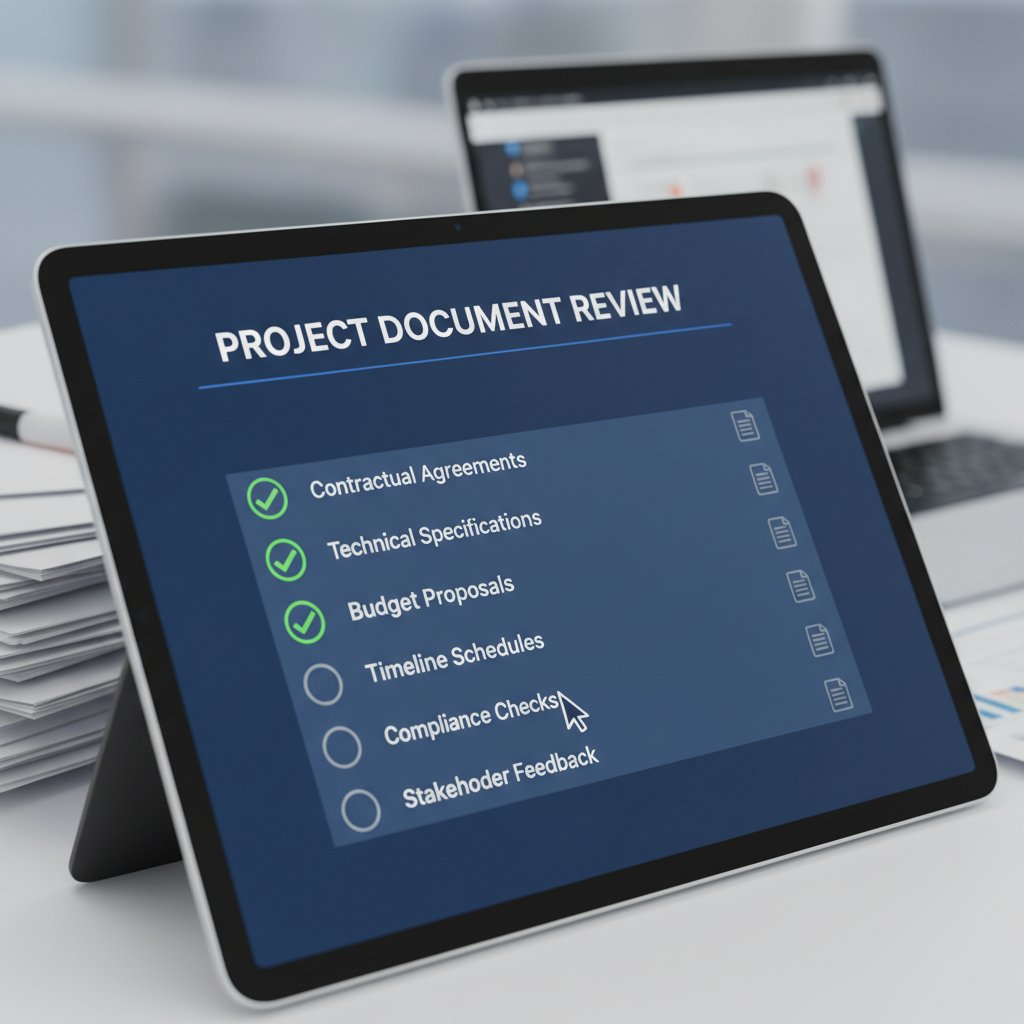
High-quality documentation doesn’t happen by accident. It’s the result of relentless self-assessment and improvement. Use this checklist to review and elevate every project doc before it goes live:
Unordered List: Future-proofing checklist
- Is every section clear, concise, and necessary?
- Have all requirements and risks been validated and cited?
- Is the document accessible to its intended audience (format, language)?
- Are visuals and examples used to enhance (not clutter) understanding?
- Does the doc integrate with other project assets and systems?
- Has it been reviewed by key stakeholders for accuracy?
- Are next steps and ownership clearly defined?
When to break the rules (and why it works)
Sometimes, the bravest thing you can do is cut the page count—or throw out the template entirely. When faced with radical changes in scope, tech, or team, standard documentation practices can become straightjackets. The best teams aren’t afraid to break the mold, provided they stay anchored to core principles: clarity, traceability, and outcomes.
As Riley, a product manager for a global SaaS platform, puts it: “Sometimes the bravest thing you can do is cut the page count.” In a world obsessed with compliance, it’s easy to forget that documentation should serve people, not process.
"Sometimes the bravest thing you can do is cut the page count." — Riley, Product Manager
The human cost: stories from the documentation frontlines
Disasters, near-misses, and comeback stories
Consider the story of Project Orion—a multimillion-dollar software initiative that tanked in its final months. The reason? Critical workflow documents were missing key revisions after a rapid pivot. Teams lost weeks untangling what should have been clear from the start. Burnout soared, and the client relationship never fully recovered.
Contrast that with the comeback of a creative agency nearly derailed by a client’s shifting demands. By rebuilding their documentation process from scratch—incorporating agile specs, living roadmaps, and visual briefs—they transformed a floundering project into one of their biggest wins. The lesson: documentation can be both the hole in the ship and the patch that saves it, depending on how you wield it.

How documentation shapes culture and trust
Docs aren’t just technical assets; they’re cultural ones. When teams treat documentation as a “single source of truth,” trust flourishes. Collaboration becomes smoother, and accountability is shared—everyone knows where to look, and nobody can hide behind ambiguity.
But the psychological impact runs deeper. Well-crafted docs reduce anxiety, empower new hires, and foster a sense of belonging. In contrast, chaotic documentation breeds suspicion and finger-pointing.
Definition List: Key terms
- Living document: A doc that evolves with the project, updated continuously to reflect real-time changes.
- Single source of truth: A centralized, authoritative doc set that eliminates conflicting information.
- Knowledge debt: The cumulative cost of missing or outdated documentation, paid in wasted time and missed opportunities.
Choosing your tools: from legacy systems to AI-powered generators
Manual, template, or AI: which one wins in 2025?
The old guard—manual creation and static templates—still has its place, but next-gen AI-powered generators are rapidly taking over. Here’s how the options stack up:
| Method | Pros | Cons | Best use case |
|---|---|---|---|
| Manual | Deep customization, control | Time-consuming, error-prone | High-stakes, unique projects |
| Template-based | Fast, consistent, easy for routine docs | Can be rigid, easy to misuse | Standard reports, compliance docs |
| AI-generated | Ultra-fast, adaptive, smart suggestions | Needs quality input, oversight required | Agile projects, high-volume documentation |
Table 4: Feature matrix comparing document generation methods. Source: Original analysis based on Harvard Business Review, 2024.
Modern professionals increasingly turn to specialized resources like filecreator.ai to bridge the gap—delivering the speed and flexibility of AI with the reliability needed for mission-critical docs.
What to demand from your document generator
Not all document generators are created equal. Demand more from your tools:
Ordered List: Priority checklist for evaluating document generation tools
- Multi-format support (PDF, DOCX, PPTX, etc.)
- Customizable, industry-specific templates
- Real-time collaboration and editing
- Integrated compliance and error checking
- Strong version control and audit trails
- Seamless integration with project management platforms
- Robust search and retrieval capabilities
- Transparent AI logic and data privacy
If your current solution can’t deliver on these fronts, it’s time to rethink your toolkit.
Beyond compliance: documentation as a competitive advantage
How smart docs accelerate innovation
Smart teams don’t view documentation as a box to tick—they see it as a strategic asset. Well-crafted docs enable rapid onboarding, faster pivots, and clearer communication. Research from Harvard Business Review highlights that nonlinear, project-based work models are on the rise, making agile, adaptable documentation a core differentiator.
Unordered List: Unconventional uses for project documents
- As onboarding accelerators—giving new hires instant context and clarity
- As culture builders—documenting team rituals, values, and unwritten rules
- As learning engines—capturing “failures” and “aha” moments for future projects
- As negotiation leverage—providing indisputable evidence in client and vendor disputes
- As innovation blueprints—mapping successful experiments for rapid iteration
Turning paperwork into progress
The challenge isn’t avoiding documentation but making it work for you. Actionable tips for leveraging docs to unlock team potential:
- Treat every document as a conversation, not a lecture.
- Use docs to spotlight both wins and lessons learned, normalizing transparent failure and learning.
- Keep documentation agile—update regularly and prune mercilessly.
- Link to key resources and templates (like those on filecreator.ai, filecreator.ai/finance-report, or filecreator.ai/project-charter) to embed knowledge within workflows.

The future of project documentation: bold predictions and next steps
What’s coming next (and how to get ahead)
AI, blockchain, and digital identity are reshaping the documentation landscape. While generative AI is already the norm for many data- and text-heavy tasks, new standards around trust, provenance, and security are raising the bar. Teams need to be more vigilant than ever about data ethics, version control, and privacy.

Ethical concerns are front and center: who owns the data, who has access, and how are changes tracked? The smartest teams are establishing clear protocols, using tools that offer transparency, auditability, and compliance with both internal and external standards.
Your action plan for 2025 and beyond
To win the documentation wars, rethink everything you’ve learned. Focus on clarity, adaptability, and continuous improvement. Prioritize tools and platforms—like filecreator.ai—that evolve with your needs, not against them.
“In a world of noise, the smartest teams make every doc count.” — Alex, Operations Lead
Ready to transform the way you generate project documents? The old rules are gone. The new ones are up to you.
Sources
References cited in this article
- Harvard Business Review(hbr.org)
- Advisory.com(advisory.com)
- ThriveMindset(thrivemindset.com)
- Ivy Exec(ivyexec.com)
- Stack Overflow(stackoverflow.blog)
- GetRodeo.io(getrodeo.io)
- Atlassian Community(community.atlassian.com)
- Shimazaki Sentinel(shimazakisentinel.com)
- Eat Your Career(eatyourcareer.com)
- Hello Interpreters(hellointerpreters.com)
- Meshpedia(meshpedia.com)
- Think Insights(thinkinsights.net)
- California Business Lawyer(california-business-lawyer-corporate-lawyer.com)
- iCert Global(icertglobal.com)
- Cogram(cogram.com)
- Windward Studios(windwardstudios.com)
- Astera(astera.com)
- HaystackID(haystackid.com)
- Empirical Software Engineering(link.springer.com)
- LinkedIn(linkedin.com)
- ProjectPractical(projectpractical.com)
- NCUA Plain Writing Report(ncua.gov)
- Evolving Web(evolvingweb.com)
- DocumentManagementSoftware.com(documentmanagementsoftware.com)
- MSF(msf.org)
- Climate Change Writers(climatechangewriters.com)
- Henrico Dolfing(henricodolfing.com)
- Project-Management.com(project-management.com)
- Asana(asana.com)
- Forbes(forbes.com)
- McKinsey(mckinsey.com)
- Creative Bloq(aiundetecatable.com)
- Visual Capitalist(visualcapitalist.com)
Perfect Documents, Instantly
Filecreator.ai transforms the way you produce professional documents. Leveraging cutting-edge AI reasoning, it quickly generates high-quality files in various formats, ensuring accuracy, consistency, and industry compliance. Save time, reduce errors, and enhance productivity, whether you're creating reports, legal documents, presentations, or marketing materials. Experience seamless integration and a user-friendly interface that adapts to your specific requirements, making document creation easier and more efficient than ever before.
Get startedStart Creating Professional Documents Today
Join thousands of professionals who trust AI-powered document generation
Frequently Asked Questions
What percentage of project managers find documentation overwhelming?
According to a survey by GetRodeo.io cited in the article, 20% of project managers find documentation overwhelming or even pointless.
How much time do developers lose daily searching for information in bad documentation?
Stack Overflow's 2024 developer survey revealed that developers alone lose over 30 minutes per day searching for information lost in the void of bad docs.
What is the main argument the article makes about project documentation?
The article argues that documentation is both mandatory and maligned—teams resent creating it, yet it remains a critical secret weapon for project success or failure, and that our approach to docs has barely evolved despite automation and AI reshaping everything else.
Why does the article say poor documentation leads to burnout?
The article explains that poor documentation forces teams to decode cryptic comments and chase missing files, which turns frustration into fatigue and eventually burnout, as time spent on documentation is time not spent building.
Continue Reading
Explore more from Professional Document Generator

Why Most Project Documentation Fails and How to Fix It
Most project documentation fails due to systemic issues. This article examines why documentation efforts collapse and provides research-backed methods to generate project documentation effectively.

Generate Customized Project Documents Without the Usual Failures
Generate customized project documents effectively by understanding why standard processes fail. This article explains the hidden costs of poor documentation and how to avoid them.

Automated Project Documents: Benefits and Integration Risks
Generating automated project documents requires balancing efficiency with control. This article examines what works, what fails, and the integration risks teams face.

What Automatic Project Documentation Generators Actually Deliver
Automatic project documentation generators promise instant, up-to-date docs but carry hidden risks. This article examines the real impact these tools have on teams.

Automated Documentation: Benefits, Pitfalls, and Real-World Strategies
Generate automated documentation to improve workflow clarity and control. This article examines the real challenges, benefits, and practical strategies for documentation automation.

How Business Documentation Affects Productivity and Compliance
Business documentation shapes organizational productivity and compliance. This article explains why poor documentation practices waste time and resources, and how to generate effective business documentation.


