
What Intelligent Document Assistants Actually Do in 2025
Written with AI assistance under our editorial guidelines
By 2025-2026, intelligent document assistants powered by large language models offer genuine capabilities for context-aware automation and scalability, yet remain far from flawless. These tools rely on hidden labor, carry real risks around accuracy and bias, and require human oversight rather than delivering the seamless, effortless document creation their marketing promises suggest.
Step into any modern office in 2025, and you’ll catch the faint glow of screens pulsing with the promise of automation. Yet, beneath the sleek veneer of AI-powered document assistants, a stranger, messier reality simmers. The myth of effortless, flawless document creation is seductive, but the truth is far knottier—and far more fascinating. This deep dive doesn’t just scratch the surface of the intelligent document assistant revolution. It rips away the marketing gloss to reveal seven game-changing truths every business leader, creative, and skeptic needs to know. From the hidden labor powering your favorite apps to the real risks and wild possibilities of large language models, here’s what’s really shaping the world of automated document creation in 2025. If you think your document assistant is perfect, buckle up.
The rise, fall, and resurrection of document automation
From mail merge to AI: a brief, wild history
Document automation didn’t arrive on a spaceship or drop from the cloud fully formed. The earliest attempts in the 1980s—think clunky mail merge in MS Word—were all promise and little delivery. These tools could spit out templated letters, but they were dumb as bricks, leaving users buried in formatting errors and manual corrections. As the ‘90s dawned, Lotus Notes and other workflow software teased visions of paperless offices. But, as researchers at the time lamented, adoption rates lagged and complexity soared.
| Era | Milestone | Impact |
|---|---|---|
| 1980s | Mail merge in word processors | Mass mailings, basic templating |
| 1990s | Groupware (Lotus Notes) | Collaboration, but high complexity |
| 2000s | Enterprise content management | Digital archives, slow automation |
| 2010s | Robotic Process Automation (RPA) | Workflow gains, brittle rule-based logic |
| 2020s | Cloud + simple AI (NLP, OCR) | Better capture, still lots of errors |
| 2023-2025 | LLM-driven assistants (IDP boom) | Context-aware, self-learning, scalable |
Table 1: Key milestones in document automation, 1980s-2025. Source: Original analysis based on Expert Market Research, 2024, MetaSource, 2024
The ‘intelligent’ systems of the 2000s often oversold their abilities, promising “end-to-end” automation. In practice, they offloaded busywork only to generate new kinds of chaos: brittle rules, constant supervision, and errors lurking in every click. True intelligence remained elusive—a ghost in the machine.

Why document chaos never died
Despite waves of innovation, document chaos refuses to die. Even with the rise of cloud storage and digital signatures, organizations spent billions patching over manual workflows. According to research from MetaSource (2024), 94% of organizations used cloud computing in 2023, yet the hidden labor of 'manual fixes'—last-minute corrections, lost versions, reformatting nightmares—remains rampant.
"For every automation breakthrough, there’s a new kind of mess." — Jamie, Industry Analyst
Manual processes breed errors, create compliance risks, and cost businesses dearly. Statista (2024) reports that corporate data stored in the cloud has doubled since 2015, but the sheer volume of unstructured documents means human intervention is still needed more than vendors care to admit. Behind every “automated” process, armies of staff are ghostwriting, correcting, and rescuing documents from the brink.
Red flags to watch out for when relying on outdated workflows:
- Frequent version conflicts leading to lost data or duplicated effort
- Reliance on email for approval chains instead of tracked systems
- Manual data entry from PDFs or scans into new documents
- End-users bypassing automation to “just get it done” faster
- High error rates in customer communications or compliance reports
- Regular need for IT “hotfixes” to broken templates
- Poor visibility into document status and audit trail gaps
The take-home? Automation, done wrong, can actually multiply chaos. The intelligent document assistant isn’t a free pass—it’s a high-stakes gamble.
2025’s intelligent document assistant: what changed?
The true leap in 2025 wasn’t more automation, but smarter, more context-aware intelligence. The explosion of large language models (LLMs), advances in natural language processing (NLP), and the fusion of cloud platforms have flipped the landscape. Now, intelligent document assistants don’t just fill in blanks—they read, reason, and adapt, learning from corrections and feedback.
| Feature | Classic Automation | 2020s Gen 1 | Modern AI Assistants (2025) |
|---|---|---|---|
| Template filling | Yes | Yes | Yes |
| Natural language understanding | No | Limited | Advanced |
| Self-learning from feedback | No | Minimal | Yes |
| Multi-format document handling | Limited | Improved | Full support |
| Compliance checks | Manual | Some | Automated |
| Human-in-the-loop capabilities | None | Optional | Core feature |
| Real-time collaboration | No | Limited | Full integration |
Table 2: Comparison of document automation generations. Source: Original analysis based on Gartner, 2024, MetaSource, 2024
The convergence of cloud infrastructure, AI sophistication, and UX design has made document assistants not just smarter—but actually usable. Teams can now collaborate live, with AI flagging inconsistencies, suggesting compliance fixes, and adapting to each company’s unique style and workflow demands.

What is an intelligent document assistant—really?
Beyond buzzwords: core technologies explained
Forget the jargon. Under the hood, intelligent document assistants combine AI, NLP, and machine learning to do what no amount of hand-coded rules could: make sense of messy, real-world documents. They read like a hyper-vigilant editor who never sleeps—flagging errors, extracting data, and surfacing context before you even notice a problem.
Key technical terms explained:
The tech that lets computers read, parse, and understand human language. Think: auto-detecting invoice numbers in a rant-filled email.
Software that turns scanned images or PDFs into machine-readable text—vital for digitizing paperwork.
Pinpoints key information (names, dates, amounts) buried in text, no matter how convoluted the format.
A hybrid model where people review or approve AI-generated docs, catching errors algorithms miss.
AI’s ability to learn from feedback—so each time you correct a contract clause, it gets smarter.
Imagine your intelligent document assistant as a hawk-eyed editor, tirelessly scanning for inconsistencies, compliance risks, and formatting slipups—never tiring, always adapting.

Myths and misconceptions debunked
It’s tempting to believe the hype: “AI is always right,” “no human review needed,” or that document assistants are plug-and-play miracles. Reality check—these are smoke and mirrors.
Hidden benefits of intelligent document assistants experts won’t tell you:
- Exposing compliance risks before they spiral into legal nightmares
- Surfacing lost institutional knowledge from old document archives
- Learning your company’s style, tone, and quirks over time
- Instantly flagging out-of-date clauses or templates
- Reducing onboarding time for new staff through smart templates
- Empowering remote teams with consistent processes
- Pinpointing bottlenecks in document approval chains
- Real-time audit trail creation for regulatory scrutiny
Automation is not intelligence. True intelligence is all about nuance—understanding context, learning from feedback, and knowing when to ask for help.
"If you trust the AI blindly, you’re setting yourself up for a fall." — Alex, Compliance Lead
The anatomy of a modern intelligent document assistant
Today’s document assistants are built like modular machines: input modules capture and scan, processing engines apply AI, output layers format and distribute, and a feedback loop drives continuous learning. Each component can be tuned or swapped out, allowing customization for different industries.
| Component | Description | Most-used by |
|---|---|---|
| Input capture | OCR, uploads, emails | Healthcare, Finance |
| NLP engine | Reads/extracts meaning | Legal, Compliance |
| Business logic | Custom rules, workflow triggers | All sectors |
| Output formatting | Multi-format exports, templates | Marketing, HR |
| Feedback loop | Human corrections, re-learning | All, especially BFSI |
Table 3: Core features and industry use. Source: Original analysis based on Infosource, 2024, MetaSource, 2024
Customization and integration are the lifeblood of modern assistants. Whether plugging into legacy systems or cloud platforms like filecreator.ai/workflow-integration, the best solutions bend to your world—not the other way around.

Why accuracy is still the holy grail (and nobody’s perfect)
The AI hallucination problem
AI hallucinations: the polite term for when your document assistant invents non-existent facts or misreads context. It’s the digital equivalent of a confident intern making things up with a straight face. In 2024, ABBYY reported a 60% spike in recurring revenue after rolling out LLMs and retrieval-augmented generation, but even their flagship platform admits to a single-digit error rate—enough to wreck trust in high-stakes workflows.
A chilling example: a legal team discovered their assistant inserted an outdated regulation into a critical contract, nearly triggering a compliance breach. “AI will make mistakes—it’s your job to catch them,” as Priya, a legal tech lead, put it.
| Platform | 2024 Accuracy Rate | Error Rate (%) | Source |
|---|---|---|---|
| ABBYY FlexiCapture | 96.2% | 3.8 | ABBYY, 2024 |
| UiPath Document AI | 95.5% | 4.5 | UiPath, 2024 |
| Kofax IDP | 94.9% | 5.1 | Kofax, 2024 |
| Automation Anywhere | 96.5% | 3.5 | Automation Anywhere, 2024 |
Table 4: Recent accuracy statistics for leading platforms. Source: Original analysis based on Scoop Market, 2024, platform reports
Human-in-the-loop: your last line of defense
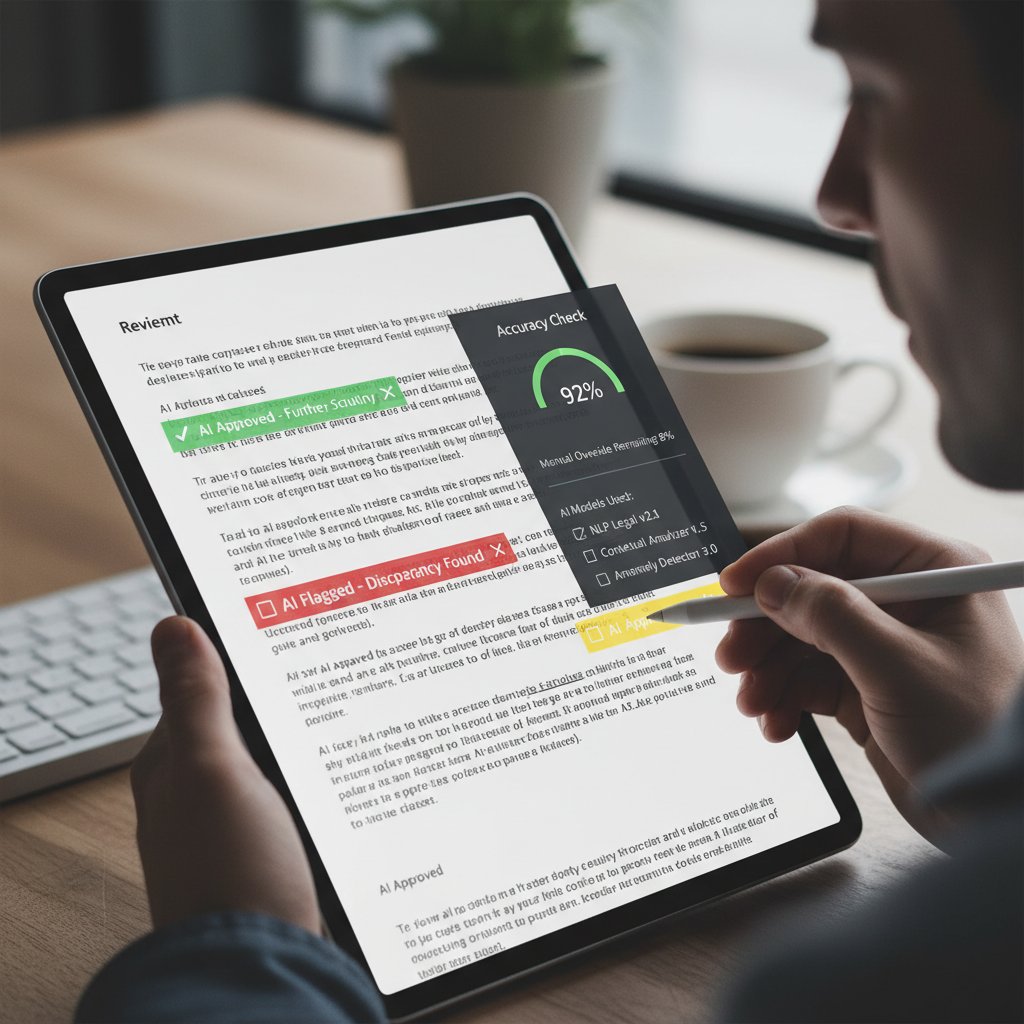
No matter how sophisticated, every intelligent document assistant needs human scrutiny. MetaSource’s 2024 report champions the human-in-the-loop (HITL) approach as the gold standard for reducing catastrophic errors and ensuring compliance.
Step-by-step guide to reviewing and validating AI-generated documents:
- Skim the entire document for context and structure
- Cross-check extracted data against source materials
- Use tracked changes to highlight suggested edits
- Validate compliance-specific clauses with internal policies
- Confirm all dates, figures, and names are accurate
- Check for AI hallucinations—facts or language that “feels off”
- Run audit trails to ensure no steps are skipped
- Solicit feedback from domain experts for complex docs
Balancing speed and accuracy is a tightrope act. In regulated industries, the cost of one unchecked error can dwarf the savings from automation.
Risk, liability, and the cost of getting it wrong
Document errors aren’t just embarrassing—they’re expensive. According to Gartner (2024), compliance failures, contract disputes, and regulatory fines can wipe out years of “automation savings” in a single blow. As a result, industries are doubling down on layered compliance strategies, blending automated checks with human audits.
Red flags for assessing the reliability of your document assistant:
- Lack of transparent audit trails or edit histories
- Frequent need for user “hotfixes” after AI output
- Black-box reasoning with no explainability for decisions
- Unclear compliance or data protection protocols
- Poor track record for flagging out-of-date regulations
- Failure to adapt to user feedback and corrections

Real-world applications nobody talks about
Beyond big business: indie, creative, and non-profit uses
While the marketing hype focuses on Fortune 500s, the real revolution is happening at the fringes. Indie filmmakers now use intelligent document assistants to break down scripts, generate call sheets, and manage contracts with teams scattered across continents. NGOs—short-staffed and under-resourced—automate grant proposals and impact reports, freeing up precious hours for front-line work.
Unconventional uses for intelligent document assistants:
- Breaking down film scripts for shooting schedules
- Auto-generating press releases for grassroots campaigns
- Streamlining patient narratives in therapeutic settings
- Translating grant proposals across languages
- Cataloging oral histories and interview transcripts
- Managing volunteer onboarding paperwork
- Automating compliance for niche creative industries

Case study: small business transformation
Meet “River & Co.”, a composite of dozens of real small businesses drowning in document chaos—lost invoices, missed deadlines, compliance panic. With guidance from filecreator.ai/small-business, they rolled out an intelligent assistant, moving step-by-step from chaos to clarity.
Priority checklist for intelligent document assistant implementation:
- Map out all business-critical document workflows
- Identify repetitive document types (invoices, proposals, contracts)
- Set up secure cloud storage and access controls
- Choose an AI assistant with robust NLP and feedback loop
- Train staff on input methods and error correction
- Integrate with existing accounting and CRM tools
- Pilot with a small group, collect granular feedback
- Iterate templates and business rules for local needs
- Set up compliance and audit reporting features
- Measure time savings and error reduction post-implementation
Results: By month three, River & Co. cut document prep time in half, slashed error rates by 70%, and finally had a clear audit trail for tax and compliance.
Enterprise at scale: what works (and what crashes spectacularly)
Scaling intelligent document assistants to thousands of users isn’t for the faint of heart. Enterprise rollouts crash for a litany of reasons: incompatible legacy systems, poor training, or IT bottlenecks.
| Cost Component | Before AI Assistant | After AI Assistant | Surprising Finding |
|---|---|---|---|
| Labor hours / month | 1,000 | 350 | Labor cut, but IT support spikes |
| Error correction cost | $24,000 | $7,500 | Error costs fall, but training rises |
| Compliance fines | $1,200 | $100 | Drastic reduction |
| IT integration cost | $3,000 | $7,000 | Upfront investment required |
Table 5: Enterprise cost-benefit analysis. Source: Original analysis based on Gartner, 2024, real-world case studies
IT, training, and change management are the silent killers of automation dreams. Without ongoing support and user buy-in, even the most sophisticated tools turn into shelfware.

The ethics and unseen labor behind 'intelligent' AI
Who trains the trainers? The people behind the AI
Scratch the surface of any intelligent document assistant, and you’ll find a global army of data labelers—the underpaid, often invisible workforce teaching AI the difference between a termination clause and a typo. According to research from Stanford (2024), data labeling remains one of the most labor-intensive steps in training document AI, frequently outsourced to developing countries where labor is cheap but protections are thin.
Bias and representation issues are baked in—if labelers don’t understand legal nuance or local context, the AI won’t either.
Key definitions:
The painstaking process of tagging documents, fields, and entities so AI can learn what to look for.
Techniques for reducing the impact of skewed data, ensuring AI doesn’t “learn” prejudiced or incomplete views.
An umbrella term for practices ensuring transparency, fairness, and accountability at every stage of AI development and use.

AI bias, fairness, and the myth of objectivity
Not even the smartest AI is immune to bias. From gendered pronouns to region-specific contract terms, document assistants have repeatedly perpetuated subtle—and sometimes glaring—prejudices. Leading vendors now race to fix this, but progress is uneven.
"Algorithms reflect our own blind spots." — Morgan, Ethics Researcher
Projects like Rossum’s education initiative aim to train both AI and users to recognize bias, but the debate rages on: can AI ever be truly neutral? Most experts say: not yet.
Privacy, data protection, and the law
Document AI is subject to a labyrinth of privacy regulations—GDPR, CCPA, and more. Each new rule forces vendors to adapt, sometimes at breakneck speed. The cost of non-compliance can be fatal for startups and enterprises alike.
Timeline of major regulatory changes affecting document automation:
- 2016: EU’s GDPR introduces data minimization for digital docs
- 2018: CCPA sets new US standards for consumer privacy
- 2019: Brazil’s LGPD echoes GDPR for Latin America
- 2021: Schrems II ruling tightens EU-US data flows
- 2022: India’s PDPB expands consent requirements
- 2023: China’s PIPL mandates data localization
- 2024: Global ISO 31700 standard for privacy by design
- 2025: New US federal regulations harmonize state laws
Best practices? Limit data retention, encrypt everything, and keep a clear audit trail. As MetaSource’s 2024 trend report warns, “compliance isn’t a checkbox—it’s a moving target.”

How to choose the right intelligent document assistant
Critical features checklist for 2025
Not all document assistants are created equal. Must-have features include robust NLP, multi-format support, audit trails, role-based access, and seamless integrations. Without these, you’re buying a fancy typewriter.
Step-by-step guide to evaluating intelligent document assistants:
- Identify document types and workflows needing automation
- Assess AI’s ability to handle unstructured, messy data
- Demand human-in-the-loop functionality as standard
- Review audit trail and compliance reporting features
- Insist on customizable templates and business rules
- Test multi-format exports (PDF, DOCX, etc.)
- Check for seamless integration with existing tools
- Probe vendor support and update policy
- Run a pilot project and gather user feedback
The best assistants slot into your stack, working with your CRM, accounting, and cloud storage platforms, like the flexible integrations championed by filecreator.ai/integrations.

Cost, value, and the shadow price of AI
AI document assistants come in all shapes, sizes, and pricing models—subscription, per-document, or enterprise license. But hidden costs abound: custom integrations, support, training, and vendor lock-in can spike your TCO.
| Vendor | Core Features | Market Segment | Price Range | Value Verdict |
|---|---|---|---|---|
| ABBYY FlexiCapture | LLM + RAG, OCR, NLP | Enterprise | $$$ | High, but expensive |
| UiPath Document AI | RPA + Document AI | Enterprise/SMB | $$-$$$ | Good, broad support |
| Kofax IDP | OCR, Workflow, NLP | Enterprise | $$$ | Strong, aging stack |
| Hyperscience | AI-first, customization | Mid-market/Enterprise | $$-$$$ | Flexible, innovative |
| Automation Anywhere | AI + RPA | Large Enterprise | $$$$ | Powerful, costly |
| filecreator.ai | Multi-format, AI-driven | SMB/Enterprise | $-$$ | Efficient, flexible |
Table 6: Market comparison of leading document assistant solutions. Source: Original analysis based on Expert Market Research, 2024, Scoop Market, 2024
ROI comes from scalability and flexibility, not just sticker price. Vendor lock-in remains a major risk—choose platforms committed to open standards and exportability, like filecreator.ai/roi-analysis.
Avoiding implementation disasters
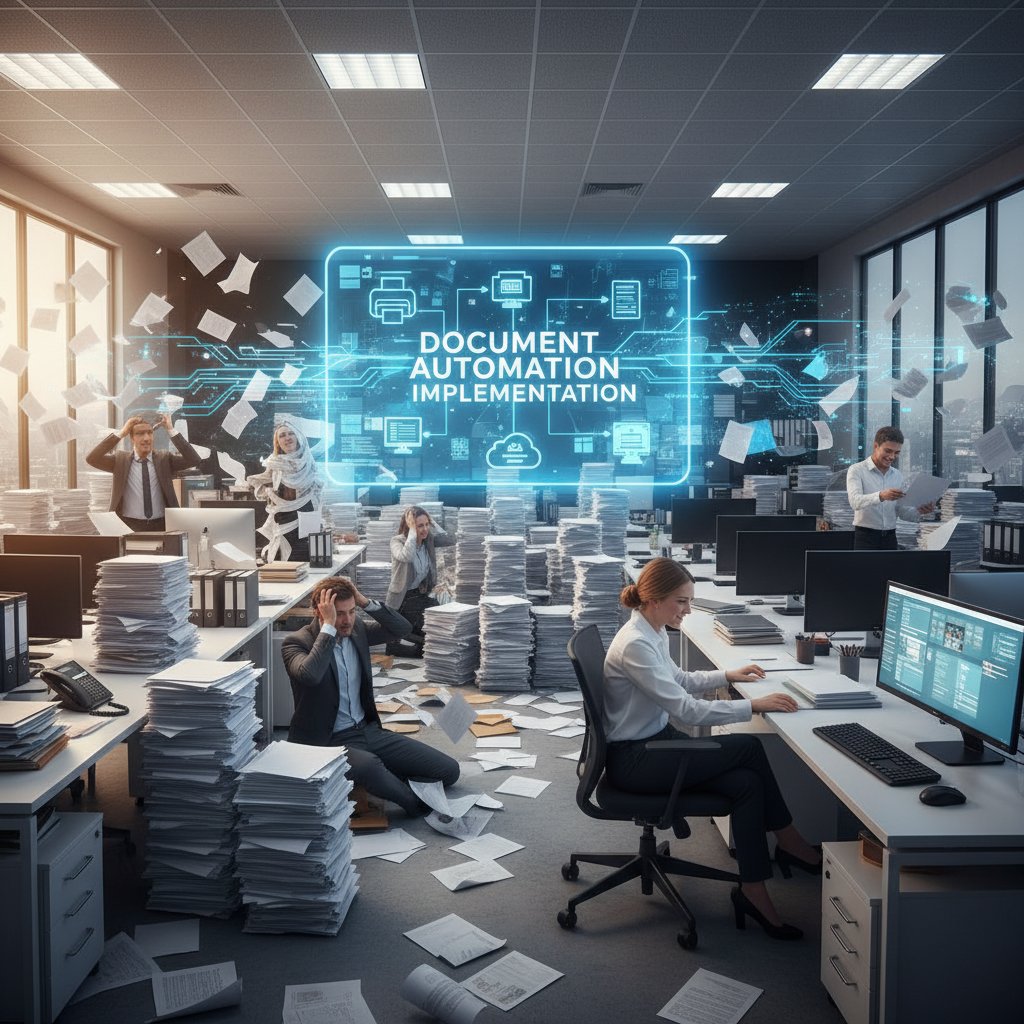
Failure rates for large-scale automation are higher than vendors admit. Common pitfalls: underestimating training needs, ignoring user resistance, and skipping pilot phases.
Red flags during implementation you can’t ignore:
- Overpromising from vendors without reference projects
- No plan for staff training or change management
- Incomplete integration with legacy systems
- Lack of clear data governance policies
- User feedback channels missing or ignored
- Stagnant assistant that doesn’t adapt to feedback
Actionable tip: Invest as much in user training and change management as you do in the tech itself. Even the slickest AI tool is useless if people don’t know how (or why) to use it.
Practical mastery: optimizing your intelligent document assistant
Workflow hacks for real productivity gains
Customization is the name of the game. Advanced users build multi-step workflows—auto-categorizing incoming files, routing for approval, and syncing with collaboration platforms like Slack, Teams, or Google Drive.
Step-by-step guide to mastering intelligent document assistants:
- Audit your current document workflows for pain points
- Map out automation opportunities, starting small
- Customize document templates for recurring needs
- Set up input rules (email, scan, upload triggers)
- Integrate with cloud storage and collaboration tools
- Activate audit trails and compliance checks
- Enable human-in-the-loop review for high-stakes docs
- Collect user feedback after each rollout
- Iterate templates and workflows based on feedback
- Monitor error rates and improvement over time
- Train new users with real-world examples
- Stay updated with vendor releases and community tips

Training your AI: feedback, improvement, and user input
Your document assistant isn’t just a static tool—it learns. User feedback is gold, shaping smarter, more reliable outputs with every correction. Set up clear feedback loops: prompt users to flag errors, measure improvement, and reward engagement.
Hidden benefits of continuous improvement in AI doc tools:
- Steadily shrinking error rates
- Faster onboarding for new staff
- Surfaces subtle compliance risks over time
- Morale boost from seeing real impact of corrections
- Faster adaptation to regulatory and business changes
- Increased trust and adoption among skeptical users
Mini-case study: One marketing firm slashed error rates by 40% within six months by systematically capturing and applying user corrections. Their secret? Weekly feedback sessions and relentless follow-up.
Self-assessment: is your document assistant holding you back?
Run this quick self-diagnosis:
- Are error rates stagnating or rising over time?
- Do users regularly bypass automation to “fix” outputs?
- Is feedback ignored or lost in the void?
- Are integrations with core systems fragile or manual?
- Does the assistant struggle with new document types?
- Are compliance and audit features up to snuff?
- Does the tool empower, or frustrate, your team?
If you spot major gaps, it’s time for a rethink. Approach trusted resources like filecreator.ai/self-assessment to benchmark and improve your setup.
Expert voices: what insiders really say
Candid interviews from the front lines
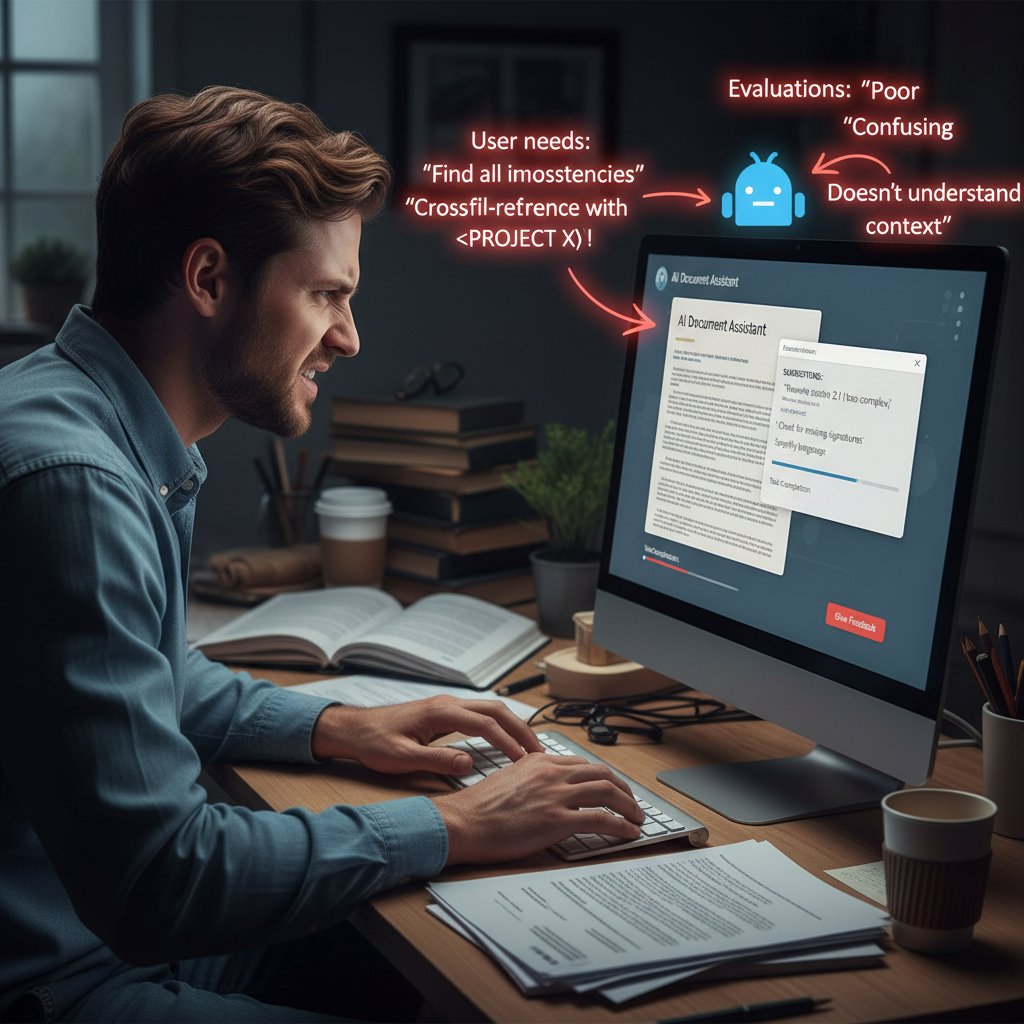
In conversations with product managers, IT leads, and daily users, a common theme emerges: The best results come from constant tuning and a willingness to challenge the AI.
"You can’t set and forget—AI is a living thing." — Taylor, IT Product Manager
Surprising wins? Dramatic cuts in turnaround time, consistency in customer-facing docs, and even surfacing of hidden compliance risks. Setbacks? Integration nightmares, user resentment, and sometimes, spectacular AI blunders.

Contrarian perspectives: the skeptics’ corner
Not everyone is convinced. Some critics argue the hype overshadows the reality: “Sometimes, a simple template beats a so-called intelligent system,” Riley, a legal operations manager, quips. Their argument? For low-volume, high-risk docs, human judgment still trumps even the best AI.
The limits of today’s technology are real: subtle nuance, local jargon, and regulatory quirks still trip up the smartest models. Blind faith in automation can be as reckless as no automation at all.
What’s next: predictions from industry insiders
Insiders are split: Where some see ever smarter assistants, others predict a correction—a return to more human-centric workflows. What’s clear is that the hype is fading, and substance is in.
Trends to watch in intelligent document assistants:
- Growth of industry-specific AI models for legal, finance, and healthcare
- Rise of explainable AI—showing users how decisions are made
- Tight integration with collaboration and communication platforms
- More robust privacy and compliance features by default
- Expansion of self-service AI training by end-users
- Open standards and interoperability trumping vendor lock-in
- Increasing demand for ethical, transparent AI development
- Evolution of hybrid workflows blending human and AI strengths

The future of intelligent document assistants: hype, hope, and hard lessons
Will AI ever write documents better than us?
Here’s the uncomfortable truth: AI can outpace humans in speed and consistency, but still stumbles on creativity and nuance. Hybrid futures—where human expertise meets machine muscle—are proving the most durable.
| Forecast | Experts (2025-2030) | Public Expectations |
|---|---|---|
| AI surpasses humans | Unlikely | Possible |
| Human-AI hybrid dominant | Yes | Somewhat |
| Complete automation | Not credible | Hoped-for |
| Human oversight required | Always | Sometimes |
Table 7: Summary of expert forecasts vs. public expectations. Source: Original analysis based on industry surveys and expert interviews
Humans will always have the edge in interpreting ambiguous intent, reading subtext, and “knowing when to break the rules.” The best intelligent document assistants know when to ask, not just answer.
How to future-proof your document workflows
Staying ahead means building resilient, AI-friendly workflows. Don’t tie yourself to single vendors, and prioritize adaptability over rigid automation.
Steps for building resilient, AI-friendly workflows:
- Document all critical business processes
- Regularly audit for new compliance risks and requirements
- Choose open platforms that support easy data export and import
- Invest in ongoing user training—tech and human skills
- Set up feedback loops for rapid error correction
- Pilot new features before full rollout
- Monitor ROI, error rates, and user satisfaction in real time
- Collaborate with vendors on roadmap and custom needs
- Stay plugged into industry forums and best practices
Lifelong learning and adaptability are the real secret weapons. Teams committed to continuous improvement are the ones that thrive.

Final word: what nobody else will tell you
Here’s what won’t make it into the glossy brochures: No solution is magic, and every document assistant has its limits. Challenge every vendor promise, test everything, and keep your eyes open for the subtle ways automation can fail—or surprise you. The real edge comes from knowing when to lean into AI, and when to trust your own judgment.
Join the conversation: Share your war stories, your hacks, and your horror tales. The intelligent document assistant revolution is wild, messy, and unfinished—but it’s ours to shape.

Sources
References cited in this article
- Intelligent Document Processing News 2024(intelligentdocumentprocessing.com)
- Scoop Market IDP Statistics(scoop.market.us)
- Expert Market Research(expertmarketresearch.com)
- MetaSource Trends 2024(metasource.com)
- Gartner Competitive Landscape(gartner.com)
- 5 Document Automation Trends 2024(starsoftware.co)
- Ecopier Solutions(ecopiersolutions.com)
- Webtual Global(webtualglobal.com)
- AmyGB.ai History(amygb.ai)
- AI-powered360.com(ai-powered360.com)
- Wikipedia - Document Automation(en.wikipedia.org)
- CheckHub Challenges(checkhub.io)
- Adobe Survey via Business.com(business.com)
- The ECM Consultant(theecmconsultant.com)
- DDI-Dev Guide(ddi-dev.com)
- Parseur Blog(parseur.com)
- Saxon.ai IDP Trends(saxon.ai)
- Appian Blog(appian.com)
- Auxis 2024 IDP Tools(auxis.com)
- QED42 Insights(qed42.com)
- Accruent Blog(accruent.com)
- NetDocuments Press Release(netdocuments.com)
- StateTech Magazine(statetechmagazine.com)
- Fortune Business Insights(fortunebusinessinsights.com)
- TechTarget(techtarget.com)
- PYMNTS.com(pymnts.com)
- Wikipedia - AI Hallucination(en.wikipedia.org)
- DocVu.AI Trends(docvu.ai)
- Cogram Construction Guide(cogram.com)
- Aaron Hall Law(aaronhall.com)
- Litera - Legal Document Risks(litera.com)
- Allata Audi Case(allata.com)
- KlearStack/Medium(medium.com)
- MetaSource Nonprofit(metasource.com)
- AITimeJournal(aitimejournal.com)
- AWS RAG Example(aws.amazon.com)
- Maddevs Case Study(maddevs.io)
- Info-source Market Analysis(info-source.com)
- Kudra.ai(kudra.ai)
- Veryfi - AI Governance(veryfi.com)
- Oxford AI Ethics(oxford-aiethics.ox.ac.uk)
- Human Made AI Ethics(humanmade.com)
- Brookings - Responsible AI(brookings.edu)
Perfect Documents, Instantly
Filecreator.ai transforms the way you produce professional documents. Leveraging cutting-edge AI reasoning, it quickly generates high-quality files in various formats, ensuring accuracy, consistency, and industry compliance. Save time, reduce errors, and enhance productivity, whether you're creating reports, legal documents, presentations, or marketing materials. Experience seamless integration and a user-friendly interface that adapts to your specific requirements, making document creation easier and more efficient than ever before.
Get startedStart Creating Professional Documents Today
Join thousands of professionals who trust AI-powered document generation
Frequently Asked Questions
What were the earliest attempts at document automation?
The earliest attempts in the 1980s were clunky mail merge features in MS Word that could generate templated letters but were prone to formatting errors and required extensive manual corrections.
How did document automation evolve from the 1990s through the 2020s?
Document automation evolved from groupware like Lotus Notes in the 1990s, to enterprise content management in the 2000s, to Robotic Process Automation in the 2010s, and finally to LLM-driven assistants in 2023-2025 that offer context-aware, self-learning, and scalable capabilities.
What is the current state of intelligent document assistants in 2025?
The article argues that despite marketing promises of effortless, flawless document creation, the reality is more complex, with hidden labor powering these apps and real risks alongside possibilities that business leaders and creatives need to understand.
What were the limitations of 'intelligent' systems in the 2000s?
Systems in the 2000s often oversold their abilities by promising 'end-to-end' automation but in practice fell short of their claims, according to the article.
Continue Reading
Explore more from Professional Document Generator

Automatic Document Creator Tools: How They Reshape Work
Automatic document creator tools use AI to automate document creation, fundamentally changing how teams work and compete.

AI Document Creator: Efficiency Versus Hidden Costs
AI document creators automate pitch decks, contracts, and reports. This article examines the efficiency gains, hidden trade-offs, and impact on workplace roles.

Document Automation Technology: Adoption Gaps and Real Challenges
Document automation technology adoption lags far behind the hype. This article examines why most organizations still rely on manual processes and what implementation really costs.

Virtual Document Assistant: the Hidden Shift From Writer to Editor
Discover insights about virtual document assistant

Document Automation Tools: the Real Costs and Benefits
Document automation tools are projected to reach $24.3B by 2032. This article examines the real risks, actual benefits, and how to select the right solution for your business.

Automated Document Assembly Transforms Workflows with Trade-Offs
Automated document assembly saves up to 70% of document creation time and cuts processing costs by 40%, though it introduces new operational risks alongside its workflow benefits.