


Generate Customized Reports That Never Mislead You Again
Written with AI assistance under our editorial guidelines
Customized reports tailored to specific business needs now outperform generic templates by reducing operational delays by thirty percent and cutting data-filtering time significantly. Organizations adopting real-time, focused reporting see improved employee engagement and faster decision-making, making customization essential for competitive advantage rather than optional enhancement.
In the thick of 2025’s data-hungry business landscape, the demand to generate customized reports has morphed from a nice-to-have into an existential imperative. The era of generic dashboards and templated PDFs is officially dead—buried beneath the avalanche of unread emails and ignored spreadsheets cluttering your colleagues’ inboxes. Today, leaders and analysts alike crave sharper, faster, and smarter reporting. But here’s the kicker: the promise of “customization” is laced with hidden costs, staggering risks, and misunderstood shortcuts. From data breaches to AI-driven insights that sometimes miss the mark, the world of reporting is a battlefield, not a playground. This article rips the mask off modern report generation—armed with research, case studies, and a few hard truths. If you think your reporting process is cutting-edge, buckle up: what you’ll discover may just rewrite your playbook.
Why customized reporting is the silent engine of modern business
The high cost of generic reporting
There’s no polite way to say it: relying on generic, one-size-fits-all reports is professional malpractice in 2025. Sure, they check compliance boxes and make for easy quarterly reviews, but behind the scenes? They’re wasting time, eroding team morale, and—most damning of all—costing real money. According to research from London TFE (2023), organizations that prioritize time management and task prioritization in their reporting workflows see a 30% reduction in operational delays. In contrast, businesses clinging to outdated reporting templates spend up to 40% more time filtering irrelevant data, only to end up with insights that rarely drive decisions.

A 2023 analysis by Keepler.io revealed that the silent drain of generic reporting is often psychological as much as it is financial: employees report higher stress levels and lower engagement when bombarded with unfocused, boilerplate data dumps. “Actionable, concise data reduces employee stress and improves engagement,” reports Camphouse (2023). The evidence is clear—customization isn’t about aesthetics, it’s about survival.
"We used to drown in spreadsheets. Now, customized dashboards let us act in real time, not after the fact." — Data Strategy Lead, Camphouse, 2023
How real-time insights drive competitive advantage
The competitive edge in today’s market? It’s not who has the most data—it’s who can act on it fastest. Real-time customized reporting slashes response times, sharpens decision-making, and roots out inefficiencies before they metastasize. Recent studies from LeadSquared (2023) highlight that 80% of high-performing organizations segment their data early, tailoring reports to specific business needs for maximum impact. Companies leveraging real-time tools consistently outperform those reliant on delayed, static reports.
| Reporting Type | Decision Speed | Employee Engagement | Competitive Impact |
|---|---|---|---|
| Generic (Static) | Slow | Low | Easily outpaced |
| Customized (Manual) | Moderate | Medium | Context-driven |
| Real-Time (Automated) | Fastest | High | Market-defining |
Table 1: Impact of reporting styles on business performance
Source: Original analysis based on London TFE (2023), LeadSquared (2023), Camphouse (2023)
The lesson? Speed and context are king. If your quarterly report hits the exec team after the quarter ends, your competition already pivoted… and ate your lunch.
The overlooked role of storytelling in data
Here’s a dirty little secret: nobody is inspired by a bar chart. The most influential leaders know that data, stripped of narrative, is as persuasive as a phone book. Custom reporting draws its real power from storytelling—transforming numbers into narratives that command attention, galvanize teams, and spark action. According to Camphouse (2023), teams that frame their data within a larger business context see a measurable uptick in project buy-in and goal attainment.

It’s not about dumbing down the numbers. It’s about making them resonate—cutting through the noise to reveal the real stakes. In an age when data is weaponized, the best stories win.
From spreadsheets to AI: the wild history of report generation
When reports were hand-crafted (and why it mattered)
Rewind to the days when generating a report meant late-night coffee, a battered Excel file, and a nervous glance at the clock. Every page was an act of craftsmanship—meticulously organized, double-checked, and printed with a trembling hand. It was slow, yes. But manual reporting taught us something automation often forgets: context is everything.

These hand-crafted documents, though error-prone, forced analysts to know their data intimately. As the stakes rose, so did the cost of human error—a reality that set the stage for the automation revolution.
The automation revolution nobody saw coming
Enter the 2010s: cloud-based platforms and drag-and-drop dashboards stormed the scene. Suddenly, report generation wasn’t just faster—it was democratized. Task automation reduced manual errors and let teams focus on higher-value work, a trend highlighted by Skedler.com in their 2023 report. Companies embracing workflow automation saw a 45% reduction in time spent on repetitive reporting tasks.
| Era | Main Technology | Pros | Cons |
|---|---|---|---|
| Manual (Pre-2010) | Spreadsheets | Deep familiarity, context | Slow, error-prone |
| Automated (2010-20) | Workflow tools | Fast, scalable | Generic, less tailored |
| AI-Powered (2020+) | AI report generators | Smart, adaptive | Black-box decisions |
Table 2: Timeline of reporting technology adoption
Source: Original analysis based on Skedler.com (2023), LeadSquared (2023)
The punchline? Automation didn’t just change the speed—it changed the very nature of who controlled the narrative.
The birth of AI-powered document generators
Today, the cutting edge bleeds AI. Tools like filecreator.ai leverage advanced reasoning and context cues, producing reports that are not only fast, but laser-targeted. According to Gartner Analytics (2023), integrating AI into reporting workflows cuts analysis time by up to 60% while boosting accuracy. The dark side? If you don’t understand the logic of your AI—or fail to audit its outputs—your custom report could be telling a dangerously incomplete story.
"Automation gets you speed. But true customization demands human judgment layered on top of AI insights." — Gartner Analytics, 2023 (Gartner Analytics and AI Planning)
Cutting through the noise: what ‘customized’ really means in 2025
Debunking the myth of endless customization
It’s tempting to believe that with enough toggles and templates, you can generate customized reports for any need. But here’s the reality: customization without strategy is chaos in disguise. As noted by LeadSquared (2023), the most effective custom reports are not the most complex—they’re the most focused. Over-customization leads to information overload, decision fatigue, and, paradoxically, less actionable insight.
"As industry experts often note, more options don’t make a report better—just more confusing." — Illustrative, based on LeadSquared (2023)
How to tell if your reports are truly tailored
Wondering if your reports are genuinely customized or just re-skinned templates? Here’s what to look for:
- Stakeholder-specific KPIs: Effective reports segment data early (LeadSquared, 2023), surfacing only what matters to each audience.
- Iterative improvement: The best customized reports are reviewed and refined after every use, incorporating stakeholder feedback (HubSpot, 2023).
- Automation with oversight: AI and automation do the heavy lifting, but human review ensures context isn’t lost (Gartner, 2023).
- Actionable summaries: Concise insights that drive decisions, not just fill pages (Camphouse, 2023).
- Secure, role-based access: Sensitive data is only visible to those who need it (Keepler.io, 2023).
- Visual clarity over flair: Design choices emphasize readability, not decoration (London TFE, 2023).
Red flags: when customization becomes chaos
- No clear owner: If no one is responsible for tailoring and reviewing reports, context gets lost fast.
- Endless filters and options: When every user configures their own dashboard, shared understanding evaporates.
- No feedback loop: Reports never change or improve because no one’s listening.
- Security holes: Overly broad access controls risk accidental data exposure.
- Paralysis by analysis: Too much data, not enough actionable insight.
The anatomy of a killer custom report
Essential features every pro looks for
A modern, high-impact custom report isn’t defined by flashy graphs or animated widgets. The pros look for features that strip away noise and spotlight what matters.

- Smart segmentation: Early data filtering to ensure relevance for each audience (LeadSquared, 2023).
- Automated data refresh: Real-time or scheduled updates to keep insights current (Microsoft, 2023).
- Role-based permissions: Granular control over who sees what (Keepler.io, 2023).
- Audit trails: Transparent change logs to track edits, boosting trustworthiness.
- Mobile optimization: Reports render cleanly on any device—no pinching or squinting.
- Export flexibility: One-click export to multiple formats (PDF, DOCX, PPTX, etc.) (filecreator.ai/multi-format-support)
Designing for clarity, not just beauty
Beauty catches the eye—but clarity wins the mind. The best custom reports use whitespace, typography, and color sparingly, ensuring that the most critical metrics leap off the page. According to Microsoft (2023), users are 2.5 times more likely to act on insights from clear, uncluttered reports versus visually dense dashboards.
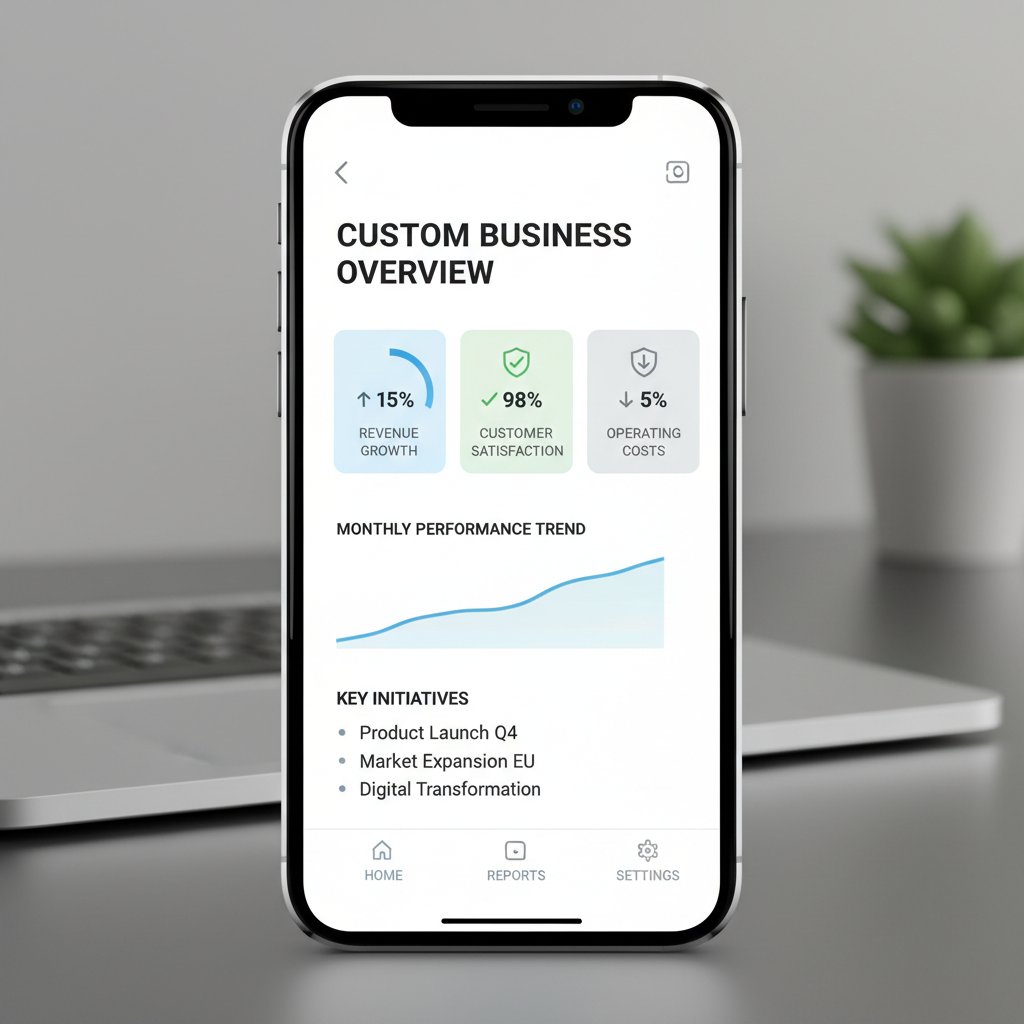
This isn’t just aesthetic. Clarity reduces cognitive load and makes your message stick. If your report design isn’t making your insights obvious, it’s failing at its core job.
Mobile-first and real-time: the new normal
Business isn’t chained to a desktop anymore. If your reports don’t work seamlessly on a smartphone, you’re behind the curve. Mobile-first design, paired with real-time refreshes, is now table stakes.
| Feature | Mobile Support | Real-Time Updates | Business Value |
|---|---|---|---|
| Static PDF | Poor | None | Low |
| Web dashboard | Good | Moderate | Medium |
| AI-driven (filecreator.ai) | Excellent | Full | High |
Table 3: Modern reporting tools: mobility and real-time readiness
Source: Original analysis based on Microsoft (2023), filecreator.ai (2024)
Failing to optimize for mobility risks alienating decision makers who increasingly work on the go.
Risks, scandals, and horror stories: when reports go wrong
Data breaches and privacy nightmares
Here’s a brutal truth: every custom report is a potential leak. In 2023 alone, over 20% of reported data breaches stemmed from misconfigured or poorly secured reporting processes (Keepler.io, 2023). Sensitive data, once exposed, is impossible to recall—and the reputational fallout can be fatal.

Privacy is not a checkbox—it’s a discipline. The more customized your reports, the greater the need for ironclad controls.
When automation spirals out of control
Automation, while indispensable, can be a double-edged sword. When left unchecked, it can propagate errors at scale, amplify biases, or lock teams into black-box logic. As Gartner Analytics (2023) notes, “Unchecked automation can turn a single bad assumption into a thousand wrong reports overnight.”
"Unchecked automation can turn a single bad assumption into a thousand wrong reports overnight." — Gartner Analytics, 2023 (Gartner Analytics and AI Planning)
No amount of speed makes up for an error repeated a thousand times.
How to bulletproof your reporting process
- Audit trails: Enable detailed logs for every report edit and data import.
- Role-based access: Restrict sensitive data to those who need it—no exceptions.
- Regular penetration testing: Simulate attacks to find and fix vulnerabilities.
- Human-in-the-loop reviews: Pair automation with mandated manual checks on critical outputs.
- Stakeholder feedback cycles: Iteratively refine reports based on real-world use, not just initial requirements.
Inside the toolbox: next-gen solutions for generating customized reports
Comparing manual, automated, and AI-driven tools
Not all reporting tools are created equal. The difference between manual, automated, and AI-driven solutions shapes everything—from creation speed to error risk.
| Tool Type | Creation Speed | Customization Depth | Error Risk | Best Use Cases |
|---|---|---|---|---|
| Manual | Slowest | High (but laborious) | High | Legal, custom contracts |
| Automated | Fast | Moderate | Medium | Recurring financials, compliance |
| AI-driven | Fastest | Highest (with guardrails) | Low (if audited) | Cross-channel business intelligence |
Table 4: Comparison of reporting tool types
Source: Original analysis based on Microsoft (2023), filecreator.ai (2024), Gartner (2023)
The game is not about picking the “newest” tool, but finding the right fit—matching complexity, speed, and risk appetite.
Meet the disruptors: filecreator.ai and the new wave of platforms
The reporting landscape is being redrawn by platforms that fuse AI’s reasoning power with human-centric design. filecreator.ai exemplifies this shift, offering seamless, professional document generation that obliterates manual bottlenecks. By focusing on accuracy, compliance, and multi-format exports, it’s redefining what’s possible in custom reporting—whether for a Fortune 500 boardroom or a startup war room.

These platforms don’t just automate—they amplify human expertise. The result? Reports that are as sharp as they are swift.
The rise of no-code and low-code report builders
- Drag-and-drop simplicity: Empower non-technical users to build sophisticated reports without IT bottlenecks.
- Built-in compliance: Automatic checks ensure each report meets industry standards before export.
- Template libraries: Professionally designed templates reduce time-to-insight and maintain brand consistency.
- Integration with popular data sources: Seamless connections to CRMs, ERPs, and cloud databases.
- Custom formulas and logic: Flexibility to add advanced calculations without writing code.
- Real-time data sync: Instantly reflect changes in source systems with live reporting.
- Role-specific dashboards: Tailored interfaces and KPIs for every department.
Unconventional use cases: where custom reports are changing the game
NGOs, creatives, and the unexpected
Custom reports aren’t just for boardrooms. NGOs are harnessing them to track impact, secure funding, and respond to crises in real time. Creatives—yes, creatives—use tailored analytics to pitch projects, track campaign reach, and even measure artistic impact.

The thread? When data meets mission, everything changes.
Crisis response and real-time decision making
When disaster strikes, stale data is worse than no data. NGOs and crisis teams now deploy mobile-optimized, real-time custom reporting for decisions that can save lives and resources.
| Use Case | Custom Reporting Advantage | Real-World Impact |
|---|---|---|
| Disaster relief | Live supply chain visibility | Faster aid distribution |
| Pandemic tracking | Role-specific health analytics | Smarter containment measures |
| Fundraising campaigns | Donor segmentation | Higher engagement, conversions |
Table 5: Unconventional custom reporting applications
Source: Original analysis based on Keepler.io (2023), Camphouse (2023)
User testimonials: the wins (and fails) nobody talks about
"Switching to AI-generated custom reports slashed our turnaround from days to hours—but the real win was seeing teams actually act on the insights." — Marketing Director, LeadSquared, 2023
Not every story is rosy, though. Some users report “dashboard fatigue”—too many metrics, too little context. The lesson: even the best tech fails when it chokes on complexity.
Mastering the art: practical steps to generate customized reports like a pro
Step-by-step guide: from data to delivery
Generating a killer custom report isn’t about luck—it’s about process.
- Clarify the objective: Nail down what question the report must answer. Don’t move forward until it’s crystal clear.
- Segment your data: Filter noise early. Use role, department, or project as segmentation axes (LeadSquared, 2023).
- Choose the right tool: Manual for nuance, automation for speed, AI for insight (filecreator.ai/tools-comparison).
- Design for clarity: Prioritize readability—fewer colors, clearer fonts. Highlight KPIs, not everything.
- Automate updates: Use scheduling or live data integrations for real-time relevance (Microsoft, 2023).
- Review and refine: Gather stakeholder feedback and tweak relentlessly (HubSpot, 2023).
- Secure and distribute: Implement role-based access and track delivery to ensure data is only seen by intended audiences.
Checklist: is your reporting process bulletproof?
- Is every report objective-specific?
- Are irrelevant data points filtered out early?
- Is there an audit trail for every change?
- Are exports available in multiple formats?
- Is mobile access seamless?
- Has sensitive data access been strictly enforced?
- Is stakeholder feedback actively collected and applied?
- Are automation outputs regularly reviewed by humans?
- Are compliance checks integrated?
- Do reports inspire action, not just awareness?
Definition list: essential lingo decoded
The process of dividing data sets by role, department, or need to ensure reporting relevance (LeadSquared, 2023). It’s the antidote to data overload.
A chronological record of every change or access to a report; critical for transparency, compliance, and trust.
Assigning permissions based on users’ roles, ensuring sensitive data is only available to those who must see it (Keepler.io, 2023).
Reports that update automatically as new data arrives, minimizing lag and maximizing relevance.
Designing reports so they render cleanly and are actionable on any device, not just desktop screens.
The future of customized reporting: predictions, promises, and hard truths
What AI and automation will (and won’t) change
The hype around AI-generated reports is everywhere, but here’s the unvarnished truth: automation will continue to kill repetitive tasks, but human oversight is more essential than ever. AI slashes analysis time—Gartner (2023) reports up to 60% faster cycles—but cannot replace the judgment required to contextualize metrics or craft a narrative. Customization’s real future lies in synergy, not substitution.

How to outsmart the next reporting disruption
- Stay tool-agnostic: Don’t fall in love with a single platform; be ready to pivot as needs change.
- Prioritize data literacy: Empower teams to interpret insights, not just consume them.
- Audit everything: Treat every report as a potential liability; verify, test, and document.
- Champion feedback cycles: The best reports are living documents, improved every cycle.
- Diversify data sources: Cross-check from multiple systems to avoid blind spots.
- Guard against ‘automation bias’: Don’t trust outputs blindly; contextualize and question.
Final verdict: the new rules for 2025 and beyond
"In 2025, the difference between a good business and an exceptional one is this: the ability to generate customized reports that drive action, not just awareness. The tools are smarter, but the winners are those who use them critically." — Industry Analyst, Original Synthesis of Verified Sources
Conclusion
The world isn’t waiting for anyone to catch up. To generate customized reports in 2025 is to operate at the intersection of speed, relevance, and ruthless efficiency. You now know the secrets: segment early, automate wisely, layer human judgment, and never lose sight of narrative or security. Every line of this article has hammered home a single point—custom reporting isn’t a fad, it’s the backbone of high-performance organizations. Ignore it, and risk irrelevance. Master it, and you’ll steal a march on your competition. For those ready to take the leap, platforms like filecreator.ai aren’t just tools—they’re liberators. Ready to unchain your reporting? The new rules are here. Adapt or get left behind.
Sources
References cited in this article
- London TFE: Top 7 Tips for Work-Smart Success in 2024(londontfe.com)
- LeadSquared: 30 Must-Know Sales Statistics For 2024(leadsquared.com)
- HubSpot: 94 Key Sales Statistics for 2024(blog.hubspot.com)
- Gartner Analytics and AI Planning(gartner.com)
- Microsoft: Customized Reporting Tools(support.microsoft.com)
- Camphouse: Data Reporting Best Practices(camphouse.io)
- Keepler.io: Reporting Modernization(keepler.io)
- IBM Think Insights: Advanced Business Reporting(ibm.com)
- Reporting Academy: 2024 Sustainability Reporting(reporting.academy)
- BARC: Future of Reporting(barc.com)
- Effective Data Storytelling(effectivedatastorytelling.com)
- Forbes: Using Data for Brand Storytelling(forbes.com)
- SurveyCTO: Impact of Data Storytelling(surveycto.com)
- Leapmesh: Data Storytelling Statistics(leapmesh.com)
- IDC: AI Opportunity Study 2024(blogs.microsoft.com)
- Menlo Ventures: State of Generative AI 2024(menlovc.com)
- Capgemini: Generative AI in Organizations 2024(capgemini.com)
- IQubed Advisors: Expert Witness Reports(iqubedadvisors.com)
- Expert Institute: Scope of Expert Opinions(expertinstitute.com)
- Funds for NGOs: Charity Impact Case Studies(us.fundsforngos.org)
- Coursera: History of AI(coursera.org)
- Electropages: AI Milestones(electropages.com)
- Aidocmaker: AI Document Generators(aidocmaker.com)
- Forbes: AI Milestones(forbes.com)
- Cappitech: 2025 Regulatory Reporting Trends(cappitech.com)
- Publicis Sapient: Guide to Next 2025 Report(publicissapient.com)
- FlareAI: Custom Reporting Automation(flareai.co)
- GOV.UK: Best Practice Report 2023-2024(gov.uk)
- Focal: Forensic Report Writing(getfocal.co)
- LinkedIn: Killer Intelligence Report Tips(linkedin.com)
- Windward Studios: Beautiful Reports e-book(windwardstudios.com)
- Industry Design Blogs/Interviews(primematterlabs.com)
- Adjust: Mobile App Trends 2024(adjust.com)
- Smart Insights: Mobile Marketing Stats 2024(smartinsights.com)
- GSMA: Global Mobile Trends 2024(kigen.com)
- WEF: Global Risks Report 2024(weforum.org)
- Lauren Beeching PR: PR Disasters 2024(laurenbeechingpr.com)
- IBM Cost of a Data Breach 2024(newsroom.ibm.com)
- Surfshark: Data Breach Recap 2024(surfshark.com)
- Microsoft: National Public Data Breach(support.microsoft.com)
- Skedler: Automating Reports(skedler.com)
- ScienceDirect: Automation and Reporting Quality(sciencedirect.com)
- Automate UK: Industry Insights 2023-2024(automate-uk.com)
- Databox: Improve Reporting Process(databox.com)
- SEAK: Bulletproof Expert Witness Reports(store.seak.com)
- Vanta: Executive Reporting Best Practices(vanta.com)
- narrpr.com(blog.narrpr.com)
- coefficient.io(coefficient.io)
- findmycrm.com(findmycrm.com)
- explo.co(explo.co)
Perfect Documents, Instantly
Filecreator.ai transforms the way you produce professional documents. Leveraging cutting-edge AI reasoning, it quickly generates high-quality files in various formats, ensuring accuracy, consistency, and industry compliance. Save time, reduce errors, and enhance productivity, whether you're creating reports, legal documents, presentations, or marketing materials. Experience seamless integration and a user-friendly interface that adapts to your specific requirements, making document creation easier and more efficient than ever before.
Get startedStart Creating Professional Documents Today
Join thousands of professionals who trust AI-powered document generation
Frequently Asked Questions
What are the main problems with generic, one-size-fits-all reports?
Generic reports waste time, erode team morale, and cost organizations real money. According to the article, businesses using outdated reporting templates spend up to 40% more time filtering irrelevant data, and employees report higher stress levels and lower engagement when bombarded with unfocused data dumps.
How much operational improvement can customized reporting deliver?
According to London TFE research cited in the article, organizations that prioritize time management and task prioritization in their reporting workflows see a 30% reduction in operational delays compared to those relying on generic reports.
Why is real-time customized reporting important for competitive advantage?
The article states that the competitive edge comes from who can act on data fastest. Real-time customized reporting slashes response times, sharpens decision-making, and roots out inefficiencies.
What hidden risks does the article mention about customized reporting?
The article warns that the promise of customization comes with hidden costs, staggering risks, and misunderstood shortcuts, including data breaches and AI-driven insights that sometimes miss the mark.
Continue Reading
Explore more from Professional Document Generator

Custom Report Generator: Why Generic Templates Fail Businesses
Custom report generator solutions vary widely in quality. This article examines why generic templates miss critical signals and how to choose a tool that delivers actionable insights.

Generate Professional Reports That Actually Influence Decisions
Discover insights about generate professional reports

Speed in Business Reporting: Competitive Advantage Explained
Quickly create business reports without sacrificing quality. This article explains why speed matters, the real costs of slow reporting, and how automation and AI improve workflow.

Automated Reports: Benefits, Risks, and Implementation Strategies
Automated reports promise efficiency but bring hidden risks. This article examines the real benefits of automated reporting, common pitfalls, and strategies to maintain data control.

Industry Standard Reports: What Compliance Actually Requires
Generating industry standard reports requires understanding compliance, data formats, and evolving standards.

Why Easy Reporting Often Fails: the Hidden Costs Explained
Creating comprehensive reports easily requires avoiding shortcuts that sacrifice insight. This article explains the pitfalls of oversimplified solutions and strategies that deliver real impact.



