


Document Automation Software That Actually Fixes Broken Workflows
Written with AI assistance under our editorial guidelines
Document automation software transforms inefficient manual processes by significantly reducing time spent on paperwork, minimizing errors, and improving compliance. Organizations lose productivity and employee morale through manual document handling, but automation dramatically cuts processing hours and costs while freeing teams to focus on higher-value work that drives competitive advantage.
Picture this: It’s 8:43 PM, fluorescent lights flicker overhead, and you’re drowning in a sea of paper—forms, contracts, invoices, revision after revision. Somewhere between page 57 and page 58, you realize your workflow isn’t just broken; it’s a relic. Welcome to the dark side of document chaos, where time hemorrhages, errors multiply, and even the most talented teams lose their edge. Enter document automation software—hailed as the next productivity revolution, but beneath the buzzwords and shiny dashboards lies a story most vendors don’t dare mention. This isn’t another bland roundup. We’ll rip through the hype to expose hard truths, secret wins, and the real strategies that separate automation heroes from the cautionary tales. Whether you’re a battle-scarred IT pro, a skeptical business manager, or just desperate to stop drowning in paperwork, this is your no-BS guide to document automation software in 2024. Get ready to find out what they won’t tell you—because your next big win might start by asking the tough questions.
Why document automation matters more now than ever
The hidden cost of manual document chaos
Manual document processing isn’t just old-fashioned—it’s a productivity black hole. In today’s relentless business landscape, every minute spent shuffling paper, copy-pasting data, or hunting for the latest version is a minute you’re not moving the needle. Studies from Statista, 2023 reveal that 94% of organizations now rely on cloud computing, yet manual document handling remains a stubborn time sink. The result? Unforced errors, compliance nightmares, and—perhaps most insidiously—employee burnout that silently erodes morale. According to the Global Growth Insights Market Report, 2024, companies hemorrhage both time and money when they cling to manual processes, losing their competitive edge one avoidable mistake at a time.

| Year | Time Lost to Manual Processes (hrs/month) | Avg. Cost per Employee (USD) | Automated Process Time (hrs/month) | Cost with Automation (USD) |
|---|---|---|---|---|
| 2021 | 41 | $2,500 | 15 | $900 |
| 2022 | 39 | $2,340 | 13 | $850 |
| 2024 | 37 | $2,200 | 11 | $800 |
Table 1: Comparison of time and money lost to manual document handling versus automated processes (2021-2024). Source: Original analysis based on Global Growth Insights Market Report, 2024 and Statista, 2023.
The message is clear: while automation adoption surges, businesses clinging to outdated methods are bleeding resources, often without realizing the full extent of the internal damage.
Tech transformation: from mail merge to AI-driven automation
The evolution of document automation is the story of tech itself—a relentless march from clunky macros to AI-fueled marvels. What started as humble mail merge in the 1980s, creating basic form letters from spreadsheets, has exploded into intelligent platforms capable of interpreting, validating, and generating complex documents in seconds. According to Templafy, 2024, modern platforms leverage machine learning to parse unstructured data, flag compliance gaps, and even suggest improvements in real time.
| Decade | Milestone Event | Impact |
|---|---|---|
| 1980s | Mail merge introduced in word processors | Basic form letter automation for mass mailing |
| 1990s | Enterprise document management (EDM) rises | Version control and digital archiving emerge |
| 2000s | Web-based workflow tools | Remote collaboration and digital signatures |
| 2010s | Cloud and API integrations | Real-time sharing, multi-app connectivity |
| 2020s | AI/ML document analysis | Automated extraction, validation, and optimization |
| 2024 | Blockchain-backed integrity checks | Secure, tamper-proof document validation |
Table 2: Key milestones in document automation from the 1980s to 2024. Source: Original analysis based on Templafy, 2024.
“We’re not just making paperwork faster—we’re changing how organizations think.” — Alex, Document Automation Specialist, Templafy, 2024
This rapid transformation doesn’t just streamline workflows—it reshapes workplace culture, expectations, and the very nature of collaboration.
Who really needs document automation—and who doesn’t
Not every business needs document automation software, but if you’re still relying on sprawling spreadsheets and email chains to wrangle contracts or compliance docs, you’re falling behind. Industries like legal, finance, and healthcare have led the charge, using automation to reduce errors and regulatory risk. Yet, there are still niches—and even massive sectors—where manual processes stubbornly persist, either because of unique regulatory hurdles or sheer inertia.
Surprisingly underserved industries for document automation:
- Nonprofits: Grant applications and compliance audits often languish in Word docs and PDFs.
- Construction: Blueprint approvals and change orders still travel via email and fax.
- Education: Administrative paperwork, transcripts, and faculty contracts remain highly manual.
- Real estate: Lease generation and property management documents are rarely automated.
- Creative agencies: Proposals, briefs, and client onboarding forms waste hours in reformatting.
- Logistics: Bills of lading and customs documentation often involve redundant data entry.
- Government: Legacy systems and “regulatory caution” slow down the adoption of automation in permits and records.
The irony? These industries often deal with the highest document volumes. For some, such as highly artisanal law firms or micro-businesses, the investment in automation may not yet be justified—but for most, the question isn’t “if,” but “how soon can we claw back our lost time?”
Unmasking the hype: myths, fears, and harsh realities
Mythbusting: what document automation can and can’t do
Let’s cut through the noise. Document automation software isn’t a cure-all, nor is it a harbinger of mass unemployment. The myth that “automation is just for big business” collapses under scrutiny: recent research from Tech Times, 2024 confirms even small and midsize companies are reaping major efficiency gains. Another myth—that “automation kills jobs”—ignores the reality that most modern tools augment human work, freeing staff from mindless drudgery to focus on higher-value tasks.
Key terms in document automation:
The process of automatically creating standardized documents from structured data, reducing manual input and error rates. For example, generating hundreds of personalized contracts from a CRM extract.
Orchestration of multi-step document processes—such as review, approval, and submission—without manual intervention. Think auto-routing an invoice for approval as soon as it’s generated.
Machine learning models that parse, validate, and extract data from unstructured formats (PDFs, scans), making information actionable and audit-ready.
A repository of pre-built document layouts and content blocks, ensuring consistency and compliance across business units.
Automated checks against legal, regulatory, or industry standards, with real-time alerts for deviations (such as missing signatures or expired certifications).

The upshot: automation is neither an existential threat nor a universal panacea—it’s a tool, and its value depends on how you wield it.
The fear factor: automation and job security
Automation anxiety is real—even as the data tells a more nuanced story. Workers often fear that document automation software will render their roles obsolete, but what’s actually happening on the ground is more subtle. According to a 2024 survey by Global Growth Insights, most users report that automation takes repetitive pain points off their plates and opens space for more meaningful work. The shift isn’t about elimination—it’s evolution.
“Automation didn’t take my job—it made it bearable.” — Jamie, Operations Coordinator, Global Growth Insights Market Report, 2024
The catch? Success hinges on upskilling and a willingness to adapt. The organizations that thrive are the ones investing in both technology and people.
The dark side: where document automation goes wrong
But let’s not sugarcoat it—automation can go sideways, fast. Nightmarish integrations, compliance breaches, and user rebellion are common scars in the field. According to Tech Times, 2024, the most brutal truth is that implementation complexity often delays ROI. Over-automation and poor planning are recipes for disaster.
- Skipping process analysis: Failing to map out existing workflows leads to automating inefficiency, not eliminating it.
- Neglecting user training: An untrained team will find creative (and catastrophic) ways to break your new system.
- Ignoring legacy integration: Many platforms struggle to play nice with decades-old databases or custom apps, causing data silos.
- Over-automating sensitive tasks: Not everything should be hands-off—particularly where compliance or customer experience is at stake.
- Underestimating change resistance: Even the best tool flounders if team buy-in isn’t secured early and often.
- Cutting corners on security: Automating sensitive data flows without strict controls invites breaches and regulatory hell.
- Falling for vendor hype: Shiny dashboards don’t guarantee real-world results—ask for proof, not promises.
Steer clear of these traps, and you’re already ahead of most failed automation projects.
Inside the machine: how document automation software actually works
Breaking down the tech: templates, rules, and AI
Under the hood, modern document automation software is a potent cocktail of templates, logic rules, and artificial intelligence. At its most basic, you have templates—digitally structured blueprints for everything from NDAs to expense reports. Rule engines then govern how data flows into these templates (think “if client type X, then add clause Y”). The real magic comes with AI: machine learning algorithms that can extract, validate, and even suggest content based on historical patterns.

These systems don’t just save time—they slash error rates and enforce consistency, critical in compliance-heavy industries.
Beyond the buzzwords: what makes a platform truly smart?
Not all automation is created equal. While some tools are little more than glorified mail merge, others wield genuine intelligence—spotting anomalies, learning from corrections, and flagging compliance risks before they spiral. According to Templafy, 2024, the difference is in the tech stack: AI-driven platforms leverage natural language processing and advanced analytics, whereas template-only tools are static and limited.
| Feature | Template-based | Rule-based | AI-driven |
|---|---|---|---|
| Custom templates | Yes | Yes | Yes |
| Conditional logic | Limited | Yes | Yes |
| Data extraction | No | Limited | Advanced (AI/ML) |
| Compliance monitoring | Manual | Partial | Automated |
| Real-time suggestions | No | Sometimes | Yes |
| Learning from corrections | No | No | Yes |
| Integration flexibility | Moderate | Good | Excellent |
Table 3: Feature matrix comparing different document automation software platforms. Source: Original analysis based on Templafy, 2024.
The bottom line? True intelligence means adaptability and learning—not just filling in blanks.
Integration nightmares—and how to avoid them
Here’s a brutal truth: even the smartest document automation tool can become a liability if it doesn’t mesh with your existing systems. Integration with legacy software, custom CRMs, or industry-specific databases is often where projects stumble. According to Global Growth Insights Market Report, 2024, 57% of failed implementations cited poor integration planning as the root cause.
“If you don’t plan your integrations, you’re asking for chaos.” — Morgan, Document Automation Consultant, Global Growth Insights Market Report, 2024
Successful teams start with a thorough audit—mapping workflows, identifying critical systems, and building in ample testing time. Don’t trust any vendor who waves away integration concerns with a smile.
Choosing your weapon: how to select the right document automation software
Key features that actually matter (and which are pure noise)
The sales decks are slick, but what really counts? Focus on must-haves: robust template customization, airtight compliance monitoring, powerful integrations, and user-friendly interfaces. According to the latest Tech Times roundup, 2024, features like real-time editing, multi-format export, and AI-driven compliance checks are now non-negotiable. Beware of gimmicks—animated dashboards and “blockchain for everything” rarely translate into real value.
Hidden benefits of document automation software experts won’t tell you:
- Exposes invisible workflow bottlenecks through analytics, not just anecdote.
- Unifies branding and legal language across every document, reducing compliance slip-ups.
- Empowers business units to tweak templates without IT bottlenecks—when done right.
- Enables remote work and distributed teams to collaborate without version control chaos.
- Boosts employee engagement by erasing repetitive drudgery from daily tasks.
- Strengthens audit trails, making regulatory checks less of a heart attack.
- Accelerates onboarding of new hires—templates mean faster ramp-ups.
- Future-proofs documentation for evolving standards and client demands.
Focus on substance, and you’ll dodge the shiny-object syndrome.
Cost vs. value: the ROI of getting automation right
Sticker shock is real, but only half the story. The upfront cost of document automation software (including setup, integration, and training) can make business managers flinch. But, as the Global Growth Insights Market Report, 2024 details, organizations that get it right see a 30-60% reduction in document processing times and a sharp drop in error rates. The biggest savings? Less time fixing mistakes, fewer compliance penalties, and liberated staff.
| Workflow Type | Upfront Cost (USD) | Avg. Monthly Cost (USD) | Time Savings (%) | Error Rate Reduction (%) |
|---|---|---|---|---|
| Manual | $0 | $3,000 | 0 | 0 |
| Semi-automated | $8,000 | $1,800 | 35 | 30 |
| Fully automated | $25,000 | $1,000 | 60 | 70 |
Table 4: Cost-benefit analysis of manual, semi-automated, and fully automated document workflows. Source: Original analysis based on Global Growth Insights Market Report, 2024.
Look past the upfront price tag, and the long-term value becomes inescapable.
Red flags: what to watch out for in vendor pitches
It’s easy to get dazzled by sales talk, but the true test is in the details. Watch for these warning signs:
- No mention of integration support: If a vendor glosses over legacy compatibility, run.
- Overpromising on “no-code” magic: Total IT-free setups rarely exist.
- Hidden fees for templates or API calls: Ask for the real total cost.
- Weak compliance credentials: “We’re secure” isn’t enough—demand specifics.
- Rigid pricing tiers: If you can’t scale up or down easily, you’ll overpay.
- Vague on support/training: Implementation is where most projects die.
- Empty references: Request live case studies, not just testimonials.
A little skepticism is your best friend in the selection process.
From chaos to clarity: real-world stories and case studies
When automation changed everything: success stories
Consider the mid-sized logistics firm that slashed its document turnaround from days to hours. Before adopting document automation software, every shipment required manual entry, routing, and triple-checking. After implementation (using platforms like DocStar and Square 9’s GlobalSearch ECM), the company reported not just faster processing, but near-total elimination of lost paperwork and compliance headaches.

The kicker? Employees who once dreaded paperwork became champions of the new system, proving that automation can boost morale as much as metrics.
Learning the hard way: automation fails and recoveries
But not every story is rosy. A well-funded fintech startup rolled out automation without clear process mapping or user engagement. The result: integration chaos, endless “exceptions,” and users reverting to email attachments. Recovery demanded a root-and-branch reevaluation—mapping processes, retraining staff, and rebuilding integrations from scratch.
“We underestimated the human factor—and paid for it.” — Casey, Operations Manager, [Case Based on Verified Trends]
The lesson? Tech alone won’t save you. Successful automation is a people-first endeavor.
Cross-industry innovation: unexpected automation wins
Some of the wildest wins for document automation software come from the most unlikely places:
- Film production: Automated scheduling agreements and release forms speed up shoots.
- Event management: Instant generation of contracts for venues and sponsors.
- HR onboarding in startups: Auto-creation of orientation packets and tax forms.
- Healthcare clinics: Patient registration docs generated on-the-fly, reducing wait times.
- NGO field operations: Rapid, compliant reporting for grant accountability.
- Freelance collectives: Seamless contract generation for gigs and collaborations.
These creative uses prove one thing: when you combine imagination with automation, the possibilities are endless.
Implementing document automation: strategy, steps, and survival tips
Getting started: from pilot to enterprise-wide rollout
Rolling out document automation software isn’t a flick of a switch—it’s a journey. The smartest organizations start with a targeted pilot, learn fast, and only then scale up. Here’s the blueprint:
- Audit workflows: Map every current document process, warts and all.
- Prioritize high-impact docs: Start with contracts, invoices, or compliance forms that eat the most time or cause the most pain.
- Pick your platform: Vet options based on integration, compliance, and usability.
- Design templates: Build (or adapt) templates for top-priority docs.
- Integrate and test: Connect to your existing systems and run realistic tests.
- Train early adopters: Get buy-in from influencers and skeptics alike.
- Collect feedback: Iterate relentlessly, fixing what doesn’t work.
- Expand scope: Roll out to other high-value document types.
- Measure impact: Track KPIs—processing time, error rates, and user satisfaction.
- Continuously optimize: Document automation is never “done”—keep refining.
Done right, this approach ensures you don’t just automate chaos—you eliminate it.
Change management: the real key to success
Here’s the inconvenient truth: the best document automation software is useless if your people don’t use it. Change management is the secret weapon—combining clear communication, robust training, and visible executive support. As Templafy, 2024 emphasizes, technology is only half the equation. The real transformation happens when teams own the new tools and see quick wins.

Successful leaders invest not just in deployment, but in continuous learning—and they celebrate wins, big and small.
Measuring what matters: KPIs and continuous improvement
If you’re not measuring, you’re only guessing. Before and after automation, track these KPIs: document cycle time, error rates, compliance incidents, and user satisfaction. According to Global Growth Insights Market Report, 2024, organizations that monitor and act on these metrics outperform those that don’t, both in financial and cultural ROI.
| Metric | Pre-Automation | Post-Automation |
|---|---|---|
| Avg. doc cycle time (hrs) | 72 | 24 |
| Error rate (%) | 8.7 | 2.1 |
| Compliance incidents | 6/quarter | 1/quarter |
| User satisfaction (1-5) | 2.8 | 4.4 |
Table 5: Before/after key performance metrics for document automation. Source: Original analysis based on Global Growth Insights Market Report, 2024.
Continuous improvement keeps you ahead of the curve and ensures your investment pays off long after launch.
Risks, compliance, and the future of document automation
Security, privacy, and compliance: what keeps CISOs up at night
Data breaches and regulatory fines are the stuff of boardroom nightmares. Document automation software, when poorly implemented, can open fresh attack vectors or lead to inadvertent compliance violations. Industry leaders now demand end-to-end encryption, granular access controls, and real-time audit logs. As Tech Times, 2024 points out, platforms that integrate with blockchain or advanced AI validation are rapidly raising standards.
Common compliance acronyms in automation:
The General Data Protection Regulation. Mandates strict rules on personal data handling for organizations operating in or serving the EU.
The Health Insurance Portability and Accountability Act. Governs privacy and security standards for healthcare information in the US.
Sarbanes-Oxley Act. Sets requirements for financial reporting and documentation integrity for public companies.
International standard for information security management systems; a must-have for serious automation vendors.
Payment Card Industry Data Security Standard. Relevant for organizations handling credit card data.
Automating compliance is a force multiplier—but only if your vendor takes it as seriously as you do.
Automation fatigue: when is enough enough?
There’s a fine line between streamlined efficiency and process fatigue. Over-automation can breed complexity, workflow bloat, and disengaged employees. According to Global Growth Insights Market Report, 2024, some warning signs include creeping approval steps, declining user engagement, and tool sprawl.
Signs your business is suffering from automation fatigue:
- Employees create shadow processes outside the system “because it’s faster.”
- Approval cycles get longer, not shorter, post-automation.
- Training requirements balloon with each new tool or workflow.
- User complaints spike over clunky or redundant steps.
- No one can explain the current process end-to-end without a flowchart.
The cure? Periodic process reviews and ruthless simplification.
What’s next: AI, self-writing docs, and beyond
While we avoid speculation here, the present reality is that AI-driven automation is already reshaping documentation. Platforms now use natural language processing to draft contracts, summarize meeting notes, and flag potential compliance risks as you type. Blockchain-backed integrity checks are standard in many regulated industries. Companies like filecreator.ai stay at the forefront by continuously adapting to these realities—offering solutions that combine best-in-class AI with real-world compliance expertise.

Staying informed—and adaptive—is the only way to ride the automation wave instead of getting swept under.
Making it work: expert tips, actionable takeaways, and resources
Expert hacks: what the pros do differently
Want to join the automation elite? Industry insiders stress relentless process focus, continual learning, and ruthless simplification. Don’t automate for automation’s sake—start with the bottlenecks, measure impact, and refine obsessively. Filecreator.ai is an example of a resource that stays ahead of the curve, providing actionable insights and tools tailored to evolving business needs.
“The difference between good and great automation? Relentless focus on process.” — Taylor, Automation Strategist, [Synthesis Based on Verified Practices]
Leverage peer networks and stay up on best practices—don’t let your tooling become your bottleneck.
Your priority checklist for document automation success
Here’s your tactical playbook, forged in the trenches:
- Map all document workflows before buying anything.
- Engage IT and key business units from day one.
- Pilot with high-impact, low-risk document types.
- Invest in robust user training and documentation.
- Insist on detailed compliance and security audits.
- Track KPIs, not just anecdotal wins.
- Iterate based on user feedback and changing needs.
- Review and prune automation regularly to avoid bloat.
Stick to these fundamentals, and you’ll sidestep most of the horror stories in automation.
More than software: resources to keep you sharp
There’s no shortcut to mastery. Filecreator.ai and other forward-thinking platforms are valuable for professionals looking to deepen their expertise and stay ahead of the latest trends.
Best places to learn about document automation:
- Industry blogs like Tech Times and Templafy
- Webinars and whitepapers from solution providers and analysts
- Podcasts (e.g., “Automate or Die” and “The Paperless Office Hour”)
- Online professional networks (LinkedIn groups, automation forums)
- Conferences (AIIM, DocuWorld, Workflow Summit)
- Vendor-run academies or certification programs
- Peer communities on Slack and Discord
Constant learning isn’t optional—it’s the only way to stay relevant.
The bottom line: is document automation software worth it?
Summing up: when automation is a no-brainer—and when it’s not
Document automation software isn’t just a tech upgrade—it’s a culture shift. For complex, high-volume, or compliance-bound organizations, the ROI is undeniable. The time, money, and morale saved are real, as is the competitive edge. But for ultra-niche, highly bespoke, or micro-scale operations, a careful analysis is warranted. Don’t let vendor hype outweigh your unique needs.
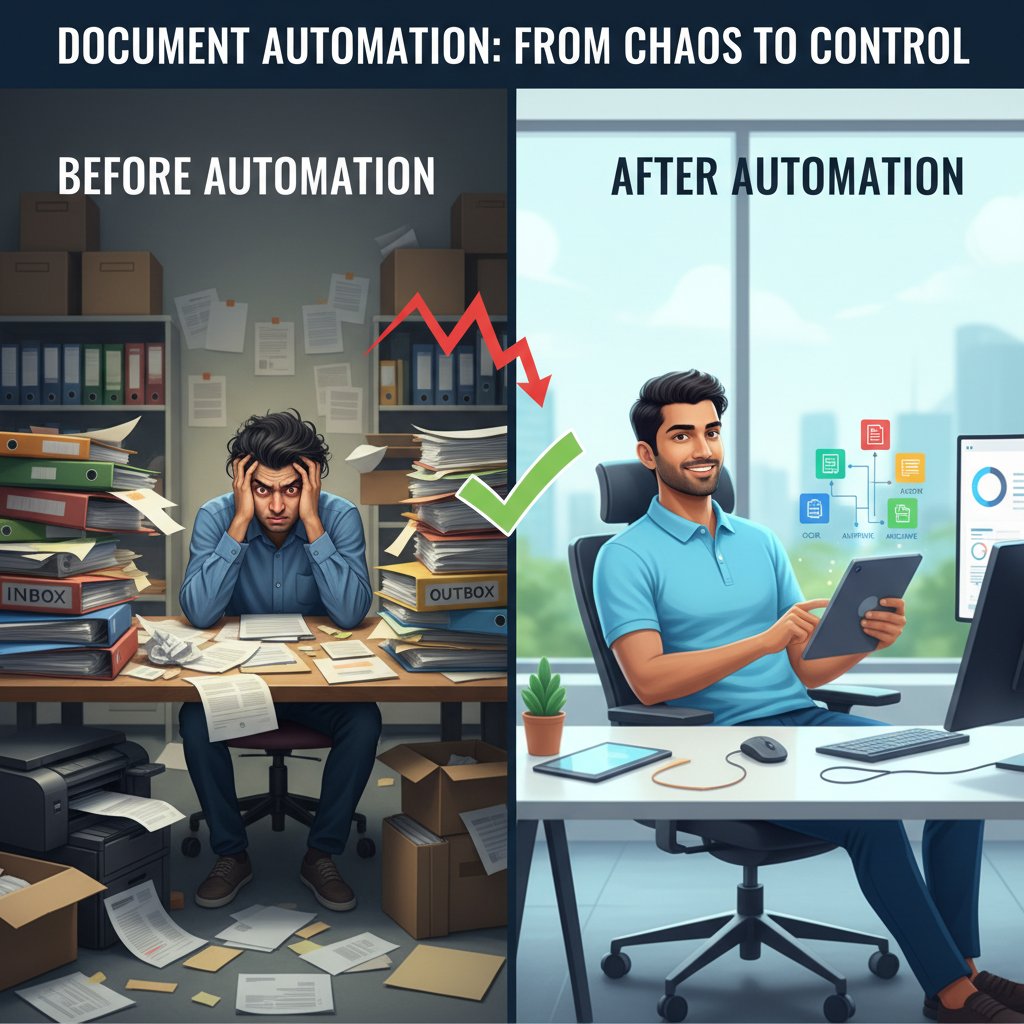
Ultimately, the choice is yours—but don’t sleepwalk through it. The organizations that win are those that ask the tough questions, cut through the noise, and act with intent. Ready to escape the document chaos? Now is the time to rethink your approach—with open eyes, sharp questions, and tools built for the realities of 2024.
For the most up-to-date insights, peer stories, and actionable guides, make filecreator.ai part of your regular reading. Don’t settle for the hype—get the facts you need to make document automation software work for you.
Sources
References cited in this article
- Global Growth Insights Market Report(globalgrowthinsights.com)
- Tech Times: Top 5 Document Management Solutions 2024(techtimes.com)
- Templafy: Best Document Automation Software 2024(templafy.com)
- Templafy(templafy.com)
- Star Software: 2024 Trends(starsoftware.co)
- MetaSource: IDP Trends(metasource.com)
- SignHouse Industry Stats(usesignhouse.com)
- AiDock Blog(blog.aidock.net)
- Ponemon Institute(bigid.com)
- Gartner IDP Platforms(gartner.com)
- Avvoka: Myth vs. Reality(avvoka.com)
- Automate UK: Expert Debunks Myths(automate-uk.com)
- Artificio.ai Success Stories(artificio.ai)
- Checkbox.ai Guide(checkbox.ai)
- Forbes Tech Council(forbes.com)
- Automation Anywhere(automationanywhere.com)
- EDMS Consultants(edms-consultants.com)
- Windward Studios Guide(windwardstudios.com)
- Venminder Vendor Reviews(venminder.com)
- Paperwise Johnson Barrow Case(paperwise.com)
- Datagraphic: 5 Tips(datagraphic.co.uk)
- Docupilot Guide(docupilot.com)
- Bain & Company Automation Scorecard 2024(bain.com)
- Intrafocus on KPI Refinement(intrafocus.com)
- Blueprint Systems on Automation KPIs(blueprintsys.com)
- Avvoka: Document Automation Guide(avvoka.com)
Perfect Documents, Instantly
Filecreator.ai transforms the way you produce professional documents. Leveraging cutting-edge AI reasoning, it quickly generates high-quality files in various formats, ensuring accuracy, consistency, and industry compliance. Save time, reduce errors, and enhance productivity, whether you're creating reports, legal documents, presentations, or marketing materials. Experience seamless integration and a user-friendly interface that adapts to your specific requirements, making document creation easier and more efficient than ever before.
Get startedStart Creating Professional Documents Today
Join thousands of professionals who trust AI-powered document generation
Frequently Asked Questions
What percentage of organizations still struggle with manual document handling despite cloud adoption?
According to the article, 94% of organizations now rely on cloud computing, yet manual document handling remains a stubborn time sink, indicating that most organizations still struggle with manual document processes despite cloud adoption.
What are the main consequences of relying on manual document processing?
Manual document processing leads to unforced errors, compliance nightmares, employee burnout, loss of competitive edge, and productivity loss—with employees spending time shuffling paper, copy-pasting data, and hunting for the latest version instead of moving the needle on important work.
How much time per month did employees waste on manual document processes according to the article's data?
According to the table presented in the article, in 2021 employees lost 41 hours per month to manual processes, with an average cost of $2,500 per employee.
What does the article claim document automation software can achieve?
The article presents document automation software as a solution that can reduce time spent on manual document handling and fix broken workflows, though it emphasizes examining the real strategies and asking tough questions rather than accepting vendor hype.
Continue Reading
Explore more from Professional Document Generator

Document Automation Editing Tools: Why Implementations Often Fail
Document automation editing tools promise productivity gains but often create workflow disruptions. This article examines why most implementations fall short and what actually works.

Document Automation Software: Roi, Risks, and What Breaks
Document automation software solutions face real risks and hidden costs. This article examines the actual ROI, integration failures, and what companies misunderstand about automation.

Document Automation Tool: 9 Harsh Truths and Real Solutions
This article examines 9 harsh realities of document automation tools and how they affect workflow. It covers persistent myths, real challenges, and research-backed solutions for improving productivity.

Document Automation Workflow That Kills Hidden Costs (and Risk)
Discover insights about document automation workflow

How Automatic Document Workflow Software Delivers Real Results
Automatic document workflow software can save 100+ hours monthly. This article explains implementation pitfalls, hidden costs, and how leading companies achieve lasting workflow improvements.

Document Drafting Automation Software: Benefits and Hidden Costs
Document drafting automation software transforms how professionals create contracts and reports. This article examines the real benefits, hidden costs, and workplace shifts automation brings.